
Community listing page, reviews here may not be monitored by the author.
Enderman Grief Control


No reviews yet
Stop Endermen from stealing and placing blocks without disabling vanilla mobGriefing rules.
Community voices
Reviews
No reviews yet. Be the first to review this project!
Get it on
Available Platforms
Compatibility
Supported Environments
Runs entirely on the server. Also works in singleplayer.
Must be installed on both the client and the server.
Varies by version.
About
Project Details
For authors
Embed Badge
If you're the author of this project, you can embed a live badge anywhere that supports HTML or Markdown. It updates automatically whenever ratings change.
Use HTML for any page that supports it, or Markdown for README files and Markdown-based descriptions.
Identifiers
Platform IDs
About
Description
Enderman Grief Control stops Endermen from picking up or placing blocks without disabling mobGriefing for the rest of your world.
It affects only Endermen, preventing new persistent block-carrying Endermen while leaving other vanilla mob behavior unchanged.
Why use Enderman Grief Control?
- Endermen only: Keep the fix focused on the mob causing the problem.
- Pickup and placement blocked: Prevent Endermen from taking blocks or placing carried blocks back into the world.
- No global gamerule tradeoff: Leave
mobGriefingenabled for farms, villagers, sheep, and other mechanics that rely on it. - Persistent carrier prevention: Stop new block-carrying Endermen from being created and building up over time.
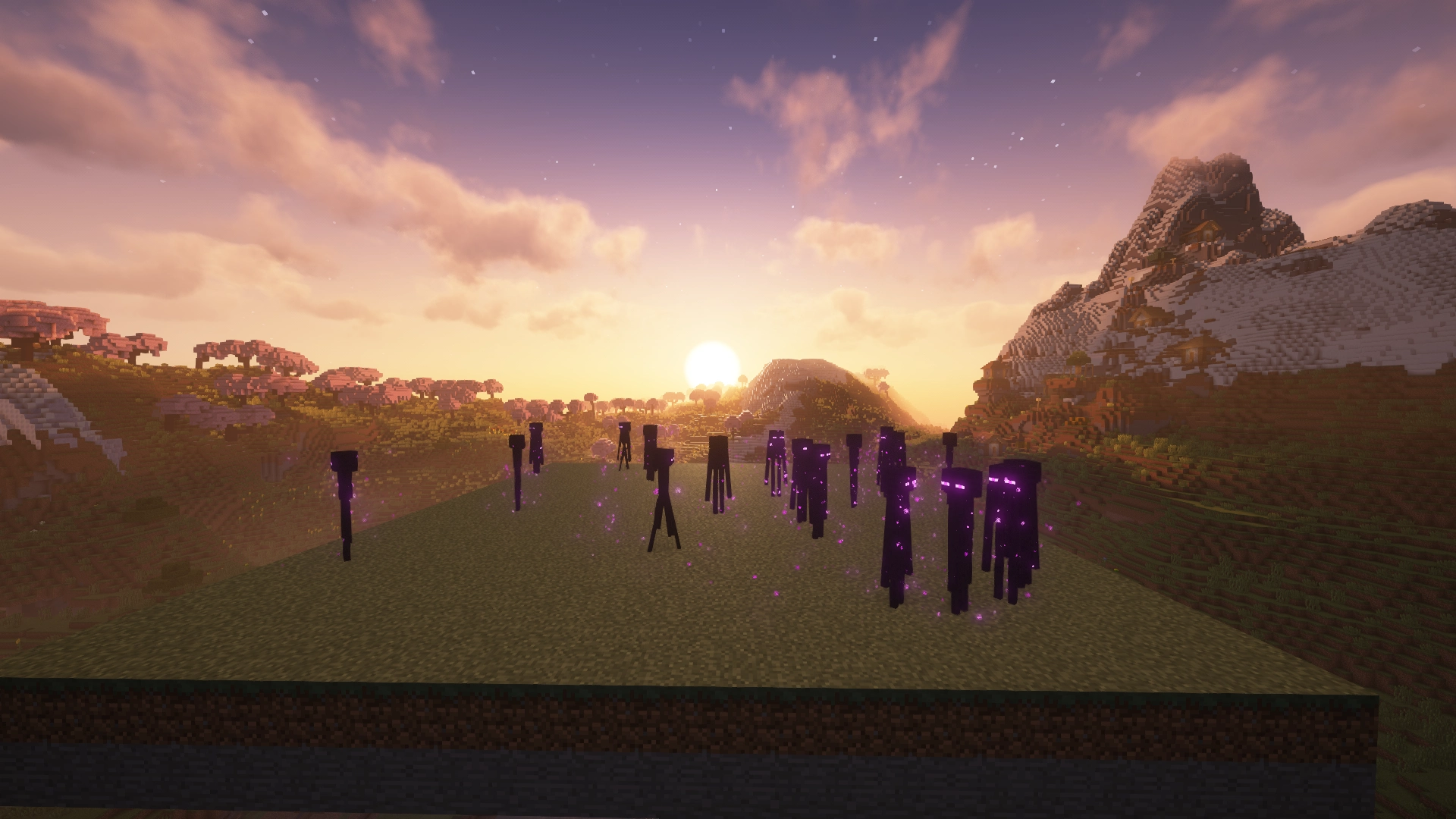
Enderman Grief Control: Enabled
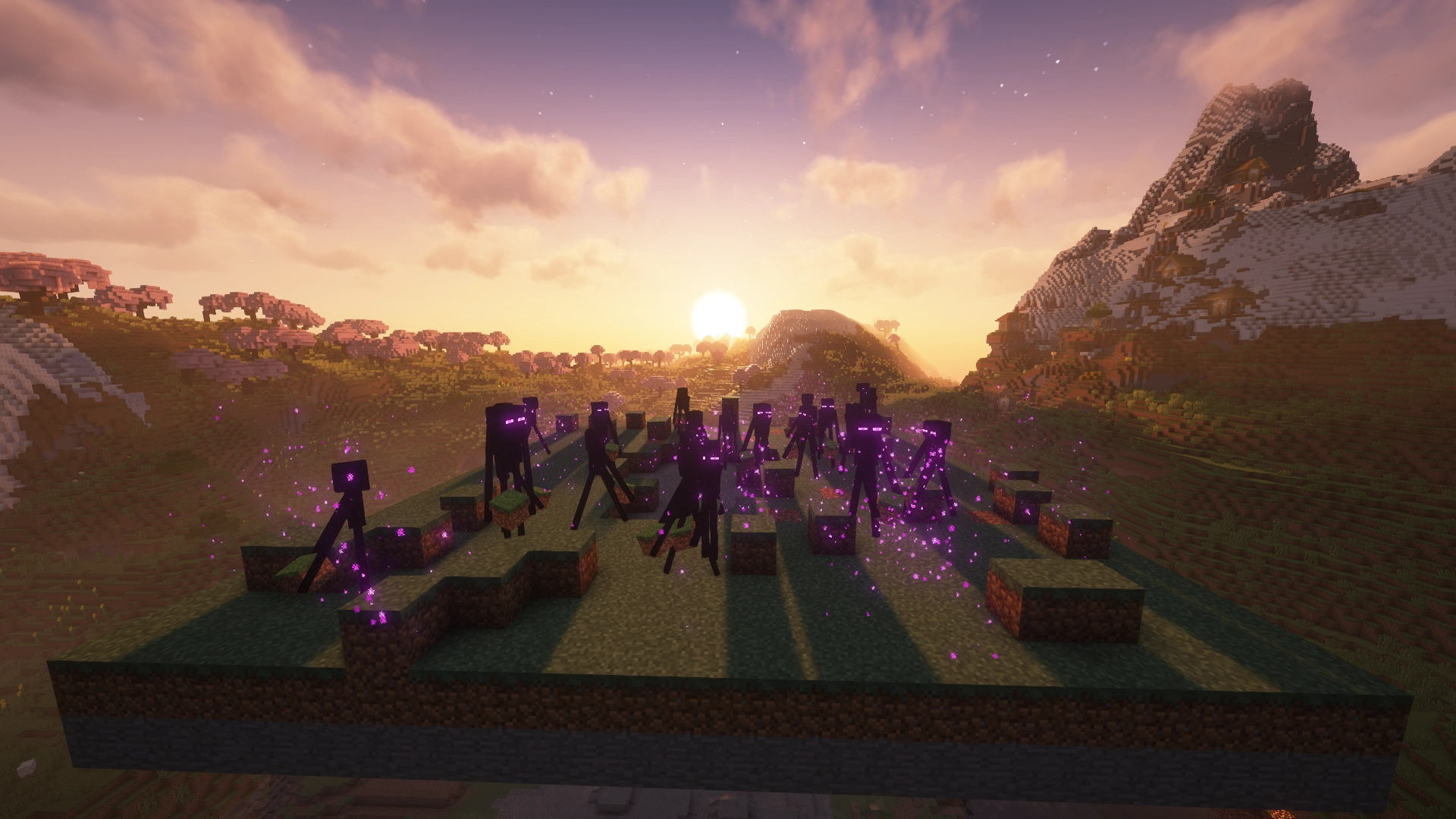
Enderman Grief Control: Disabled
Which download do I need?
Enderman Grief Control has separate builds for Paper and Fabric. Choose the file that matches your setup.
| Your setup | Use |
|---|---|
| Paper server | Paper version |
| Fabric server | Fabric version |
| Fabric singleplayer | Fabric version |
This project is the Fabric version. The Paper version is here.
Platform features
Paper
- Per-world configuration
- Runtime configuration reload
- Optional event logging
Fabric
- Singleplayer and dedicated server support
- Optional logging
- No Fabric API required
Installation
Paper
- Download the Paper version from the Versions tab.
- Place the
.jarfile in your server'spluginsfolder. - Restart the server.
Fabric
- Install Fabric Loader for your Minecraft version.
- Download the Fabric version from the Versions tab.
- Place the
.jarfile in yourmodsfolder. - Launch the game or server.
Fabric API is not required.
Configuration
Enderman Grief Control works out of the box with its default settings. Configuration is only needed if you want to customize its behavior.
Paper
Configuration is located at:
plugins/NoEndermanGrief/config.yml
After making changes, reload the configuration with the plugin's reload command or restart the server.
Fabric
Configuration is located at:
config/no-enderman-grief.json
After making changes, restart the game or server for them to take effect.
For a full reference of available configuration options, see the GitHub documentation.
Compatibility
- Paper: Supports
Paperservers only.Bukkit,Spigot, andPurpurare not officially supported. - Fabric: Requires
Fabric Loaderand works in both singleplayer and on dedicated servers. - Supported Minecraft versions are listed on the Versions tab for each release.
Source, bugs, and feedback
Enderman Grief Control is open source under the Apache 2.0 License.
Bug reports and feedback are welcome.
Enderman Grief Control stops Endermen from picking up or placing blocks without disabling mobGriefing for the rest of your world.
It affects only Endermen, preventing persistent block-carrying Endermen while leaving other vanilla mob behavior unchanged.
Why use Enderman Grief Control?
- Endermen only: Keep the fix focused on the mob causing the problem.
- Pickup and placement blocked: Prevent Endermen from taking blocks or placing carried blocks back into the world.
- No global gamerule tradeoff: Leave
mobGriefingenabled for farms, villagers, sheep, and other mechanics that rely on it. - Persistent carrier prevention: Stop new block-carrying Endermen from being created and building up over time.
Enderman Grief Control: Enabled
Enderman Grief Control: Disabled
Which download do I need?
Enderman Grief Control has separate builds for Paper and Fabric. Choose the file that matches your setup.
| Your setup | Use |
|---|---|
| Paper server | Paper version |
| Fabric server | Fabric version |
| Fabric singleplayer | Fabric version |
Use the Versions tab to download the build that matches your Minecraft version.
Platform features
Paper
- Per-world configuration
- Runtime configuration reload
- Optional event logging
Fabric
- Singleplayer and dedicated server support
- Optional logging
- No Fabric API required
Installation
Paper
- Download the Paper version from the Versions tab.
- Place the
.jarfile in your server'spluginsfolder. - Restart the server.
Fabric
- Install Fabric Loader for your Minecraft version.
- Download the Fabric version from the Versions tab.
- Place the
.jarfile in yourmodsfolder. - Launch the game or server.
Fabric API is not required.
Configuration
Enderman Grief Control works out of the box with its default settings. Configuration is only needed if you want to customize its behavior.
Paper
Configuration is located at:
plugins/NoEndermanGrief/config.yml
After making changes, reload the configuration with the plugin's reload command or restart the server.
Fabric
Configuration is located at:
config/no-enderman-grief.json
After making changes, restart the game or server for them to take effect.
For a full reference of available configuration options, see the GitHub documentation.
Compatibility
- Paper: Supports
Paperservers only.Bukkit,Spigot, andPurpurare not officially supported. - Fabric: Requires
Fabric Loaderand works in both singleplayer and on dedicated servers. - Supported Minecraft versions are listed on the Versions tab for each release.
Source, bugs, and feedback
Enderman Grief Control is open source under the Apache 2.0 License.
Bug reports and feedback are welcome.
Screenshots
Gallery
-
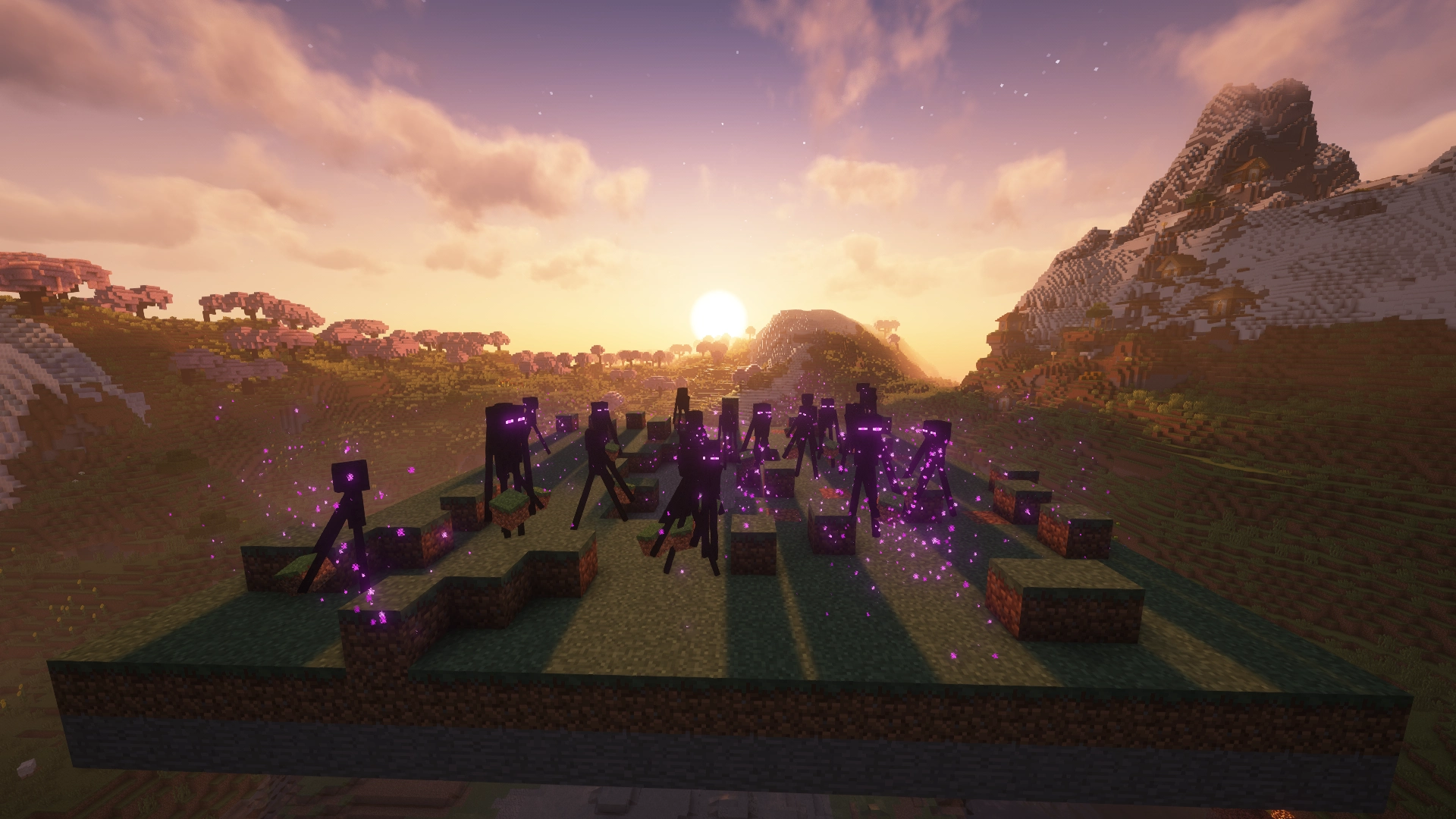 Enderman Grief Control: Disabled Restores default vanilla Enderman block griefing.
 -
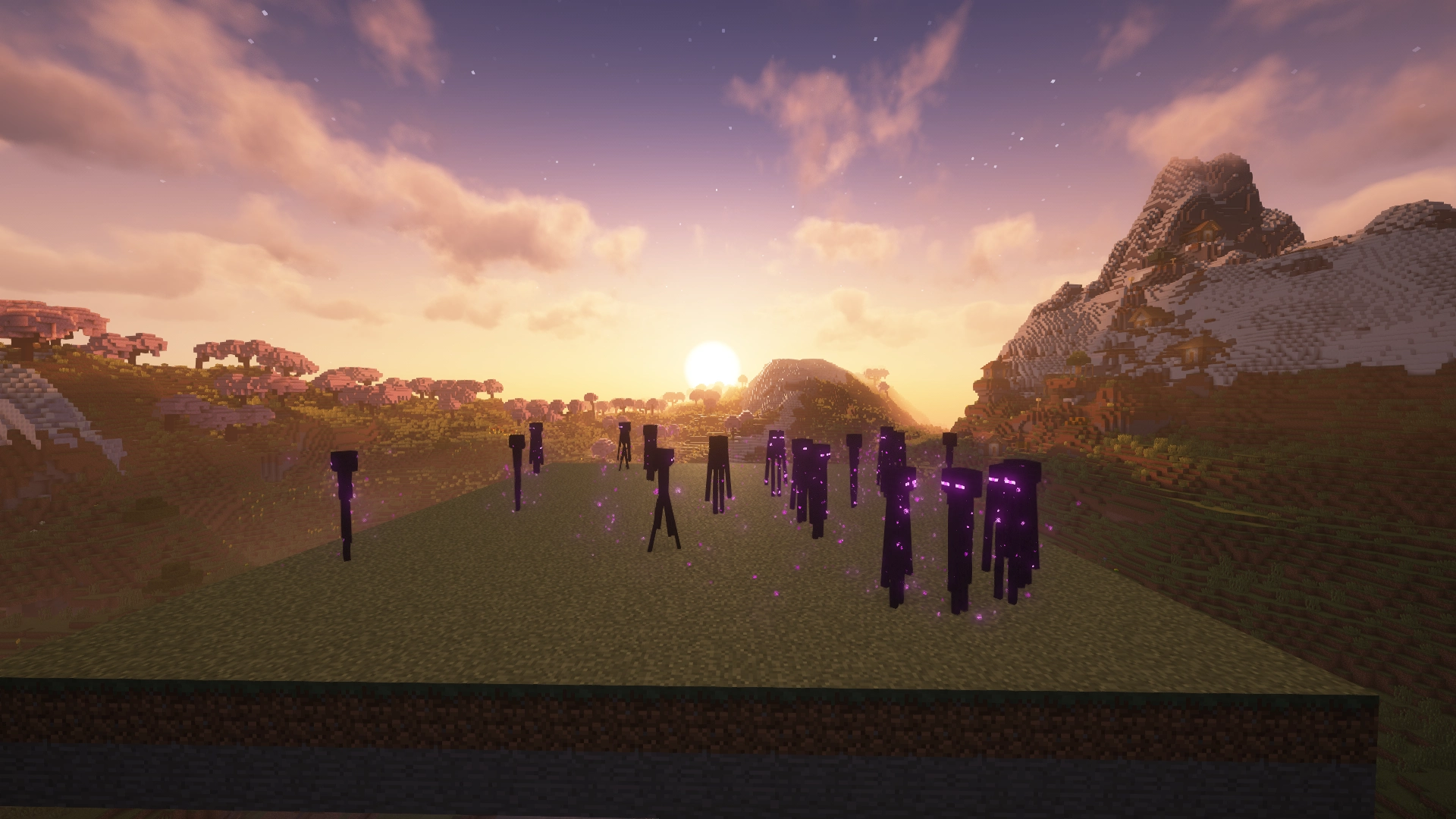 Enderman Grief Control: Enabled Blocks Enderman pickup and placement while leaving other mobGriefing behavior unchanged.
 -
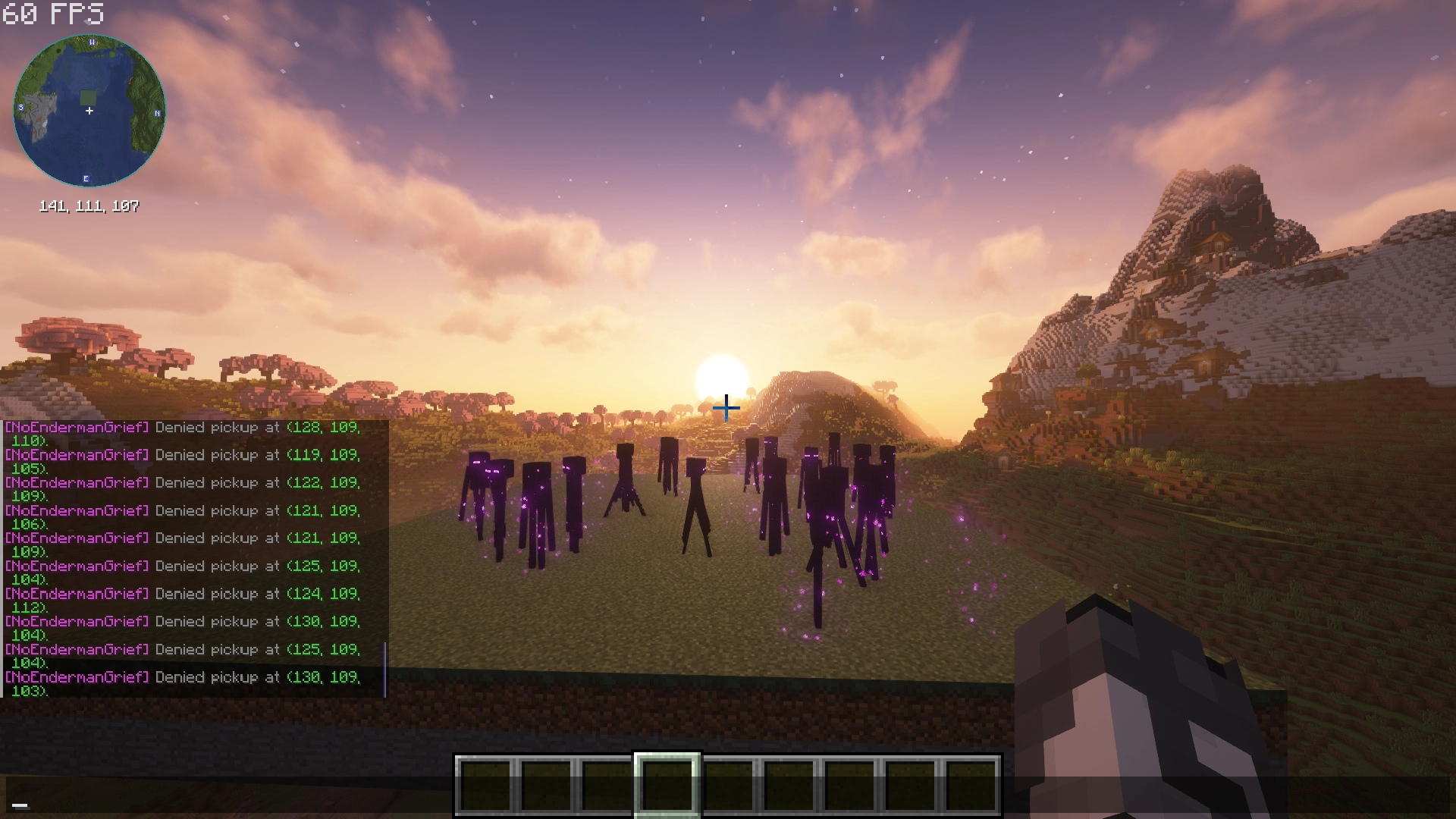 Optional Logging Enable logging to see blocked Enderman pickup and placement behavior.
-
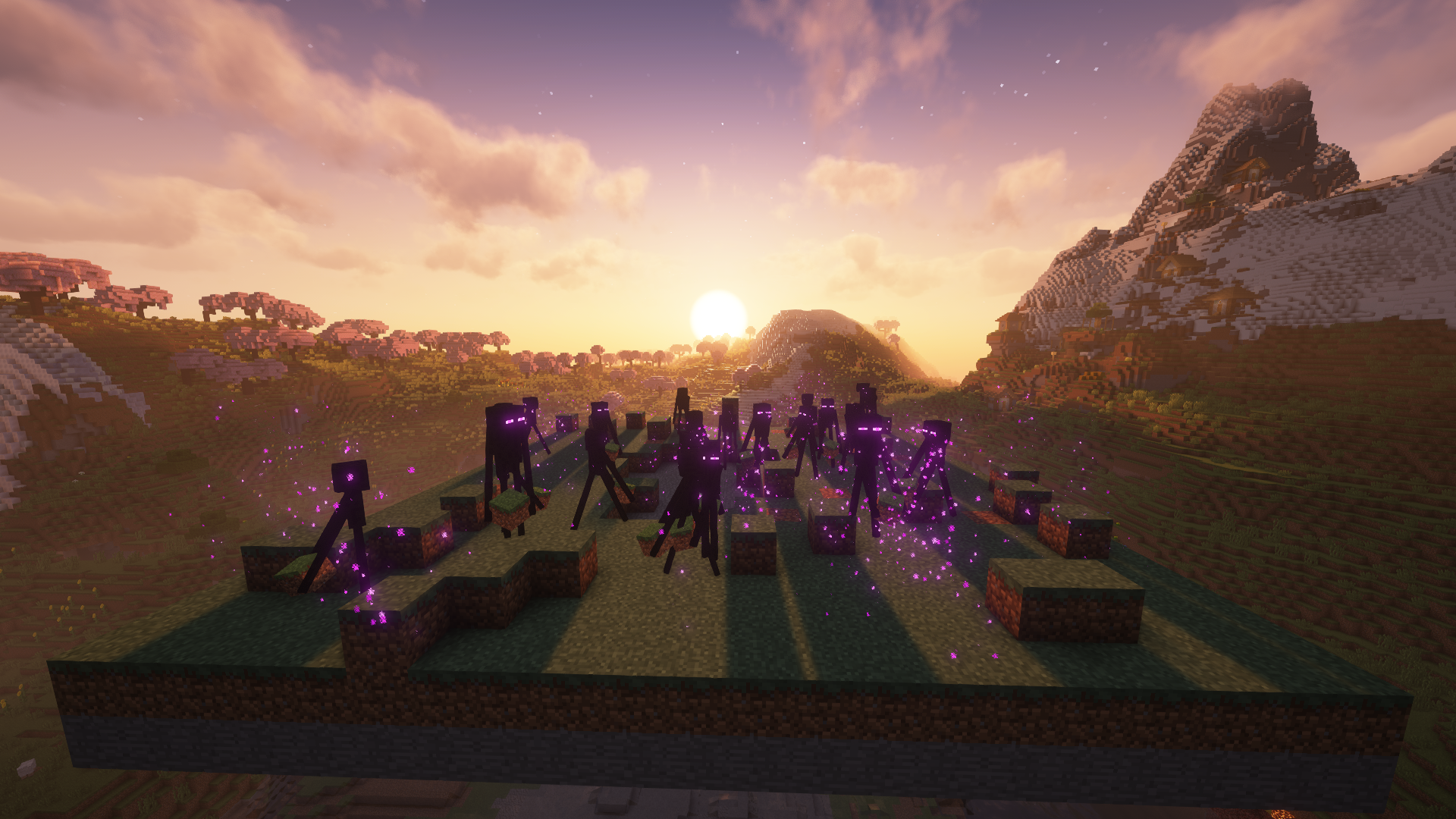 Enderman Grief Control: Disabled Restores default vanilla Enderman block griefing.
 -
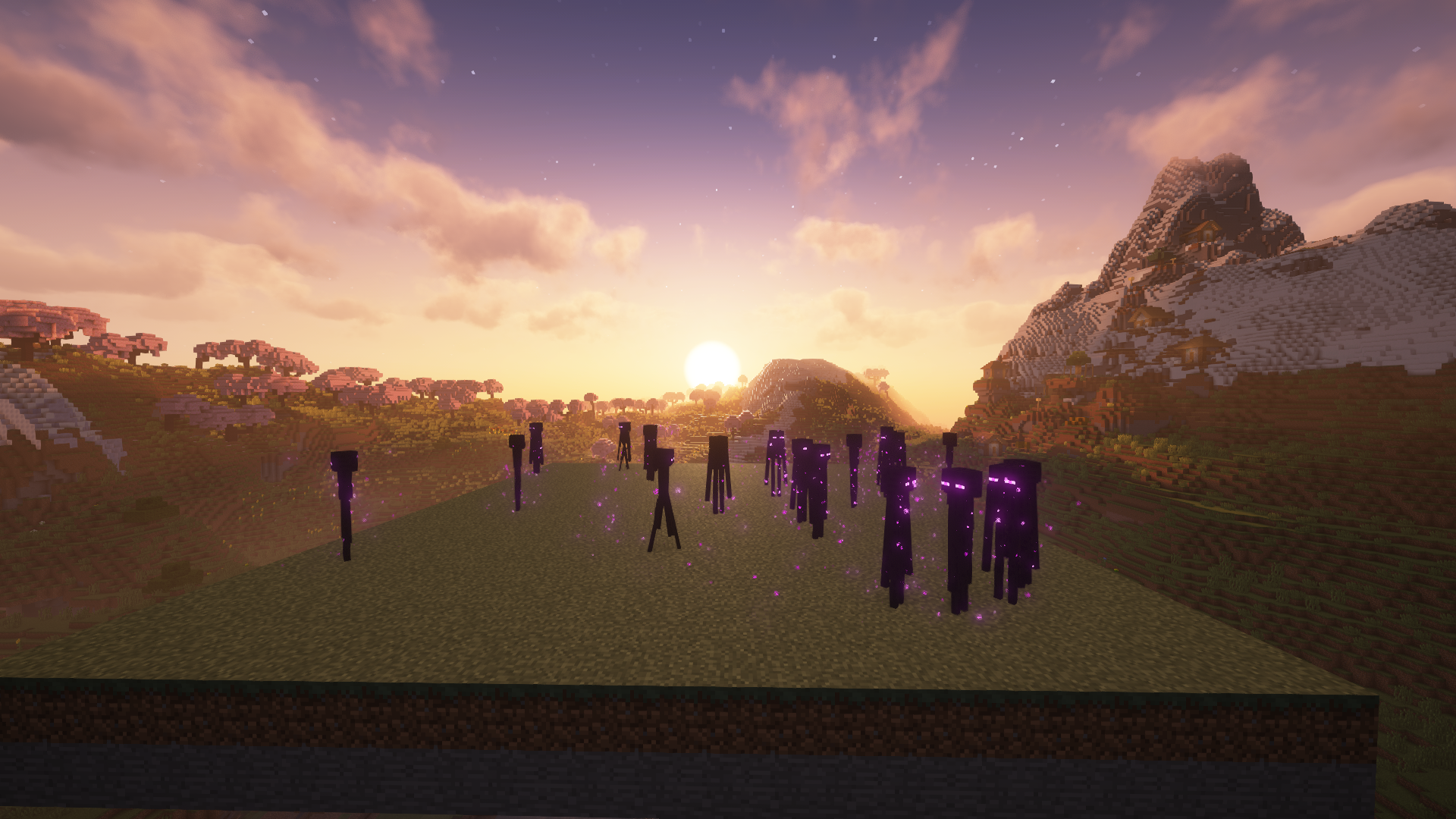 Enderman Grief Control: Enabled Blocks Enderman pickup and placement while leaving other mobGriefing behavior unchanged.
 -
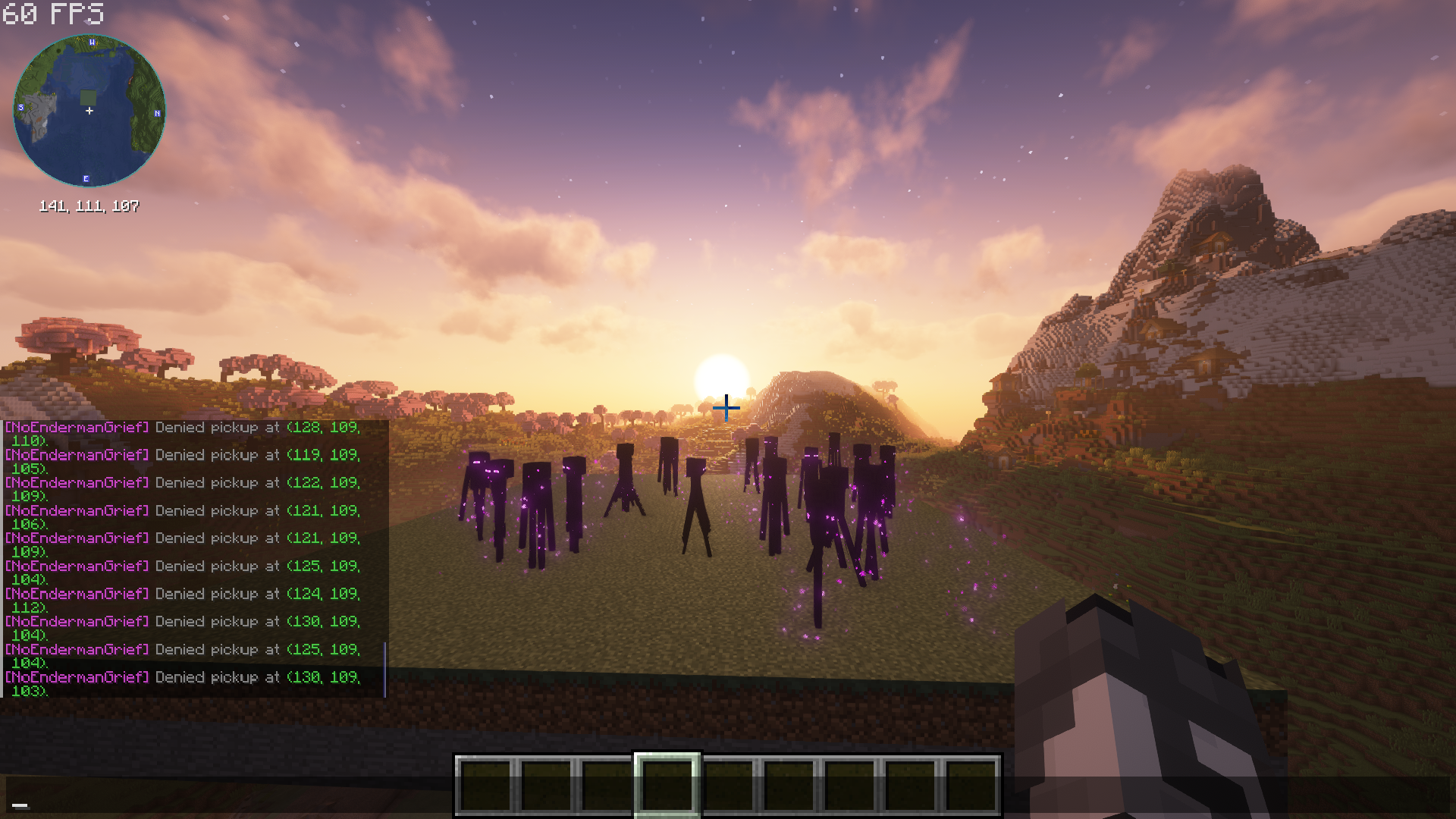 Optional Denial Logging Enable logging to see blocked Enderman pickup and placement behavior. (Defaulted off).
 -
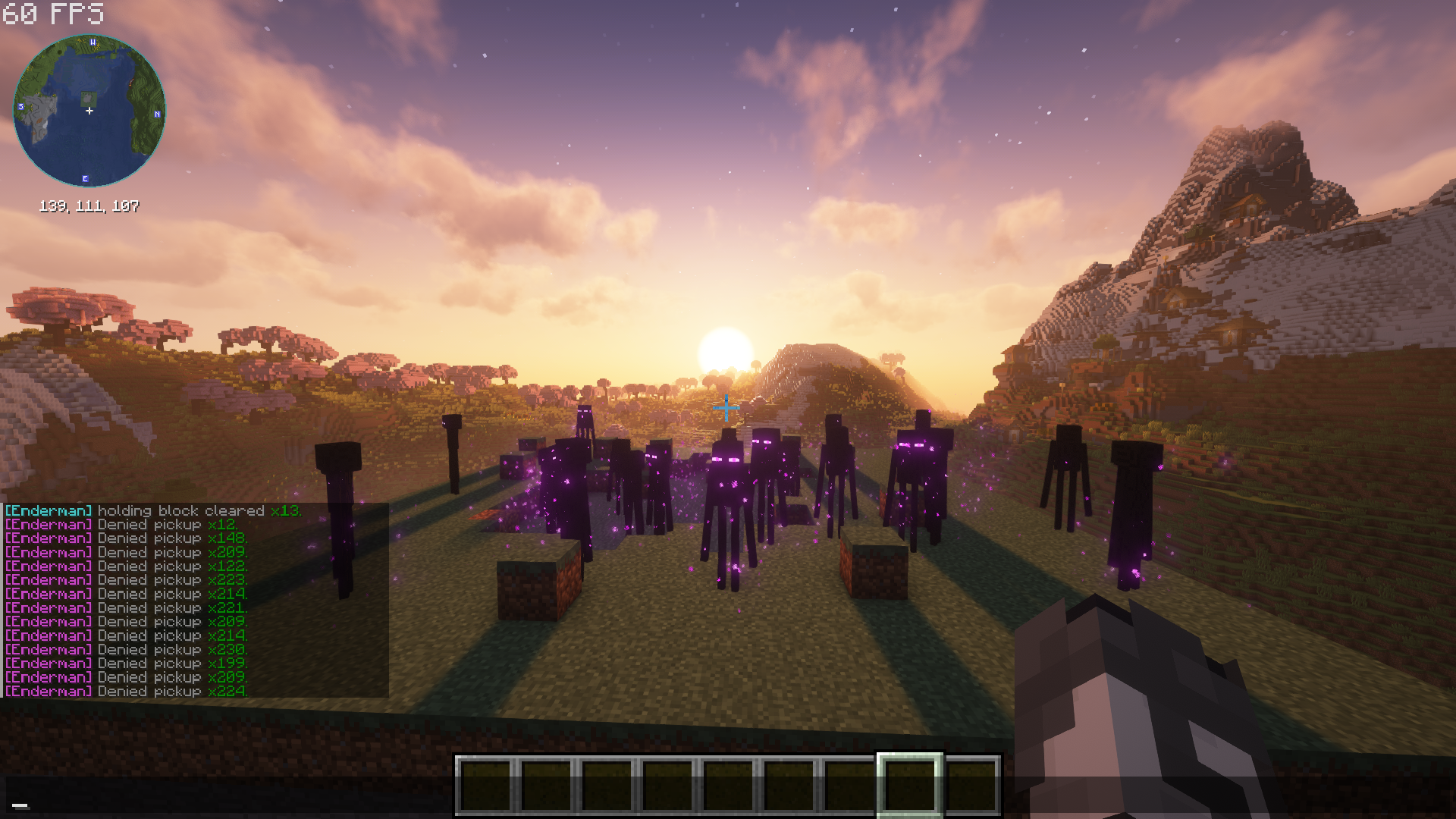 Optional Removal Logging Enable logging to see Enderman's held blocks cleared. (Defaulted on).
 -
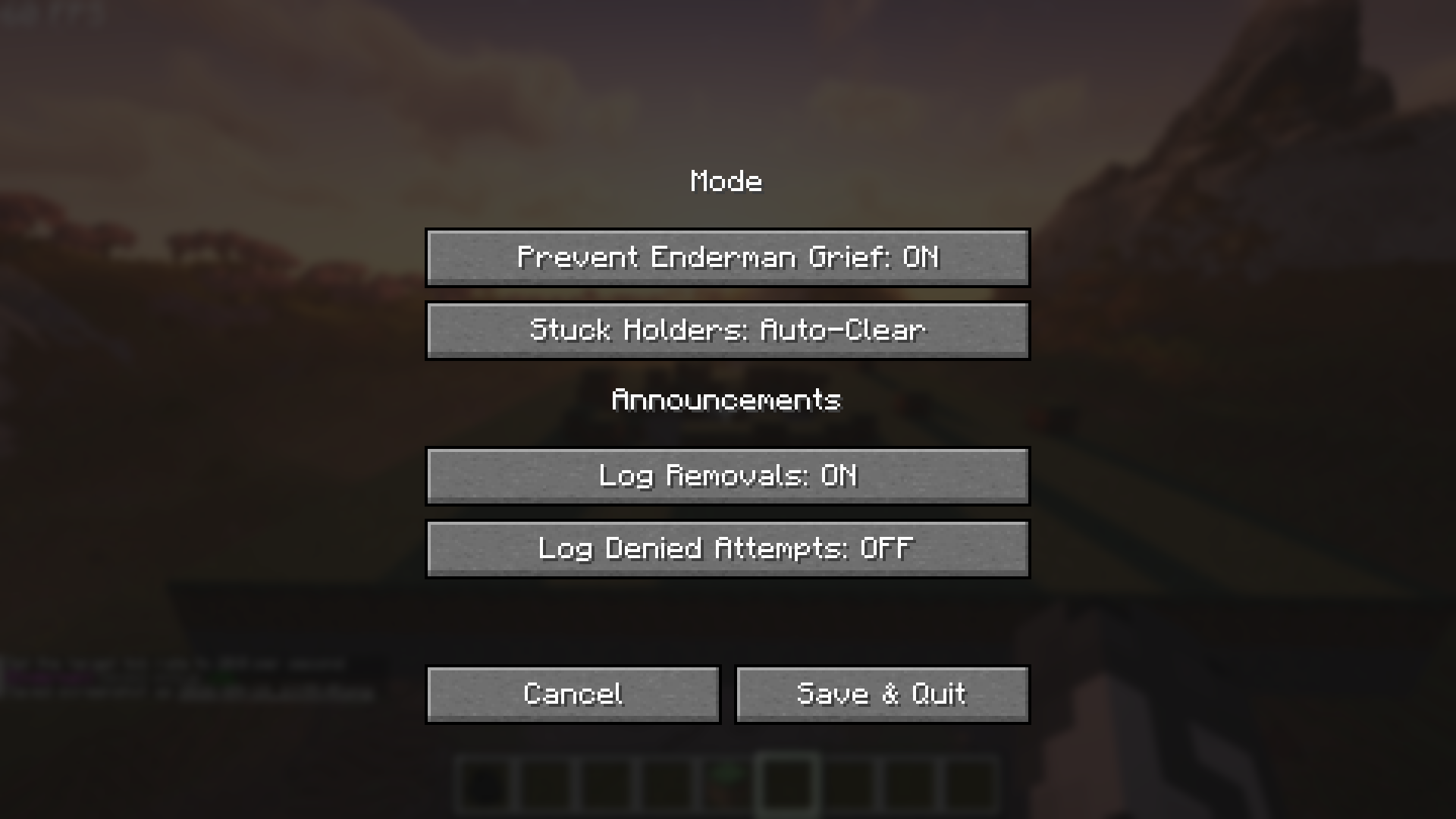 Fabric Mod Menu Compatibility If you have Fabric Mod Menu, this settings screen can be used instead of manual commands or config file editing.
Versions
Files
Relations
Project Relations
More like this
Similar Mods
Suggestions use data such as tags, dependencies, dependents, descriptions, titles, and more to rank how much they overlap with this mod.
On ModDex
Community snapshot
By the numbers
Statistics
Want to reach Minecraft players?
We're looking for a server hosting partner to feature here and other parts of the site. Interested? Send us a message!
Get in touchGet it on
Available Platforms
On ModDex
Community snapshot
By the numbers