
Community listing page, reviews here may not be monitored by the author.
EnderVault

No reviews yet
Better Enderchest
Community voices
Reviews
No reviews yet. Be the first to review this project!
Get it on
Available Platforms
About
Project Details
For authors
Embed Badge
If you're the author of this project, you can embed a live badge anywhere that supports HTML or Markdown. It updates automatically whenever ratings change.
Use HTML for any page that supports it, or Markdown for README files and Markdown-based descriptions.
Identifiers
Platform IDs
Resources
External Links
About
Description
🌌 EnderVault - Supercharged Ender Chest Plugin
EnderVault upgrades the basic Minecraft ender chest into a powerful, fully customizable storage system. Give your players more space based on their rank or permission, while keeping everything safe and easily accessible—even when they’re offline!
✨ What Makes EnderVault Awesome?
-
🧱 Custom Slot Sizes
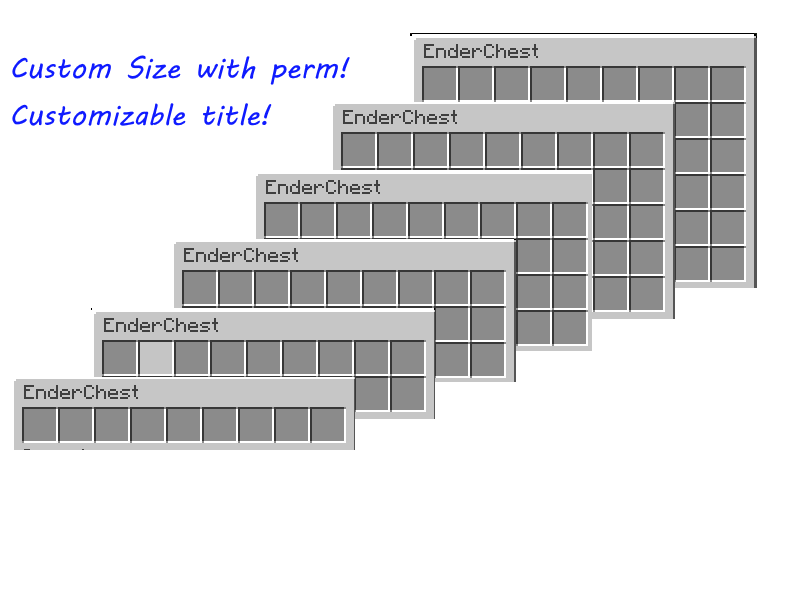
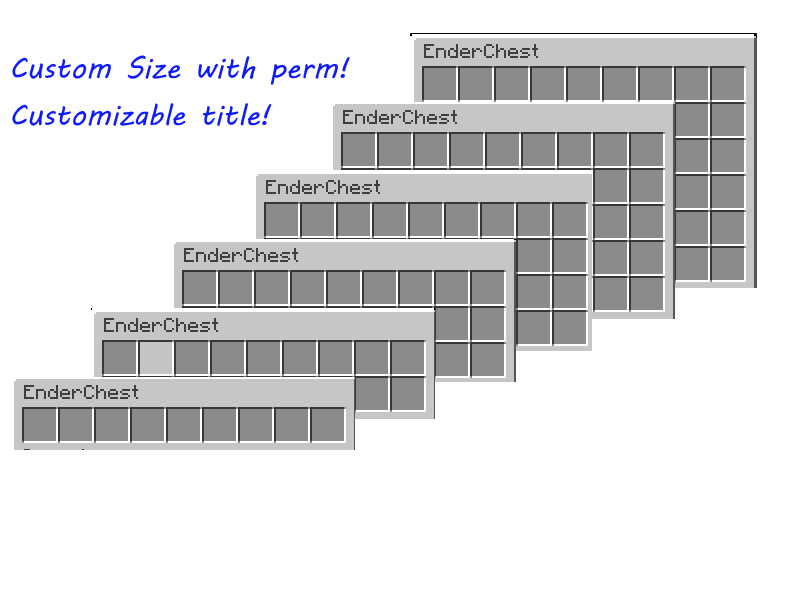
Let players unlock bigger ender chests with permissions.
From 3 rows (27 slots) up to 6 rows (54 slots).
Example:endervault.rows.5gives 5 rows! -
💾 Choose How Data Is Saved
- PDC – Lightweight per-player storage (best for small servers).
- SQLite – Local database with great performance.
- MySQL – Sync storage across servers or large networks.
-
🌐 Supports Online & Offline Mode
- Online: Uses UUIDs for player tracking.
- Offline: Uses player names for compatibility.
-
🛠️ Edit Offline Player Vaults
Admins can open and edit offline players’ chests using SQLite or MySQL storage. -
💬 Easy Commands
/ev- Open your custom ender chest./ev <player>- Open someone else’s ender chest (requires permission).
-
📦 Right-Click Integration
Simply right-click a vanilla ender chest block to open your personalized EnderVault.
💡 Why Choose EnderVault?
EnderVault gives your server flexibility and reliability that vanilla chests just can’t match.
✅ Scales with your server size.
✅ Easy setup and config.
✅ Perfect for survival, factions, SMPs, or donor perks!
🔧 How to Install
- Download the latest
EnderVault.jar. - Place it in your server’s
pluginsfolder. - Restart your server.
- Edit the config file to choose your storage type.
⚙️ Configuration Example
storage:
  type: "sqlite" # Options: pdc, sqlite, mysql
  sqlite:
    file: "endervault.db"
  mysql:
    url: "jdbc:mysql://localhost:3306/database"
    username: "user"
    password: "password"

config:
  OnlineMode: true
🔐 Permissions
endervault.use– Open your own ender chest (default: true)endervault.viewothers– Open others’ chests (default: OP only)endervault.rows.<1-6>– Set how many rows a player gets
Example:endervault.rows.4= 4 rows
Screenshots
Gallery
Versions
Files
Relations
Project Relations
More like this
Similar Mods
Suggestions use data such as tags, dependencies, dependents, descriptions, titles, and more to rank how much they overlap with this mod.
On ModDex
Community snapshot
By the numbers
Statistics

Want to reach Minecraft players?
We're looking for a server hosting partner to feature here and other parts of the site. Interested? Send us a message!
Get in touchGet it on
Available Platforms
On ModDex
Community snapshot
By the numbers
Statistics
Resources