
Community listing page, reviews may not be monitored by the author.
EnhancedMOTD

No reviews yet
Randomize and beautify your server MOTD as never before!

Community voices
Reviews
No reviews yet. Be the first to review this project!
Get it on
Available Platforms
Compatibility
Supported Environments
Runs on a dedicated server only; does not work in singleplayer.
About
Project Details
For authors
Embed Badge
If you're the author of this project, you can embed a live badge anywhere that supports HTML or Markdown. It updates automatically whenever ratings change.
Use HTML for any page that supports it, or Markdown for README files and Markdown-based descriptions.
Identifiers
Platform IDs
About
Description
Features
- Custom Gradients: Create smooth color transitions using
<gradient:#RRGGBB:#RRGGBB>text</gradient> - Rainbow Text: Automatic rainbow gradients with
<rb>text</rb> - Hex Colors: Full RGB color support using
&#RRGGBBformat - Legacy Color Codes: Standard Minecraft color codes (
&a,&c, etc.) - Text Formatting: Bold (
&l), italic (&o), underline (&n), strikethrough (&m), obfuscated (&k) - Randomized Server Icons: Optional feature to cycle through multiple server icons
Formatting Guide
Gradient Syntax
- Custom Gradient:
<gradient:#FF0000:#FFFF00>Your Text</gradient>- Smooth transition from red to yellow - Rainbow Gradient:
<rb>Your Text</rb>- Automatic rainbow effect
Color Codes
- Hex Colors:
&#FF5500- Any RGB color - Legacy Codes:
&a(green),&c(red),&b(aqua),&e(yellow), etc.
Formatting Codes
&l- Bold&o- Italic&n- Underlined&m-Strikethrough&k- Obfuscated (random characters)&r- Reset all formatting
Combining Formats
Place formatting codes before gradient tags:
&l<gradient:#FF0000:#FFFF00>Bold Gradient Text</gradient>
&o<rb>Italic Rainbow Text</rb>
Config
The Config file, found in `./config/enhanced_motd.json`, includes several options. The config can be reloaded by running the `/reload` command in-game. (Does not modify the vanilla `/reload` command, just hooks on to it).-
"motds": A list of possible MOTDs lists! The mod will pick a random MOTD from every part of the list and concatenate them, producing a full MOTD. This feature is mainly so if you would like to contain a static part of information independent of a random one. -
"use_randomized_icons": A boolean either enabling or disabling the randomized icon feature. Defaults totrue. -
"icons": A list of paths to server icons or HTTPS URLs. Paths are relative to the server directory. URLs must use HTTPS protocol for security. All icons must be 64x64 PNG images. -
"log_when_loaded": A boolean telling whether to log for every reload. Off by default. -
"CONFIG_VERSION_DO_NOT_TOUCH_PLS": Mod version --please do not touch it.
Example Config
{
  "motds": [
    [
      "&l<rb>⚡ RAINBOW SERVER ⚡</rb>",
      "&l<gradient:#FF0000:#FFFF00>» FIRE REALM «</gradient>",
      "&l<gradient:#00FFFF:#0000FF>≋ OCEAN VIBES ≋</gradient>"
    ],
    [
      "&r&o- Join the &l<rb>adventure</rb>&r&n!",
      "&r- <gradient:#00AA00:#005500>Survival</gradient> | <gradient:#FF0000:#AA0000>PvP</gradient>",
      "&r&o- Fresh <gradient:#00FF00:#FFD700>world</gradient> just released!"
    ]
  ],
  "use_randomized_icons": true,
  "icons": [
    "server-icon.png",
    "server-icon-2.png",
    "https://dummyimage.com/64x64/000/fff.png&text=Icon3"
  ],
  "log_when_loaded": false
}
Installation
- Download the mod JAR from the releases
- Place it in your server's
modsfolder - Start the server - it will generate a default config
- Edit
config/enhanced_motd.jsonto customize your MOTDs - Use
/reloadto apply changes without restarting
Requirements
- NeoForge 26.1+ for Minecraft 26.1.x
- Java 25+
- Server-side only
Screenshots
Gallery
-
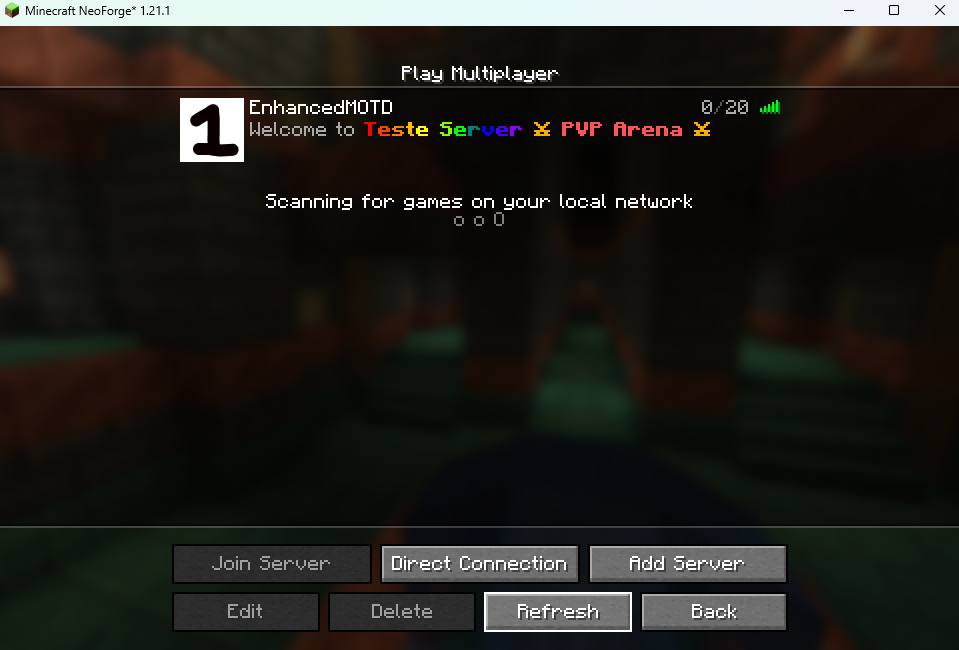 Example 1
 -
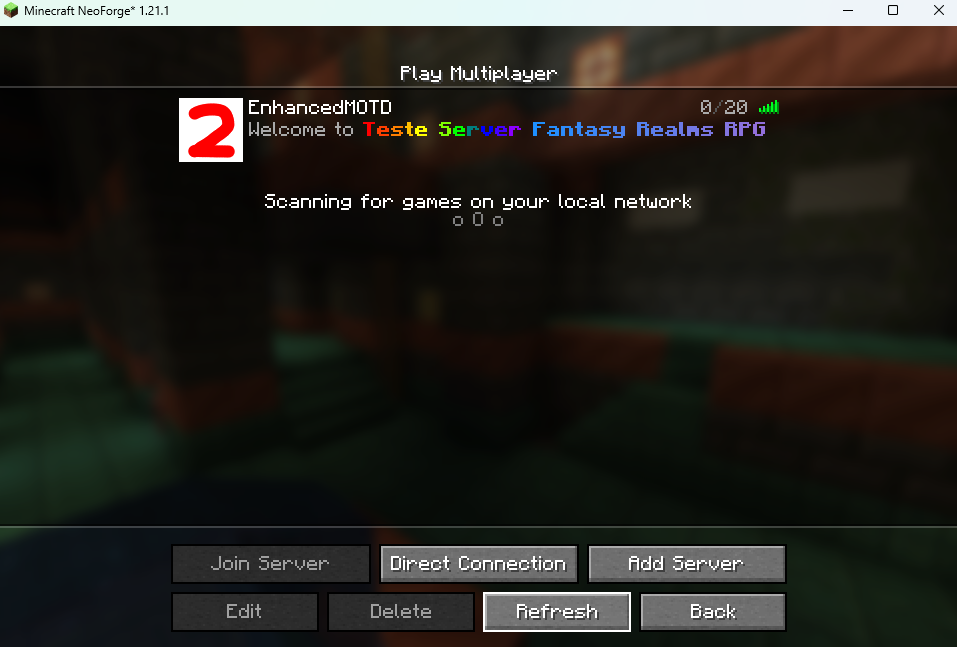 Example 2
 -
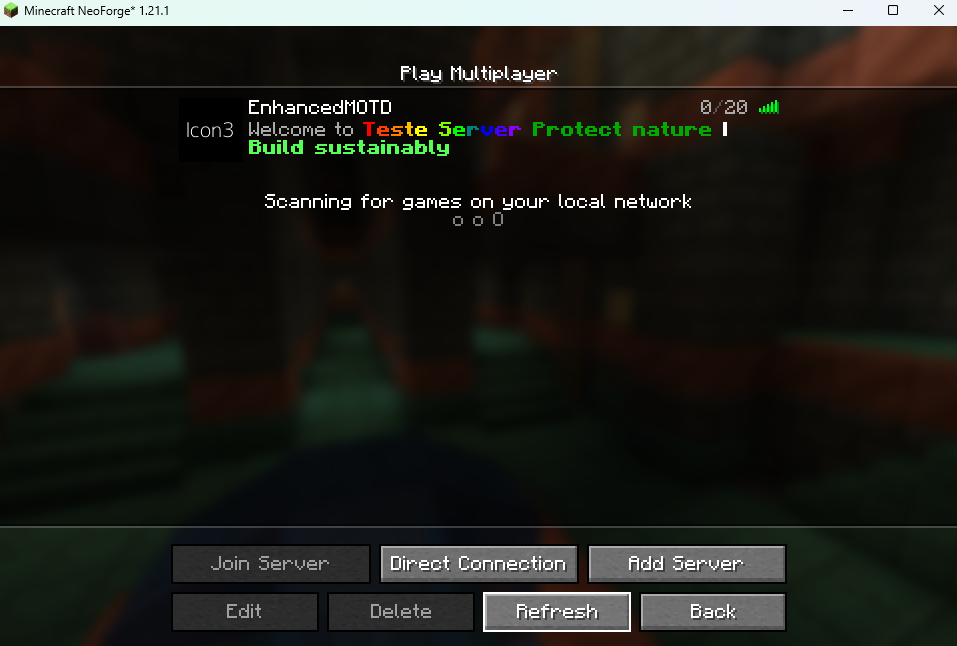 Example 3
Versions
Files
Relations
Project Relations
More like this
Similar Mods
Suggestions use data such as tags, dependencies, dependents, descriptions, titles, and more to rank how much they overlap with this mod.
On ModDex
Community snapshot
By the numbers
Statistics


Get it on
Available Platforms
On ModDex
Community snapshot
By the numbers