Community listing page, reviews here may not be monitored by the author.
Entity LagFix / Lag Fix

No reviews yet
Removes lag by removing too many entities such as from dropped items, arrows, explosions etc... An op tool to count or remove all Items or Mobs or Entities or TileEntities or Blocks within a distance of the op. CommandBlock compatible.
Community voices
Reviews
No reviews yet. Be the first to review this project!
Get it on
Available Platforms
About
Project Details
For authors
Embed Badge
If you're the author of this project, you can embed a live badge anywhere that supports HTML or Markdown. It updates automatically whenever ratings change.
Use HTML for any page that supports it, or Markdown for README files and Markdown-based descriptions.
Identifiers
Platform IDs
Resources
External Links
About
Description
/nukeitems to remove EntityItems such as those dropped on the ground. (a sub type of Entity)
/nukearrows Removes all arrows in range. Due to a bug in Minecraft, arrows sometimes do not despawn
/limitanimals range limit will remove all but the limit-number of animals of each type of animal in range. Farm animals are entity animals. If you have 300 chickens, 500 cows, and 26 pigs within the range, then if you do a /limitanimals 32 40 it will affect a radius of 32 and you should end up with 40 chickens, 40 cows, and 26 pigs. 40 is the default if you do not spefify the limit.
/nukeentities or /nukeents to remove all Entities in range
/listtiles Displays a list of tile entity types by their short names and counts.
/nuketileentities or /nuketiles to remove all TileEntities in range. Remember that TileEntities are different than Entities.
/nukeup to remove all blocks from your standing location to up all the way
/filldown to add fill from below your standing location to bedrock. Also it repairs any holes in the bedrock bottom layer.
/lagfix Displays a quick reference of all commands in this mod. Any command with "help" after it will do the same.
Specifically filldown fills all air and flowing water and flowing lava with layers as follows: grass(1 deep) dirt(2 deep) stone(3 deep) cobble(fill...) then bedrock(1 deep) at the very bottom layer. Do note that all caves below the area will be filled with cobble which should prevent monsters from spawning below the area. Its handy to make big flat grassy areas, or with a small radius (/filldown 0) make an instant location marker tower if you are flying. This command was just a quick fix for large gaping holes. It was added to crudely fill in holes from /nukeup. It is an operator only command.
One optional parameter specifies the radius of the area for any of the commands.
Its default is 32. So the block you are on then 32 blocks out.
Diameter is 65 = 32+1+32, covering a 65 by 65 square area.
CommandBlock Compatible. Command blocks using /nukeup will clear from the block directly above itself up. Since CommandBlocks are TileEntities, when they use /nuketileentities they will nuke every tile entity except command blocks within the radius.
Both Single and Multi player.
Only needed on server side for multiplayer servers.
Source code is included.
This is a Forge mod. No Bukkit is needed.
The commands are simple.
Link to official page on MinecraftForum.net
You may love these other related utility mods by others that are very useful: Opis(forge) and ClearLag(bukkit). also LagGoggles.
Screenshots
Gallery
-
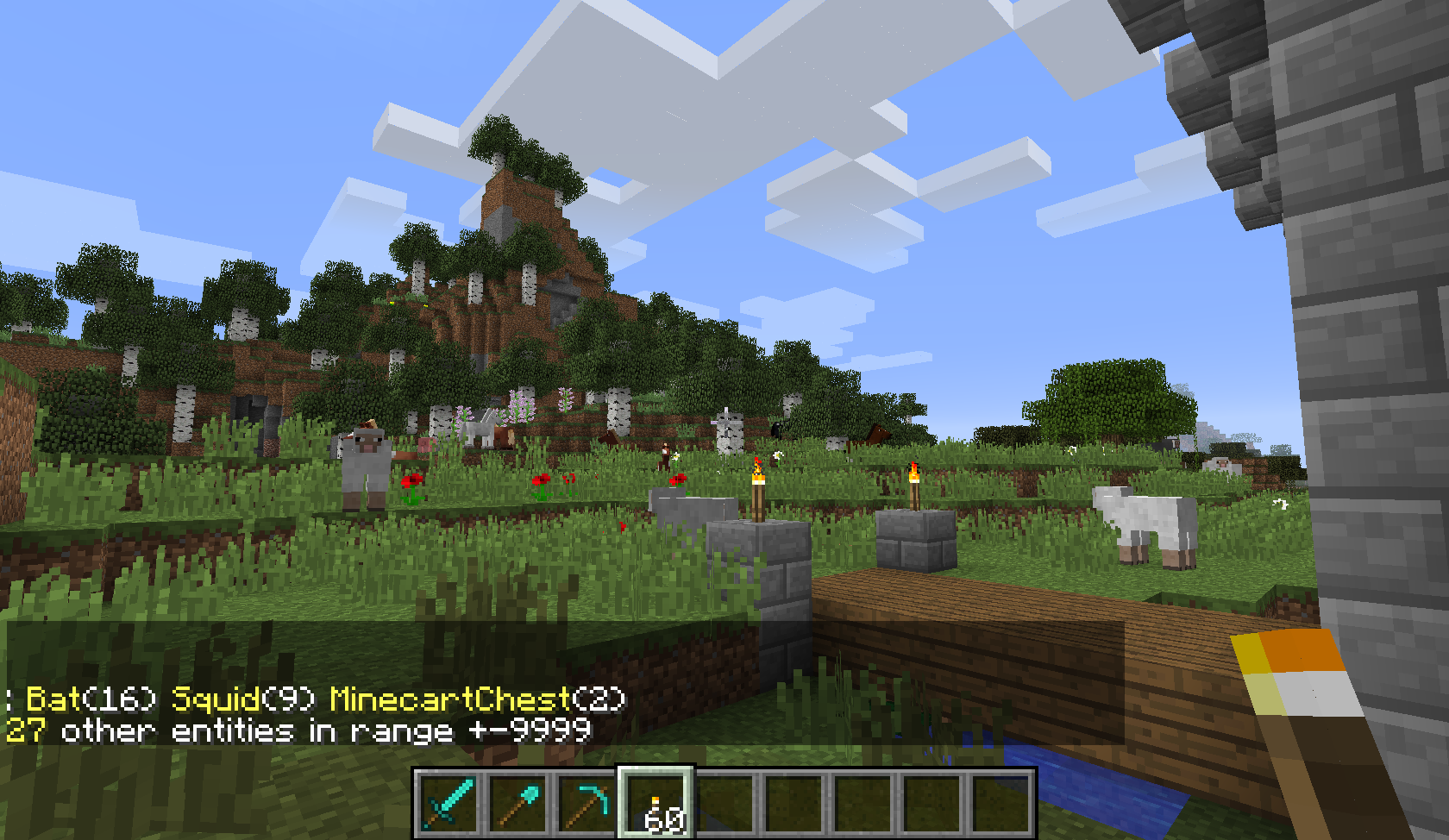 LagFix example 2 An example of using /listother
 -
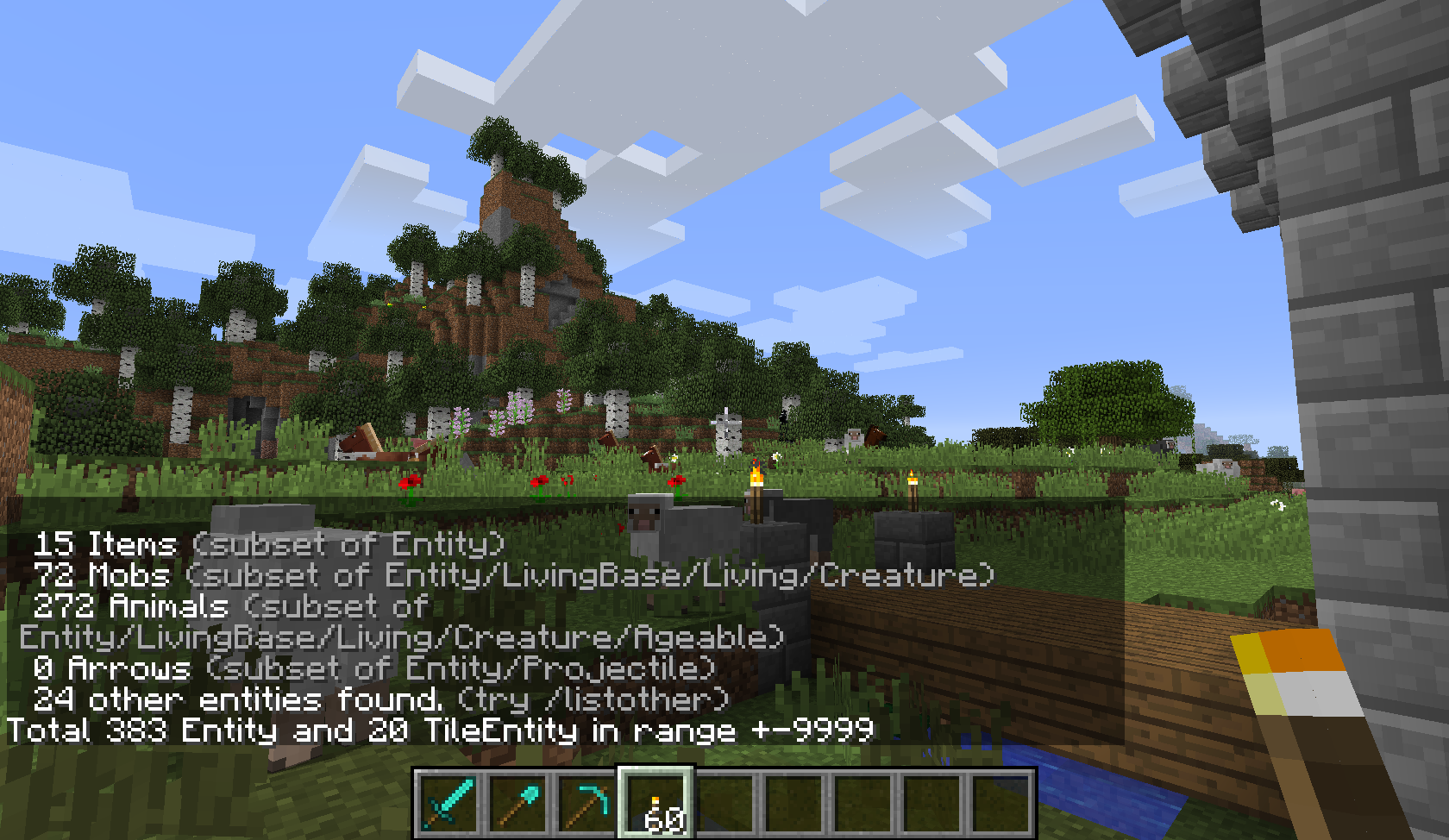
LagFix header pic - example An example of using /entitycount
Versions
Files
Relations
Project Relations
More like this
Similar Mods
Suggestions use data such as tags, dependencies, dependents, descriptions, titles, and more to rank how much they overlap with this mod.
On ModDex
Community snapshot
By the numbers
Statistics
Want to reach Minecraft players?
We're looking for a server hosting partner to feature here and other parts of the site. Interested? Send us a message!
Get in touchGet it on
Available Platforms
On ModDex
Community snapshot
By the numbers
Statistics
Resources