
Community listing page, reviews may not be monitored by the author.
Envoys: NPC Dialogue & Quests

No reviews yet
Create custom NPCs with branching dialogues, quests, trading, and dynamic behavior.

Community voices
Reviews
No reviews yet. Be the first to review this project!
Get it on
Available Platforms
About
Project Details
For authors
Embed Badge
If you're the author of this project, you can embed a live badge anywhere that supports HTML or Markdown. It updates automatically whenever ratings change.
Use HTML for any page that supports it, or Markdown for README files and Markdown-based descriptions.
Identifiers
Platform IDs
Resources
External Links
About
Description
💡Envoys
Envoys is an NPC creation framework for Minecraft 1.21.1 (NeoForge), built specifically for mapmakers, RPG servers, and modpack developers.
Instead of forcing you to choose between rigid config files or messy command blocks, Envoys gives you two ways to work: an in-game visual editor for quickly putting together behavior logic, and a built-in Lua engine when you need advanced scripting. Both systems work seamlessly together.
Key Features
- Visual In-Game Editor: Configure NPC interactions, dialogue chains, and triggers (clicks, attacks, proximity) right inside the game without writing a single line of code.
- Full Lua 5.1 Scripting (Cobalt): Run custom scripts with coroutine support (
wait,move, asynchronous dialogue flow) on the server thread without tanking TPS. Includes a sandbox and loop watchdog timer. - GUI ↔ Lua Sync: Edit logic visually or write
.luascripts directly. If you add custom code in the file, the GUI locks overwriting automatically so your work isn't wiped. - Branching Dialogues: Clean interactive dialogue windows with clickable choices, color formatting, and full UTF-8/Cyrillic support.
- Custom Economy & Barter: Set up NPC trades with vanilla or modded items, restock cooldowns, purchase limits, and demand/price scaling.
- Quest System: Built-in tracking for mob kills, item delivery, and multi-stage storylines.
- Animations: Integrated with
playerAnimatorfor custom NPC poses, emotes, and cutscene-like movements.
Requirements
- Minecraft:
1.21.1 - Mod Loader:
NeoForge(21.1.233 or newer) - Required Dependency: playerAnimator (needed for NPC animations and emotes)
- Optional: Sophisticated Backpacks (allows NPCs to use backpacks as inventories/trade storage)
Quick Start
- Give yourself the Tuner tool or use
/envoyscommands. - Right-click any block or entity to set up the NPC's appearance and properties.
- Open the Events tab to build action logic visually, or drop your script into
.minecraft/envoys/local/and deploy it with:/envoys lua send aim my_script.lua
Detailed guides and Lua API documentation are available in the GitHub Repository.
Screenshots
Gallery
-
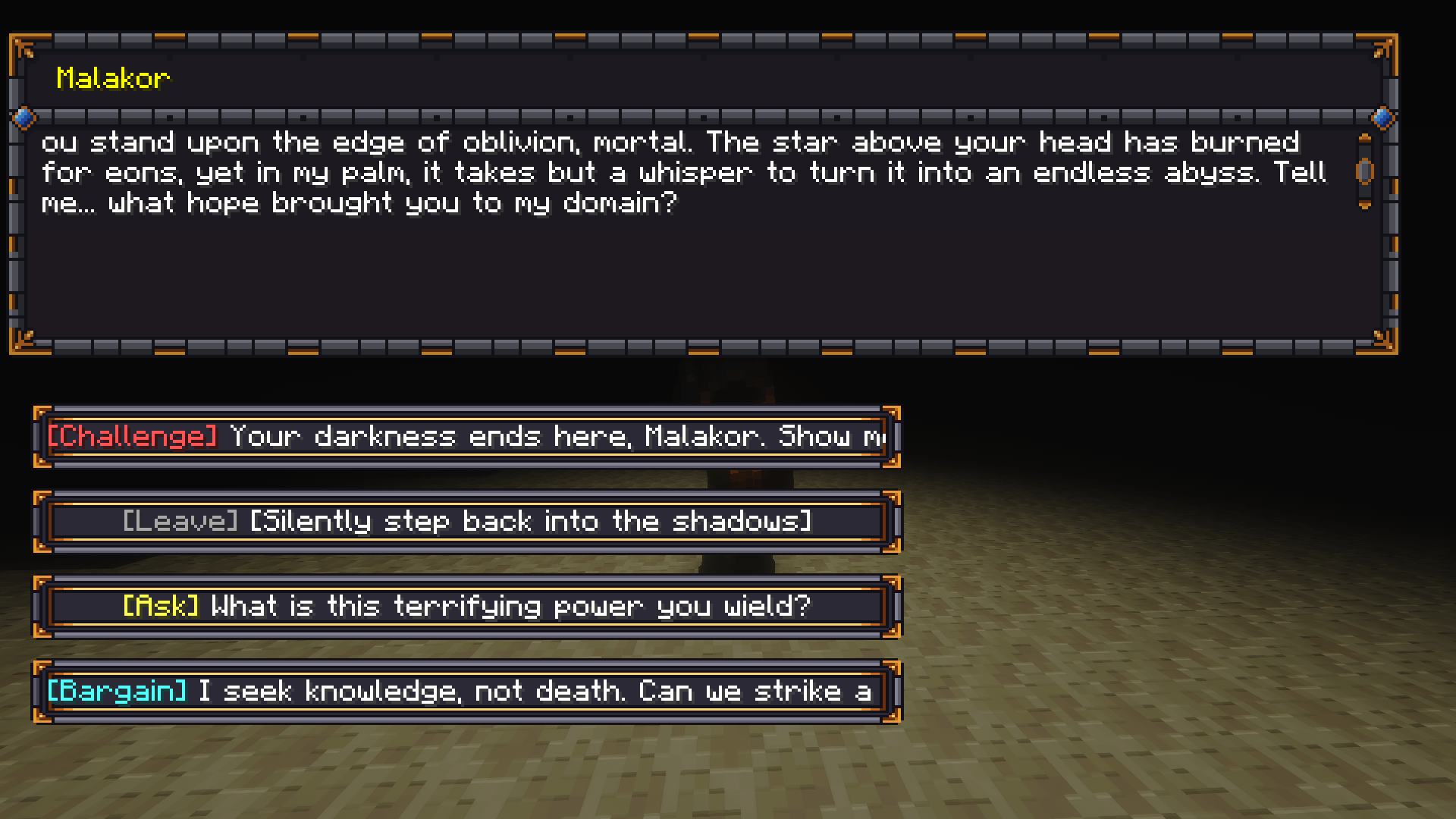 Dialog.png Dialog.png
 -
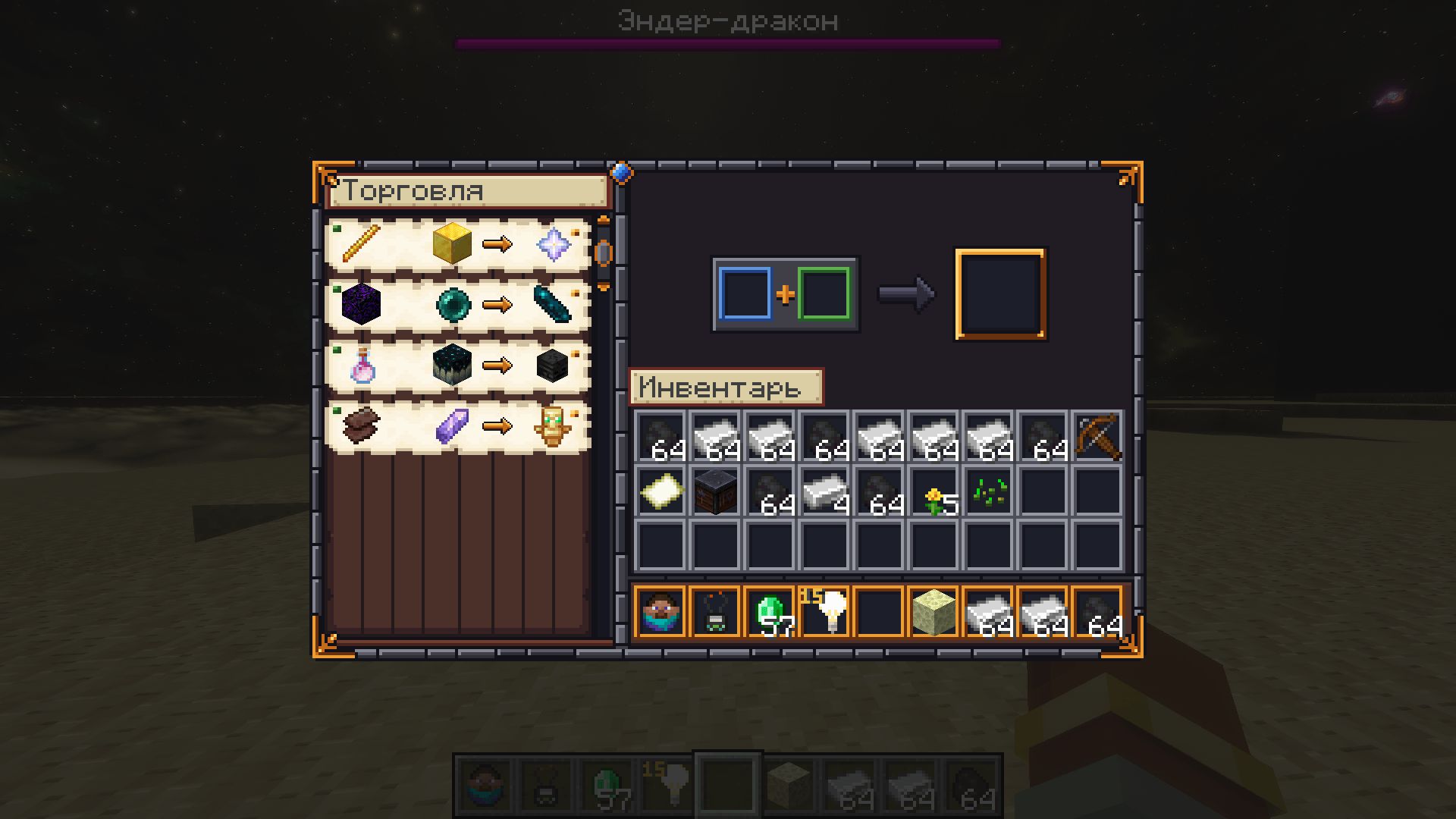 Trade.png Trade.png
 -
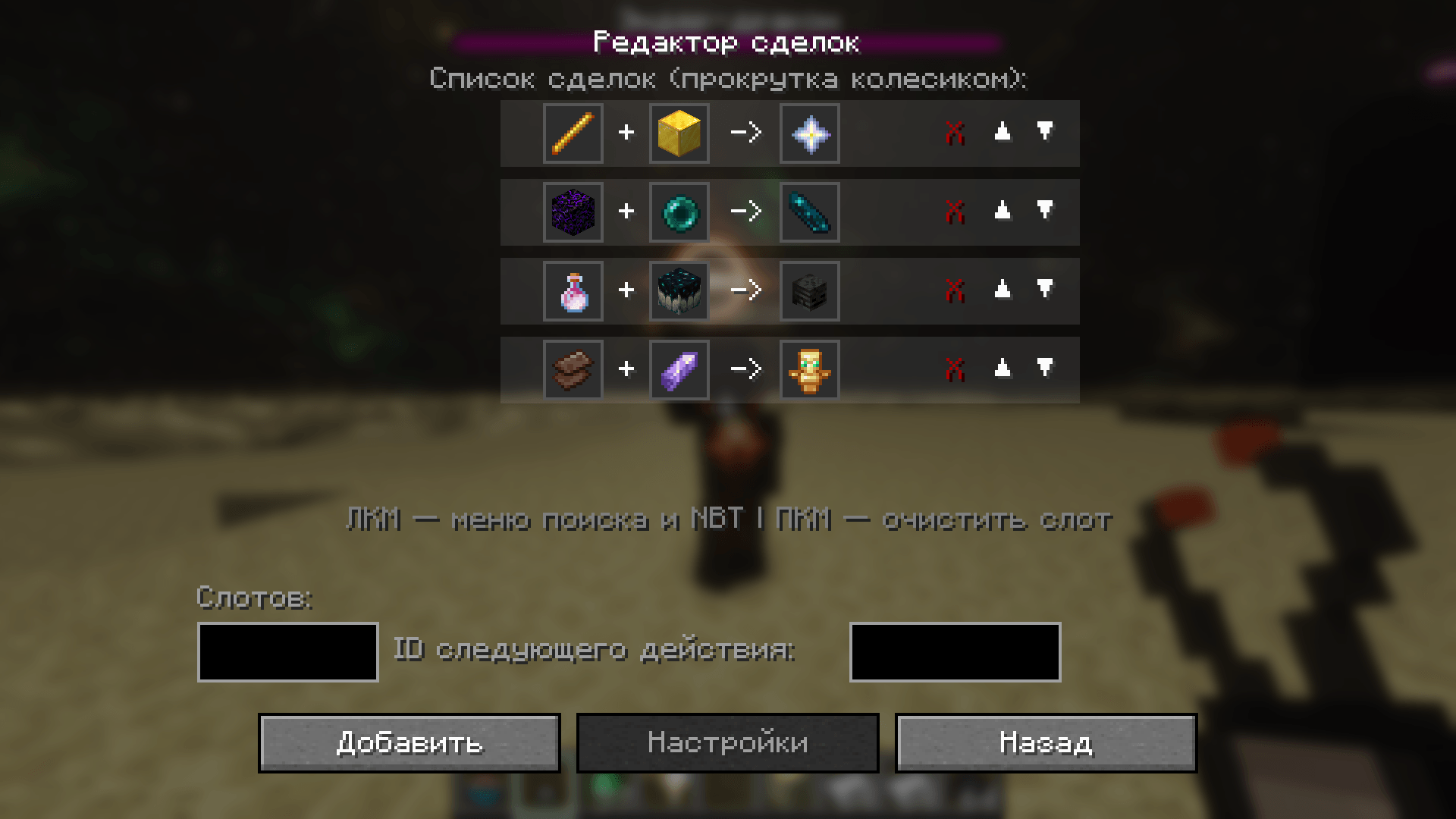 Trade_setting.png Trade_setting.png
Versions
Files
Relations
Project Relations
More like this
Similar Mods
Suggestions use data such as tags, dependencies, dependents, descriptions, titles, and more to rank how much they overlap with this mod.
On ModDex
Community snapshot
By the numbers
Statistics

Get it on
Available Platforms
On ModDex
Community snapshot
By the numbers
Statistics
Resources