
Eroxen's Wireless Redstone
No reviews yet
Adds Create-mod inspired Redstone Links to the game for Wireless Redstone transfer
Data Packs were introduced to vanilla Minecraft in version 1.13 and allow the server to modify data about the game, or run commands. Data Packs are compatible with all mod loaders.
Forge is a popular mod loader for versions 1.1+ of Minecraft.
Fabric is a mod loader for versions 1.14+ of Minecraft, particularly popular for client side and optimization mods.
Quilt is a fork of the Fabric mod loader. Many Fabric mods are compatible with Quilt and vice versa.
Community voices
Reviews
Click once to include, again to exclude, again to clear
No reviews yet. Be the first to review this project!
Get it on
Available Platforms
 Modrinth
Compatibility
Supported Environments
About
Project Details
For authors
Embed Badge
If you're the author of this project, you can embed a live badge anywhere that supports HTML or Markdown. It updates automatically whenever ratings change.
Use HTML for any page that supports it, or Markdown for README files and Markdown-based descriptions.
Identifiers
Platform IDs
About
Description
Demonstration video: https://youtu.be/Oox1FWK4520
This datapack adds wireless redstone transfer to Minecraft! As you can probably tell from the video and images, this pack takes inspiration from the Create mod.
This pack adds 1 block to the game: the Redstone Link. You can craft this item using one Ender Pearl and a Redstone Torch. This item functions both as the transmitter and the receiver: you can form a transmitter by placing it on blocks that can be powered, such as Note Blocks and Redstone Lamps. You form a receiver by placing it on a Target Block.
You can set the frequency of a Redstone Link by placing items into the two slots in front. You can just right-click your items on there, and left-click to remove them. This does not consume the item. Both slots need to have an item for the link to work.
The Redstone Links can also transfer signal strength: simply place the link on blocks that have a signal strength, such as Comparators or Redstone Wire.
Screenshots
Gallery
-
 Crafting recipe
 -
 Transmitter sources
 -
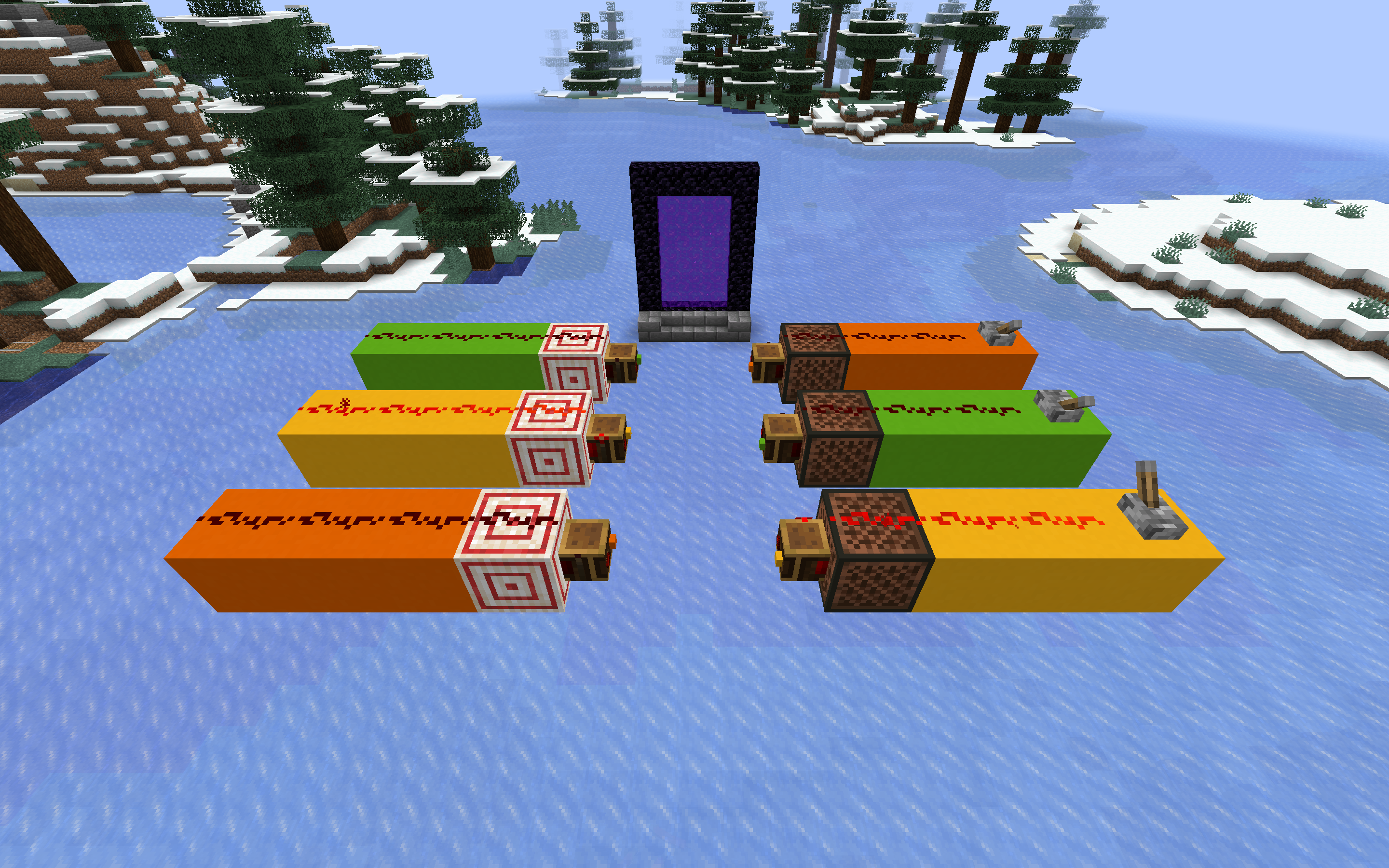 Separate channels
 -
 Wireless Pillaging
 -
 Cross-dimensional
 -
 Item frequencies You won't lose your items :)
Versions
Files
Relations
Project Relations
More like this
Similar Mods
Suggestions use data such as tags, dependencies, dependents, descriptions, titles, and more to rank how much they overlap with this mod.
On ModDex
Community snapshot
By the numbers
Statistics

Want to reach Minecraft players?
We're looking for a server hosting partner to feature here and other parts of the site. Interested? Send us a message!
Get in touchGet it on
Available Platforms
On ModDex
Community snapshot
By the numbers