
EssentialHUD
No reviews yet
Customizable HUD and chat tweaks — coordinates, FPS, clock, ping, direction, armor display, chat highlights, and message stacking. All toggleable.
Fabric is a mod loader for versions 1.14+ of Minecraft, particularly popular for client side and optimization mods.
Community voices
Reviews
Click once to include, again to exclude, again to clear
No reviews yet. Be the first to review this project!
Get it on
Available Platforms
 Modrinth
Compatibility
Supported Environments
About
Project Details
For authors
Embed Badge
If you're the author of this project, you can embed a live badge anywhere that supports HTML or Markdown. It updates automatically whenever ratings change.
Use HTML for any page that supports it, or Markdown for README files and Markdown-based descriptions.
Identifiers
Platform IDs
Resources
External Links
About
Description
*A clean HUD & chat mod for Minecraft 1.21. * A slick info HUD, smart chat features, and a live armor display — all toggleable.
✨ Features
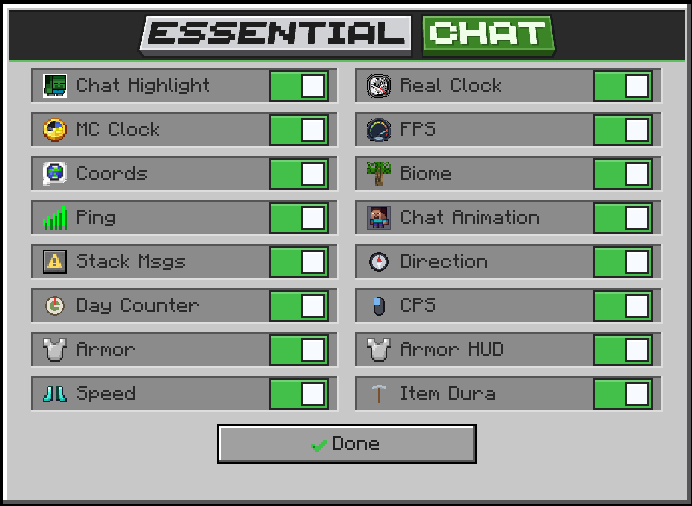
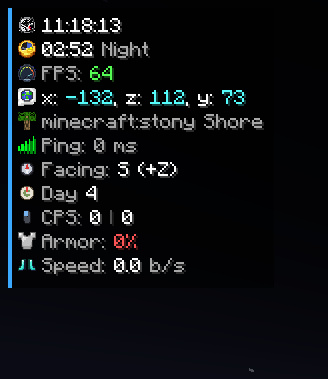
📊 Info HUD
Toggle exactly what you want to see:
- 🕐 Real Clock — your real-world time
- 🌙 MC Clock — in-game time (Day / Sunset / Night / Sunrise)
- 🎯 FPS — color-coded performance
- 🌍 Coordinates — X / Y / Z
- 🌳 Biome — current biome name
- 📶 Ping — your latency, color-coded
- 🧭 Direction — N / S / E / W facing
- 📅 Day Counter — days survived
- 🖱️ CPS — clicks per second (left & right)
- ⚡ Speed — blocks per second
- 🛠️ Item Durability — held item's remaining durability
❤️ Armor Display
- See your 4 armor pieces and their durability next to the hotbar
- ⚠️ Low-armor warning — alerts you when a piece drops below 10%
💬 Chat Features
- 🔔 Chat Highlight — get alerted when someone says your name
- 📚 Message Stacking — repeated messages merge into one with a
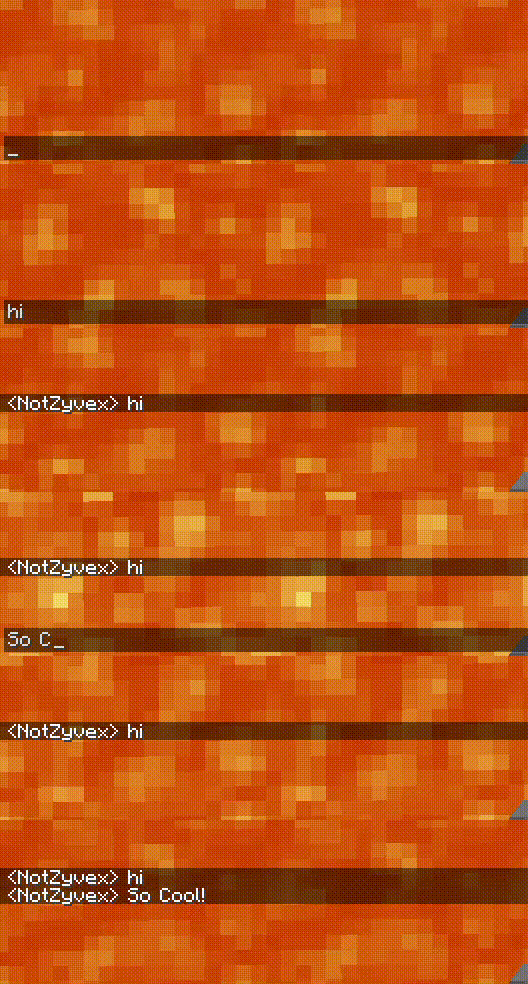
(x2)counter - 🎬 Chat Animation — smooth slide + fade as messages appear
- 🧹 Clear Chat — wipe your chat in one click
Chat Animation Preview:
Main Toggle HUD MENU:
Top Left Corner Customizable UI:
⌨️ Keybinds
- O — open the menu
- H — toggle the HUD
- N — copy the last chat message
- J — copy your coordinates
- Delete — clear chat
(All rebindable in Minecraft's Controls settings.)
📦 Requirements
- Minecraft 1.21.*
- Fabric Loader + Fabric API
Built for 1.21 to 1.21.11 —
About
Made by NotZyvex. Found a bug or have a feature idea? Drop it in the comments or our Discord!

Screenshots
Gallery
-
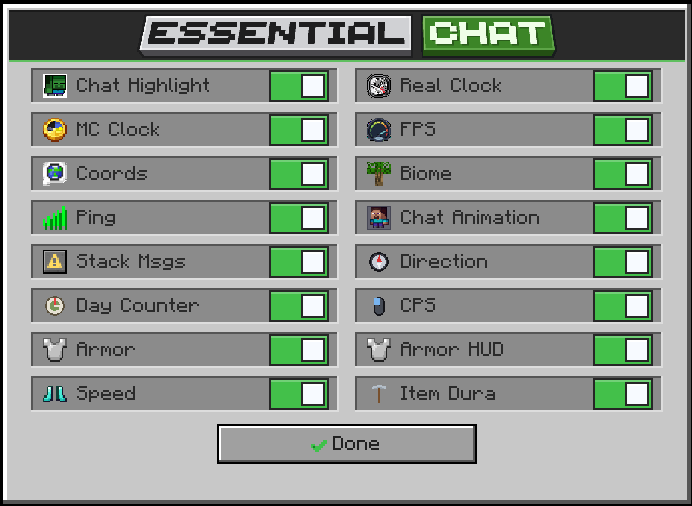 Clean Menu The Main Menu When Pressing O
 -
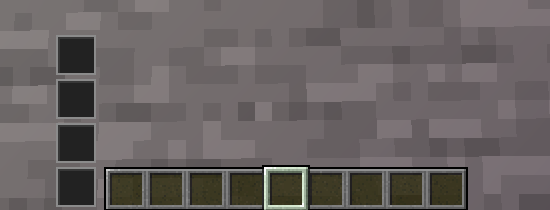 Armor HUD - Customizable Horizontal/Vertical For Showing Armor Health - Useful!
 -
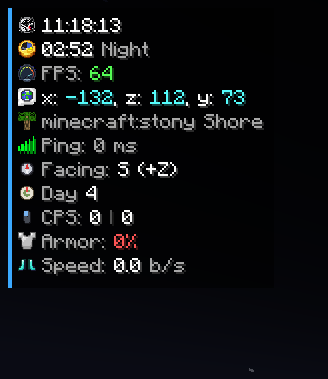 Top Corner MENU 🚹 Information Menu
Versions
Files
Relations
Project Relations
More like this
Similar Mods
Suggestions use data such as tags, dependencies, dependents, descriptions, titles, and more to rank how much they overlap with this mod.
On ModDex
Community snapshot
By the numbers
Statistics

Want to reach Minecraft players?
We're looking for a server hosting partner to feature here and other parts of the site. Interested? Send us a message!
Get in touchGet it on
Available Platforms
On ModDex
Community snapshot
By the numbers
Statistics
Resources