
Even Better Chat
No reviews yet
This mod adds chat logging and many more features that aren't available in standard minecraft.
Neoforge is a fork of the Minecraft Forge available for versions 1.20.1+ of Minecraft. Many Forge mods are compatible with Neoforge and vice versa.
Fabric is a mod loader for versions 1.14+ of Minecraft, particularly popular for client side and optimization mods.
Quilt is a fork of the Fabric mod loader. Many Fabric mods are compatible with Quilt and vice versa.
Community voices
Reviews
Click once to include, again to exclude, again to clear
No reviews yet. Be the first to review this project!
Get it on
Available Platforms
 Modrinth
Compatibility
Supported Environments
About
Project Details
For authors
Embed Badge
If you're the author of this project, you can embed a live badge anywhere that supports HTML or Markdown. It updates automatically whenever ratings change.
Use HTML for any page that supports it, or Markdown for README files and Markdown-based descriptions.
Identifiers
Platform IDs
Resources
External Links
About
Description
What's new in v1.3
- Coordinate linkify — coordinates like "123, 64, -456" in chat are now clickable, with quick actions to waypoint them via Even Better Waypoints and/or Xaero's Minimap (if installed)
- Persistent keyword alerts — set custom keywords with their own highlight color and sound via the new /keywordselector command, independent of the existing @mention highlight
- Unread scroll-back indicator — shows a "new messages" count when you've scrolled up in chat history and new messages have arrived below
Features
Mention Highlighting
When someone says your username in chat, it lights up in bold yellow so you never miss it. Toggle the highlight color and an optional sound ping (a note block pling) from the Appearance tab.
Clickable URLs
http and https links in chat are automatically underlined and clickable. Click to open in your browser — Minecraft's standard link confirmation screen keeps things safe. Toggle in the General tab.
Timestamps
Adds a timestamp to every chat message. Choose between 12-hour and 24-hour format, pick a color, and select square brackets, round brackets, or no brackets.
Duplicate Collapsing
When the same message is sent multiple times in a row, Chat Optimizer merges them into a single line with a repeat count (e.g. x4) instead of flooding your chat.
Chat Filtering
Block messages from specific players or containing specific keywords. Add and remove entries from the Filters tab in the config screen.
Chat Logging
Saves all incoming chat messages to a dated log file at .minecraft/logs/chat/chat-YYYY-MM-DD.log. Disabled by default — enable it in the General tab.
Message Search
Press a configurable keybind while chat is open to bring up a search bar that filters visible messages in real time.
History Trimming
Caps the number of entries stored in your chat history (the up-arrow recall list) to keep it from growing indefinitely.
Requirements
- Minecraft 1.21.1
- Fabric Loader 0.19.2 or later
- Fabric API 0.104.0+1.21.1 or later
No data is sent to any remote server. All settings are stored locally in your Minecraft config folder.
Screenshots
Gallery
-
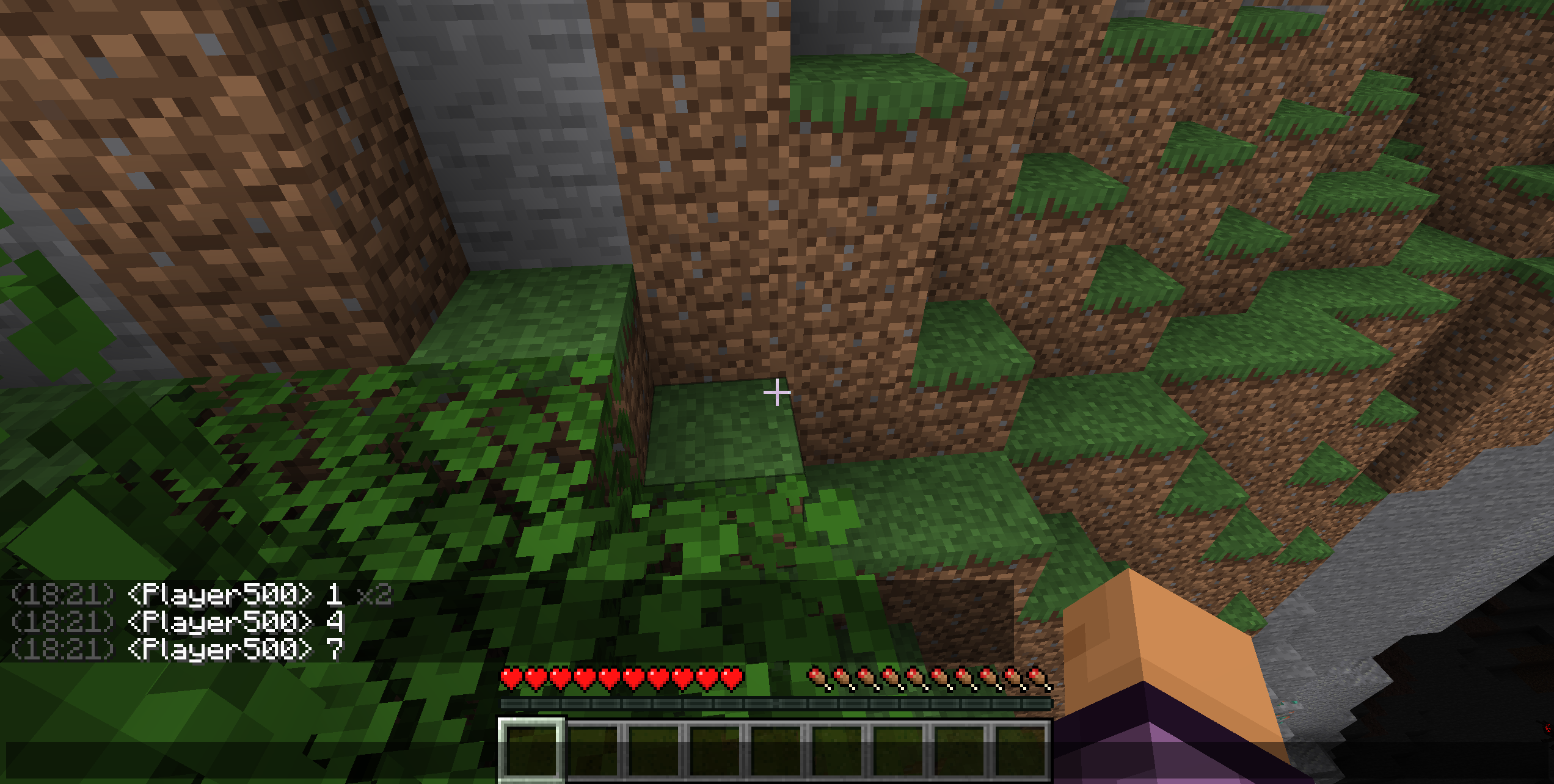 Chat with timestamps In-game chat showing timestamps and duplicate message collapsing
 -
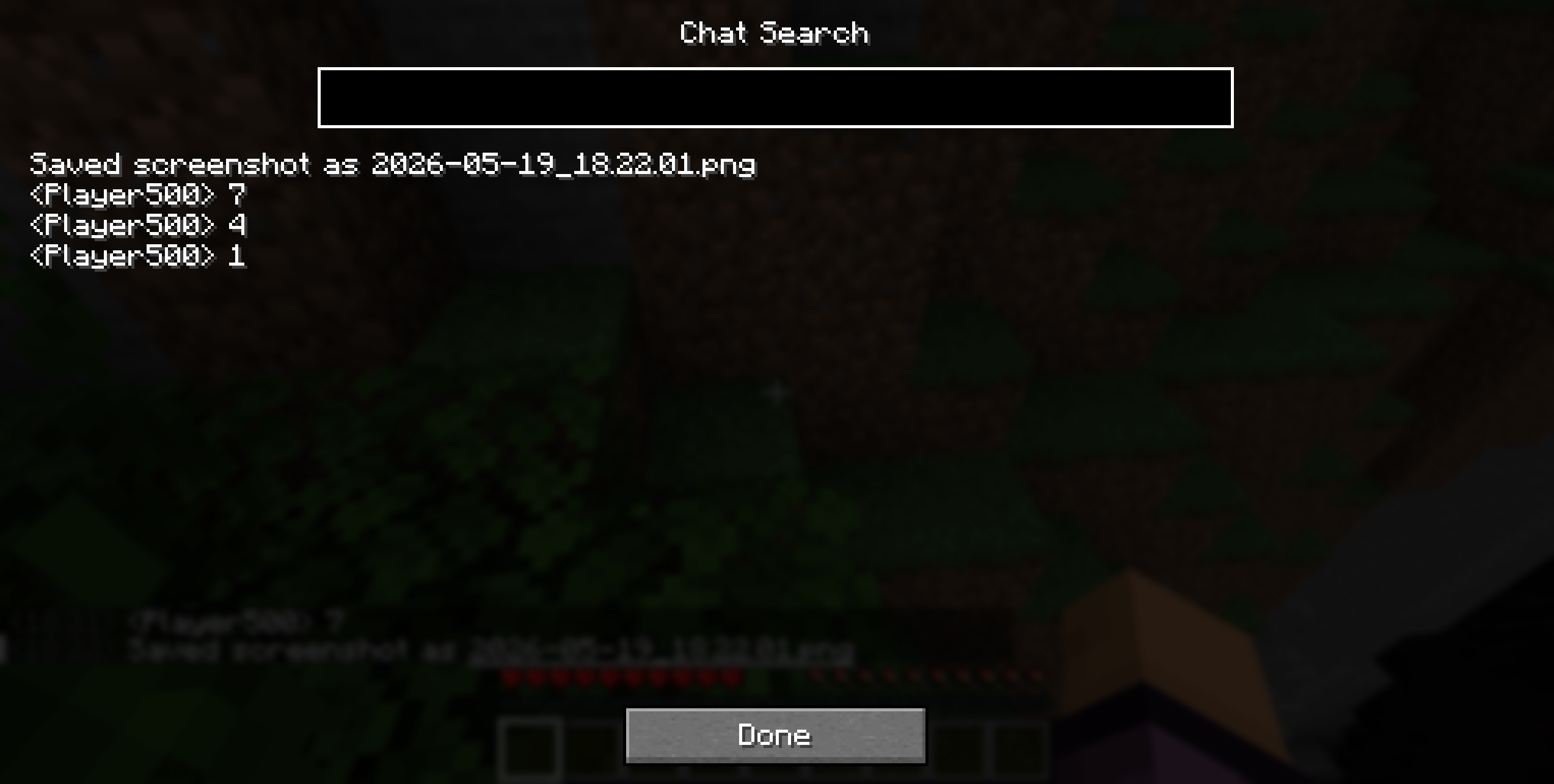 Chat Search The in-game chat search screen
 -
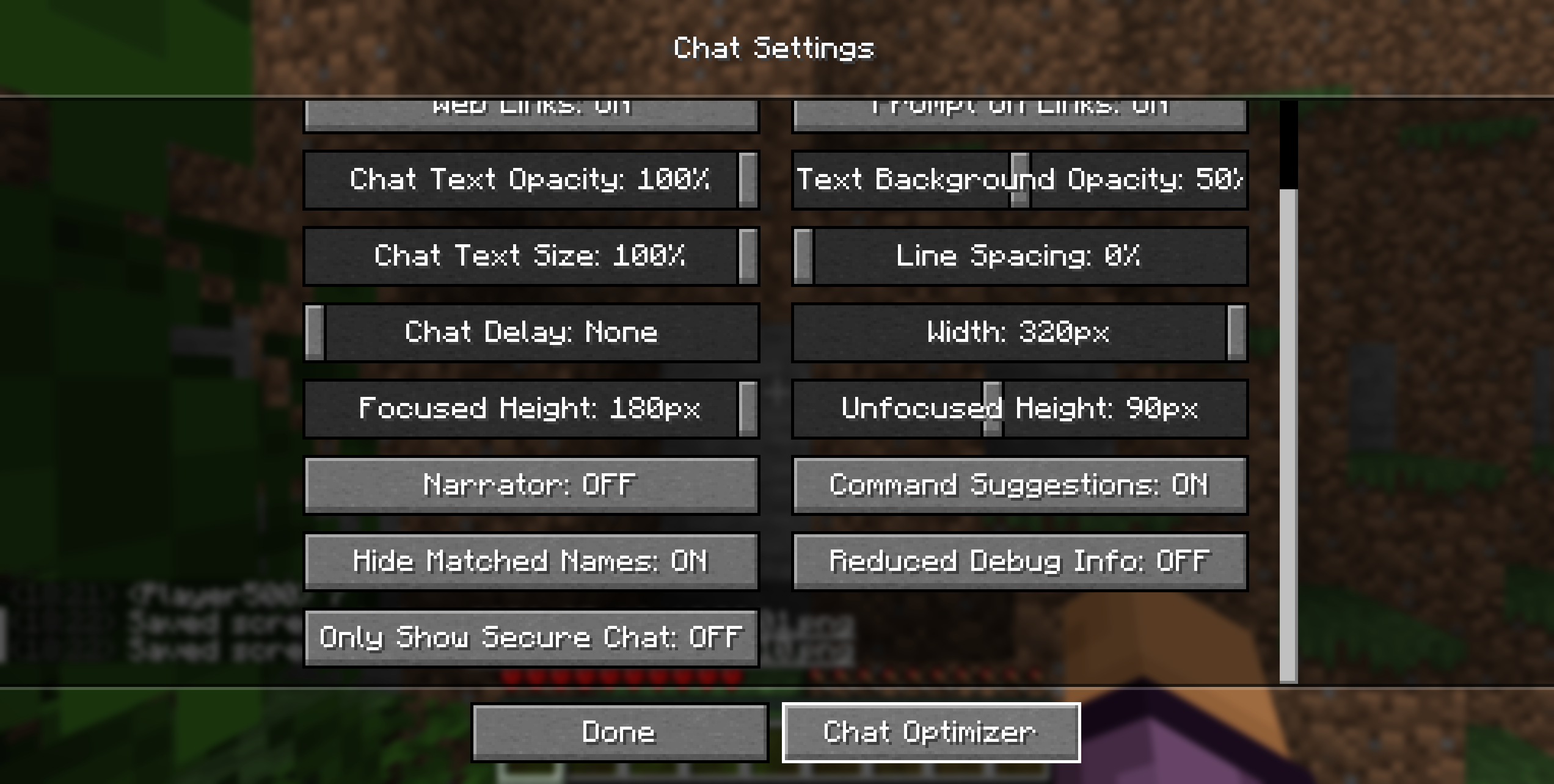 Chat Settings integration Chat Optimizer button added to the vanilla Chat Settings screen
 -
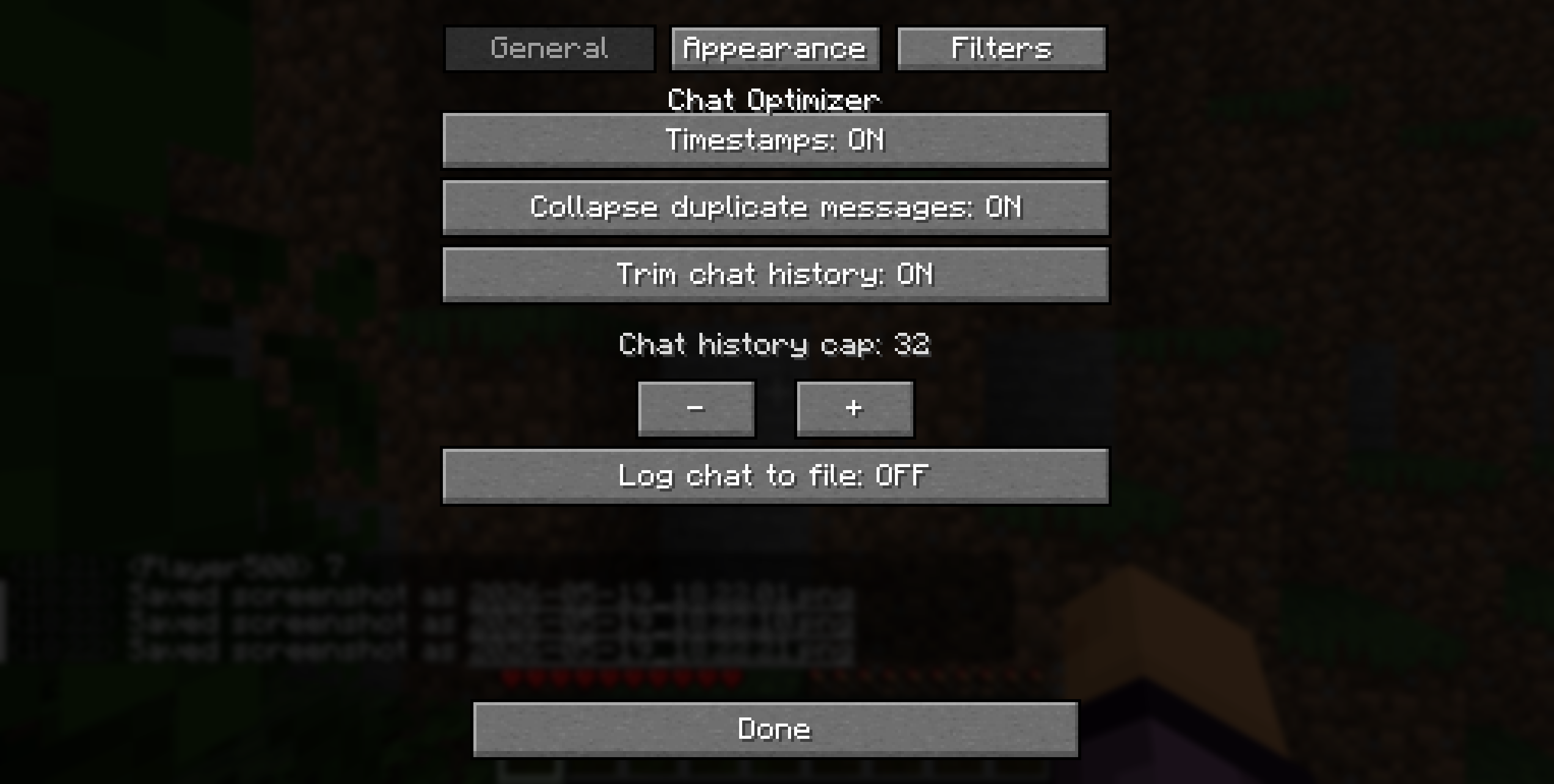 General settings General tab — timestamps, duplicate collapsing, history trimming
 -
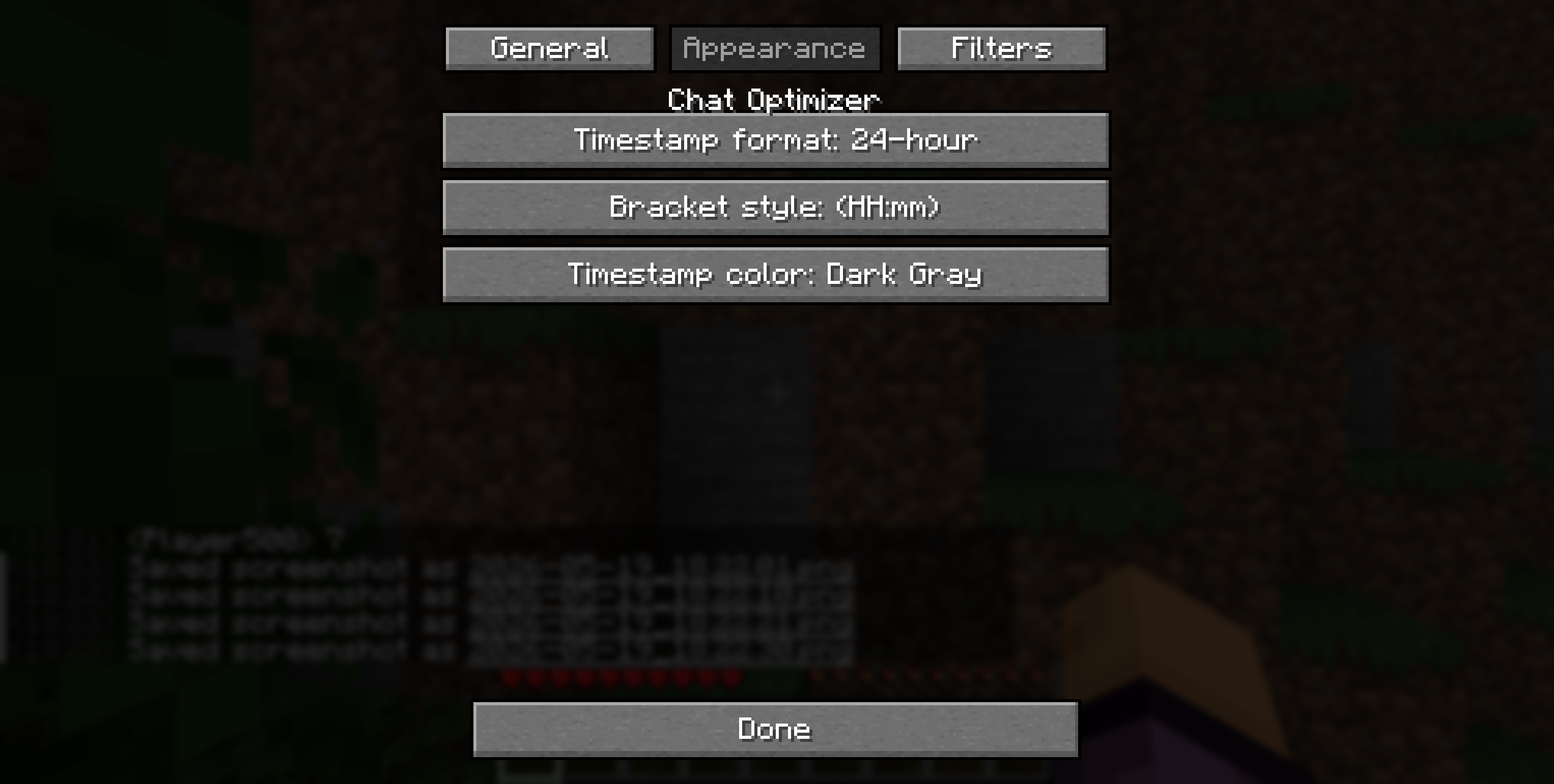 Appearance settings Appearance tab — timestamp format, bracket style, color
 -
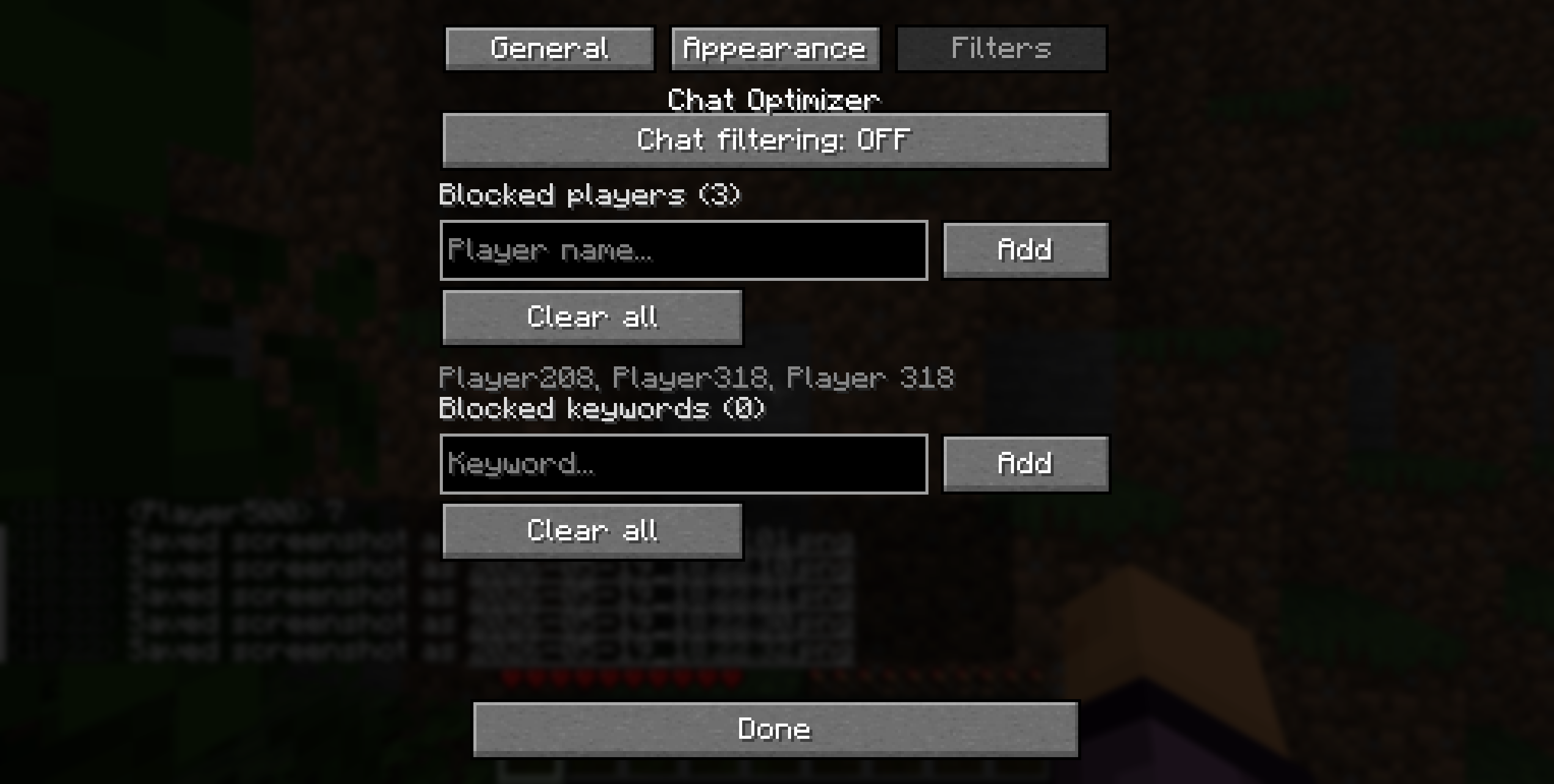 Filters Filters tab — block messages from specific players or keywords
Versions
Files
Relations
Project Relations
More like this
Similar Mods
Suggestions use data such as tags, dependencies, dependents, descriptions, titles, and more to rank how much they overlap with this mod.
On ModDex
Community snapshot
By the numbers
Statistics

Want to reach Minecraft players?
We're looking for a server hosting partner to feature here and other parts of the site. Interested? Send us a message!
Get in touchGet it on
Available Platforms
On ModDex
Community snapshot
By the numbers
Statistics
Resources