Community listing page, reviews here may not be monitored by the author.
Event's Lootbags

No reviews yet
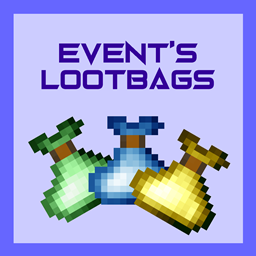
Simple lootbags mod based on Minecraft's Vanilla loot table system
Community voices
Reviews
No reviews yet. Be the first to review this project!
Get it on
Available Platforms
About
Project Details
For authors
Embed Badge
If you're the author of this project, you can embed a live badge anywhere that supports HTML or Markdown. It updates automatically whenever ratings change.
Use HTML for any page that supports it, or Markdown for README files and Markdown-based descriptions.
Identifiers
Platform IDs
About
Description
This mod uses Vanilla loot table system to create loot. It has 5 tiers of bags and a loot table corresponding to each bag. Right clicking on the bag spawns the items. Mod comes with predefined loot tables for each bag, borrowed from Vanilla's loot tables (don't sue me Mojang, pls) like end city loot for legendary bag, mineshaft chest for basic etc.. In order to change default loot you need to create a datapack(example is given in Creating Datapack segment).
Creating a loot table
Loot tables follow Minecraft's 1.19 json loot table formatting. I suggest using an online loot table generator like this one to make things easier. Then you save the table as tier_name_lootbag (replace tier_name with common, uncommon, rare, epic or legendary to correspond with the bag which loot you want to change, example common_lootbag.json). After creating the loot tables, you will need to add them via datapacks.
Creating a datapack for this mod
Creating a datapack also follows the Vanilla way of creating datapacks, so go into the world folder where you want to use this datapack, go in to the datapacks folder, create a new folder with the name of your pack, in that folder you need data folder and pack.mcmeta file, more info on that here, then create folders in data that go eventlootbags/loot_tables/eventslootbags and in that folder you can put your .json files. If you are lazy to do that, I have made an example datapack that you only have to extract and put it in your saves/worldname/datapacks, download link is on the read me section on Github.
Recipes for bags
I've decided not to add recipes for the bags so that a modpack author will have full freedom to make their own or add bags to mob drops. This can be done with datapacks or using KubeJS.
Screenshots
Gallery
Versions
Files
Relations
Project Relations
More like this
Similar Mods
Suggestions use data such as tags, dependencies, dependents, descriptions, titles, and more to rank how much they overlap with this mod.
On ModDex
Community snapshot
By the numbers
Statistics
Want to reach Minecraft players?
We're looking for a server hosting partner to feature here and other parts of the site. Interested? Send us a message!
Get in touchGet it on
Available Platforms
On ModDex
Community snapshot
By the numbers