Community listing page, reviews here may not be monitored by the author.
Expanded Inventory


No reviews yet
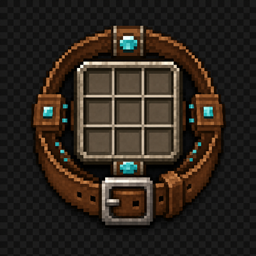
Expand your vanilla inventory with customizable, persistent 3x3 storage modules and upgradeable belts.
Community voices
Reviews
No reviews yet. Be the first to review this project!
Get it on
Available Platforms
Compatibility
Supported Environments
Must be installed on both the client and the server.
About
Project Details
For authors
Embed Badge
If you're the author of this project, you can embed a live badge anywhere that supports HTML or Markdown. It updates automatically whenever ratings change.
Use HTML for any page that supports it, or Markdown for README files and Markdown-based descriptions.
Identifiers
Platform IDs
Resources
External Links
About
Description



Credits
- Design help: IkBlox
Expanded Inventory
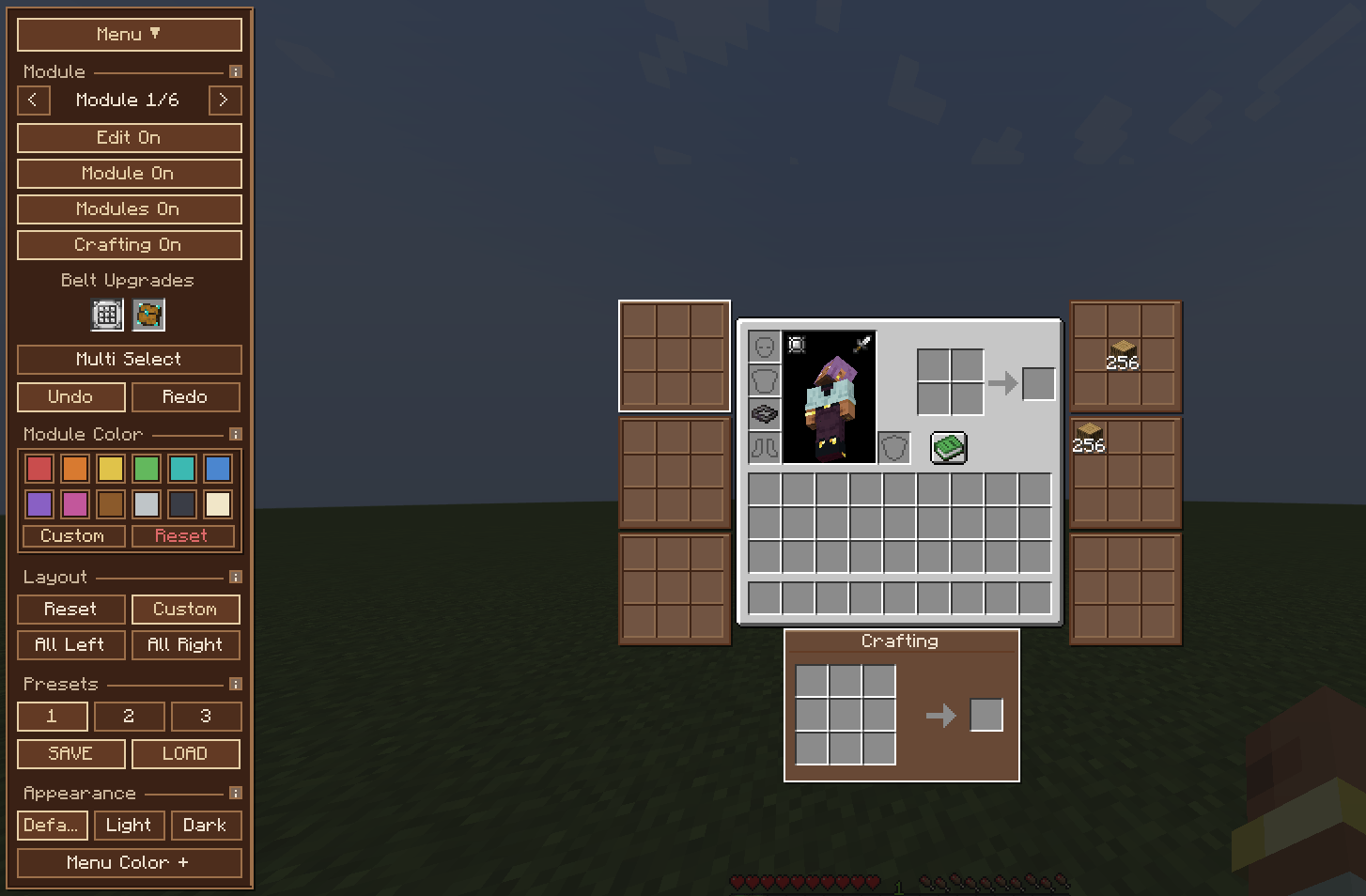
A wearable belt that gives you real, modular extra inventory space — attached directly to your vanilla inventory screen, not hidden behind a separate menu.
How it works
Craft and wear a belt (Leather through Netherite) in a Curios or Trinkets accessory slot. Each tier unlocks a fixed number of real, server-synced 3x3 storage modules that render right next to your vanilla inventory:
| Belt | Modules | Upgrade slots |
|---|---|---|
| Leather | 1 | — |
| Copper | 2 | — |
| Iron | 3 | — |
| Gold | 4 | — |
| Diamond | 5 | 1 |
| Netherite | 6 | 2 |
These aren't a fake preview — every module is a genuine, authoritative slot group, synced the same way your normal inventory is.
Upgrades
Diamond and Netherite belts have dedicated upgrade slots:
- Stack Upgrade I / II — raises the stack limit inside your modules to 128 / 256.
- Crafting Upgrade — unlocks a true 3x3 crafting grid, not vanilla's 2x2. Works in your survival inventory, in Creative, and (see below) in other menus too.
Edit Mode
A collapsible Menu control opens a drawer for arranging everything:
- Drag-and-drop module positions, or use a preset layout (Balanced, All Left, All Right, Custom).
- Three save slots for your own custom layouts, with undo/redo.
- Per-module colors, plus a light/dark theme and a custom menu color.
- Multi-select for batch operations (move, recolor, enable/disable several modules at once).
- The Crafting module can be toggled on/off independently — no need to remove the Crafting Upgrade item just to hide it.
- Small "i" info buttons next to each section explain what it does.
- Mouse-wheel and middle-click-drag scrolling, so everything stays reachable at any GUI scale.
Crafting anywhere
With the Crafting Upgrade equipped, the 3x3 grid works outside your own inventory too — open a chest, furnace, anvil, enchanting table, or another mod's storage screen, and the crafting grid is right there with you. No separate crafting table trip required.


Credits
- Design help: IkBlox
Expanded Inventory
A wearable belt that gives you real, modular extra inventory space — attached directly to your vanilla inventory screen, not hidden behind a separate menu.
How it works
Craft and wear a belt (Leather through Netherite) in a Curios or Trinkets accessory slot. Each tier unlocks a fixed number of real, server-synced 3x3 storage modules that render right next to your vanilla inventory:
| Belt | Modules | Upgrade slots |
|---|---|---|
| Leather | 1 | — |
| Copper | 2 | — |
| Iron | 3 | — |
| Gold | 4 | — |
| Diamond | 5 | 1 |
| Netherite | 6 | 2 |
These aren't a fake preview — every module is a genuine, authoritative slot group, synced the same way your normal inventory is.
Upgrades
Diamond and Netherite belts have dedicated upgrade slots:
- Stack Upgrade I / II — raises the stack limit inside your modules to 128 / 256.
- Crafting Upgrade — unlocks a true 3x3 crafting grid, not vanilla's 2x2. Works in your survival inventory, in Creative, and (see below) in other menus too.
Edit Mode
A collapsible Menu control opens a drawer for arranging everything:
- Drag-and-drop module positions, or use a preset layout (Balanced, All Left, All Right, Custom).
- Three save slots for your own custom layouts, with undo/redo.
- Per-module colors, plus a light/dark theme and a custom menu color.
- Multi-select for batch operations (move, recolor, enable/disable several modules at once).
- The Crafting module can be toggled on/off independently — no need to remove the Crafting Upgrade item just to hide it.
- Small "i" info buttons next to each section explain what it does.
- Mouse-wheel and middle-click-drag scrolling, so everything stays reachable at any GUI scale.
Crafting anywhere
With the Crafting Upgrade equipped, the 3x3 grid works outside your own inventory too — open a chest, furnace, anvil, enchanting table, or another mod's storage screen, and the crafting grid is right there with you. No separate crafting table trip required.
Screenshots
Gallery
-
 a
a
-
 a
a
Versions
Files
Relations
Project Relations
More like this
Similar Mods
Suggestions use data such as tags, dependencies, dependents, descriptions, titles, and more to rank how much they overlap with this mod.
On ModDex
Community snapshot
By the numbers
Statistics
Want to reach Minecraft players?
We're looking for a server hosting partner to feature here and other parts of the site. Interested? Send us a message!
Get in touchGet it on
Available Platforms
On ModDex
Community snapshot
By the numbers
Statistics
Resources