Community listing page, reviews here may not be monitored by the author.
Extended Drawers


No reviews yet
Adds drawers and more
Community voices
Reviews
No reviews yet. Be the first to review this project!
Get it on
Available Platforms
Compatibility
Supported Environments
Must be installed on both the client and the server.
About
Project Details
For authors
Embed Badge
If you're the author of this project, you can embed a live badge anywhere that supports HTML or Markdown. It updates automatically whenever ratings change.
Use HTML for any page that supports it, or Markdown for README files and Markdown-based descriptions.
Identifiers
Platform IDs
About
Description
Extended Drawers




A mod inspired by storage drawers that aims to allow for easy creation of powerful yet not overpowered storage systems using simple components.
Features
In-game Guide Book
Crafted by combining a book with and upgrade frame, the guide book will explain in more detail how the mod works. Patchouli is required for the guide book to load ingame!
Drawers
Drawers are blocks that can store a lot of a few items and come in three variants: single-, double- and quad-slot. They can be interacted with in world or using hopper or pipes from other mods. They will make up the bulk of your storage as they are cheap and effective.
Access Points
Access points are blocks that can interact with multiple drawers that are connected to them. They only support insertion in world, but can be extracted from using pipes and hoppers. You can use them to quickly dump your inventory into the system, or hook up digital storage.
Shadow Drawers
Shadow drawers show the amount of a resource that is available in the whole network and allows for insertion and expansion of that resource. They are especially useful for automation as you can keep storage centralized and still access it from far away.
Compacting Drawers
While slightly more expensive to craft compacting drawers offer a lot of convenience over regular drawers. They automatically compress and decompress your items using 2x2 and 3x3 crafting recipes. They also store more of items as the max capacity is based on the most compressed stored item.
Upgrades
Upgrades are items that extend the capacity of a drawer slot. Their power can be tweaked in the config. There is also a downgrade if you need to limit the capacity of a drawer slot. They apply to individual slots and not the whole drawer, unlike other mods.
Locking
You can use a lock on drawers to make them keep their selected item even when empty. This makes sure you don't lose your organisation when you remove items and allows you to block automation from filling up empty drawers.
Voiding mode
If sneak clicked with a lava bucket, drawers will start voiding excess items. This is useful when you want to store items of low value as you don't need to worry about overflow. Extended drawers will make sure drawers without voiding enabled fill up first.
Hidden mode
Hide icons on drawers to reduce lag or hide your valuables, but remember, anyone can change it. Applied by sneaking and using black dye or ink sacs on drawers.
Duping mode
As for 1.20, you can use a by default unobtainable dupe wand to toggle duping mode on drawers. They will continue to provide items even when empty. Voiding mode must still be applied separately.
Customization
Extended drawers offers two main ways to customize the experience: the configs and datapacks.
The configs can be located under the config directory in your installation root, under extended_drawers.
There are two files: one for client side setting and one for settings needed on both the server and client.
All recipes and loot tables can be modified by datapacks like with most mods.
You can find some of the defaults under src/main/resources and others under src/main/generated.
Extended drawers also provides the option to override what items the compacting drawers can compact and how.
This is done through files placed under data/<namespace>/extended_drawers/compression_overrides in json format.
The files should consist of a single object with items as keys and compression levels as values.
Here are some examples:
{
  // Adds compacting support to clays. It isn't default as you can't craft it into balls
  "clay_ball": 1,
  "clay": 4
}
{
  // You should never need to do this, but here's an example of how a file for iron might look like
  // You can see that numbers are based off of the amount of first item
  "iron_nugget": 1,
  "iron_ingot": 9,
  "iron_block": 81
}
{
  // Disables compacting for gold nuggets.
  // You have to do this for each tier or something might break.
  "gold_nugget": 1
}
Other Info
Modpack permission
You can use this mod in any modpack as long as you don't reupload the mod. You can get a direct download link from modrinth if you need, but I'd prefer you create your modpacks on modrinth or curseforge directly.
Other websites
This mod is only officially available on curseforge, modrinth and github. Any other sites are third-party reuploads and should not be trusted.
Porting and Forking
You can read my policy on forking and porting mods.
Current target: 1.20.1 and 1.20.2.
Incompatibilities
I intend to try and stay compatible with as many mods as possible, but might abandon support for some if it becomes too hard.
- Sodium is only compatible if indium is installed.
- Optifine will never be officially supported. Might work, might not.
Licencing
Versions 1.3.0 and older and their source code are licensed under the MIT license. Newer versions are licensed under the Apache License, Version 2.0. I chose to switch because I want to retain ownership of my code while still allowing forks and addons to use any license they want.
You are free to use the mods code in any way you want as long as you follow the license and credit me for the original (link is enough).
Extended Drawers
A mod inspired by storage drawers that aims to allow for easy creation of powerful yet not overpowered storage systems using simple components.
Features
In-game Guide Book
Crafted by combining a book with and upgrade frame, the guide book will explain in more detail how the mod works. Patchouli is required for the guide book to load ingame! The book is only available on versions supported by them.
Drawers
Drawers are blocks that can store a lot of a few items and come in three variants: single-, double- and quad-slot. They can be interacted with in world or using hopper or pipes from other mods. They will make up the bulk of your storage as they are cheap and effective.
Access Points
Access points are blocks that can interact with multiple drawers that are connected to them. They only support insertion in world, but can be extracted from using pipes and hoppers. You can use them to quickly dump your inventory into the system, or hook up digital storage.
Shadow Drawers
Shadow drawers show the amount of a resource that is available in the whole network and allows for insertion and expansion of that resource. They are especially useful for automation as you can keep storage centralized and still access it from far away.
Compacting Drawers
While slightly more expensive to craft compacting drawers offer a lot of convenience over regular drawers. They automatically compress and decompress your items using 2x2 and 3x3 crafting recipes. They also store more of items as the max capacity is based on the most compressed stored item.
Upgrades
Upgrades are items that extend the capacity of a drawer slot. Their power can be tweaked in the config. There is also a downgrade if you need to limit the capacity of a drawer slot. They apply to individual slots and not the whole drawer, unlike other mods.
Locking
You can use a lock on drawers to make them keep their selected item even when empty. This makes sure you don't lose your organization when you remove items and allows you to block automation from filling up empty drawers.
Voiding mode
If sneak clicked with a lava bucket, drawers will start voiding excess items. This is useful when you want to store items of low value as you don't need to worry about overflow. Extended drawers will make sure drawers without voiding enabled fill up first.
Hidden mode
Hide icons on drawers to reduce lag or hide your valuables, but remember, anyone can change it. Applied by sneaking and using black dye or ink sacs on drawers.
Duping mode
You can use a, by default unobtainable, dupe wand to toggle duping mode on drawers. They will continue to provide items even when empty. Voiding mode must still be applied separately.
Addon
Some features, which have been deemed to powerful or otherwise unsuited to the main mod, are available as an official addon.
Customization
Extended drawers offers two main ways to customize the experience: the configs and datapacks.
The configs can be located under the config directory in your installation root, under extended_drawers.
There are two files: one for client side setting and one for settings needed on both the server and client.
All recipes and loot tables can be modified by datapacks like with most mods.
You can find some of the defaults under src/main/resources and others under src/main/generated.
Extended drawers also provides the option to override what items the compacting drawers can compact and how.
This is done through files placed under data/<namespace>/extended_drawers/compression_overrides in json format.
The files should consist of a single object with items as keys and compression levels as values.
Here are some examples:
{
  // Adds compacting support to clays. It isn't default as you can't craft it into balls
  "clay_ball": 1,
  "clay": 4
}
{
  // You should never need to do this, but here's an example of how a file for iron might look like
  // You can see that numbers are based off of the amount of first item
  "iron_nugget": 1,
  "iron_ingot": 9,
  "iron_block": 81
}
{
  // Disables compacting for gold nuggets.
  // You have to do this for each tier or something might break.
  "gold_nugget": 1
}
Other Info
Modpack permission
You can use this mod in any modpack as long as you don't reupload the mod. You can get a direct download link from modrinth if you need, but I'd prefer you create your modpacks on modrinth or curseforge directly.
Other websites
This mod is only officially available on curseforge, modrinth and github. Any other sites are third-party reuploads and should not be trusted.
Porting and Forking
You can read my policy on forking and porting mods.
Current target: 26.2.
Incompatibilities
I intend to try and stay compatible with as many mods as possible, but might abandon support for some if it becomes too hard.
- Optifine will never be officially supported. Might work, might not.
Licencing
Versions 1.3.0 and older and their source code are licensed under the MIT license. Newer versions are licensed under the Apache License, Version 2.0. I chose to switch because I want to retain ownership of my code while still allowing forks and addons to use any license they want.
You are free to use the mods code in any way you want as long as you follow the license and credit me for the original (link is enough).
Screenshots
Gallery
-
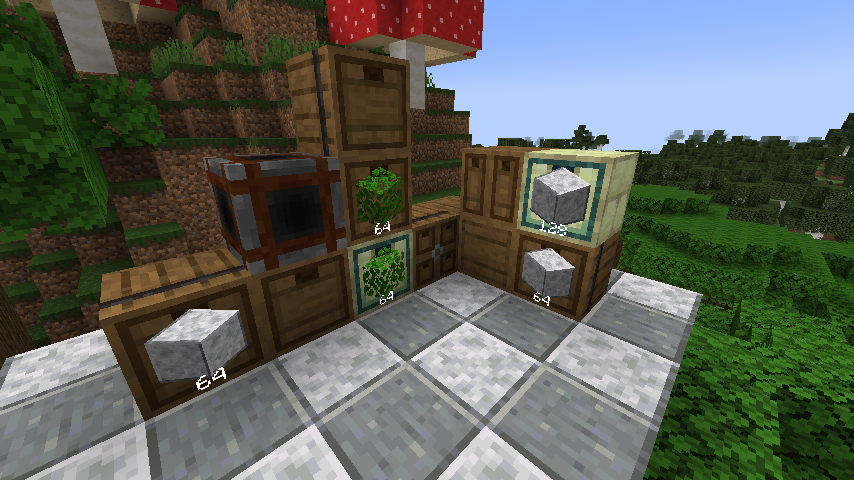 Collection of drawers A collection of drawers using the current main assets
 -
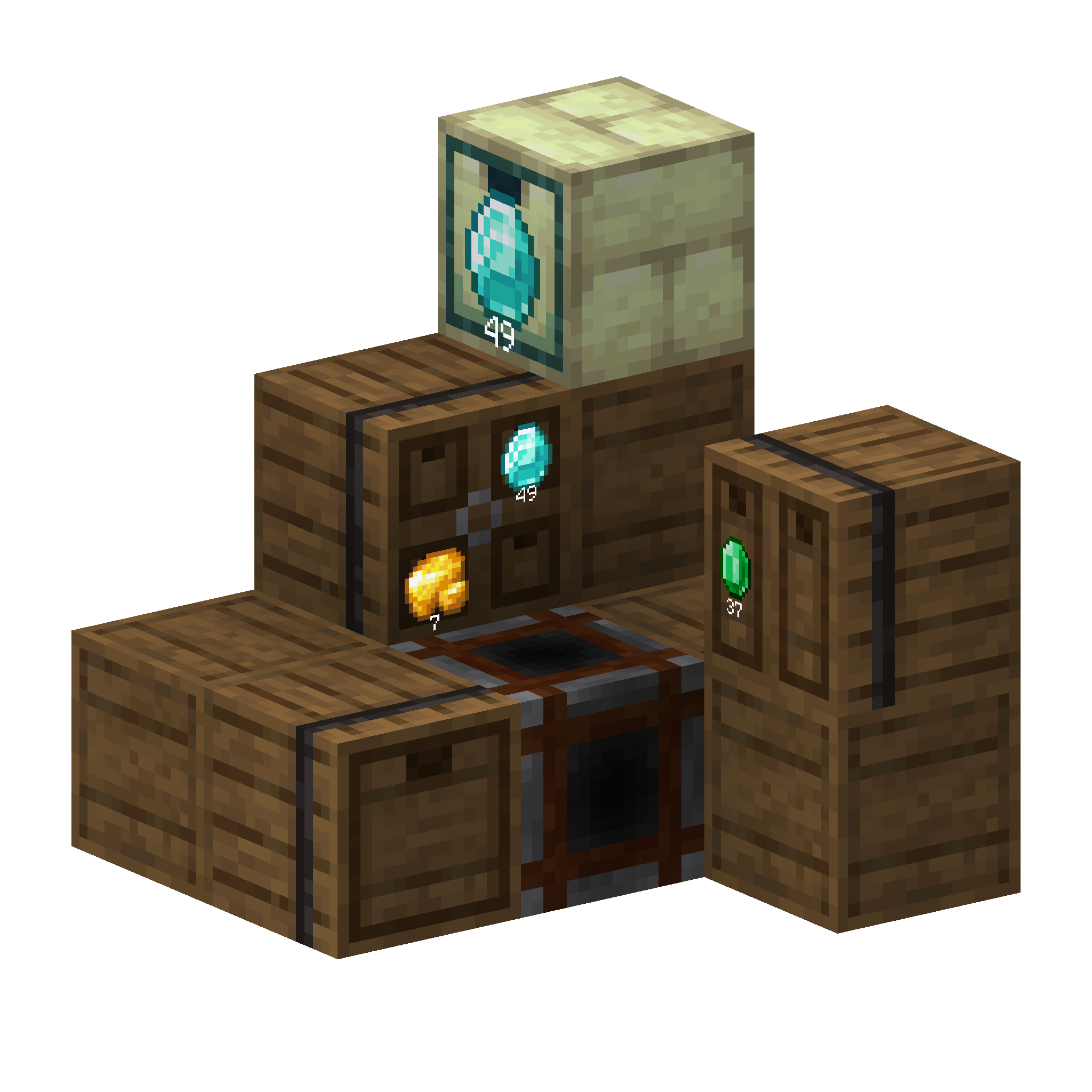 Pile of drawers A isometric render of a pile of drawer
 -
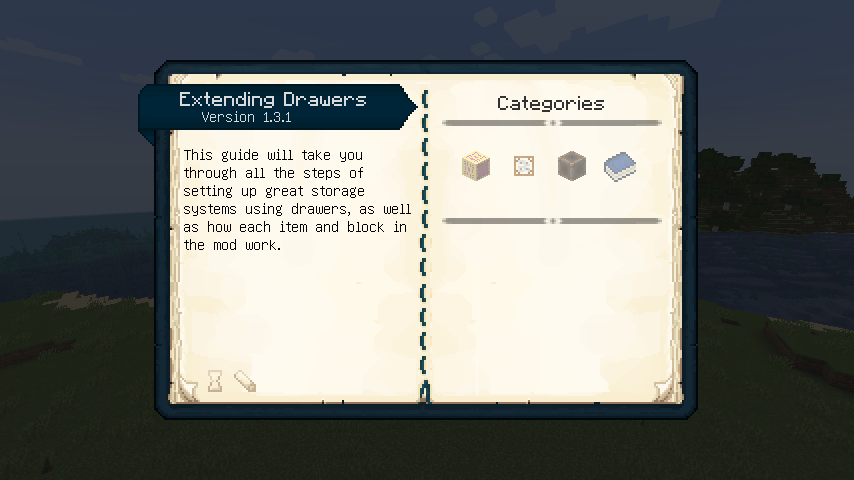 The guide book The guide book contains all the knowledge of the mod and how it works.
 -
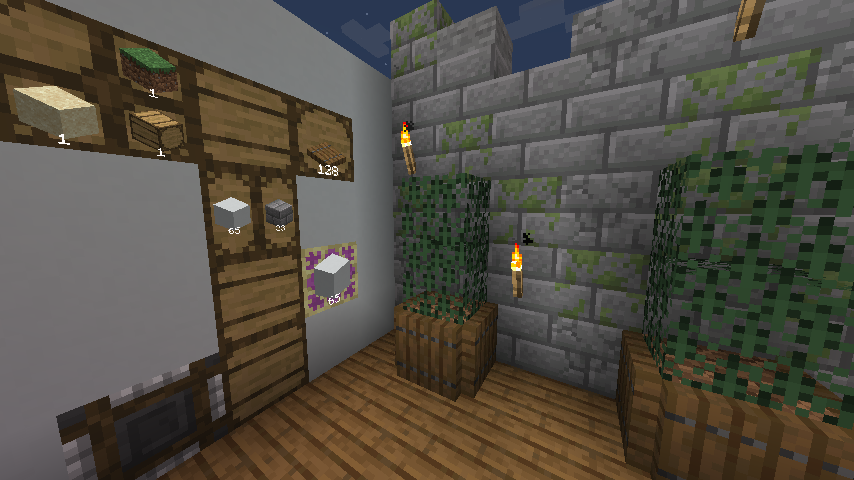 The alternative texture pack The mod includes an optional resource pack with alternative textures.
 -
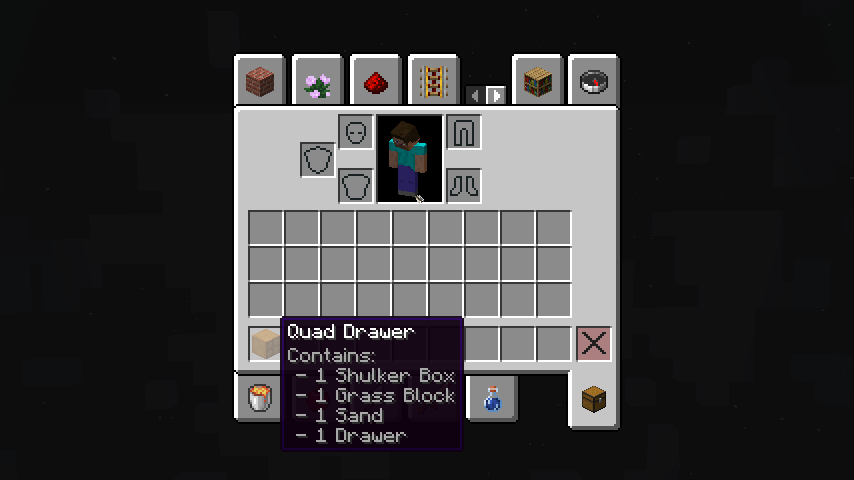 Content tooltips They display the contents of drawers in the inventory so it's easier to find the right ones.
 -
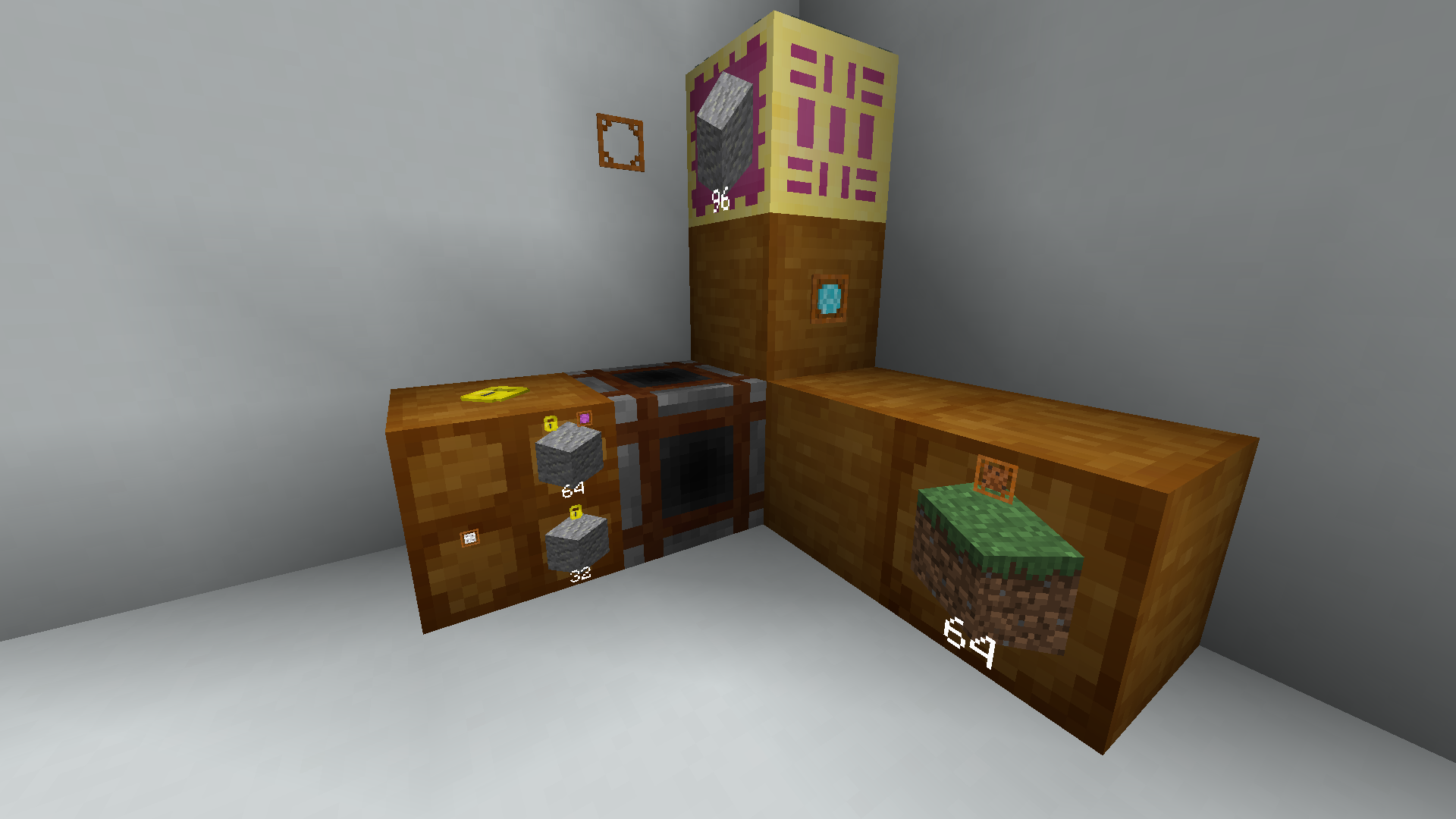 Programmer Art A bunch of blocks and items with programmer art
-
 The guide book The guide book contains all the knowledge of the mod and how it works.
 -
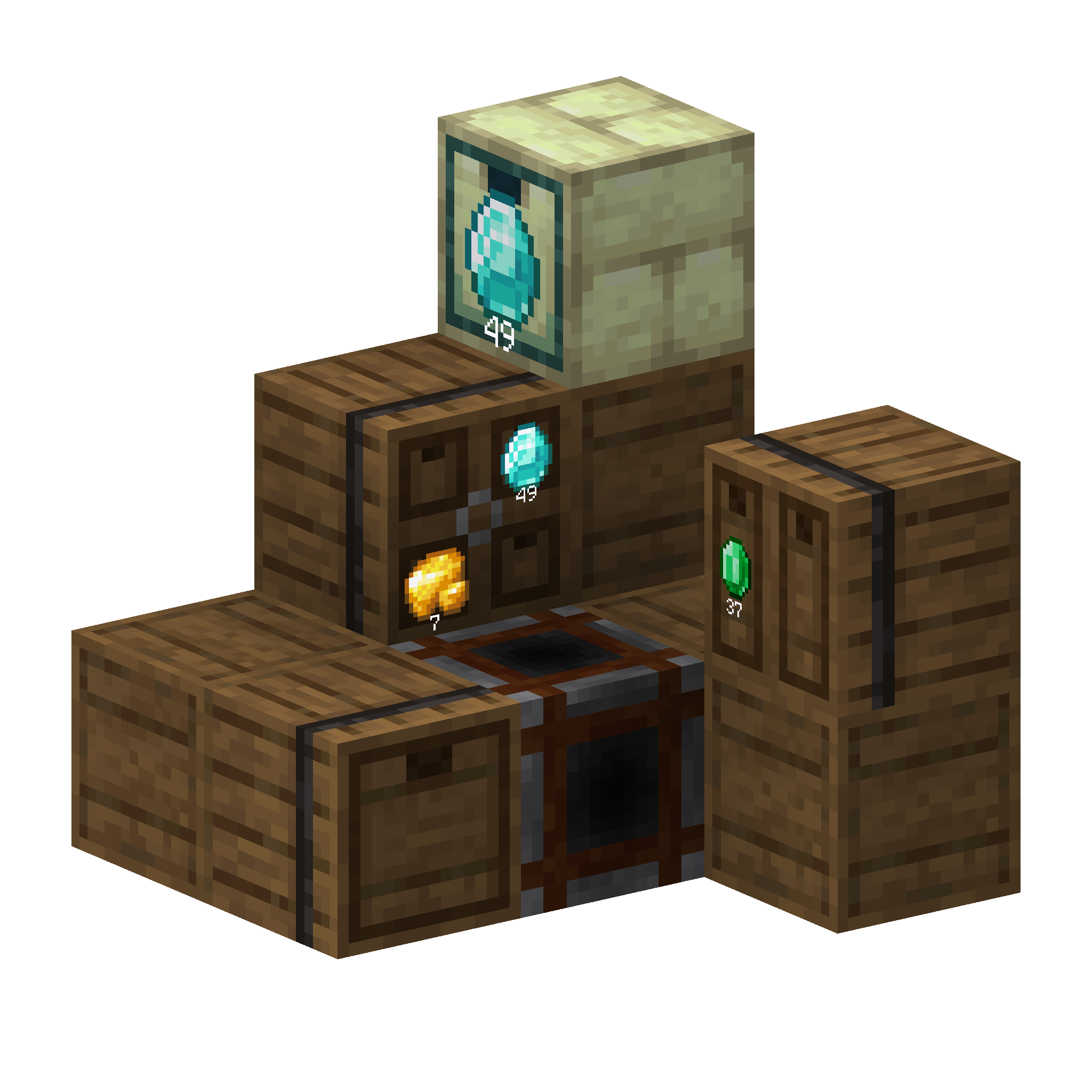 Pile of drawers A isometric render of a pile of drawer
 -
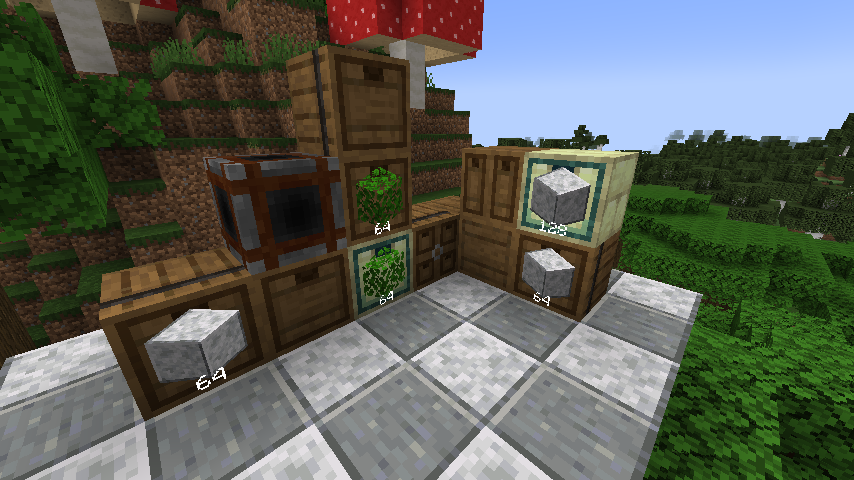 Collection of drawers A collection of drawers using the current main assets
 -
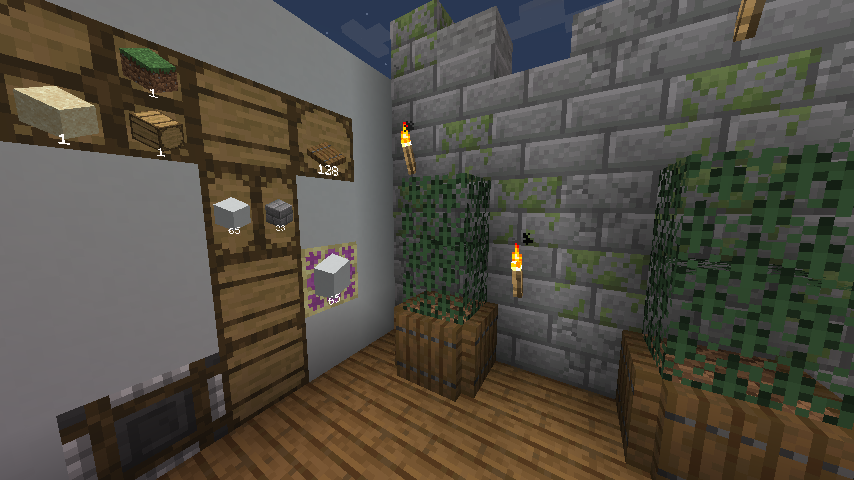 The alternative texture pack The mod includes an optional resource pack with alternative textures.
 -
 Content tooltips You can see the contents of drawers in your inventory
 -
 Programmer Art A bunch of blocks and items with programmer art
Versions
Files
Relations
Project Relations
More like this
Similar Mods
Suggestions use data such as tags, dependencies, dependents, descriptions, titles, and more to rank how much they overlap with this mod.
On ModDex
Community snapshot
By the numbers
Statistics
Want to reach Minecraft players?
We're looking for a server hosting partner to feature here and other parts of the site. Interested? Send us a message!
Get in touchGet it on
Available Platforms
On ModDex
Community snapshot
By the numbers