Community listing page, reviews here may not be monitored by the author.
Extra Bit Manipulation

No reviews yet
Adds extra in-world bit manipulation to the Chisels & Bits mod.
Community voices
Reviews
No reviews yet. Be the first to review this project!
Get it on
Available Platforms
About
Project Details
For authors
Embed Badge
If you're the author of this project, you can embed a live badge anywhere that supports HTML or Markdown. It updates automatically whenever ratings change.
Use HTML for any page that supports it, or Markdown for README files and Markdown-based descriptions.
Identifiers
Platform IDs
About
Description
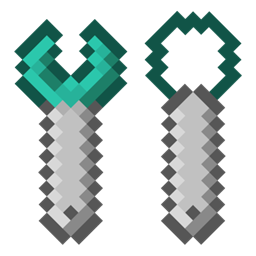
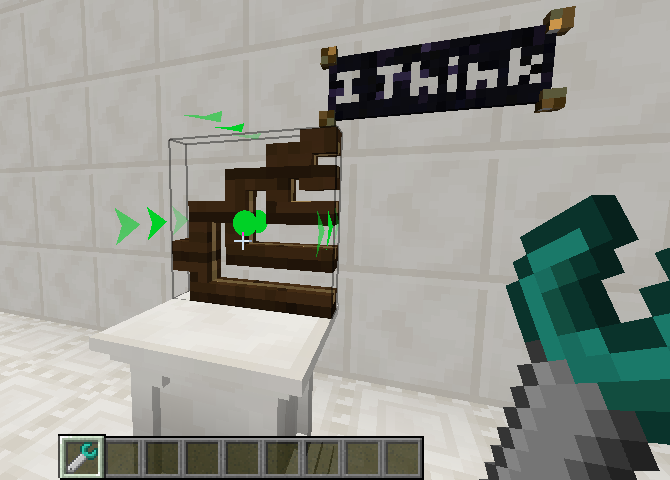
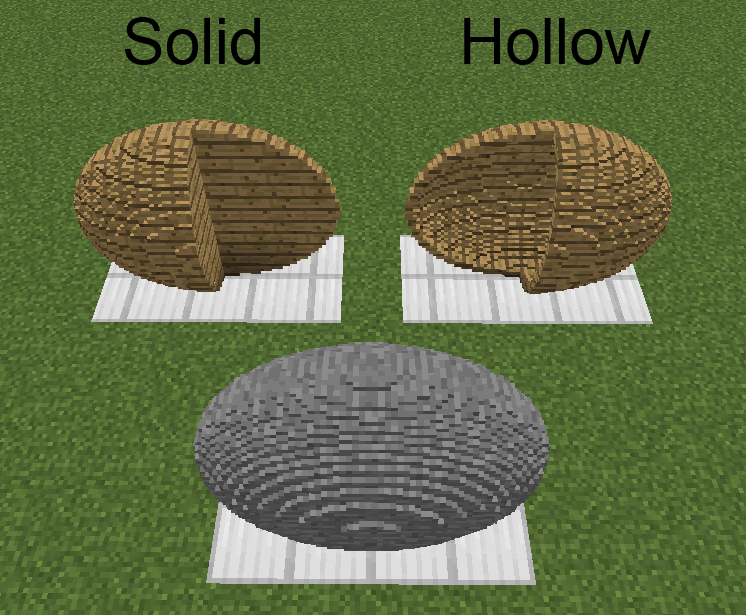
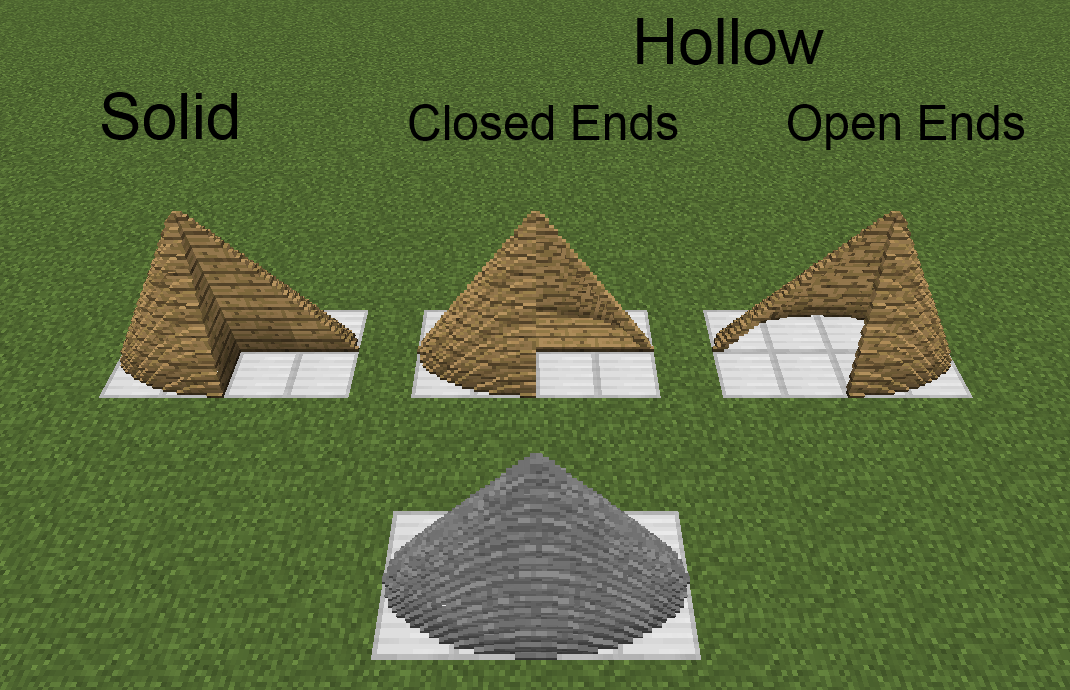
This mod is an addon to the Chisels & Bits mod. It adds a wrench that rotates/mirrors/translates/inverts chiseled blocks, sculpting wires/spades that remove/add cuboidal/ellipsoidal/cylindrical/conic/pyramidal areas of bits from chiseled/chiselable blocks, a modeling tool that makes chiseled block models of 16^3 areas of blocks in the world, and armor pieces that render chiseled blocks (and any items) as their moving parts. It also allows chisel designs to be edited and bits to be thrown like snowballs.
Issues should be submitted via GitHub (here), if possible, but can be submitted internally, if need be.
This mod has been released into the public domain. Use it anywhere in any way.
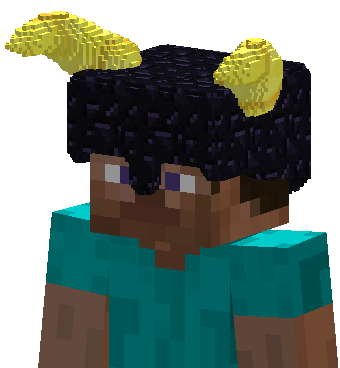
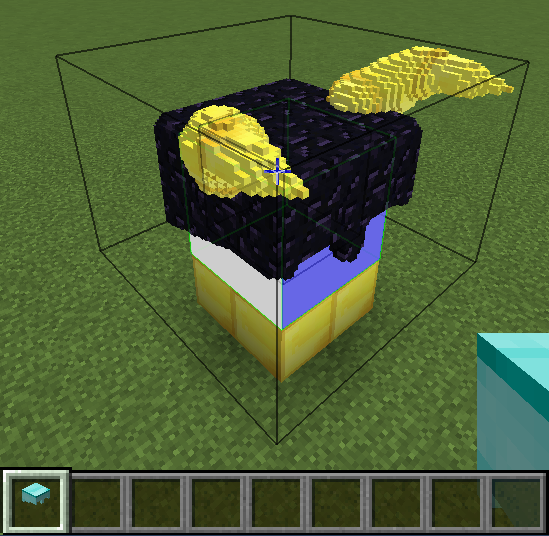
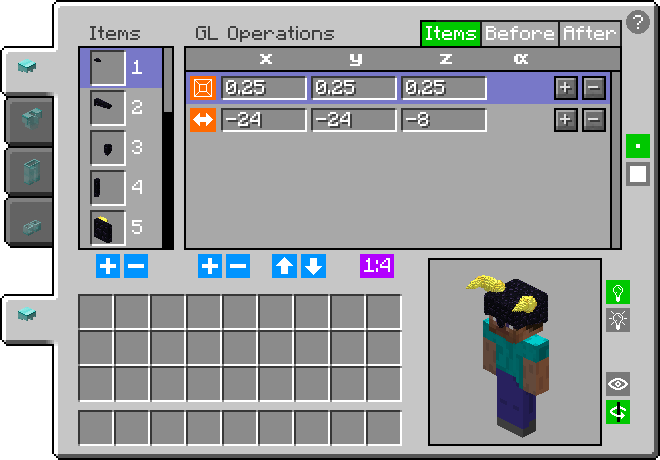
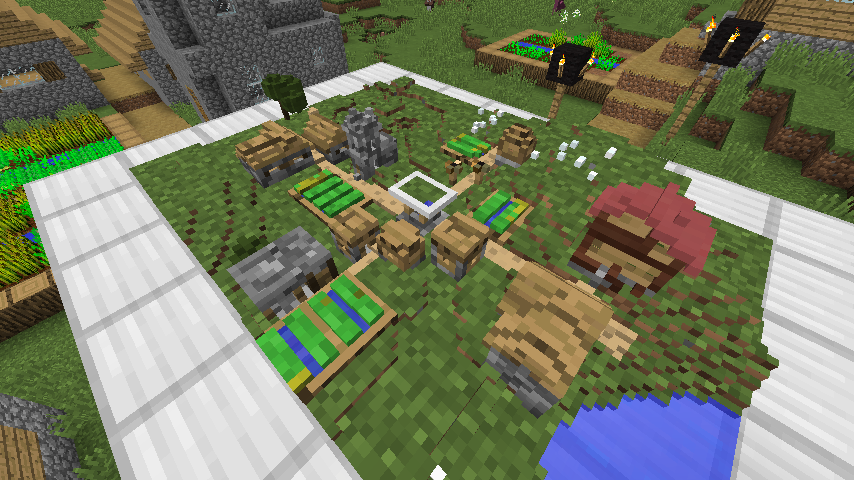
Chiseled Armor tutorial by Pooka Plays:
Clarifications:
- 3:55 [FIXED] Armor worn in vanity slots is now visible to everyone.
- 23:51 [INFO] Both 'before' and 'after' GL operations apply to all blocks/items of a moving part. The order is 'before', then 'part-specific', then 'after', since order maters in Open GL.
- 41:35 I never even thought about enchantment overlay rendering. I'll have to look into it.
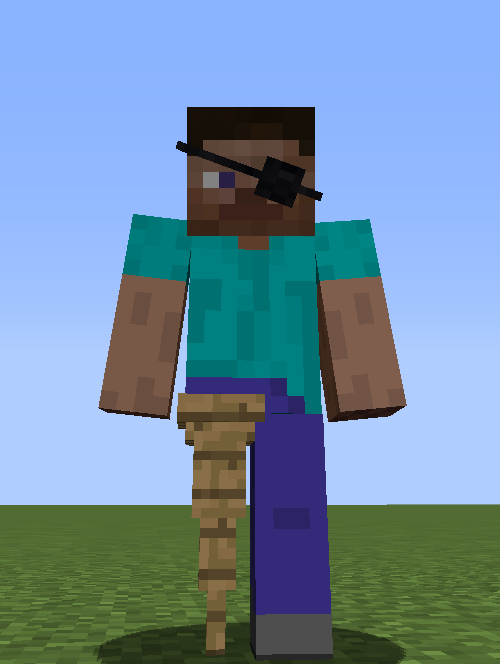
- 45:55 [ADDED] The moving parts of chiseled armor pieces can prevent moving parts and overlays of the player model from rendering.
- 48:27 [INFO] Holding shift, while in collection mode, causes the collection area start/end points to be offset by one from the block/pixel you are looking at. This makes collecting liquid bits easier.
- 59:05 [INFO] Blocks are collected by clicking on one block/bit and releasing on another to collect all intersecting bits. Blocks/bits do not need to be individually clicked.
Finally, I highly suggest that everyone read the tooltips for chiseled armor items while holding control (while in different modes, since the info is mode-specific), as well as clicking the question mark in GUIs and reading all the more detailed hover text while hovering the cursor over each highlighted element.
Screenshots
Gallery
-
Chiseled Armor Peg Leg Example of a Chiseled Armor moving part preventing a moving part of the player model from rendering.
-
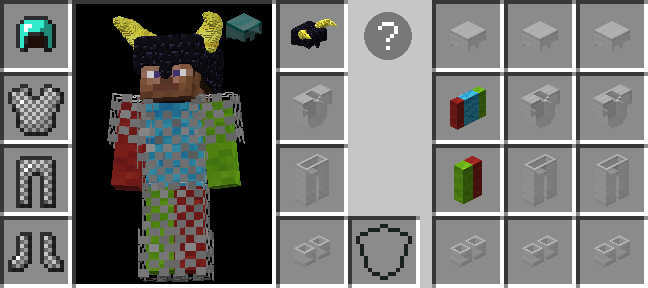
Chiseled Armor Vanity Slots GUI Armor worn in one of the added inventory vanity slots render on the player, but don't take up an armor slot and don't provide additional protection. Click the helmet icon (if displayed) in the survival player inventory or press H (by default) to access.
-
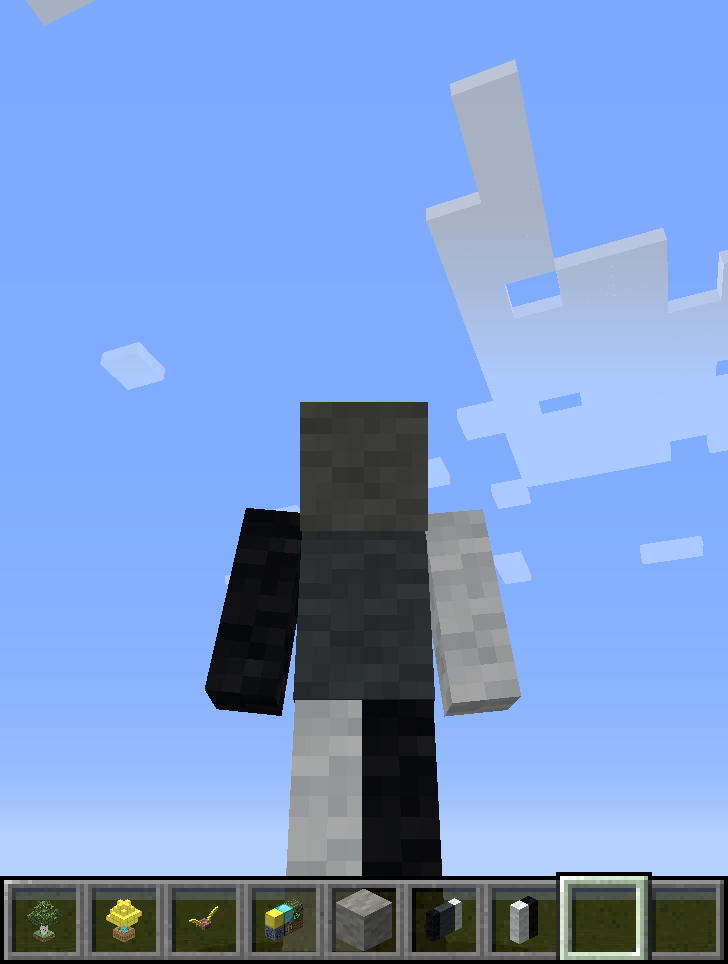 Chiseled Armor Textured Body Example where chiseled wool blocks are rendered at 1:1, such that they effectively re-texture the player.
 -
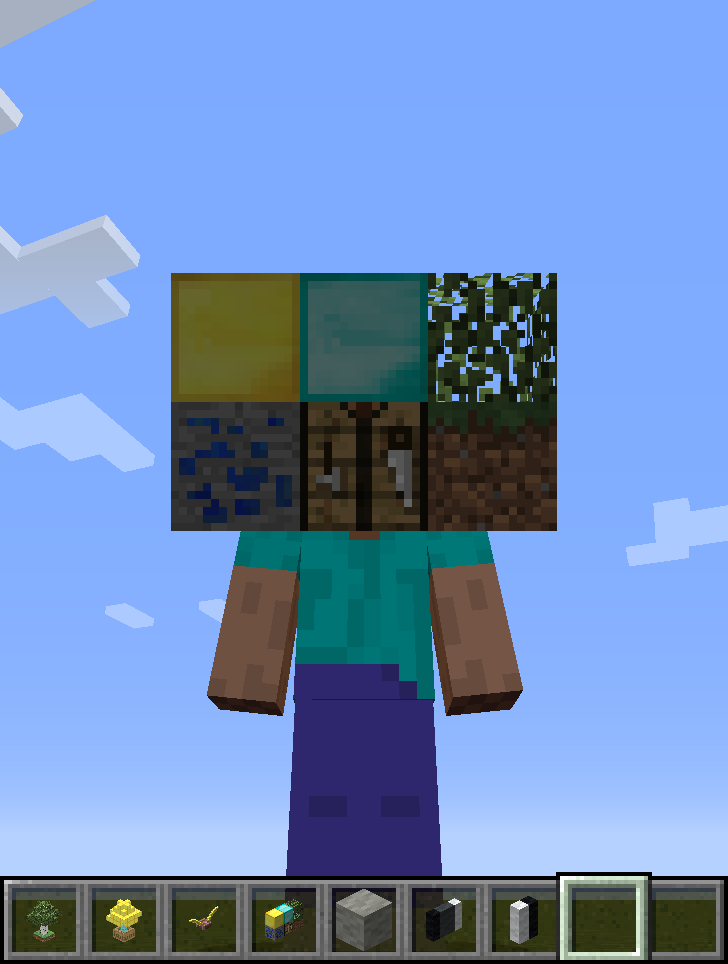 Chiseled Armor Head Example where a collection of blocks are rendered at 1:2 scale as the player's head.
 -
 Chiseled Armor Helmet Example of a 1:1 scale brick helmet with gold horns.
 -
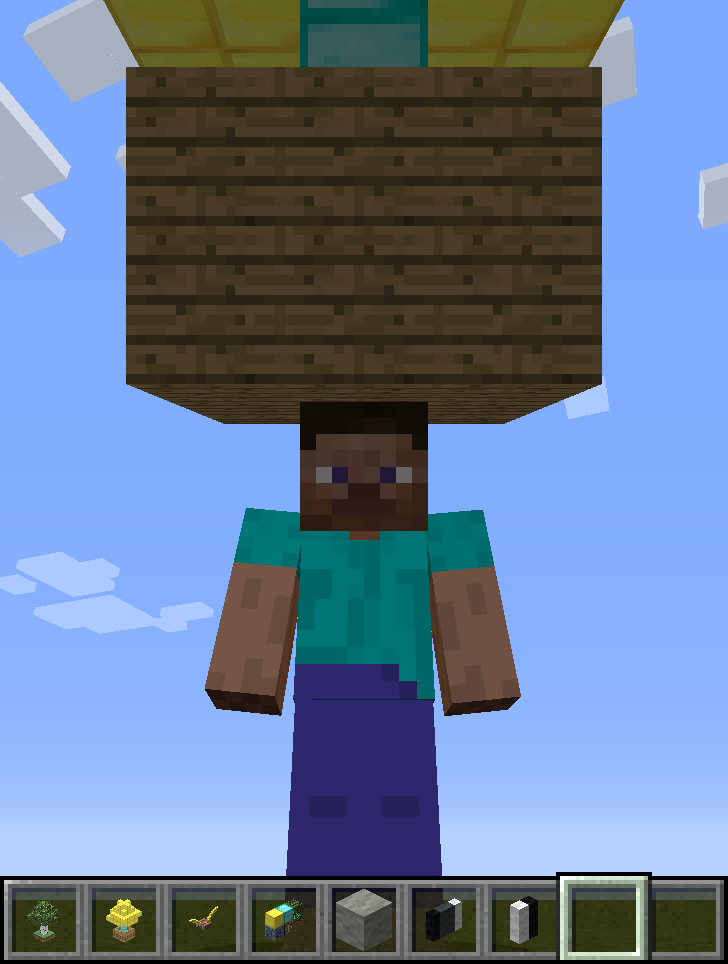 Chiseled Armor Tree Large Example where a tree of gold/diamond in a large wooden box is rendered at 1:2 scale as a hat.
 -
 Chiseled Armor Tree Small Example where a tree and some grass below it are rendered at small scale as a hat.
 -
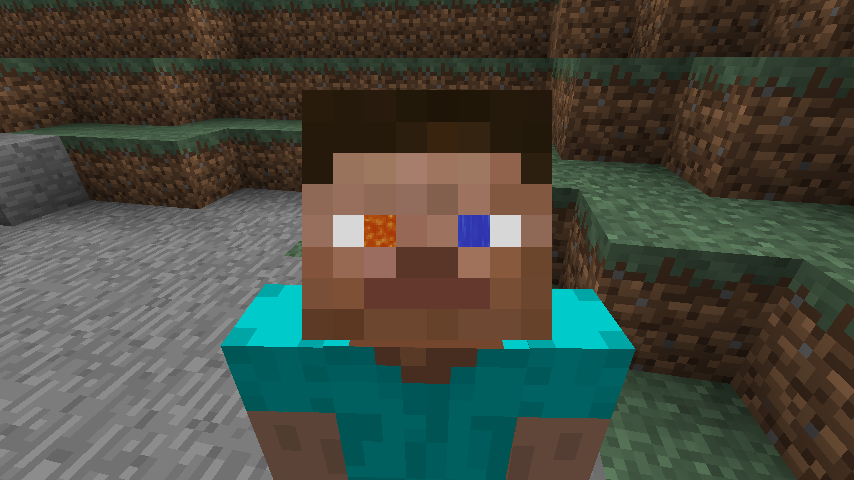 Chiseled Armor Eyes Example where chiseled blocks of flowing water/lava are rendered at a very small scale to give the player animated eyes.
 -
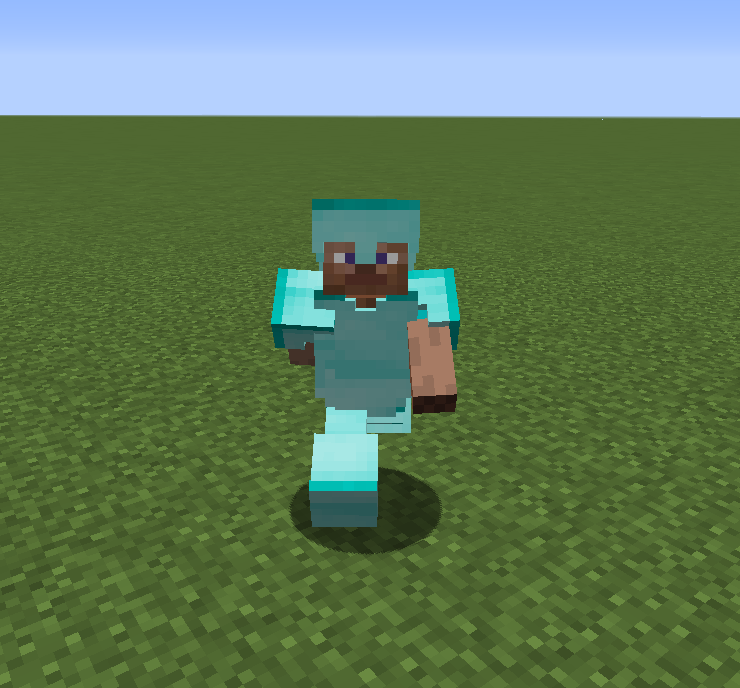 Chiseled Armor Default Model This is the default model rendered for Chiseled Armor when it has not been set to render any items for any of its moving parts.
 -
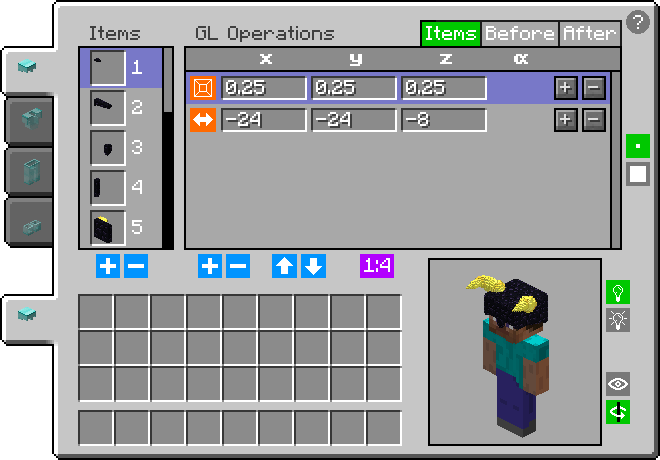 Chiseled Armor GUI All data of all currently worn armor pieces can be viewed and modified in the GUI. There, any item can be added/removed and can have any number of GL operations (rotation, translation, scale) applied to it. Open with G for normal and SHIFT + G for vanity.
 -
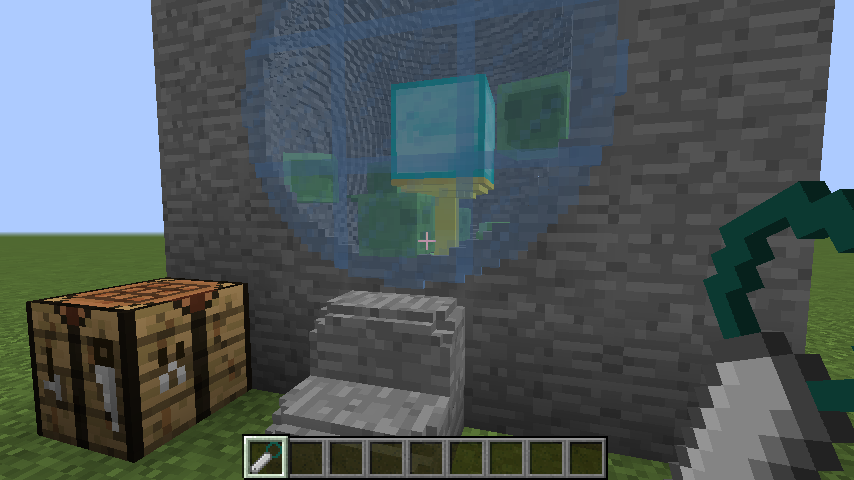
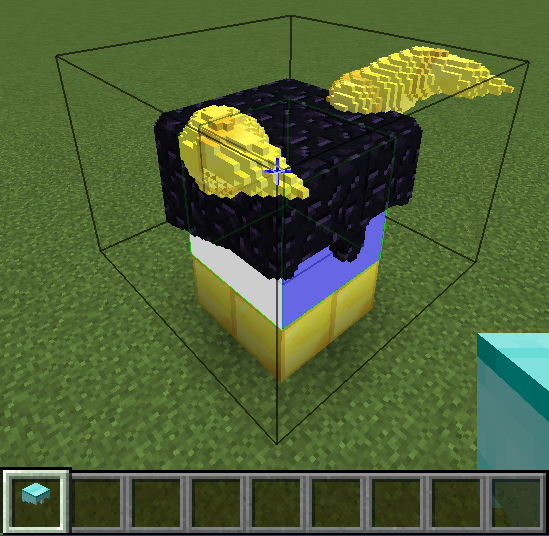 Step 2 - Block Collection After you have created your model around the in-world bodypart template area, put the armor piece in 'Block Collection' mode. Clicking one block/bit and releasing on another, draws a box around your model and imports copies of all intersecting blocks.
 -
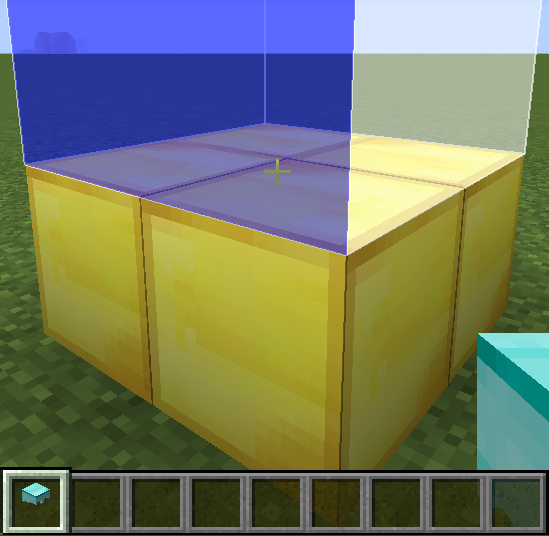 Step 1 - Bodypart Template Creation Click a surface in 'Template Creation' mode to set an area that represents the bodypart associated with the armor piece's selected moving part at the selected scale (right-click to additionally fill the area with bits that will be ignored when importing).
 -
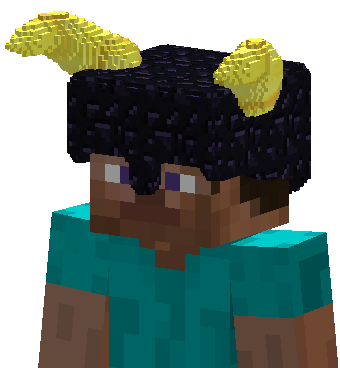 Chiseled Armor Chiseled Armor pieces render chiseled blocks (and any items) as their moving parts.
 -
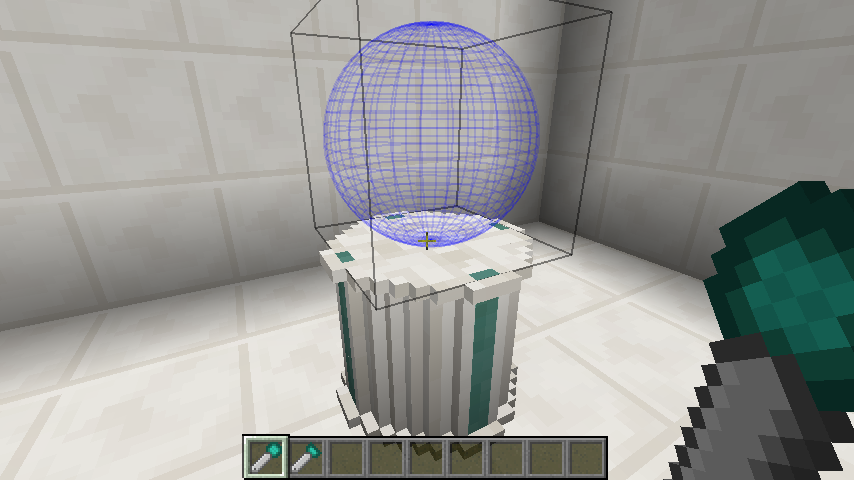 Offset Shape The sculpting shapes of spades can be offset for placement.
 -
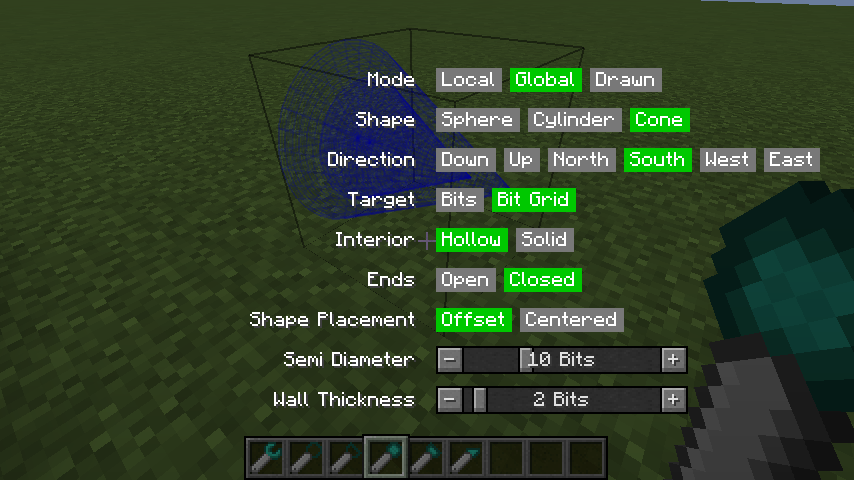 Bit Tool Settings Menu Holding the Chisels & Bits radial menu key (default is Left Alt, i.e. 'LMENU') with a tool in-hand will open a menu GUI for changing all tool settings. This is an alternate means of changing settings from the key/mouse combinations.
 -
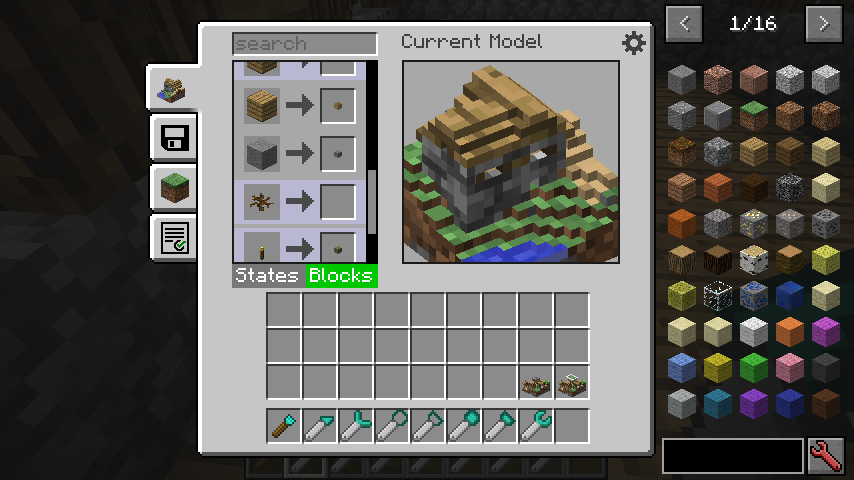 Bit Mapping GUI GUI for manually mapping states and blocks to bits for use in the Modeling Tool.
 -
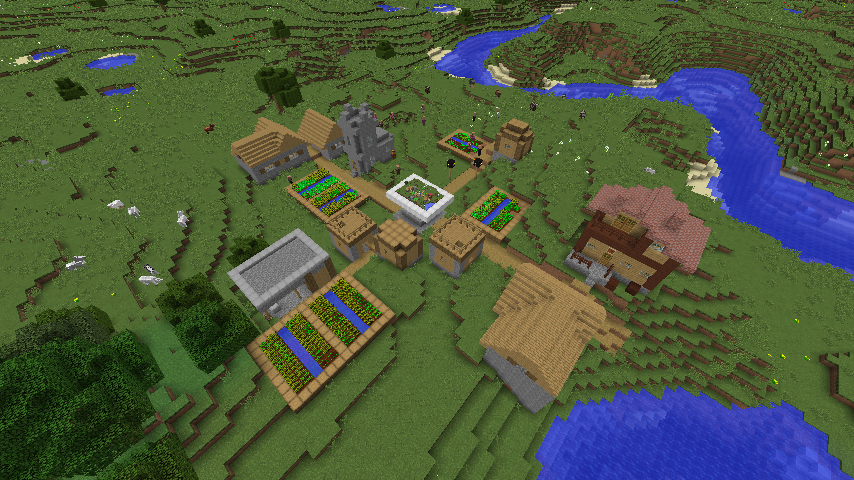
Village Model Model of a village made with the Modeling Tool by reading the village chunk by chunk (24 chunks in total).
-
Village A village that was read, chunk by chunk (24 chunks in total), with the Modeling Tool to make a model of it.
-
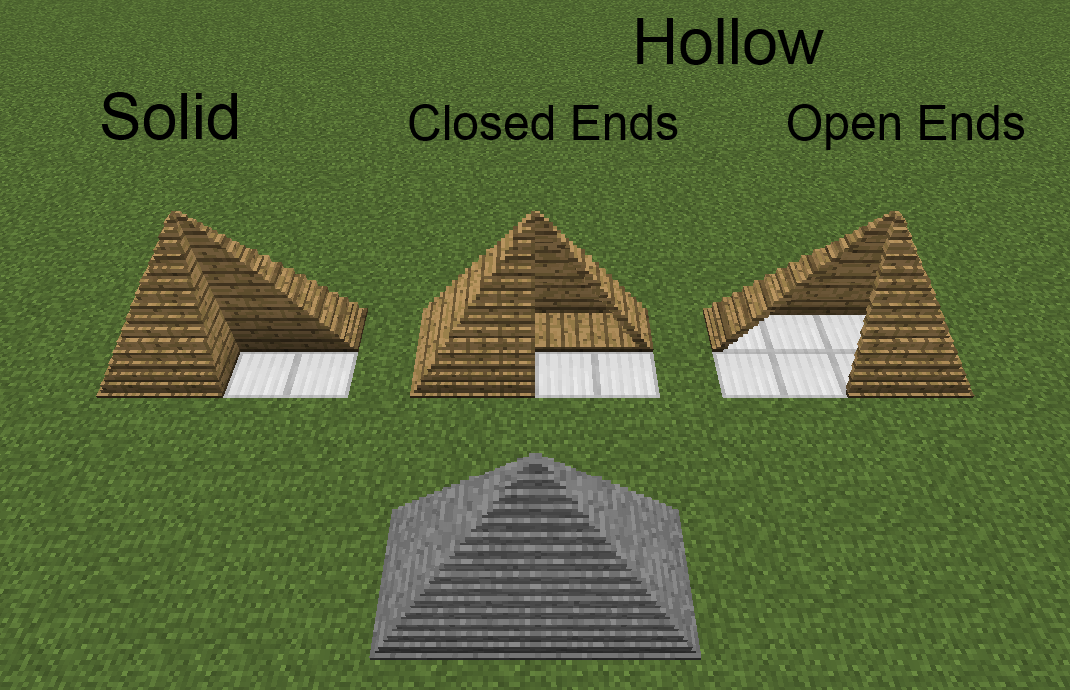 Rectangular Pyramid Rectangular pyramid created with drawn mode. Local/global mode shape is a square pyramid.
 -
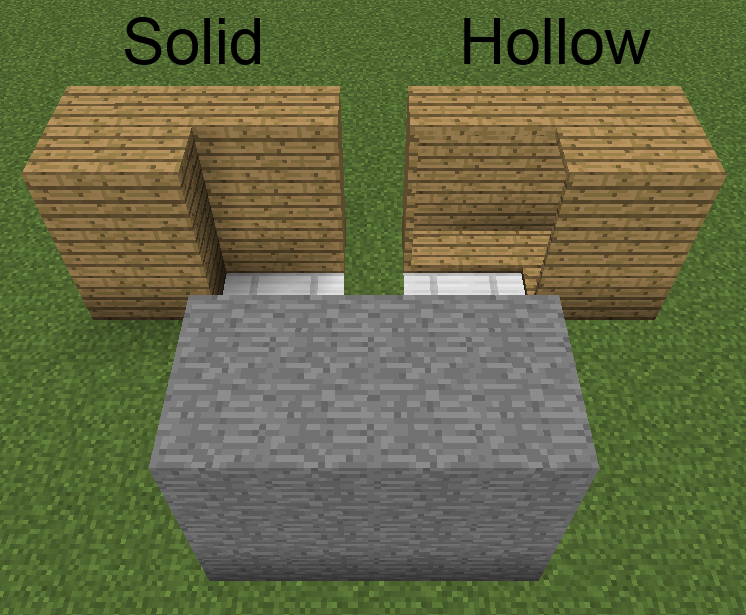 Cuboid Cuboid created with drawn mode. Local/global mode shape is a cube.
Versions
Files
Relations
Project Relations
More like this
Similar Mods
Suggestions use data such as tags, dependencies, dependents, descriptions, titles, and more to rank how much they overlap with this mod.
On ModDex
Community snapshot
By the numbers
Statistics
Want to reach Minecraft players?
We're looking for a server hosting partner to feature here and other parts of the site. Interested? Send us a message!
Get in touchGet it on
Available Platforms
On ModDex
Community snapshot
By the numbers