
Extra Move Animations (Cobblemon)
No reviews yet
Not impressed with the current selection of moves with animations in Cobblemon? This pack adds some more!
Does not follow a specific thematic focus apart from vanilla Minecraft.
Used for mods with little to no gameplay elements.
Includes aesthetic items like decoration, clothing, and visual effects.
Adds extra features or content to an existing mod.
Data Packs were introduced to vanilla Minecraft in version 1.13 and allow the server to modify data about the game, or run commands. Data Packs are compatible with all mod loaders.
Neoforge is a fork of the Minecraft Forge available for versions 1.20.1+ of Minecraft. Many Forge mods are compatible with Neoforge and vice versa.
Fabric is a mod loader for versions 1.14+ of Minecraft, particularly popular for client side and optimization mods.
Community voices
Reviews
Click once to include, again to exclude, again to clear
No reviews yet. Be the first to review this project!
Get it on
Available Platforms
 Modrinth
Compatibility
Supported Environments
About
Project Details
For authors
Embed Badge
If you're the author of this project, you can embed a live badge anywhere that supports HTML or Markdown. It updates automatically whenever ratings change.
Use HTML for any page that supports it, or Markdown for README files and Markdown-based descriptions.
Identifiers
Platform IDs
Resources
External Links
About
Description
Are you not currently impressed with the selection of moves with animations in Cobblemon? Cut them some slack, please, but this pack aims to adds some more!
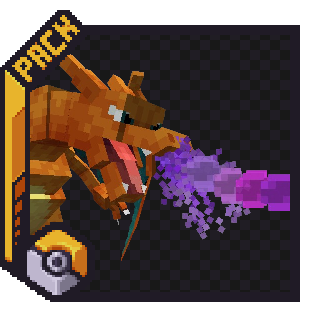
As of the Latest Update (1.3.af), these moves have animations:
- Dragon Pulse
- Aura Sphere
- Make It Rain
- Bitter Blade
- Discharge
- Bulk Up
- Teleport
- Earthquake
- Twinkle Tackle (Z-Move)
- Self-Destruct
You can expect around 1-2 (Maybe 3) new animations per update, decided by the members of the Cobblemon Discord from a selection of moves that I pick out.
This addon is both a Resource Pack and a Datapack as one file. The Resource Pack must be installed in your Resource Pack folder, or through [Esc] -> Options -> Resource Packs, while the Datapack must be installed in a Minecraft World's Datapack Folder, or through More -> Data Packs during world creation. (There is also an option to download it as a mod, for those who want to do that)
Screenshots
Gallery
Versions
Files
Relations
Project Relations
More like this
Similar Mods
Suggestions use data such as tags, dependencies, dependents, descriptions, titles, and more to rank how much they overlap with this mod.
On ModDex
Community snapshot
By the numbers
Statistics

Want to reach Minecraft players?
We're looking for a server hosting partner to feature here and other parts of the site. Interested? Send us a message!
Get in touchGet it on
Available Platforms
On ModDex
Community snapshot
By the numbers
Statistics
Resources