Community listing page, reviews here may not be monitored by the author.



Community voices
Reviews
No reviews yet. Be the first to review this project!
Get it on
Available Platforms
Compatibility
Supported Environments
Must be installed on both the client and the server.
About
Project Details
For authors
Embed Badge
If you're the author of this project, you can embed a live badge anywhere that supports HTML or Markdown. It updates automatically whenever ratings change.
Use HTML for any page that supports it, or Markdown for README files and Markdown-based descriptions.
Identifiers
Platform IDs
Resources
External Links
About
Description
ExtraCMDS
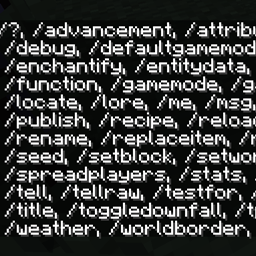
ExtraCMDS is a utility mod that introduces several commands to enhance gameplay. These commands allow players to manage attributes, enchantments, lore, and more, offering a wide range of customization and utility options.
Commands:
Attribute & Enchantment Commands:
/attribute <slot/all> <attribute>
Adds the specified attribute to the desired equipment slot. Supports both vanilla attributes and WizardryUtils attributes. Use "all" to apply the attribute to all slots./enchantify <enchantment> <optional level>
Adds the specified enchantment to the held item. Optionally, specify the enchantment level.
Utility Commands:
/feedor/feed <player>
Fills the player's hunger bar to full. If a player name is provided, it feeds the specified player./fixor/fix all
Repairs the item held in hand or, when "all" is specified, repairs all items in the player's inventory./healor/heal <player>
Fully restores the player's health. Optionally, specify another player to heal.
Lore & Item Customization Commands:
/lore <line>
Displays or adds lore to the item, starting at the specified line./removelore <line number>
Removes the lore at the specified line number./replaceloreline <line> <new line>
Replaces the lore at the specified line with the provided new line./rename <name>
Renames the item in hand to the specified name./removeattribute <attribute>
Removes the specified attribute from the item./unenchant <enchantment>
Removes the specified enchantment from the item./skull <player>or/skull
Gives the player head of the specified player. If no player is specified, gives the player's own head.
Potion Commands (from MoreCommands Mod):
/potion setcolour <colour>
Sets the potion color./potion settype <type>
Changes the potion type./potion add <effect>; [duration] [amplifier] [showParticles] [ambient]
Adds the specified potion effect with optional duration, amplifier, particle visibility, and ambient effect./potion remove <index>
Removes the potion effect at the specified index.
ExtraCMDS
ExtraCMDS is a utility mod that introduces several commands to enhance gameplay. These commands allow players to manage attributes, enchantments, lore, and more, offering a wide range of customization and utility options.
Commands:
Attribute & Enchantment Commands:
-
/attribute <slot/all> <attribute>
Adds the specified attribute to the desired equipment slot. Supports both vanilla attributes and WizardryUtils attributes. Use "all" to apply the attribute to all slots. -
/enchantify <enchantment> <optional level>
Adds the specified enchantment to the held item. Optionally, specify the enchantment level.
Utility Commands:
-
/feedor/feed <player>
Fills the player's hunger bar to full. If a player name is provided, it feeds the specified player. -
/fixor/fix all
Repairs the item held in hand or, when "all" is specified, repairs all items in the player's inventory. -
/healor/heal <player>
Fully restores the player's health. Optionally, specify another player to heal.
Lore & Item Customization Commands:
-
/lore <line>
Displays or adds lore to the item, starting at the specified line. -
/removelore <line number>
Removes the lore at the specified line number. -
/replaceloreline <line> <new line>
Replaces the lore at the specified line with the provided new line. -
/rename <name>
Renames the item in hand to the specified name. -
/removeattribute <attribute>
Removes the specified attribute from the item. -
/unenchant <enchantment>
Removes the specified enchantment from the item. -
/skull <player>or/skull
Gives the player head of the specified player. If no player is specified, gives the player's own head.
Potion Commands (from MoreCommands Mod):
-
/potion setcolour <colour>
Sets the potion color. -
/potion settype <type>
Changes the potion type. -
/potion add <effect>; [duration] [amplifier] [showParticles] [ambient]
Adds the specified potion effect with optional duration, amplifier, particle visibility, and ambient effect. -
/potion remove <index>
Removes the potion effect at the specified index.
Screenshots
Gallery
Versions
Files
Relations
Project Relations
More like this
Similar Mods
Suggestions use data such as tags, dependencies, dependents, descriptions, titles, and more to rank how much they overlap with this mod.
On ModDex
Community snapshot
By the numbers
Statistics
 (opens in a new tab)
Get it on
Available Platforms
On ModDex
Community snapshot
By the numbers
Statistics
Resources