
EasyAntiCheat
No reviews yet
A lightweight and simple, yet powerful AntiCheat tool for Forge, providing server admins with oversight of client-installed mods and resource packs.
Does not follow a specific thematic focus apart from vanilla Minecraft.
Used for mods with little to no gameplay elements.
Includes quality of life improvements and small tweaks to enhance and customize gameplay.
Enhances game performance and optimizes resource usage.
Includes tools and features for server management.
Forge is a popular mod loader for versions 1.1+ of Minecraft.
Community voices
Reviews
Click once to include, again to exclude, again to clear
No reviews yet. Be the first to review this project!
Get it on
Available Platforms
 CurseForge
 Modrinth
Compatibility
Supported Environments
Must be installed on both the client and the server.
About
Project Details
For authors
Embed Badge
If you're the author of this project, you can embed a live badge anywhere that supports HTML or Markdown. It updates automatically whenever ratings change.
Use HTML for any page that supports it, or Markdown for README files and Markdown-based descriptions.
Identifiers
Platform IDs
About
Description
EasyAntiCheat
A lightweight and simple, yet powerful AntiCheat tool for Forge, providing server admins with oversight of client-installed mods and resource packs.
⚠️ Disclaimer
This mod isn't intended to act as a defense against skilled hackers. Rather, it's a basic countermeasure aimed at script kiddies and similar low-level threats. It's designed to be simple and not to eliminate the risk of hackers on your server.
How does it work?
This mod works by the client sending the server a list of installed mods and resource packs upon connection. The server will then log all mods and resource packs, that are installed on the client but not on the server. If the functionality is enabled and properly configured via the config, it will also take automatic action when a mod isn't appreciated by the server owners.
What is its purpose?
Its primary purpose is the quick identification of unwanted mods by the server operators through the logging mechanism, but as this is only efficient on small servers, as it needs human oversight, there is also a whitelisting/blacklisting functionality to automate the identification of widespread/known mods or assist the operators.
Configuration
The config file can be found in ./config/ezac-common.toml. All options are described by comments, so you can modify them yourself easily to meet your needs.
Down below, you can find an example config, that uses the WHITELIST mode, which means that only mods in the mods array will be allowed on the server. As mods is left empty though, all client-only mods will be flagged, which means that every mod, that's not on the server, but on the client will be flagged. Allowed resource packs on the server are defined in the resourcePacks list. In this example, only resource packs named "TotallyLegitResourcePack.zip" are allowed on the server. The action is set to RESTRICT which means, that as long as flagged mods are installed on the client, the player won't be able to join, but can join again, after removing said mods.
["Server Configuration"]
	# A list of all mods that should be added to either the blacklist or whitelist.
	mods = []
	# A list of all resource packs that should be added to either the blacklist or whitelist.
	resourcePacks = ["TotallyLegitResourcePack.zip"]
	# How should the mods in the list be treated?
	# BLACKLIST will flag all mods of the client that are in the list.
	# WHITELIST will flag all mods of the client that aren't in the list.
	#Allowed Values: BLACKLIST, WHITELIST
	mode = "WHITELIST"
	# What should be done, when a player uses a flagged mod?
	# NOTIFY will log the flagged mods in the console (and send a message to the operators).
	# RESTRICT will do the same as NOTIFY, but will additionally deny the player everytime they join with a flagged mod.
	# BAN will also do the same as NOTIFY, but is a bit harsher than RESTRICT and will ban the player, so once they joined with a flagged mod, they will never be able to join again, until they are pardoned by an operator.
	# This will only work, when the mode selected is either BLACKLIST or WHITELIST.
	#Allowed Values: NOTIFY, RESTRICT, BAN
	action = "RESTRICT"
FAQ
Q: Port to version/Fabric/NeoForge?
A: Not at the moment, sorry.
Q: Can I use this in my Modpack?
A: Sure!
Credits
EasyAntiCheat
A lightweight and simple, yet powerful AntiCheat tool for Forge, providing server admins with oversight of client-installed mods and resource packs.
⚠️ Disclaimer
This mod isn't intended to act as a defense against skilled hackers. Rather, it's a basic countermeasure aimed at script kiddies and similar low-level threats. It's designed to be simple and not to eliminate the risk of hackers on your server.
How does it work?
This mod works by the client sending the server a list of installed mods and resource packs upon connection. The server will then log all mods and resource packs, that are installed on the client but not on the server. If the functionality is enabled and properly configured via the config, it will also take automatic action when a mod isn't appreciated by the server owners.
What is its purpose?
Its primary purpose is the quick identification of unwanted mods by the server operators through the logging mechanism, but as this is only efficient on small servers, as it needs human oversight, there is also a whitelisting/blacklisting functionality to automate the identification of widespread/known mods or assist the operators.
Configuration
The config file can be found in ./config/ezac-common.toml. All options are described by comments, so you can modify them yourself easily to meet your needs.
Down below, you can find an example config, that uses the WHITELIST mode, which means that only mods in the mods array will be allowed on the server. As mods is left empty though, all client-only mods will be flagged, which means that every mod, that's not on the server, but on the client will be flagged. Allowed resource packs on the server are defined in the resourcePacks list. In this example, only resource packs named "TotallyLegitResourcePack.zip" are allowed on the server. The action is set to RESTRICT which means, that as long as flagged mods are installed on the client, the player won't be able to join, but can join again, after removing said mods.
["Server Configuration"]
	# A list of all mods that should be added to either the blacklist or whitelist.
	mods = []
	# A list of all resource packs that should be added to either the blacklist or whitelist.
	resourcePacks = ["TotallyLegitResourcePack.zip"]
	# How should the mods in the list be treated?
	# BLACKLIST will flag all mods of the client that are in the list.
	# WHITELIST will flag all mods of the client that aren't in the list.
	#Allowed Values: BLACKLIST, WHITELIST
	mode = "WHITELIST"
	# What should be done, when a player uses a flagged mod?
	# NOTIFY will log the flagged mods in the console (and send a message to the operators).
	# RESTRICT will do the same as NOTIFY, but will additionally deny the player everytime they join with a flagged mod.
	# BAN will also do the same as NOTIFY, but is a bit harsher than RESTRICT and will ban the player, so once they joined with a flagged mod, they will never be able to join again, until they are pardoned by an operator.
	# This will only work, when the mode selected is either BLACKLIST or WHITELIST.
	#Allowed Values: NOTIFY, RESTRICT, BAN
	action = "RESTRICT"
FAQ
Q: Port to version/Fabric/NeoForge?
A: Not at the moment, sorry.
Q: Can I use this in my Modpack?
A: Sure!
Credits
Screenshots
Gallery
-
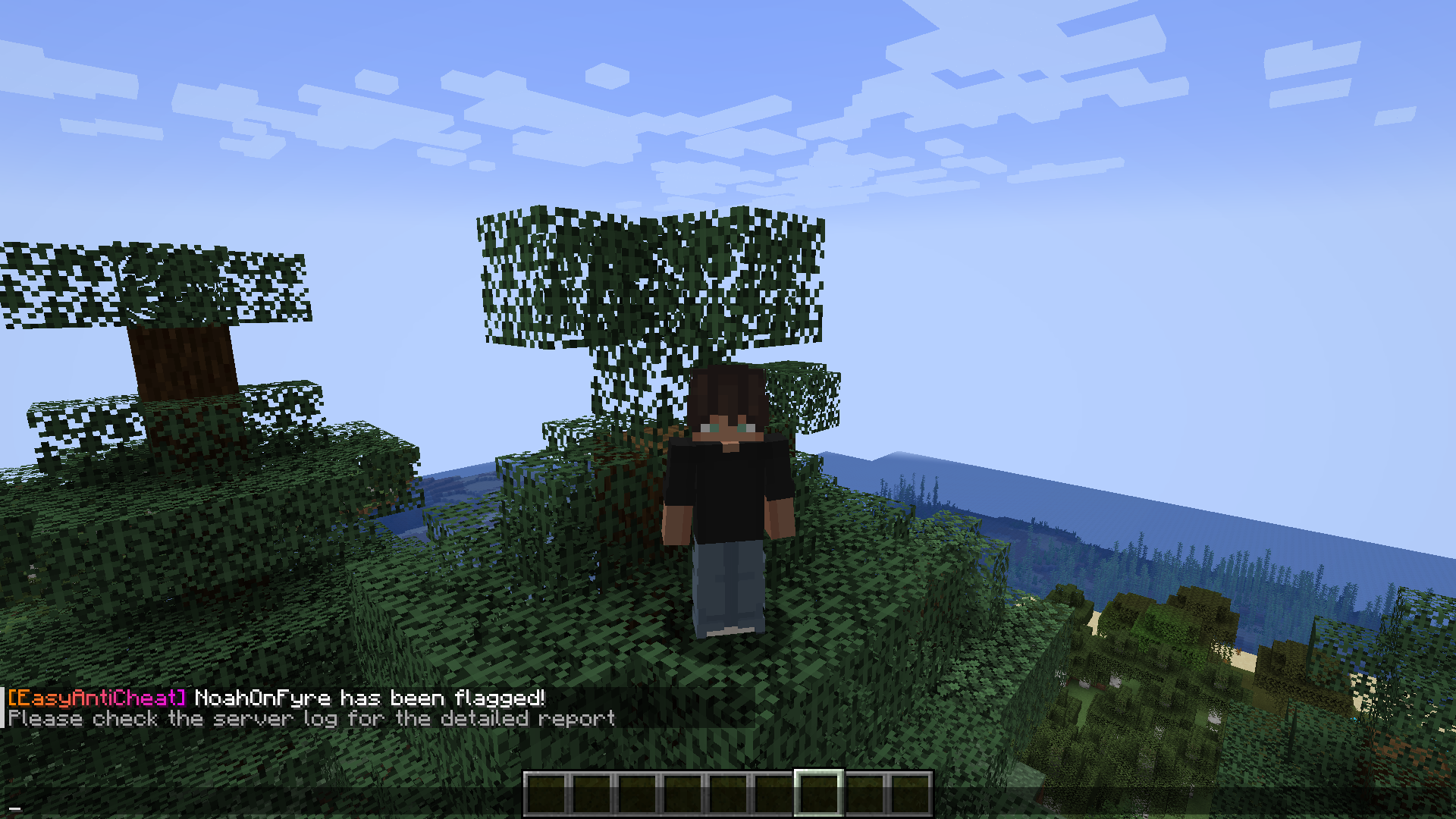 Joining with NOTIFY mode active. The chat message is only displayed, because I'm a operator
 -
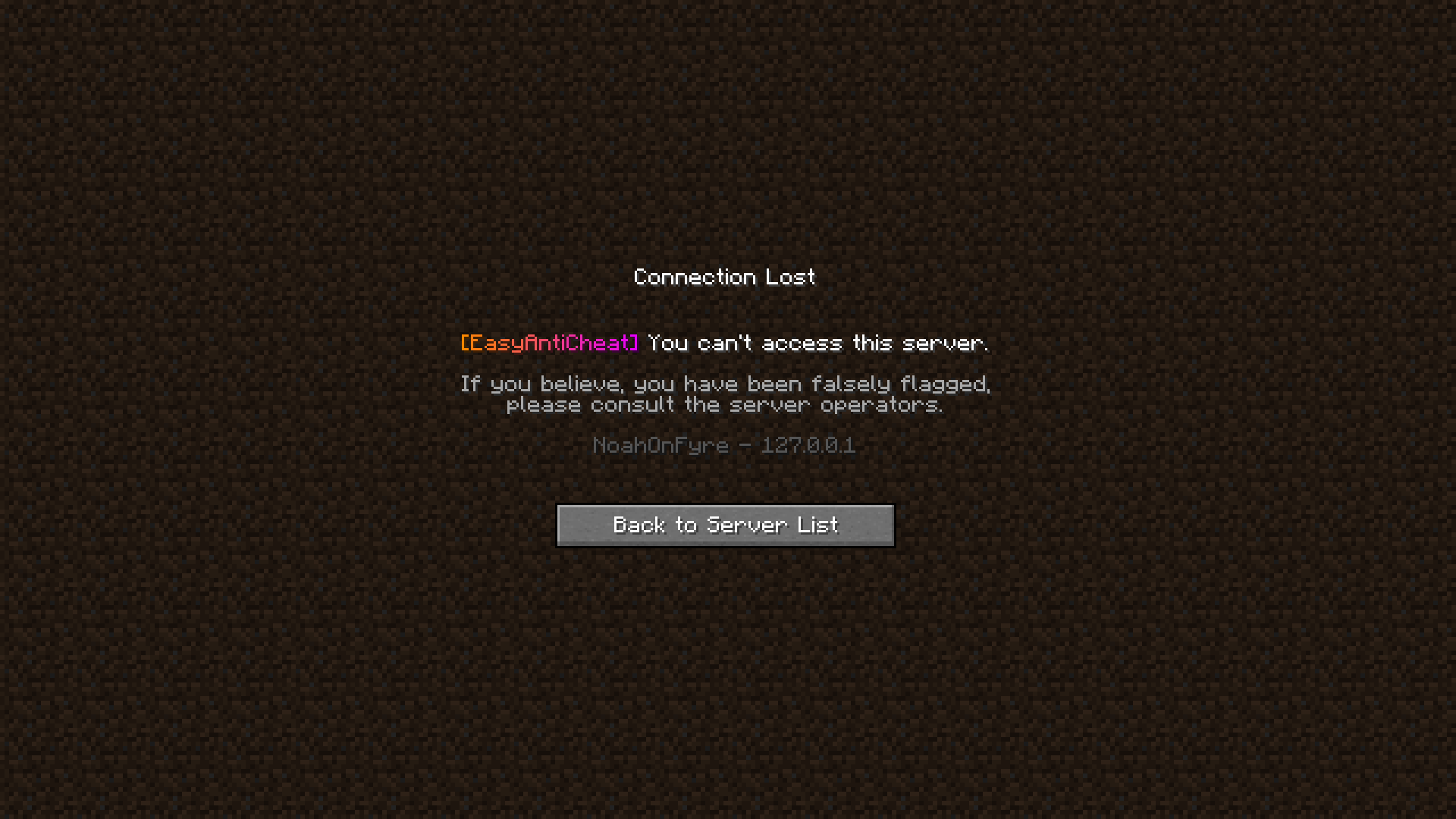 Joining with RESTRICT mode active
 -
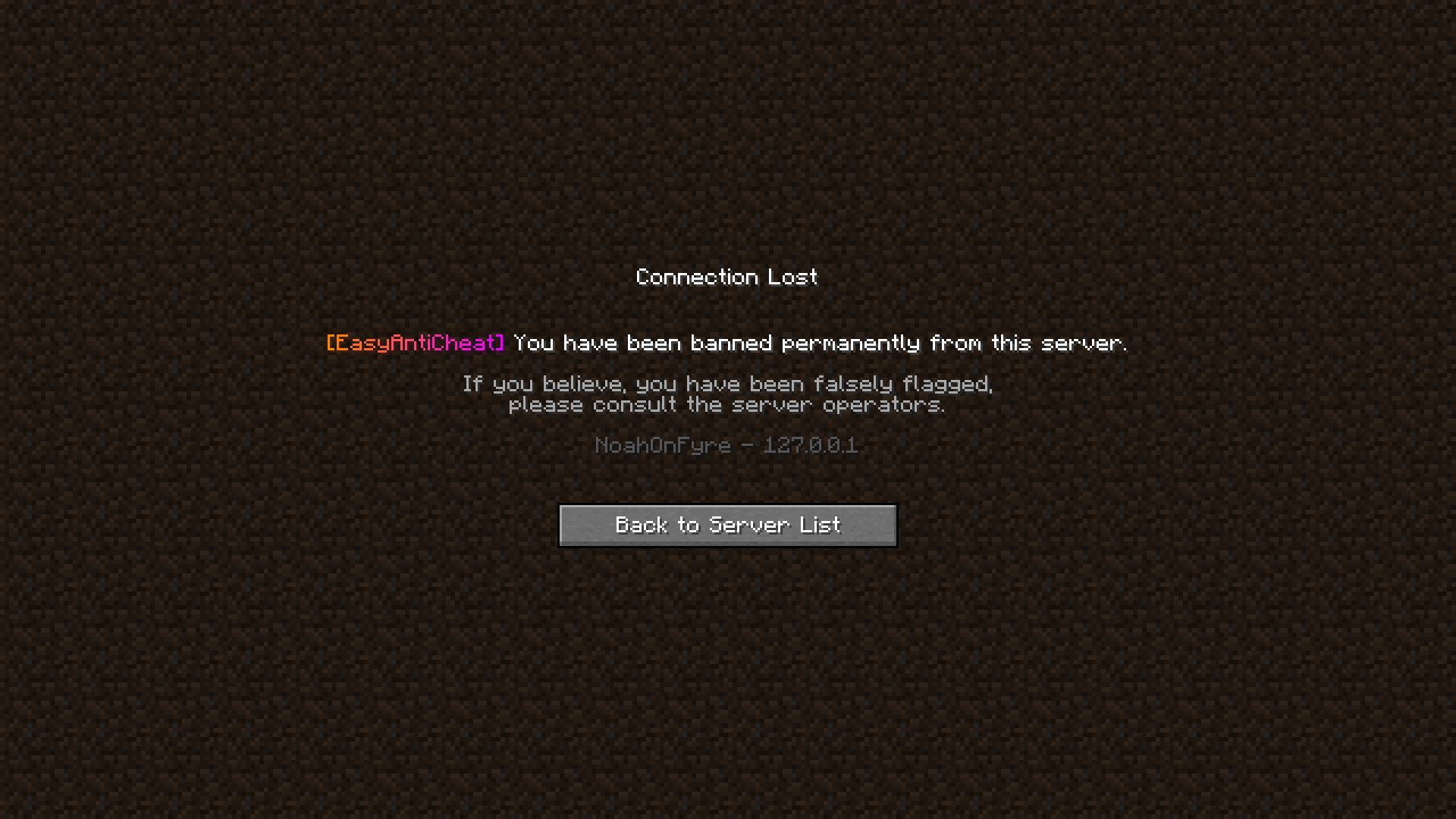 Joining with BAN mode active.
Versions
Files
Relations
Project Relations
More like this
Similar Mods
Suggestions use data such as tags, dependencies, dependents, descriptions, titles, and more to rank how much they overlap with this mod.
On ModDex
Community snapshot
By the numbers
Statistics
Want to reach Minecraft players?
We're looking for a server hosting partner to feature here and other parts of the site. Interested? Send us a message!
Get in touchGet it on
Available Platforms
On ModDex
Community snapshot
By the numbers