
Ez Chest Shop
No reviews yet
Probably the best and the easiest Player & Admin chest shop plugin in the entire Minecraft history
Includes systems for trading and managing economies.
Paper is a fork of Spigot that adds its own plugin API on top of the Bukkit API. All Spigot plugins are compatible with paper, not all paper plugins are compatible with Spigot.
Spigot is a popular software for running dedicated servers that can load Plugins created with the Bukkit API.
Community voices
Reviews
Click once to include, again to exclude, again to clear
No reviews yet. Be the first to review this project!
Get it on
Available Platforms
 Modrinth
Compatibility
Supported Environments
About
Project Details
For authors
Embed Badge
If you're the author of this project, you can embed a live badge anywhere that supports HTML or Markdown. It updates automatically whenever ratings change.
Use HTML for any page that supports it, or Markdown for README files and Markdown-based descriptions.
Identifiers
Platform IDs
About
Description
 Discord Server - Bstats of the plugin (Thank you for using ECS)


Story: Well, I used to play Minecraft multiplayer with my friends several years ago, and I thought how hard and limited are sign shops. Both complicated and not user-friendly for beginners as I remember I couldn't understand how to make one, or I couldn't sell things that were not from Minecraft like slimefun items. So I decided to use Minecraft's new update in order to make it easier, both for my players and for other server owners who are willing to keep their gameplay user-friendly, and that's how EzzzChestShop is made.
Now main description:
EzChestShop [ECS] is a player chest shop(and admin cs) plugin designed for being easy to use, construct, and have GUI implementation. ECS is made compatible with major plugins like WorldGuard, Vault, and any economy plugin that uses Vault API. The plugin is designed not only for selling items but the reverse of that, so players can buy items from their chest shop. EzChestShop uses the newest Minecraft technology in order to store data and for some optional features, and it supports SQLite & MySQL for bigger servers. Furthermore, there won't be any data loss even if the server crashes. The plugin doesn't support versions lower than 1.14, so don't try it out.


Dependencies:
- Vault (Plugin)
- an economy plugin that uses Vault API for handling the economy(Like EssentialsX)
AND PLEASE DO NOT LOAD/RELOAD THE PLUGIN WITH PLUGMAN/PLUGWOMAN or anything similar

Features:
- Optimized especially for big servers with more than 150 players
- Fully customizable
- GUI IN-GAME Editor
- Admin view - owner view - buyer & seller view
- Friendly Interference(Sounds, easy-to-use GUI and etc...)
- Easy guide for beginners
- Async holograms and floating items - not a single tick get wasted.
- Not limited - any item can be sold or bought LITERALLY ANYTHING
- Compatible with almost any claim or region protector plugin.
- Admin shops
- Item preview (client-side)
- Settings for each shop (you can copy and paste settings of each shop)
- Tab-Complete support
- Hex color support
- Localized name support
- Distance hologram system(togglable)
- Permission-based (can limit players and let them create shops for a specific amount)
- Shulker box, barrels, and trapped chest supports
- Hopper and dispenser support + Redstone integration
- Copy-able shop-settings! Set them up once and copy them over with /ecs settings copy|paste
- Custom amount buy and sell
- Shulker box shops can be picked up and placed somewhere else again.
- Rotatable holograms(north, south, east, or west of the container)
- Check profit command(player can easily access the information related to the chest shops that the player has)
- Half-completed API for developers(like some events)
- Special config for only holographic systems and it's like HTML lmao super cool try this out
- Worldguard flags
- Believe me a lot of other options but I have a word limit here.
- and some other things that I don't even know exist but exist
Some pictures:


Admin View part which is available for specific people having specific permission:
 Shop Settings UI:

Although that's the easiest chest shop ever, There might be some people who may have difficulties, follow this tutorial to make a shop:
- Put the item you want to sell or buy in your hand
- Look at a chest and execute /ecs create (buy price) (sell price) | ex: /ecs create 1000 0
- Done. You have successfully created a chest shop.
Config File: Click here
Language files from other available languages(Deutch(German), Spanish, Persian, Chinese) is available in the config files, after the first loading.

I appreciate any tutorials or videos about the plugin and I'll definitely put them here.
Tutorial By Server.pro (Not affiliated):
Showcase/Tutorial by famous ServerMiner:
Tutorial & Preview in Spanish (
SUPER OUTDATED
): Credits: @Gus_198_ (From SpigotMC)
- Download.
- Put the jar file in the plugins folder.
- Download Vault and an economy plugin(like essentials) and put them there.
- Start the server.

For player usage:
/ecs | aliases: /cs - /ezchestshop (no permission needed)/ecs create (buy price) (sell price)
/ecs settings [copy, paste, admins, toggle-buying, toggle-selling, toggle-message, toggle-shared-income] | I guess it doesn't need explanation, it just copies, pastes, or edits the settings of the chest shop you are looking at
/ecs remove | removes the chest shop
/cp | check your incomes/outcomes from all of the chest shops that the player owns | Permission for this one: ecs.checkprofits
Additional permissions that you can give(limit):
If you want to limit your players so that they can create a limited amount of shops, you can turn on the config.yml option:permissions: create-shops: true
If set to true, this will require players to have the permission ecs.shops.limit.X
where X is the maximum amount of shops a player can create.
Permission for number of custom hologram lines.
Which X is the number of the lines:ecs.shops.hologram.messages.lines.X
Admin usage:
Permission `ecs.admin` is basically the op of the plugin so it can access everything in the admin section but we have also some individual permissions for each command:/ecsadmin
/ecsadmin remove | removing a chest shop | ecs.admin.remove
/ecsadmin reload | reloading the configuration | ecs.admin.reload
/ecsadmin create [buy price] [sell price] | creating admin shop | ecs.admin.create
and also the admin view of chest shops(basically access to everything in the container and settings of the container and some bypasses) | ecs.admin.view
Chest shops can also be removed by breaking the chest. (can be modified in the config) EZ right?
Worldguard flags:
ecs-create-shop
ecs-create-admin-shop
ecs-remove-shop
ecs-remove-admin-shop
ecs-use-shop
ecs-use-admin-shop
That was all, hope you enjoy this plugin as I do myself. This plugin is being used and tested by several networks with hundreds of survival players, so don't worry about glitches and bugs. *Doesn't mean there won't be
Todo List:
-
Better efficiency and optimization
-
More requested features
Contributors:
* ElitoGame(ElitoGame#2411) | Check it out on GithubBugs/Suggestions/Help - Contact:
if you have found any bugs, errors or etc, or if you want to make a suggestion, feel free to contact us through Discord:
 Discord Server
Donation: If you have found my plugin interesting and want to support us, your donations are appreciated.

Screenshots
Gallery
-
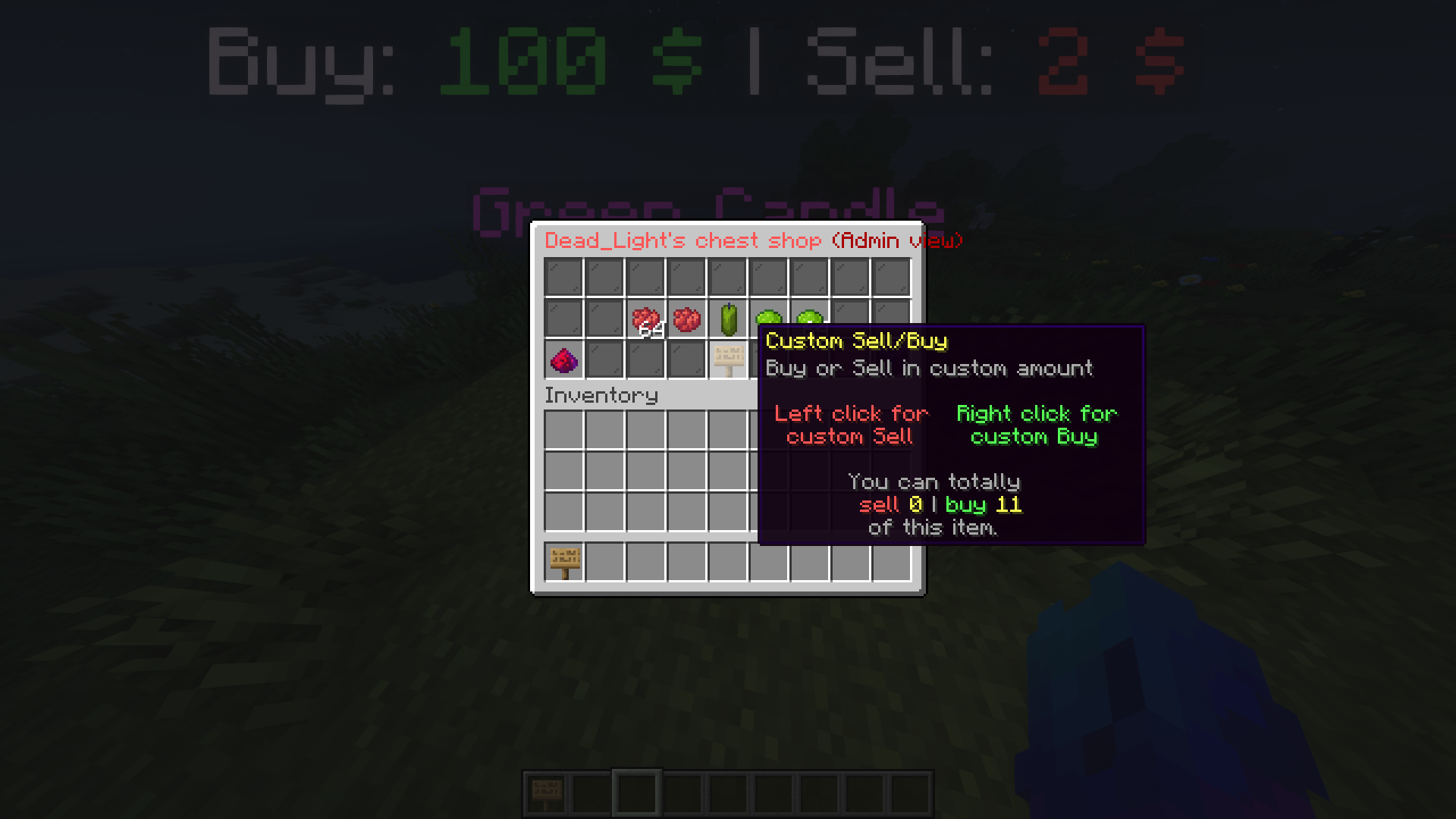 Inside of the chest shop
 -
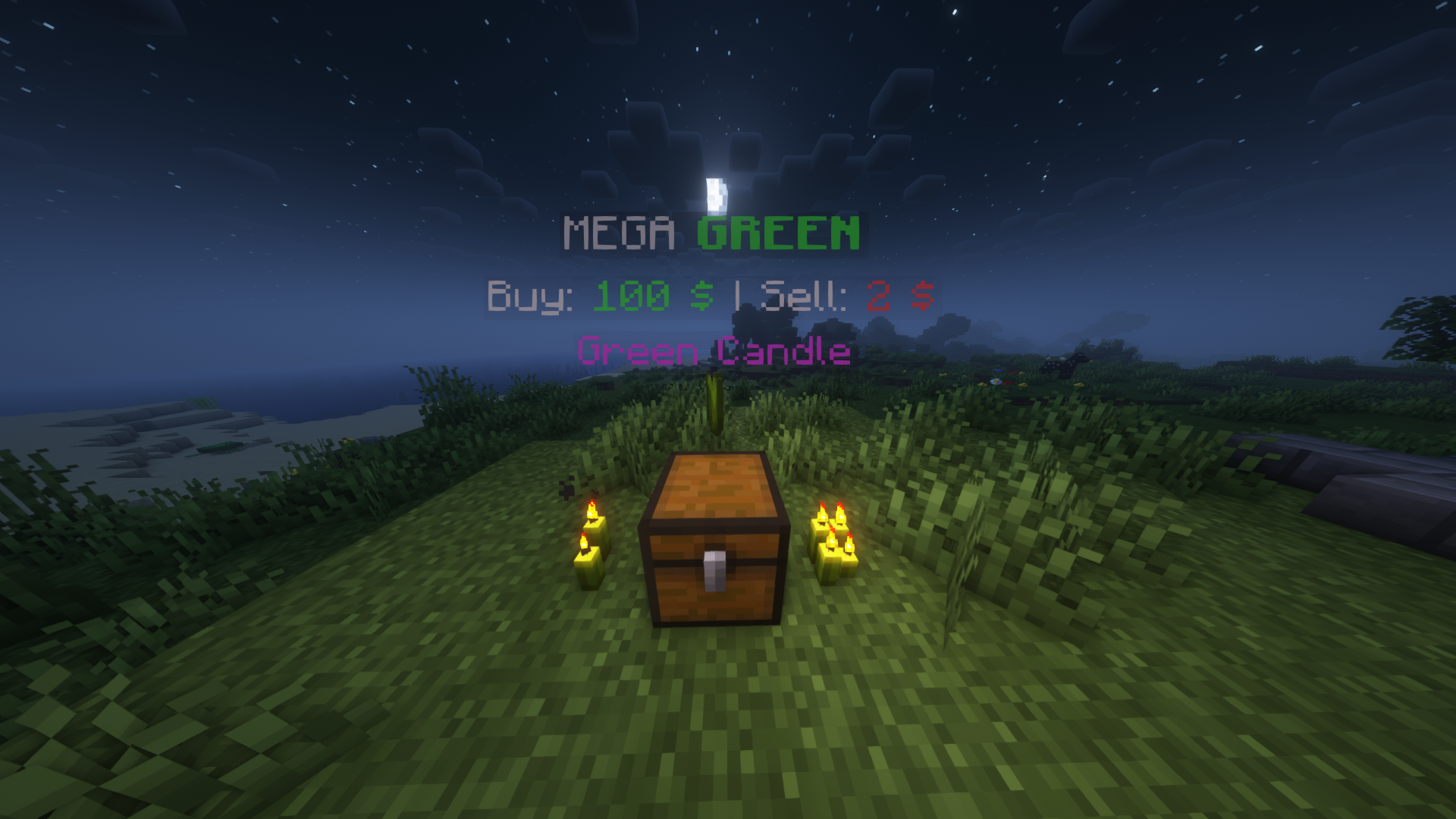 Chest Shop when created
 -
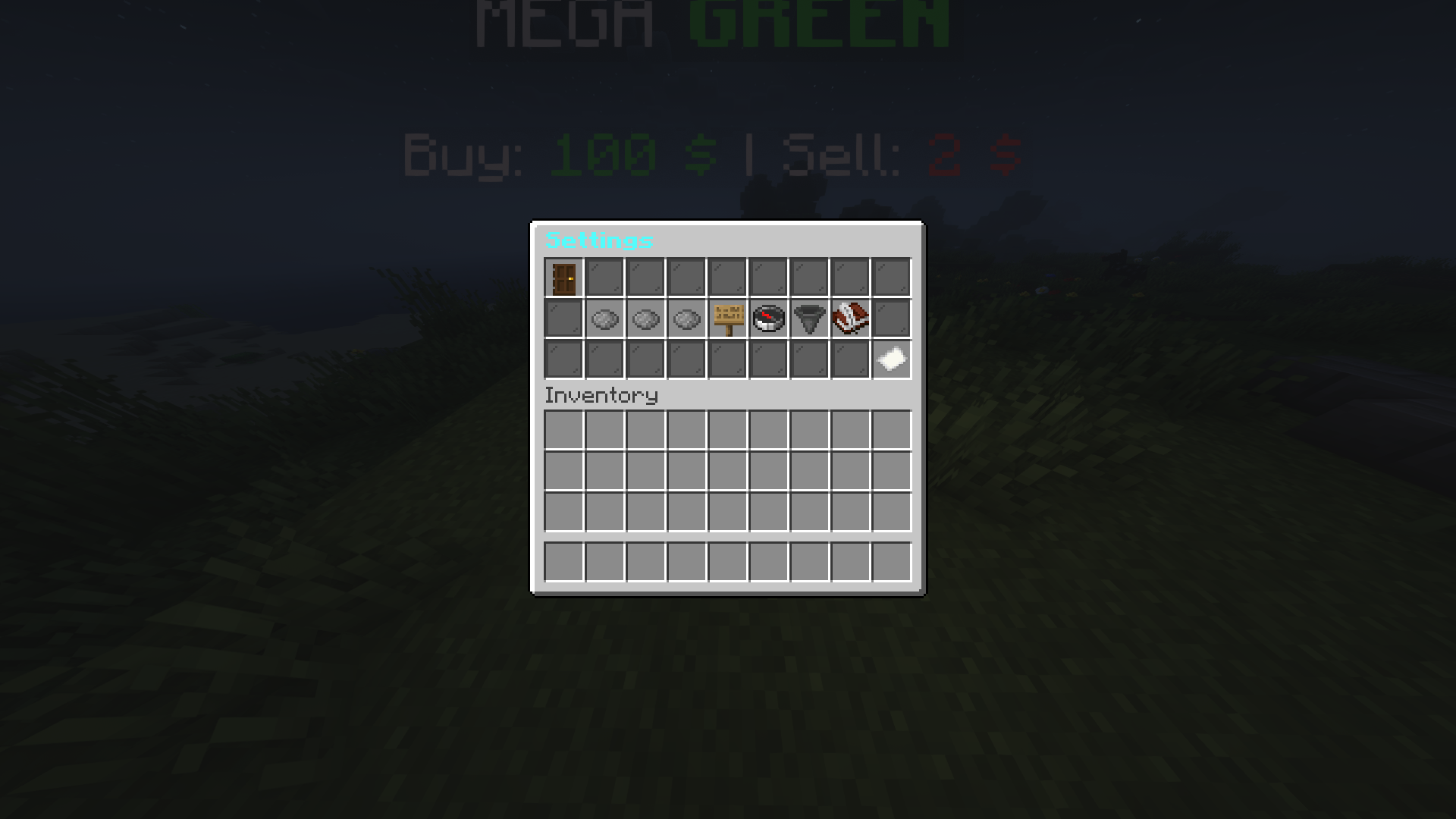 Settings GUI
Versions
Files
Relations
Project Relations
More like this
Similar Mods
Suggestions use data such as tags, dependencies, dependents, descriptions, titles, and more to rank how much they overlap with this mod.
On ModDex
Community snapshot
By the numbers
Statistics

Want to reach Minecraft players?
We're looking for a server hosting partner to feature here and other parts of the site. Interested? Send us a message!
Get in touchGet it on
Available Platforms
On ModDex
Community snapshot
By the numbers