
Community listing page, reviews here may not be monitored by the author.
Wraith Waystones


No reviews yet
A better way of transport
Community voices
Reviews
No reviews yet. Be the first to review this project!
Get it on
Available Platforms
Compatibility
Supported Environments
Must be installed on both the client and the server.
About
Project Details
For authors
Embed Badge
If you're the author of this project, you can embed a live badge anywhere that supports HTML or Markdown. It updates automatically whenever ratings change.
Use HTML for any page that supports it, or Markdown for README files and Markdown-based descriptions.
Identifiers
Platform IDs
About
Description
Adds a better way of transport.
Accessing a Waystone marks it as "discovered", letting you teleport between other discovered (or global) Waystones.

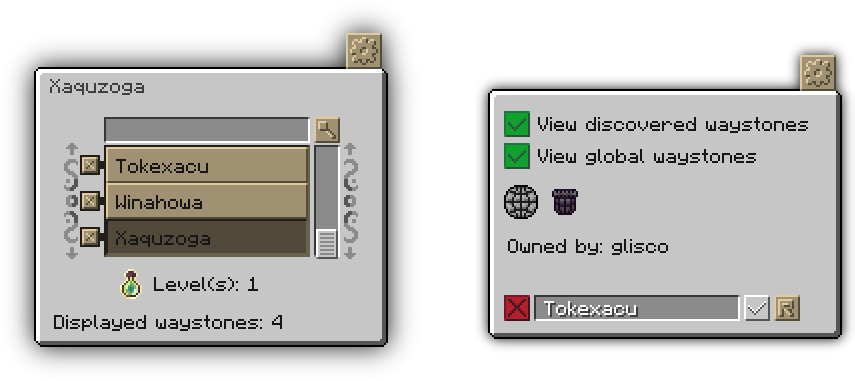
If you place a waystone, or if you access a waystone without an owner, you become the "owner" of that waystone.
Waystone owners can then change the name of the waystone and toggle its global visibility in the config interface, as well as re-claim all the items that get stored in the waystone when players teleport to it by shift-right-clicking the block. The option to take out items is disabled in the configs by default. Waystones also have the option to save all their data when broken (while sneaking), this option can also be toggled in the config file.
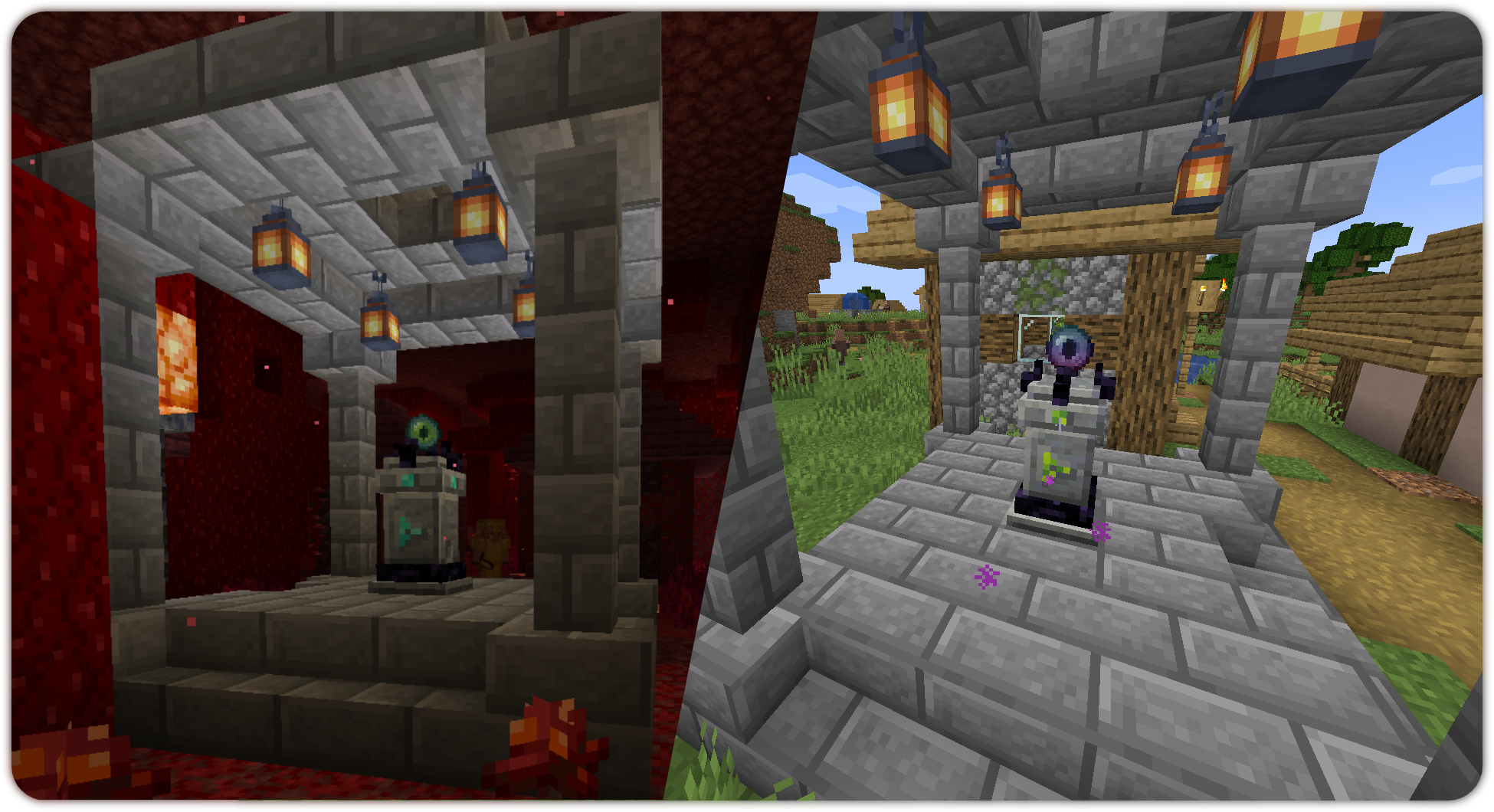
Waystones also spawn naturally in villages (one per village with default settings), this
includes the ones from Repurposed Structures.
 Abyss Watcher
Used for crafting the waystones, as well as teleporting to other waystones by right clicking it, consuming the item upon use.
 Empty Waystone Scroll
Used for storing all your discovered waystones in it. Using the filled waystone scroll will discover all the stored waystones to the player using it. There is also the Scroll of Infinite Knowledge, which is creative-only under normal circumstances and makes you discover all Waystones in a world when used.
 Local Void
Right clicking on a waystone will bind it to that waystone. Right clicking anywhere else will teleport the player to the bound location, as long as it exists, free of charge (configurable), with the item disappearing on use (configurable). The item can be reset by shift-right clicking.
 Pocket Wormhole
Similarly to the Abyss Watcher, it allows the players to open the teleportation interface from anywhere, except the item doesn't get destroyed on teleportation.
 Void Totem
Just like the Local Void, the Void Totem can be bound to a Waystone. If you die with a bound one equipped, it will teleport you to the bound Waystone. Should it be unbound, it will choose a random one you have discovered. Otherwise, it simply acts like a normal Totem of Undying.
Crafting Recipes
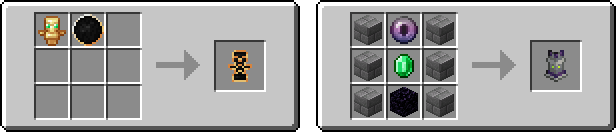
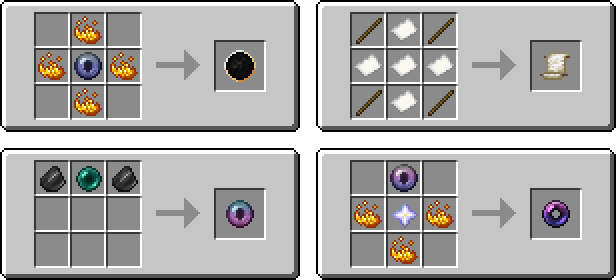
Cost type (item, health, xp, level, hunger, none), Cost Amount, Option to generate in villages, (on by default), as well as other settings can be found in the config which generates on launching the game with the mod for the first time inside of:
{Minecraft install directory}/config/waystones/config.json (pre v3.0.0)
{Minecraft install directory}/config/fwaystones/config.json (v3.0.0+)
Videos
English
German
Spanish
Polish
Development Discord:

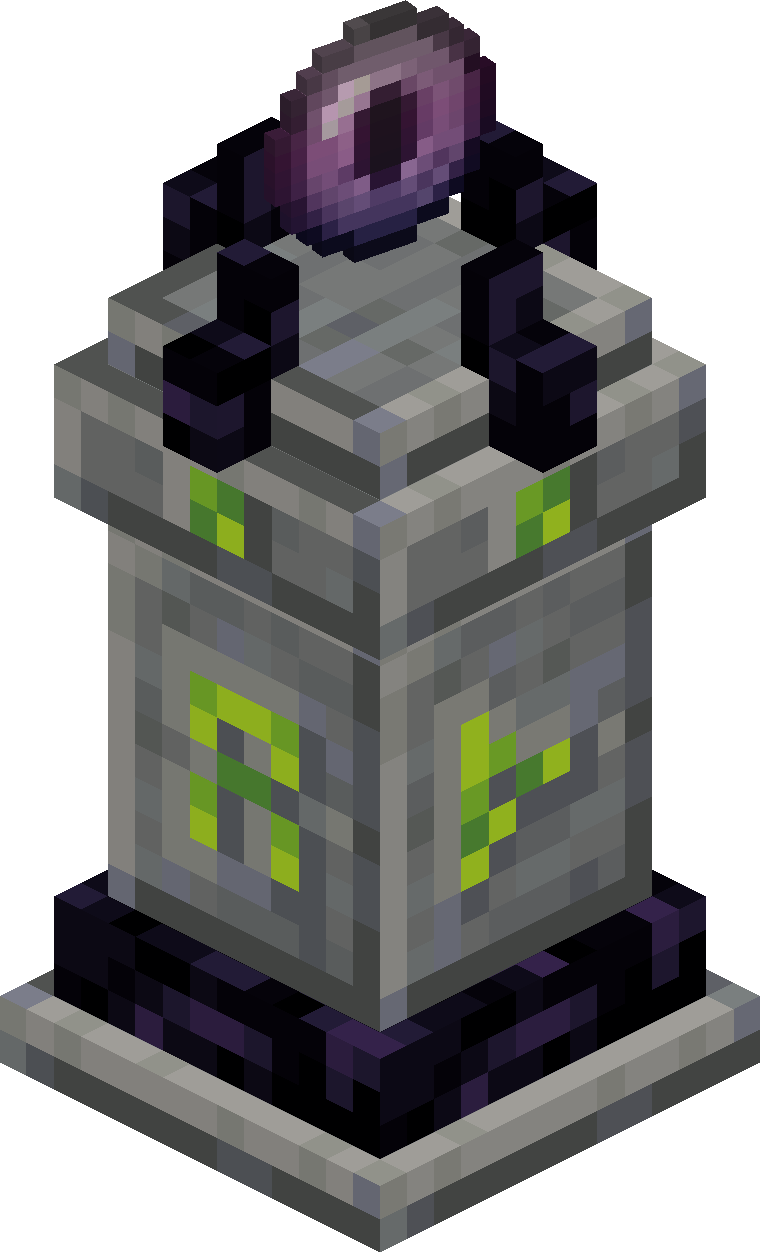
Adds a better way of transport.
For transferring pre-1.19 worlds to 1.19, please use version "2.6.0 convert".
Accessing a Waystone marks it as "discovered", letting you teleport between other discovered (or global) waystones.
If you place a waystone, or if you access a waystone without an owner, you become the "owner" of that waystone.
Waystone owners can then change the name of the waystone and toggle its global visibility in the config interface, as well as re-claim all the items that get stored in the waystone when players teleport to it by shift-right-clicking the block. The option to take out items is disabled in the configs by default. Waystones also have the option to save all their data when broken (while sneaking), this option can also be toggled in the config file.
Waystones also spawn naturally in villages (one per village with default settings), this
includes the ones from Repurposed Structures.
Abyss Watcher
Used for crafting the waystones, as well as teleporting to other waystones by right clicking it, consuming the item upon use.
Empty Waystone Scroll
Used for storing all your discovered waystones in it. Using the filled waystone scroll will discover all the stored waystones to the player using it. There is also the Scroll of Infinite Knowledge, which is creative-only under normal circumstances and makes you discover all Waystones in a world when used.
Local Void
Right clicking on a waystone will bind it to that waystone. Right clicking anywhere else will teleport the player to the bound location, as long as it exists, free of charge (configurable), with the item disappearing on use (configurable). The item can be reset by shift-right clicking.
Pocket Wormhole
Similarly to the Abyss Watcher, it allows the players to open the teleportation interface from anywhere, except the item doesn't get destroyed on teleportation.
Void Totem
Just like the Local Void, the Void Totem can be bound to a Waystone. If you die with a bound one equipped, it will teleport you to the bound Waystone. Should it be unbound, it will choose a random one you have discovered. Otherwise, it simply acts like a normal Totem of Undying.
Crafting Recipes
Cost type (item, health, xp, level, hunger, none), Cost Amount, Option to generate in villages, (on by default), as well as other settings can be found in the config which generates on launching the game with the mod for the first time inside of:
{Minecraft install directory}/config/waystones/config.json
Development Discord:
Screenshots
Gallery
-
Waystones in Villages
-
Main Page Header
-
Waystone and Void Totem Recipe
-
 Scroll of Infinite Knowledge
 -
Void Totem
-
Pocket Wormhole
-
Empty Waystone Scroll
-
Abyss Watcher
-
Local Void
-
Recipe Overview
-
A Waystone
-
Discord Invite
-
Waystone Interfaces
-
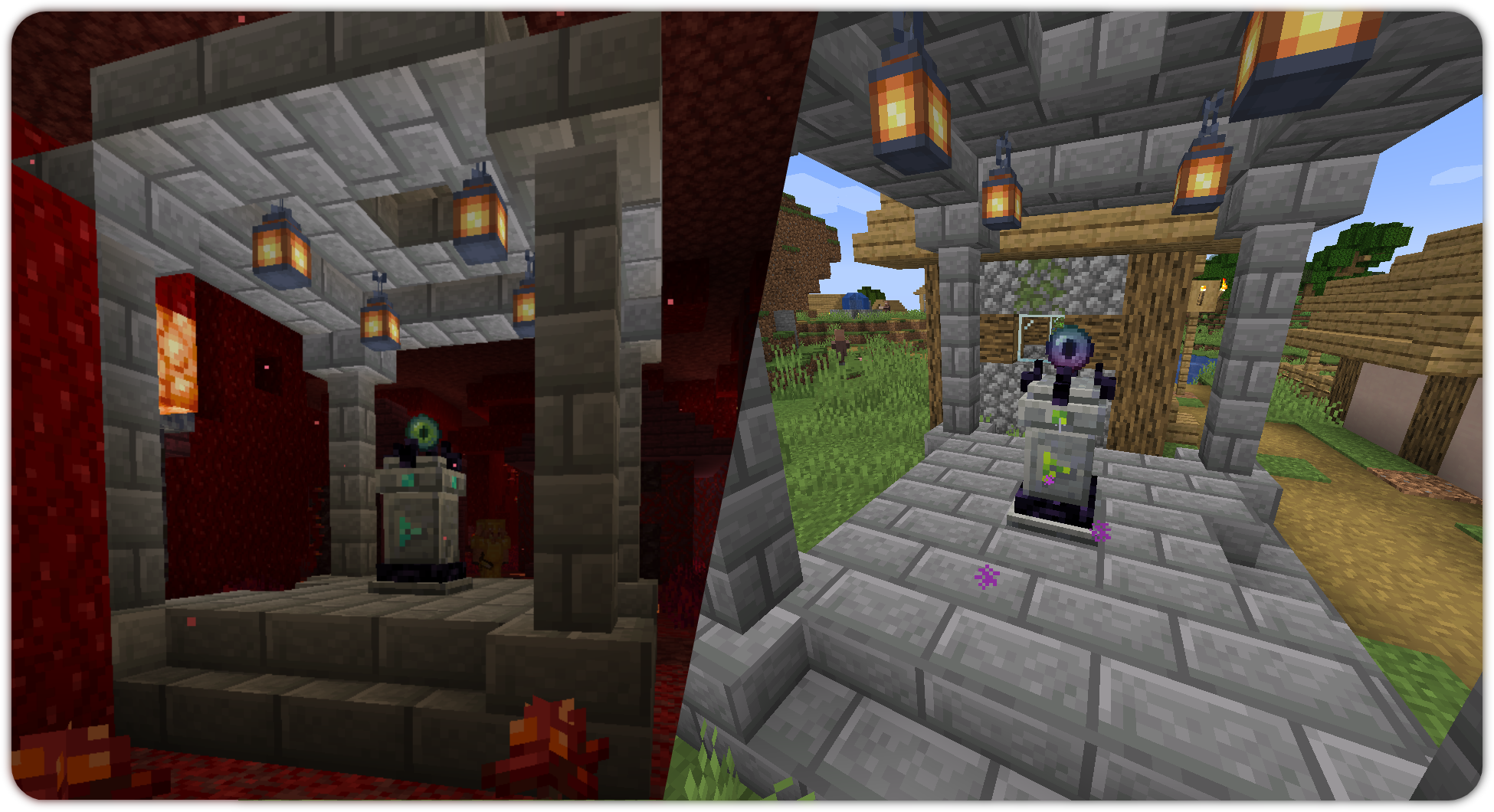 Village waystones
 -
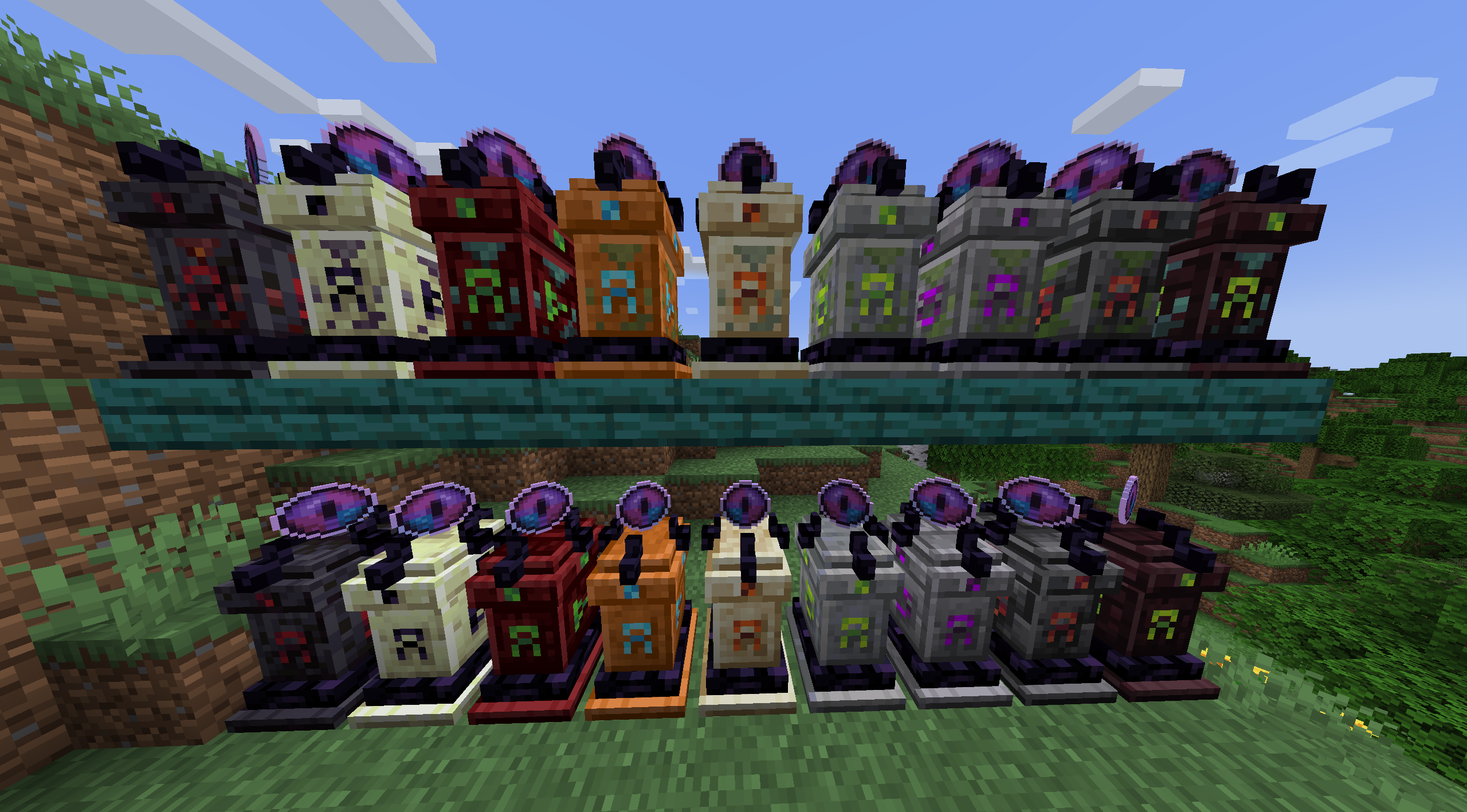 Waystone variants
 -
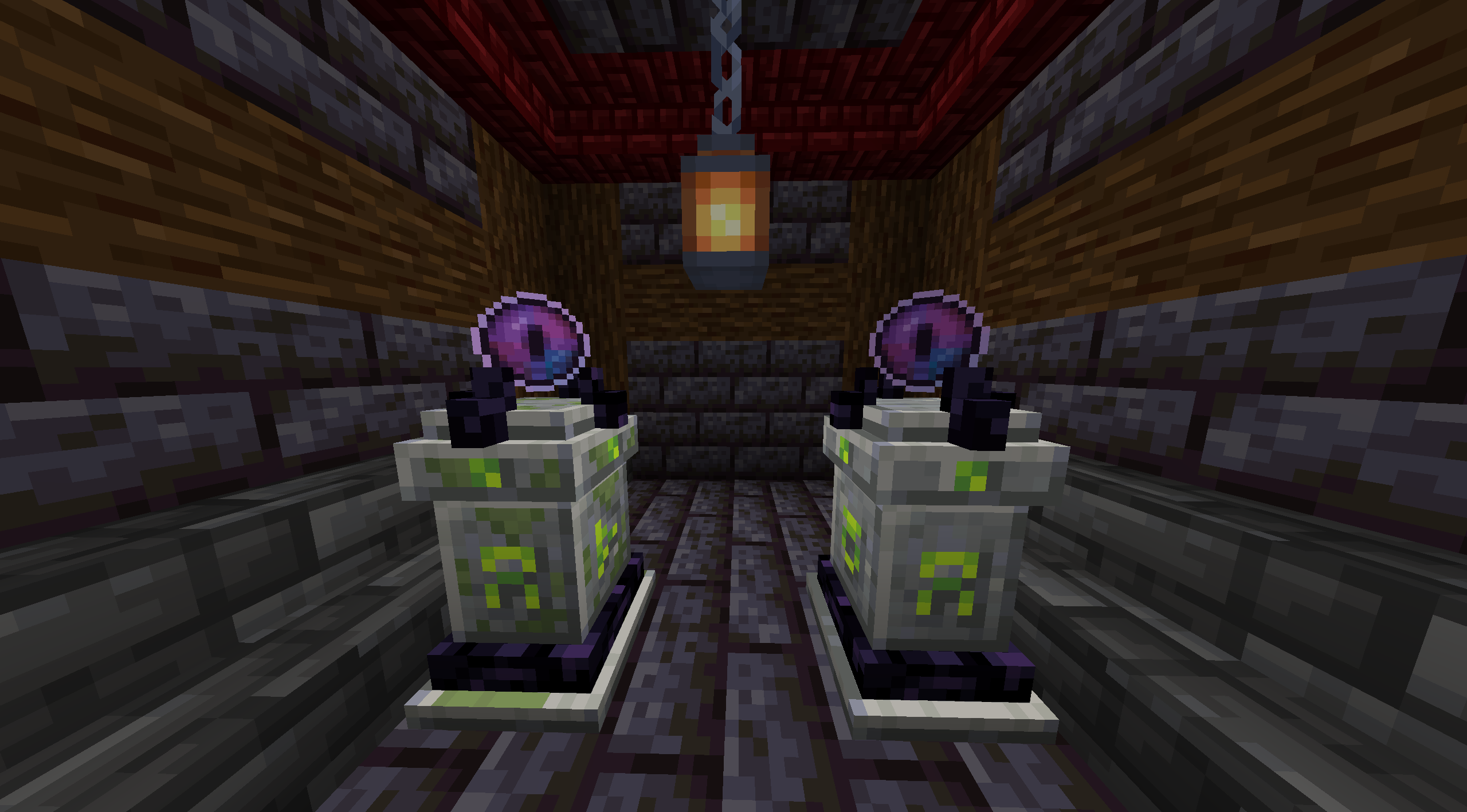 Mossy & normal waystone variant
Versions
Files
Relations
Project Relations
More like this
Similar Mods
Suggestions use data such as tags, dependencies, dependents, descriptions, titles, and more to rank how much they overlap with this mod.
On ModDex
Community snapshot
By the numbers
Statistics
Want to reach Minecraft players?
We're looking for a server hosting partner to feature here and other parts of the site. Interested? Send us a message!
Get in touchGet it on
Available Platforms
On ModDex
Community snapshot
By the numbers