
Fake FPS
No reviews yet
This simple mod displays fake FPS values on screen (like [456 FPS]) with randomized natural fluctuations.
Fabric is a mod loader for versions 1.14+ of Minecraft, particularly popular for client side and optimization mods.
Community voices
Reviews
Click once to include, again to exclude, again to clear
No reviews yet. Be the first to review this project!
Get it on
Available Platforms
 Modrinth
Compatibility
Supported Environments
About
Project Details
For authors
Embed Badge
If you're the author of this project, you can embed a live badge anywhere that supports HTML or Markdown. It updates automatically whenever ratings change.
Use HTML for any page that supports it, or Markdown for README files and Markdown-based descriptions.
Identifiers
Platform IDs
Resources
External Links
About
Description
FakeFPS is a lightweight client-side mod that displays realistic-looking fake FPS numbers on your screen. The numbers change dynamically within a configurable range to simulate a smooth gameplay experience — even if your real FPS doesn't agree.
🎮 Perfect For:
- 🖥 Streamers & YouTubers – make your gameplay look smoother on camera
- 📸 Cinematic recordings & screenshots – impress with high FPS overlays
- 🎨 Custom modpacks – add a cool touch to your HUD
- 🤫 Pranks or aesthetic use – make people wonder how you're running 500 FPS on a potato
⚙️ Features:
- HUD Overlay – Displays a fake FPS counter (e.g.
[456 FPS]) on screen with smooth, realistic fluctuations. Choose from six positions: top/bottom, left/right, or center. - F3 Debug Screen Override (v1.1.0+) – The F3 menu shows your fake FPS too, in Minecraft's native format. Completely seamless. Toggle it in the config or via command.
- Realistic FPS Behavior (v1.1.0+) – FPS drifts naturally toward a target value with occasional micro-dips to simulate chunk loading and GC pauses — much more convincing than random jumps.
In-Game Commands (Minecraft 1.21.11+ only) – Change your settings without touching any files or restarting the game. Full tab-complete support included.
/fakefps min <number> – set minimum FPS (v1.1.0+)
/fakefps max <number> – set maximum FPS (v1.1.0+)
/fakefps position <name> – change HUD position (v1.1.0+)
/fakefps hud <true/false> – toggle HUD on and off (v1.1.1+)
/fakefps f3 <true/false> – toggle F3 override (v1.1.0+)
/fakefps status – show current settings (v1.1.0+)
Config File – All settings are stored in config/fakefpsmod.json. Old config files from v1.0.x are automatically migrated — no manual changes needed.
{
    "min_fps": 360,
    "max_fps": 540,
    "position": "top_center",
    "fake_f3": true
}
Valid positions: top_left, top_right, top_center, bottom_left, bottom_right, bottom_center
💬 Whether you're going for cinematic perfection or just trolling your friends, FakeFPS gives you total control over how fast your game looks.
🛠️ Tech Details:
- Fully client-side mod (won’t sync or affect servers)
- Zero performance impact
- Tested with Fabric API 0.141.3 (1.21.11)
- Compatible with other HUD overlays and mods like ReplayMod, minimaps, etc.
- 📜 License: MIT
Screenshots
Gallery
-
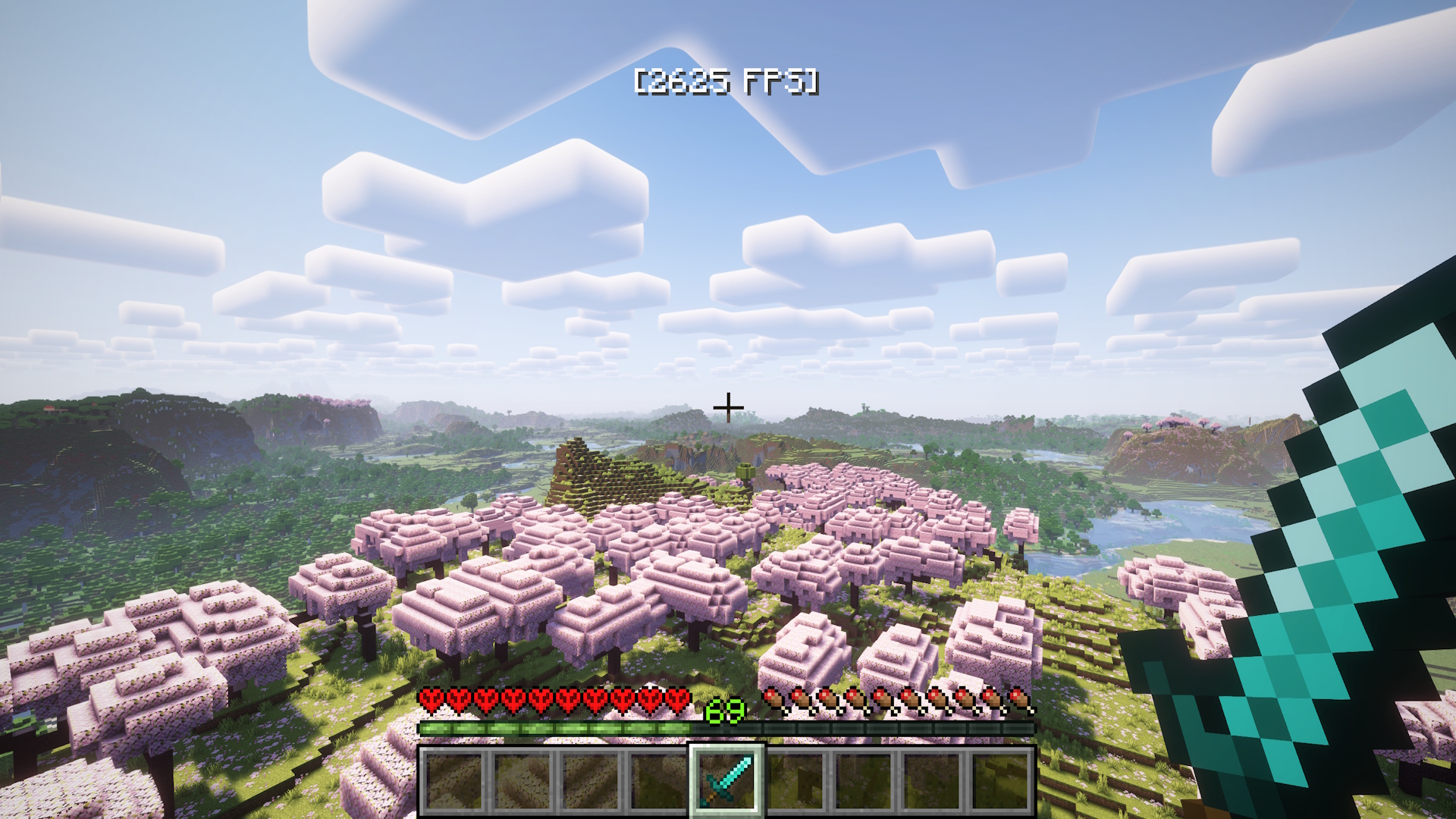 FakeFPS Minimum FPS is set to 2500 and maximum to 3200
Versions
Files
Relations
Project Relations
More like this
Similar Mods
Suggestions use data such as tags, dependencies, dependents, descriptions, titles, and more to rank how much they overlap with this mod.
On ModDex
Community snapshot
By the numbers
Statistics

Want to reach Minecraft players?
We're looking for a server hosting partner to feature here and other parts of the site. Interested? Send us a message!
Get in touchGet it on
Available Platforms
On ModDex
Community snapshot
By the numbers
Statistics
Resources