
Fall Effects
No reviews yet
Adds cosmetic particles when landing from a certain height.
Data Packs were introduced to vanilla Minecraft in version 1.13 and allow the server to modify data about the game, or run commands. Data Packs are compatible with all mod loaders.
Forge is a popular mod loader for versions 1.1+ of Minecraft.
Neoforge is a fork of the Minecraft Forge available for versions 1.20.1+ of Minecraft. Many Forge mods are compatible with Neoforge and vice versa.
Fabric is a mod loader for versions 1.14+ of Minecraft, particularly popular for client side and optimization mods.
Quilt is a fork of the Fabric mod loader. Many Fabric mods are compatible with Quilt and vice versa.
Community voices
Reviews
Click once to include, again to exclude, again to clear
No reviews yet. Be the first to review this project!
Get it on
Available Platforms
 Modrinth
Compatibility
Supported Environments
About
Project Details
For authors
Embed Badge
If you're the author of this project, you can embed a live badge anywhere that supports HTML or Markdown. It updates automatically whenever ratings change.
Use HTML for any page that supports it, or Markdown for README files and Markdown-based descriptions.
Identifiers
Platform IDs
Resources
External Links
About
Description
Fall Effects
Adds block particles when landing from a great height.
When landing from a fall higher than 10 blocks, particles will appear around you.
The amount, distance and height of the particles scale based on your fall distance.
The block particles change depending on what block you fell on.
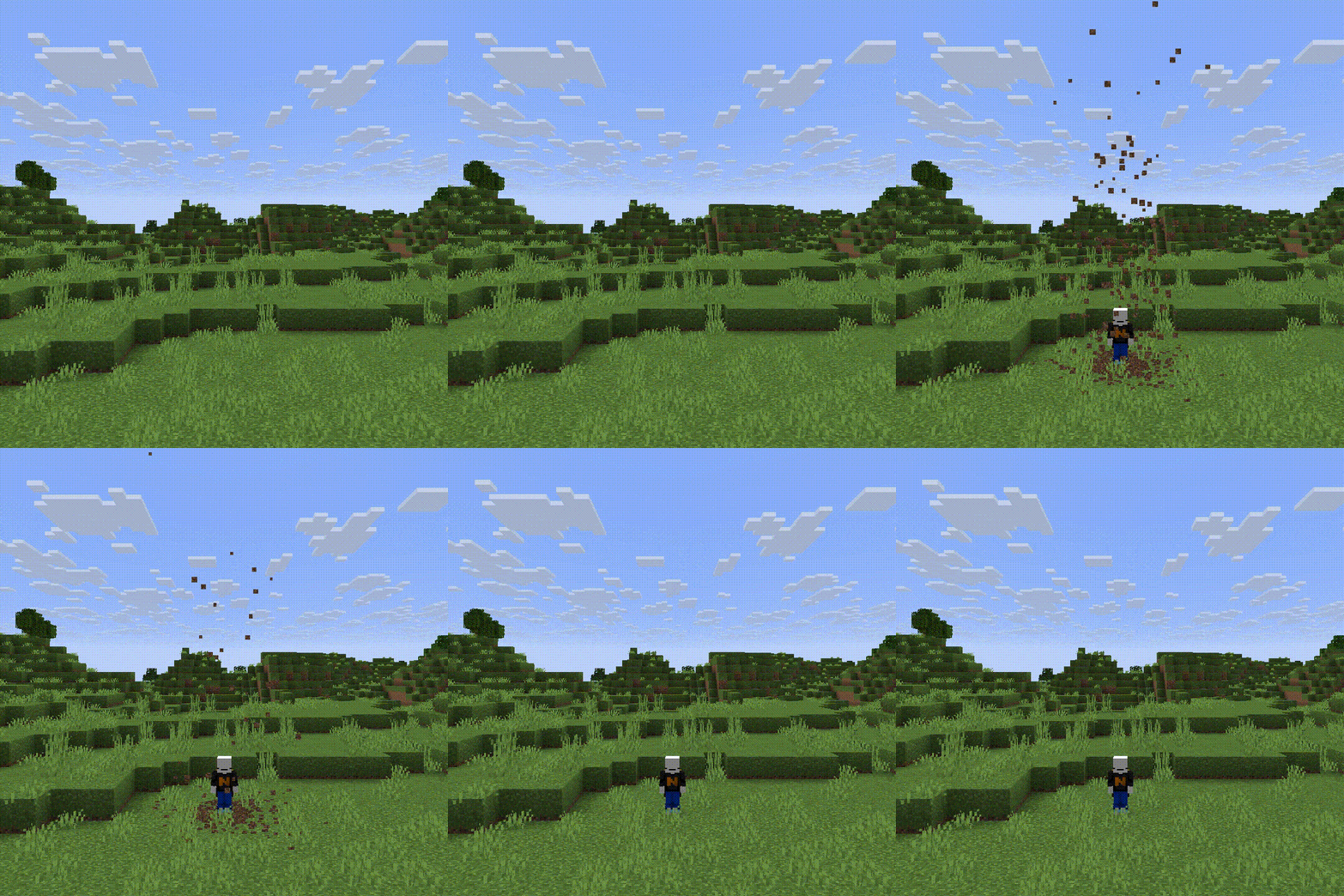 (50 block fall)
Note
This datapack does not support every block, because I had to add them manually to a list, which is very time consuming. It was also made in 1.21.11, it will still work in the newer versions, but the newer blocks wont have particles.
Installation
Server Installation (Datapack)
-
Go in the main server file
-
Open world -> datapacks
-
Upload the datapack in the datapacks folder
World Installation (Datapack)
-
Press Win + R and enter %appdata%
-
Open .minecraft -> saves -> -> datapacks
-
Upload the datapack in the datapacks folder
(Note that if you are using a launcher like Modrinth App or Prism Launcher, you'll need to go on your instance on the launcher and click on Open Folder.)
Server Installation (Mod)
-
Go in the main server file
-
Open mods
-
Upload the mod in the mods folder
Screenshots
Gallery
Versions
Files
Relations
Project Relations
More like this
Similar Mods
Suggestions use data such as tags, dependencies, dependents, descriptions, titles, and more to rank how much they overlap with this mod.
On ModDex
Community snapshot
By the numbers
Statistics

Want to reach Minecraft players?
We're looking for a server hosting partner to feature here and other parts of the site. Interested? Send us a message!
Get in touchGet it on
Available Platforms
On ModDex
Community snapshot
By the numbers
Statistics
Resources