
Fancy some client tweaks?
No reviews yet
Adds Cosmetics, new death particles and some pvp utils
Fabric is a mod loader for versions 1.14+ of Minecraft, particularly popular for client side and optimization mods.
Community voices
Reviews
Click once to include, again to exclude, again to clear
No reviews yet. Be the first to review this project!
Get it on
Available Platforms
 Modrinth
Compatibility
Supported Environments
About
Project Details
For authors
Embed Badge
If you're the author of this project, you can embed a live badge anywhere that supports HTML or Markdown. It updates automatically whenever ratings change.
Use HTML for any page that supports it, or Markdown for README files and Markdown-based descriptions.
Identifiers
Platform IDs
About
Description
This mod adds a lot of stuff that is compleatly client side; it is usable from every vanilla server to even the heavilly modded ones! You can find older versions and all the source code on my github repository. NOTE: Because this mod is 100% client-side, other players wont see your cosmetics, etc.
Blood:
This is the change that you will find without any configuring. It replaces the normal death particles for players with blood particles (they align pixel perfect!). Standing in them will make any player's feet covered in blood. Because it replaces the normal death particles, it wont show when instant respawn is on.
Armor Hud:
This simple change displays your armor in the upper right corner of your screen. It also displays count, cooldown and most importantly: durability. The armor hud can be customized and enabled using
/client-tweaks armor_hud
Arguments are: show_armor [true|false] (default: false) -> enables rendering of the armor on the hud
show_arrows [true|false] (default: false) -> enables rendering of arrow count based on potion types
pos [TOP_RIGHT|TOP_LEFT|BOTTOM_RIGHT|BOTTOM_LEFT|HOTBAR] (default: TOP_RIGHT) -> changes position of the armor hud
Example: enable everything and change its position to the hotbar
/client-tweaks armor_hud show_armor true
/client-tweaks armor_hud show_arrow true
/client-tweaks armor_hud pos HOTBAR
Cosmetics and Configuring:
There are three default cosmetics available: "ears", "particles" and "tail". Both "particles" and "ears" can be configured. You can find images of those in the gallery section. Configuring is easy once you understood it. This can be done by using "/client-tweaks cosmetic".
/client-tweaks cosmetic add <cosmetic> <target>
applies the specified cosmetic to the specified player
/client-tweaks remove <category> <target>
cosmetic gets removed from the player
/client-tweaks list <target>
lists all cosmetics of a certain player and the config if present
/client-tweaks list json
spits out the raw json file
/client-tweaks options <category> <target> <key> <value>
sets a certain key inside of a the targets config to the specified value. e.g. /client-tweaks options SPORES SomeGuy10 "particle" "minecraft:flame" changes the spores from SomeGuy10 to the flame particles. Currently only the TAILED and SPORES Cosmetics can be customized. More info in the Cosmetics section)
Available options:
"tail": texture of the tail (texture)
Defaults:
"texture": "client-tweaks:textures/entity/tail_feature.png"
"tail": x, y and z offset (x, y, z), x, y and z velocity (vx, vy, vz), min and max amount of particles that get spawned randomly(minParticle, maxParticle), min and max delay between spawning randomly (minCooldown, maxCooldown), the actual particle (particle)
Defaults:
  "x": 0d,
  "y": 1d,
  "z": 0d,
  "vx": 0d,
  "vy": 0d,
  "vz": 0d,
  "particle": "minecraft:crimson_spore",
  "minParticle": 2,
  "maxParticle": 4,
  "minCooldown": 30,
  "maxCooldown": 60
The d in x, y, z, vx, vy and vz means double. For anyone not familliar with java code, that is a number with decimal places. The other numbers without the d are integers, they dont have decimal places. "minCooldown" and "maxCooldown" are in ticks.
Custom Cosmetics:
You start by defining a cosmetic inside the .minecraft/config/client-tweaks/cosmetics directory by creating a .json file. In this example we will call it "planks.json". Inside the file, we need to specify an item we want to display as a cosmetic.
{
  "item": "minecraft:oak_planks"
}
You can enable the cosmetic using /client-tweaks cosmetic add planks Player123
As you can see, we used the file name as the cosmetic's id.
When trying this yourself, you will see that nothing happened. That is, because the planks are INSIDE you. You can modify offset, scale and rotation like you would modify some matricies. For instance:
{
  "item": "minecraft:oak_planks",
  "matrix_operations": [
    {
      "type": "scale",
      "x": 5.0,
      "y": 5.0,
      "z": 5.0
    }
  ]
}
this scales up the planks by a factor of 5. You can view the example in the gallery.
all matrix operations are:
- "translate", modifies the offset, parameters:
- x
- y
- z
- "scale", scales the cosmetic, parameters:
- x
- y
- z
- "rotate", rotates the cosmetic around the axis defined by x, y & z, parameters:
- x
- y
- z
- degrees (in radians)
If you find any issues in general with my mod, go on the github repository and create a new issue in the issues tab. Because github is the platform that I use most, you can create a new issue with the question label when there are any uncertainties and I will try to answer your questions. If you have any suggestions (e.g. new cosmetics) also create a new issue with the enhancement label.
Box Outlines:
You can mark areas in your world with box outlines and categorize them with colors.
/client-tweaks box_outlines add red ~-1 ~-1 ~-1 ~1 ~2 ~1
for instance creates a box around the player. Adding is straightforward, but removing is a little more complex. You can remove all:
/client-tweaks box_outlines remove all
You can remove by box:
/client-tweaks box_outlines remove box ~-1 ~-1 ~-1 ~1 ~2 ~1
You can remove by color:
/client-tweaks box_outlines remove color red
/client-tweaks box_outlines remove color value FF0000
You can remove all in a radius:
/client-tweaks box_outlines remove radius 5
Install this mod, if you find any of the above features intriguing.
If you dont know how to install mods / the fabric loader / anithing else fabric modding related visit this amazing page from the official fabric wiki.
Screenshots
Gallery
-
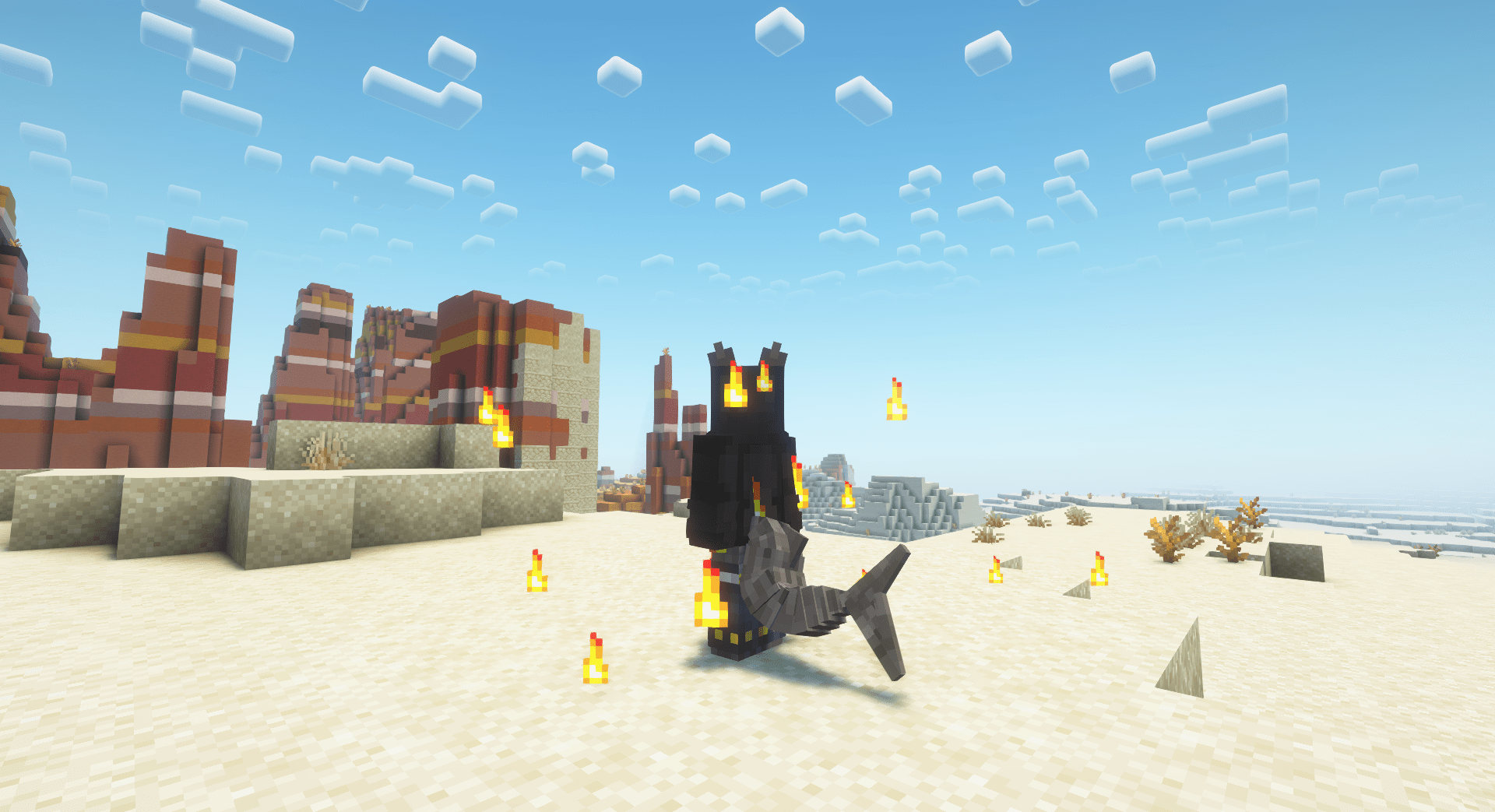 Particles and tail The particles have been set to "minecraft:flame" with vx, vy and vz set to 0.125
 -
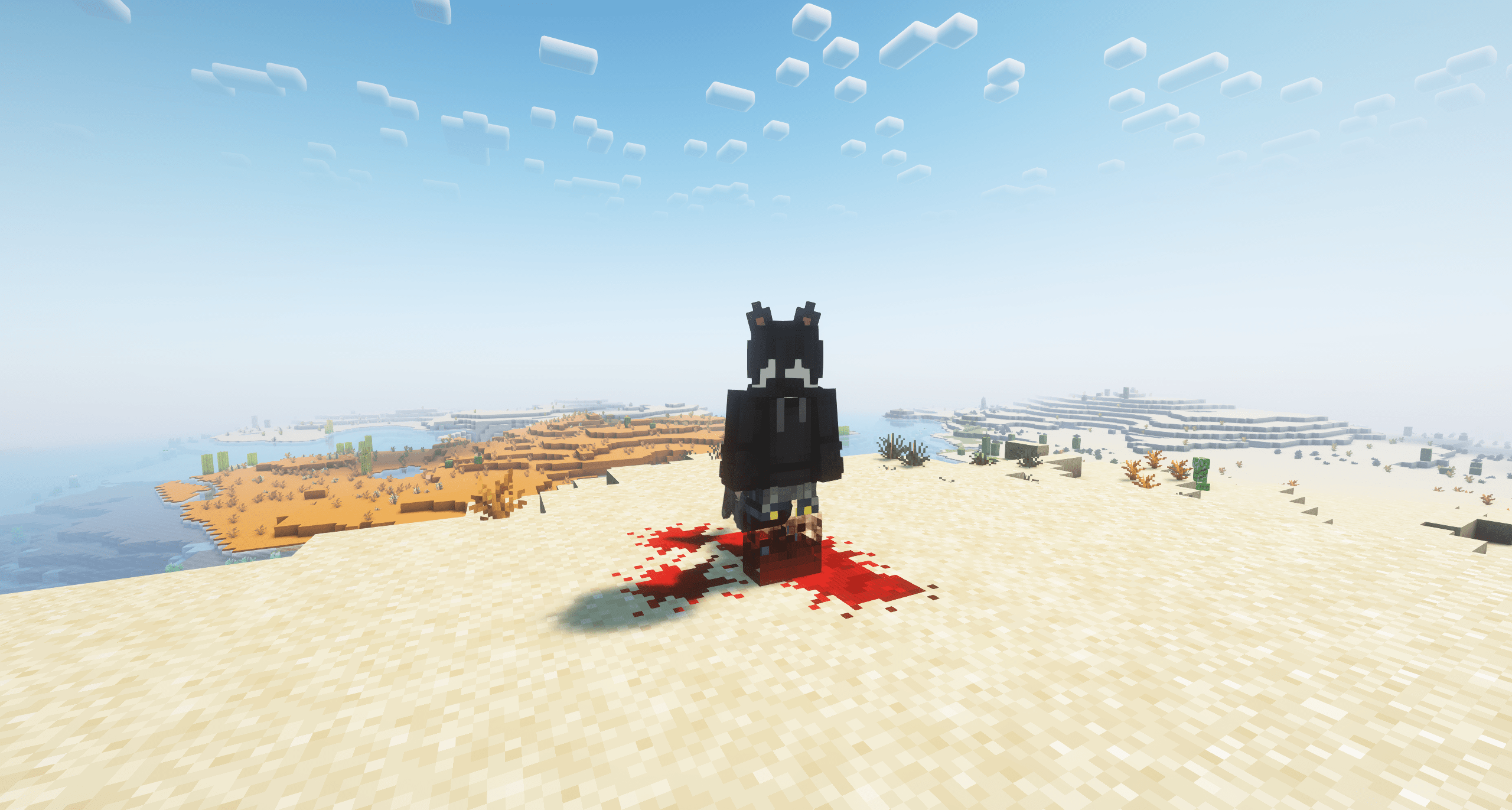 Ears and blood You can see the ears, the blood splatter and the blood on the legs very well. The transparent legs are fixed in the latest version.
Versions
Files
Relations
Project Relations
More like this
Similar Mods
Suggestions use data such as tags, dependencies, dependents, descriptions, titles, and more to rank how much they overlap with this mod.
On ModDex
Community snapshot
By the numbers
Statistics

Want to reach Minecraft players?
We're looking for a server hosting partner to feature here and other parts of the site. Interested? Send us a message!
Get in touchGet it on
Available Platforms
On ModDex
Community snapshot
By the numbers