
FancyFormatDock
No reviews yet
Chat formatting, made easier
Fabric is a mod loader for versions 1.14+ of Minecraft, particularly popular for client side and optimization mods.
Community voices
Reviews
Click once to include, again to exclude, again to clear
No reviews yet. Be the first to review this project!
Get it on
Available Platforms
 Modrinth
Compatibility
Supported Environments
About
Project Details
For authors
Embed Badge
If you're the author of this project, you can embed a live badge anywhere that supports HTML or Markdown. It updates automatically whenever ratings change.
Use HTML for any page that supports it, or Markdown for README files and Markdown-based descriptions.
Identifiers
Platform IDs
About
Description
Join my discord server! https://discord.gg/Xtkt9f6R2f





FancyFormatDock
📋• Info
While playing on servers like Modernbeta, I kept running into the same problem, constantly needing to look up chat formatting codes. That frustration sparked the idea for this mod. FancyFormatDock adds a simple dock to your chat screen. Just open chat, click a color button, and the formatting code is instantly inserted for you.
🔧• Features
dock-like button panel
When opening chat, an overlay at the top right appears. Clicking on a button will import the formatting code in chat. Format label can be toggled off in the config.
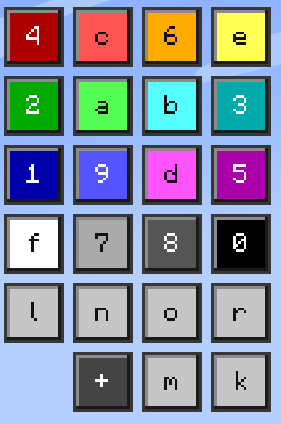
4 preset color buttons
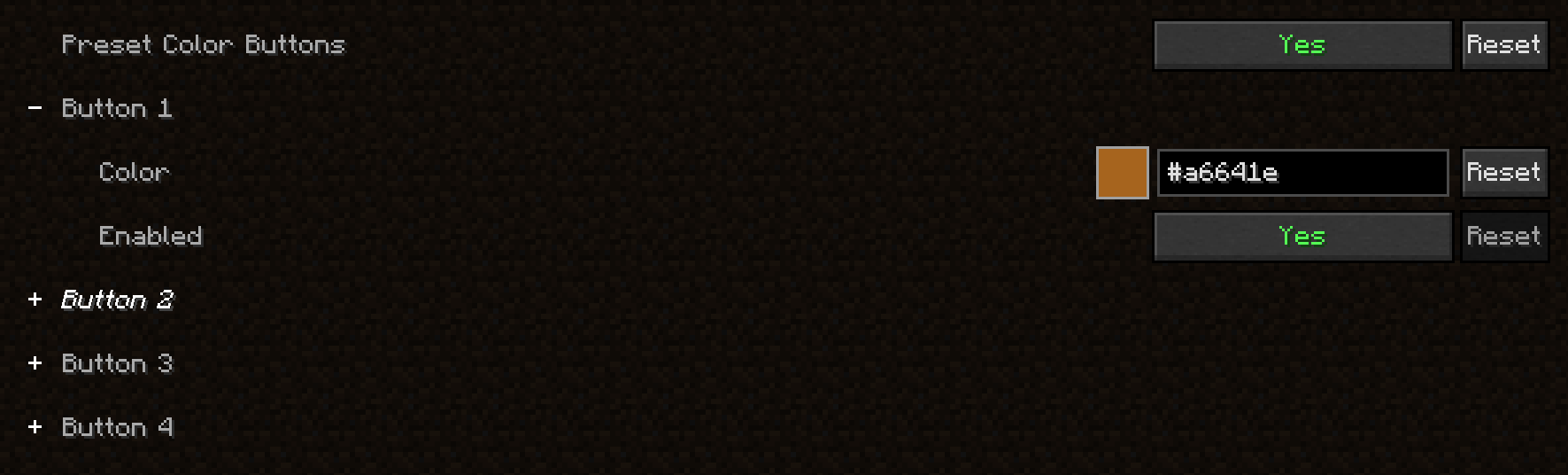
Choose 4 custom colors and add them as a button to the button panel. Each button can be enabled/disabled.
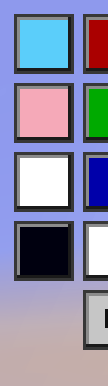
custom color
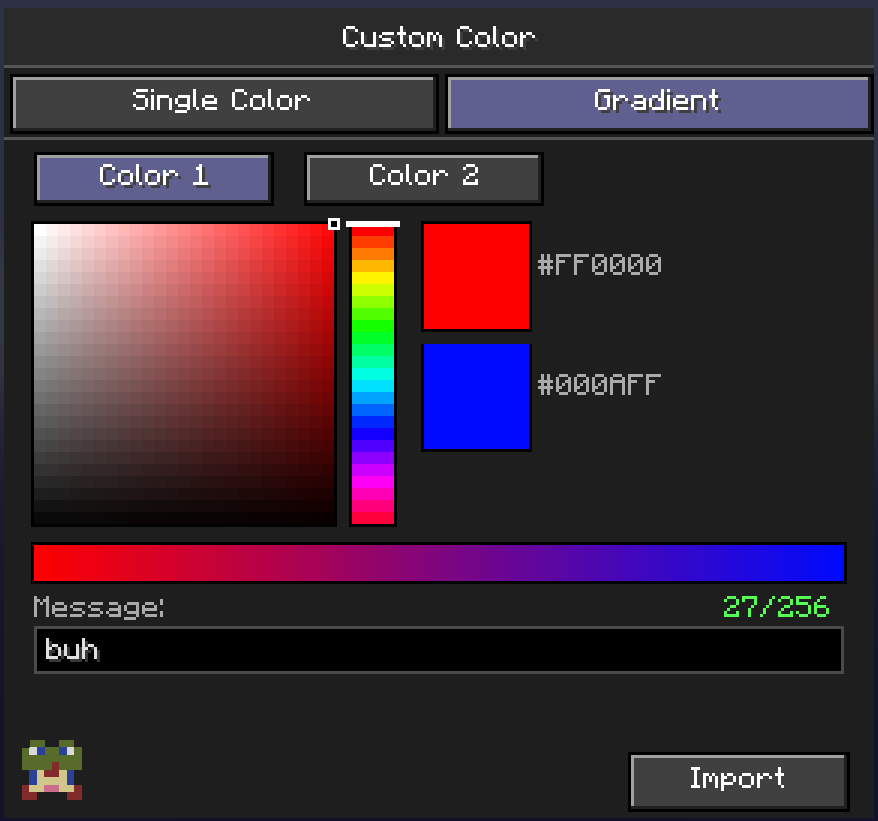
By clicking on the + button, a menu pops up. Here you can pick a custom color and import it in chat!

custom gradient color
By clicking on the + button, a menu pops up, from there you can go to the gradient tab. You can pick 2 custom colors here, insert your message and hit Import! This will automaticly make your text have a gradient with the 2 colors you selected
quick show/hide button
By clicking this button, the button-like dock shows/hides.

Text prefix before a color prefix warning
1.21.1 version only When using text formatting (bold, italc...) before a color prefix, the color overrides the text formatting. Enable the warning in the config to get a warning!

config
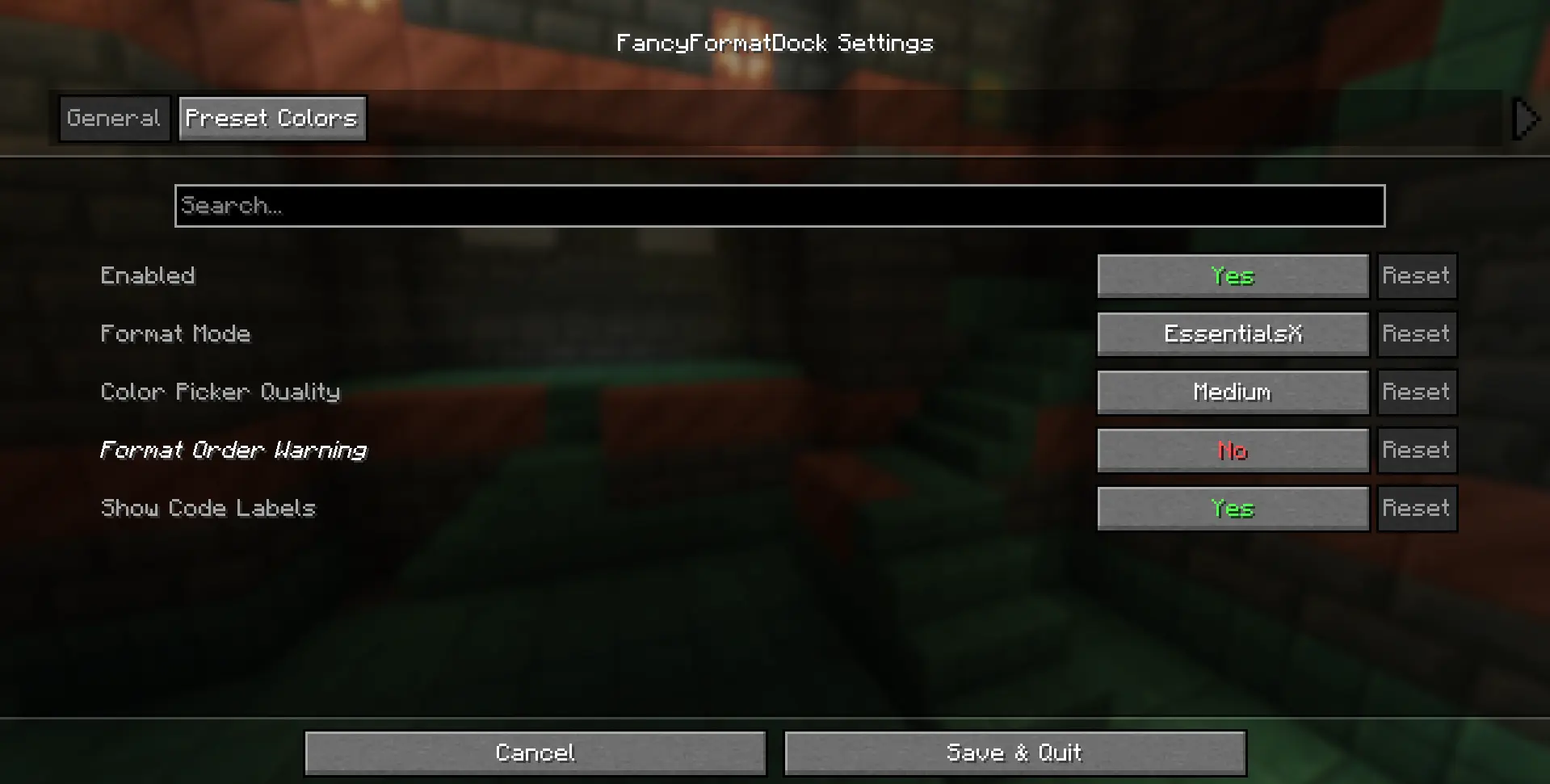
By using Mod Menu, you can acces the config, here you can:
- enable/disable the button overlay
- change format code, currently supports:
- Vanilla formatting (§c)
- EssentialsX formatting (&c) - [default]
- MiniMessage formatting ()
- change color picker quality, current options:
- Low
- Medium - [default]
- High
- toggle format labels on buttons (on by default) 1.21.1 version only
- toggle waring (off by default) 1.21.1 version only
- choose 4 preset custom colors
- toggle preset button on/off
🧩• Dependencies
- Fabric API
- Cloth API
- Mod Menu (only needed if you want to acces the config)
🚀• Version support
✅ Currently supported
fabric 1.21.1
fabric 1.21.2
fabric 1.21.3
fabric 1.21.4
fabric 1.21.5
fabric 1.21.6
fabric 1.21.7
fabric 1.21.8
fabric 1.21.9
fabric 1.21.10
fabric 1.21.11
❎ Currently not supported
fabric 26.1
fabric 26.2
🐛• Updates & Report bugs
Want to know exactly when the mod updates or when bugs get patched? Join my discord server!
📜• Credits
Idea - debrooo
Code - debrooo with help from Claude
Software - IntelliJ IDEA
Screenshots
Gallery
-
 Thumbnail
 -
 Format Dock The button-like panel at the top right features all 22 chatformat codes. The button in the bottom right corner shows/hides the panel.
 -
 Import Custom Color! By clicking the + button, this menu pops up. Here you can pick a custom color and import the hex format code to chat! You can change the quality of the color picker in the config.
 -
 Import Custom Color Gradient! By clicking the + button, this menu pops up. Here you can pick a custom color and import the hex format code to chat! You can change the quality of the color picker in the config.
 -
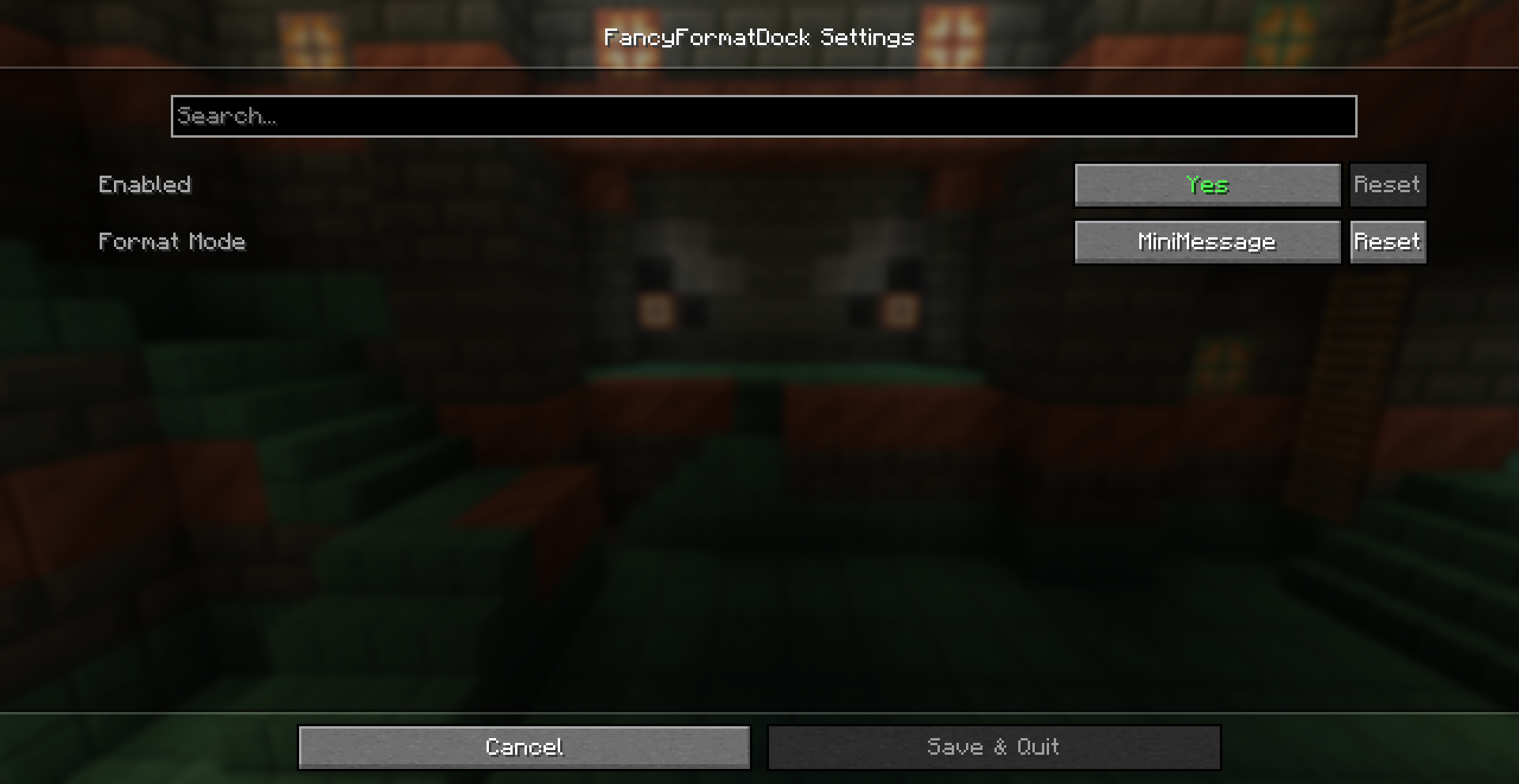 Config Menu In the config, there's 2 settings: - Enable/Disable the chat overlay dock - Choose between 3 chat format modes: Vanilla, EssentialsX or MiniMessage
Versions
Files
Relations
Project Relations
More like this
Similar Mods
Suggestions use data such as tags, dependencies, dependents, descriptions, titles, and more to rank how much they overlap with this mod.
On ModDex
Community snapshot
By the numbers
Statistics

Want to reach Minecraft players?
We're looking for a server hosting partner to feature here and other parts of the site. Interested? Send us a message!
Get in touchGet it on
Available Platforms
On ModDex
Community snapshot
By the numbers