
Community listing page, reviews here may not be monitored by the author.
Fantasy DNA


No reviews yet
Our mod is based off of the fantasy universe; Naruto, Marvel and God of War ETX
Community voices
Reviews
No reviews yet. Be the first to review this project!
Get it on
Available Platforms
Compatibility
Supported Environments
Must be installed on both the client and the server.
About
Project Details
For authors
Embed Badge
If you're the author of this project, you can embed a live badge anywhere that supports HTML or Markdown. It updates automatically whenever ratings change.
Use HTML for any page that supports it, or Markdown for README files and Markdown-based descriptions.
Identifiers
Platform IDs
Resources
External Links
About
Description
Fantasy DNA
Build your own legend. Choose your DNA. Master your powers.
Fantasy DNA is a progression-focused Minecraft mod built around the idea of combining different power systems into one character. Instead of following a single class or fixed build, you can develop multiple DNA paths, unlock new abilities, evolve powerful eyes, hunt legendary creatures, collect unique weapons, and create a playstyle that actually feels like your own.
Whether you want to play as an Uchiha, master the Byakugan, become a Jinchuriki, follow the divine path, use Witcher signs, experiment with mutant abilities, or mix completely different powers together, Fantasy DNA lets you build your character your way.
⚡ Build Your Own Power Path
Fantasy DNA currently features 8 different DNA paths, each with its own progression, rank system, abilities and identity:
God (Divine) — divine and pantheon-based powers
Uchiha — Sharingan, Katon and Susanoo
Hyuga — Byakugan, Juken and Tenseigan
Chinoike — Ketsurgiyan and blood-based abilities
Mutant — speed, webs, shapeshifting and size manipulation
Witcher — Witcher signs and special vision
Paladin — healing, protection and holy abilities
Wizard — elemental magic, teleportation and arcane powers
You can combine up to 3 DNA traits on the same character, allowing builds such as Uchiha + Mutant + Witcher or completely different combinations.
And progression is independent. Every DNA has its own rank and XP, so improving one path does not automatically turn every other path into the same level.
👁️ A Real Dojutsu System
Eyes are more than cosmetic upgrades.
Fantasy DNA introduces a dedicated eye system where your equipped eyes actually determine which dojutsu abilities you can use. Left and right eye slots are handled independently, and advanced eyes can be developed through the Eye Machine.
Progress through:
Sharingan → 2 Tomoe → 3 Tomoe → Mangekyō → EMS
and discover higher-level eyes such as:
Rinnegan, Rinne-Tomoe, Rinne Sharingan, Byakugan, Tenseigan, Ketsurgiyan and more.
Mangekyō is not simply handed to you by leveling up either. Its awakening is tied to an actual in-game event, making powerful eye progression feel much more meaningful.
📜 Discover Your Abilities
Fantasy DNA is built around progression instead of instantly giving you an entire ability kit.
New characters receive only a limited starting selection, while many stronger abilities must be discovered and unlocked through Ability Seals found throughout the world.
You can also use Skill Upgrade Scrolls to improve abilities you already own by enhancing their level, cooldowns or mana efficiency.
This means your character is not finished the moment you drink a potion. Your build grows as you play.
🌀 Summons, Transformations & Giant Forms
Power in Fantasy DNA is not limited to normal abilities.
You can unlock and use systems such as:
Kuchiyose Summons
Summon creatures such as toads, snakes, hawks, slugs and Wood Golems.
Susanoo
Progress through 5 different forms, with later forms gaining flight and the ability to be ridden and controlled.
Jinchuriki
Use chakra cloak forms or enter full Bijuu transformations as your progression advances.
Gedo Mazo
Use the statue as part of the larger Tailed Beast progression system.
Shinsu Senju
Ride and control this massive form while dealing huge area damage.
🐉 Hunt the Tailed Beasts
The world of Fantasy DNA is meant to be explored.
The 9 Tailed Beasts can be found in distant regions of the world and are designed around an actual hunting experience rather than simply appearing next to you.
Track them down, find their territory, defeat and seal them, and continue your progression toward the ultimate Tailed Beast path.
The system currently includes:
Shukaku · Matatabi · Isobu · Son Gokū · Kokuō · Saiken · Chōmei · Gyūki · Kurama
Collecting all nine also opens the path toward the Ten-Tails (Juubi) through Gedo Mazo.
🌑 Shadow Clones & Limbo
Shadow Clones are designed to feel like actual copies of your character.
They can inherit your appearance, eyes, eye frames and even the visual state of your powers. Their combat behavior also reflects the weapon you are using.
Shadow Clone progression can eventually reach 10 clones, while Limbo has its own eye-based system that determines how many Limbo clones you can maintain.
That means your eye build can directly affect how your Limbo system works.
🔥 Fight Powerful Enemies
Fantasy DNA brings together a wide range of boss encounters, with 15 current major bosses including characters and legends such as:
Naruto, Minato, Tobirama, Sasuke, Itachi, Obito, Madara, Pain, Neji, Kisame, Orochimaru, Thor, Kratos, Poseidon and Zabuza.
Bosses can reward you with rare eyes, Ability Seals and legendary weapons, giving you a reason to keep exploring and fighting stronger enemies.
Some encounters even have unique mechanics instead of simply being stronger versions of normal mobs.
⚔️ Legendary Weapons
Fantasy DNA also features a collection of special weapons with unique mechanics and combat behavior.
Among them are:
Mjolnir
Stormbreaker
Leviathan Axe
Draupnir Spear
Poseidon's Spear
Blade of Chaos
Gunbai
Kubikiribōchō
Many weapons are bound to their user and can be recalled, while others have special combat stances, ranged attacks, defensive mechanics or unique abilities.
Mjolnir also includes dedicated recall and flight controls, while weapons such as Poseidon's Spear and Blade of Chaos feature special spinning mechanics for defensive and offensive play.
🏯 Explore Konoha & Asgard
Fantasy DNA is not only about combat.
The mod includes dedicated destinations such as Konoha and Asgard, each with their own environment, NPCs and boss content.
Both can be reached through custom portal systems using their own materials, frames and igniters.
This gives you another reason to explore, gather resources and progress beyond your starting area.
⛏️ New Resources & Crafting
Build your progression through new materials and crafting systems including:
Silver
Steel
Asgardium
You can mine, process and transform these materials into weapons, blocks, special stations and progression-related structures.
The mod also adds special crafting stations, energy systems, seals, runes and Bifrost-related materials to support the larger progression loop.
🎮 Designed Around Your Playstyle
Fantasy DNA is meant to feel flexible.
You can focus on one DNA and specialize heavily, combine different DNA paths for hybrid builds, build around specific dojutsu, become a weapon-focused fighter, rely on summons and transformations, or chase some of the strongest powers in the mod.
There is no single "correct" build.
Your DNA. Your powers. Your choices.
Whether you're here for Naruto-inspired progression, divine weapons, huge transformations, boss fights, exploration, or simply creating an absurdly powerful hybrid character, Fantasy DNA is built to give you something new to work toward.
Choose your DNA.
Awaken your power.
Build your legend.
Requirements Minecraft 1.20.1 Forge 47.4.20 or newer in the Forge 47 line GeckoLib 4.8.4 or newer, below GeckoLib 5
Player Guide
Fantasy DNA
Build your own legend. Choose your DNA. Master your powers.
Fantasy DNA is a progression-focused Minecraft mod built around the idea of combining different power systems into one character. Instead of following a single class or fixed build, you can develop multiple DNA paths, unlock new abilities, evolve powerful eyes, hunt legendary creatures, collect unique weapons, and create a playstyle that actually feels like your own.
Whether you want to play as an Uchiha, master the Byakugan, become a Jinchuriki, follow the divine path, use Witcher signs, experiment with mutant abilities, or mix completely different powers together, Fantasy DNA lets you build your character your way.
⚡ Build Your Own Power Path
Fantasy DNA currently features 8 different DNA paths, each with its own progression, rank system, abilities and identity:
God (Divine) — divine and pantheon-based powers Uchiha — Sharingan, Katon and Susanoo Hyuga — Byakugan, Juken and Tenseigan Chinoike — Ketsurgiyan and blood-based abilities Mutant — speed, webs, shapeshifting and size manipulation Witcher — Witcher signs and special vision Paladin — healing, protection and holy abilities Wizard — elemental magic, teleportation and arcane powers
You can combine up to 3 DNA traits on the same character, allowing builds such as Uchiha + Mutant + Witcher or completely different combinations.
And progression is independent. Every DNA has its own rank and XP, so improving one path does not automatically turn every other path into the same level.
👁️ A Real Dojutsu System
Eyes are more than cosmetic upgrades.
Fantasy DNA introduces a dedicated eye system where your equipped eyes actually determine which dojutsu abilities you can use. Left and right eye slots are handled independently, and advanced eyes can be developed through the Eye Machine.
Progress through:
Sharingan → 2 Tomoe → 3 Tomoe → Mangekyō → EMS
and discover higher-level eyes such as:
Rinnegan, Rinne-Tomoe, Rinne Sharingan, Byakugan, Tenseigan, Ketsurgiyan and more.
Mangekyō is not simply handed to you by leveling up either. Its awakening is tied to an actual in-game event, making powerful eye progression feel much more meaningful.
📜 Discover Your Abilities
Fantasy DNA is built around progression instead of instantly giving you an entire ability kit.
New characters receive only a limited starting selection, while many stronger abilities must be discovered and unlocked through Ability Seals found throughout the world.
You can also use Skill Upgrade Scrolls to improve abilities you already own by enhancing their level, cooldowns or mana efficiency.
This means your character is not finished the moment you drink a potion. Your build grows as you play.
🌀 Summons, Transformations & Giant Forms
Power in Fantasy DNA is not limited to normal abilities.
You can unlock and use systems such as:
Kuchiyose Summons Summon creatures such as toads, snakes, hawks, slugs and Wood Golems.
Susanoo Progress through 5 different forms, with later forms gaining flight and the ability to be ridden and controlled.
Jinchuriki Use chakra cloak forms or enter full Bijuu transformations as your progression advances.
Gedo Mazo Use the statue as part of the larger Tailed Beast progression system.
Shinsu Senju Ride and control this massive form while dealing huge area damage.
🐉 Hunt the Tailed Beasts
The world of Fantasy DNA is meant to be explored.
The 9 Tailed Beasts can be found in distant regions of the world and are designed around an actual hunting experience rather than simply appearing next to you.
Track them down, find their territory, defeat and seal them, and continue your progression toward the ultimate Tailed Beast path.
The system currently includes:
Shukaku · Matatabi · Isobu · Son Gokū · Kokuō · Saiken · Chōmei · Gyūki · Kurama
Collecting all nine also opens the path toward the Ten-Tails (Juubi) through Gedo Mazo.
🌑 Shadow Clones & Limbo
Shadow Clones are designed to feel like actual copies of your character.
They can inherit your appearance, eyes, eye frames and even the visual state of your powers. Their combat behavior also reflects the weapon you are using.
Shadow Clone progression can eventually reach 10 clones, while Limbo has its own eye-based system that determines how many Limbo clones you can maintain.
That means your eye build can directly affect how your Limbo system works.
🔥 Fight Powerful Enemies
Fantasy DNA brings together a wide range of boss encounters, with 15 current major bosses including characters and legends such as:
Naruto, Minato, Tobirama, Sasuke, Itachi, Obito, Madara, Pain, Neji, Kisame, Orochimaru, Thor, Kratos, Poseidon and Zabuza.
Bosses can reward you with rare eyes, Ability Seals and legendary weapons, giving you a reason to keep exploring and fighting stronger enemies.
Some encounters even have unique mechanics instead of simply being stronger versions of normal mobs.
⚔️ Legendary Weapons
Fantasy DNA also features a collection of special weapons with unique mechanics and combat behavior.
Among them are:
Mjolnir Stormbreaker Leviathan Axe Draupnir Spear Poseidon's Spear Blade of Chaos Gunbai Kubikiribōchō
Many weapons are bound to their user and can be recalled, while others have special combat stances, ranged attacks, defensive mechanics or unique abilities.
Mjolnir also includes dedicated recall and flight controls, while weapons such as Poseidon's Spear and Blade of Chaos feature special spinning mechanics for defensive and offensive play.
🏯 Explore Konoha & Asgard
Fantasy DNA is not only about combat.
The mod includes dedicated destinations such as Konoha and Asgard, each with their own environment, NPCs and boss content.
Both can be reached through custom portal systems using their own materials, frames and igniters.
This gives you another reason to explore, gather resources and progress beyond your starting area.
⛏️ New Resources & Crafting
Build your progression through new materials and crafting systems including:
Silver Steel Asgardium
You can mine, process and transform these materials into weapons, blocks, special stations and progression-related structures.
The mod also adds special crafting stations, energy systems, seals, runes and Bifrost-related materials to support the larger progression loop.
🎮 Designed Around Your Playstyle
Fantasy DNA is meant to feel flexible.
You can focus on one DNA and specialize heavily, combine different DNA paths for hybrid builds, build around specific dojutsu, become a weapon-focused fighter, rely on summons and transformations, or chase some of the strongest powers in the mod.
There is no single "correct" build.
Your DNA. Your powers. Your choices.
Whether you're here for Naruto-inspired progression, divine weapons, huge transformations, boss fights, exploration, or simply creating an absurdly powerful hybrid character, Fantasy DNA is built to give you something new to work toward.
Choose your DNA. Awaken your power. Build your legend.
Requirements Minecraft 1.20.1 Forge 47.4.20 or newer in the Forge 47 line GeckoLib 4.8.4 or newer, below GeckoLib 5
Screenshots
Gallery
-
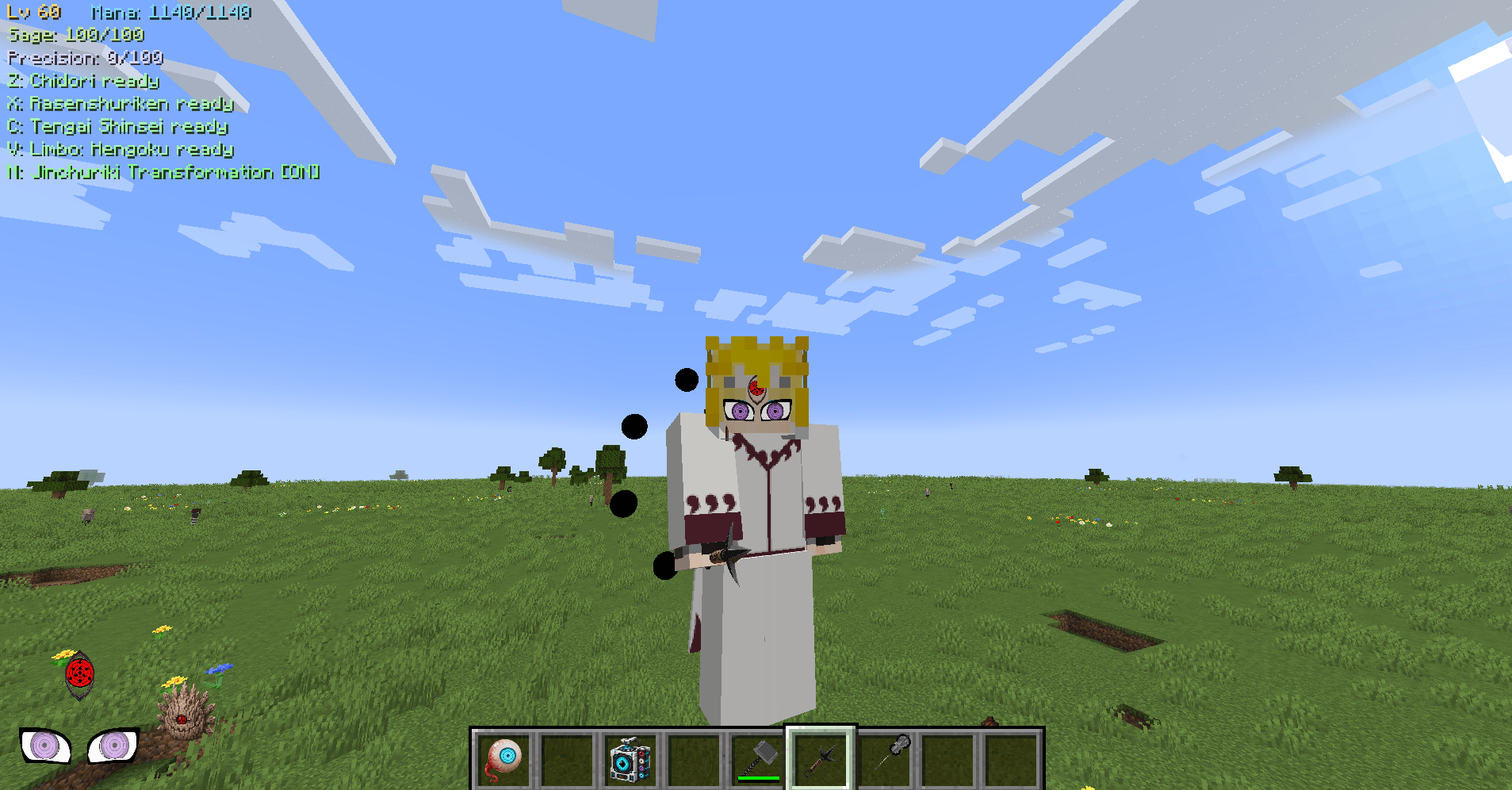 Ten Tails Jinchūriki Collect all the Tailed Beasts and seal them, merge them with the Gedō Mazō to bring forth the Jūbi, then seal it within yourself and become the Ten-Tails Jinchūriki.
 -
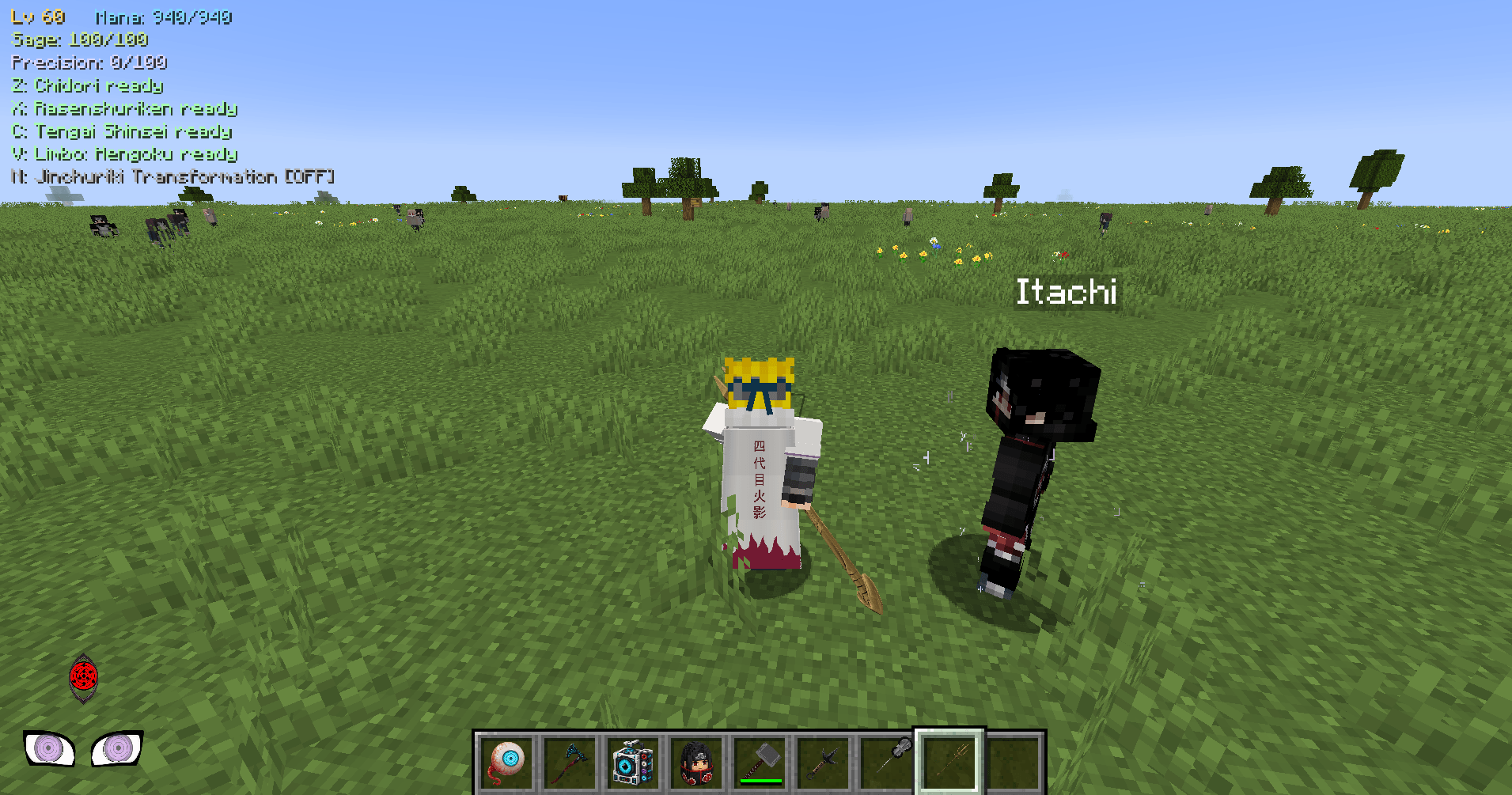 Hokage Armor Try out the new armor sets and use the syringe on mobs to collect their eyes (Dōjutsu).
 -
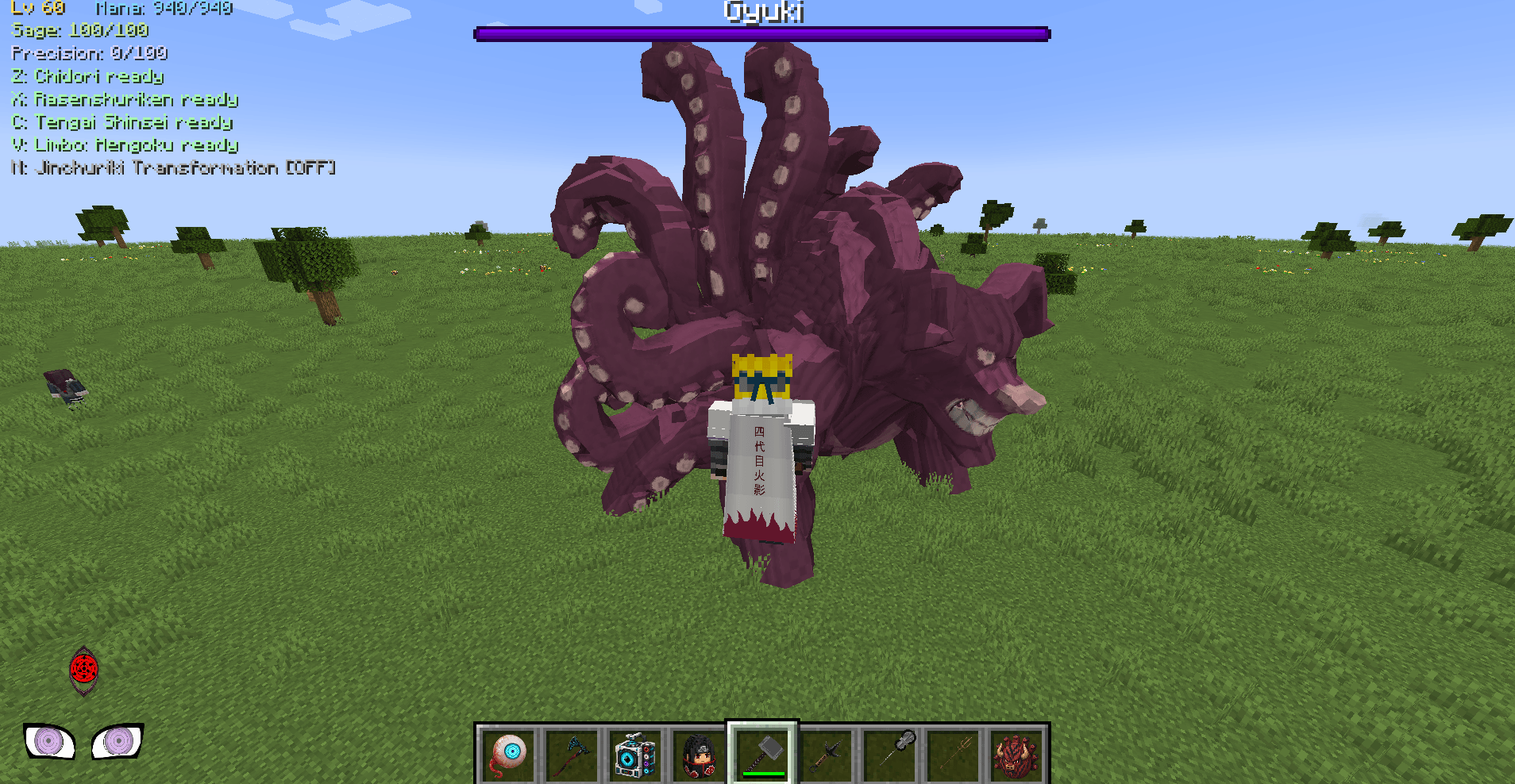 Bijû Reduce the Bijū's health to 10% and seal them.
 -
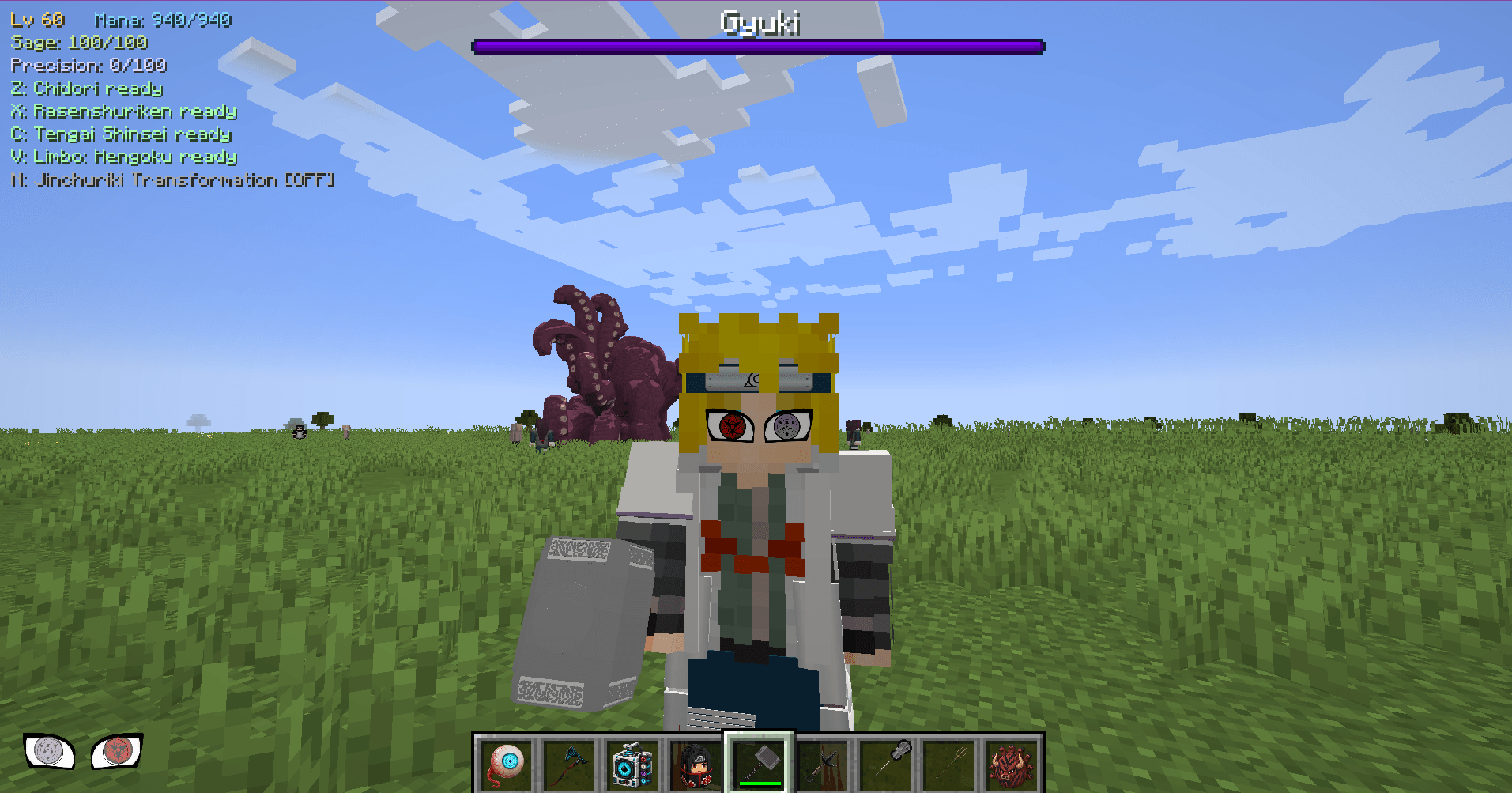 Dōjutsu Try out the new Dōjutsu.
 -
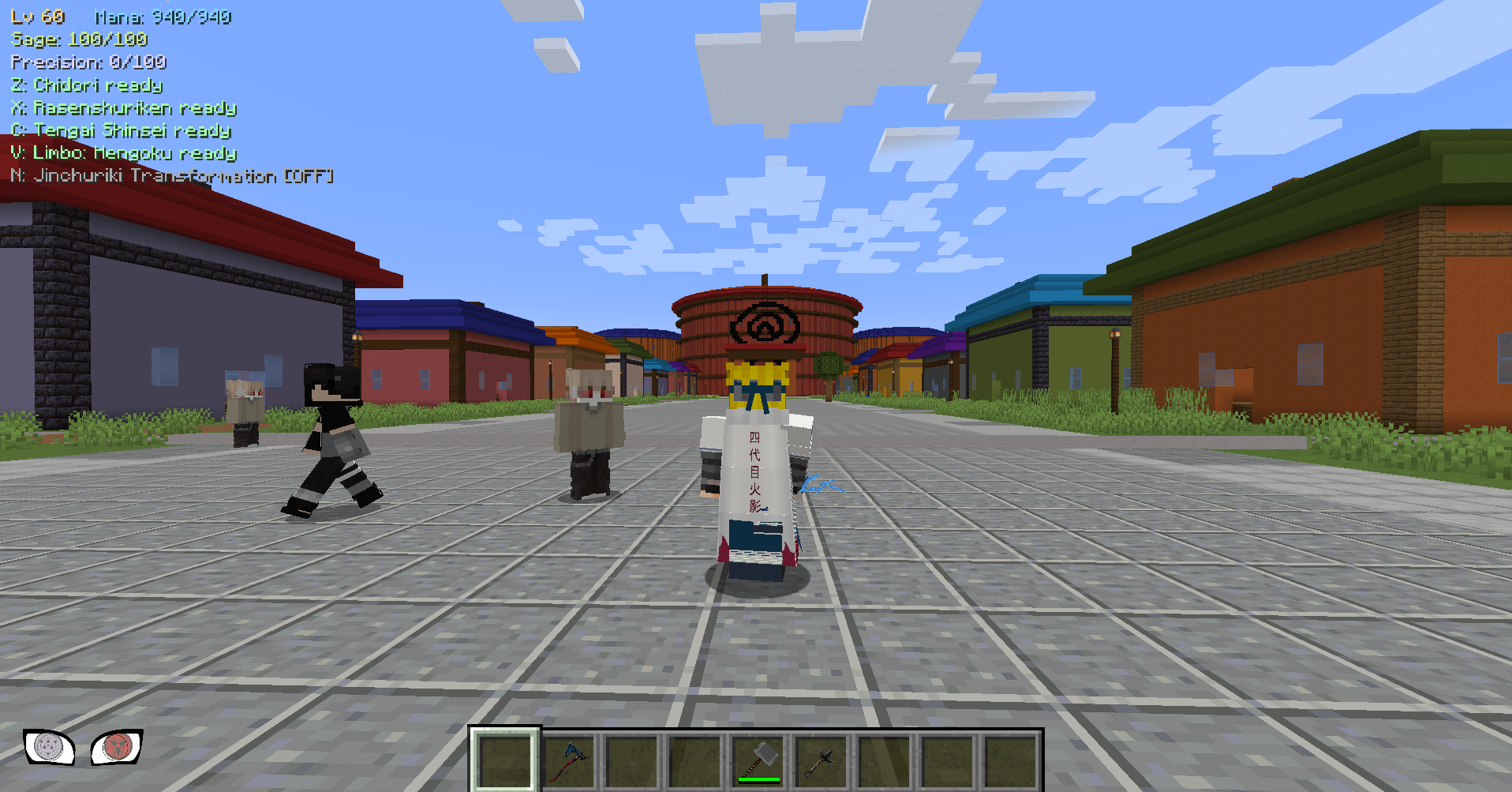 Konoha Journey to new realms.
 -
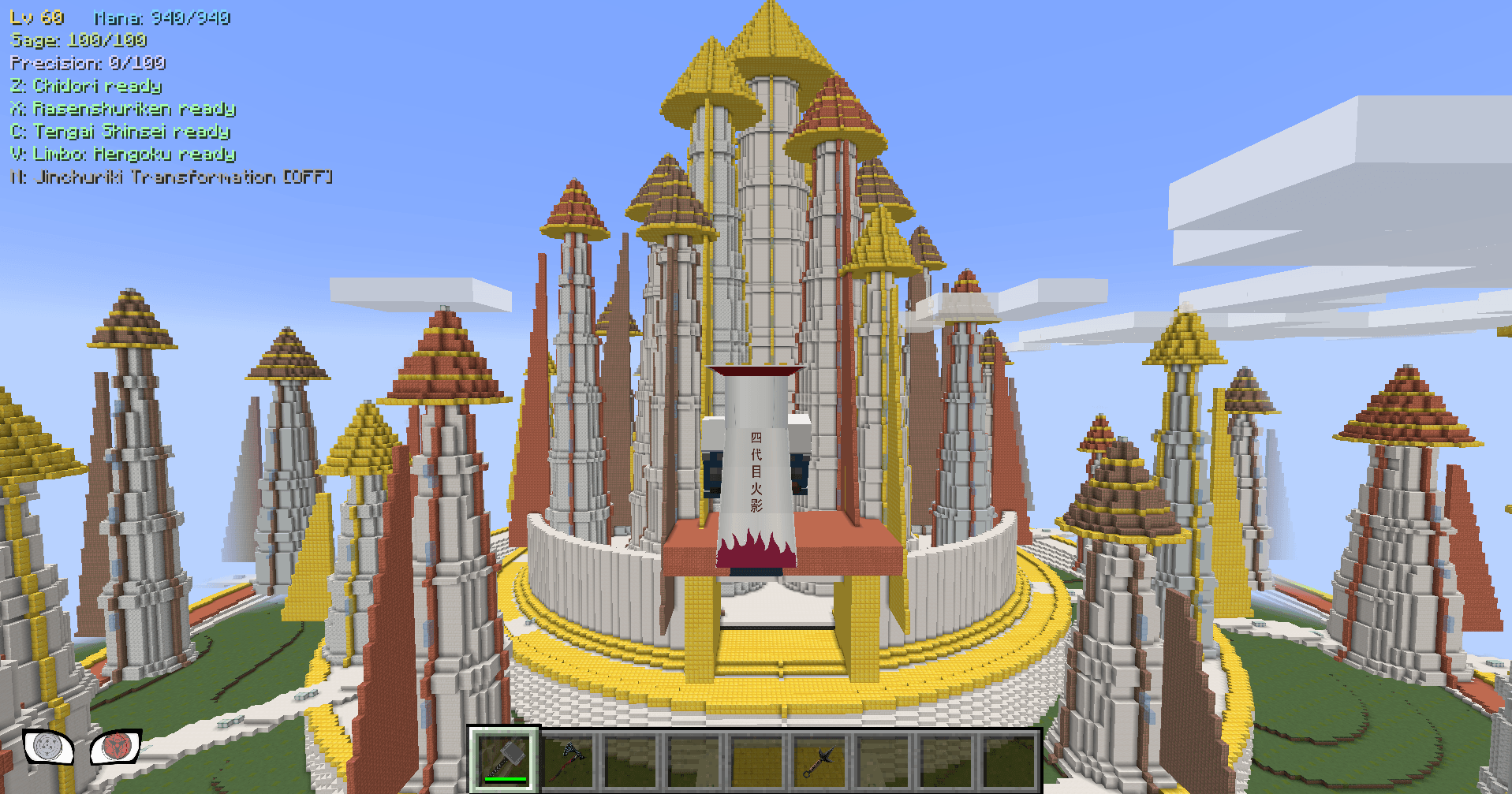 Asgard Journey to new realms.
 -
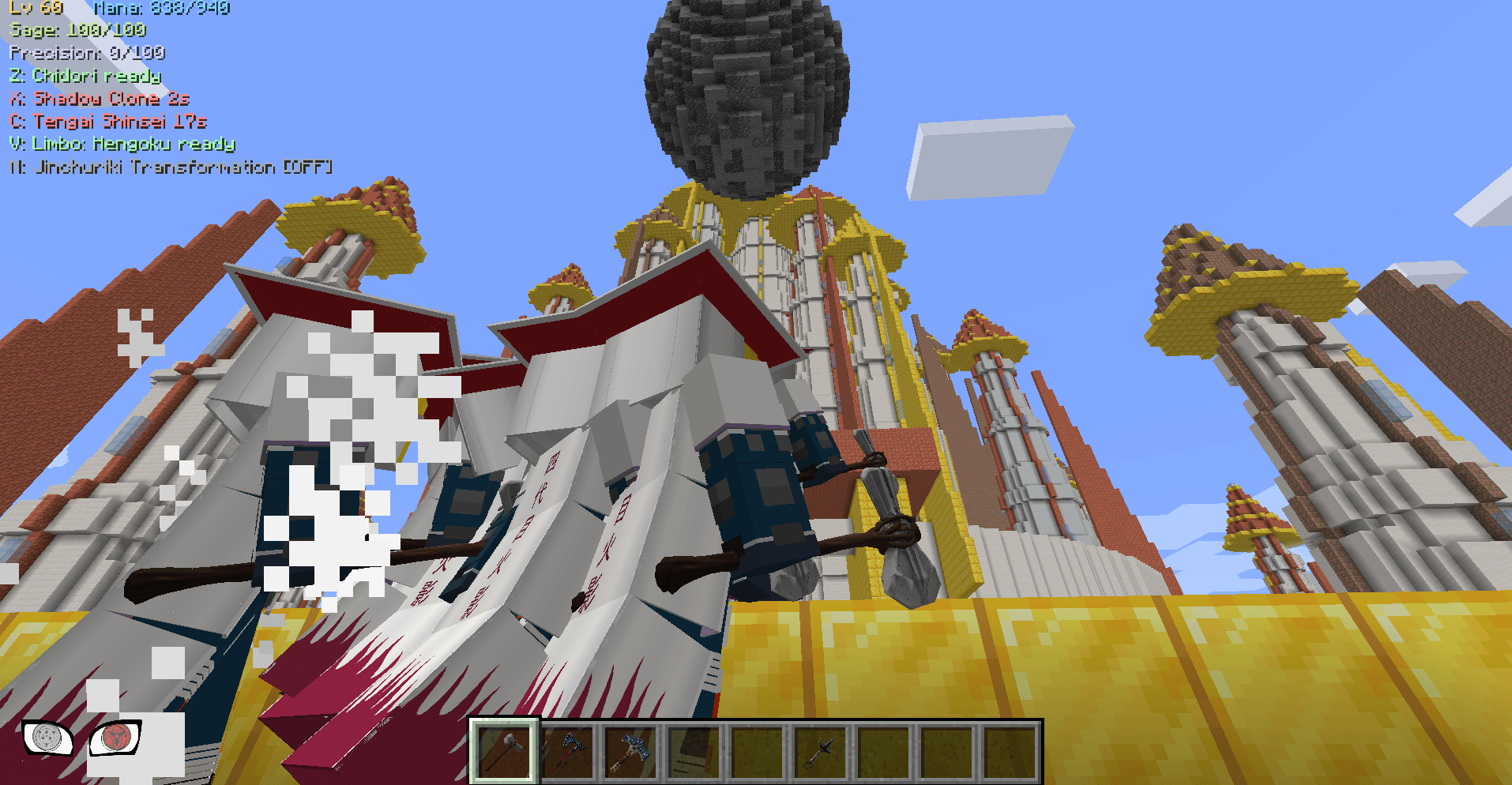 Tengai Shinsei Or destroy everything.
 -
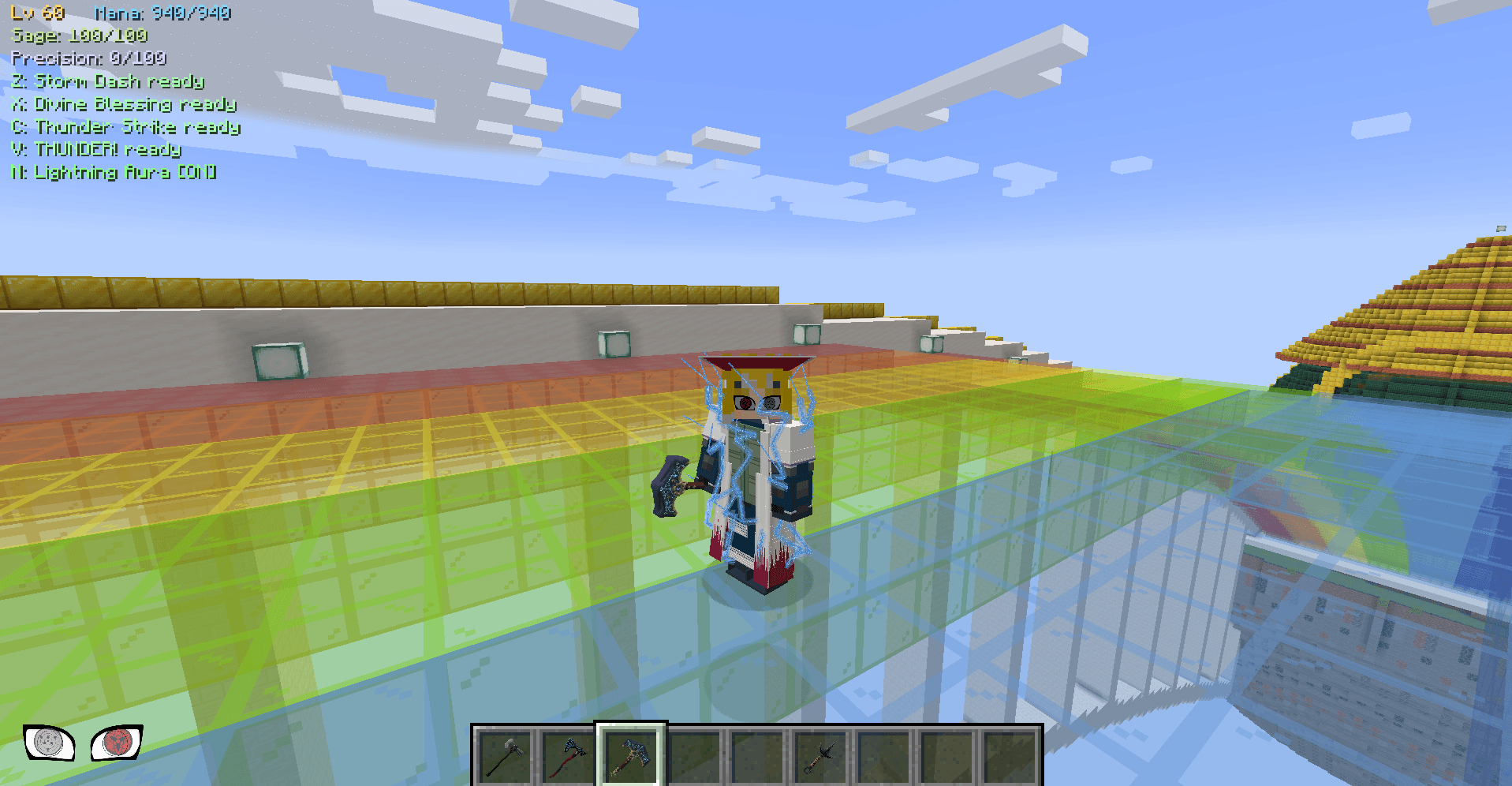 Thor Try out the new weapons.
 -
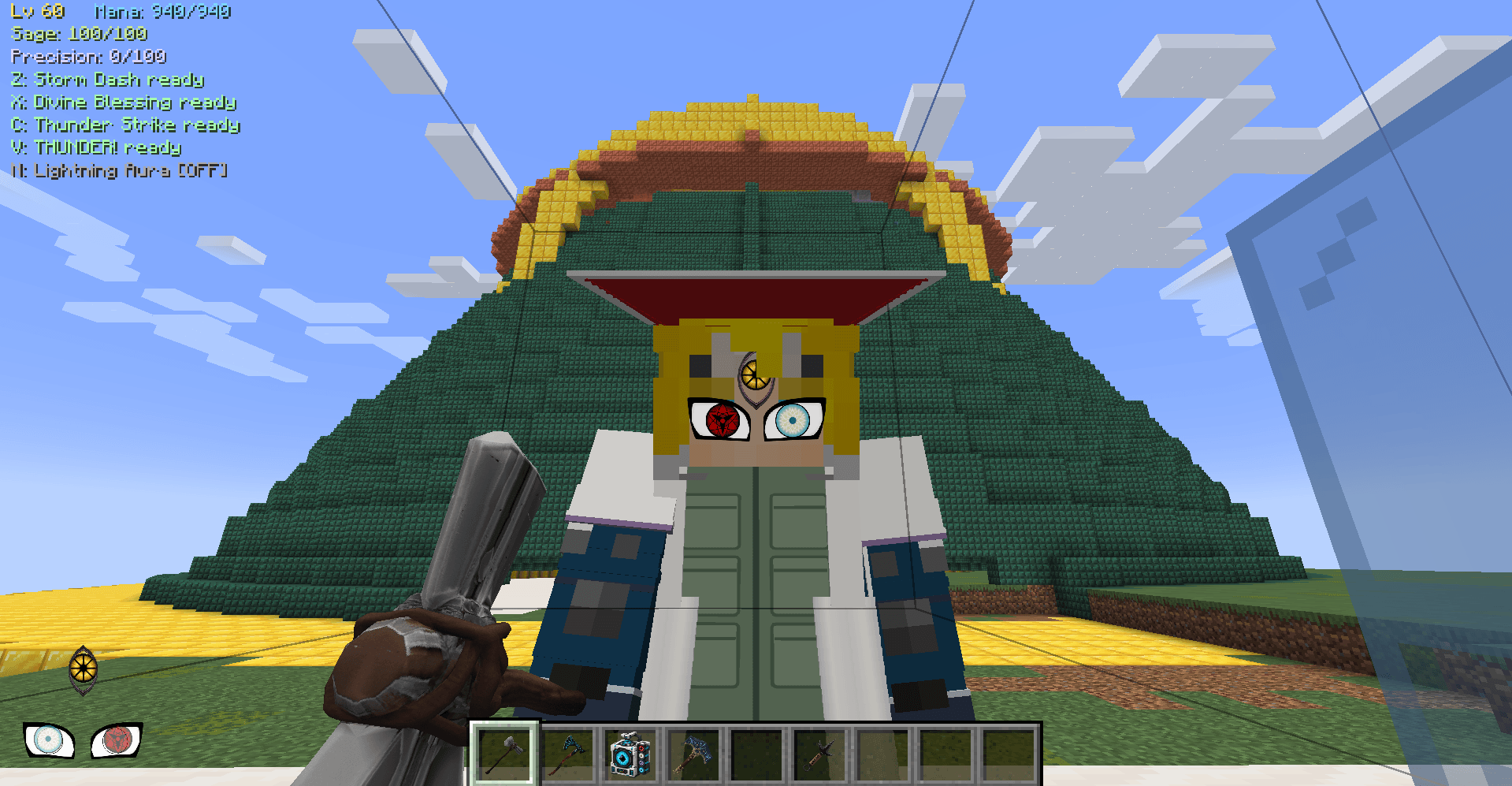 Dōjutsu Collect all Dojutsu
-
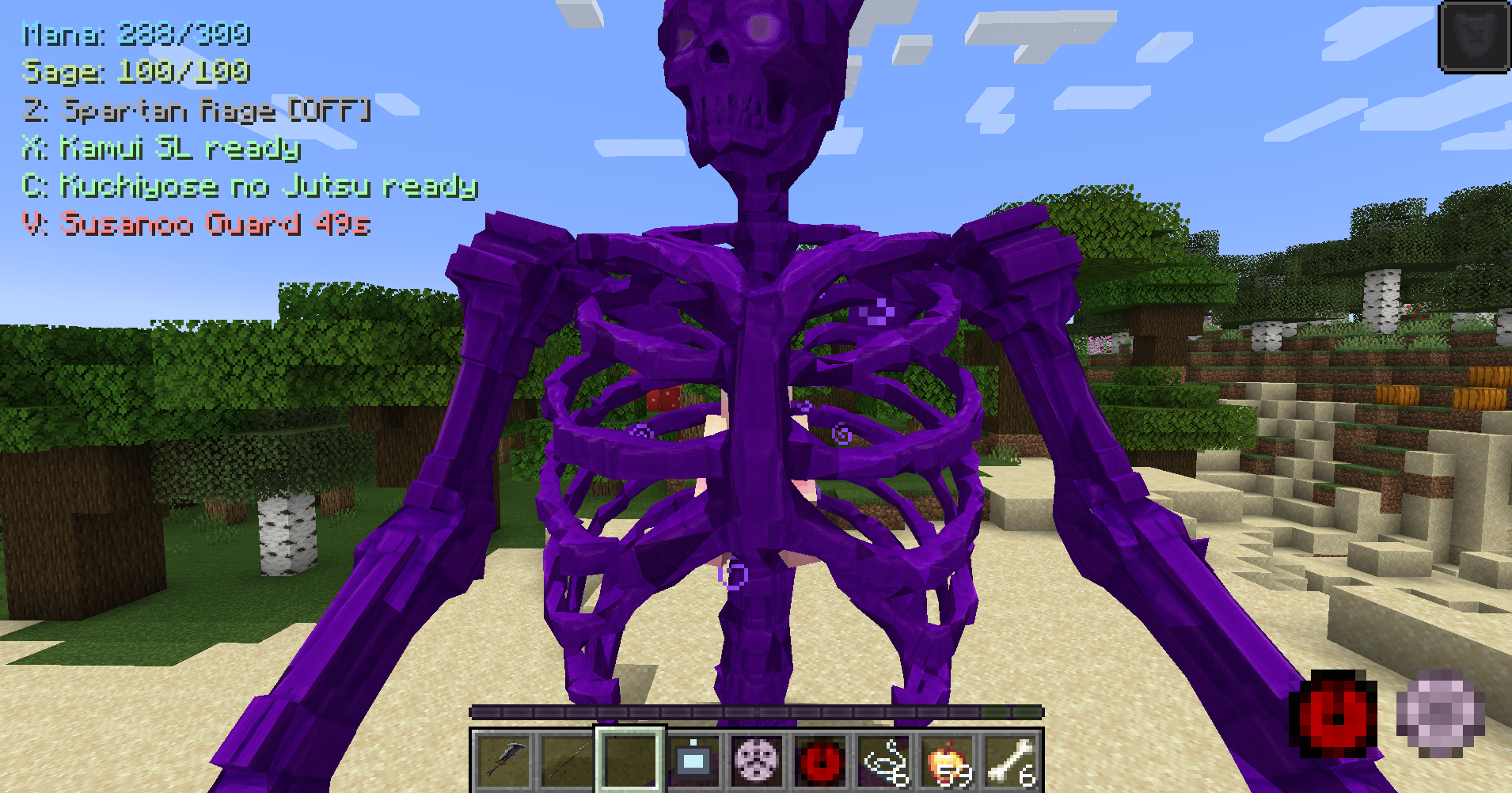 Susanoo
 -
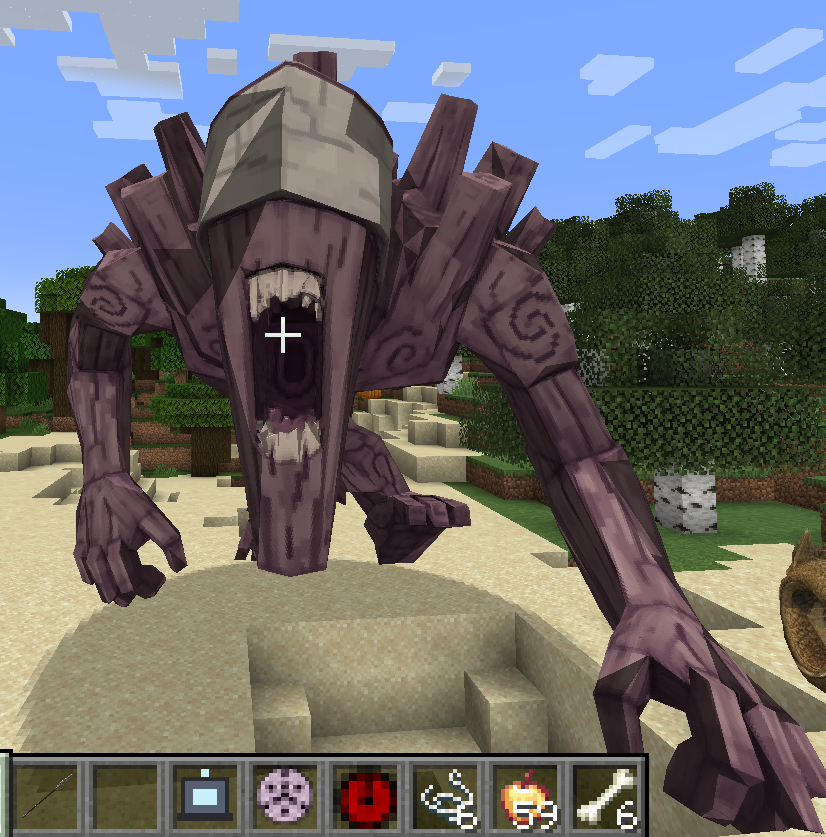 Gedo Statue
 -
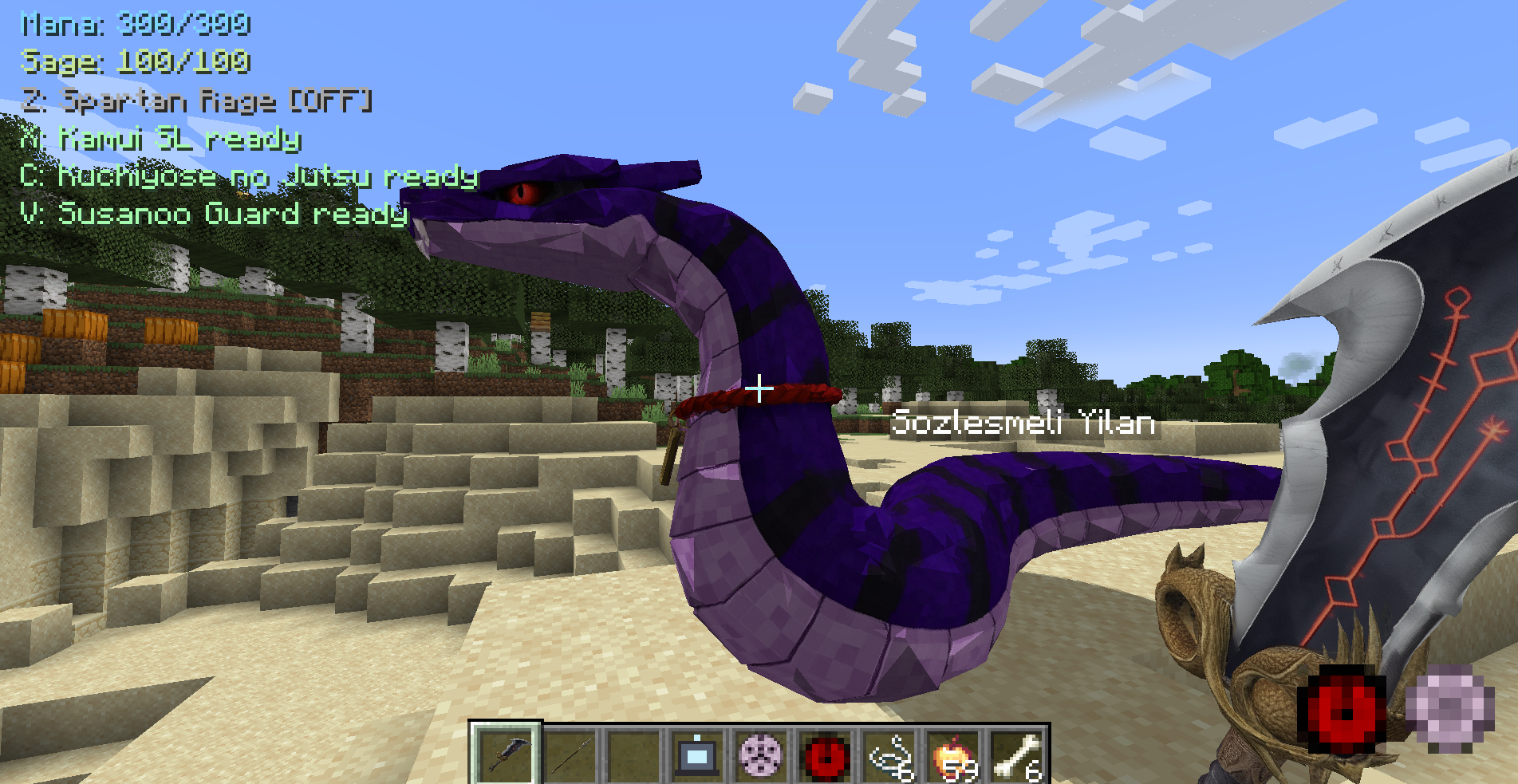 Kuchiyose no jutsu
Versions
Files
Relations
Project Relations
More like this
Similar Mods
Suggestions use data such as tags, dependencies, dependents, descriptions, titles, and more to rank how much they overlap with this mod.
On ModDex
Community snapshot
By the numbers
Statistics
Want to reach Minecraft players?
We're looking for a server hosting partner to feature here and other parts of the site. Interested? Send us a message!
Get in touchGet it on
Available Platforms
On ModDex
Community snapshot
By the numbers
Statistics
Resources