Community listing page, reviews here may not be monitored by the author.
FelixSkins


No reviews yet
A client-only Fabric mod for Minecraft 1.20.1 that allows players to drag and drop PNG skin files directly into the game and apply them immediately without restarting.
Community voices
Reviews
No reviews yet. Be the first to review this project!
Get it on
Available Platforms
Compatibility
Supported Environments
Required on the client. Installing it on the server adds functionality.
About
Project Details
For authors
Embed Badge
If you're the author of this project, you can embed a live badge anywhere that supports HTML or Markdown. It updates automatically whenever ratings change.
Use HTML for any page that supports it, or Markdown for README files and Markdown-based descriptions.
Identifiers
Platform IDs
Resources
External Links
About
Description
FelixSkin v1.2.3 - Minecraft Fabric Mod
A client-only Fabric mod for Minecraft 1.20.1 that allows players to drag and drop PNG skin files directly into the game and apply them immediately without restarting.
✨ Features
- 🎯 Drag & Drop Interface: Open GUI with K key, drag PNG files from your OS into the drop zone
- ⚡ Immediate Application: Skins are applied instantly to your player model
- 🎨 HD Support: Supports skins of any resolution (128x128, 256x256, 512x512, etc.)
- 🤖 Auto-Detection: Automatically detects slim (Alex) vs classic (Steve) models based on filename
- Files containing
_slimor_alex→ Alex model - All other files → Steve model
- Files containing
- 🌐 Client-Only: No server-side changes required
- 💾 Memory Efficient: Proper cleanup of old textures to prevent memory leaks
📋 Requirements
- Minecraft 1.20.1
- Fabric Loader 0.16.12+
- Fabric API 0.92.6+
- Java 17+
🚀 Installation
For Players
- Download the latest
.jarfile from releases - Place it in your
%minecraft%/modsfolder - Launch Minecraft with Fabric Loader
- Press K in-game to open the skin manager
For Developers
- Clone this repository
- Run
./gradlew build(orgradlew.bat buildon Windows) - Find the built JAR in
build/libs/
🎮 Usage
- Open the GUI: Press K in-game
- Drag & Drop: Drag a PNG file from your file explorer into the drop zone
- Alternative: Click "Pick File" to browse for PNG files
- Apply: Click "Apply Skin" to apply the skin
- Clear: Use "Clear Skin" to remove the custom skin
- Close: Click "Close" or press ESC
GLFW Integration
- Uses GLFW drop callback to receive file drops from the OS
- Safely handles file path encoding and validation
- Only accepts PNG files with reasonable size limits
⚠️ Troubleshooting
Common Issues
- Mod not loading: Ensure you have the correct Fabric Loader version
- K key not working: Check if the key binding conflicts with other mods
- Skin not applying: Verify the PNG file is valid and not corrupted
- Performance issues: Large HD skins (>2048x2048) may impact performance
Logs
Check the Minecraft logs for any error messages. The mod logs important events with the prefix [FelixSkin].
📞 Support
- GitHub: https://github.com/dotprepare/FelixSkins
- Discord: Join our community for support
- Issues: Report bugs on GitHub Issues
🤝 Contributing
Contributions are welcome! Please feel free to submit issues, feature requests, or pull requests.
📄 License
This project is licensed under the MIT License - see the LICENSE file for details.
Made with ❤️ by Frame121
FelixSkin v1.2.3 - Minecraft Fabric Mod
A client-only Fabric mod for Minecraft 1.20.1 that allows players to drag and drop PNG skin files directly into the game and apply them immediately without restarting.
✨ Features
- 🎯 Drag & Drop Interface: Open GUI with K key, drag PNG files from your OS into the drop zone
- ⚡ Immediate Application: Skins are applied instantly to your player model
- 🎨 HD Support: Supports skins of any resolution (128x128, 256x256, 512x512, etc.)
- 🤖 Auto-Detection: Automatically detects slim (Alex) vs classic (Steve) models based on filename
- Files containing
_slimor_alex→ Alex model - All other files → Steve model
- 🌐 Client-Only: No server-side changes required
- 💾 Memory Efficient: Proper cleanup of old textures to prevent memory leaks
- Files containing
📋 Requirements
- Minecraft 1.20.1
- Fabric Loader 0.16.12+
- Fabric API 0.92.6+
- Java 17+
🚀 Installation
For Players
- Download the latest
.jarfile from releases - Place it in your
%minecraft%/modsfolder - Launch Minecraft with Fabric Loader
- Press K in-game to open the skin manager
For Developers
- Clone this repository
- Run
./gradlew build(orgradlew.bat buildon Windows) - Find the built JAR in
build/libs/
🎮 Usage
- Open the GUI: Press K in-game
- Drag & Drop: Drag a PNG file from your file explorer into the drop zone
- Alternative: Click "Pick File" to browse for PNG files
- Apply: Click "Apply Skin" to apply the skin
- Clear: Use "Clear Skin" to remove the custom skin
- Close: Click "Close" or press ESC
GLFW Integration
- Uses GLFW drop callback to receive file drops from the OS
- Safely handles file path encoding and validation
- Only accepts PNG files with reasonable size limits
⚠️ Troubleshooting
Common Issues
- Mod not loading: Ensure you have the correct Fabric Loader version
- K key not working: Check if the key binding conflicts with other mods
- Skin not applying: Verify the PNG file is valid and not corrupted
- Performance issues: Large HD skins (>2048x2048) may impact performance
Logs
Check the Minecraft logs for any error messages. The mod logs important events with the prefix [FelixSkin].
📞 Support
- GitHub: https://github.com/dotprepare/FelixSkins
- Discord: Join our community for support
- Issues: Report bugs on GitHub Issues
🤝 Contributing
Contributions are welcome! Please feel free to submit issues, feature requests, or pull requests.
📄 License
This project is licensed under the MIT License - see the LICENSE file for details.
Made with ❤️ by Frame121
Screenshots
Gallery
-
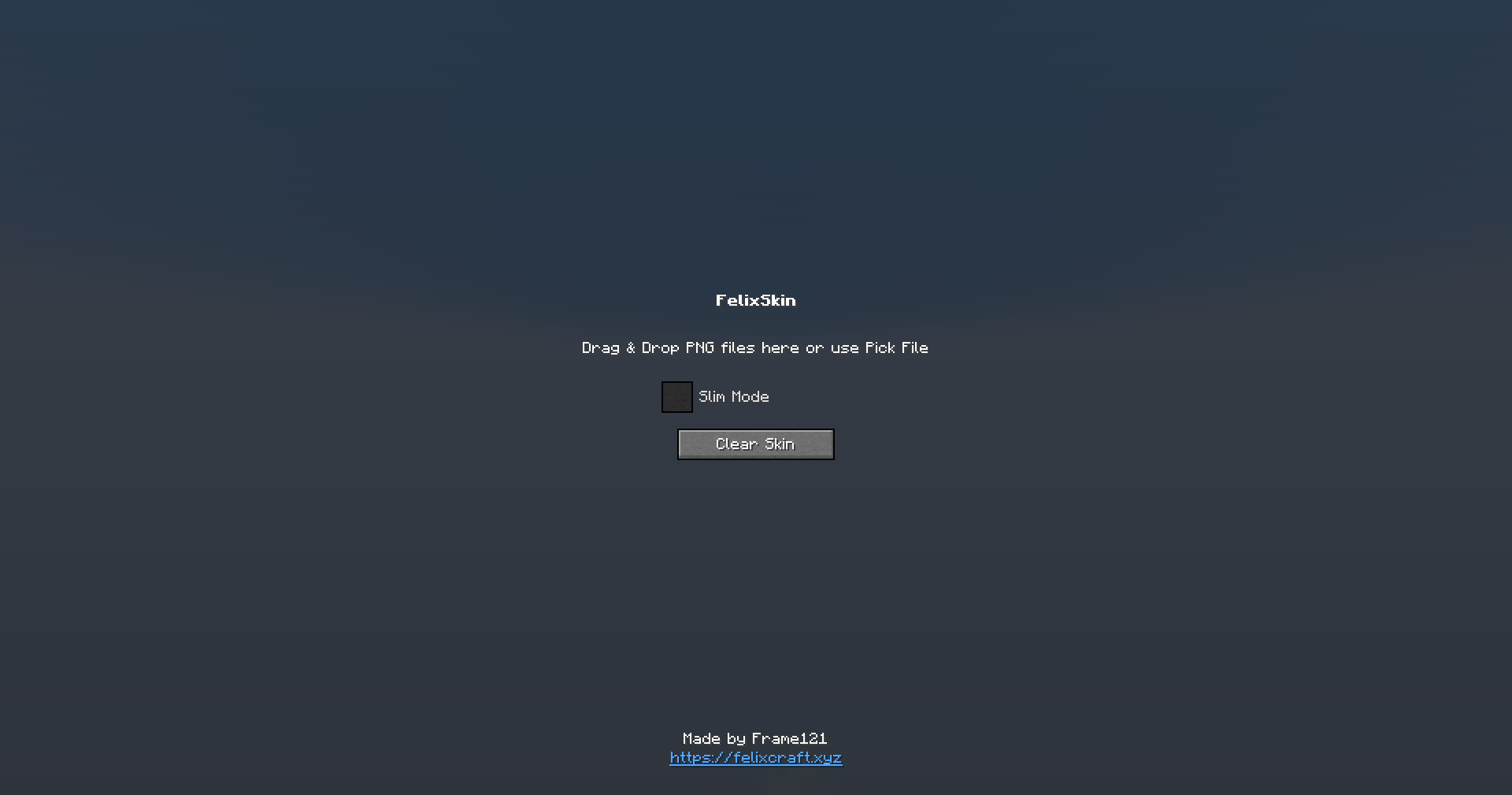 Changing Skin UI The simpliest ui to use.
 -
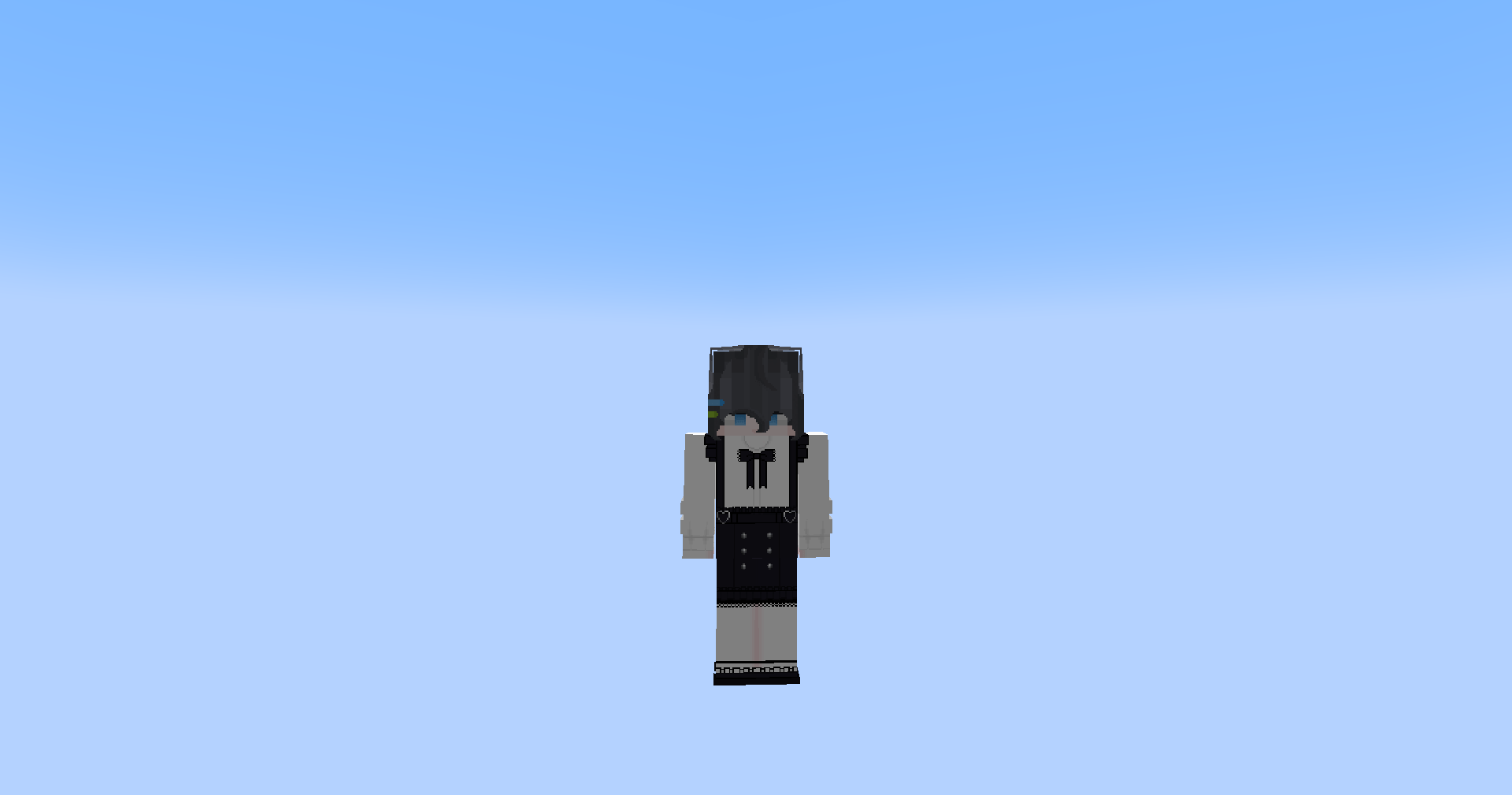 After changing skins... it's work! The skin changing is working, it so coooooooollll!!!!!
-
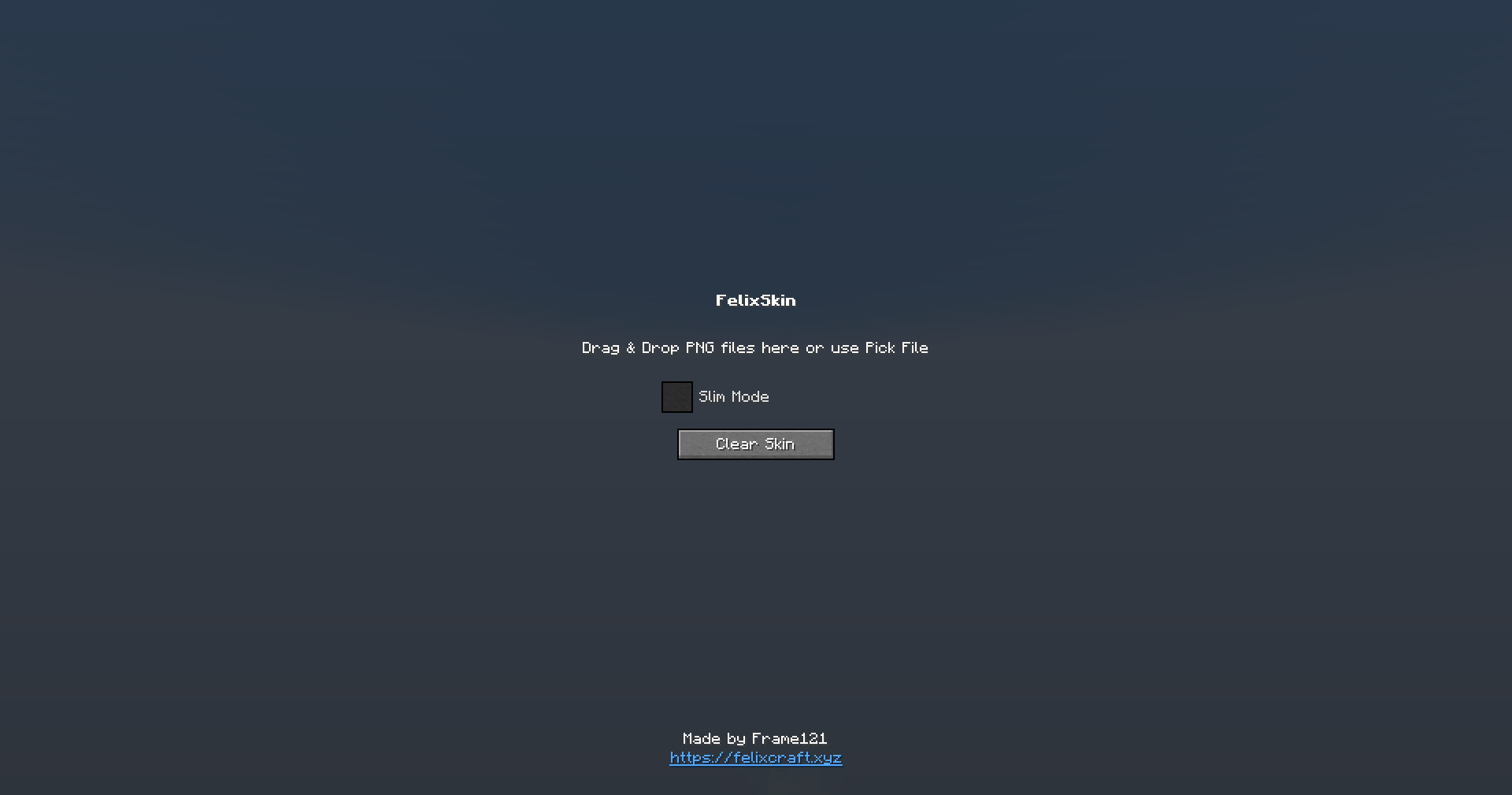 Changing Skin UI The simpliest ui to use.
 -
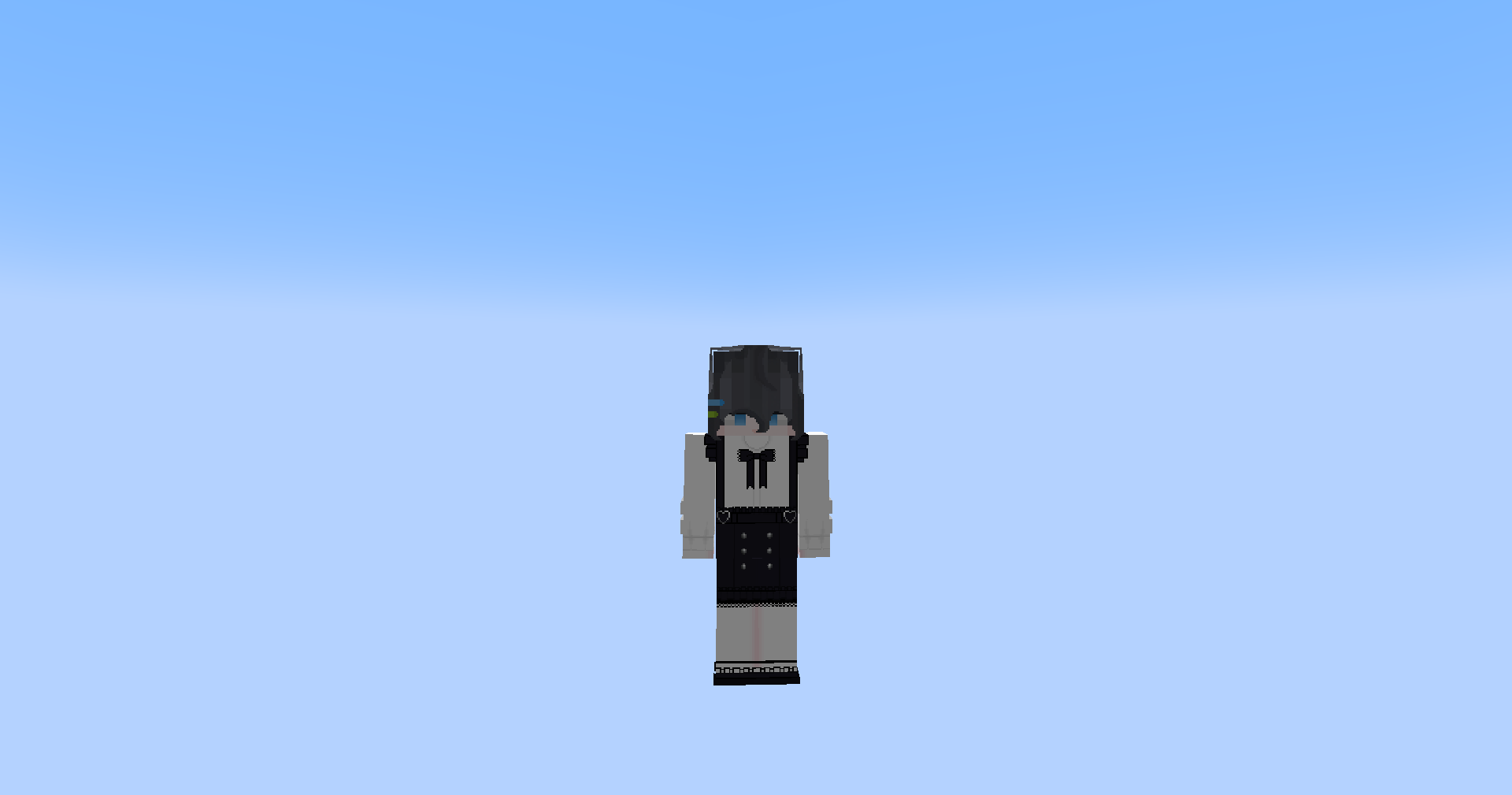 After changing skins... it's work! The skin changing is working, it so coooooooollll!!!!!
Versions
Files
Relations
Project Relations
More like this
Similar Mods
Suggestions use data such as tags, dependencies, dependents, descriptions, titles, and more to rank how much they overlap with this mod.
On ModDex
Community snapshot
By the numbers
Statistics
Want to reach Minecraft players?
We're looking for a server hosting partner to feature here and other parts of the site. Interested? Send us a message!
Get in touchGet it on
Available Platforms
On ModDex
Community snapshot
By the numbers
Statistics
Resources