
Community listing page, reviews here may not be monitored by the author.
FlashBatch


No reviews yet
Queue and render every scene of a Flashback replay at once, with full control over naming, export settings, and time ranges — instead of adding scenes to the queue one by one.
Community voices
Reviews
No reviews yet. Be the first to review this project!
Get it on
Available Platforms
Compatibility
Supported Environments
Runs entirely on the client. Works on vanilla servers.
About
Project Details
For authors
Embed Badge
If you're the author of this project, you can embed a live badge anywhere that supports HTML or Markdown. It updates automatically whenever ratings change.
Use HTML for any page that supports it, or Markdown for README files and Markdown-based descriptions.
Identifiers
Platform IDs
About
Description
FlashBatch
FlashBatch is a companion mod for Flashback that lets you queue and render every scene of the same replay at once, instead of adding each scene to the export queue one by one.
What it does
FlashBatch adds a Queue All Scenes... entry to Flashback's main menu bar. Clicking it opens a batch export window, styled to match Flashback's own editor UI, where you can configure exactly how every scene gets exported before queuing them all in one click.
Features
- Custom filename patterns - use Flashback's own placeholders (
%seq%,%scene%,%date%,%time%,%replay%) with a live preview of the resolved name. Set a custom starting number for%seq%whenever you need one. - Full export options - resolution, framerate, projection, container/codec/encoder, bitrate, transparency, SSAA, audio settings... the same options Flashback's own export window offers, kept independent from your saved Preferences so batch exports never overwrite your usual defaults.
- Custom output folder per batch, with a folder picker.
- Time range selector - choose whether each scene exports using its In/Out points, its first/last keyframe, or the full recorded footage, with automatic fallback if the chosen source is empty for a given scene.
- Per-scene selection - all scenes are included by default, with an optional checklist to exclude specific ones.
- Settings are remembered between game sessions.
Nothing renders automatically: FlashBatch only queues the jobs into Flashback's own render queue, exactly as if you had clicked "Add to Queue" on every scene yourself.
Requirements
Source
Source code: https://github.com/louisjnrt1-hash/Flashbatch
FlashBatch
FlashBatch is a companion mod for Flashback that lets you queue and render every scene of the same replay at once, instead of adding each scene to the export queue one by one.
What it does
FlashBatch adds a Queue All Scenes... entry to Flashback's main menu bar. Clicking it opens a batch export window, styled to match Flashback's own editor UI, where you can configure exactly how every scene gets exported before queuing them all in one click.
Features
- Custom filename patterns - use Flashback's own placeholders (
%seq%,%scene%,%date%,%time%,%replay%) with a live preview of the resolved name. Set a custom starting number for%seq%whenever you need one. - Full export options - resolution, framerate, projection, container/codec/encoder, bitrate, transparency, SSAA, audio settings... the same options Flashback's own export window offers, kept independent from your saved Preferences so batch exports never overwrite your usual defaults.
- Custom output folder per batch, with a folder picker.
- Time range selector - choose whether each scene exports using its In/Out points, its first/last keyframe, or the full recorded footage, with automatic fallback if the chosen source is empty for a given scene.
- Per-scene selection - all scenes are included by default, with an optional checklist to exclude specific ones.
- Settings are remembered between game sessions.
Nothing renders automatically: FlashBatch only queues the jobs into Flashback's own render queue, exactly as if you had clicked "Add to Queue" on every scene yourself.
Requirements
Source
Source code: https://github.com/louisjnrt1-hash/Flashbatch
Screenshots
Gallery
-
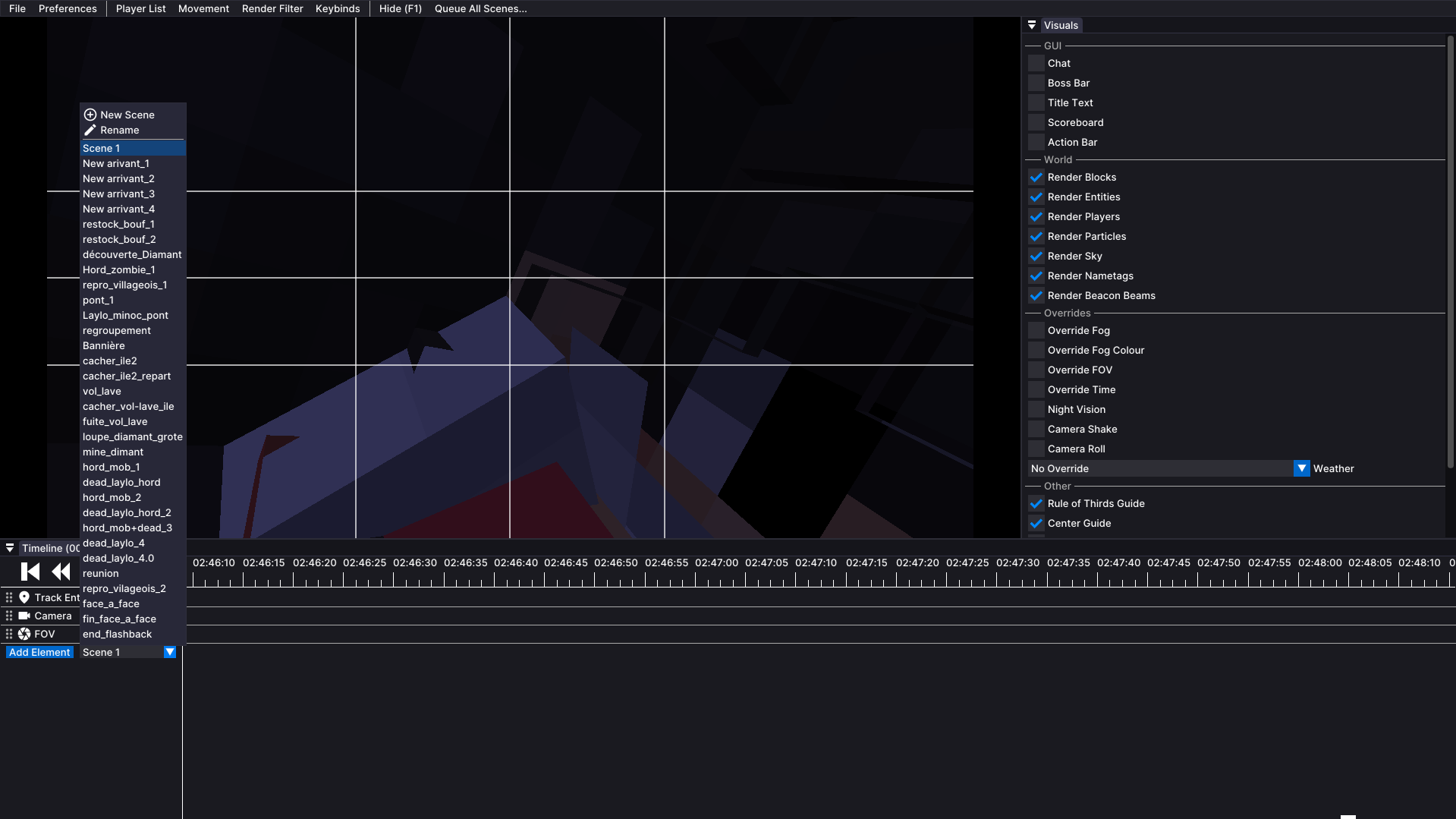 A lot of scenes
 -
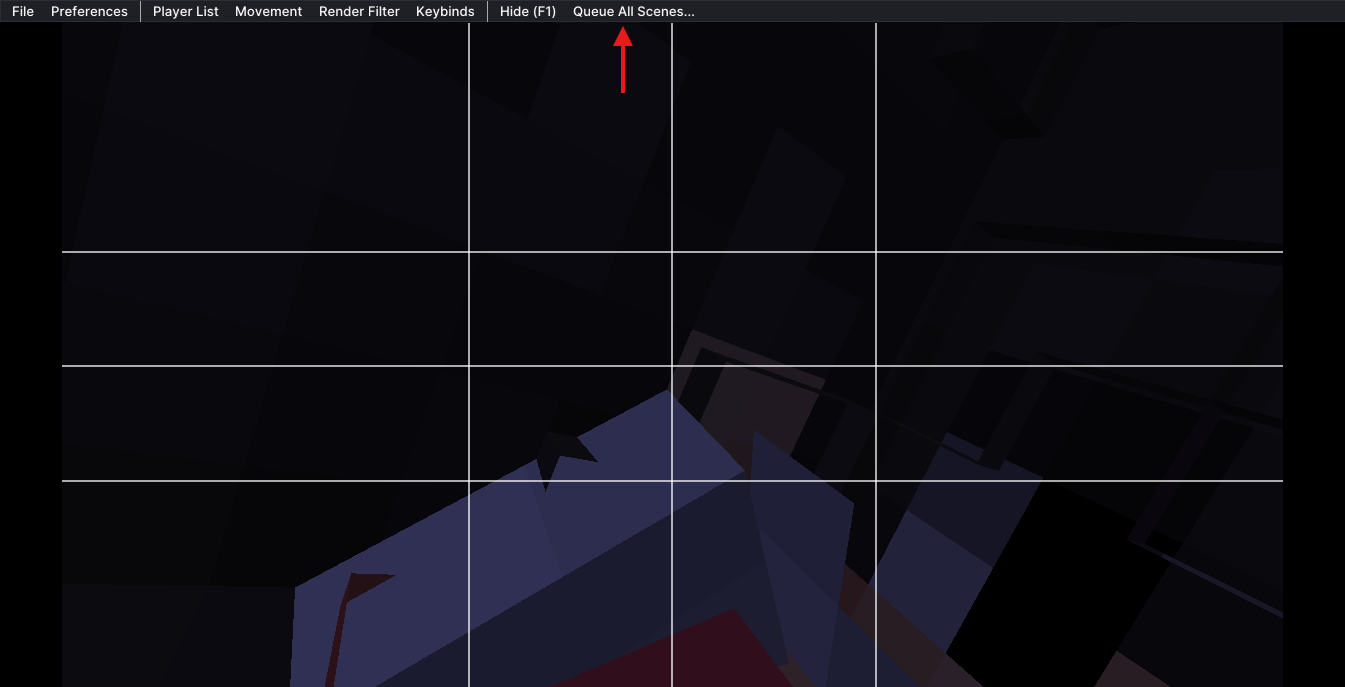 One button
 -
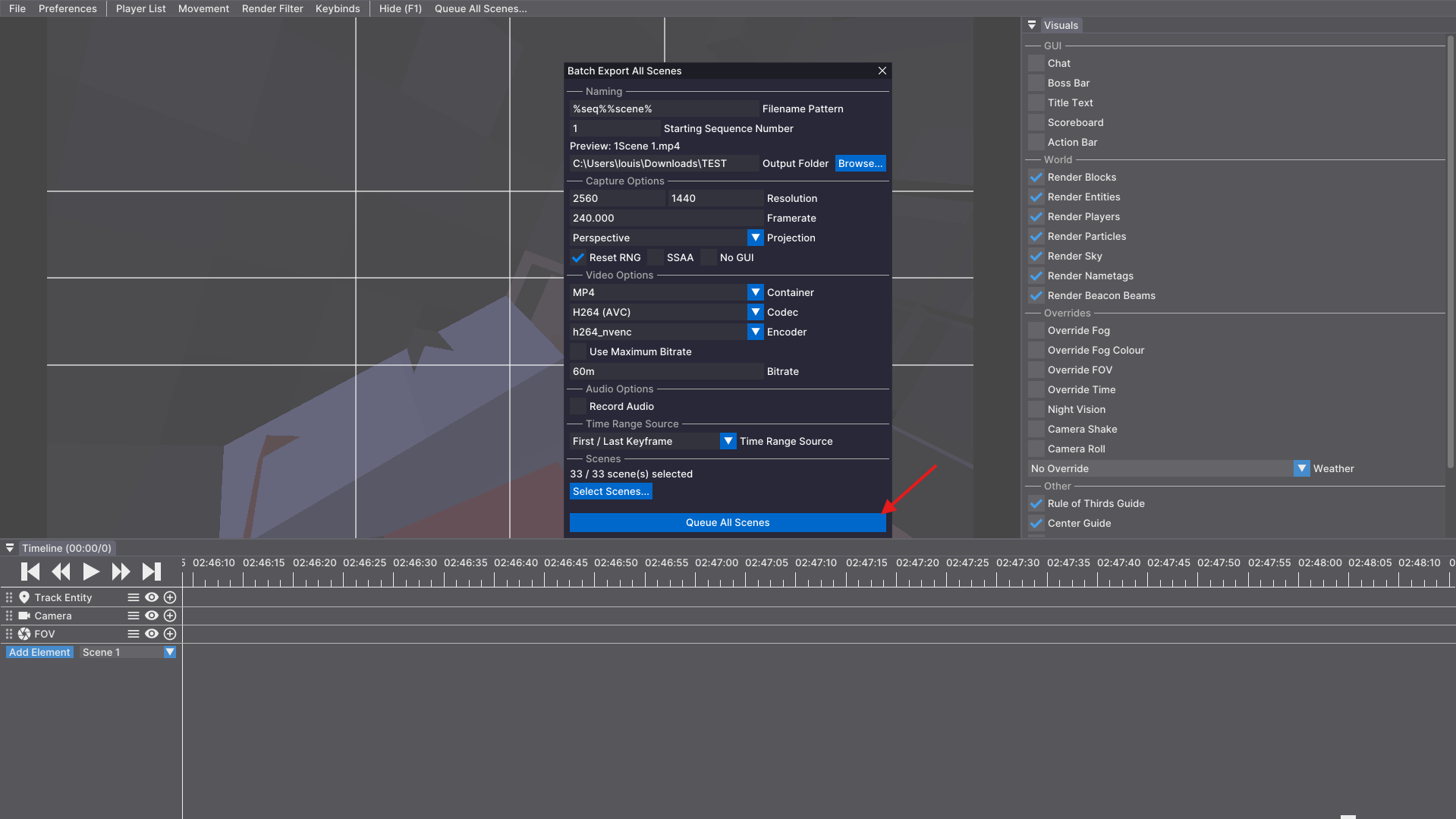 Lot of controls
 -
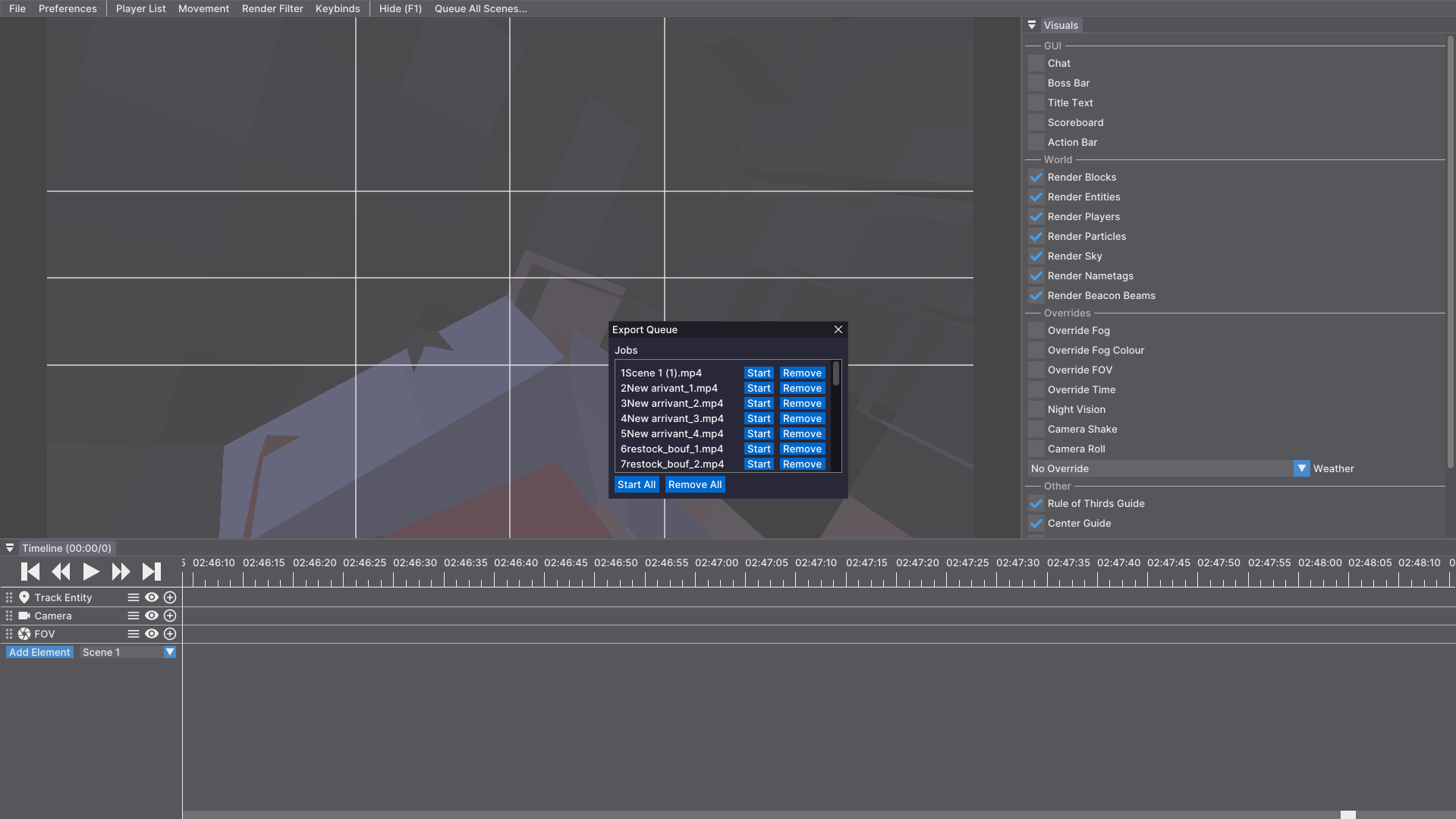 Ready to export
Versions
Files
Relations
Project Relations
More like this
Similar Mods
Suggestions use data such as tags, dependencies, dependents, descriptions, titles, and more to rank how much they overlap with this mod.
On ModDex
Community snapshot
By the numbers
Statistics
Want to reach Minecraft players?
We're looking for a server hosting partner to feature here and other parts of the site. Interested? Send us a message!
Get in touchGet it on
Available Platforms
On ModDex
Community snapshot
By the numbers