
FlowHud
No reviews yet
A customizable HUD mod for Minecraft that adds a variety of useful interface elements with full customization of positions, colors, and settings.
Fabric is a mod loader for versions 1.14+ of Minecraft, particularly popular for client side and optimization mods.
Community voices
Reviews
Click once to include, again to exclude, again to clear
No reviews yet. Be the first to review this project!
Get it on
Available Platforms
 Modrinth
Compatibility
Supported Environments
About
Project Details
For authors
Embed Badge
If you're the author of this project, you can embed a live badge anywhere that supports HTML or Markdown. It updates automatically whenever ratings change.
Use HTML for any page that supports it, or Markdown for README files and Markdown-based descriptions.
Identifiers
Platform IDs
Resources
External Links
About
Description
✨ Features
🎯 Core Features
- Customizable HUD - Complete customization of all interface elements
- Position Editor - Intuitive graphical editor for element placement
- Scaling - Resize all HUD elements
- Color Scheme - Configure colors for different states and elements
📊 Information Elements
- FPS Monitor - Display frames per second in real-time
- Ping Indicator - Show connection latency to server
- TPS Counter - Server ticks per second for performance monitoring
- TNT Timer - Countdown timer for ignited TNT blocks
- Player Health - Display other players' HP under their names
🎮 Game Elements
- Armor Indicator - Durability and equipped armor count
- Ammo Counter - Arrow and ammunition count in inventory
- Mace Indicator - Charge and mace status for combat usage
- Potion Effects - Active effects with remaining duration
- Item Pickup Log - History of recently picked up items
- Layout Grid - Helper grid for precise element alignment
⚙️ Additional Functions
- Camera Shake Toggle - Disable screen shake when taking damage
- Customizable Hotkeys - Quick access to main mod functions
- ModMenu Integration - Easy management through mod menu
🎨 Customization
Element Positioning
Each HUD element can be freely moved around the screen using:
- Graphical Editor - Opens with Right Shift key
- Precise Positioning - Through settings with numerical values
- Anchor Points - For docking elements to screen edges
Color Scheme
- Positive Color - For good values (high health, durability)
- Negative Color - For bad values (low health, critical durability)
- Accent Color - Main interface color for element highlighting
⌨️ Controls
Hotkeys
- K - Toggle camera shake
- Right Shift - Open HUD editor
Settings
All settings accessible through:
- ModMenu (recommended)
💡 How It Works
The mod operates by overlaying additional elements on top of Minecraft's standard HUD. Each element renders independently and can be configured separately:
- Data Collection - Mod gathers information from the game (FPS, ping, inventory, etc.)
- Processing - Data is processed and formatted for display
- Rendering - Elements are drawn on screen considering position and color settings
- Updates - All elements update in real-time
Optimization
- Minimal performance impact
- Smart updates only for changed elements
- Configurable update frequency for different data types
📄 License
This mod is licensed under MIT License.
💡 Mod Highlights
✅ Lightweight - Minimal performance impact
✅ Customizable - Full control over appearance
✅ Modern - Support for current Minecraft versions
✅ User-friendly - Intuitive interface and editor
✅ Multilingual - Russian and English language support
Screenshots
Gallery
-
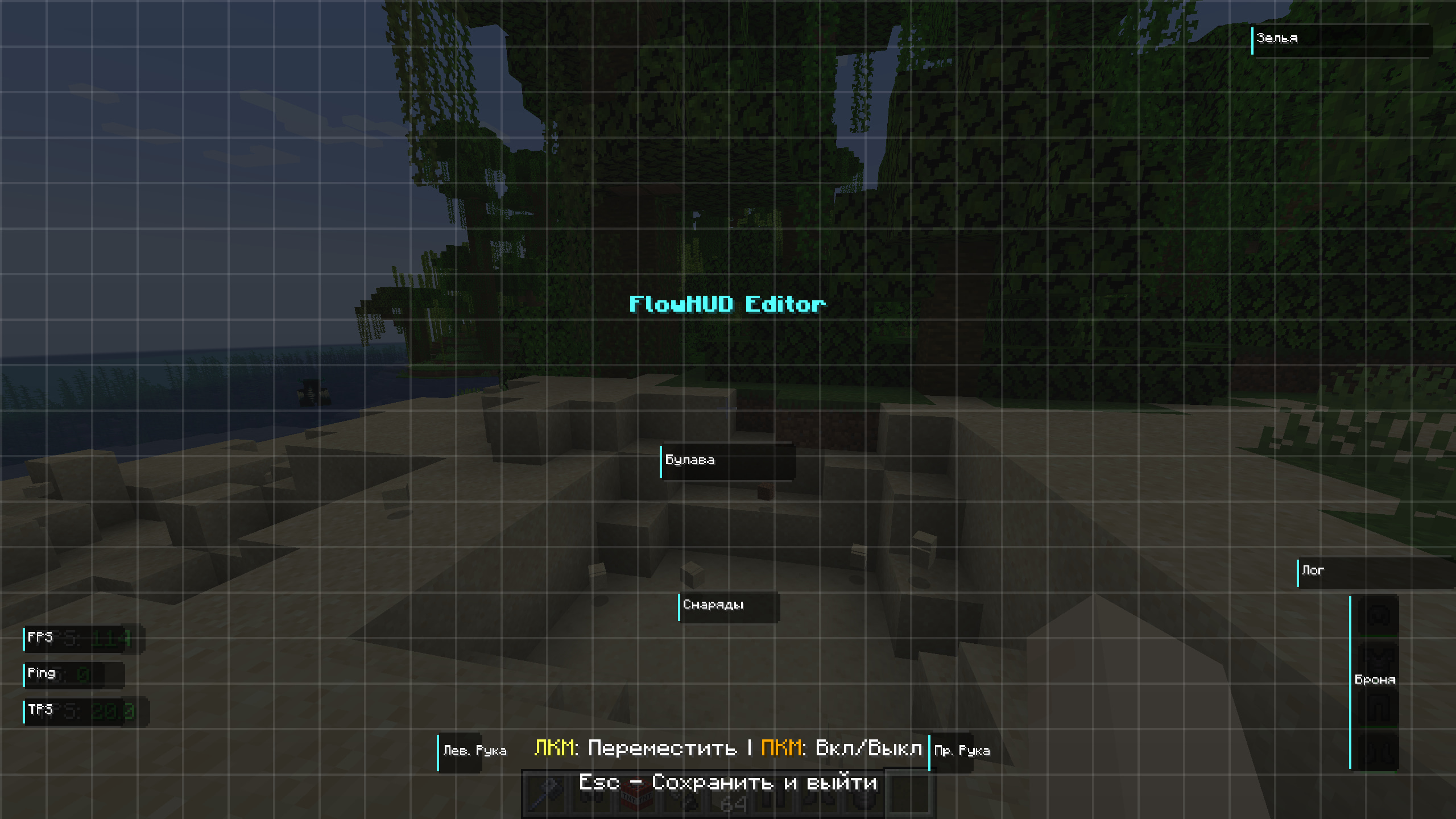 HudEditorScreen
Versions
Files
Relations
Project Relations
More like this
Similar Mods
Suggestions use data such as tags, dependencies, dependents, descriptions, titles, and more to rank how much they overlap with this mod.
On ModDex
Community snapshot
By the numbers
Statistics

Want to reach Minecraft players?
We're looking for a server hosting partner to feature here and other parts of the site. Interested? Send us a message!
Get in touchGet it on
Available Platforms
On ModDex
Community snapshot
By the numbers
Statistics
Resources