
Community listing page, reviews here may not be monitored by the author.
FogBeGone

No reviews yet
Tweak underwater, lava fogs, disable status effect fogs (Blindness & Darkness), and remove Overworld, Nether, End environmental fogs as well as border fog. In short: no fog!
Community voices
Reviews
No reviews yet. Be the first to review this project!
Get it on
Available Platforms
Compatibility
Supported Environments
Runs entirely on the client. Works on vanilla servers.
About
Project Details
For authors
Embed Badge
If you're the author of this project, you can embed a live badge anywhere that supports HTML or Markdown. It updates automatically whenever ratings change.
Use HTML for any page that supports it, or Markdown for README files and Markdown-based descriptions.
Identifiers
Platform IDs
About
Description
FogBeGone is a client-side Fabric mod that lets you customize different types of fog in the game to let you play how you want.
Features
Liquid Fog Controls
- Underwater Fog: Adjust water fog from 0% (completely clear) to 100% (default Minecraft fog).
- Lava Fog: Adjust lava fog from 0% (see clearly through lava) to 100% (default Minecraft fog).
Status Effect Fogs
- Blindness Fog: Turn off the black screen effect caused by Blindness.
- Darkness Fog: Turn off the dark pulsing effect caused by Wardens and the Deep Dark.
Dimension & World Fogs
- Overworld Fog: Remove distant fog in the Overworld.
- Nether Fog: Clear out thick biome fog in the Nether.
- End Fog: Remove fog in The End during the Ender Dragon fight.
- World Border Fog: Remove fog at the edge of your render distance.
Easy Access
- Keybind: Press F9 in-game to open settings instantly (changeable in Options ➔ Controls ➔ Key Binds).
- Mod Menu: Open settings by clicking the gear icon next to FogBeGone in your mod list.
Screenshots
Gallery
-
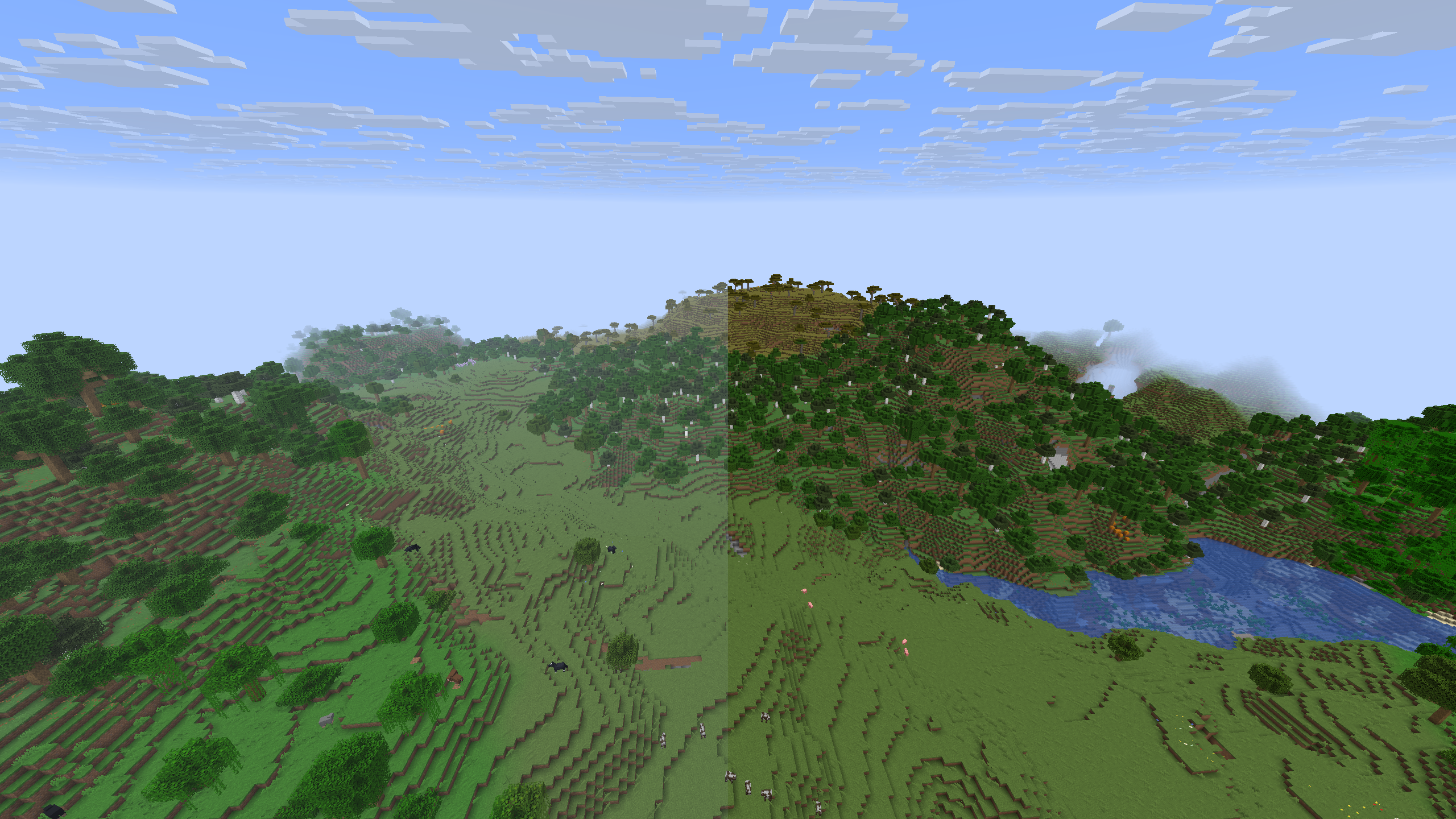 Terrain Fog
 -
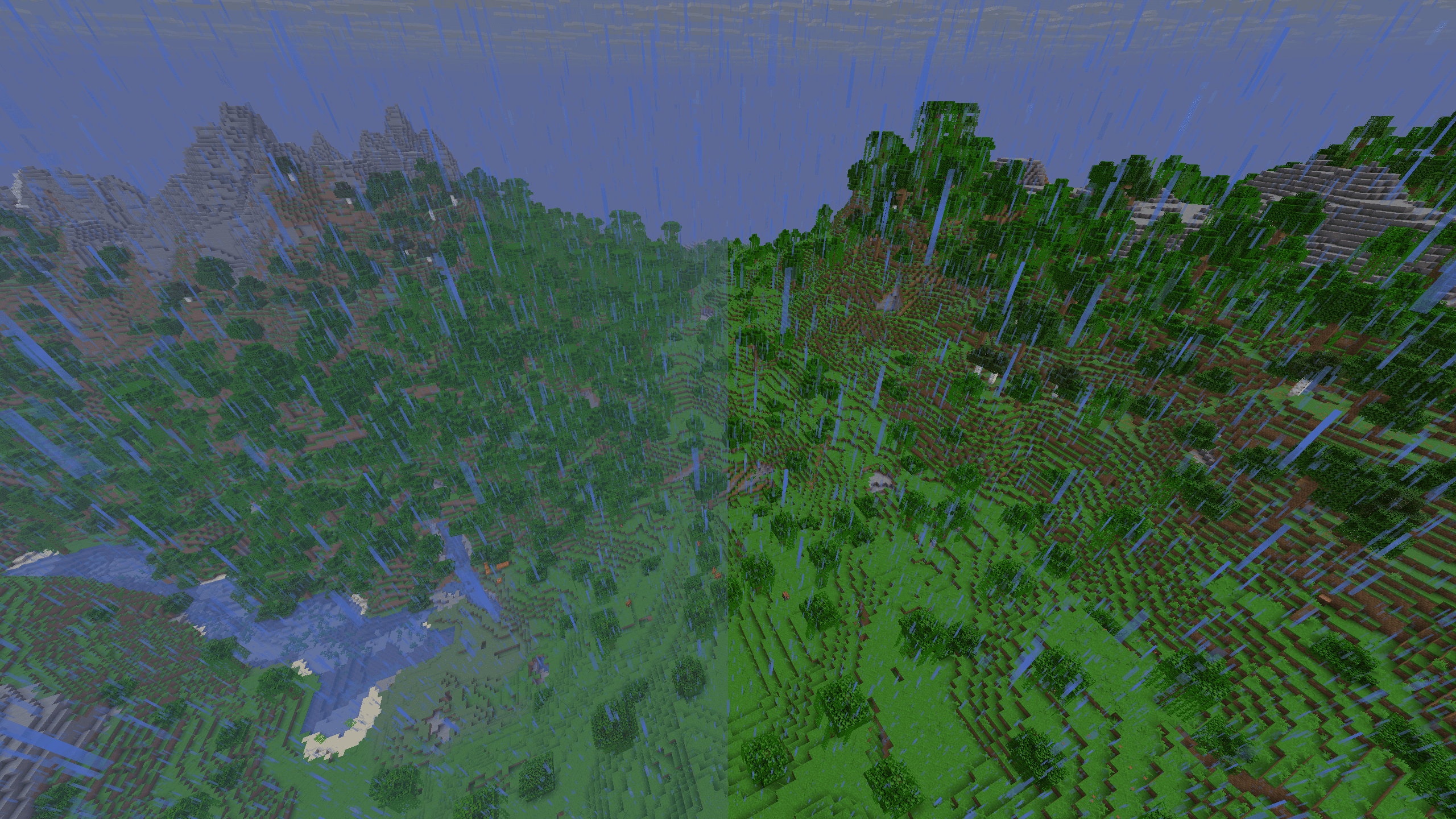 Rain Fog
 -
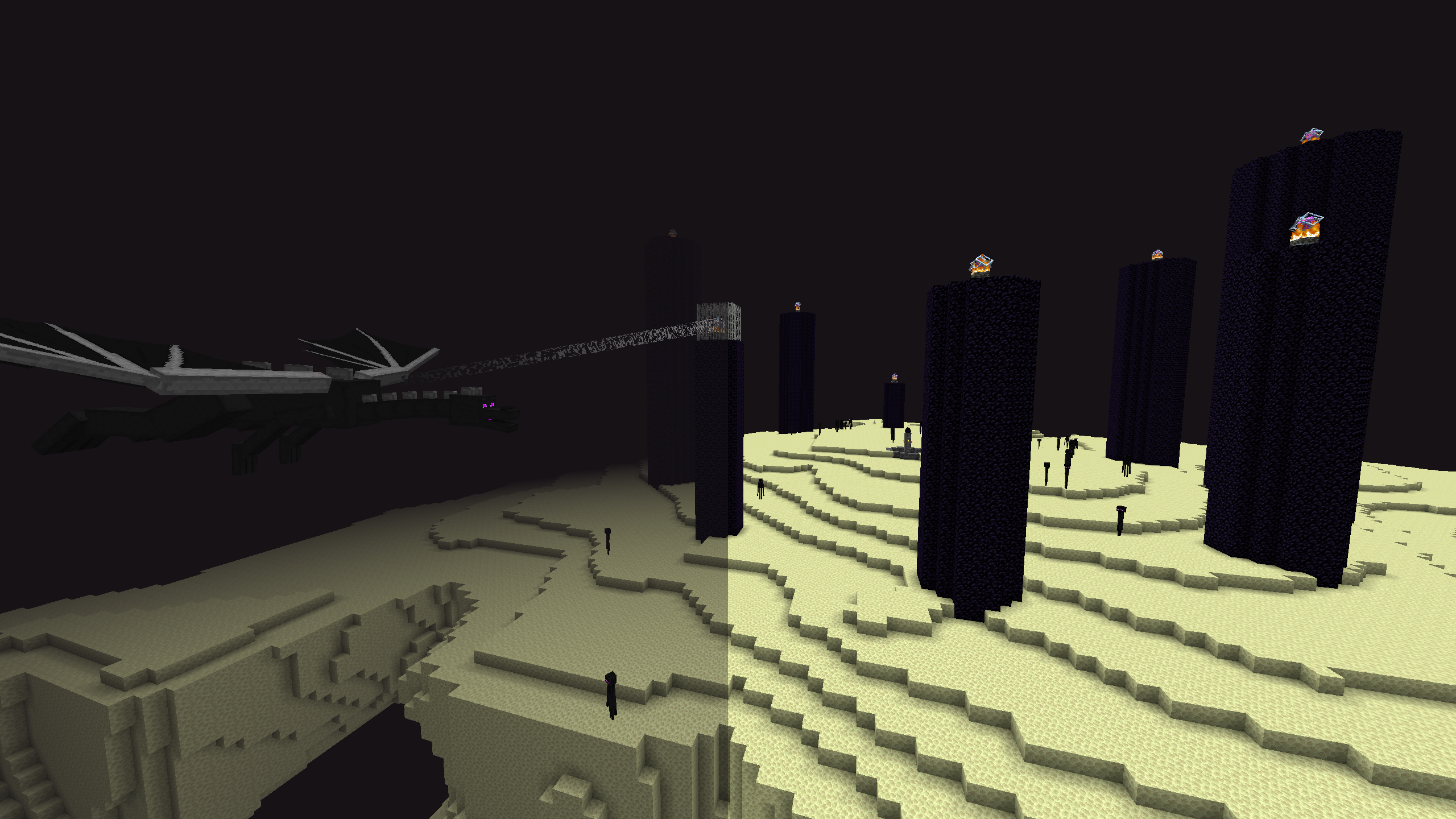 End (Boss) Fog
 -
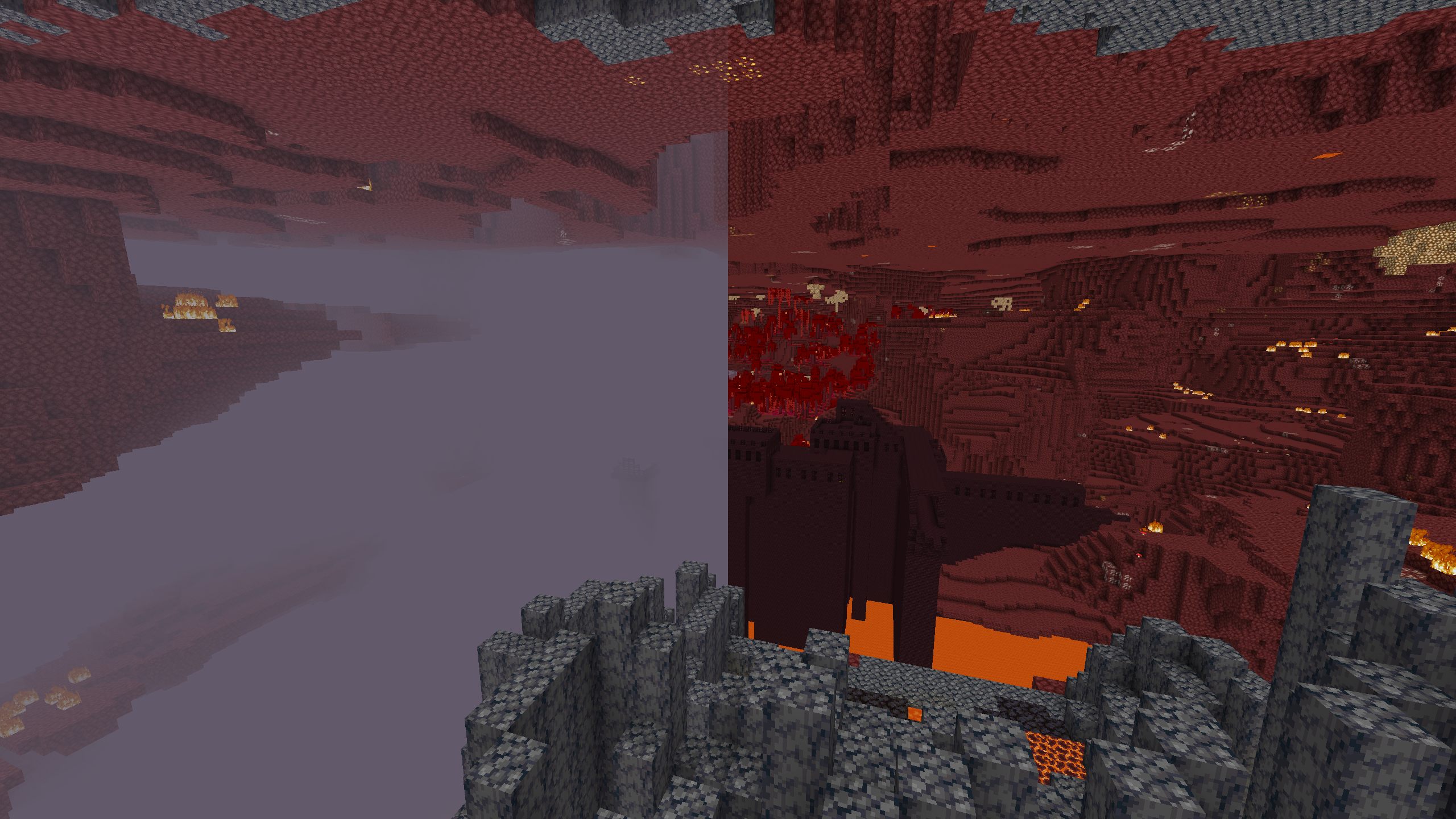 Nether Fog
Versions
Files
Relations
Project Relations
More like this
Similar Mods
Suggestions use data such as tags, dependencies, dependents, descriptions, titles, and more to rank how much they overlap with this mod.
On ModDex
Community snapshot
By the numbers
Statistics

Want to reach Minecraft players?
We're looking for a server hosting partner to feature here and other parts of the site. Interested? Send us a message!
Get in touchGet it on
Available Platforms
On ModDex
Community snapshot
By the numbers