
Community listing page, reviews may not be monitored by the author.
Formidi Bomb & Super TNT Texture + Recipe Pack

No reviews yet
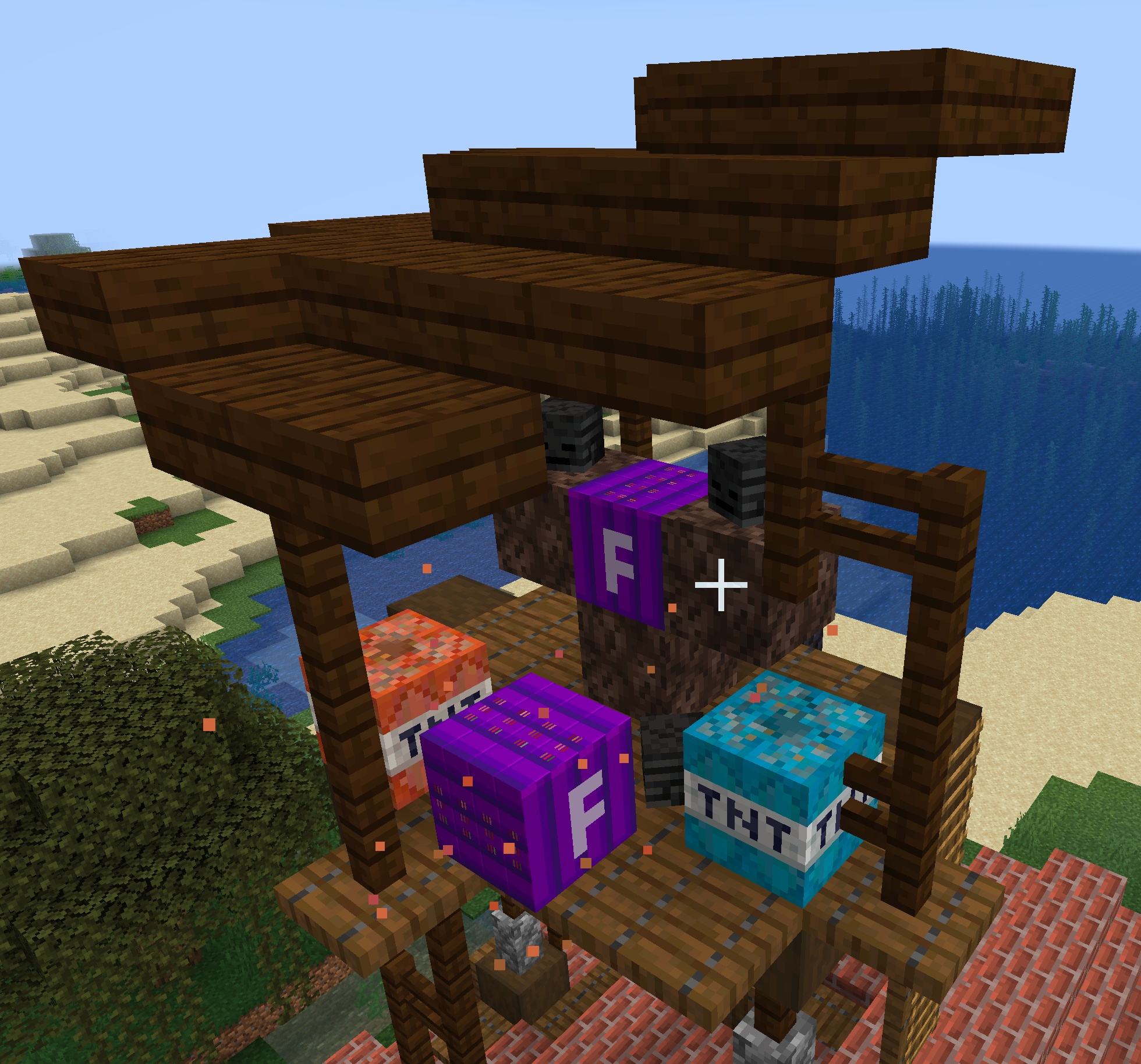
A texture and data pack for the Wither Storm Mod 1.20.1 that changes the Command Block, Super TNT, and Formidi Bomb textures

Community voices
Reviews
No reviews yet. Be the first to review this project!
Get it on
Available Platforms
About
Project Details
For authors
Embed Badge
If you're the author of this project, you can embed a live badge anywhere that supports HTML or Markdown. It updates automatically whenever ratings change.
Use HTML for any page that supports it, or Markdown for README files and Markdown-based descriptions.
Identifiers
Platform IDs
Resources
External Links
About
Description
Formidi Bomb & Super TNT Texture + Recipe Pack Bring a new look and new crafting recipes to the Wither Storm Mod! This project is designed to work with the Wither Storm Mod for Minecraft 1.20.1 and includes custom textures and recipes for the Formidi Bomb, Super TNT, and Command Block. ⚠️ IMPORTANT — YOU NEED BOTH PACKS You MUST install both the Texture Pack AND the Data Pack for everything to work correctly. 🎨 Texture Pack The texture pack changes: The Minecraft Command Block to use the Formidi Bomb textures. The Wither Storm Super TNT to use the blue Super TNT textures. The Wither Storm Formidi Bomb to use the Super TNT textures. 📖 Data Pack The data pack adds two custom crafting recipes: Formidi Bomb Gunpowder | TNT | Gunpowder TNT | Book | TNT Gunpowder | TNT | Gunpowder Command Block Gunpowder | Gunpowder | Gunpowder Gunpowder | Super TNT | Gunpowder Gunpowder | Gunpowder | Gunpowder 📦 Requirements Minecraft Java Edition 1.20.1 Wither Storm Mod This Texture Pack This Data Pack 🔧 Installation Install the required Wither Storm Mod. Put the Texture Pack in your Minecraft resourcepacks folder. Put the Data Pack in your world's datapacks folder. Enable the Texture Pack in Minecraft. Use /reload after installing the Data Pack. Enjoy the new textures and recipes! ⚠️ The Texture Pack and Data Pack are meant to be used together. Installing only one will not give you the full experience.
Screenshots
Gallery
Versions
Files
Relations
Project Relations
More like this
Similar Mods
Suggestions use data such as tags, dependencies, dependents, descriptions, titles, and more to rank how much they overlap with this mod.
On ModDex
Community snapshot
By the numbers
Statistics


Get it on
Available Platforms
On ModDex
Community snapshot
By the numbers
Statistics
Resources