
Community listing page, reviews here may not be monitored by the author.
Fox Nap


No reviews yet
A survival-, multiplayer- and copyright-friendly mod for adding custom music discs to your world
Community voices
Reviews
No reviews yet. Be the first to review this project!
Get it on
Available Platforms
Compatibility
Supported Environments
Must be installed on both the client and the server.
About
Project Details
For authors
Embed Badge
If you're the author of this project, you can embed a live badge anywhere that supports HTML or Markdown. It updates automatically whenever ratings change.
Use HTML for any page that supports it, or Markdown for README files and Markdown-based descriptions.
Identifiers
Platform IDs
About
Description
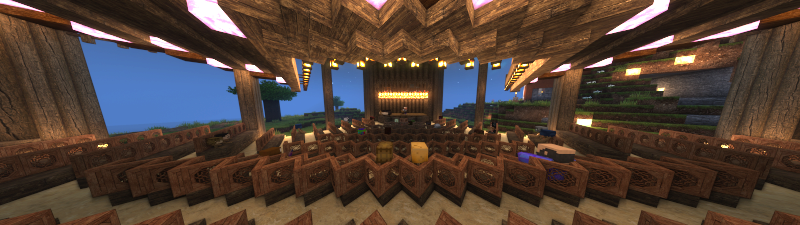
Fox Nap 🦊
A Survival-, Multiplayer- and Copyright-friendly mod for adding custom music to Minecraft
What Is This?
Fox Nap is a simple "Vanilla Plus" mod for adding custom music discs to Minecraft that:
- Does not overwrite the game's built-in music discs
- Enables each player to add as many (or as few) discs as they want, containing their own music
- And still play together on the same server!
The Maestro
All of the mod's custom music discs can be obtained in survival by trading with a new villager profession, The Maestro:
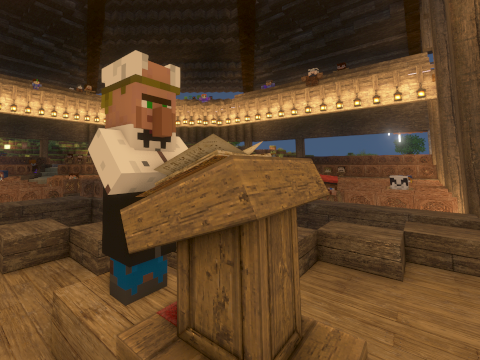
The Maestro uses Jukeboxes as their job site. They pay top dollar for tonewood--stripped blocks of rare wood types--goat horns and non-Fox Nap records. They will in turn sell you a wide variety of playable musical instruments (with textures adopted from the classic mxTune mod) in addition to the mod's custom music discs
Adding Custom Music
Adding your own music to the mod is done through resource and data packs. You can either create these packs manually using pretty much the same process you'd use to overwrite vanilla discs, or you can download the Fox Nap Resource Pack Generator from GitHub and create your own packs from a folder of mp3s (or aacs, of flacs or whatever) with just a single click. You can find full instructions here.
Showcases and Tutorials
Coming soon!
Additional Information
For Minecraft versions prior to 1.19.4, this mod benefits greatly from the [SBM] Jukebox mod. It also includes integrations with BetterEnd.
All assets included in the mod are distributed under the Creative Commons Attribution-ShareAlike 4.0 License unless otherwise stated.
Instrument icons are taken from the mod mxTune by Aeronica.
Instrument sounds are courtesy of Philharmonia's sound sample library.


What is This?
FoxNap is a simple "Vanilla Plus" mod for adding custom music discs to Minecraft.
- Unlike what you can achieve with resource packs alone music discs added via FoxNap do not overwrite the vanilla music discs.
- Unlike similar mods, FoxNap allows you to:
- add as many or as few music discs as you want
- add whatever music you want
- use different music than other players on the same server
- obtain all music discs in survival, via a new villager profession (utilities for modifying creeper / treasure chest loot tables are planned)
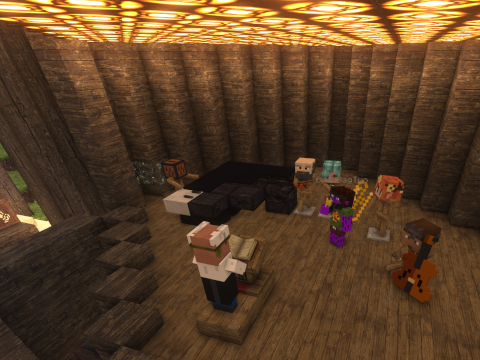
FoxNap also adds custom musical instruments that you can play like goat horns, giving you the creative freedom to stage "live music" performances.
Setup and Customization
This mod comes pre-bundled with seven new music discs:
-
Four tracks performed by PM Music from Lud and Schlatts Musical Emporium
all of which are permissively licensed under the terms specified here (I am redistributing them via this repo and mod under the compatible Creative Commons Attribution-ShareAlike 4.0 License).
If this built-in playlist sounds like your jam, and you have no desire to add anything else, then congrats! This is easy! This is a Fabric mod with builds for 1.19+ and depends only on the Fabric API, so just download the appropriate build to your instance's mods folder, start the game, and go find a village.
But if you're interested in some customization, read on:
Resource Pack Generator
If manually converting mp3s and hand-editing JSON isn't your idea of a fun time, this project provides an alternative in the form of a stand-alone and portable resource pack generator.
Installation
- Download the executable from the release page that matches your operating system and your version of the mod.
- Depending on your operating system and security settings, you may need
to explicitly make the resource pack generator executable (on *nix systems,
you can do this from a terminal by running
chmod u+x /path/to/FoxNapRPGor by going into Properties in most file managers).
Generating Resource and Data Packs
Place the generator executable in an empty folder, then move any music you
want to turn into records into that folder. There is no limit to the
number of tracks you can include, and they do not need to be pre-converted
to Ogg. The only requirement is that
the files have to be
decodable by ffmpeg.
Pro Tip: if your music files include metadata, the title and artist name will get automatically extracted, and any album art will be used to help generate the music disc texture.
When you're ready, simply double-click the FoxNapRPG executable. A terminal window may pop
up showing progress of the resource pack creation, and before you know it you should have some
new files in your current directory:
FoxNapRP.zipis the resource pack containing all your converted songs and music disc textures, and you can throw that into your MinecraftresourcepacksfolderFoxNapDP.zipis the datapack that defines all the properties of the tracks themselves. You'll need to put this pack into thedatapacksfolder of any world where you want to use your music (see note below about multiplayer).foxnap.yamlneeds to go into your Minecraftconfigfolder. This tells the game how many music discs to enable for you.
Advanced Options: Command-Line Options
You can also run the generator from the command-line, which will give you access to a bunch of additional customization options, such as setting the directories to search for music or the locations the generated resource pack and mod config should be saved.
For further details, run:
$ ./FoxNapRPG --help
from the folder where you saved the generator executable.
What About Multiplayer?
When playing on a server, it's the server's datapacks and config file that will dictate:
- how long each song will play
- the redstone signal strength coming out of jukeboxes playing each disc
- the number of tracks available from the Maestro
but it's each player's resource pack and config file that will control:
- the songs that each disc will play
- the appearance (and description) of each disc
- which discs show up as "placeholder" records
Explicitly:
- if the server has a greater number of discs specified than both what you've specified in your config, some discs will show up for you with placeholder textures and sound files
- if you have more discs in your resource pack than are set on the server, then not all tracks will be available in your shared game
- some music discs may continue silently after a song ends, and some might cut off
Beyond the number of discs, though, there's no reason why every player can't come online with a completely custom playlist of songs with similar lengths!
Obtaining Records and More!
So now that you've registered these custom records to the game, how do you actually get them?
Outside of commands (e.g. /give @s foxnap:track_1) and Creative Mode, the sole way to obtain
FoxNap records is by trading with The Maestro, a new villager who has a Jukebox as a job site
(note
that The Maestro does not currently spawn naturally, but this feature is planned).

The Maestro will pay top dollar for tonewood--stripped blocks of rare wood types--goat horns and non-FoxNap records and sells, alongside your custom music discs, a wide variety of playable musical instruments (with textures adopted from the classic mxTune mod).
Disabling The Maestro
If you'd prefer not to add The Maestro to your game (and would like to obtain your music discs
in some other way, such as a datapack), you can disable this part of the mod by editing your
foxnap.yaml config file and adding the following line:
enable_maestro: false
Fox Nap Vanilla
With the release of Minecraft 1.21, music discs are now entirely data-driven! As such, the resource and datapacks generated by the Fox Nap Resource Pack Generator are entirely compatible with the vanilla game. Details can be found on the wiki.
Contributing
Find a bug? Have a suggestion or a question? Want to contribute a new feature or enhancement? Open an issue!
License and Acknowledgements
All code in this repository is licensed under GPLv3.
Builds of the FoxNap Resource Pack Generator (FoxNapRPG) include binaries of
ffmpeg which is licensed under
the GNU Lesser General Public License (LGPL) version 2.1
or later and incorporates components licensed under
the GNU General Public License (GPL) version 2
or later.
All assets in this repository are distributed under the Creative Commons Attribution-ShareAlike 4.0 License unless otherwise stated.
Instrument icons are taken from the mod mxTune by @AeronicaMC.
Instrument sounds are courtesy of Philharmonia's sound sample library.
Many thanks to @FoundationGames for making the code of his awesome Sandwichable mod so easy to understand and learn from, and similarly to Modding by Kaupenjoe for his awesome and detailed tutorials on Minecraft modding, in this case his tutorial for adding a custom villager profession.
Also shouting out @Siphalor and Reddit's jSdCool for this conversation on adding non-mod external libraries to a Fabric mod. It should not have been this hard to add the SnakeYAML library to a mod.







Screenshots
Gallery
-
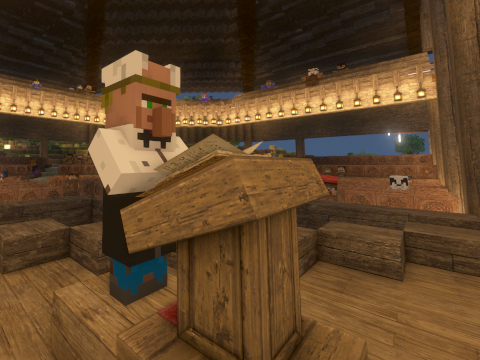 The Maestro Instruments and custom music discs are obtainable by trading with a custom villager profession
 -
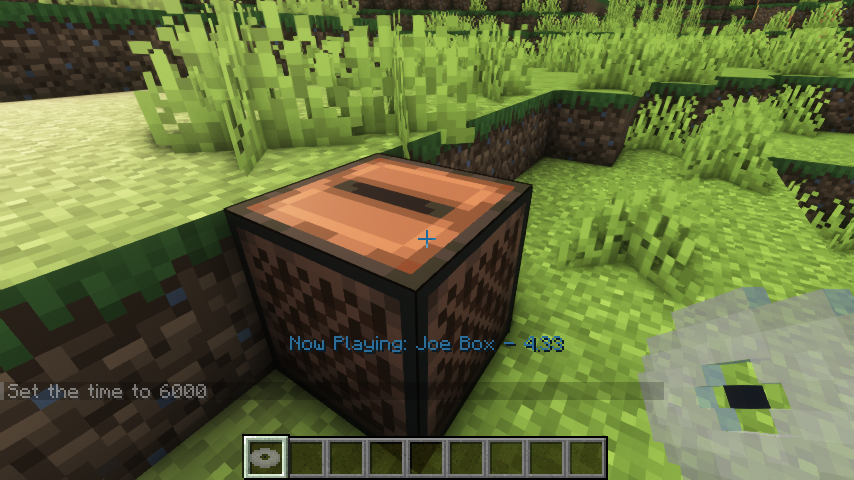 The Sound of Silence This mod is meant for multiplayer. To handle times where not everyone has the same number of tracks, discs disabled by the client will render and play using placeholder assets
 -
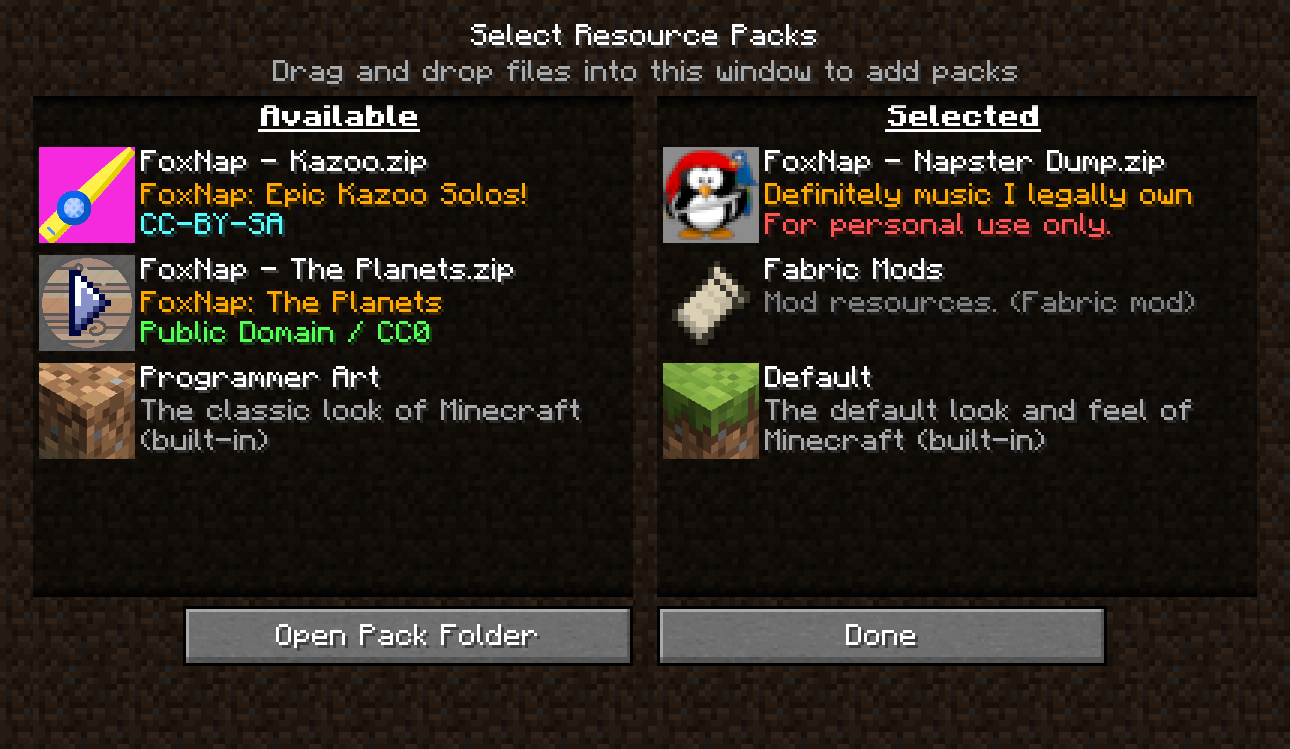 To Each Their Own Create your own playlists from your music library, directly on your own computer, using the Fox Nap Resource Pack Generator.
 -
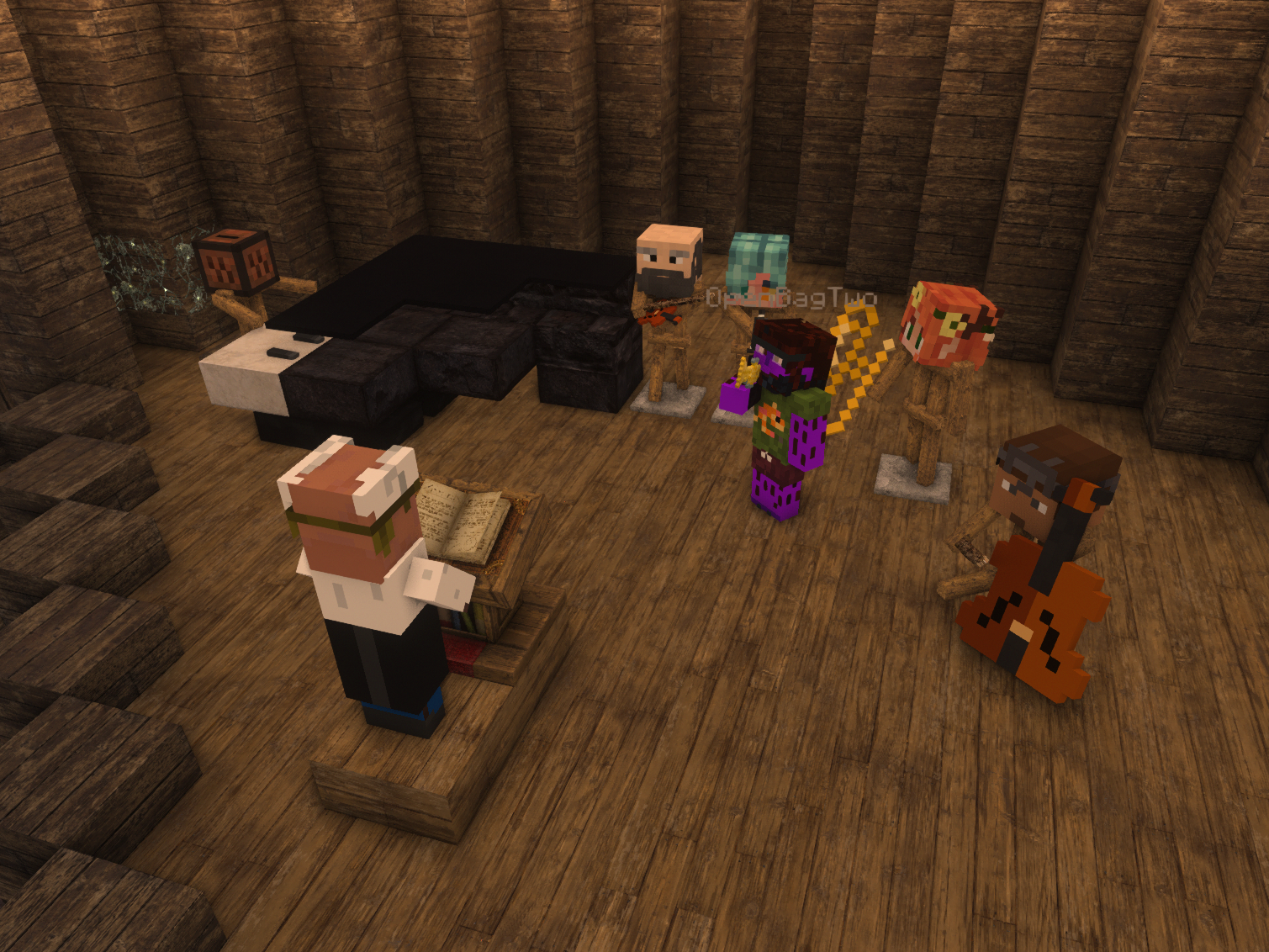 Build Your Own Orchestra In addition to music discs, this mod adds orchestral instruments to the game, using textures from the mxTune mod
-
 Build Your Own Orchestra In addition to music discs, this mod adds orchestral instruments to the game, using textures from the classic mxTune mod
 -
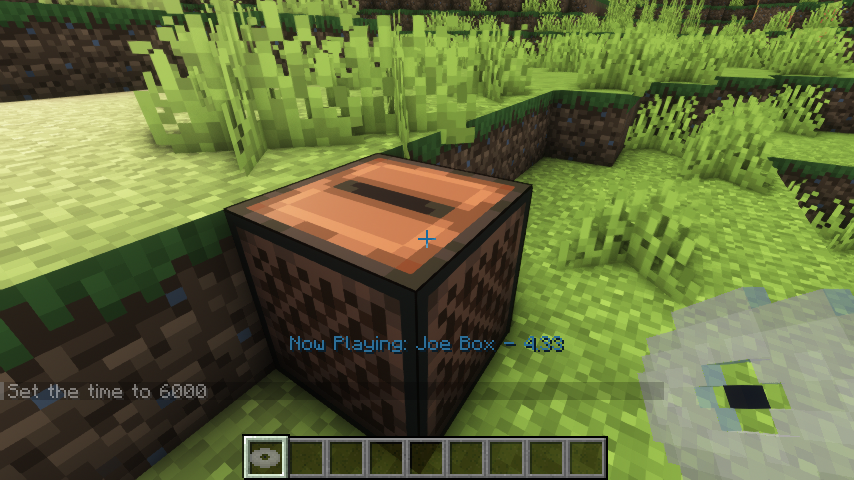 The Sound of Silence This mod is meant for multiplayer. To handle times where not everyone has the same number of tracks, discs disabled by the client will render and play using placeholder assets
 -
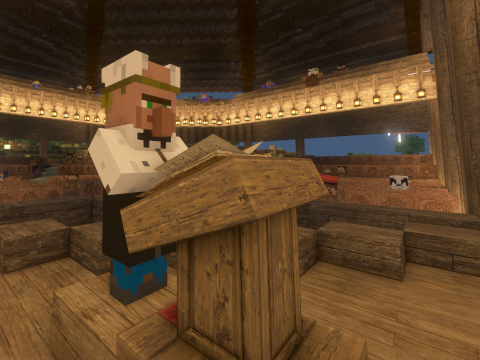 The Maestro Instruments and custom music discs are obtainable by trading with a custom villager profession
 -
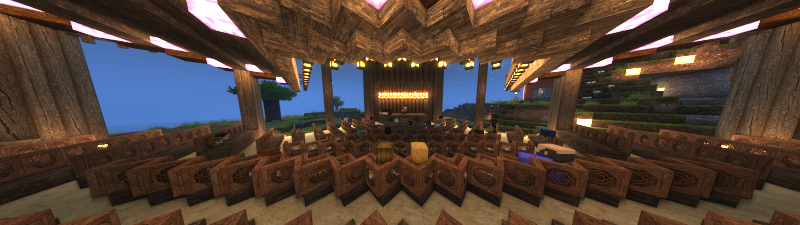 The Fox Nap Center for the Performing Arts My reason for making the mod--an outdoor concert venue in my survival world
 -
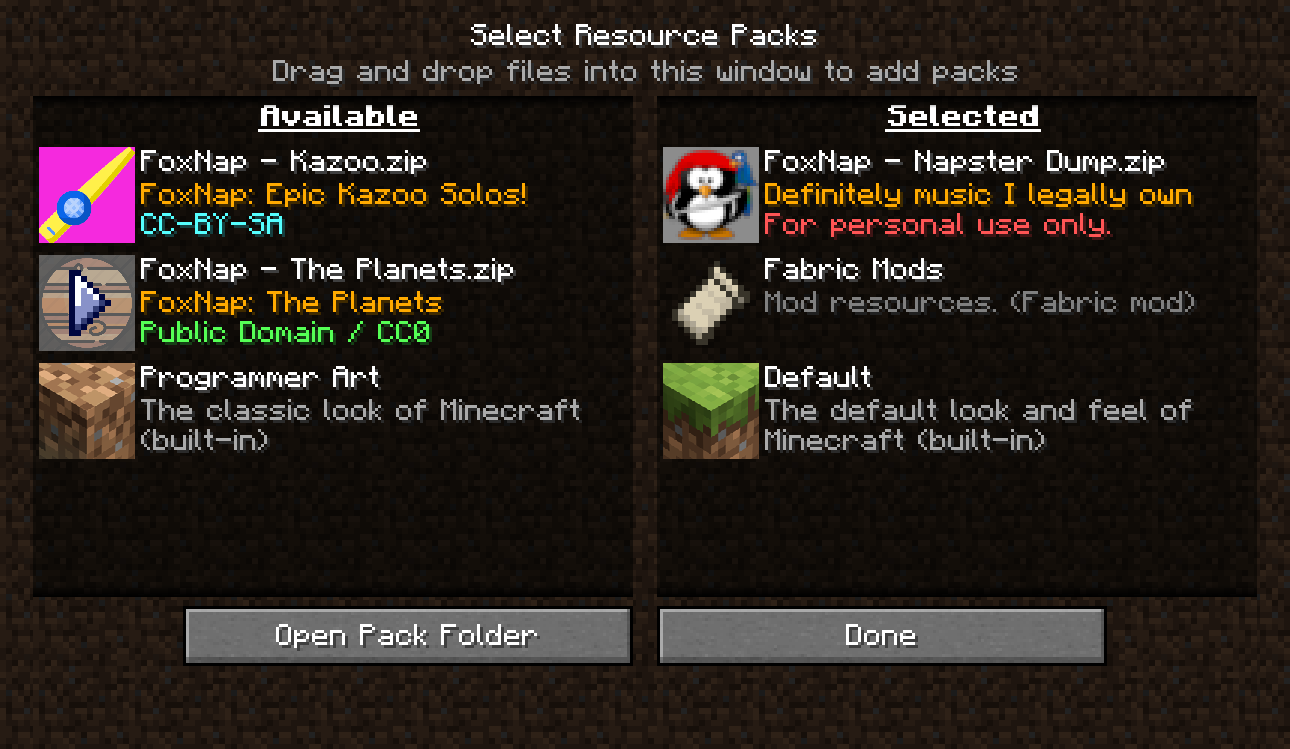 To Each Their Own Create your own playlists from your music library, directly on your own computer, using the Fox Nap Resource Pack Generator.
Versions
Files
Relations
Project Relations
More like this
Similar Mods
Suggestions use data such as tags, dependencies, dependents, descriptions, titles, and more to rank how much they overlap with this mod.
On ModDex
Community snapshot
By the numbers
Statistics
Want to reach Minecraft players?
We're looking for a server hosting partner to feature here and other parts of the site. Interested? Send us a message!
Get in touchGet it on
Available Platforms
On ModDex
Community snapshot
By the numbers