
Community listing page, reviews may not be monitored by the author.
FPS Benchmark | Performance Suite


No reviews yet
Cinematic auto-benchmark for Minecraft. One-click Base run is built for everyone - 3 minutes, then a clean FPS results table (Markdown + JSON). 40 deeper stress tests cover particles, entities, redstone, lighting, chunks, memory.

Community voices
Reviews
No reviews yet. Be the first to review this project!
Get it on
Available Platforms
Compatibility
Supported Environments
Runs entirely on the client. Works on vanilla servers.
About
Project Details
For authors
Embed Badge
If you're the author of this project, you can embed a live badge anywhere that supports HTML or Markdown. It updates automatically whenever ratings change.
Use HTML for any page that supports it, or Markdown for README files and Markdown-based descriptions.
Identifiers
Platform IDs
Resources
External Links
About
Description
FPS Benchmark | Performance Suite
FPS Benchmark | Performance Suite is a one-click cinematic FPS benchmarking suite for Minecraft.
Press Run Base Benchmark, and the mod will automatically create a temporary benchmark world, move the camera through a scripted cinematic stress sequence, collect performance metrics, and generate clean reports. No setup, no manual flying, no watching the F3 screen.
Available for: Fabric
NeoForge: coming soon
One-Click Base Benchmark
Open the in-game benchmark menu, press Run Base Benchmark, and let the mod do the rest.
The base benchmark is designed for regular players who want a simple, repeatable and comparable performance result.
- Creates an isolated temporary world with a deterministic seed
- Keeps your existing saves untouched
- Runs a scripted cinematic benchmark for about 3 minutes
- Passes through multiple performance-heavy scenes
- Measures FPS, frame time, tick time, memory usage and GC activity
- Generates clean benchmark reports when finished
- Shows a 3DMark-style summary screen in-game
No setup, no commands, no manual testing. Just press one button and compare the result.
Clean Benchmark Reports
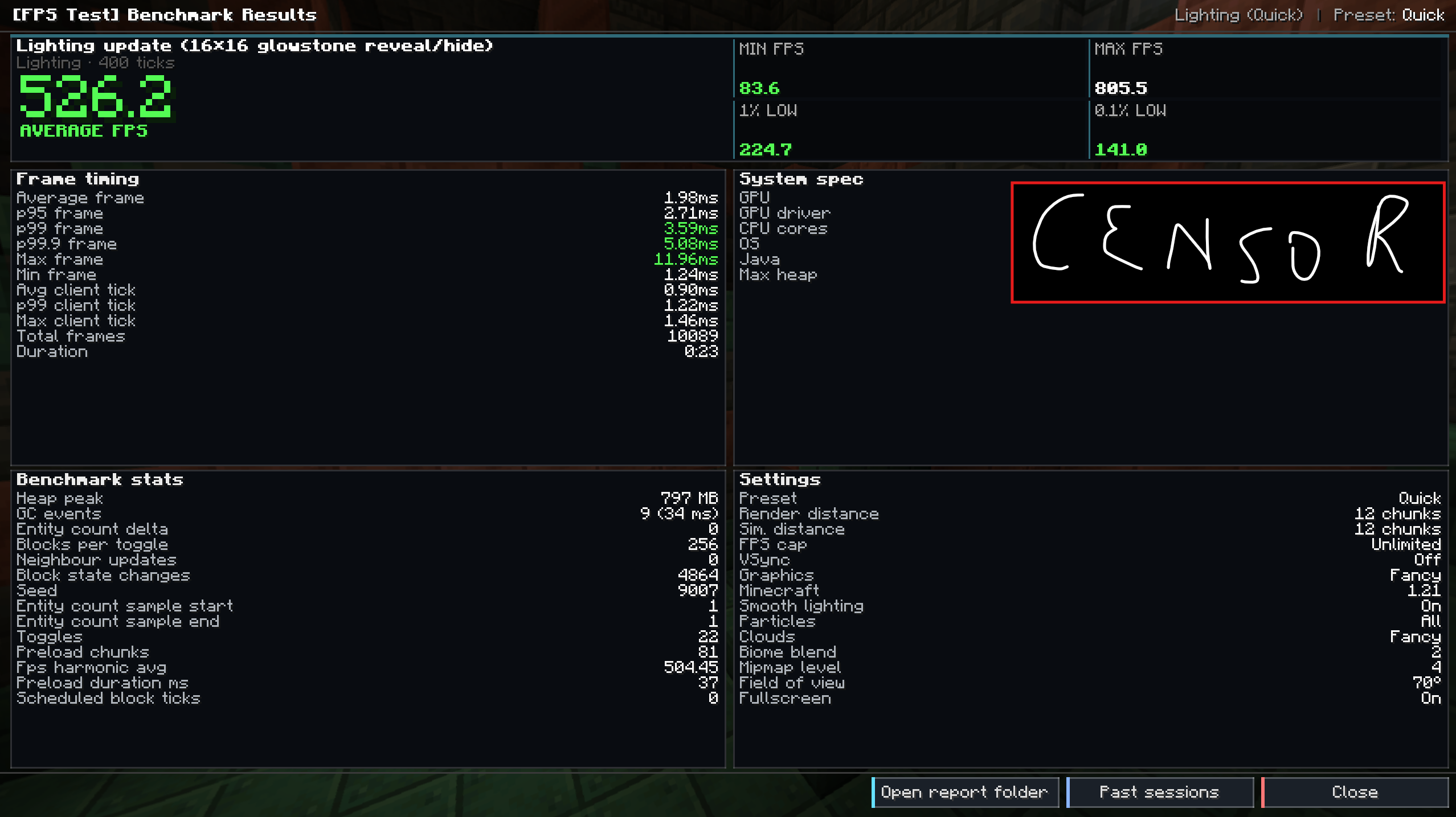
Every benchmark session creates a report folder:
fpstest-reports/<sessionId>/
Generated files include:
| File | Format | Contents |
|---|---|---|
report.md |
Markdown | Human-readable benchmark table, FPS graphs and frame-time histograms |
report.json |
JSON | Full machine-readable benchmark data |
fps.csv / session.csv |
CSV | Data for Excel, LibreOffice, Pandas or other tools |
system.json |
JSON | Minecraft version, OS, CPU, Java version, GPU vendor and renderer |
The main output is report.md: a clean table with average FPS, 1% low, 0.1% low, p99 frame time, tick time, heap usage and GC time.
You can paste the report directly into Discord, GitHub, mod reviews or performance comparisons.
The mod can also compare two saved benchmark sessions and generate:
compare-A-vs-B.md
with clear per-scenario performance deltas.
Advanced Benchmark Scenarios
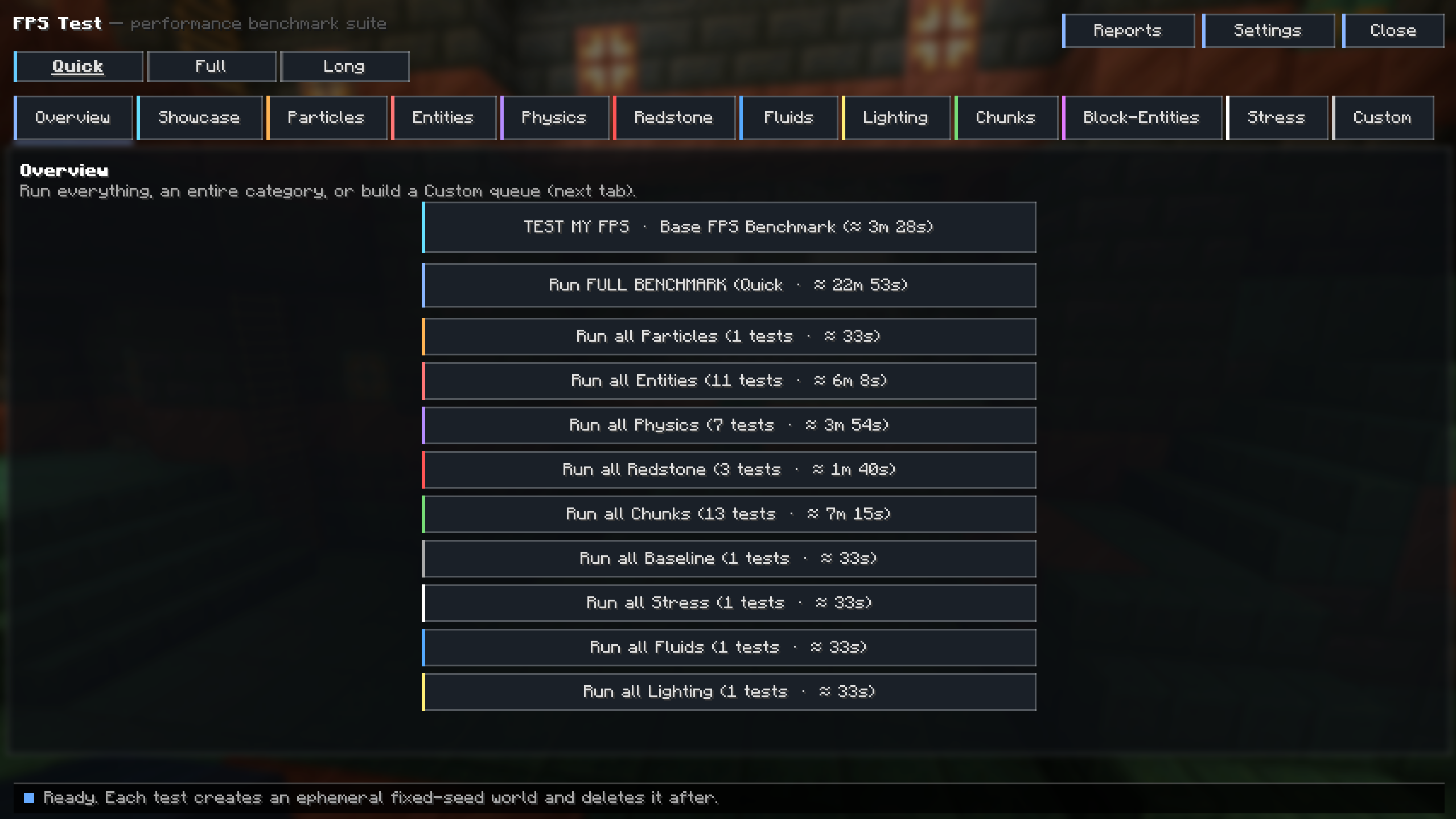
Besides the base benchmark, the mod includes 41 deeper benchmark scenarios across 12 categories for users who want more detailed performance analysis.
| Category | Scenarios |
|---|---|
| Showcase | 3-minute cinematic flyby across 8 biomes |
| Baseline | Empty flat world for clean render measurement |
| Particles | 7 particle types, all-particles run and particle quarry |
| Entities | Cows, sheep, zombies, pigs, villagers, chickens, items, XP orbs, zombie maze and item merge storm |
| Physics | TNT fields, falling sand runs and projectile storm |
| Redstone | Observer clocks, dust grid and piston-slime array |
| Fluids | Fluid spread benchmark |
| Lighting | Lighting update churn |
| Block Entities | Hopper grid and comparator storage |
| Entity AI | 80-villager village with active AI |
| Static Render | Dense forest render benchmark |
| Chunk Flyby | Flyby through 12 different biomes |
Duration Presets
- Quick — about 36 seconds
- Full — about 80 seconds
- Long — about 225 seconds
Measured Metrics
FPS Benchmark records practical performance data, including:
- Average FPS
- Harmonic mean FPS
- 1% low FPS
- 0.1% low FPS
- p99 frame time
- Average and maximum client tick time
- Heap usage and peak heap usage
- GC events and GC time
It also tracks additional server-side counters using mixin instrumentation:
- Scheduled block ticks
- Scheduled fluid ticks
- Block-state changes
- Neighbour updates
- Section rebuilds
- Explosions
- Falling-block landings
Live HUD Overlay
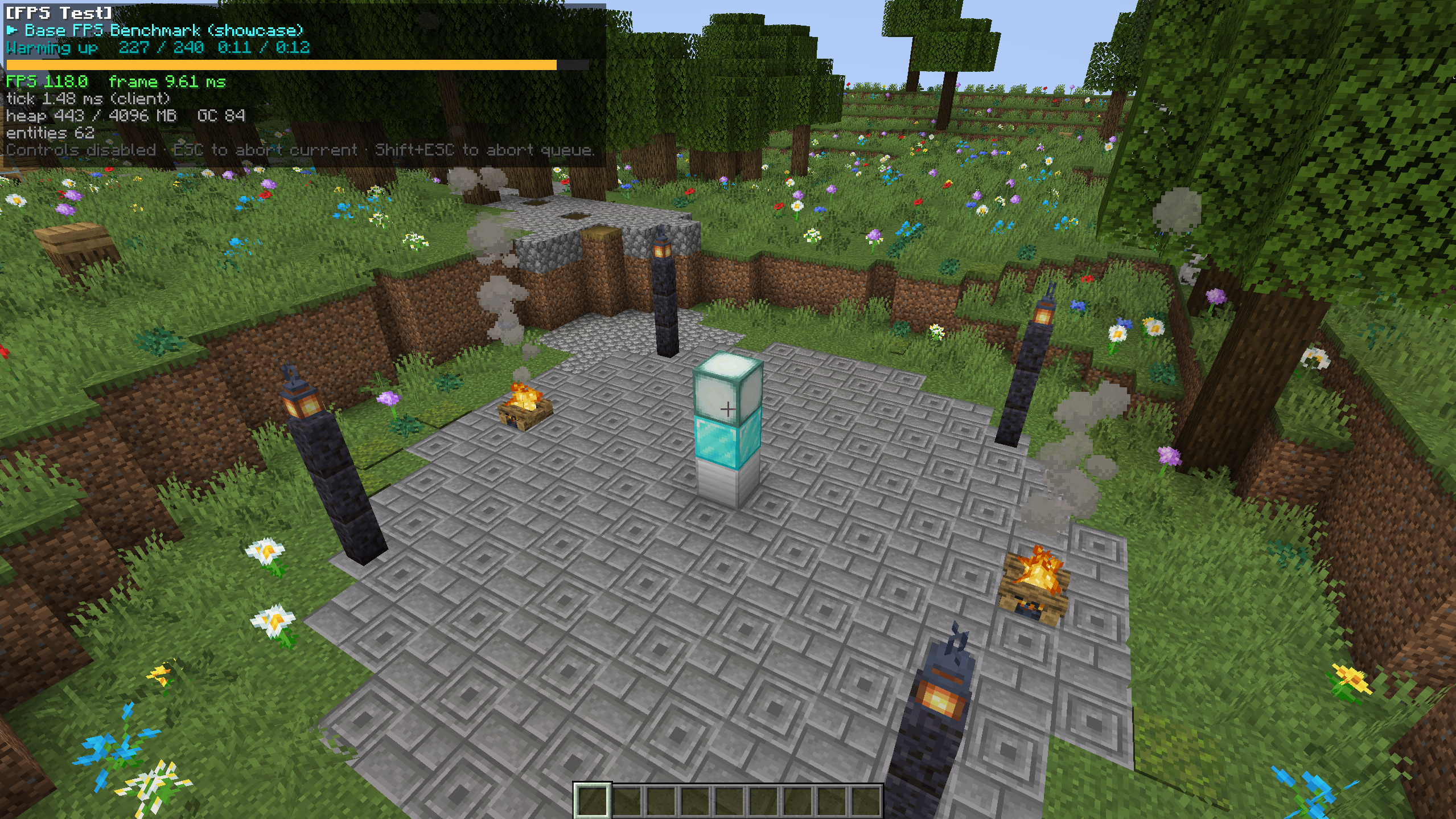
During benchmark runs, the mod can show a configurable live overlay with:
- FPS
- Frame time
- Tick time
- Heap usage
- Entity count
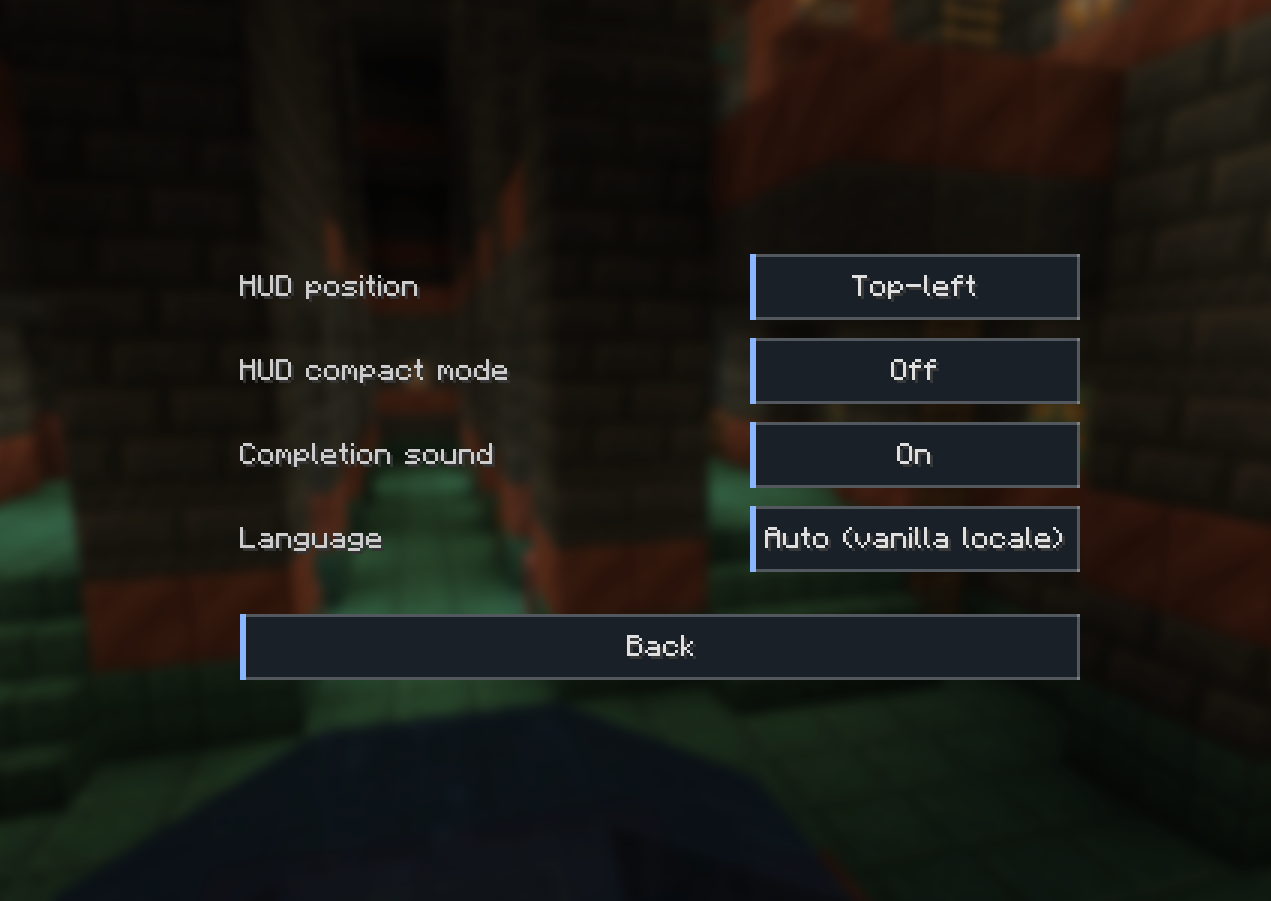
The overlay supports 4 anchor positions, compact mode and customizable visibility options.
Controls
- ESC — abort the current benchmark scenario
- Shift + ESC — abort the entire queue
Languages
The mod includes 8 built-in locales:
- English
- Русский
- Українська
- Español
- Français
- Deutsch
- 中文
- 日本語
Requirements
- Minecraft: 1.21
- Loader: Fabric Loader 0.16.0+
- Required dependency: Fabric API
- Java: Java 21
Other Minecraft versions are planned.
This is a client-side mod. No server installation is required.
License
This project is licensed under the MIT License.
You may fork, modify and redistribute the source code, as long as attribution is preserved.
Please do not re-upload compiled .jar files to other hosting sites without permission. Link to the official project page instead.
FPS Benchmark is a one-click cinematic FPS benchmarking suite for Minecraft. Press Run Base Benchmark and the mod creates a temporary world, drives the camera through a scripted 3-minute stress sequence, and writes you a clean results table — no setup, no flying around with F3 open.
Fabric NeoForge(Soon)
For tinkerers, 40 deeper stress tests are available too: particles, entities, redstone, lighting, chunk loading and memory each get a dedicated run.
One-click Base Benchmark
Open the in-game menu, press Run Base Benchmark, walk away.
- The mod creates an isolated temporary world with a deterministic seed (your saves are not touched).
- Drives the camera along a scripted cinematic path for ~3 minutes through 8 different stress scenes.
- Collects FPS, frame-time, tick-time, heap and GC metrics.
- Writes a tidy results table (Markdown + JSON) the moment it's done.
- Shows you a 3DMark-style summary screen right away.
This run is designed for regular players — no setup, no math, just a clear number you can compare against friends or your own previous run.
A clean results table, not a wall of numbers
Every run produces a folder in fpstest-reports/<sessionId>/:
| File | Format | What's inside |
|---|---|---|
report.md |
Markdown | Human-readable table, ASCII FPS graphs, frame-time histograms |
report.json |
JSON | Machine-readable: every test, every metric, every per-frame sample |
fps.csv / session.csv |
CSV | Drop straight into Excel or Pandas |
system.json |
JSON | MC version, OS, CPU, Java, GPU vendor / renderer |
The Markdown report is the headline output: a table listing every test with avg FPS, 1% low, 0.1% low, p99 frame time, tick time, heap and GC time. Paste it straight into Discord or a mod review.
Compare two saved sessions with one click — the mod writes compare-A-vs-B.md showing per-test deltas.
Beyond Base — 41 tests across 12 categories
| Category | Tests |
|---|---|
| Showcase | 3-min cinematic flyby across 8 biomes |
| Baseline | empty flat world (clean render measurement) |
| Particles | 7 particle types + ALL_TOGETHER + particle quarry |
| Entities | cows, sheep, AI zombies, pigs, villagers, chickens, items, XP orbs (200–500 each), zombie maze, items merge storm |
| Physics | TNT field × 2, falling sand × 4, projectile storm |
| Redstone | 6×6 observer clocks, dust grid, piston-slime array |
| Fluids | fluid spread |
| Lighting | lighting update churn |
| Block-Entities | hopper grid, comparator storage |
| Entity AI | 80-villager village with brain on |
| Static Render | dense forest |
| Chunk flyby | 12 different biomes |
Three duration presets per test: Quick (~36 s), Full (~80 s), Long (~225 s).
What gets measured
- FPS — average, harmonic mean, 1% low, 0.1% low, p99 frame time
- Client tick time — avg / max
- Memory — heap, peak heap, GC events, GC time
- Server-side counters (mixin-instrumented) — scheduled block ticks, scheduled fluid ticks, block-state changes, neighbour updates, section rebuilds, explosions, falling-block landings
Live HUD overlay
A configurable overlay during runs — FPS / frame ms / tick ms / heap / entities. 4 anchor positions, compact mode, customisable visibility.
Controls
- ESC — abort the current test
- Shift + ESC — abort the entire queue
Languages
8 locales out of the box: English, Русский, Українська, Español, Français, Deutsch, 中文, 日本語.
Requirements
- Minecraft 1.21 other versions in plans
- Fabric Loader ≥ 0.16.0
- Fabric API
- Java 21
Client-side mod. No server install needed.
License
MIT License — fork, modify, redistribute, just keep the attribution.
Re-uploads of the compiled .jar to other hosting sites without permission are not allowed under Modrinth's content rules. Please link to this page instead.
Screenshots
Gallery
-
Results
-
 Presets
 -
 Settings
 -
 Test
Test -
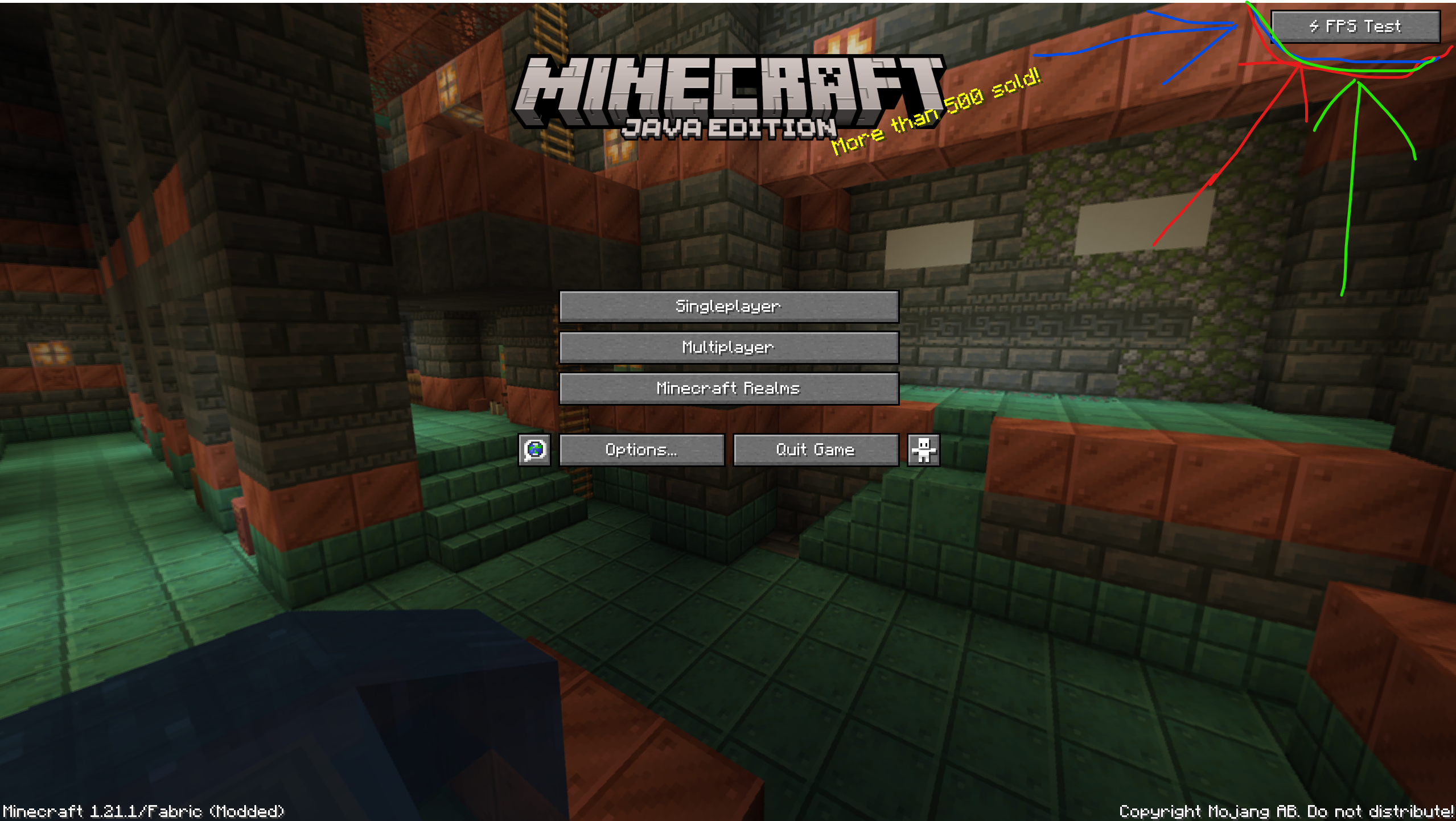 Where is button?
 -
 Button
-
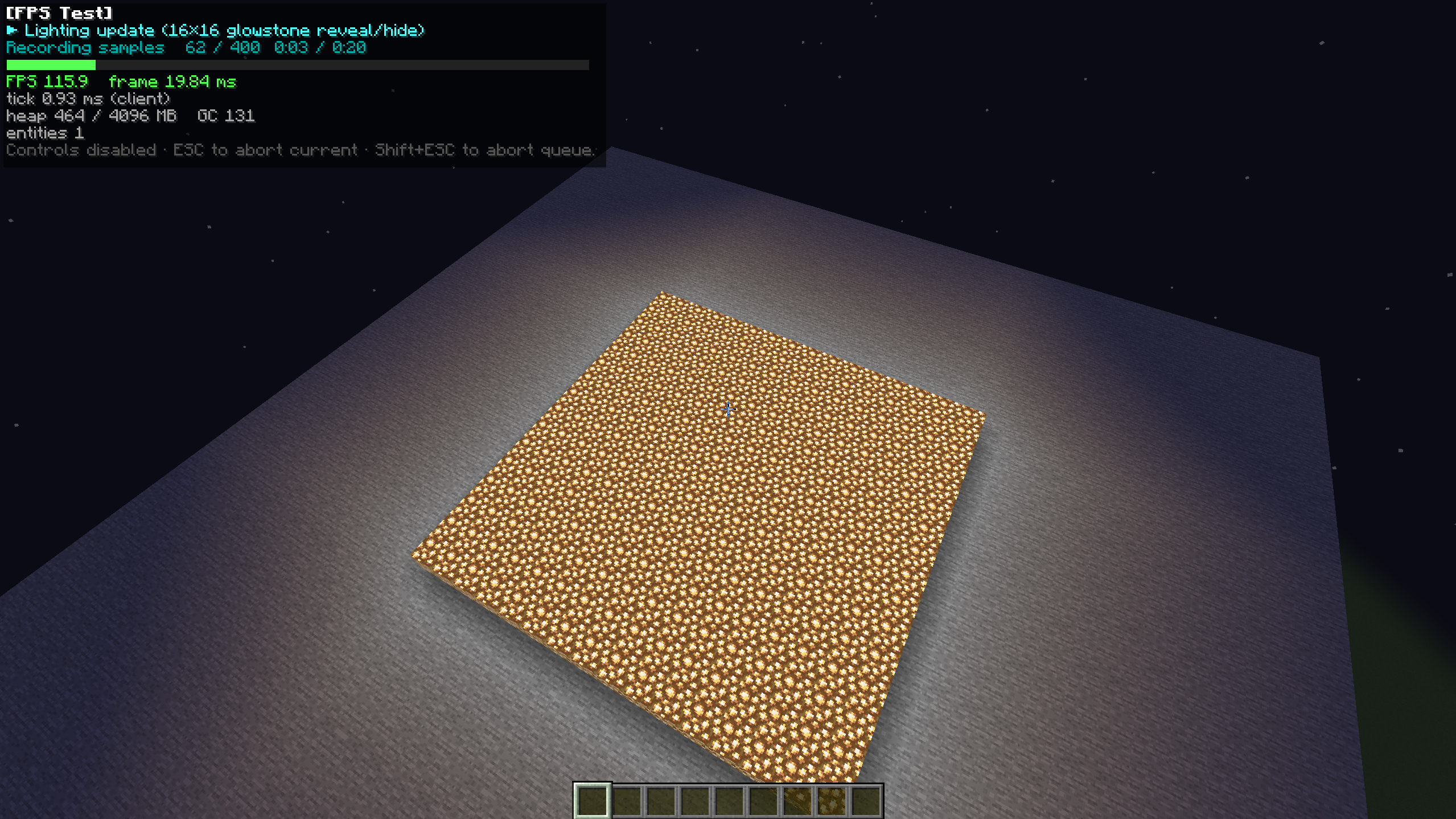 Samples
 -
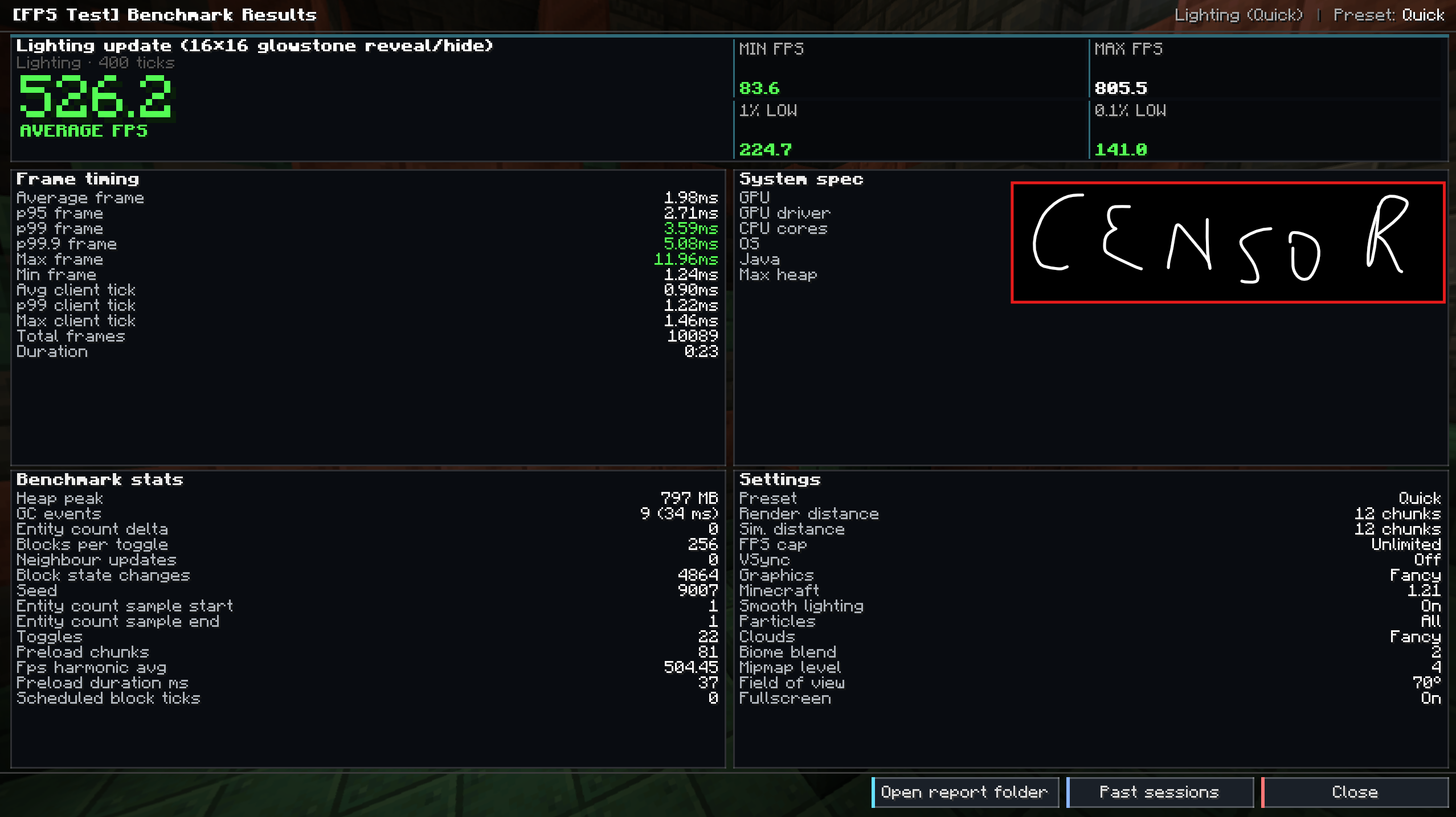 Results
 -
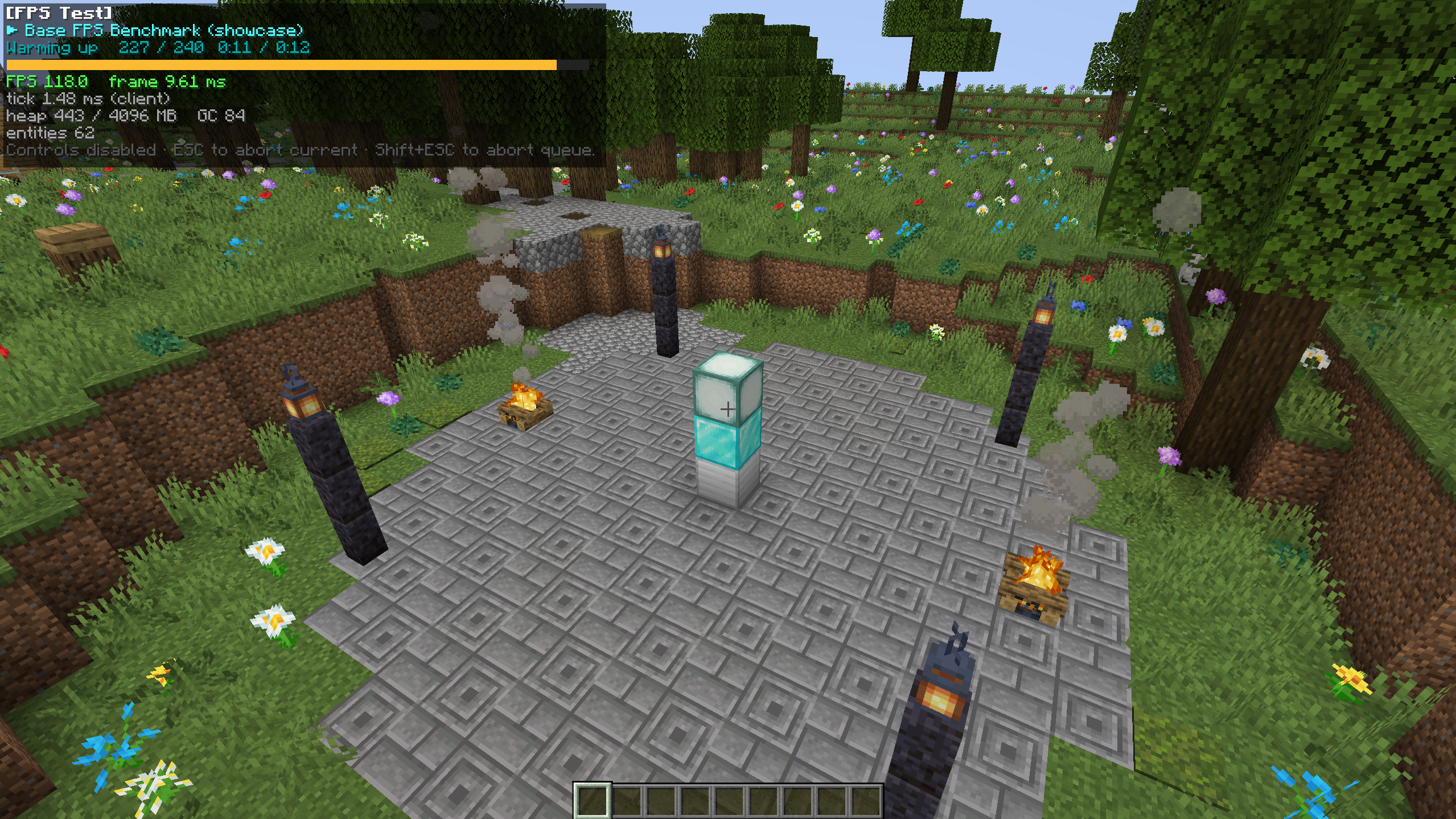 Warming up
 -
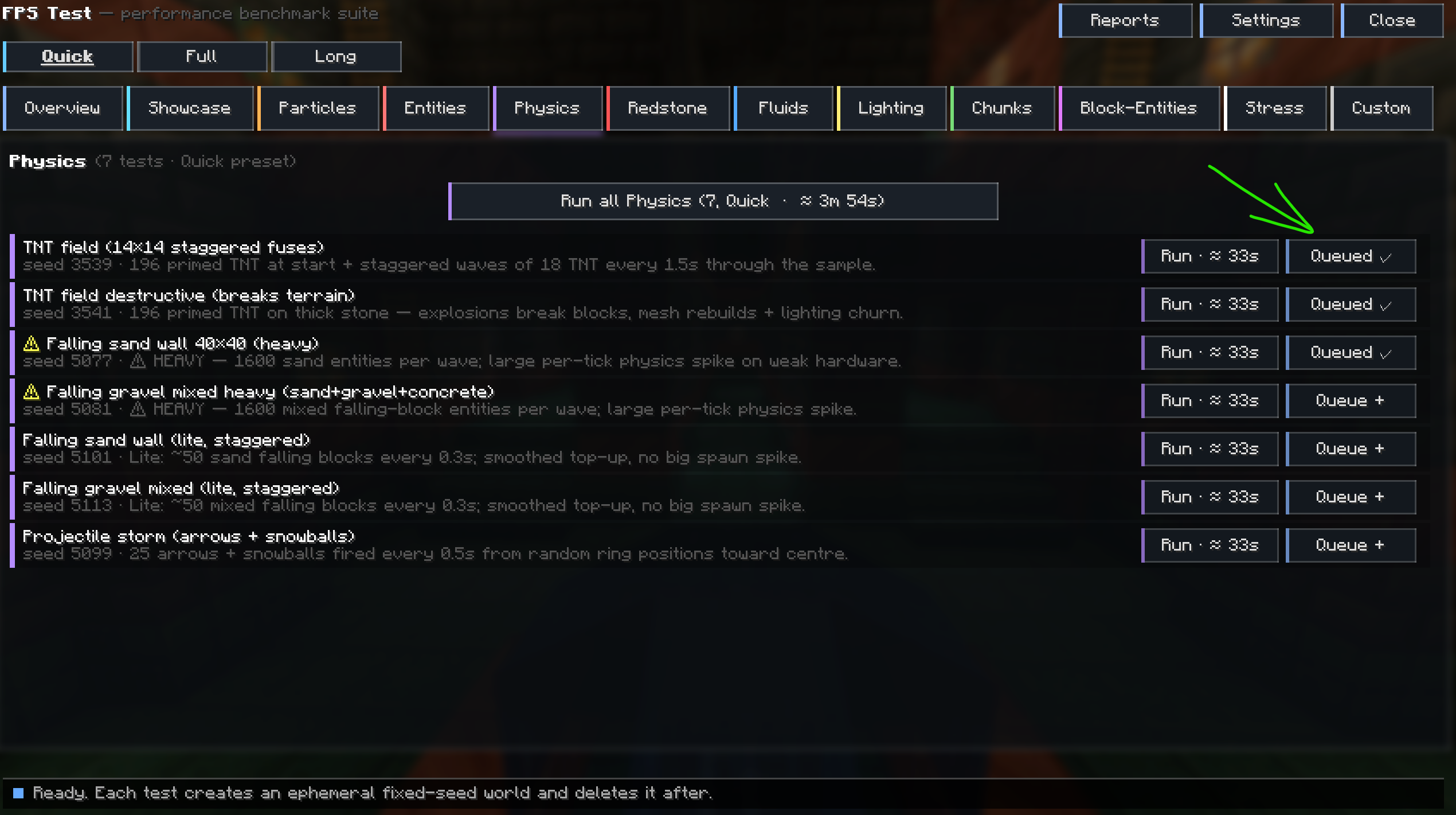 Custom
 -
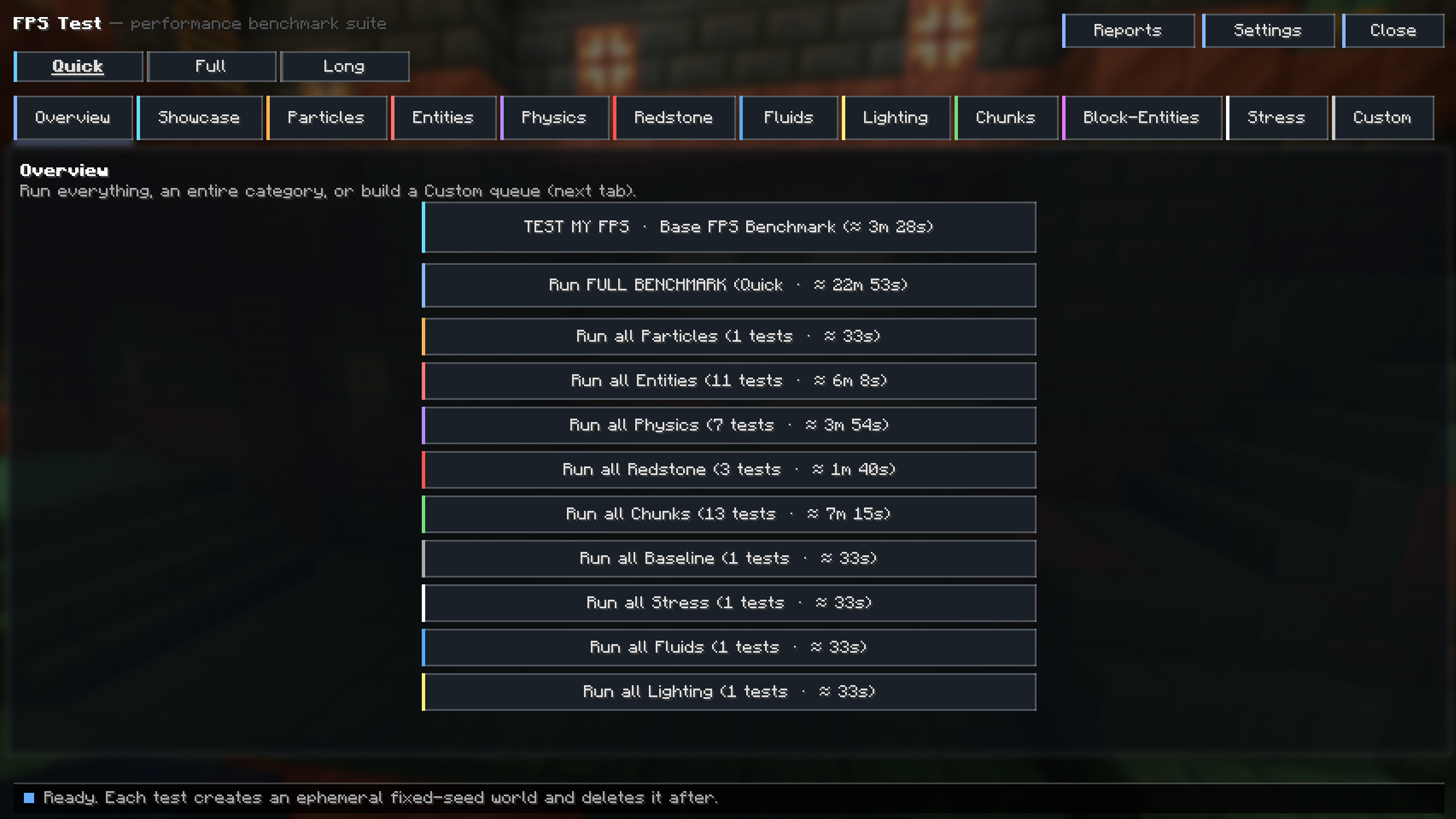 Mod Menu
 -
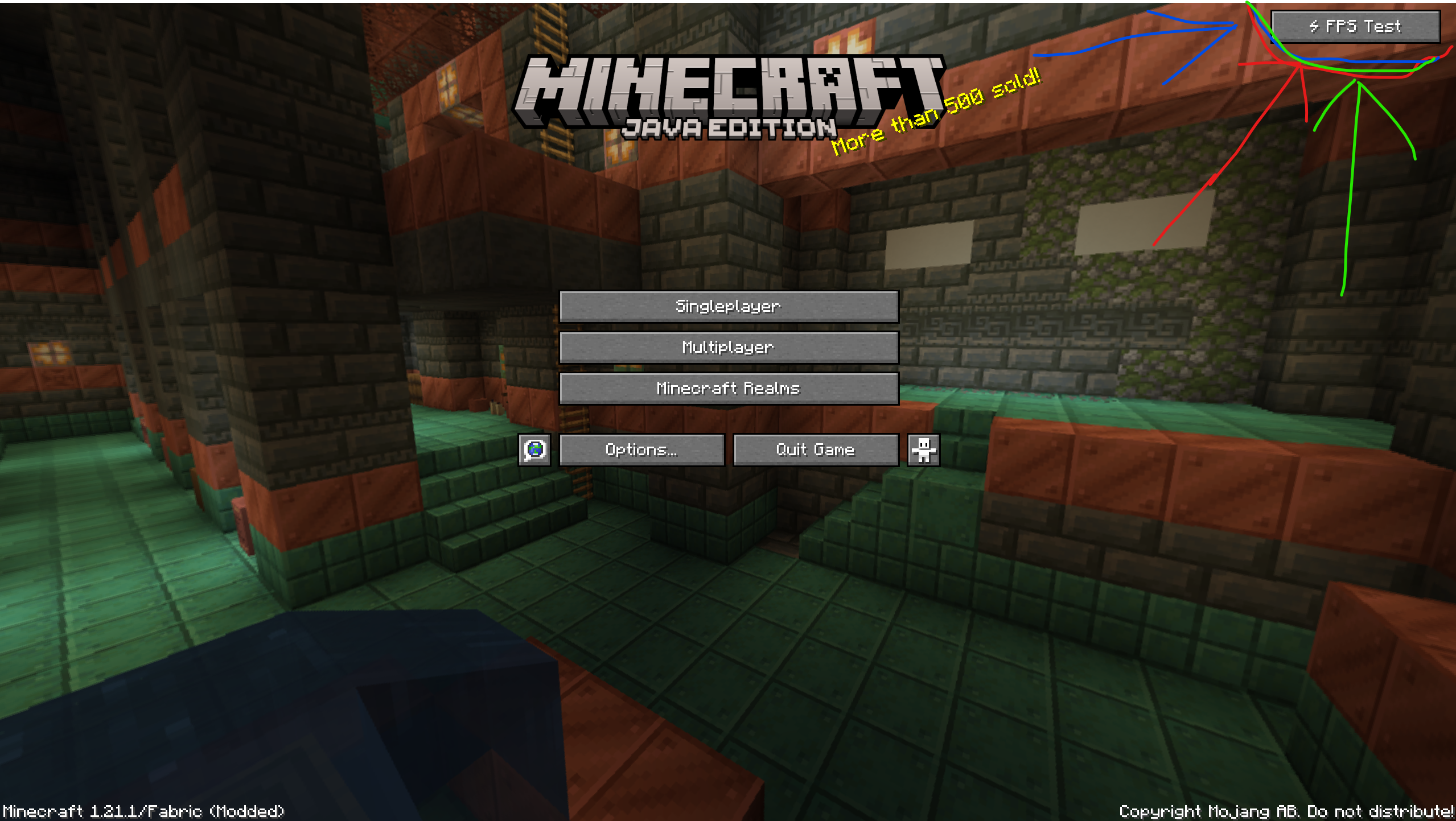 Where is button?
 -
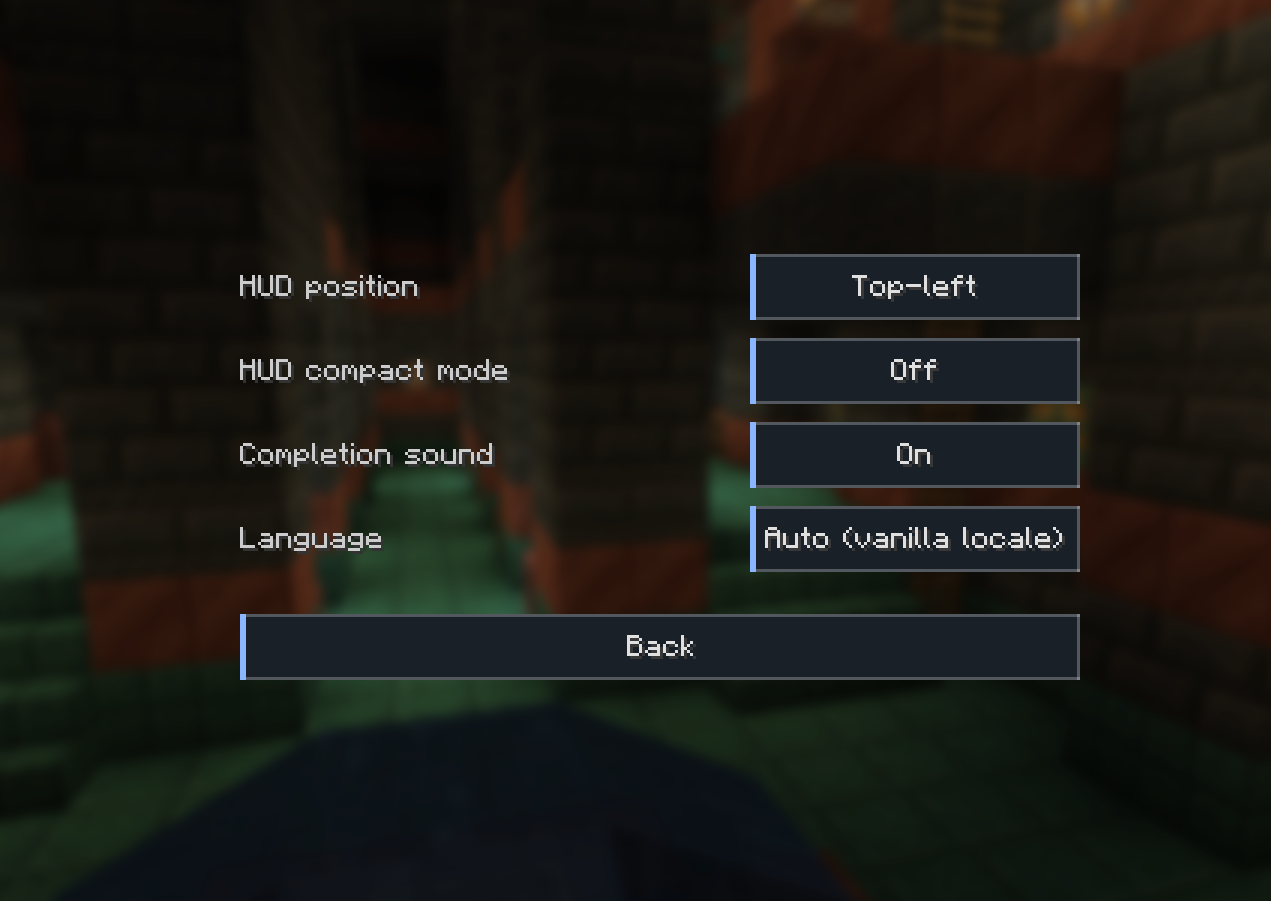 Settings
 -
 Mod Button
Versions
Files
Relations
Project Relations
More like this
Similar Mods
Suggestions use data such as tags, dependencies, dependents, descriptions, titles, and more to rank how much they overlap with this mod.
On ModDex
Community snapshot
By the numbers
Statistics
 (opens in a new tab)
Get it on
Available Platforms
On ModDex
Community snapshot
By the numbers
Statistics
Resources