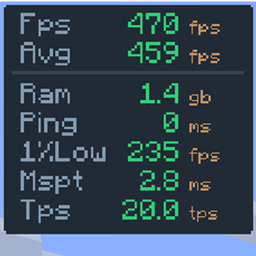
Community listing page, reviews here may not be monitored by the author.
FPS Overlay


No reviews yet
A fully customizable, zero-bloat overlay. Tweak the layout to show exactly what you need to see for PvP and performance testing: FPS, 1% lows, ping, server TPS, and MSPT.
Community voices
Reviews
No reviews yet. Be the first to review this project!
Get it on
Available Platforms
Compatibility
Supported Environments
Runs entirely on the client. Works on vanilla servers.
About
Project Details
For authors
Embed Badge
If you're the author of this project, you can embed a live badge anywhere that supports HTML or Markdown. It updates automatically whenever ratings change.
Use HTML for any page that supports it, or Markdown for README files and Markdown-based descriptions.
Identifiers
Platform IDs
Resources
External Links
About
Description
FPS Overlay
Simple & Lightweight Performance Monitor





As seen in AsianHalfSquat's Videos! v3.6 OLD
Featured in the "Voxy vs Distant Horizons" showcase. Get that same professional aesthetic with the built-in preset!

Features
- Real-Time Stats: Track FPS, Avg FPS, Ping, and RAM usage instantly.
- Fully Customizable: Easily change the size, position, and colors via the config menu.
- Quick Toggle: Hide or show the overlay with a single keypress. (Default:
o) - Ultra Lightweight: Written for performance. It won't impact your frames.
- Cross-Platform: Full support for Fabric, NeoForge, and Forge.
Installation & Setup
How to Install
- Download and install your preferred loader (Fabric or NeoForge).
- Download the FPS Overlay jar for your Minecraft version.
- Drop it into your
.minecraft/modsfolder. - Launch and enjoy!
How to Change Modes
- Open the configuration menu (use Mod Menu on Fabric).
- Look for the Layout Type setting.
- Switch between Default, Navbar, or AsianHalfSquat styles.
FPS Overlay
Simple & Lightweight Performance Monitor

As seen in AsianHalfSquat's Videos! v3.6 OLD
Featured in the "Voxy vs Distant Horizons" showcase. Get that same professional aesthetic with the built-in preset!
Features
- Real-Time Stats: Track FPS, Avg FPS, Ping, and RAM usage instantly.
- Fully Customizable: Easily change the size, position, and colors via the config menu.
- Quick Toggle: Hide or show the overlay with a single keypress. (Default:
o) - Ultra Lightweight: Written for performance. It won't impact your frames.
- Cross-Platform: Full support for Fabric and NeoForge and Forge.
Installation & Setup
How to Install
- Download and install your preferred loader (Fabric or NeoForge).
- Download the FPS Overlay jar for your Minecraft version.
- Drop it into your
.minecraft/modsfolder. - Launch and enjoy!
How to Change Modes
- Open the configuration menu (use Mod Menu on Fabric).
- Look for the Layout Type setting.
- Switch between Default, Navbar.
Screenshots
Gallery
-
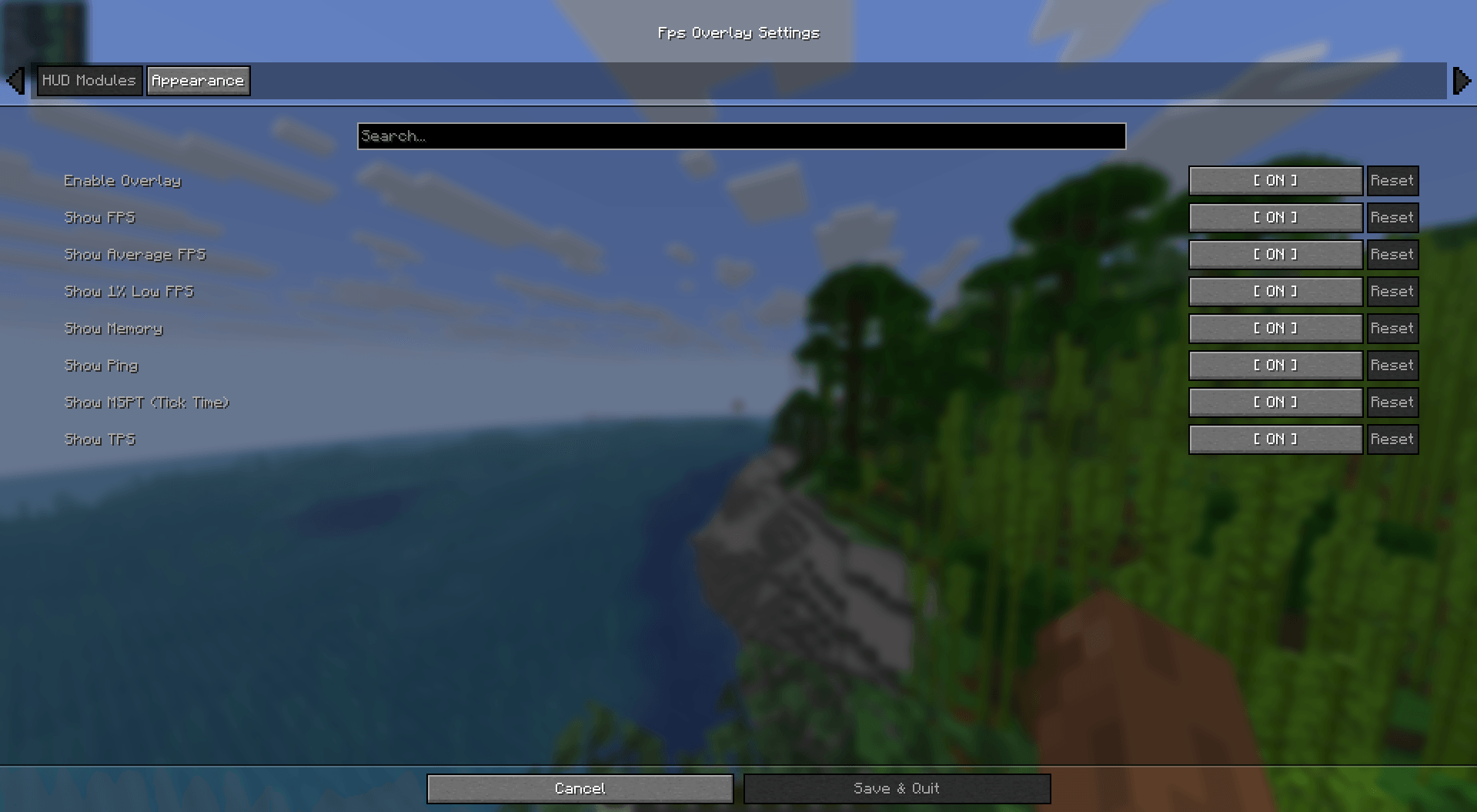 Screenshot 2026-03-19 190520.png Screenshot 2026-03-19 190520.png
 -
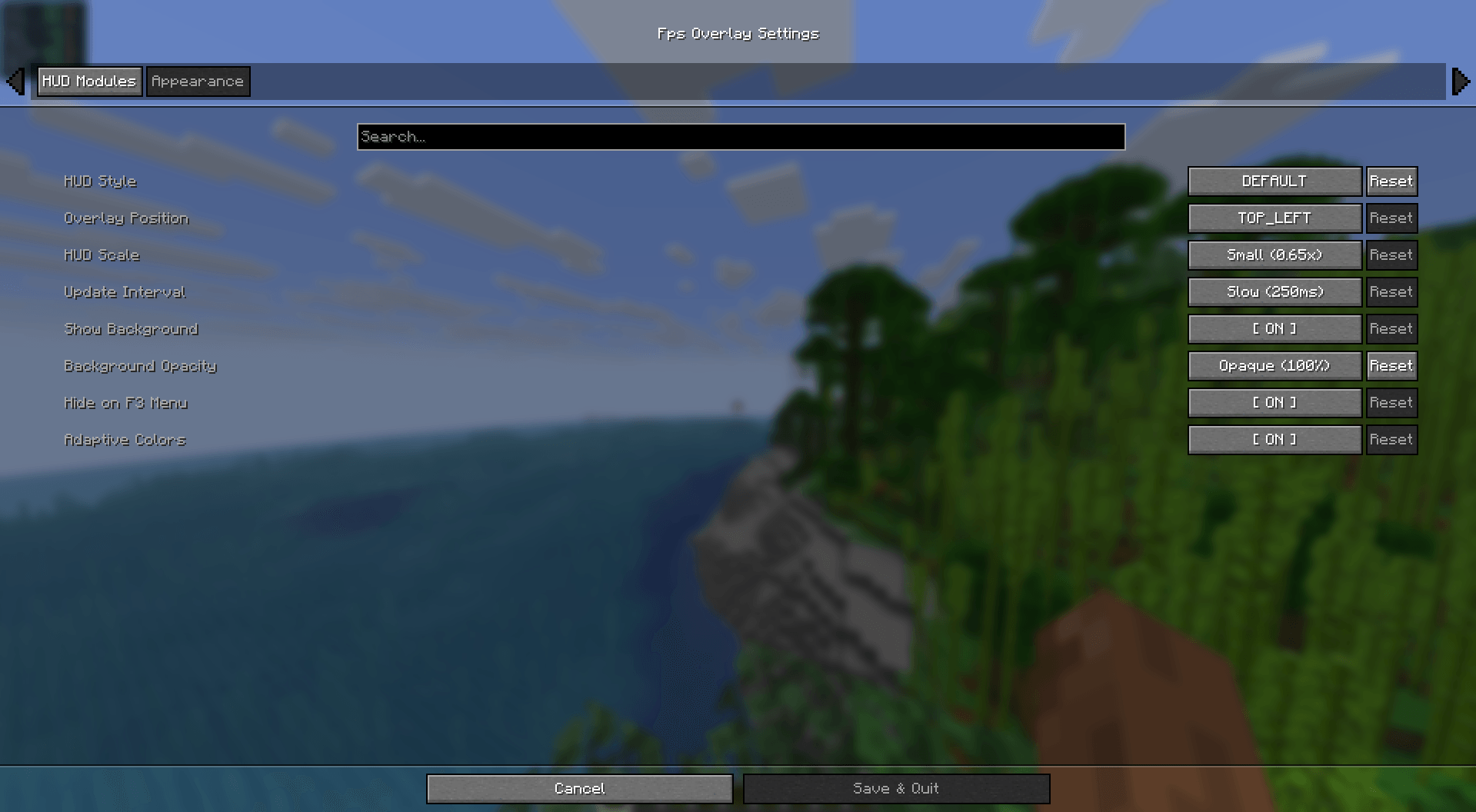 Screenshot 2026-03-19 190536.png Screenshot 2026-03-19 190536.png
-
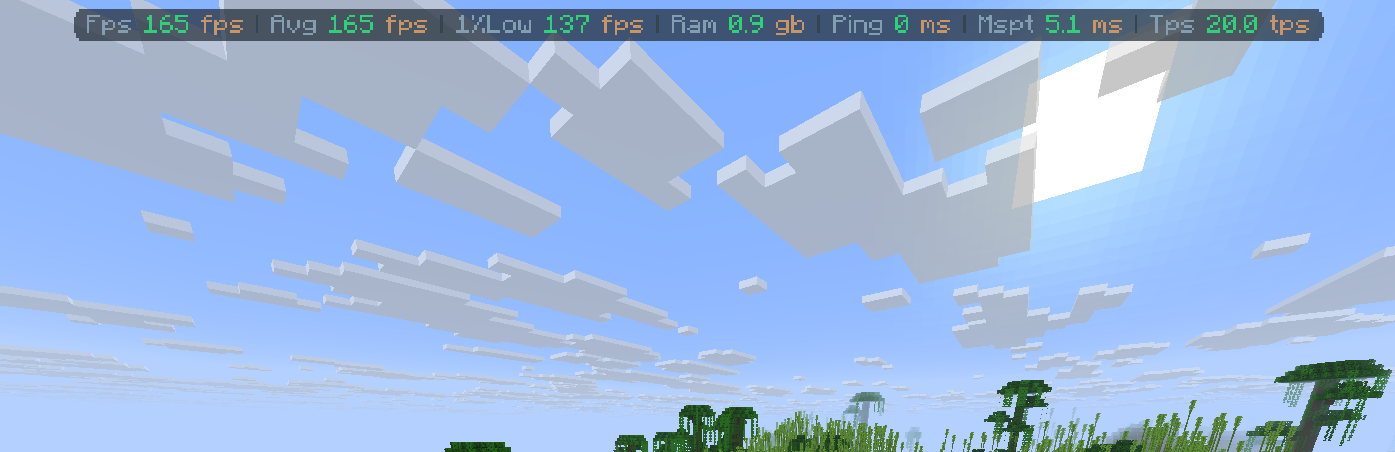 v5.0 Navbar mode
 -
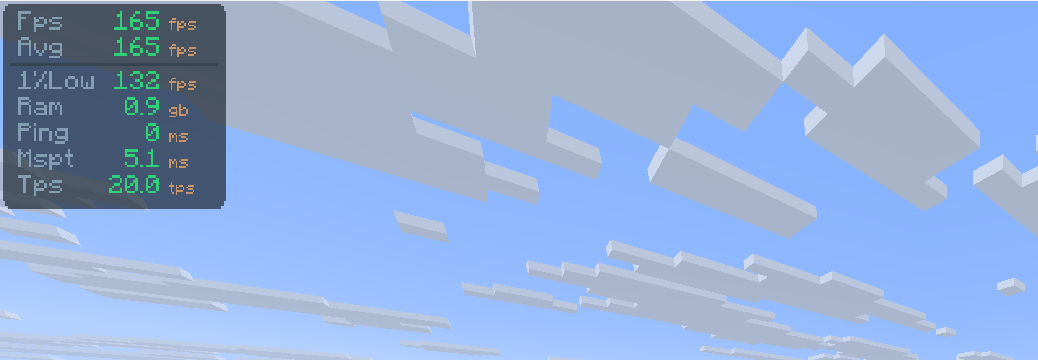 v5.0
v5.0 -
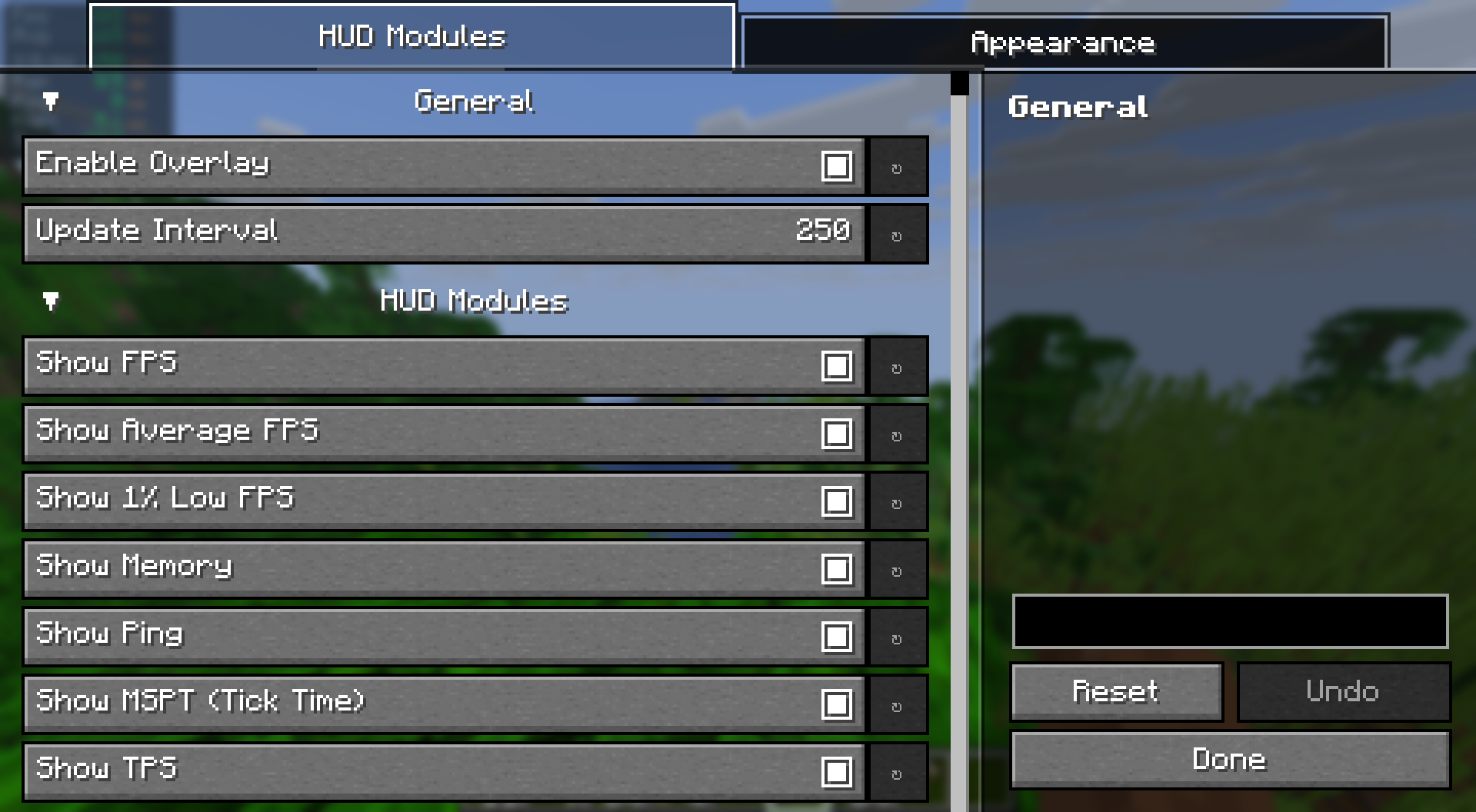 Config Screen v5.0
 -
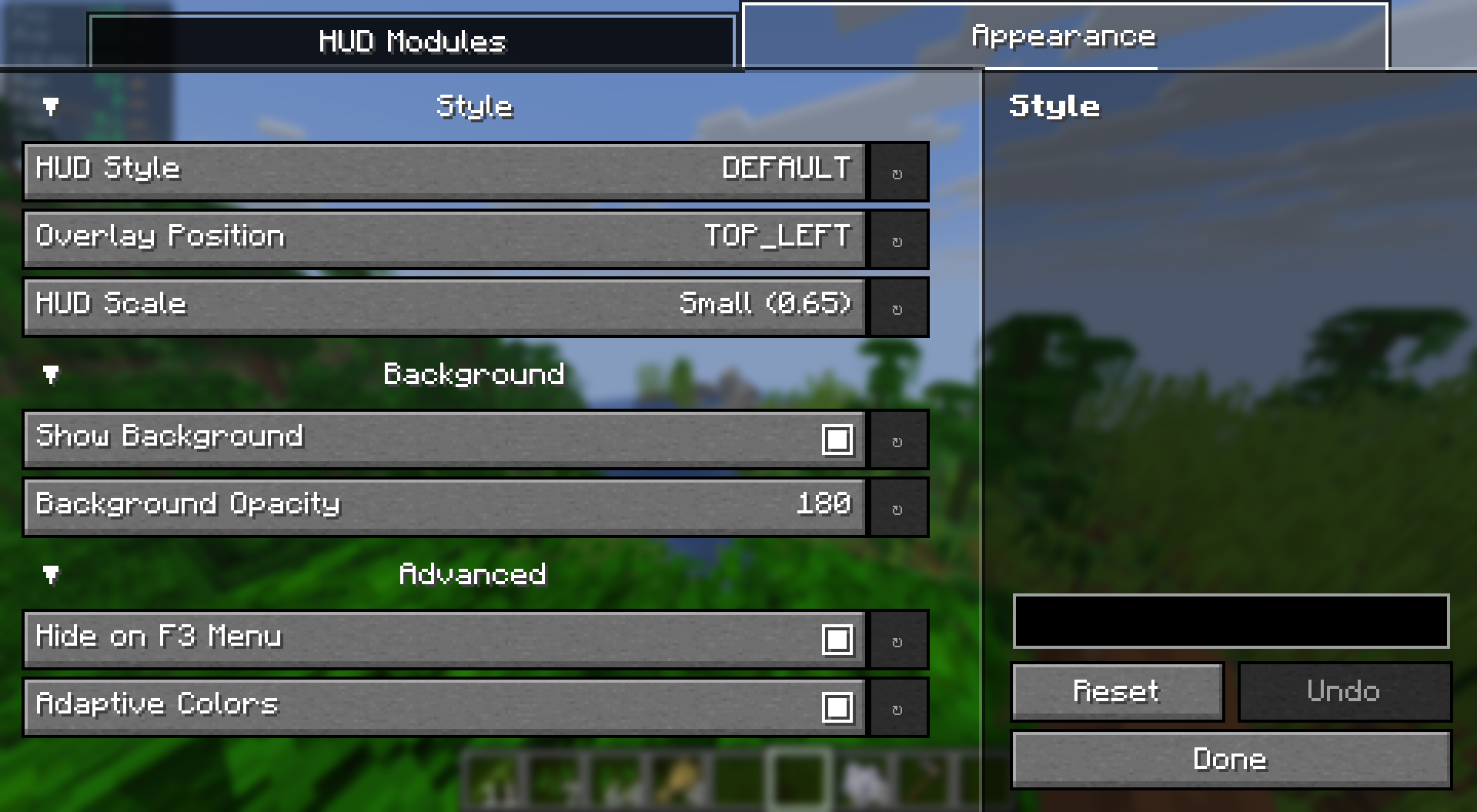 Config Screen v5.0
Versions
Files
Relations
Project Relations
More like this
Similar Mods
Suggestions use data such as tags, dependencies, dependents, descriptions, titles, and more to rank how much they overlap with this mod.
On ModDex
Community snapshot
By the numbers
Statistics
Want to reach Minecraft players?
We're looking for a server hosting partner to feature here and other parts of the site. Interested? Send us a message!
Get in touchGet it on
Available Platforms
On ModDex
Community snapshot
By the numbers
Statistics
Resources