
Community voices
Reviews
Click once to include, again to exclude, again to clear
No reviews yet. Be the first to review this project!
Get it on
Available Platforms
 Modrinth
Compatibility
Supported Environments
About
Project Details
For authors
Embed Badge
If you're the author of this project, you can embed a live badge anywhere that supports HTML or Markdown. It updates automatically whenever ratings change.
Use HTML for any page that supports it, or Markdown for README files and Markdown-based descriptions.
Identifiers
Platform IDs
About
Description
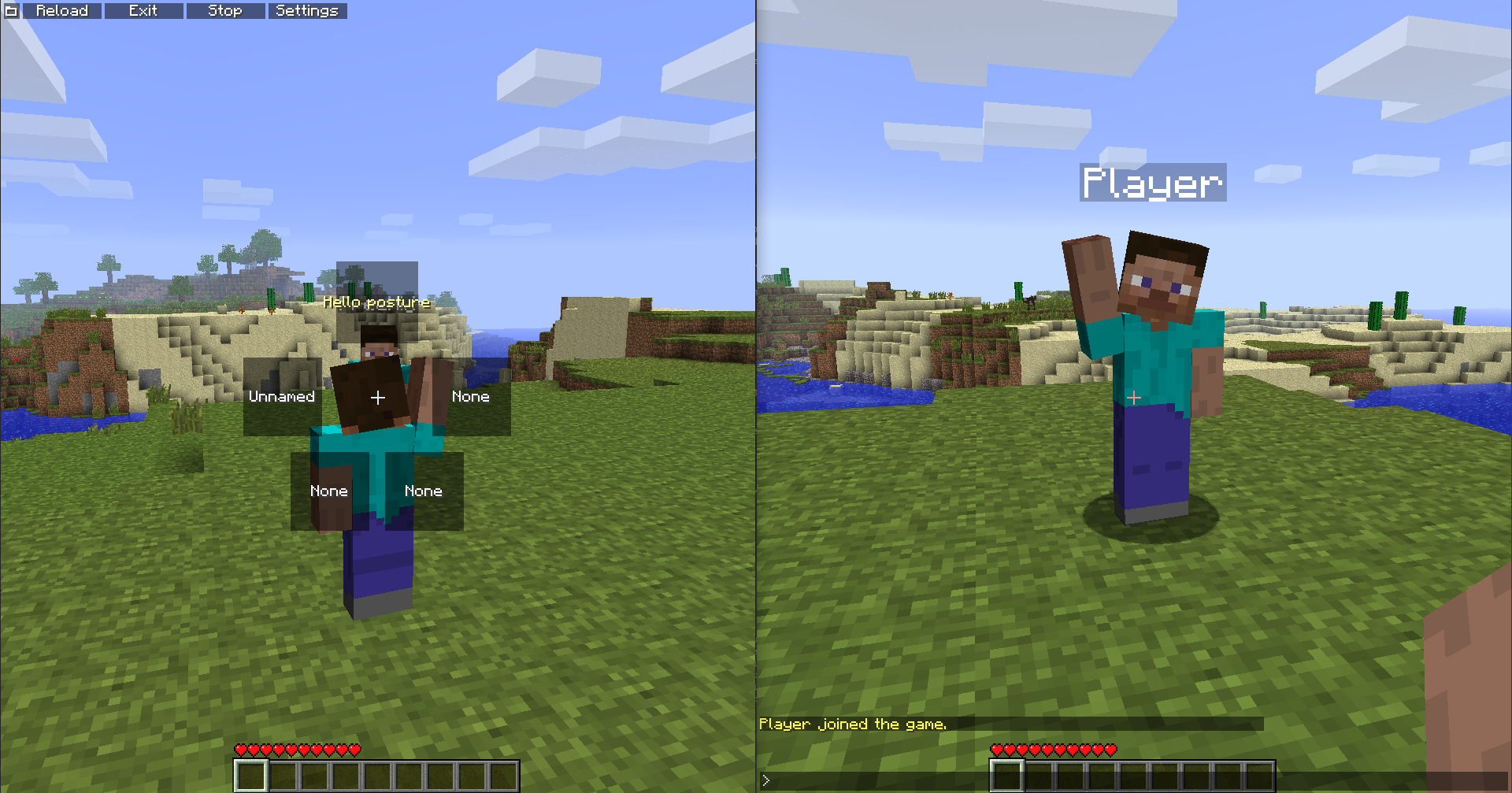
This mod allows you to create some cool animations using basic scripts. This also works in mp! (mod needs to be installed on server for others to see your animations)
All loadable scripts must be declared in .minecraft/animations/ folder.
Current extension is .fa, so all files should be named <readable name>.fa.
In the head of file you declare the name of this animation, this is what will be displayed in the ingame GUI (menu defaults to G).
name=my awesome animation
Next you can declare if animation should be interrupted while walking, for that simply just add interruptible.
That will affect the whole animation no matter where it was declared.
There is also resetarms that removes idle animation while your frames are in process, declaration rules are the same.
name=my awesome animation
interruptible
resetarms
Now to actually do stuff the concept if very simple:
There is a frame that is declared with frame <duration in ticks> and then comes the actual commands that describe what happens during the frame.
When frame runs it executes the instructions you've set in it every time it renders player.
Here is the list of what you can set:
HEAD_X
HEAD_Y
HEAD_Z
HAT_X
HAT_Y
HAT_Z
BODY_X
BODY_Y
BODY_Z
RIGHTARM_X
RIGHTARM_Y
RIGHTARM_Z
LEFTARM_X
LEFTARM_Y
LEFTARM_Z
RIGHTLEG_X
RIGHTLEG_Y
RIGHTLEG_Z
LEFTLEG_X
LEFTLEG_Y
LEFTLEG_Z
CAPE_X
CAPE_Y
CAPE_Z
Caps is not required, underscore can also be replaced with a dot. You can set those values to any float values you want.
So here is an example for a simple hands up animation that will last 5 seconds:
name=my awesome animation
interruptible
frame 100
 rightarm_x=-2.8
 leftarm_x=-2.8
I recommend to add a space before instructions in all frames because that imporves readability.
After you wrote the script you can come back to your game and click edit button to enter edit mode, then select slot you want to set animation in and select the animation from list.
Screenshots
Gallery
Versions
Files
Relations
Project Relations
More like this
Similar Mods
Suggestions use data such as tags, dependencies, dependents, descriptions, titles, and more to rank how much they overlap with this mod.
On ModDex
Community snapshot
By the numbers
Statistics

Want to reach Minecraft players?
We're looking for a server hosting partner to feature here and other parts of the site. Interested? Send us a message!
Get in touchGet it on
Available Platforms
On ModDex
Community snapshot
By the numbers