
Community listing page, reviews here may not be monitored by the author.
Freeze Observers


No reviews yet
Adds a simple gamerule to temporarily stop observers from emitting power
Community voices
Reviews
No reviews yet. Be the first to review this project!
Get it on
Available Platforms
Compatibility
Supported Environments
Runs entirely on the server. Also works in singleplayer.
About
Project Details
For authors
Embed Badge
If you're the author of this project, you can embed a live badge anywhere that supports HTML or Markdown. It updates automatically whenever ratings change.
Use HTML for any page that supports it, or Markdown for README files and Markdown-based descriptions.
Identifiers
Platform IDs
About
Description
Freeze Observers
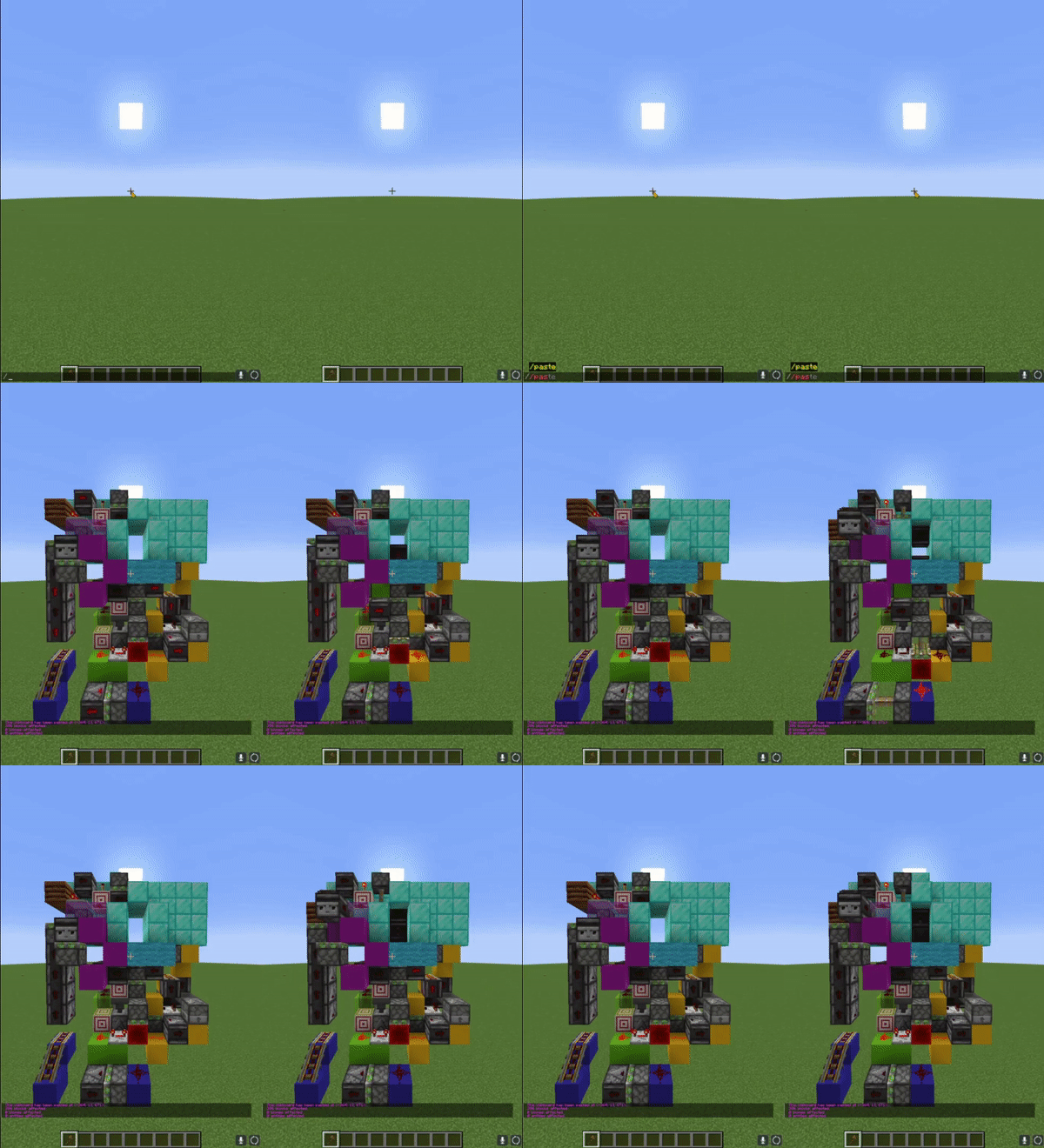
This simple fabric mod for Minecraft that implements a new gamerule that toggles the functionality of observers by preventing them from sending a redstone signal. This is super helpful when building with observers to stop them from accidentally triggering pistons, droppers, and other redstone components before they're ready.
How do I use this?
Use the following command
/gamerule freezeObservers true
to stop observers from emitting a redstone signal.
This mod is compatible with World Edit and Litematica, making it easy to copy and paste redstone without triggering or updating any observers.
How it works
This mod is really simple, and just makes observers always output a signal of 0 when the gamerule is enabled. This means observers themselves will no longer give any output, but are still detected by other observers and other block update detectors.
This is a vanilla compatible mod, meaning only the server host needs to have the mod installed for players to use this.
Installation Instructions (Single Player Worlds)
1. Go to the [FabricMC website](https://fabricmc.net/use/installer/) and download the latest installer
2. Run the JAR, a window will pop up. Choose the correct version of Minecraft and loader, and click on "Install".
3. A new game version and profile will be created in the launcher's menu, which you can now use to launch Fabric.
4. Go to [Modrinth](https://modrinth.com/mod/fabric-api) or [Curseforge](https://www.curseforge.com/minecraft/mc-mods/fabric-api) and download Fabric API.
5. Place the Fabric API Jar and the mod Jar into your "mods" folder
6. Run the newly installed profile from step 3
Freeze Observers
This simple fabric mod for Minecraft that implements a new gamerule that toggles the functionality of observers by preventing them from sending a redstone signal. This is super helpful when building with observers to stop them from accidentally triggering pistons, droppers, and other redstone components before they're ready.
How do I use this?
Use the following command
/gamerule freezeObservers true
to stop observers from emitting a redstone signal.
This mod is compatible with World Edit and Litematica, making it easy to copy and paste redstone without triggering or updating any observers.
How it works
This mod is really simple, and just makes observers always output a signal of 0 when the gamerule is enabled. This means observers themselves will no longer give any output, but are still detected by other observers and other block update detectors.
This is a vanilla compatible mod, meaning only the server host needs to have the mod installed for players to use this.
Installation Instructions (Single Player Worlds)
- Go to the FabricMC website and download the latest installer
- Run the JAR, a window will pop up. Choose the correct version of Minecraft and loader, and click on "Install".
- A new game version and profile will be created in the launcher's menu, which you can now use to launch Fabric.
- Go to Modrinth or Curseforge and download Fabric API.
- Place the Fabric API Jar and the mod Jar into your "mods" folder
- Run the newly installed profile from step 3
Screenshots
Gallery
Versions
Files
Relations
Project Relations
More like this
Similar Mods
Suggestions use data such as tags, dependencies, dependents, descriptions, titles, and more to rank how much they overlap with this mod.
On ModDex
Community snapshot
By the numbers
Statistics
Want to reach Minecraft players?
We're looking for a server hosting partner to feature here and other parts of the site. Interested? Send us a message!
Get in touchGet it on
Available Platforms
On ModDex
Community snapshot
By the numbers