
Community listing page, reviews may not be monitored by the author.
Friendly Mob Craftables Mod


No reviews yet
Craftable drops so you don't have to kill friendly mobs!

Community voices
Reviews
No reviews yet. Be the first to review this project!
Get it on
Available Platforms
Compatibility
Supported Environments
The author has not specified where this runs.
About
Project Details
For authors
Embed Badge
If you're the author of this project, you can embed a live badge anywhere that supports HTML or Markdown. It updates automatically whenever ratings change.
Use HTML for any page that supports it, or Markdown for README files and Markdown-based descriptions.
Identifiers
Platform IDs
Resources
External Links
About
Description
I couldn't find a mod or data pack that had friendly (cows, sheep, etc.) mob drop crafting recipes for 1.19.2. So, I made one. You can find the datapack version of this mod here. All recipes can be found in the Gallery section or through JEI. All recipes can be viewed here on the datapack gallery page: https://www.curseforge.com/minecraft/data-packs/friendly-mob-craftables-dp/gallery
---
Not a fan of killing friendly mobs to get resources? Me neither.
TLDR
- This is only for 1.19.2. This is my first mod.
- Current state: Beta (tested and working!)
- I may or may not update it once finished.
- Feedback is welcome.
- Made with MCreator.
---
Suggestions
- I always use JEI to find my recipes. This mod is compatible.
- I recommend using Polymorph for recipe conflicts.
- Use Peaceful Recipes if you want the complete experience in peaceful mode with added hostile mob drops.
I couldn't find a data pack or mod that had friendly (cows, sheep, etc.) mob drop crafting recipes for 1.19.2. So, I made one. All recipes can be found in the Gallery section or through JEI/REI.
TLDR
This is my first data pack/mod. Current state: Beta (tested and working!) I may or may not update it once finished. Feedback is welcome. Made with MCreator.
Suggestions
- I always use JEI/REI to find my recipes. This data pack is compatible.
- I recommend using Polymorph for recipe conflicts.
- Use Peaceful Recipes if you want the complete experience in peaceful mode with added hostile mob drops.
Please don't repost this as your own. Don't repost outside of Modrinth. You can use it in your modpack if the creator credit remains the same.
THE INFORMATION BELOW DOESN'T APPLY TO THE MOD VERSION
- For the datapack version: Here is some info on how to install a datapack: https://minecraft.fandom.com/wiki/Tutorials/Installing_a_data_pack
Because this is an individual datapack, you will have to manually install the file and move it to your saved world folder.
- Download the datapack file.
- Navigate to your Minecraft world directory.
- Place the datapack file in the "datapacks" folder within your world directory.
Screenshots
Gallery
-
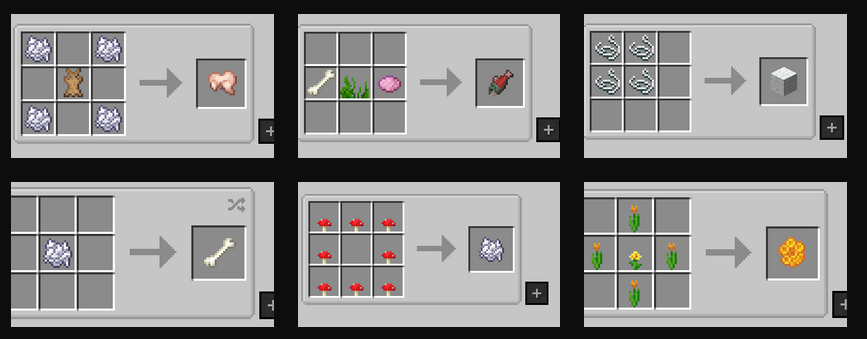 Overview 3 - Recipes
 -
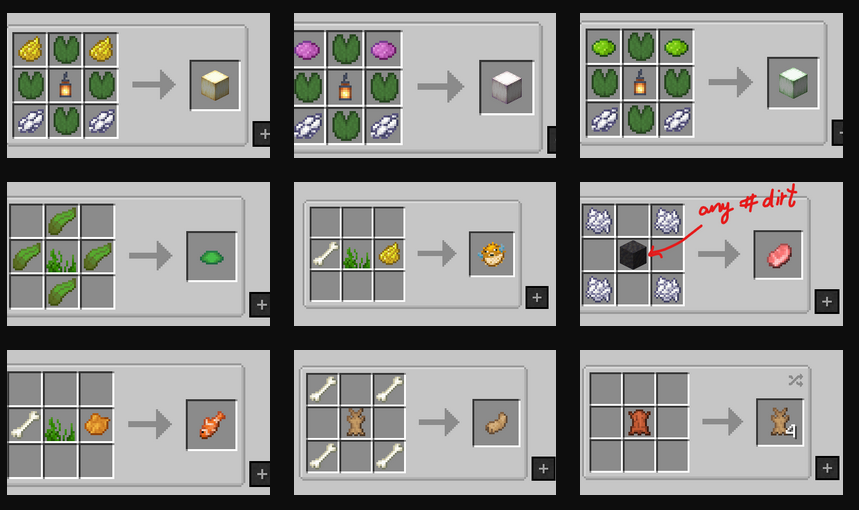 Overview 2 - Recipes
 -
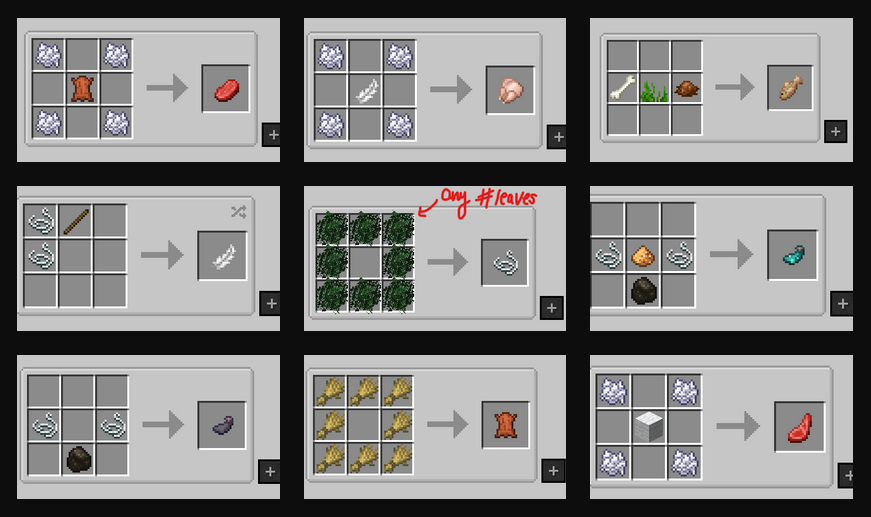 Overview 1 - Recipes
-
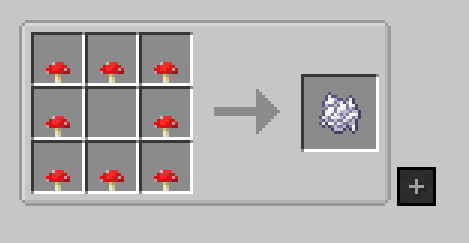 Bonemeal Red or brown mushrooms
 -
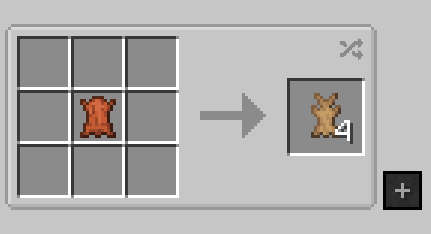 Rabbit Hide
 -
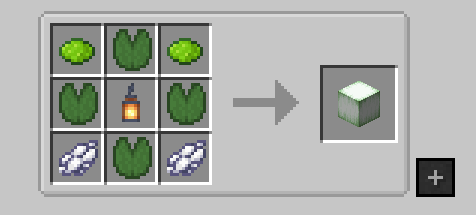 Verdant Froglight
 -
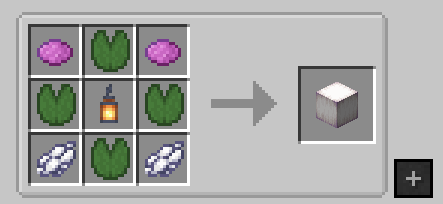 Pearlscent Froglight
 -
 Cod
Cod -
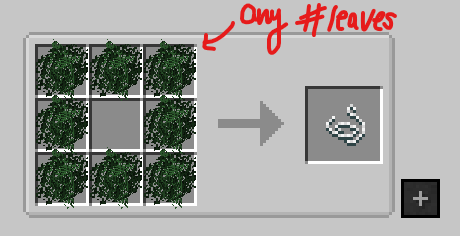 String Any leaves in this shape
 -
 Rabbit
 -
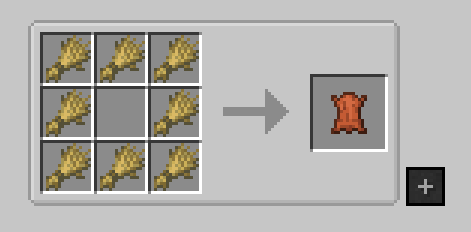 Leather
 -
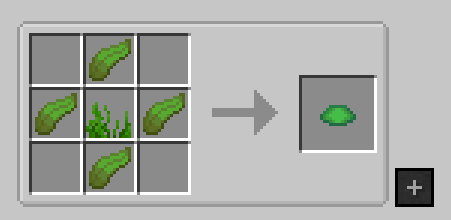 Scute
Scute -
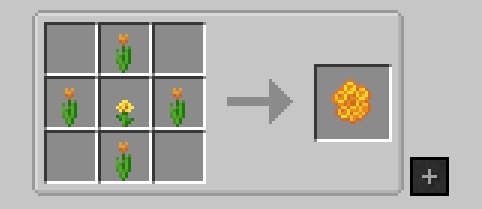 Honeycomb Any 4 flowers in this shape around the dandelion.
 -
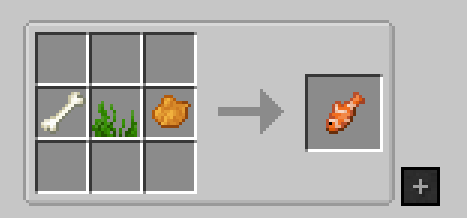 Tropical Fish
 -
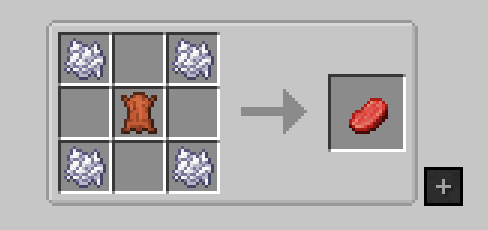 Beef
Beef -
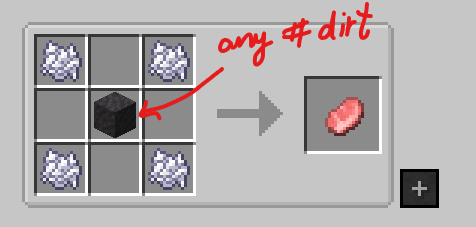 Porkchop Any #dirt tag related item in the middle
 -
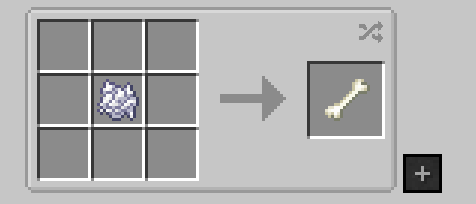 Bone
Bone -
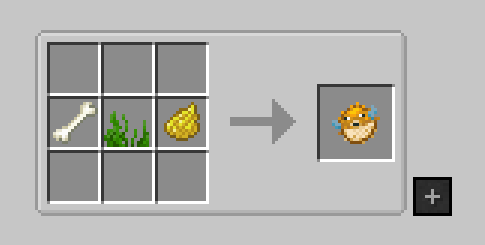 Pufferfish
 -
 Rabbit's Foot
 -
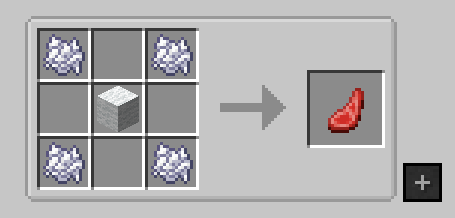 Mutton
 -
 Ochre Froglight
 -
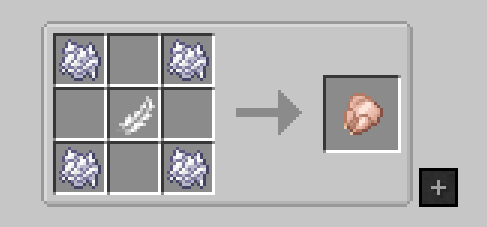 Chicken
 -
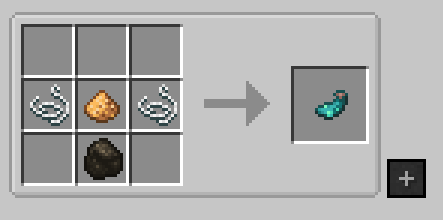 Glow Ink Sac charcoal or coal
 -
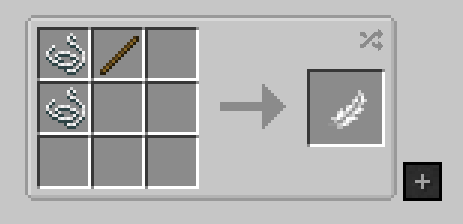 Feather shapeless
 -
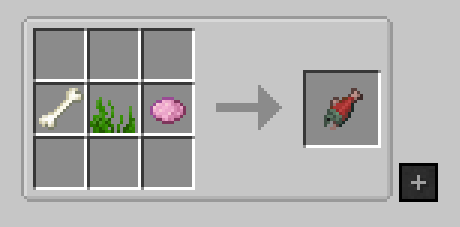 Salmon
 -
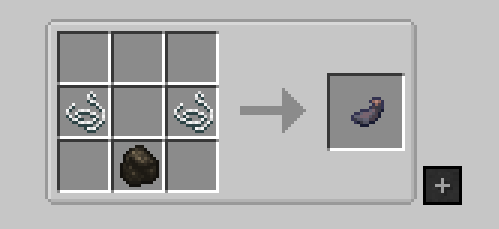 Ink Sac charcoal or coal
 -
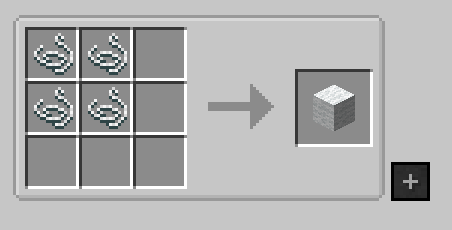 Wool
Wool
Versions
Files
Relations
Project Relations
More like this
Similar Mods
Suggestions use data such as tags, dependencies, dependents, descriptions, titles, and more to rank how much they overlap with this mod.
On ModDex
Community snapshot
By the numbers
Statistics
 (opens in a new tab)
Get it on
Available Platforms
On ModDex
Community snapshot
By the numbers
Statistics
Resources