Friends List Backport
No reviews yet
Invite friends to your world with a backport of Mojang's official friends list to older Minecraft versions.
Includes quality of life improvements and small tweaks to enhance and customize gameplay.
Neoforge is a fork of the Minecraft Forge available for versions 1.20.1+ of Minecraft. Many Forge mods are compatible with Neoforge and vice versa.
Fabric is a mod loader for versions 1.14+ of Minecraft, particularly popular for client side and optimization mods.
Community voices
Reviews
Click once to include, again to exclude, again to clear
No reviews yet. Be the first to review this project!
Get it on
Available Platforms
 CurseForge
 Modrinth
Compatibility
Supported Environments
About
Project Details
For authors
Embed Badge
If you're the author of this project, you can embed a live badge anywhere that supports HTML or Markdown. It updates automatically whenever ratings change.
Use HTML for any page that supports it, or Markdown for README files and Markdown-based descriptions.
Identifiers
Platform IDs
About
Description
[!] Important Notice
Mojang dropped the P2P feature in newer versions, so it stopped working. When the feature is added back, I'll start working in this mod again.
Friends List Backport
This mod backports the Mojang's Official Friends list to older versions of Minecraft.
It allows you to add friends and invite them to your world! No router port opening or third-party services required!

What is the Friends List in Java Edition?
The Friends List is designed to make it easier to jump into a game with your friends in Minecraft: Java Edition! The goal isn’t to replace any of the ways you currently connect with friends and play together – but to give you another option that’s easy to access within the game itself.
We’re starting simple with a few essential features, and you'll be able to test it out for yourself today in Java snapshot.
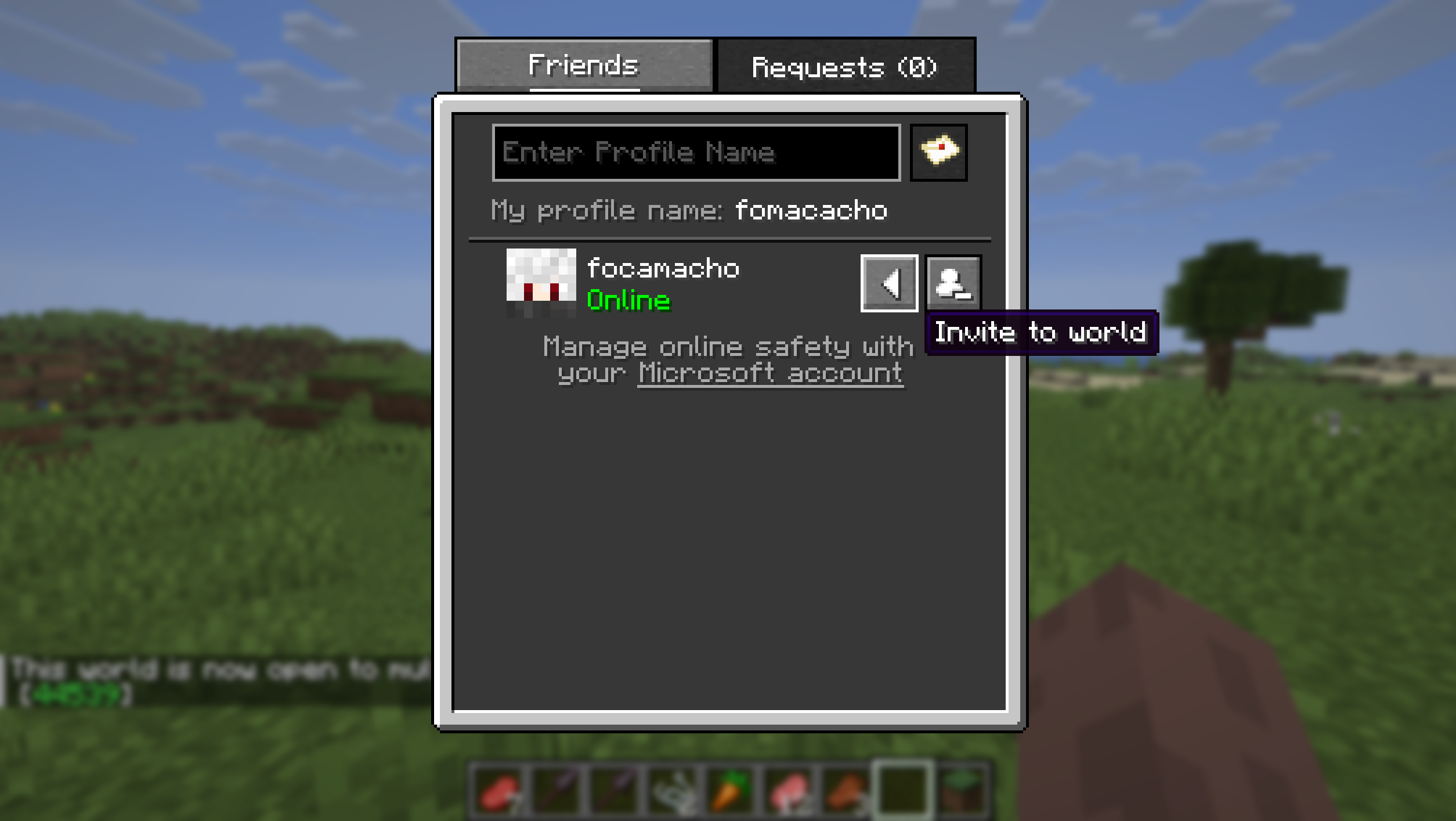
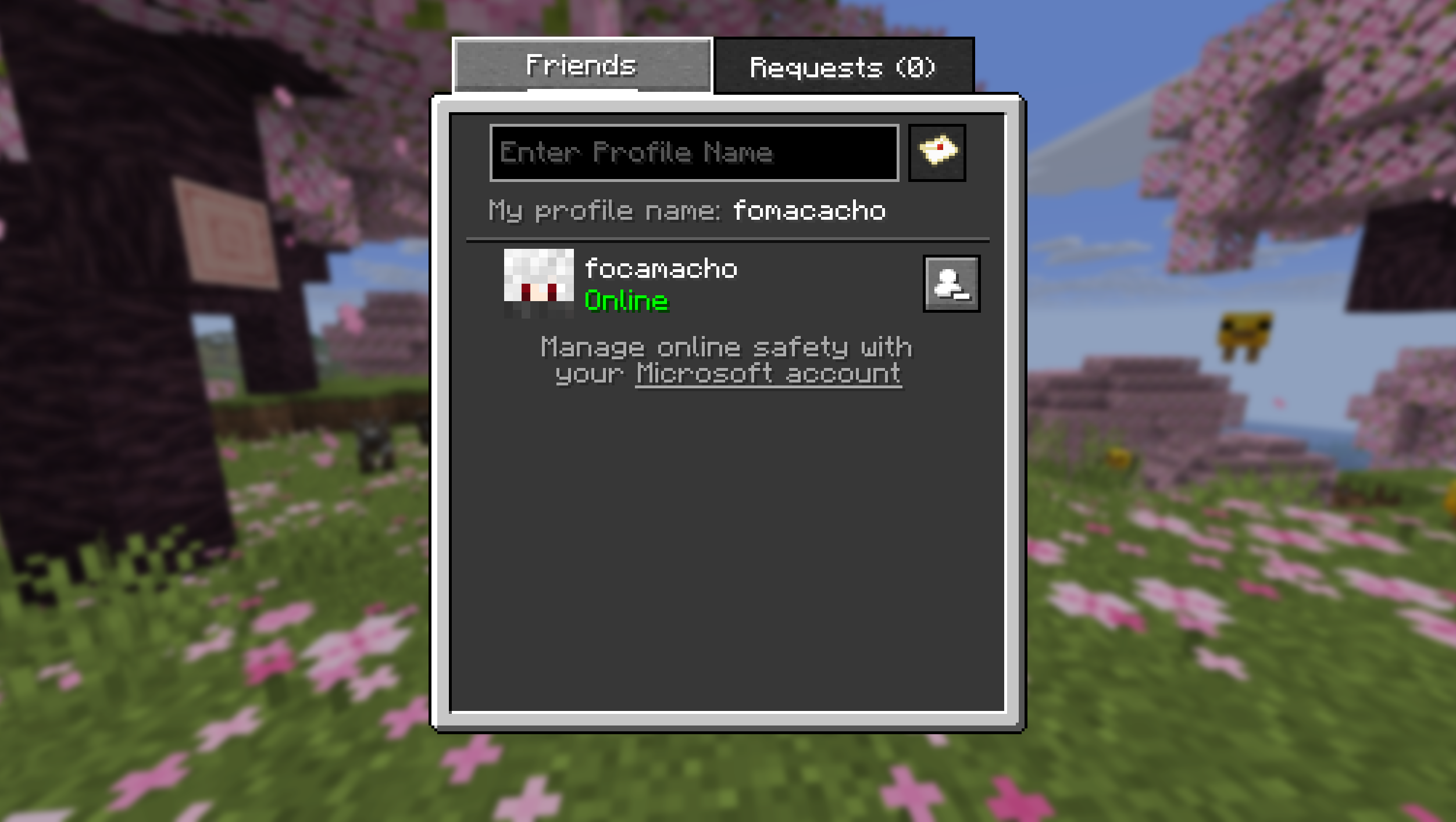
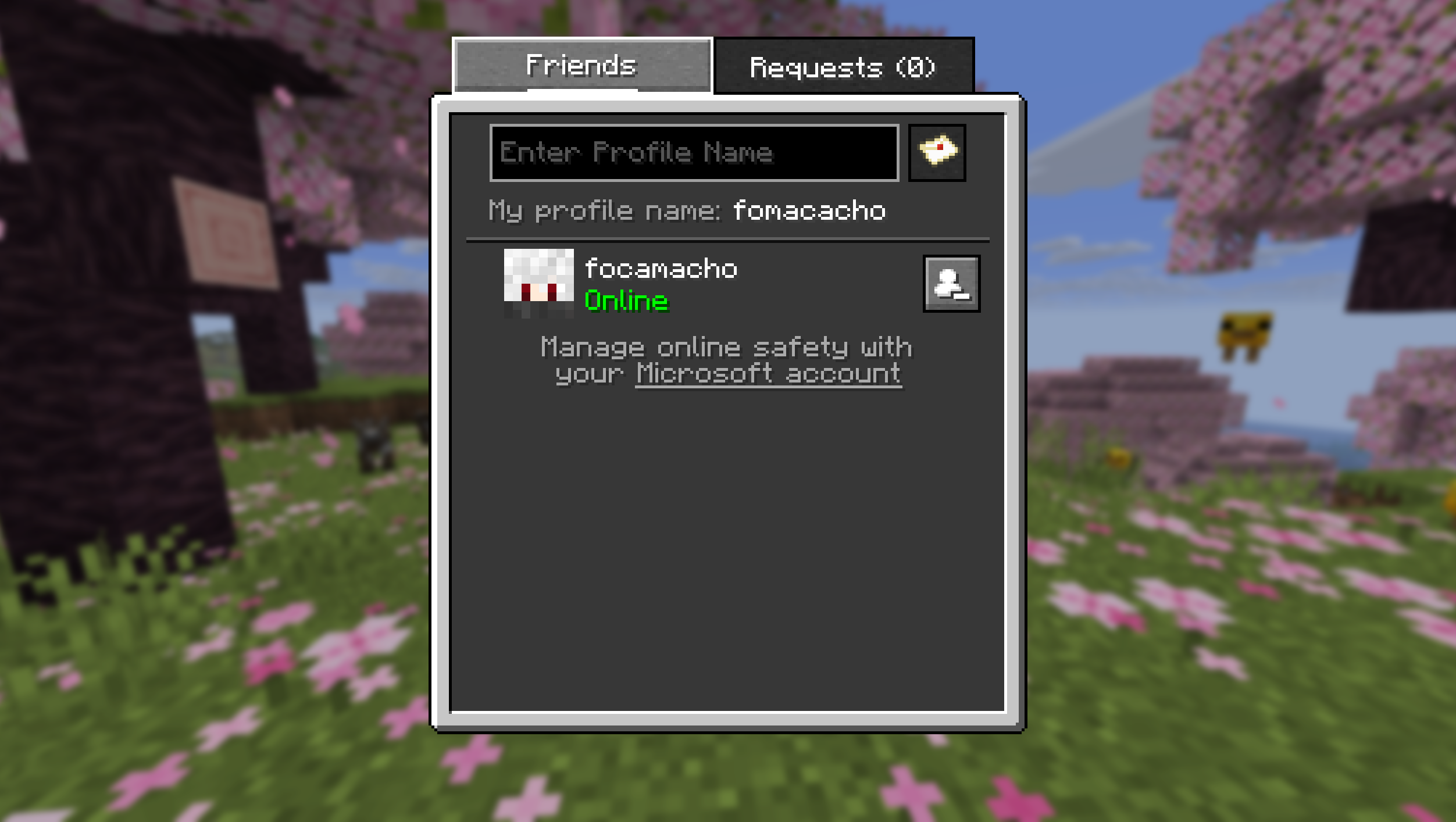
In the first version, the Friends List will include the ability to add friends to your friends list. You can do this by sending a friend request. You’ll also be able to accept (or decline) incoming friend requests, and cancel friend requests you’ve sent. You’ll then be able to play on local worlds with friends on your Friends List!
Source: https://www.minecraft.net/en-us/article/friends-list-for-java-edition
W.I.P
This mod is still a W.I.P and is in early development. We will continue porting it to more Minecraft versions, and we will also keep it updated as Mojang releases new changes and features for the Friends List in official Minecraft updates.
F.A.Q
I can't see the friends button on main menu.
Check if you have friends list enabled in Online/Xbox settings. Go to Options -> Online -> and make sure "Friends List" is enabled.
I can't send a friend request to my friend.
Make sure you both have friend requests enabled in the configs. Go to Options -> Online… -> And enable "Friends List" and "Allow Requests"
I don't see the option to invite my friend to my world.
You have to first start multiplayer online in that world. Load your world and press ESC, click "Multiplayer…" (old Open-to-Lan button), change Network to Online and Apply Changes. Now open your friends list and you'll see a button to invite them to your world.
Will it be ported to X version?
This mod is still in early development, my personal plans are to have stable versions for: 26.1.2, 1.21.1, 1.20.1, 1.16.5, 1.12.2, 1.7.10. Other versions will be checked after all these get stable versions.
Friends List Backport
This mod backports the Mojang's Official Friends list to older versions of Minecraft.
It allows you to add friends and invite them to your world! No router port opening or third-party services required!
What is the Friends List in Java Edition?
The Friends List is designed to make it easier to jump into a game with your friends in Minecraft: Java Edition! The goal isn’t to replace any of the ways you currently connect with friends and play together – but to give you another option that’s easy to access within the game itself.
We’re starting simple with a few essential features, and you'll be able to test it out for yourself today in Java snapshot.
In the first version, the Friends List will include the ability to add friends to your friends list. You can do this by sending a friend request. You’ll also be able to accept (or decline) incoming friend requests, and cancel friend requests you’ve sent. You’ll then be able to play on local worlds with friends on your Friends List!
Source: https://www.minecraft.net/en-us/article/friends-list-for-java-edition
W.I.P
This mod is still a W.I.P and is in early development. We will continue porting it to more Minecraft versions, and we will also keep it updated as Mojang releases new changes and features for the Friends List in official Minecraft updates.
F.A.Q
I can't see the friends button on main menu.
Check if you have friends list enabled in Online/Xbox settings. Go to Options -> Online -> and make sure "Friends List" is enabled.
I can't send a friend request to my friend.
Make sure you both have friend requests enabled in the configs. Go to Options -> Online... -> And enable "Friends List" and "Allow Requests"
I don't see the option to invite my friend to my world.
You have to first start multiplayer online in that world. Load your world and press ESC, click "Multiplayer..." (old Open-to-Lan button), change Network to Online and Apply Changes. Now open your friends list and you'll see a button to invite them to your world.
Will it be ported to X version?
This mod is still in early development, my personal plans are to have stable versions for: 26.1.2, 1.21.1, 1.20.1, 1.16.5, 1.12.2, 1.7.10. Other versions will be checked after all these get stable versions.
Screenshots
Gallery
-
 Friends 2
 -
 Friends 1
-
 Friends List on Main Menu
 -
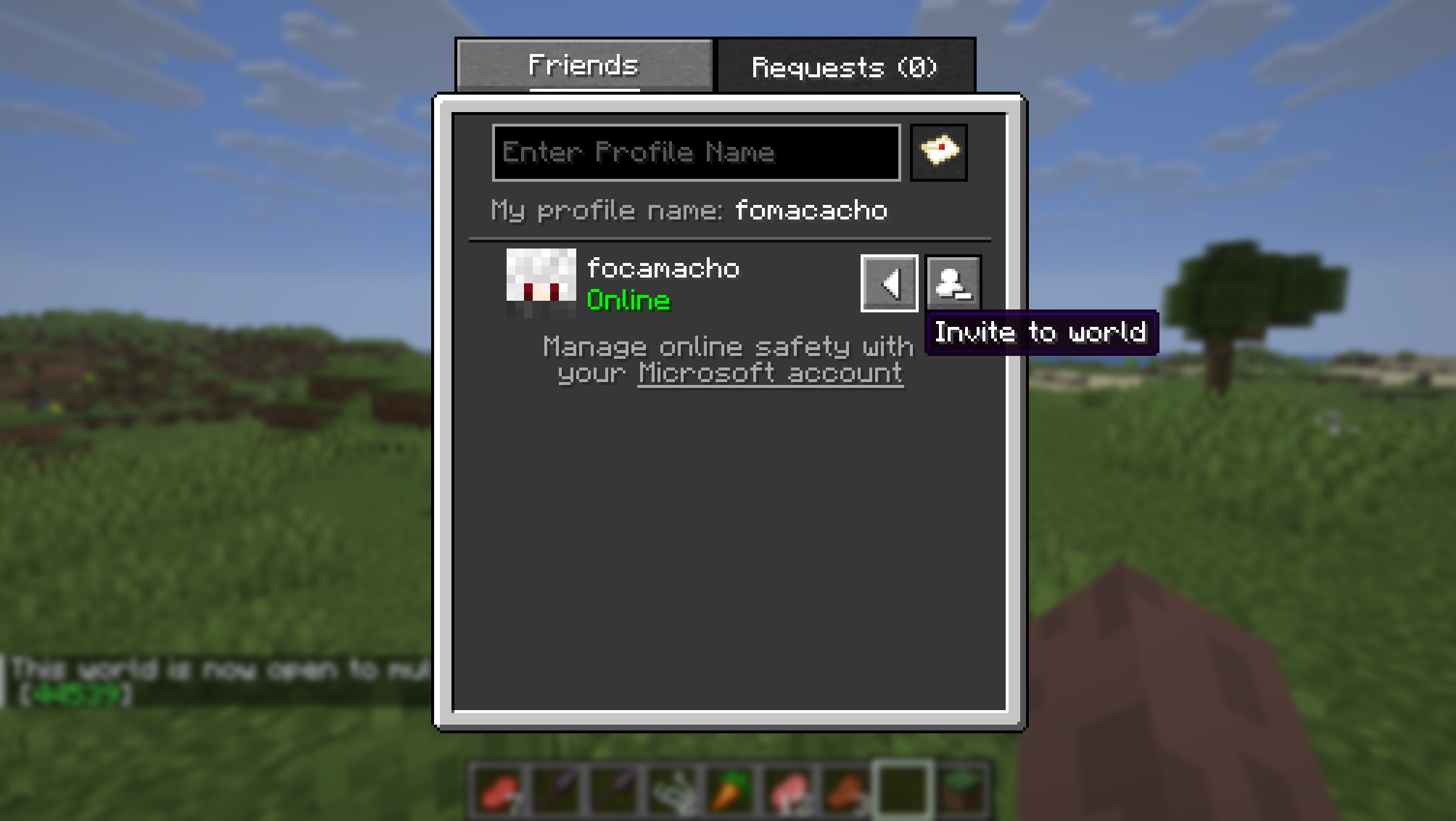 Friends List in-game
Versions
Files
Relations
Project Relations
More like this
Similar Mods
Suggestions use data such as tags, dependencies, dependents, descriptions, titles, and more to rank how much they overlap with this mod.
On ModDex
Community snapshot
By the numbers
Statistics
Want to reach Minecraft players?
We're looking for a server hosting partner to feature here and other parts of the site. Interested? Send us a message!
Get in touchGet it on
Available Platforms
On ModDex
Community snapshot
By the numbers