
Community listing page, reviews here may not be monitored by the author.
Create: Frogport Networks

No reviews yet
A Create addon for Minecraft 1.21.1 (NeoForge) that brings real computer networking to your factory.
Community voices
Reviews
No reviews yet. Be the first to review this project!
Get it on
Available Platforms
Compatibility
Supported Environments
Must be installed on both the client and the server.
About
Project Details
For authors
Embed Badge
If you're the author of this project, you can embed a live badge anywhere that supports HTML or Markdown. It updates automatically whenever ratings change.
Use HTML for any page that supports it, or Markdown for README files and Markdown-based descriptions.
Identifiers
Platform IDs
Resources
External Links
About
Description
Create: Frogport Networks
Ever wished your items could just know where to go, instead of riding a kilometer of belts to get there? That's the itch this addon scratches.
Frogport Networks brings IP-style networking to Create. You lay cables, hand out addresses, split things into subnets, and move items around your base like packets on a real network. Under the hood it's built on Create's own logistics — Frogports, packagers, funnels and chutes all plug straight in — so it feels like part of the machine rather than a bolt-on.
⚠️ Still in development. Everything here works, but expect rough edges and the odd change between versions. Bug reports and ideas are genuinely welcome.
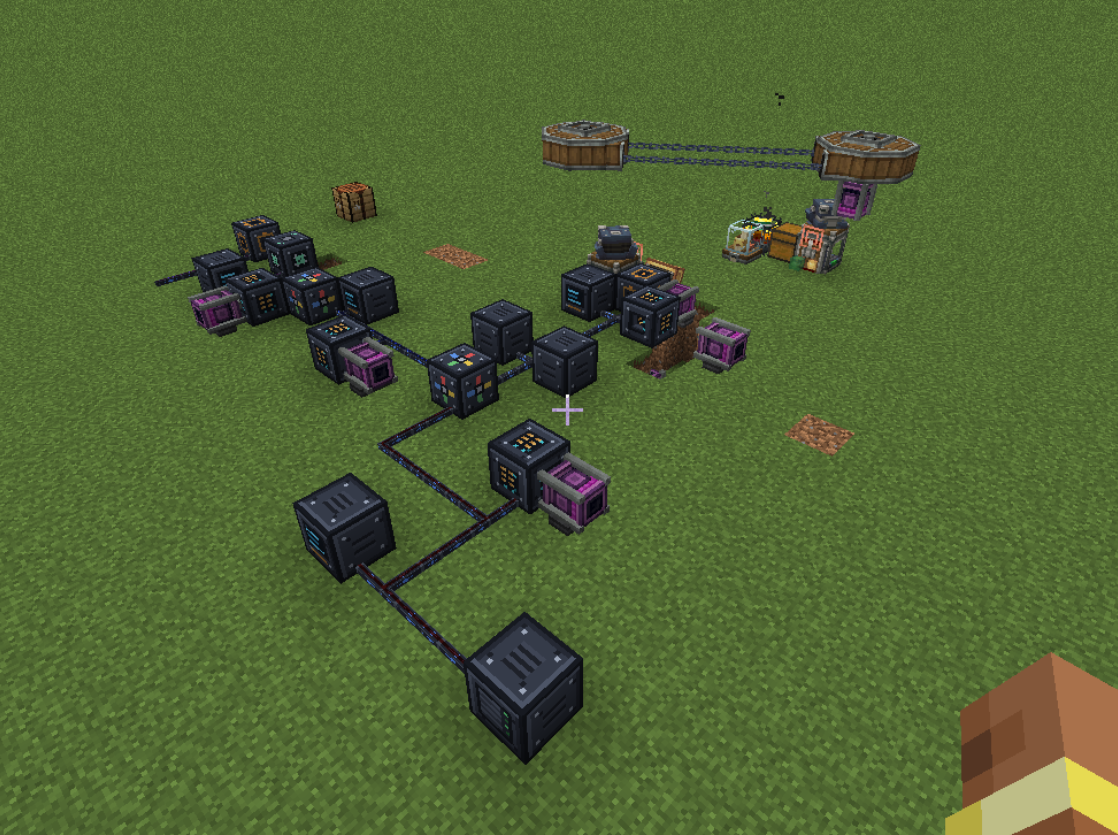
The blocks
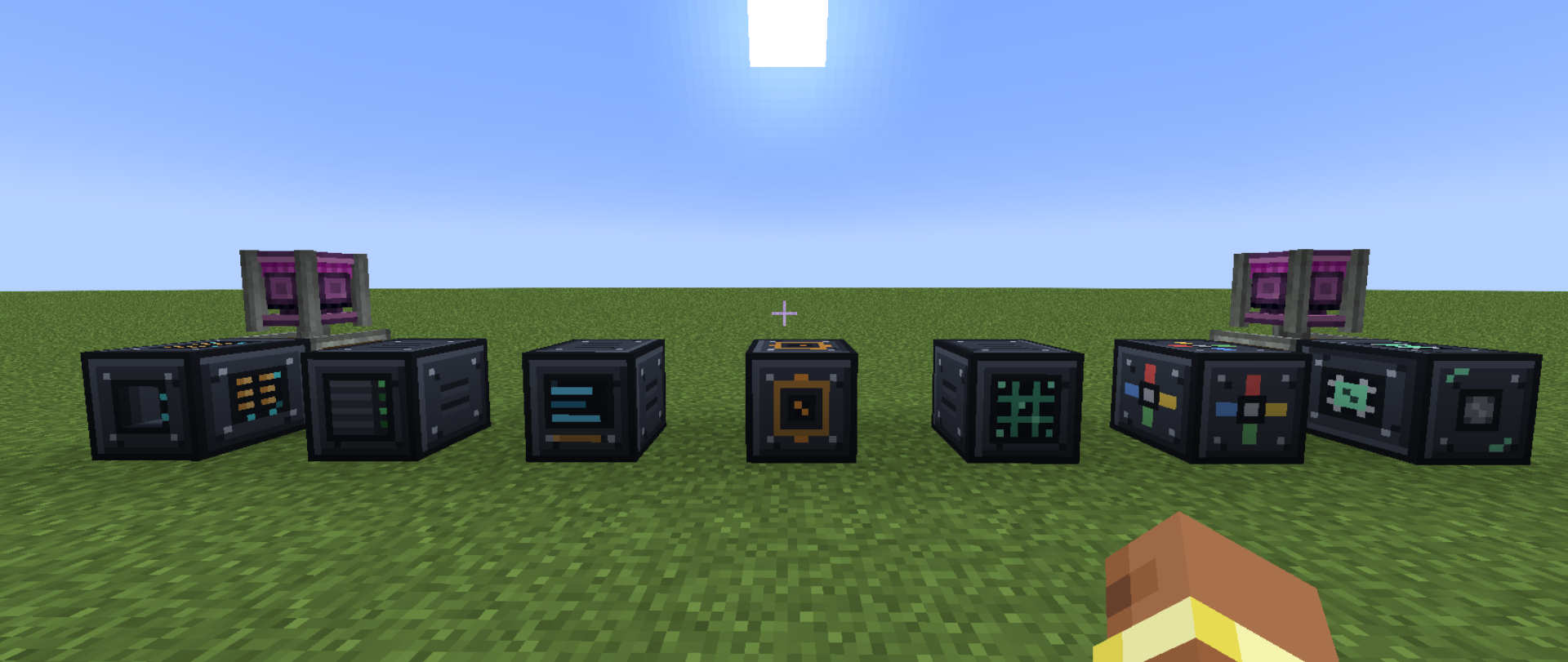
- Router – defines the subnet for everything wired to it. Needs rotational power to run.
- NAS – your storage. Slot in drives and it pools them into one big inventory.
- Terminal – your window into the network: see and pull every drive at once.
- Network Port – the in/out plug for the physical world.
- Gateway – bridges separate subnets so they can share storage.
- Computer – the autocrafting brain.
- Network Monitor – an admin/creative overview of everything on every network.
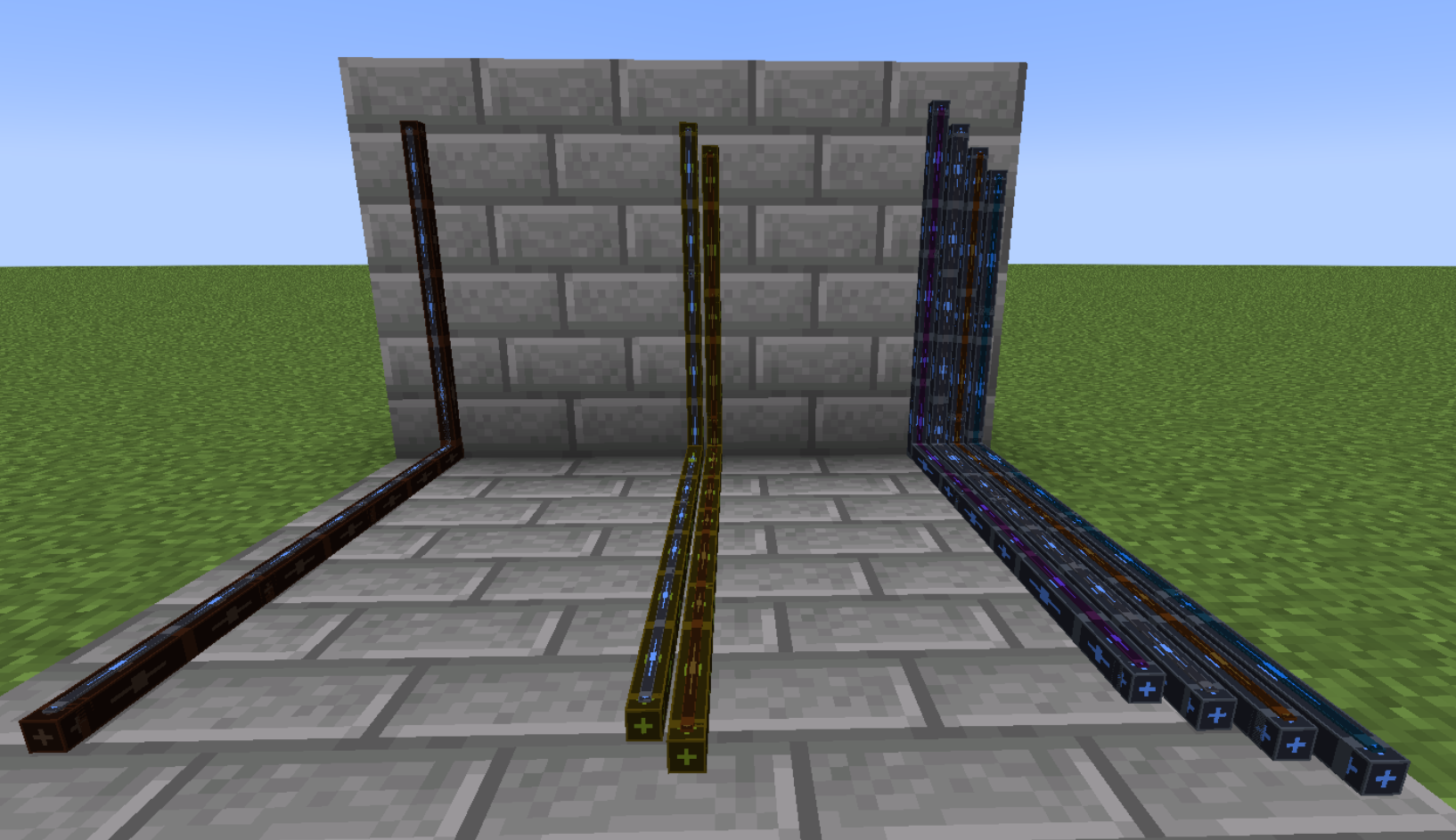
Cables come in three flavours
Reach and throughput are tied to the cable, so there's a real reason to upgrade your backbone:
| Cable | Reach | Throughput |
|---|---|---|
| Copper | 16 blocks | 64 items/s |
| Gold | 32 blocks | 128 items/s |
| Fiber | 64 blocks | 256 items/s |
Each cable block can carry up to four colored strands, and there are 16 colors — every color is its own separate subnet, so you can run completely independent networks through the same wall without them ever touching.
Storage that scales
Drives go into the NAS, and the tier of the drive decides how much it holds:
- 16k items / 64 types
- 64k items / 64 types
- 256k items / 128 types
- 1M items / 256 types
With six drive bays per NAS that's up to 1,536 different item types in a single unit. The Terminal then shows you the whole pool, searchable, no matter which drive things actually live on.
Getting items in and out
The Network Port does the heavy lifting between the network and your contraptions. It talks to:
- Create Packagers / Frogports
- Funnels
- Chutes
- Hoppers
So feeding a network from a farm — or unloading one into a machine — is just a matter of pointing the right block at a port.
Autocrafting
The Computer handles crafting requests straight from a Terminal. It runs on Create's stress (SU), and you grow its abilities with upgrades:
- Base – direct crafting only.
- AI-Chip – recursive crafting: ask for the final item and it figures out the whole tree.
- Process upgrades – hook it up to Create machinery for Smelting, Deploying, Mixing, Milling, Crushing, Pressing, Washing and Haunting.
Connecting networks
Drop a Gateway between two subnets and they can see each other — anything stored in one network becomes reachable from any other network it's linked to. Build small, tidy subnets and stitch them together however you like.
Keeping an eye on things
The Network Monitor is a creative-only block (think admin tool, not survival gear) that lists every item across every network at a glance. Handy for server owners and for debugging a build.
Optional: JEI integration
If you have JEI installed, the Terminal plays nicely with it:
- R / U on any item for recipe and usage lookup.
- The search bars stay in sync both ways.
- Drag an item from JEI onto the Terminal to queue it for autocrafting.
No JEI? No problem — it's entirely optional and the mod runs fine without it.
Requirements
- Minecraft 1.21.1 (NeoForge)
- Create 6.0.10+
- JEI – optional
An independent Create addon. Not affiliated with the Create team.
Screenshots
Gallery
-
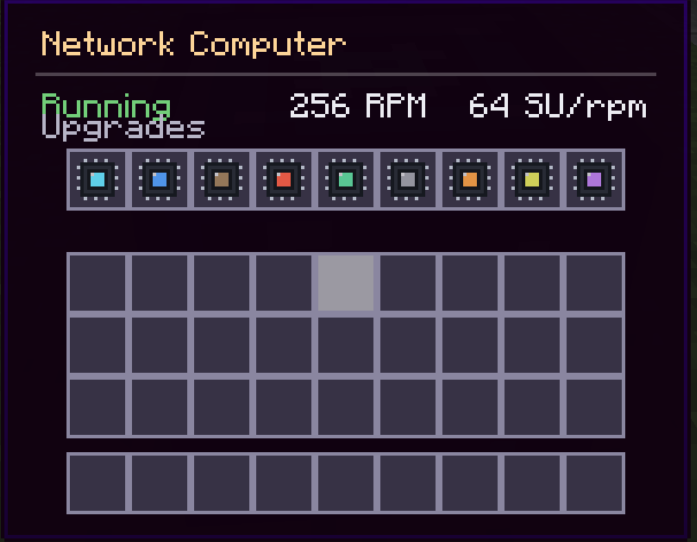 Computer Can craft Items (acces from Network Terminal) - needs SU - w/o Upgrades: Only direct Crafting - AI-Chip: Recursive Crafting - Upgrades for/from create Machines: - Smelting, Deploying, Mixing, Milling, Crushing, Press, Washing, Haunting
 -
Example Network A convoluted mess of cables and blocks, made for testing purposes
-
Available Blocks From Left to Right: Router, NAS (Storage), Terminal, Network Port, Network Monitor, Network Gateway, Network Computer
-
Cables Cable Types (Left to Right, Max Length | Transfer Speed): - Copper: 16 Blocks | 64 Items/s - Gold: 32 Blocks | 128 Items/s - Fiber: 64 Blocks | 256 Items/s
-
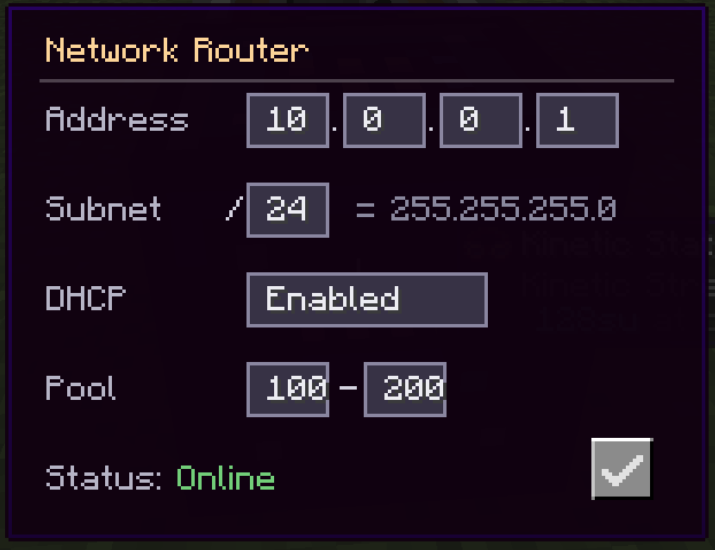 Router - Sets the Subnet for connected Blocks - needs rotational power
 -
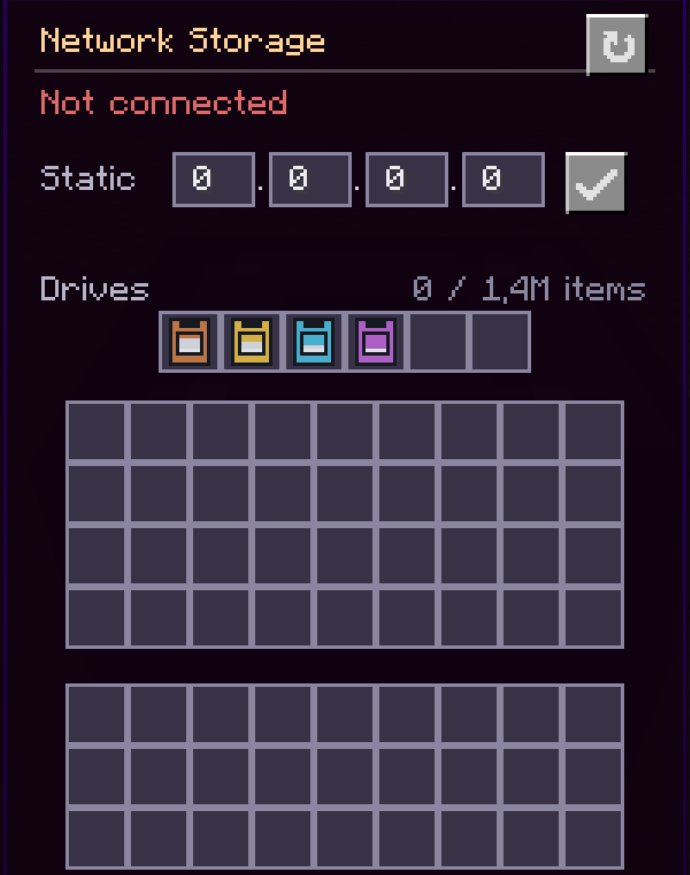 NAS (Storage) Stores up to 6M Items with up to 1.536 different Items - Up to 6 Drives - 16k Items, 64 Types - 64k Items, 64 Types - 256k Items, 128 Types - 1M Items, 256 Types
 -
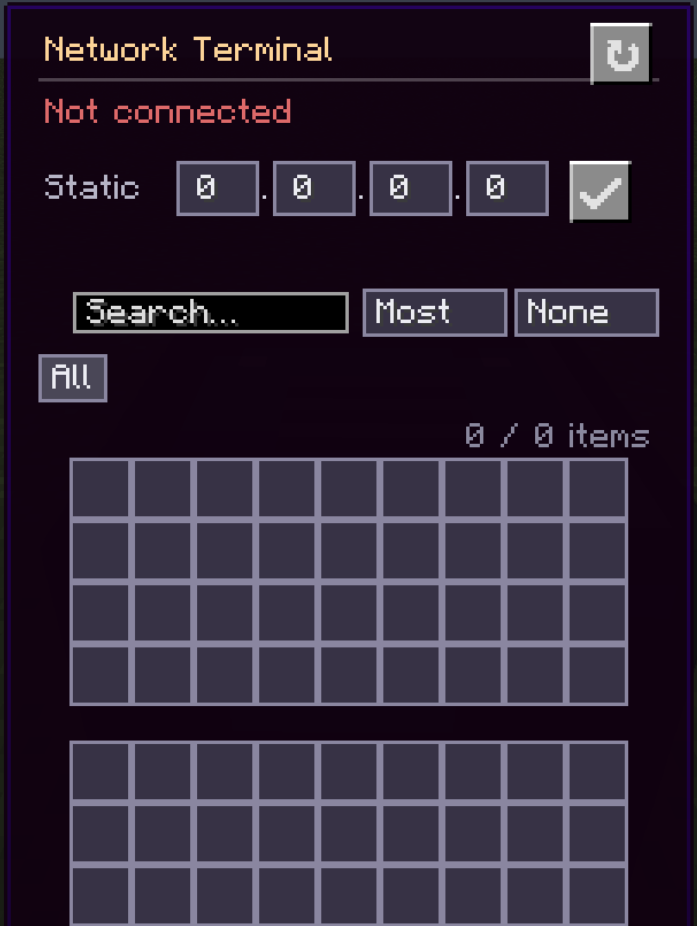 Terminal Acces all Drives in the Network
 -
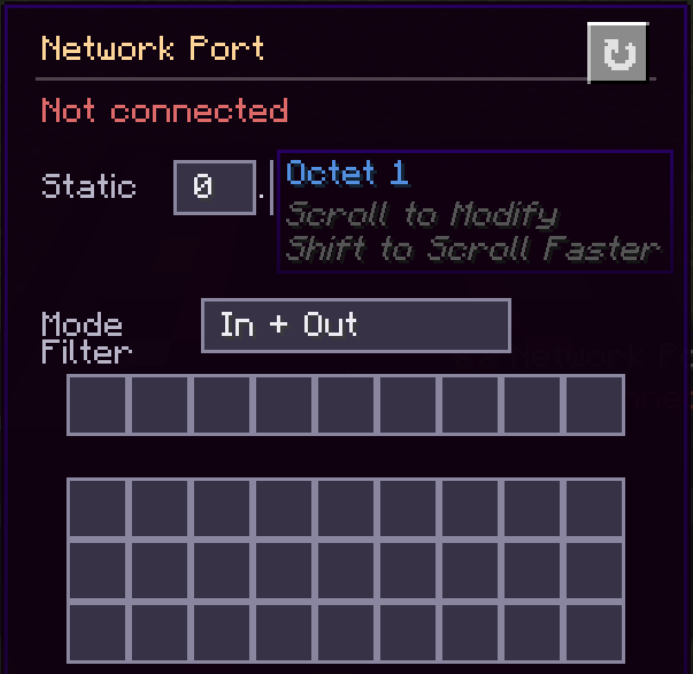 Network Port Automatic Input/Output with: - Packagers/Frogports - Funnel - Chute - Hopper
 -
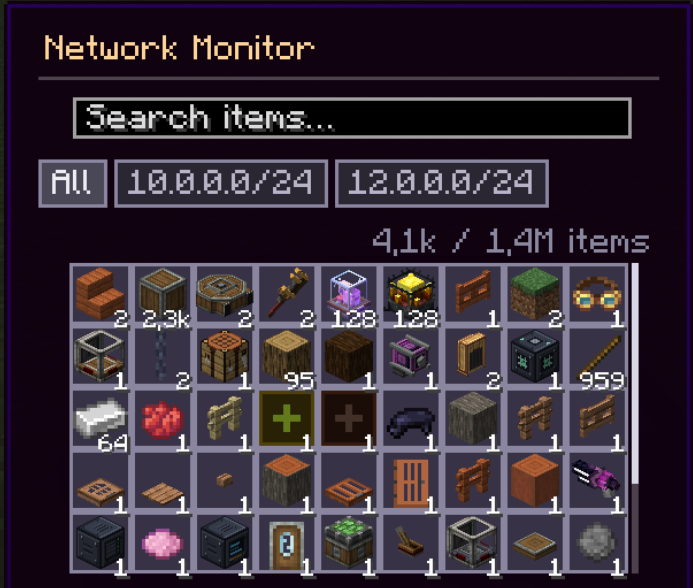 Network Monitor Creative Only block, that shows all Items in all Network
 -
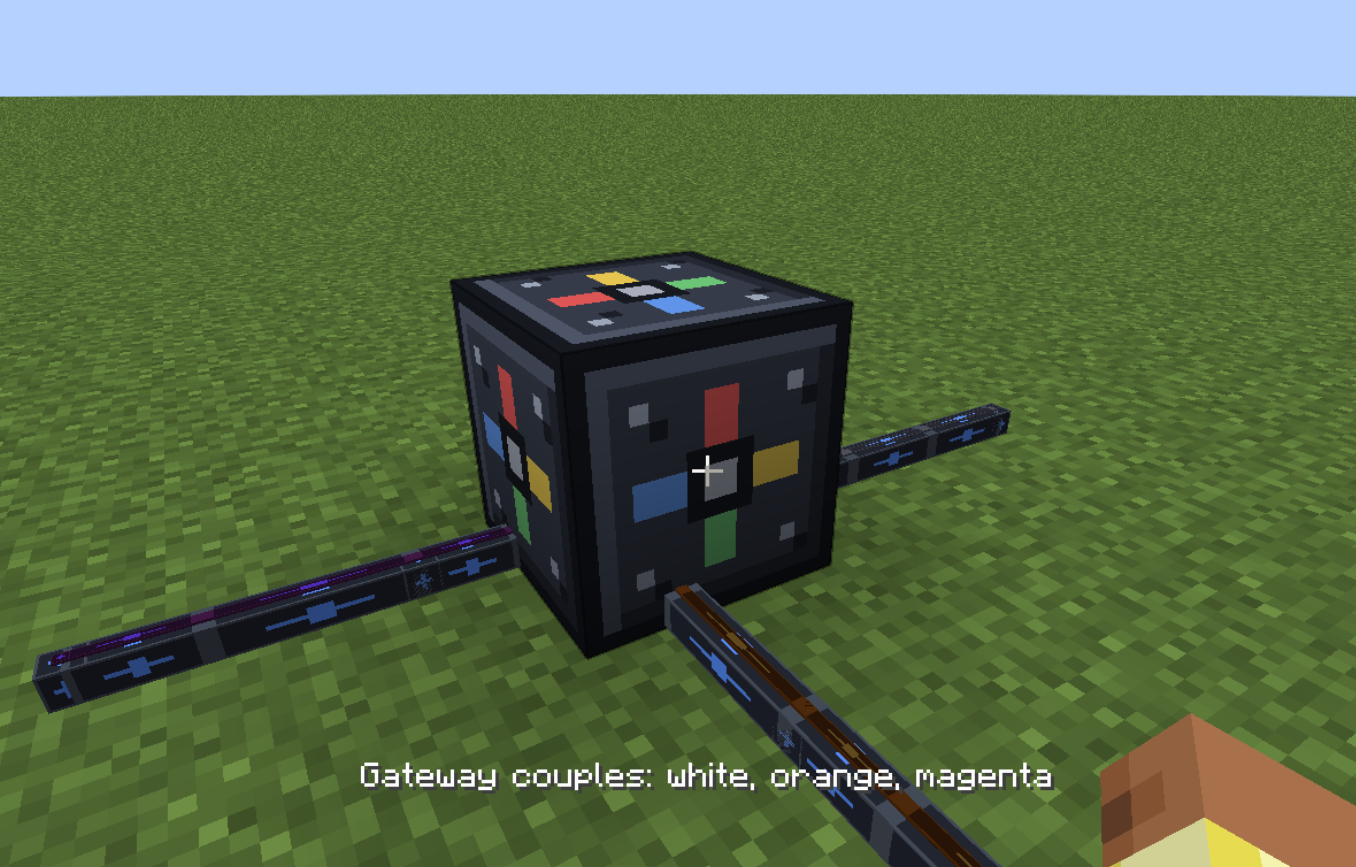 Gateway Can connect different Subnets with each other - All Items in one Network can be accessed from any other connected Network
Versions
Files
Relations
Project Relations
More like this
Similar Mods
Suggestions use data such as tags, dependencies, dependents, descriptions, titles, and more to rank how much they overlap with this mod.
On ModDex
Community snapshot
By the numbers
Statistics

Want to reach Minecraft players?
We're looking for a server hosting partner to feature here and other parts of the site. Interested? Send us a message!
Get in touchGet it on
Available Platforms
On ModDex
Community snapshot
By the numbers
Statistics
Resources