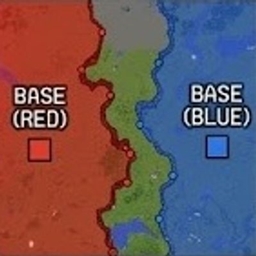
Community listing page, reviews here may not be monitored by the author.
Frontline

No reviews yet
"Real-time dynamic frontline and territory control system powered by strategic flag points for tactical combat servers."
Community voices
Reviews
No reviews yet. Be the first to review this project!
Get it on
Available Platforms
About
Project Details
For authors
Embed Badge
If you're the author of this project, you can embed a live badge anywhere that supports HTML or Markdown. It updates automatically whenever ratings change.
Use HTML for any page that supports it, or Markdown for README files and Markdown-based descriptions.
Identifiers
Platform IDs
Resources
External Links
About
Description
Additional Features
- Presence-based capturing: capture objectives by standing inside the capture area. Enemy presence contests the capture.
- Six game modes: Frontline, Chain, Score, Capture & Hold, Combined, and Attack & Defense.
- Configurable match settings: capture duration, respawn delay, score limits, round timers, and preparation breaks.
- Deployment menu: choose your class, inspect its equipment, and select a spawn point on a terrain map.
- Tactical spawning: team bases, eligible forward positions, temporary rally points, and commander deployment.
- Commander deployment rewards: both the deploying player and the commander can receive a currency bonus.
- Team balancing: prevents players from joining an already larger side.
- Classes and loadouts: configurable classes, subclasses, and equipment kits.
- Combat economy: rewards for kills, assists, objectives, and medical support, with personal funds and shared team budgets.
- Brigades and leadership: brigade membership, shared brigade funds, military ranks, and commander voting.
- Categorized equipment shop: custom categories with held-item icons and separate purchase/deletion modes for administrators.
- Vehicle support: team-specific vehicle catalogs, deployment restrictions, and cooldowns.
- Frequency-based voice radio: microphone communication, adjustable volume, radio distortion, and transmission-end noise.
- First Aid integration: teammate treatment, reduced self-treatment effectiveness, defibrillator revives, and wounded-ally markers.
- Tactical HUD: a Tab leaderboard, mode information beneath the minimap, and elevated objective markers with distances.
- Visual settings: bodycam presentation, thermal vision, night darkness, and separate daytime/nighttime fog settings.
- SBW integration: FPV/Mavic drone modes and adjustable explosion block destruction.
- JSON configuration: editable kit and shop catalogs with reload commands.
Command Reference
Replace arguments in <angle brackets> with your values. Arguments in [square brackets] are optional. Administrative setup commands require operator permissions; some gameplay actions also depend on your team, rank, or brigade role.
Joining, Classes & Deployment
| Command | Description |
|---|---|
/frontline info |
Show battlefield information. |
/jointeam <team> |
Join a team, subject to team balancing. |
/frontline class menu |
Open the class and deployment menu. |
/frontline class list |
List configured classes. |
/frontline class select <id> |
Select a configured subclass. |
/respawn base |
Select your team’s main base. |
/respawn front |
Select an eligible forward spawn. |
/respawn auto |
Use automatic spawn selection. |
/respawn rally |
Select your brigade’s available rally point. |
/respawn commander |
Select deployment near an eligible commander. |
/rally kit |
Obtain a rally-point kit as a brigade commander. Place it on solid ground. |
/rally remove |
Remove your brigade’s rally point as its commander. |
/frontline point upgrade |
Upgrade an eligible friendly objective. |
Radio
Frequency settings are also available through the Radio tab in the map menu. The default push-to-talk key is V, configurable in Minecraft’s controls.
| Command | Description |
|---|---|
/radio |
Display your current radio status. |
/radio frequency <MHz> |
Tune to a frequency between 0.1 and 999.9 MHz. |
/radio off |
Switch your radio off. |
/radio volume <percent> |
Set radio volume from 0–100. |
/radio tail <milliseconds> |
Set transmission-end noise duration from 0–1000 ms. Use 0 to disable it. |
Players on the same frequency can communicate regardless of team. An enemy who discovers your frequency can listen in.
Shop, Vehicles & Budgets
| Command | Description |
|---|---|
/shop |
Open the equipment shop. |
/vehicles |
Open the vehicle shop. |
/vehicle spawn <name> |
Request a configured vehicle, subject to availability and deployment restrictions. |
/frontline budget show |
View your team’s shared budget. |
/frontline budget deposit <amount> |
Transfer personal currency into the team budget. |
/frontline brigade menu |
Open the brigade menu. |
/frontline brigade create <id> |
Create a brigade. |
/frontline brigade join <id> |
Join a brigade. |
/frontline brigade budget show |
View your brigade’s funds. |
/frontline brigade budget donate <amount> |
Donate to your brigade. |
/frontline brigade budget issue <player> <amount> |
Issue brigade funds when authorized. |
/frontline rank info |
View your rank. |
/frontline commander vote <player> |
Vote for a commander. |
/frontline commander remove <player> |
Vote to remove a commander. |
/frontline commander status |
View commander information. |
Battlefield Setup — Administrators
| Command | Description |
|---|---|
/frontline zone set <x1> <z1> <x2> <z2> |
Define the battlefield using block coordinates. |
/frontline team create <id> <colorHex> |
Register a team and its color. |
/frontline team base set <team> |
Set the team’s base at your current position. |
/frontline poi add <name> |
Create an objective in your current chunk. |
/frontline poi add <name> <radius> <chunkX> <chunkZ> |
Create an objective at specified chunk coordinates. |
/frontline poi remove <name> |
Remove an objective. |
/frontline poi list |
List objectives. |
/frontline point supply set |
Configure an objective supply location. |
/frontline class add <id> |
Add a class. |
/frontline class subclass add <class> <id> <kit> |
Add a subclass linked to a kit. |
/frontline rank set <player> <rank> |
Set a player’s rank. |
Objective capture currently uses the objective’s 16×16-block chunk. Chain ordering follows objective names; use names such as 01, 02, 03, 04, and 05 to keep the intended sequence clear.
Match Controls — Administrators
| Command | Description |
|---|---|
/frontline match mode <mode> |
Select a game mode. |
/frontline match start |
Start a new match. |
/frontline match restart |
Reset and restart the match. |
/frontline match stop |
Stop the match. |
/frontline match status |
Display match settings and status. |
/frontline match capturetime <seconds> |
Set capture duration for all modes: 1–3600 seconds. |
/frontline match respawn <seconds> |
Set respawn delay: 0–3600 seconds. |
/frontline match threshold <percent> |
Set the territory percentage required to win Frontline mode. |
/frontline match scorelimit <points> |
Set the score victory limit. |
/frontline match roundtime <seconds> |
Set Attack & Defense round duration: 1–7200 seconds. |
/frontline match roundtime red <seconds> |
Set round duration when red defends. |
/frontline match roundtime blue <seconds> |
Set round duration when blue defends. |
/frontline match breaktime <seconds> |
Set the next side-switch preparation break: 0–3600 seconds. |
/frontline match matchtime <seconds> |
Set total Attack & Defense match duration, including breaks: 1–86400 seconds. |
/rally lifetime <seconds> |
Set the lifetime of newly placed rally points: 30–3600 seconds. |
/rally reward <amount> |
Set the commander-deployment reward for each eligible participant. |
Available mode names:
front
chain
score
capture_hold
combined
attack_defense
In a five-objective Attack & Defense match, blue attacks 3 → 4 → 5 while red defends. After the preparation break and side switch, red attacks 3 → 2 → 1.
Kits & Shop Configuration — Administrators
| Command | Description |
|---|---|
/frontline kit set <name> |
Save your current equipment as a kit. |
/frontline kit list |
List saved kits. |
/frontline kit reload |
Reload kit configuration from JSON. |
/sell item <price> [section] |
Add the held item to the shop. |
/shop section create <name> |
Create a category using the held item as its icon. |
/shop section icon <name> |
Replace a category’s icon with the held item. |
/shop section remove <name> |
Remove a category. |
/shop section move <itemNumber> <name> |
Move a shop entry into a category. |
/shop section clear <itemNumber> |
Move an entry into the uncategorized section. |
/shop section list |
List shop categories. |
/shop reload |
Reload the shop configuration from JSON. |
/economy add <players> <amount> |
Give currency to selected players. |
/economy remove <players> <amount> |
Remove currency from selected players. |
/economy set <players> <amount> |
Set selected players’ balances. |
Use quotation marks for shop category names containing spaces, such as "Medical Supplies".
Main configuration files:
config/frontline-kits.json
config/frontline-shop.json
Visuals & Integration Settings
| Command | Description |
|---|---|
/bodycam on |
Enable server-controlled bodycam presentation. |
/bodycam off |
Disable server-controlled bodycam presentation. |
/bodycam hud full |
Use the full HUD. |
/bodycam hud minimal |
Use the minimal bodycam HUD. |
/bodycam hud off |
Hide the standard HUD through bodycam settings. |
/thermal on [true/false] |
Enable thermal vision; the optional argument controls visibility through walls. |
/thermal off |
Disable thermal vision. |
/frontline fog density <percent> |
Set fog density from 0–100. |
/frontline fog day <percent> |
Set daytime fog density. |
/frontline fog night <percent> |
Set nighttime fog density. |
/frontline night darkness <percent> |
Configure night darkness from 0–100. |
/frontline map size <pixels> |
Set the server minimap size: 60–250 pixels. |
/fl mapsize <pixels> |
Adjust your local minimap size: 40–200 pixels. |
/fl render |
Toggle the optional territory overlay in the world; disabled by default. |
/drone fpv |
Switch drone controls to FPV mode for all players. |
/drone mavic |
Restore Mavic-style drone controls for all players. |
/sbw explosion power <percent> |
Adjust SBW explosion block destruction: 0–100. Entity damage remains unchanged. |
Bodycam, thermal, fog, darkness, server minimap settings, and explosion configuration require operator permissions. The drone-mode command currently changes the mode globally.
Medical Gameplay
Medical support uses items and player interaction rather than a healing command. Sneak while using supported medical supplies on a teammate to treat them. Recoverable downed allies require a teammate with a defibrillator; bandages do not revive them. Successful medical support can earn currency.
Screenshots
Gallery
-
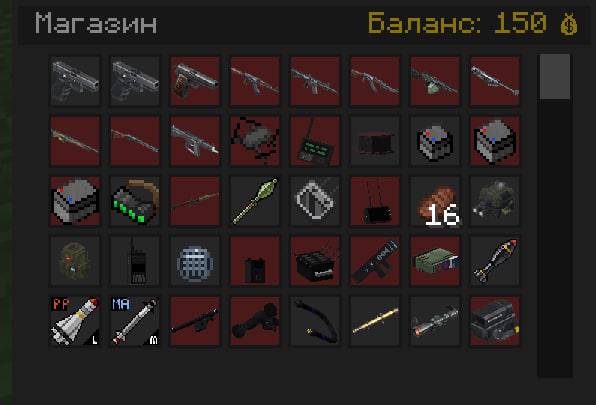 photo_2026-08-03_21-25-48.jpg photo_2026-08-03_21-25-48.jpg
 -
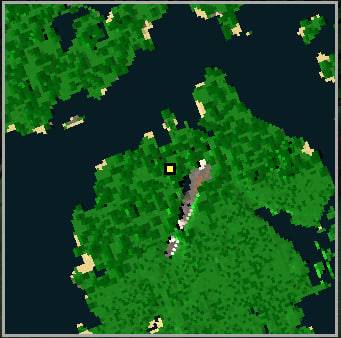 photo_2026-08-03_21-27-05.jpg photo_2026-08-03_21-27-05.jpg
 -
 photo_2026-08-03_21-28-19.jpg photo_2026-08-03_21-28-19.jpg
Versions
Files
Relations
Project Relations
More like this
Similar Mods
Suggestions use data such as tags, dependencies, dependents, descriptions, titles, and more to rank how much they overlap with this mod.
On ModDex
Community snapshot
By the numbers
Statistics
Want to reach Minecraft players?
We're looking for a server hosting partner to feature here and other parts of the site. Interested? Send us a message!
Get in touchGet it on
Available Platforms
On ModDex
Community snapshot
By the numbers
Statistics
Resources