
Community listing page, reviews may not be monitored by the author.
FRSM - Custom Asphalt Extension

No reviews yet
A Mod adding customisable asphalt blocks in 16 heights.

Community voices
Reviews
No reviews yet. Be the first to review this project!
Get it on
Available Platforms
About
Project Details
For authors
Embed Badge
If you're the author of this project, you can embed a live badge anywhere that supports HTML or Markdown. It updates automatically whenever ratings change.
Use HTML for any page that supports it, or Markdown for README files and Markdown-based descriptions.
Identifiers
Platform IDs
About
Description
Custom Asphalt Extension is a mod adding new customisable "Asphalt Block" in 16 different heights.
This mod is an Extension for FRSM, and won't work without it installed! (min FRSM 3.6.97c)
Basic usage:
Take some asphalt blocks from the creative inventory with the height you need and build some roads;
Next take the "Planning Item" and rightlick it on some block which isn't an asphalt block.
An GUI should show up, "paint" there the pattern which you want to have on the asphalt blocks later.
Click "Save" and (since there is a small offsync issue) open the Inventory to check if the pattern saved in the Item's NBT.
As next click the Asphalt Blocks you want to "paint".
Current Features:
- Customisable Asphalt Block in 16 heights (no layer)
- Customisable Asphalt Block in 16 heights (with pattern)
- Planning Item which saves layer patterns, can be also used to store patterns.
-
Planned features:
- The white layer of the Asphalt Block in all 16x minecraft dye colours.
- GUI capable of loading the pattern which is saved currently in the item, to don't always start from scratch
- More tools in the GUI, like e.g. pattern rotation.
- ya can suggest something
License:
Same as in FRSM. It's an extension of it after all, isn't it?
Videos/Reviews
Wanna make one? Go on, I'm rather uncommon with making videos, which you might realise pretty fast watching any of mine. Just provide a link when you make one, so that I can see it.
Q&A:
- Q: Any way to make this less lagging?
- A: For that purpose I made 2 Custom Asphalt Blocks, one is called "no layer" (also avaible in creative inventory)
the "nolayer" version is just a common minecraft block using a json model, which shouldn't lagg any much.
In a future version I might add a tool to distinguish the 2 block types better, and to prevent any of the blocks with invisible layer to idly staying in the world and lagging.
Also consider using patterns with lower res.type.
- Q: My Planning Item does have still the old pattern after pressing SAVE in the GUI!
- A: Did you open the inventory after that? And preferably checked the Item's ToolTip, it's a small off-sync bug currently, which doesn't update the item till you e.g. open inventory.
-
-
IMPORTANT:
- I marked this mod as being in "beta" because it has yet a few features which need polishing, and other which might get completly changed or removed, keep that in mind. (that will most probably don't affect the block itself, but other mechanics related to it)
That's all, greetings.
Screenshots
Gallery
-
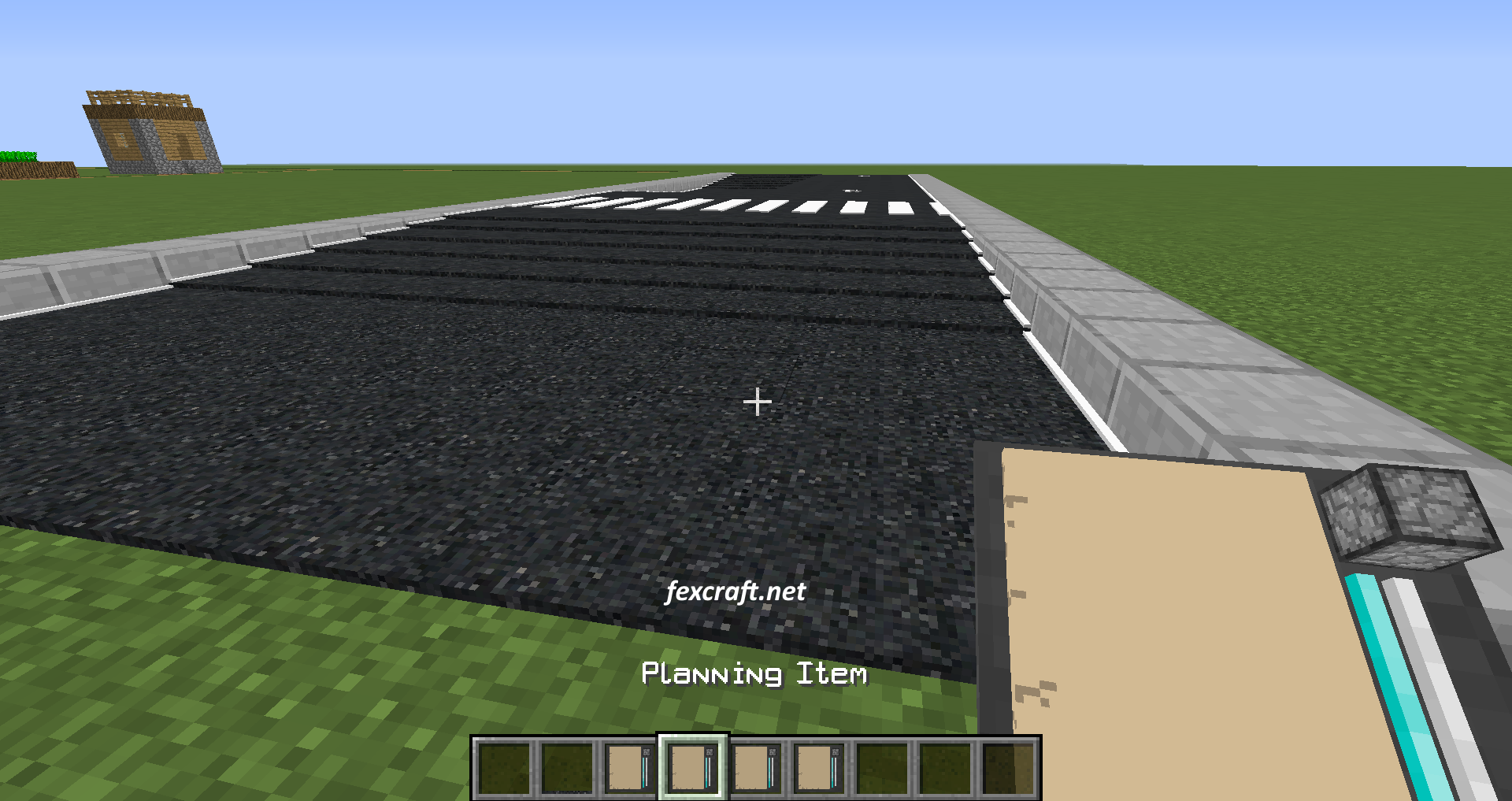 ex2
ex2 -
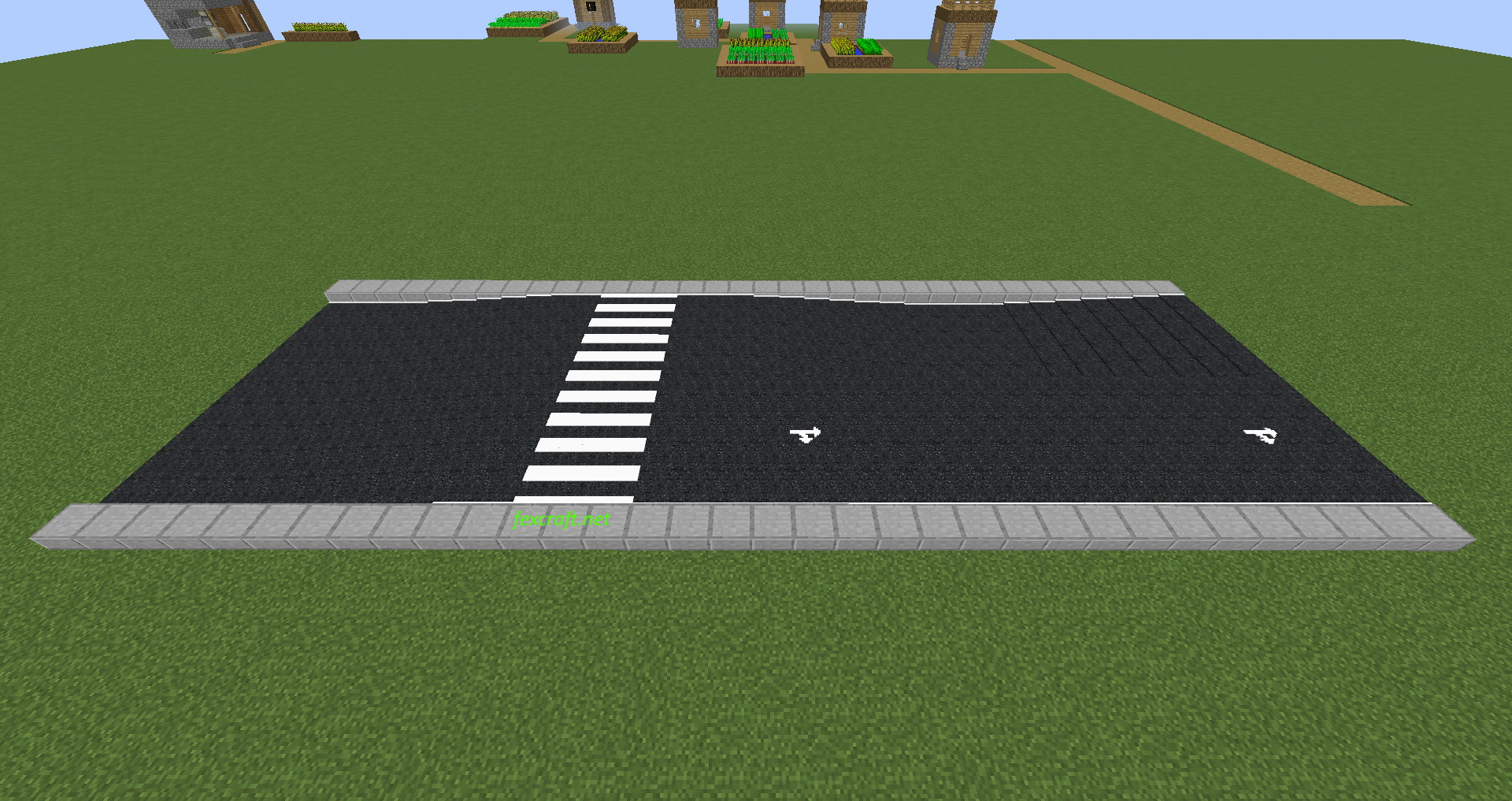 ex1
ex1 -
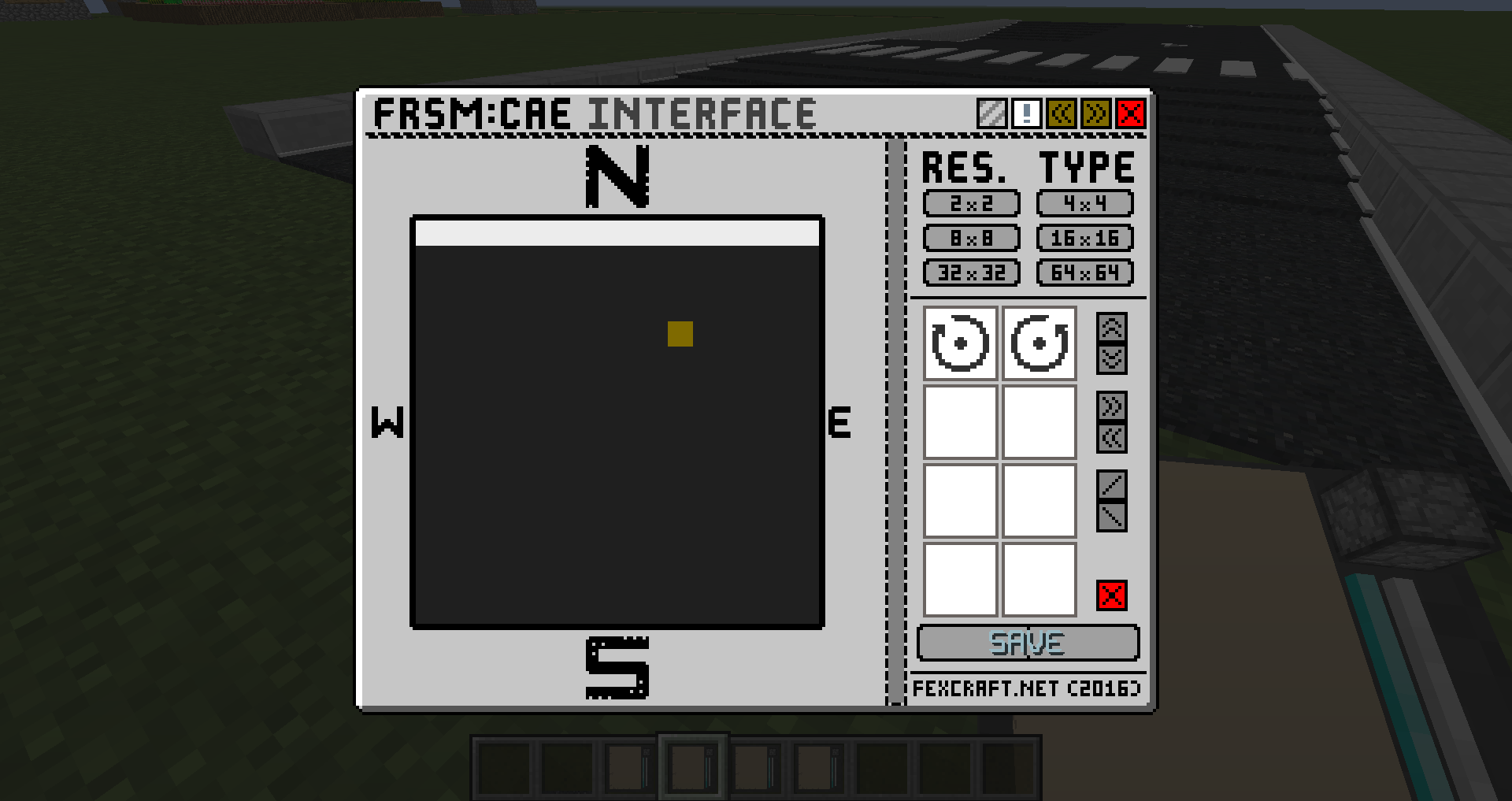 GUI
GUI
Versions
Files
Relations
Project Relations
More like this
Similar Mods
Suggestions use data such as tags, dependencies, dependents, descriptions, titles, and more to rank how much they overlap with this mod.
On ModDex
Community snapshot
By the numbers
Statistics

Get it on
Available Platforms
On ModDex
Community snapshot
By the numbers