
Community listing page, reviews here may not be monitored by the author.
Full Slabs


No reviews yet
Adds vertical and mixed slabs to minecraft
Community voices
Reviews
No reviews yet. Be the first to review this project!
Get it on
Available Platforms
Compatibility
Supported Environments
Must be installed on both the client and the server.
About
Project Details
For authors
Embed Badge
If you're the author of this project, you can embed a live badge anywhere that supports HTML or Markdown. It updates automatically whenever ratings change.
Use HTML for any page that supports it, or Markdown for README files and Markdown-based descriptions.
Identifiers
Platform IDs
About
Description
Full Slabs






Vertical slabs and mixed slabs for modern Minecraft
Features
- Vertical slabs that just work — no new recipes or crafting steps.
- Mixed slabs: two different slabs in one block space, with per-half breaking (KleeSlabs-style).
- Single codebase for both loaders through Architectury.
- Additional compatibility added for Mo Glass and Blockus.
Note: Mo Glass slabs cannot be mixed.
Gallery
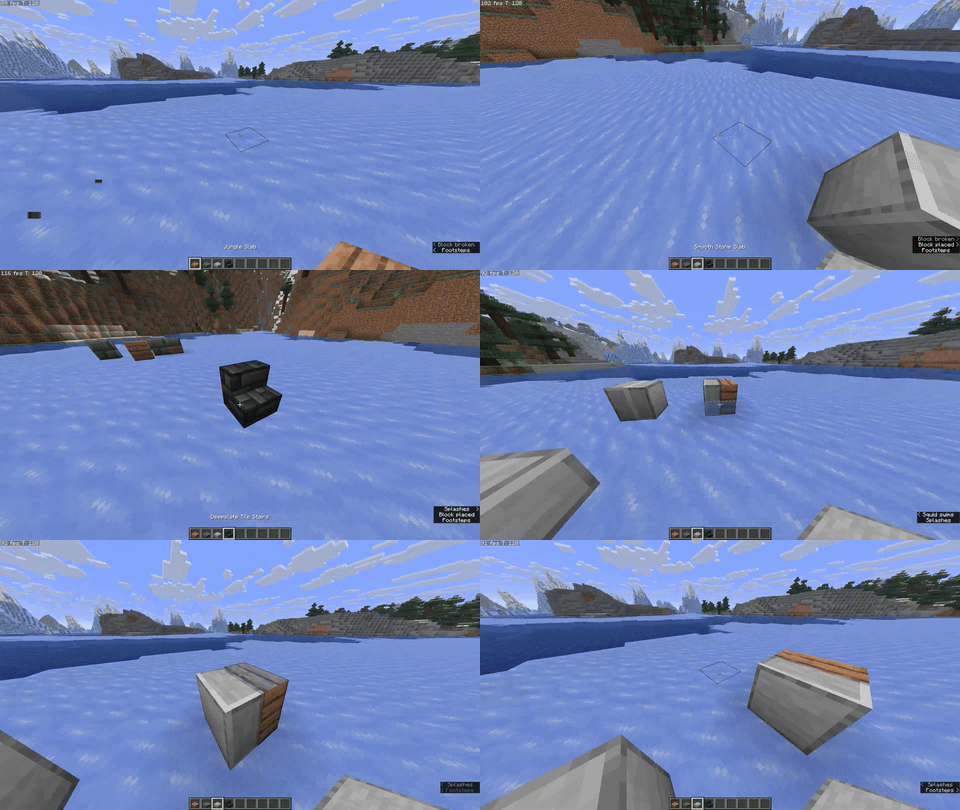
How it plays
- Placement modes: cycle between three placement modes to control how halves place.
Bind in Controls → Key Binds → Full Slabs → Cycle Placement Mode. - Overlay: a lightweight overlay shows which halves will be placed or broken.
Bind in Controls → Key Binds → Full Slabs → Toggle Overlay.
If you’ve used “vertical slab only” mods before, Full Slabs maintains that simplicity and adds mixing and interaction affordances on top, without recipe clutter.
Compatibility
- Minecraft: 1.21.10
- Loaders: Fabric, NeoForge (via Architectury)
- Required: Architectury API, MidnightLib
- Optional notes:
- Mo Glass: supported, but Mo Glass slabs cannot be mixed.
- Blockus: extra variants and behavior where appropriate.
- Not supported: OptiFine / OptiFabric
Install
Recommended: Install via the Modrinth App — open the Full Slabs page and click Install. It will bring the mod in with dependencies and keep it updated.
Links
- Modrinth: https://modrinth.com/mod/full-slabs
- CurseForge: https://www.curseforge.com/minecraft/mc-mods/full-slabs
- Source: https://github.com/Micalobia/Full-Slabs
- Issues: https://github.com/Micalobia/Full-Slabs/issues
No Discord — GitHub issues are the best place to reach me.
Credits
- Created by Micalobia.
- Big thanks to JackGlobetrotter for keeping Full Slabs alive for years and inspiring the revival.
- Thanks to the teams behind Architectury API and MidnightLib.
License & Modpacks
MIT license. Modpacks are welcome — no need to ask; a link back helps people find updates.
Changelog
See Releases on Modrinth or GitHub for version-specific changes.
Full Slabs

Vertical slabs and mixed slabs for modern Minecraft.
Features
- Vertical slabs that just work — no new recipes or crafting steps.
- Mixed slabs: two different slabs in one block space, with per-half breaking (KleeSlabs-style).
- Single codebase for both loaders through Architectury.
- Additional compatibility added for Mo Glass and Blockus.
Note: Mo Glass slabs cannot be mixed.
Gallery
How it plays
- Placement modes: cycle between three placement modes to control how halves place.
Bind in Controls → Key Binds → Full Slabs → Cycle Placement Mode. - Overlay: a lightweight overlay shows which halves will be placed or broken.
Bind in Controls → Key Binds → Full Slabs → Toggle Overlay.
If you’ve used “vertical slab only” mods before, Full Slabs maintains that simplicity and adds mixing and interaction affordances on top, without recipe clutter.
Compatibility
- Minecraft: 1.21.10
- Loaders: Fabric, NeoForge (via Architectury)
- Required: Architectury API, MidnightLib
- Optional notes:
- Mo Glass: supported, but Mo Glass slabs cannot be mixed.
- Blockus: extra variants and behavior where appropriate.
- Not supported: OptiFine / OptiFabric
Install
Recommended: Install via the Modrinth App — open the Full Slabs page and click Install. It will bring the mod in with dependencies and keep it updated.
Links
- Modrinth: https://modrinth.com/mod/full-slabs
- CurseForge: https://www.curseforge.com/minecraft/mc-mods/full-slabs
- Source: https://github.com/Micalobia/Full-Slabs
- Issues: https://github.com/Micalobia/Full-Slabs/issues
No Discord — GitHub issues are the best place to reach me.
Credits
- Created by Micalobia.
- Big thanks to JackGlobetrotter for keeping Full Slabs alive for years and inspiring the revival.
- Thanks to the teams behind Architectury API and MidnightLib.
License & Modpacks
MIT license. Modpacks are welcome — no need to ask; a link back helps people find updates.
Changelog
See Releases on Modrinth or GitHub for version-specific changes.
Screenshots
Gallery
-
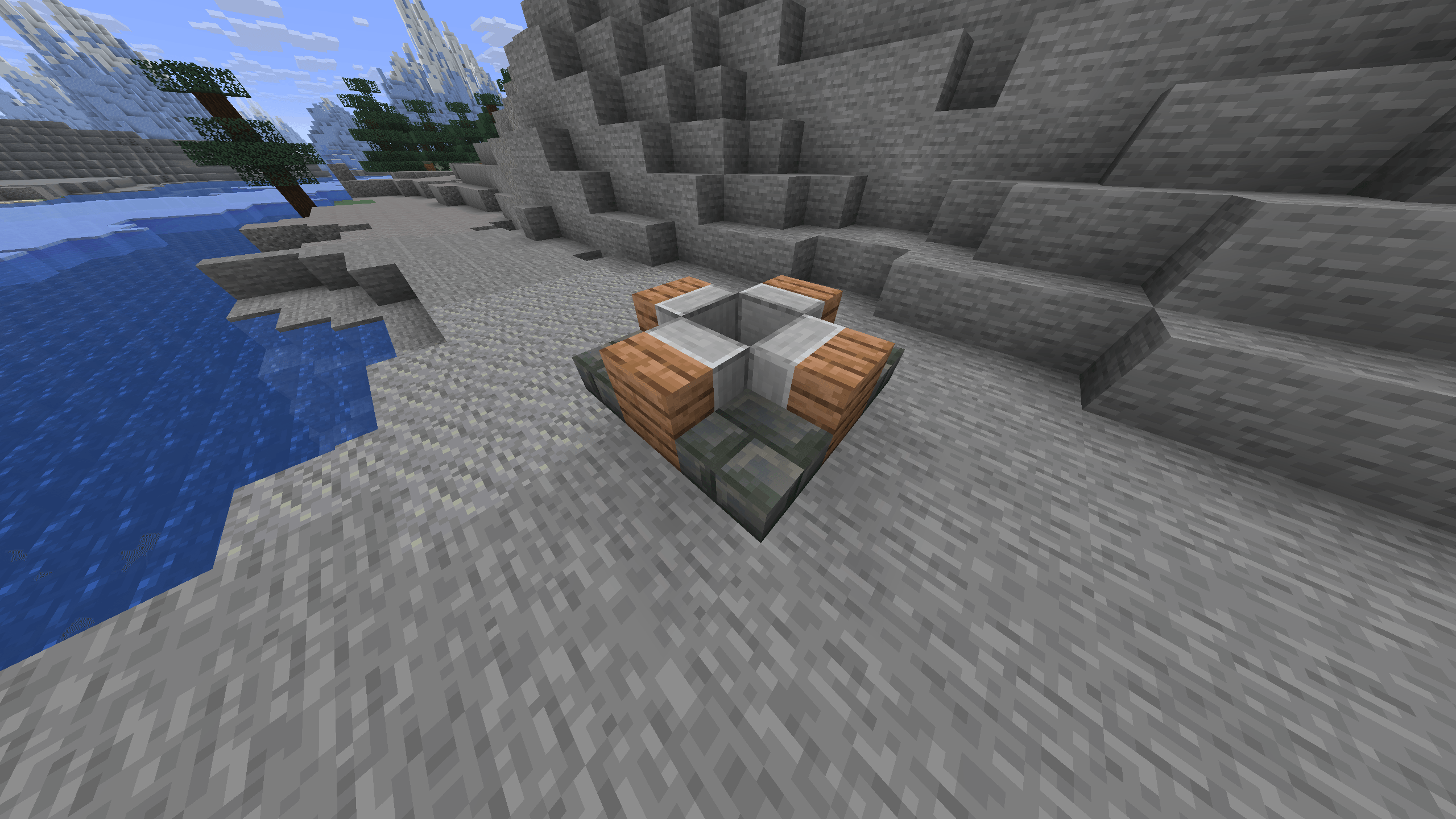 thing.png thing.png
 -
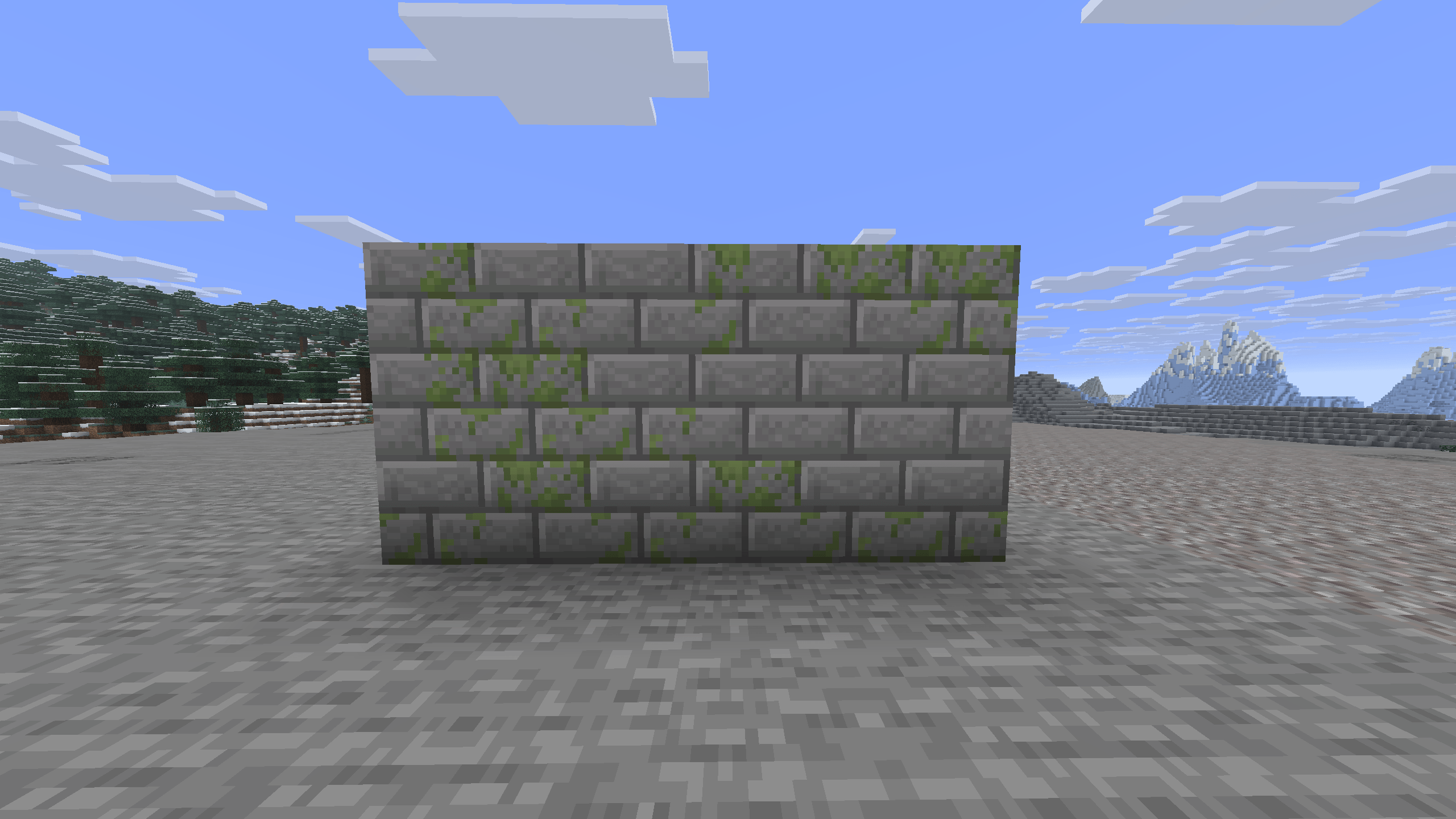 stone_bricks.png stone_bricks.png
 -
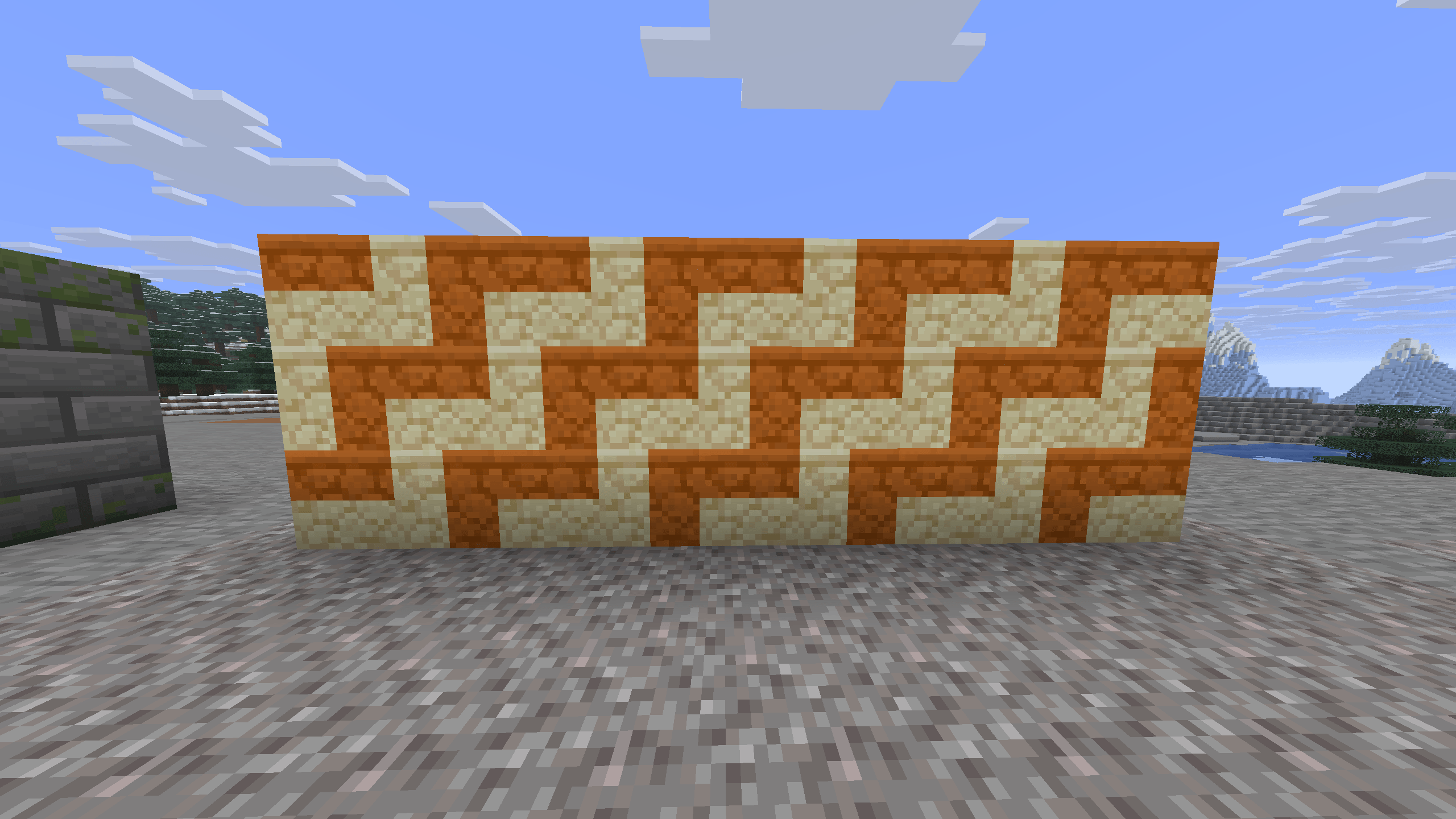 sandstone.png sandstone.png
-
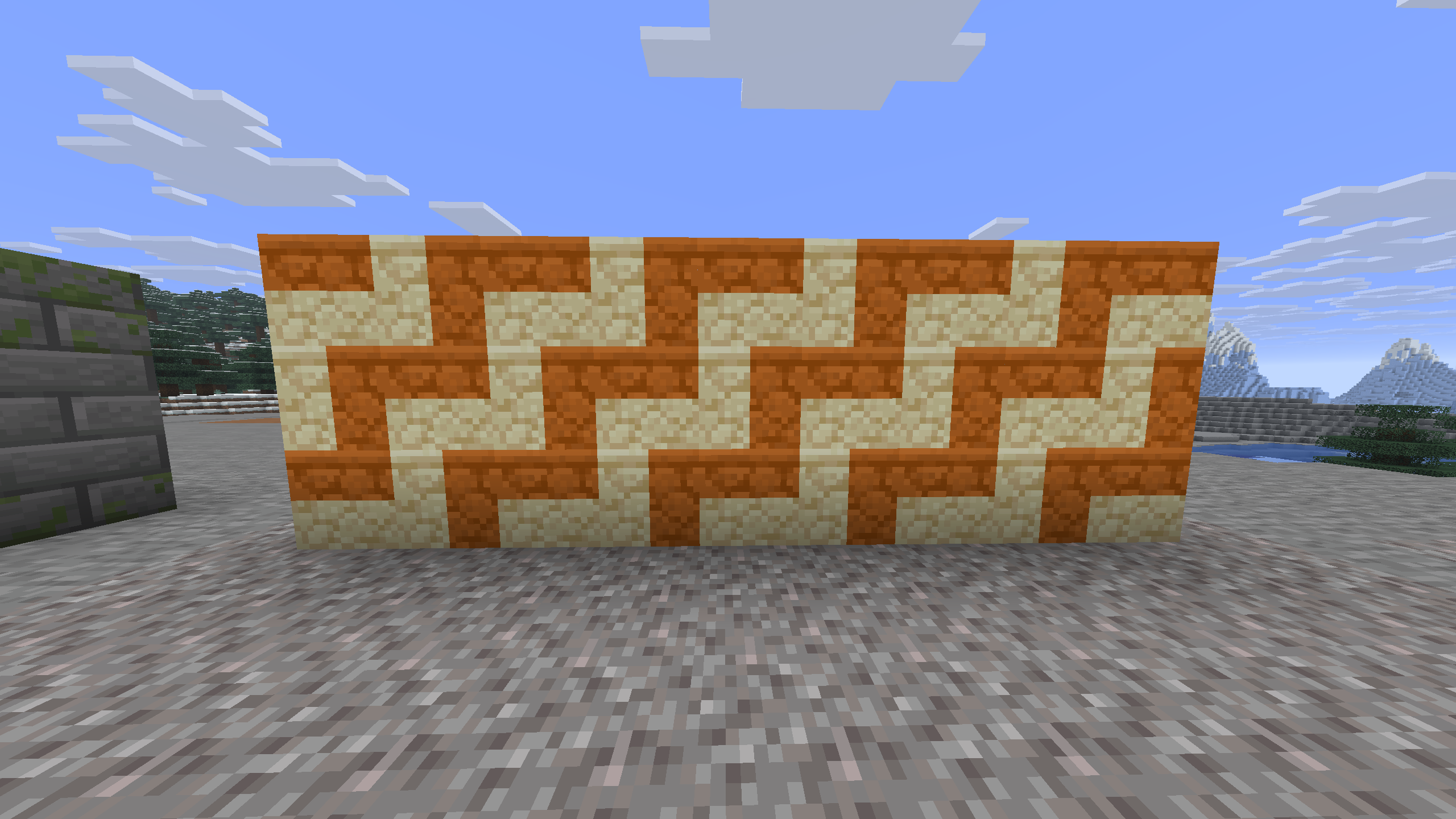 Sandstone Mixed slabs being used to do a cool tiling
 -
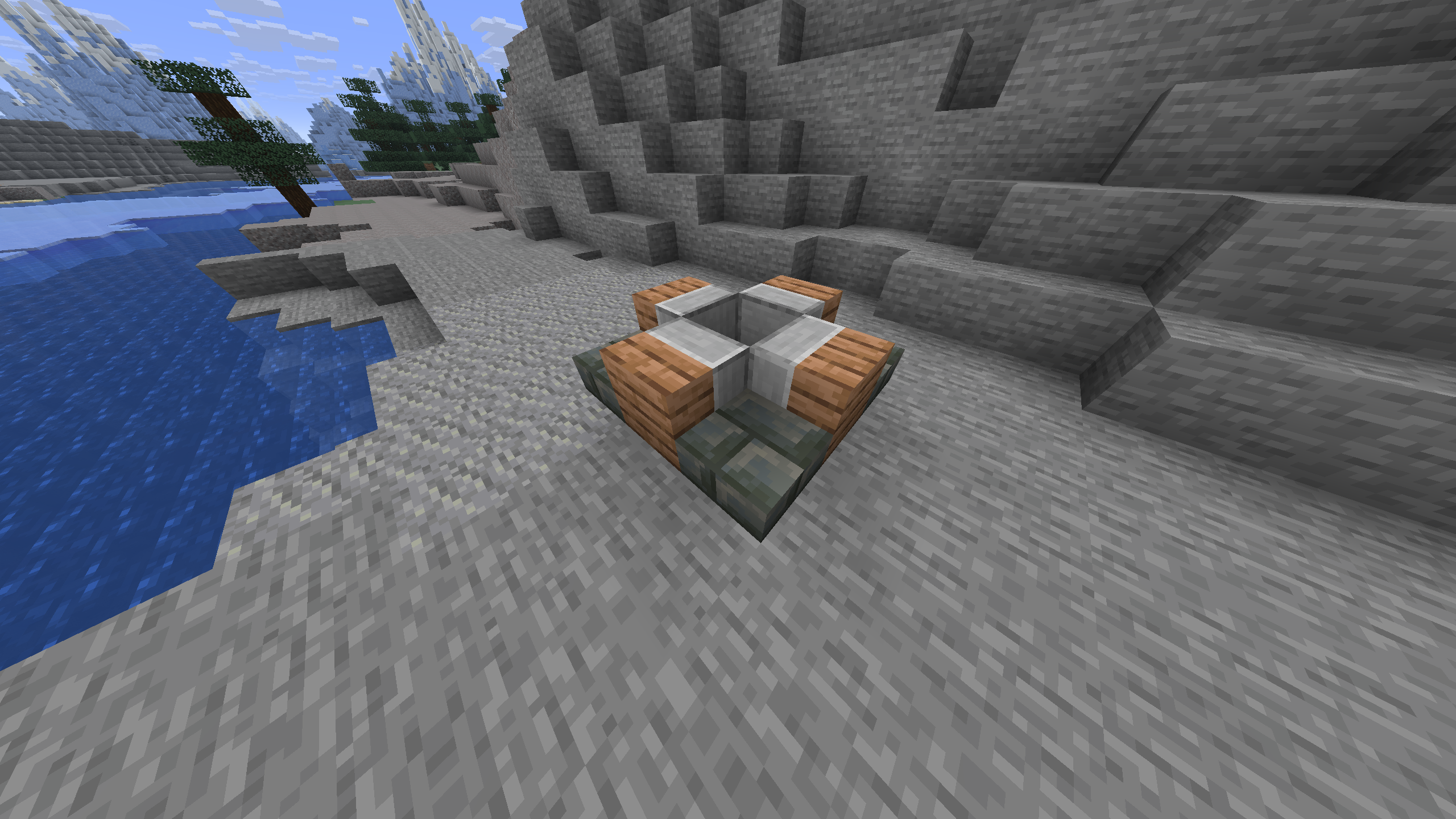 Thing
Thing -
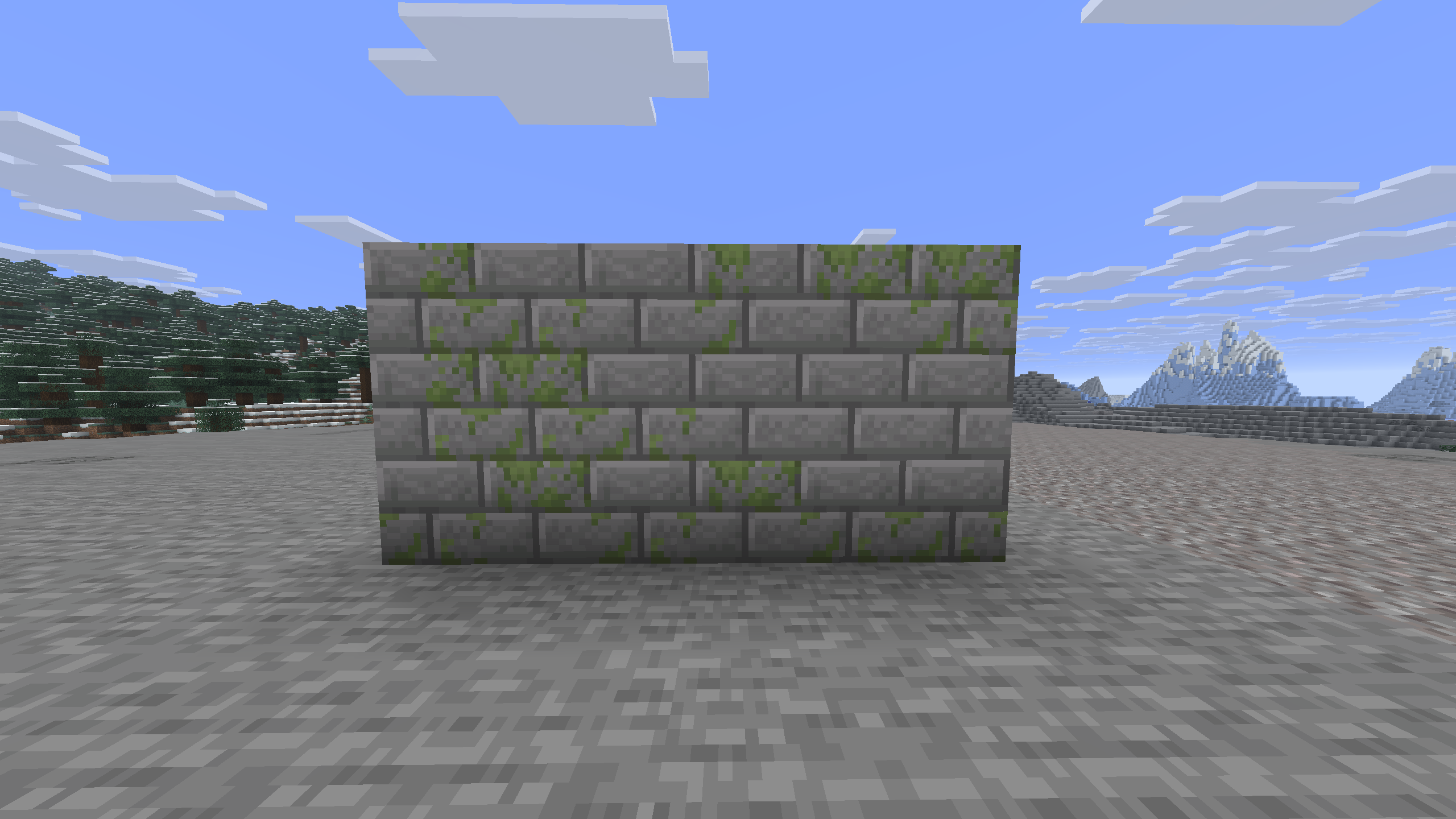 Mossy Stone Bricks Using mixed stone bricks and mossy stone bricks, you can make more detailed moss patterns
Versions
Files
Relations
Project Relations
More like this
Similar Mods
Suggestions use data such as tags, dependencies, dependents, descriptions, titles, and more to rank how much they overlap with this mod.
On ModDex
Community snapshot
By the numbers
Statistics
Want to reach Minecraft players?
We're looking for a server hosting partner to feature here and other parts of the site. Interested? Send us a message!
Get in touchGet it on
Available Platforms
On ModDex
Community snapshot
By the numbers