
Community listing page, reviews here may not be monitored by the author.
FullBright Slider

No reviews yet
This adds a fullbright slider use up arrow for it to go up use down arrow to make it go down
Community voices
Reviews
No reviews yet. Be the first to review this project!
Get it on
Available Platforms
Compatibility
Supported Environments
Runs entirely on the client. Works on vanilla servers.
About
Project Details
For authors
Embed Badge
If you're the author of this project, you can embed a live badge anywhere that supports HTML or Markdown. It updates automatically whenever ratings change.
Use HTML for any page that supports it, or Markdown for README files and Markdown-based descriptions.
Identifiers
Platform IDs
Resources
External Links
About
Description
💡 FullBright Slider — 26.3
A simple, lightweight fullbright slider for Fabric. No config screen, no clutter — just two keys and a brightness percentage.
Press ⬆️ Up to brighten and ⬇️ Down to darken, with 11 brightness levels from 0% to 100%.
At 0%, the game looks completely normal. At 100%, even pitch-black caves and completely unlit rooms are fully visible. 🕳️➡️☀️
✨ Features
- 🎚️ 11 brightness levels — 0% to 100% in 10% steps
- ⬆️ Up Arrow — increase brightness
- ⬇️ Down Arrow — decrease brightness
- 💬 Chat feedback — displays your current brightness percentage
- 🔒 Fully client-side — works in singleplayer and multiplayer
- ⌨️ Rebindable keys — change the controls in
Options → Controls - 🧹 Lightweight — no config files, no unnecessary screens, and no bloat
📋 Requirements
- Minecraft 26.3
- Fabric Loader
- Fabric API
⚙️ How It Works
Unlike Minecraft's vanilla brightness setting, FullBright Slider provides actual fullbright instead of simply increasing gamma.
The mod modifies the game's lighting calculation so areas with little or no light remain visible. This means you can see inside completely dark caves, rooms, and other unlit areas without placing additional light sources.
🎮 Controls
| Key | Action |
|---|---|
| ⬆️ Up | Increase brightness |
| ⬇️ Down | Decrease brightness |
Both keys can be customized through:
Options → Controls → FullBright Slider
🧹 Lightweight & Simple
FullBright Slider is designed to do one thing and do it well.
No complicated configuration.
No extra menus.
No unnecessary features.
Just install it, press a key, and adjust your brightness.
0% → Normal lighting
100% → Fullbright ☀️
💡 Perfect for
- 🕳️ Exploring dark caves
- 🏚️ Navigating unlit areas
- ⛏️ Mining
- 🧭 Exploring at night
- 🎮 Improving visibility without adding light sources
Client-side only • Fabric • Minecraft 26.3
Screenshots
Gallery
-
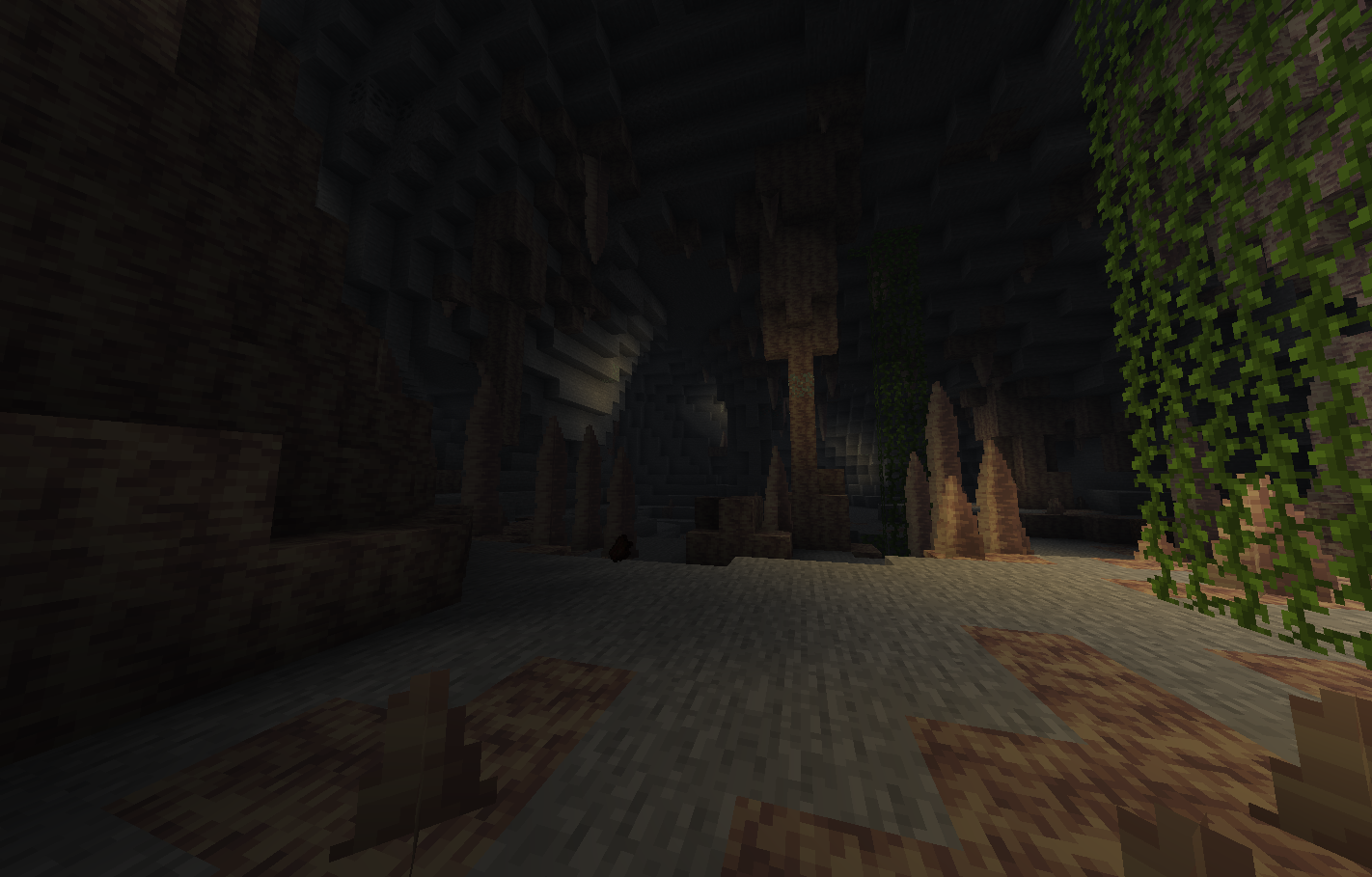 Fullbright 0%
 -
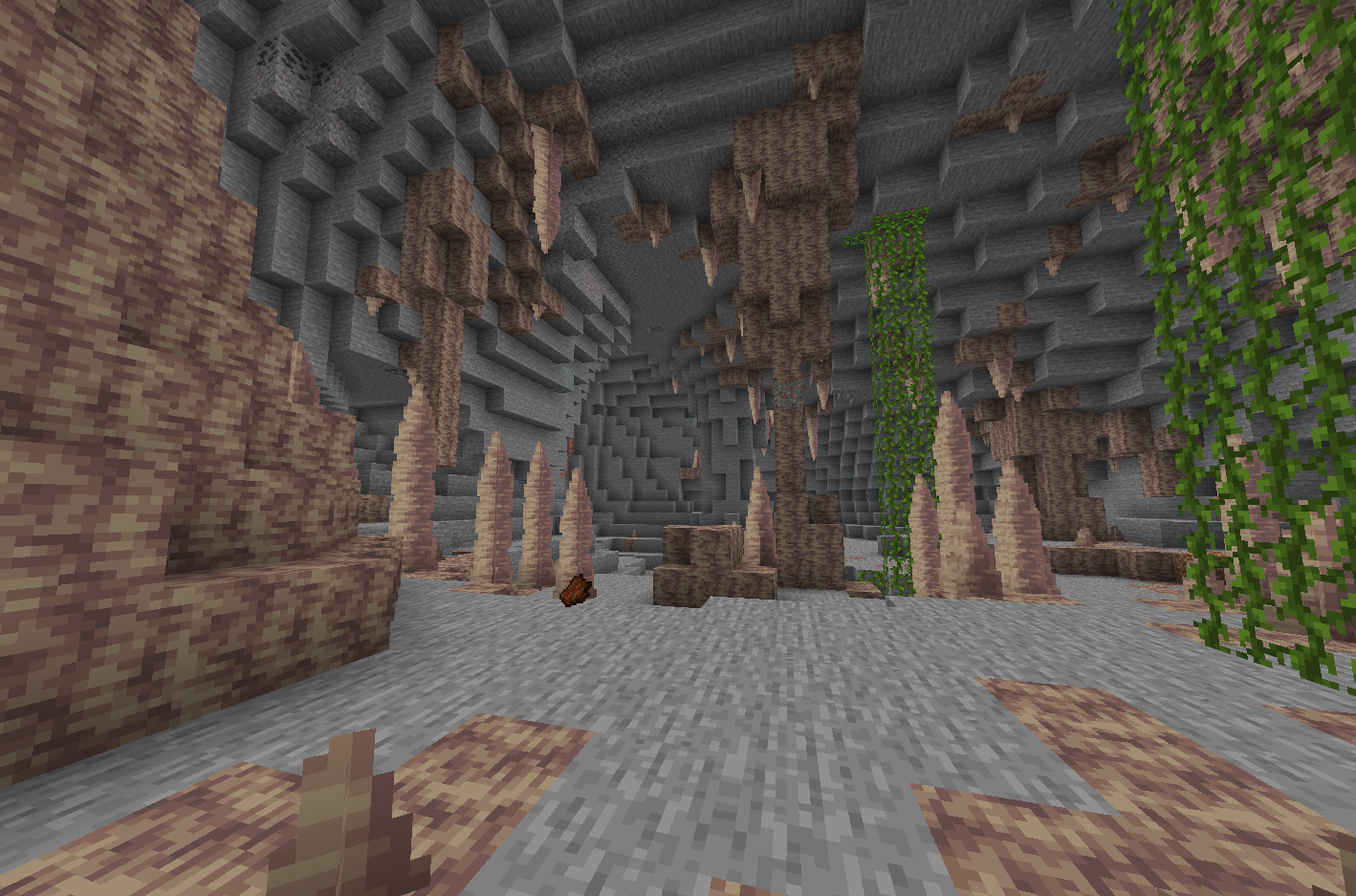 Fullbright 100%
Versions
Files
Relations
Project Relations
More like this
Similar Mods
Suggestions use data such as tags, dependencies, dependents, descriptions, titles, and more to rank how much they overlap with this mod.
On ModDex
Community snapshot
By the numbers
Statistics

Want to reach Minecraft players?
We're looking for a server hosting partner to feature here and other parts of the site. Interested? Send us a message!
Get in touchGet it on
Available Platforms
On ModDex
Community snapshot
By the numbers
Statistics
Resources