
Community listing page, reviews here may not be monitored by the author.

Community voices
Reviews
No reviews yet. Be the first to review this project!
Get it on
Available Platforms
Compatibility
Supported Environments
Runs entirely on the client. Works on vanilla servers.
About
Project Details
For authors
Embed Badge
If you're the author of this project, you can embed a live badge anywhere that supports HTML or Markdown. It updates automatically whenever ratings change.
Use HTML for any page that supports it, or Markdown for README files and Markdown-based descriptions.
Identifiers
Platform IDs
Resources
External Links
About
Description
📌 FT Auto Event (GPS Markers)
A smart, automated waypoint system that tracks server events from chat messages and places temporary, floating 3D markers in your world, guiding you directly to the action!
✨ Features
- 💬 Automatic Chat Detection — Instantly parses chat messages for major server events (like Mystic Beacon, Airdrop, Meteor Shower, Volcano, etc.) and extracts their coordinates.
- 📍 Floating 3D Waypoints — Displays beautiful, color-coded, on-screen GPS markers directly in your field of view pointing to the active events.
- ⏱️ Lifetime Tracking — Automatic markers have a built-in timer, expiring and disappearing when the event ends to keep your screen clutter-free.
- 🎨 Color-Coded Events — Each event type is highlighted with a specific, easily recognizable color (e.g., Purple for Meteor Shower, Red for Volcano).
- 🖥️ Interactive HUD Menu — A sleek in-game UI to manage, toggle, and view your current active markers.
- 🖱️ Clickable Chat Coordinates — Any coordinates sent in chat (from the server or players) become clickable! Click on them to instantly open the "New Marker" screen with pre-filled X, Y, and Z.
- 🧹 Delete All Button — Quickly clear all your active markers with a single click in the Marker Menu.
- ⚙️ Highly Customizable — Easily adjust marker scale (down to 10%), maximum render distance, and individually toggle which event types or features you want to use.
⚙️ How it works
The mod actively listens to incoming server chat messages and looks for specific coordinate patterns related to global events. Once a match is detected, it automatically creates a temporary waypoint pointing to those coordinates. The markers are rendered smoothly in the 3D world, scaling dynamically and providing you with the exact distance and direction to the event.
🛠️ Configuration & Commands
- Hotkeys: Press
G(default) to open the interactive Marker Menu. - Config: A
gpsmarkers.jsonfile is automatically generated in yourconfigfolder. Here you can tweak settings such as:showMarkers,showCoordinates,showLifetimetoggles- Toggle
Clickable Chat Coordinates maxRenderDistance(default: 20,000 blocks)markerScalePercent(from 10% to 200%)- Toggle automatic detection for specific events (e.g.,
mystic_beacon,airdrop, etc.)
🚀 Installation
- Install Fabric Loader for Minecraft 1.21.4 or 1.21.11.
- Install the necessary dependencies:
- Fabric API
📩 For questions and bug reports: Telegram / Discord — @b1nt1n
Screenshots
Gallery
-
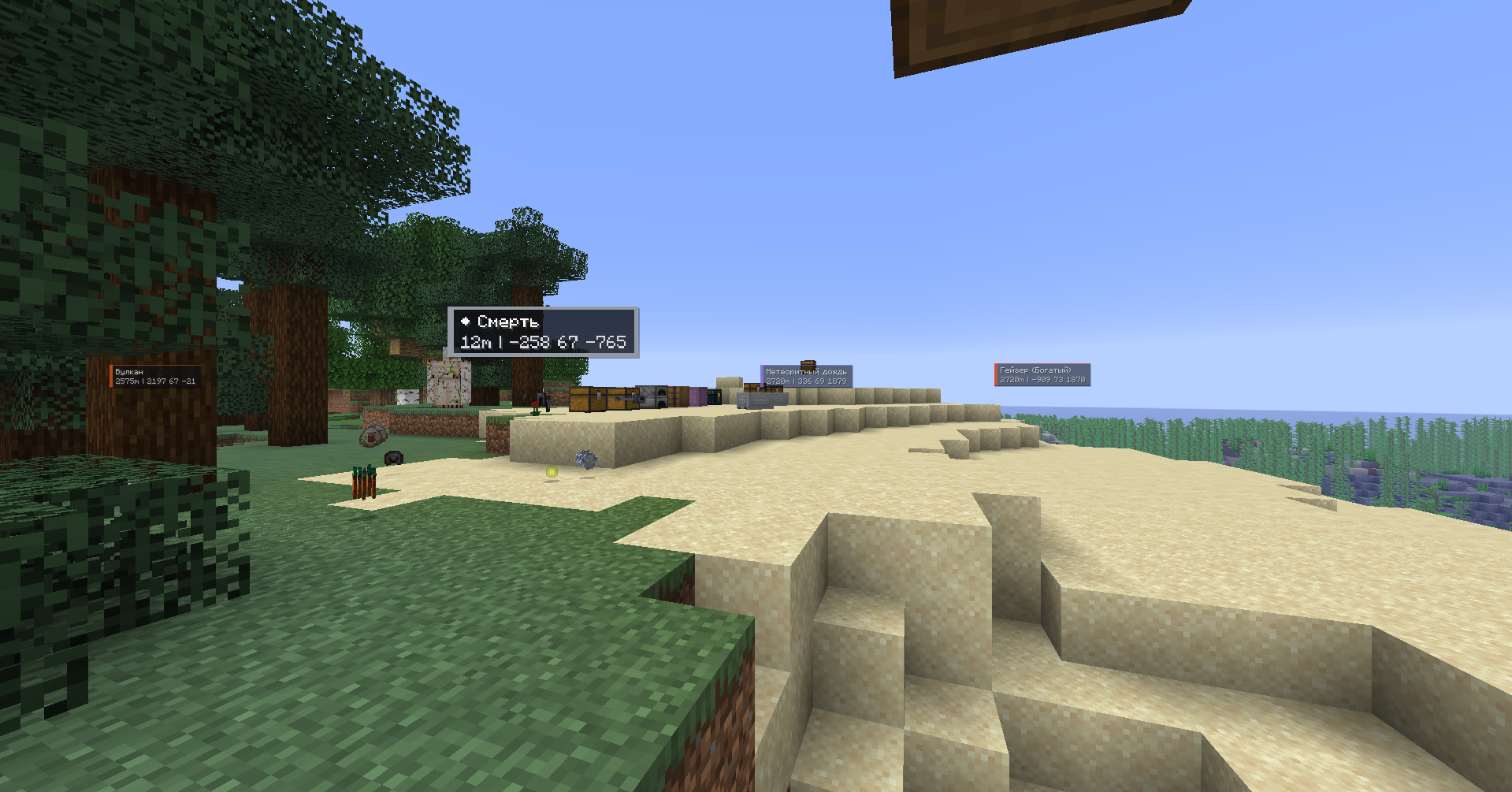 world
world -
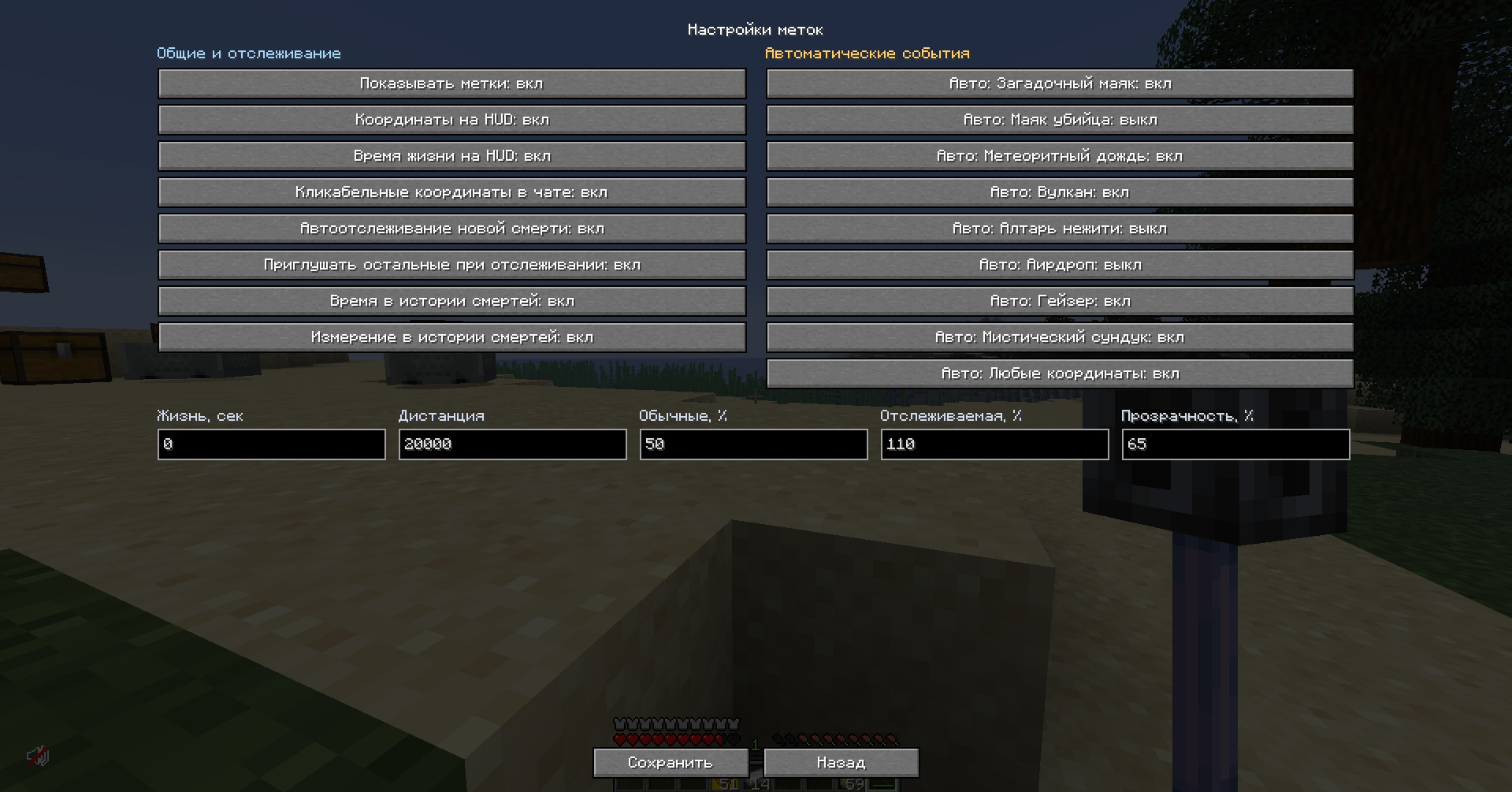 settings
 -
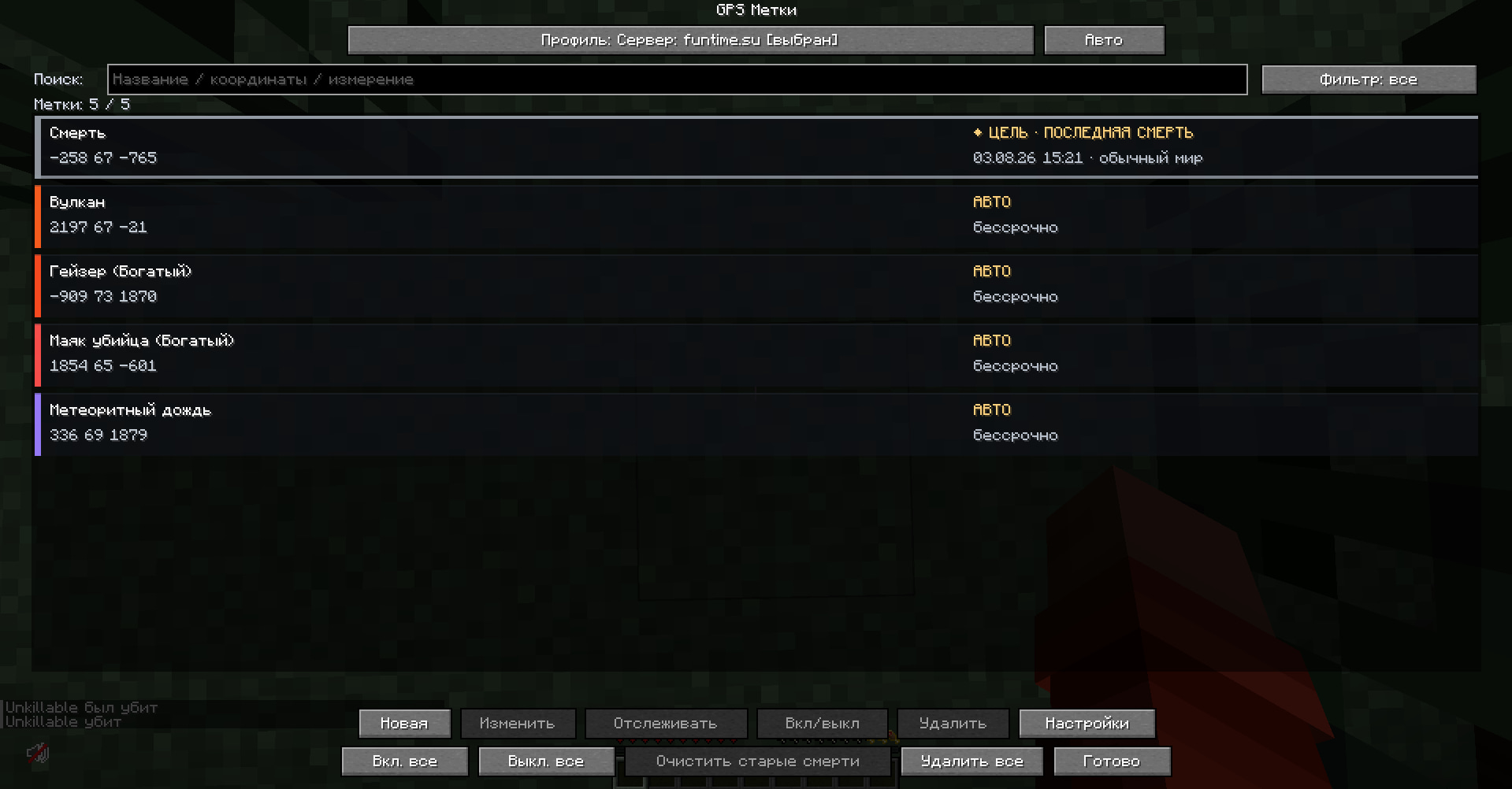 waypoints
Versions
Files
Relations
Project Relations
More like this
Similar Mods
Suggestions use data such as tags, dependencies, dependents, descriptions, titles, and more to rank how much they overlap with this mod.
On ModDex
Community snapshot
By the numbers
Statistics

Want to reach Minecraft players?
We're looking for a server hosting partner to feature here and other parts of the site. Interested? Send us a message!
Get in touchGet it on
Available Platforms
On ModDex
Community snapshot
By the numbers
Statistics
Resources