Community listing page, reviews here may not be monitored by the author.
Furnish


No reviews yet
Fancy furniture for Minecraft!
Community voices
Reviews
No reviews yet. Be the first to review this project!
Get it on
Available Platforms
Compatibility
Supported Environments
Must be installed on both the client and the server.
About
Project Details
For authors
Embed Badge
If you're the author of this project, you can embed a live badge anywhere that supports HTML or Markdown. It updates automatically whenever ratings change.
Use HTML for any page that supports it, or Markdown for README files and Markdown-based descriptions.
Identifiers
Platform IDs
About
Description
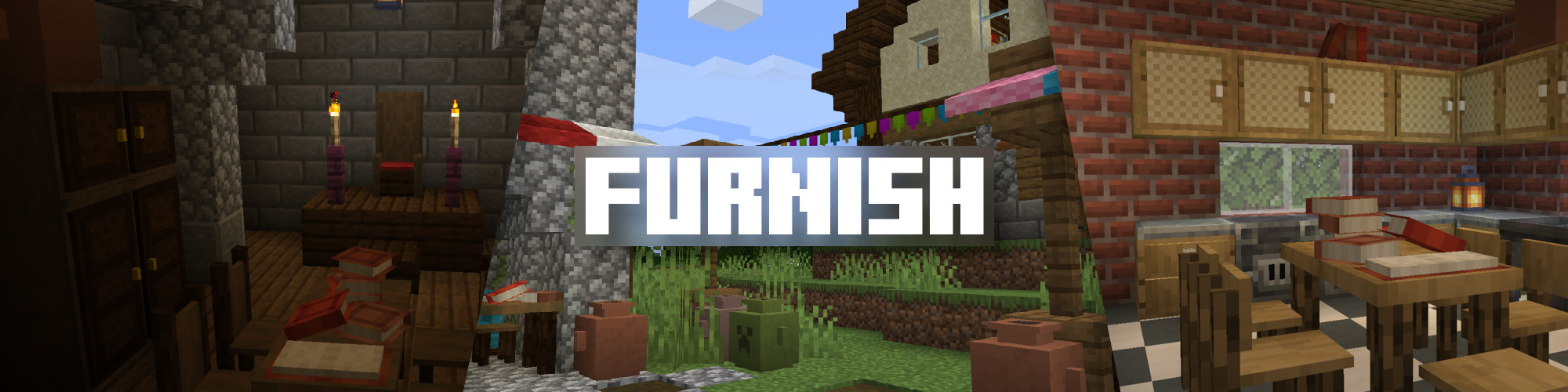
Welcome to Furnish!
Furnish adds lovely and useful furniture to Minecraft.
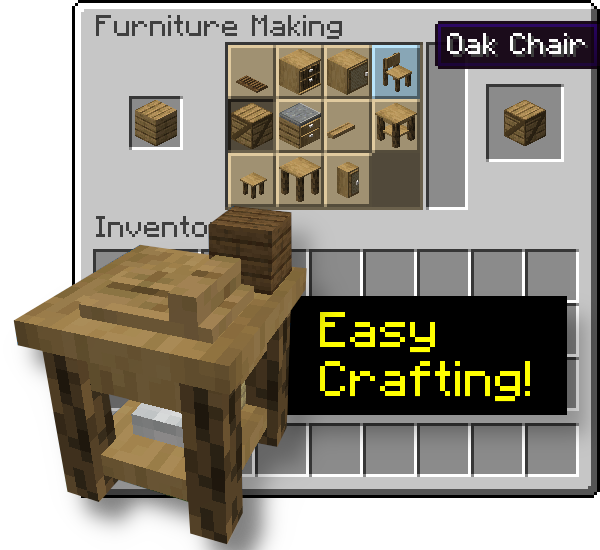
It has the advantage to not require a ton a crafting since everything happens in the Furniture Workbench, a Stonecutter-like crafting table.
** Since Furnish v28, you will need to install Sinytra Connector alongside Furnish to make it work on (Neo)Forge **
Please note that I only guarantee the integrity of the JAR files on Curse and Modrinth, not from the 3rd party sites which repost mods.
Watch the introduction video
Here's a little spotlight video I made to present the mod and some upcoming features!
Full list of features
- Easy way of crafting furniture: just put the material in the furniture workbench
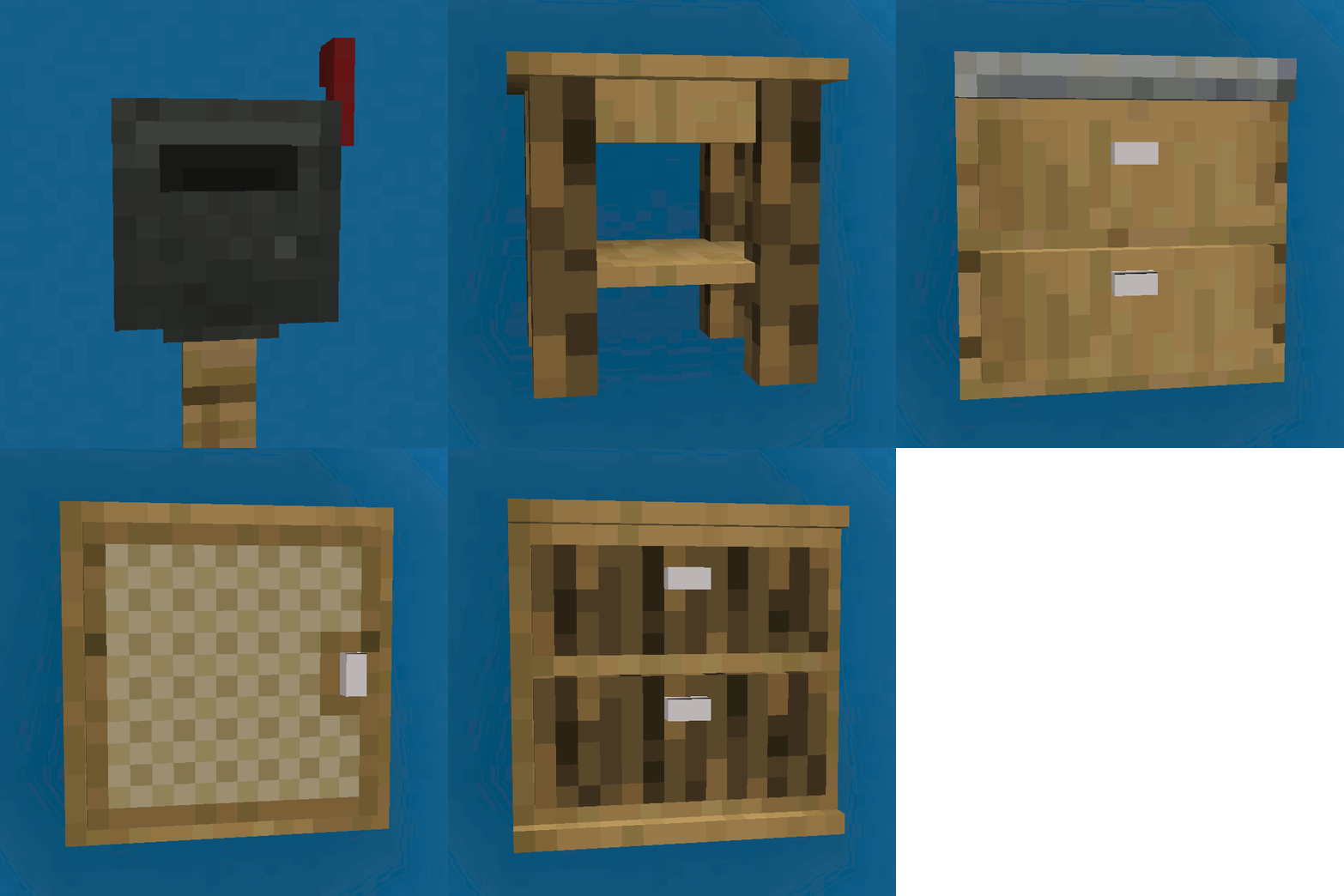
- Furniture: cabinet, wardrobe, kitchen cabinet, bedside table, tables, chair, stool, crate, shelves, benches from al wood types (nether included!)
- Each furniture has it's little something (oak is related to jute cloth, for example)
- Furniture have functionalities: some, for example, store items, and you can seat on chairs and stools
- Shutters for your windows (some kind of vertical trapdoors)
- Terracotta amphoras
- Book piles (provide enchanting power)
- Woolen sofas
- Awnings
- Buntings (use a Lantern on them to hang it!)
- Curtains
- Chimney conduits & chimney cap
- Put carpets on stairs and trapdoors (that can be used to make fun traps!) - also available as a standalone mod!
- Knock on doors
- New paintings
- Right click on a painting with another to cycle the art
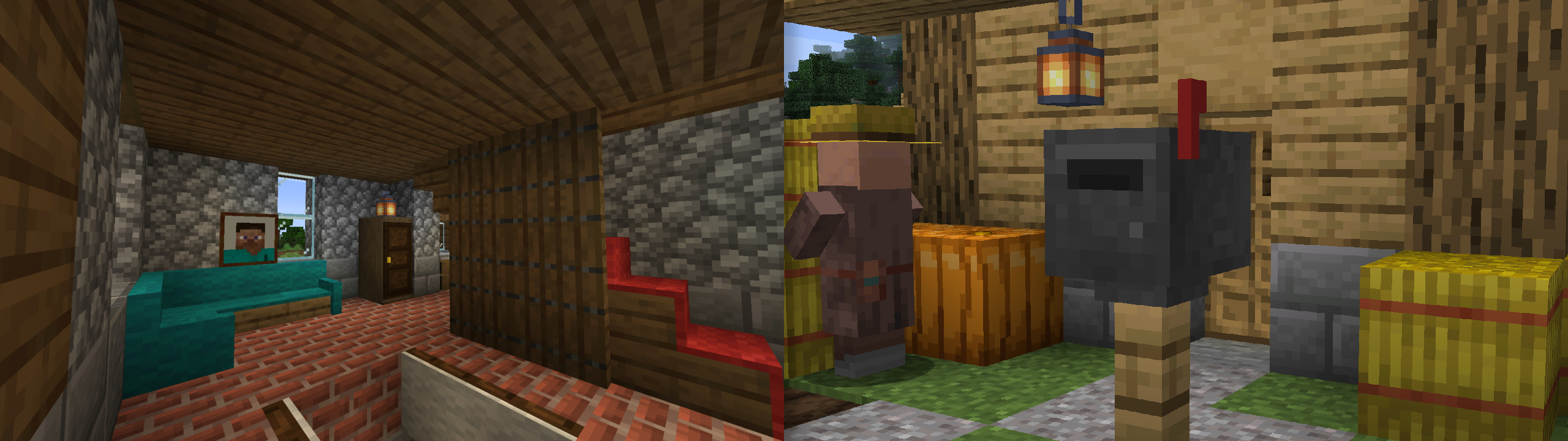
- Mail system: mailboxes and letters see this presentation video
- Plates: display food items. Even Rare Plates dropped by Endermen
- Showcases, which when powered with redstone, acts like a turntable
- Disk Rack
- Paper Lamps
- Lockers
- Ladders which do not require a support block, for all wood types
- Halloween themed things: Gravestone, Coffins in which you can only sleep during daytime (shift Right-Click to open/close), new Cobweb designs, Skull Torches, Iron Bars Top (use it to decorate your Iron Bars!), Iron Fence Gate
- Recycle Bin/Trash Can: put your item inside by Right-Clicking. When it's full, Shift-Right-Click or power with redstone to empty (tip: use a comparator output to detect when it's full!)
- Picture Frame: put up to 3 of them on a single block
- Office furniture: placeable Paper Sheets, Cardboard Boxes, Paper Displays, Postits...
- Bookshelf Chest: a Bookshelf which can store Books!
- Ashpalt which speeds you up when you walk on it
- Dice Blocks which generates a random number when placed
- Put Snow on Stairs and Fences
- More to come!
Compatibility
For mod/modpack makers, it's easy to add a recipe for your block in the worbench, with the new recipe type furnish:furniture_making.
Here's an example with Market Crates crates.
{
  "type": "furnish:furniture_making",
  "ingredient": {
    "item": "minecraft:acacia_planks"
  },
  "result": "marketcrates:acacia_crate",
  "count": 1
}
undefined
Configuring Furnish
Every configuration of Furnish is done with native Minecraft datapack features.

* Items tagged `#furnish:crate_blacklist` can't be put inside Crates (by default, this tag only contains Crates).
* Items tagged `#furnish:music_discs` can be put in Disk Racks alongside all Record items.
* Items tagged `#furnish:food` can be put in Plates alongside all edible items.
* Items tagged `#furnish:mail` are the only items allowed in Mailboxes but you can enable all items to be mailed if you tag the Mailbox with the block tag `#furnish:bypasses_mail_tag`. (Furnish v22+)
* Mailboxes can only be destroyed by op creative players. You can allow all creative players to destroy Mailboxes if you tag the Mailbox with the block tag `#furnish:non_op_creative_can_destroy`. (Furnish v22+)
* All door blocks are tagged with `#furnish:can_knock_on`. If you wish to disable door knocking on server side, just remove all doors from this block tag. (Furnish v23+)
* If you wish to disable door knocking sound **on client side**, you can enable the Door Silencer resource pack included with Furnish (no need to download it somewhere, it's packaged in the mod file). (Furnish v23+)
* Lectern books can be popped out with Left Click (as in Minecraft Bedrock Edition). If you wish to disable that, remove the Lectern from the block tag `#furnish:can_pop_book`. (Furnish v23+)
Modpacks
You can, of course, include Furnish in your modpack, that's why I'm making it.
Furnish is part of my own modpack, The Cubic Upgrade, which aims to enhance Minecraft in every aspect: exploration, fighting, building, cooking, enchanting, engineering… take a look!
Welcome to Furnish!
Furnish adds useful and lovely furnitures to Minecraft.
It has the advantage to not require a ton of crafting since everything happens in the Furniture Workbench, a Stonecutter-like crafting table.
Watch the videos!
✨ Introducing... Furnish! ✨ + Preview of upcoming features
✨ Furnish 0.3 - The Woolen Update !
so I added mail to minecraft (Furnish 0.4 Update Video)
Furnish Updates - 0.5 & 0.6 - Lot of new things!
Full list of features
- Easy way of crafting furniture: just put the material in the furniture workbench
- Furniture: cabinet, wardrobe, kitchen cabinet, bedside table, tables, chair, stool, crate, shelves, benches from all wood types (nether included!)
- Each furniture has it's little something (oak is related to jute cloth, for example)
- Furniture have functionalities: some, for example, store items, and you can seat on chairs and stools
- Shutters for your windows (some kind of vertical trapdoors)
- Terracotta amphoras
- Book piles (provide enchanting power)
- Woolen sofas
- Awnings
- Buntings (use a Lantern on them to hang it!)
- Curtains
- Chimney conduit & chimney cap
- Put carpets on stairs and trapdoors (that can be used to make fun traps!) - also available as a standalone mod!
- Knock on doors
- New paintings: steve, alex, all tree types
- Right click on a painting with another to cycle the art
- Mail system: mailboxes and letters see this presentation video
- Plates: display food items. Even Rare Plates dropped by Endermen
- Showcases, which when powered with redstone, acts like a turntable
- Disk Rack
- Paper Lamps
- Lockers
- Ladders which do not require a support block, for all wood types
- More to come!
Compatibilty
For mod/modpack makers, it's easy to add a recipe for your block to the workbench with the new recipe type furnish:furniture_making.
Here's an example with Market Crates crates.
{
  "type": "furnish:furniture_making",
  "ingredient": {
    "item": "minecraft:acacia_planks"
  },
  "result": "marketcrates:acacia_crate",
  "count": 1
}
Items tagged #furnish:mail can be put in Mailboxes (there's also a config option to allow all items).
Items tagged #furnish:crate_blacklist can not be put in Crates.
Items tagged #furnish:music_discs can be put in Disk Rack alongside true music discs.
Items tagged #furnish:food can be put in Plates alongside true food items.
Modpacks
You can, of course, include Furnish in your modpack, that's why I'm making it.
Furnish is part of my own modpack, The Cubic Upgrade, which aims to enhance Minecraft in every aspect: exploration, fighting, building, cooking, enchanting, engineering... take a look!
Screenshots
Gallery
-
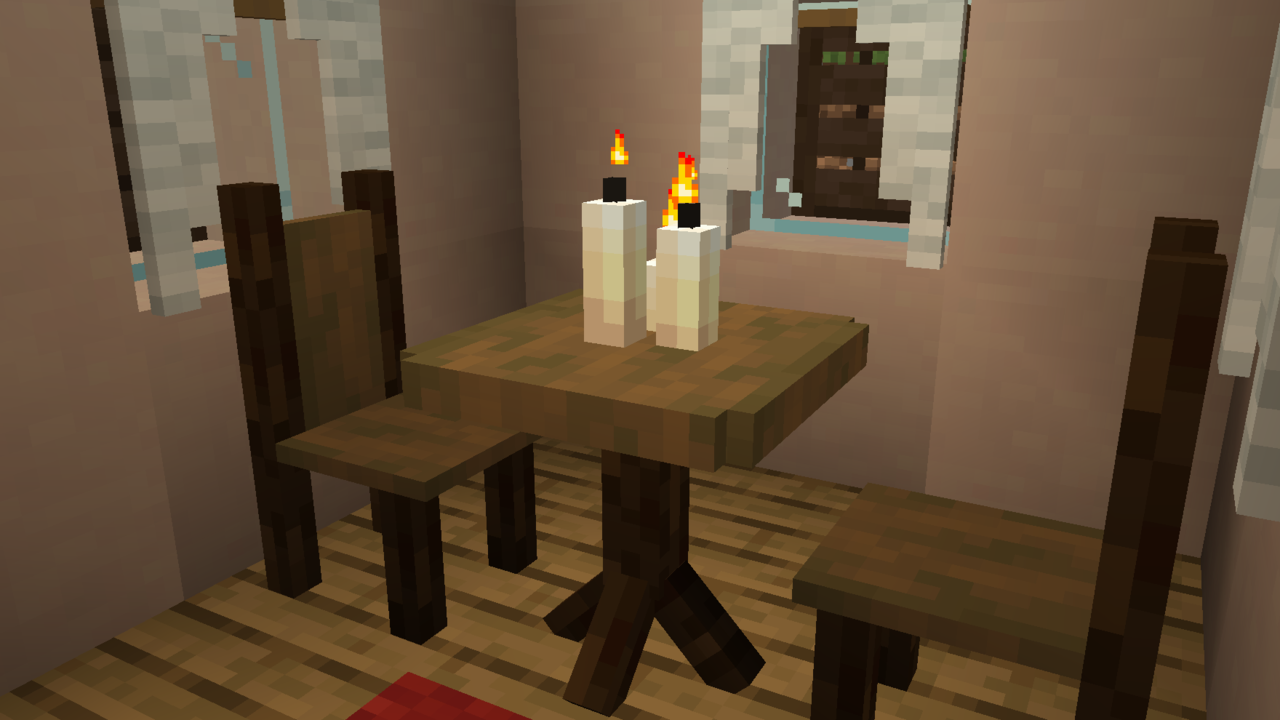 Romantic Restaurant Invite your crush here!
 -
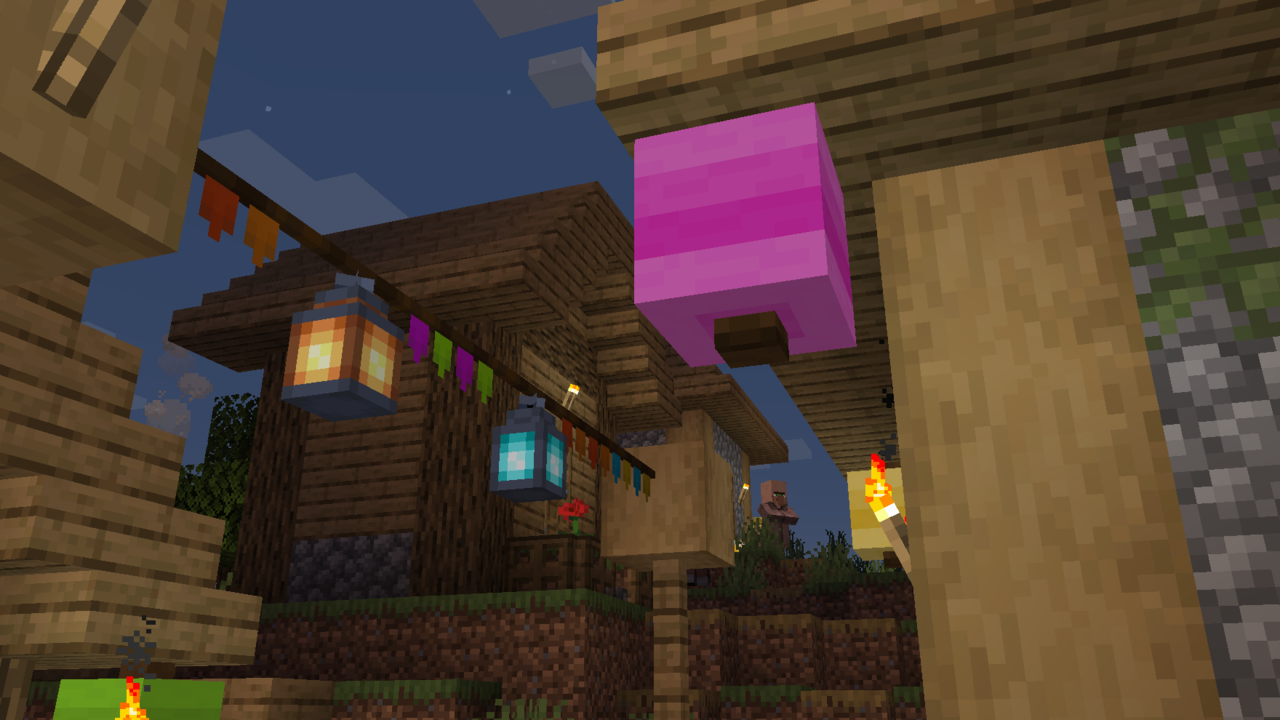 Paper lamps
 -
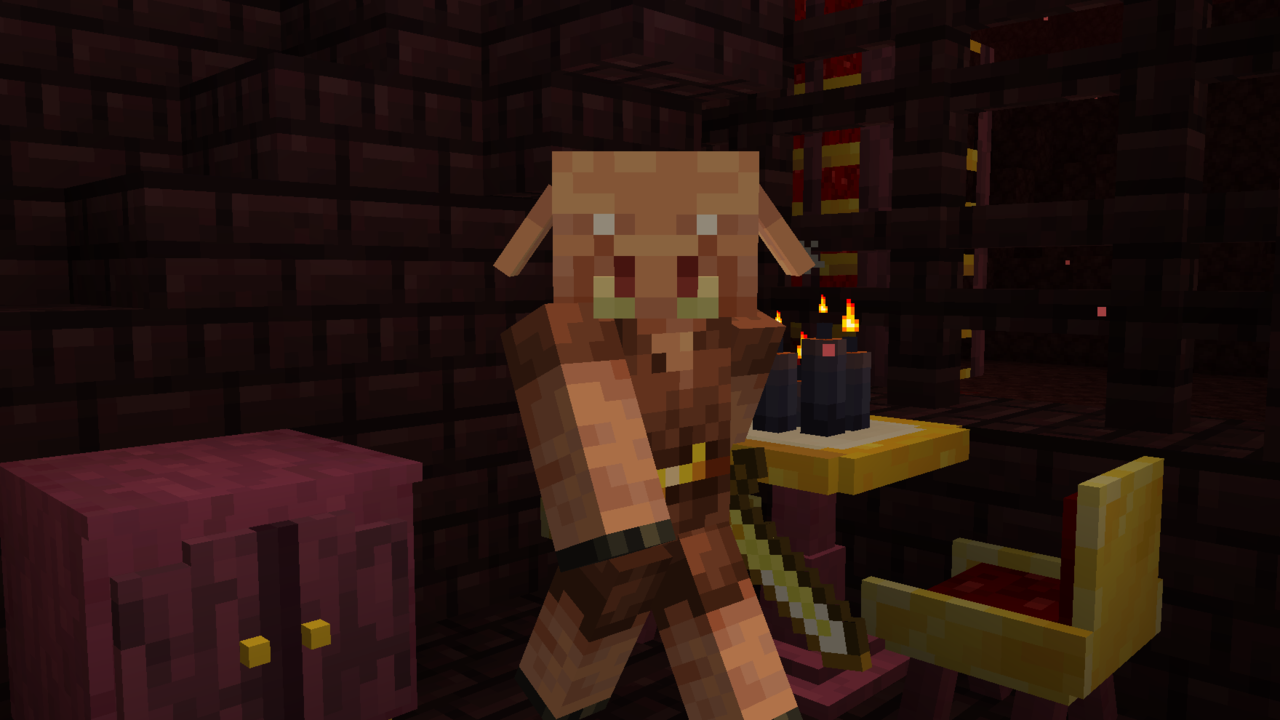 Classy Nether Furniture ... with Mr Classy Piglin!
 -
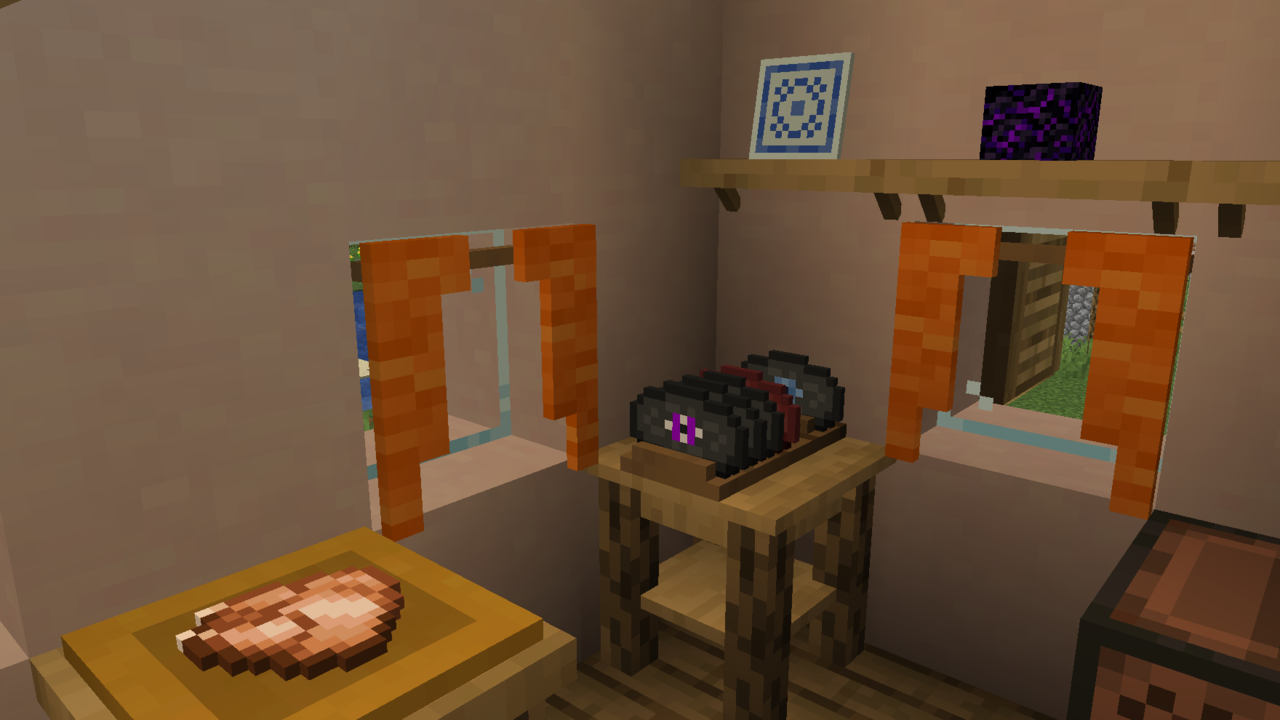 Little things!
 -
Easy Crafting with Furniture Workbench!
-
Banner
-
Second banner
-
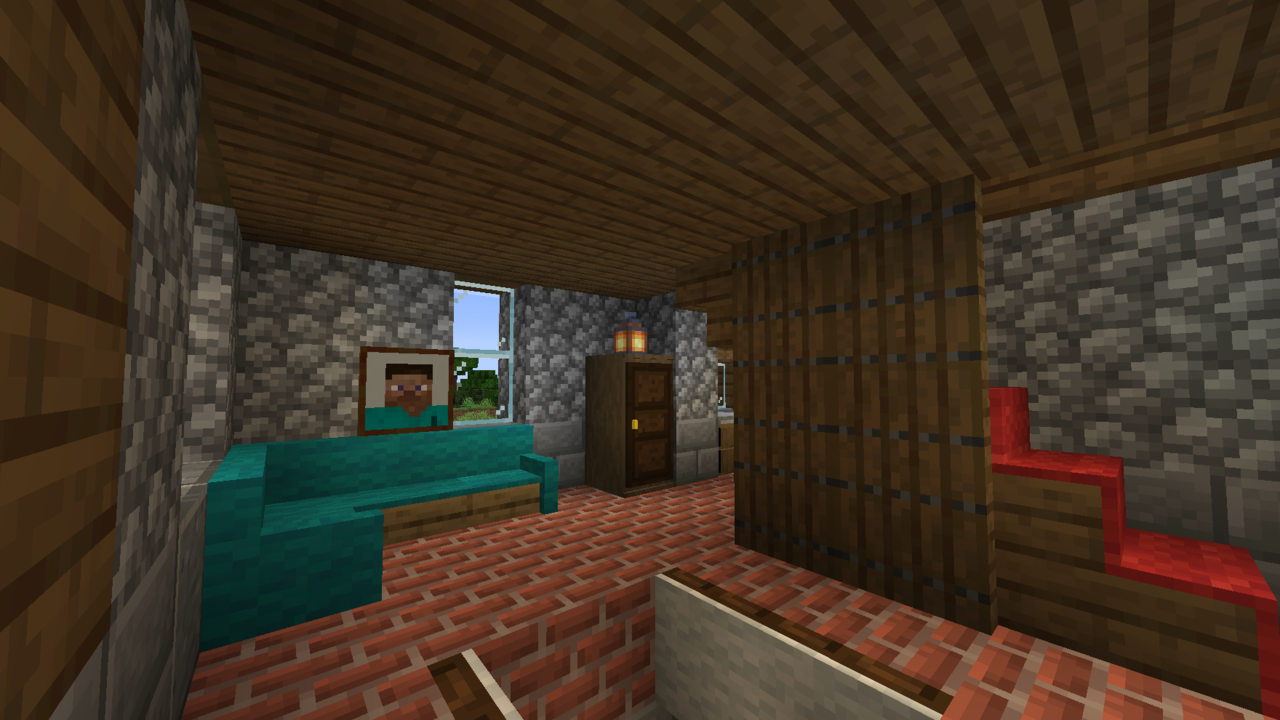 Comfy Living Room Sofa, carpets on stairs, new paintings and... woops I left my carpeted trapdoor open
 -
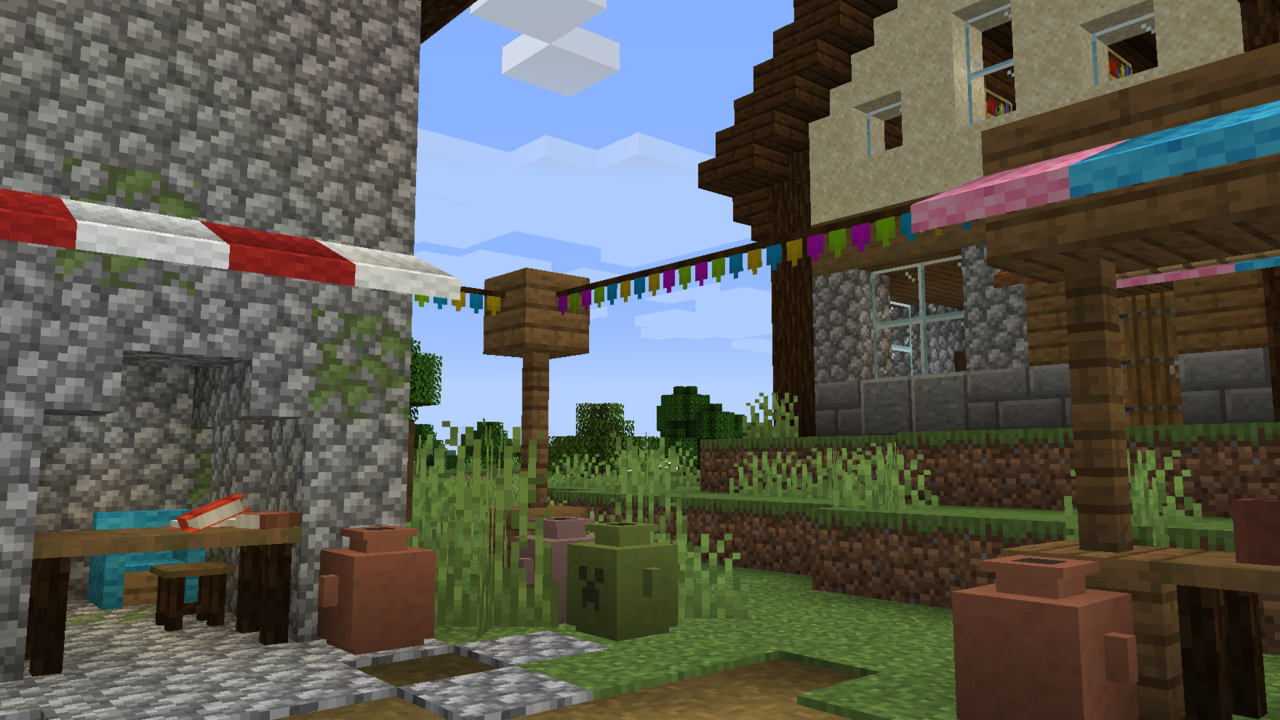 Village Market Buntings, Awnings, Amphora, everything you need is here!
 -
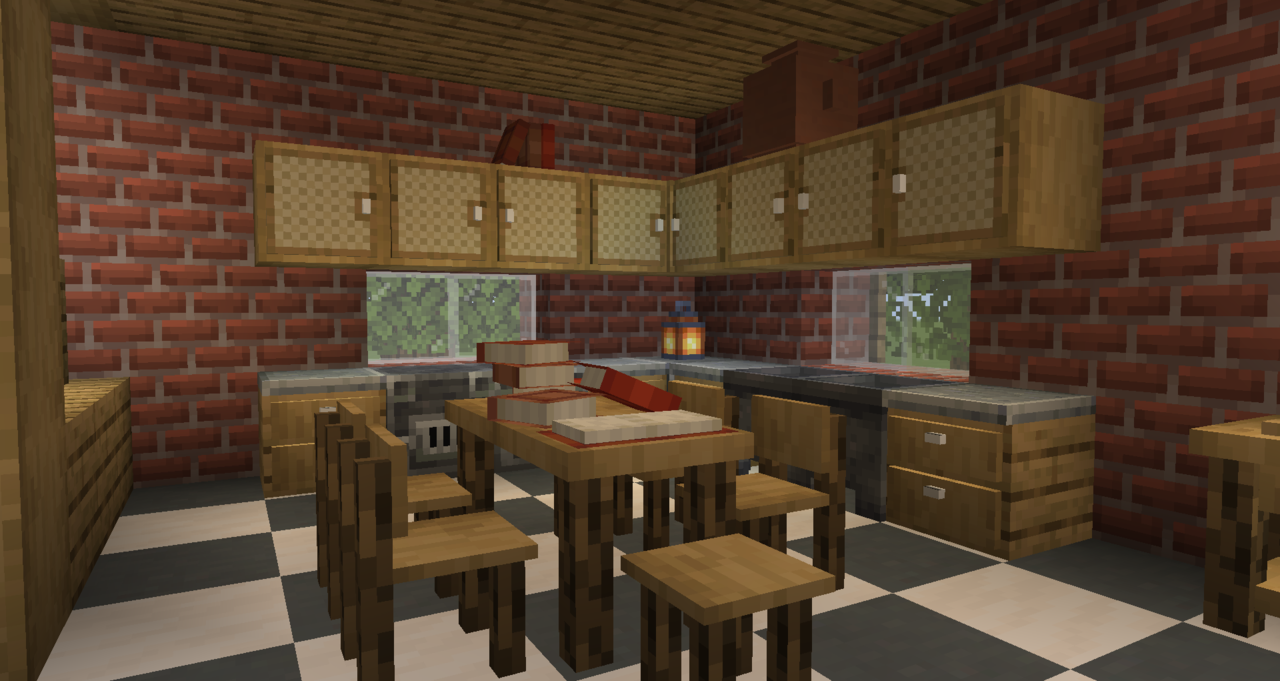 Kitchen Example
 -
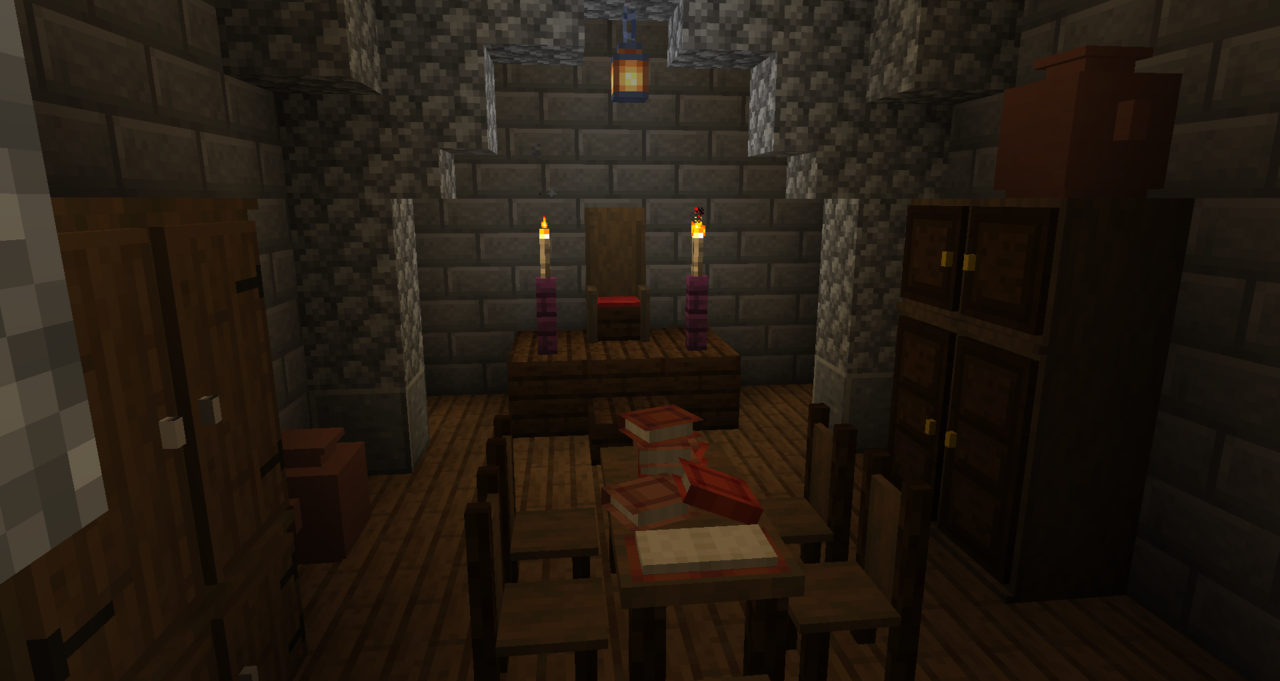 Dark Meeting Did we find the Illuminati?
 -
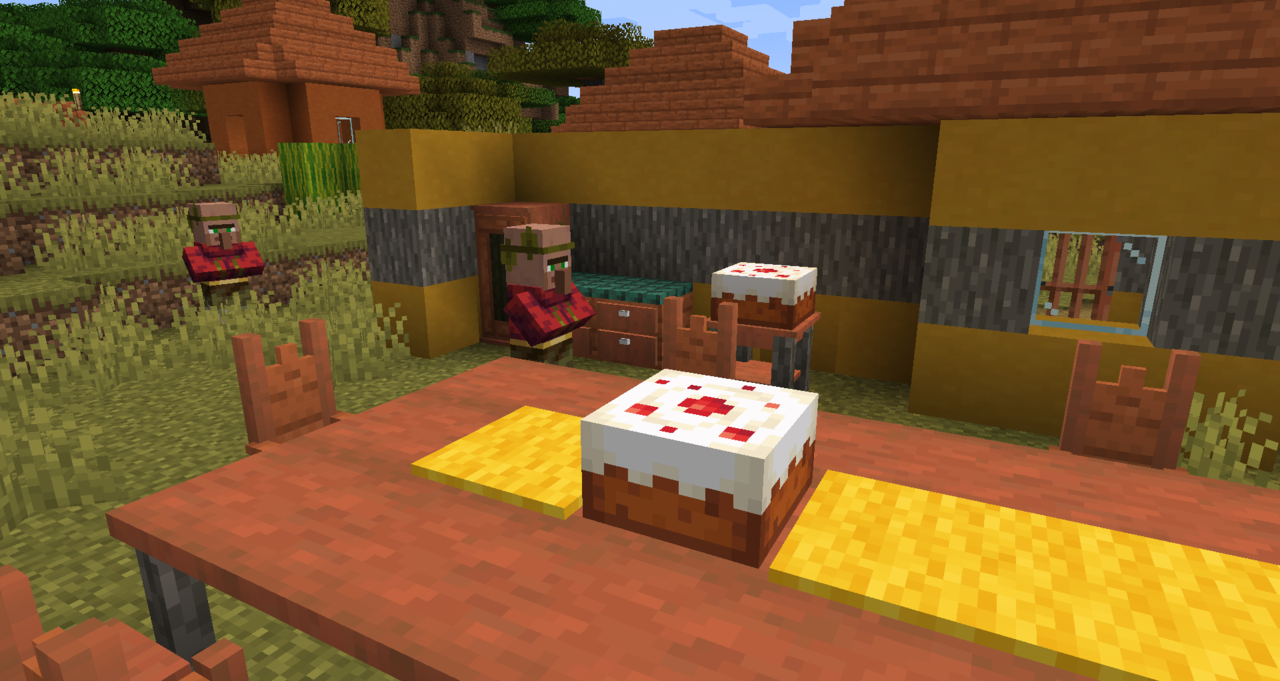 Savanna Party
 -
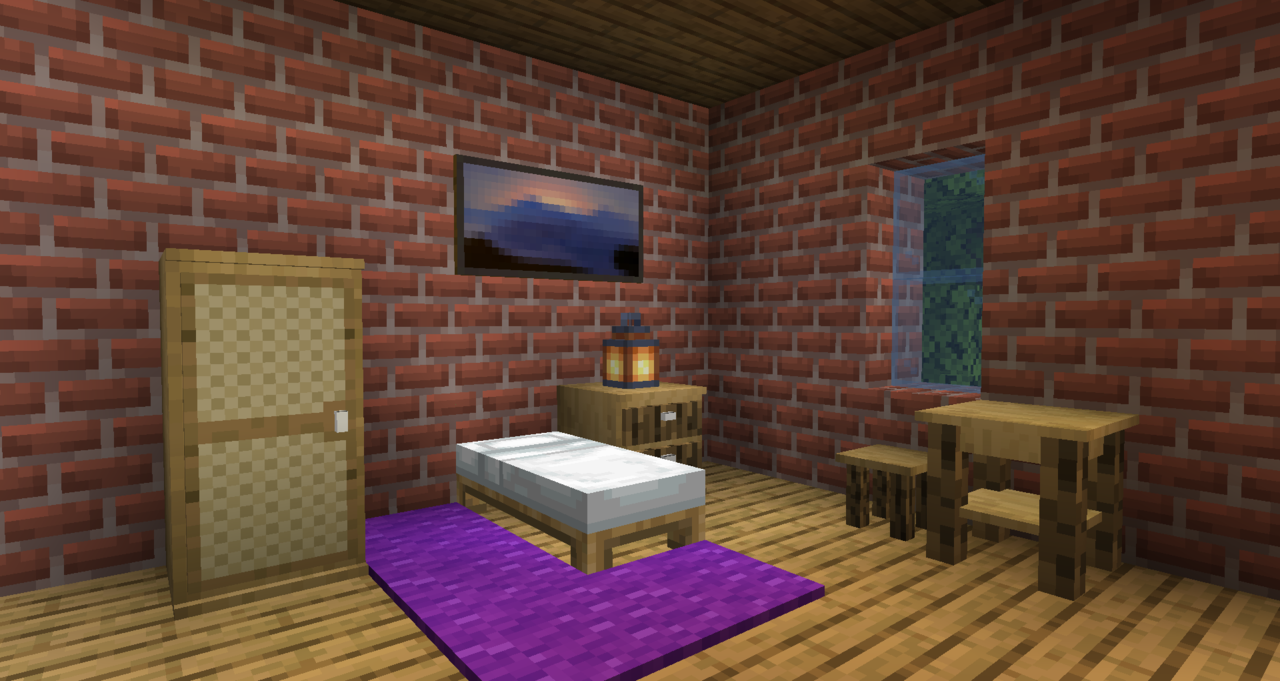 Bedroom Example
-
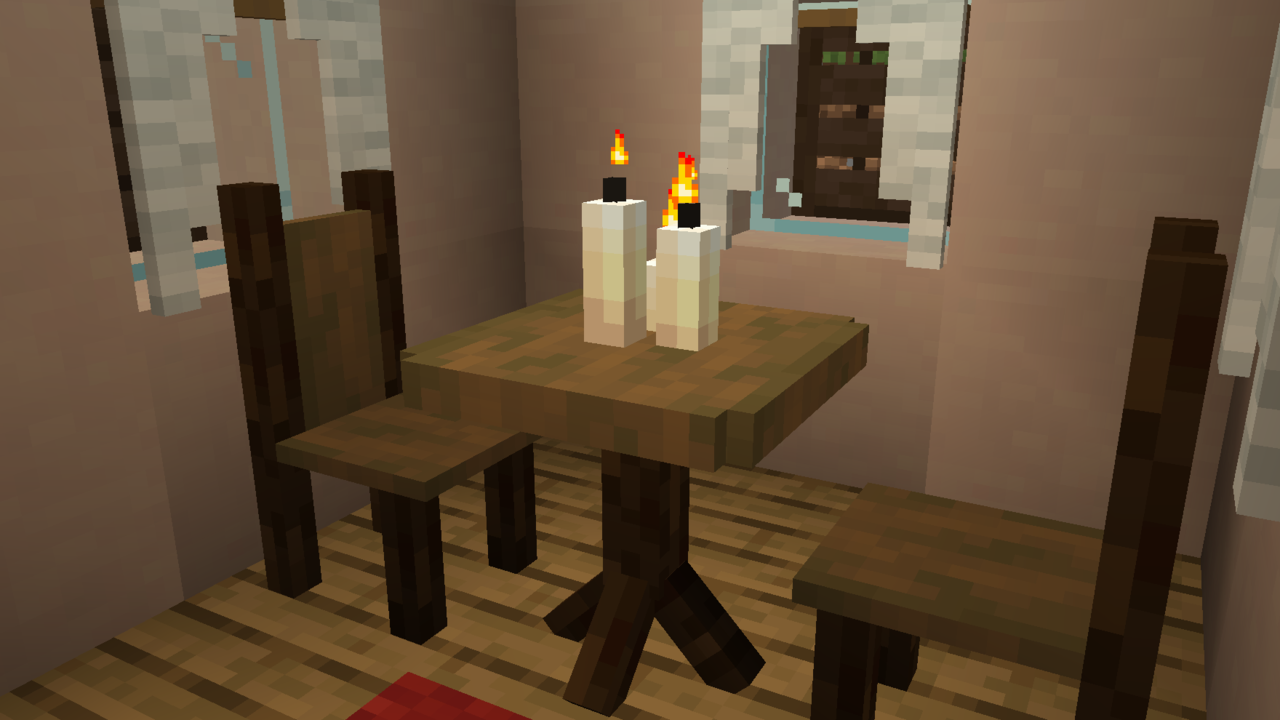 Fancy restaurant Invite your crush here!
 -
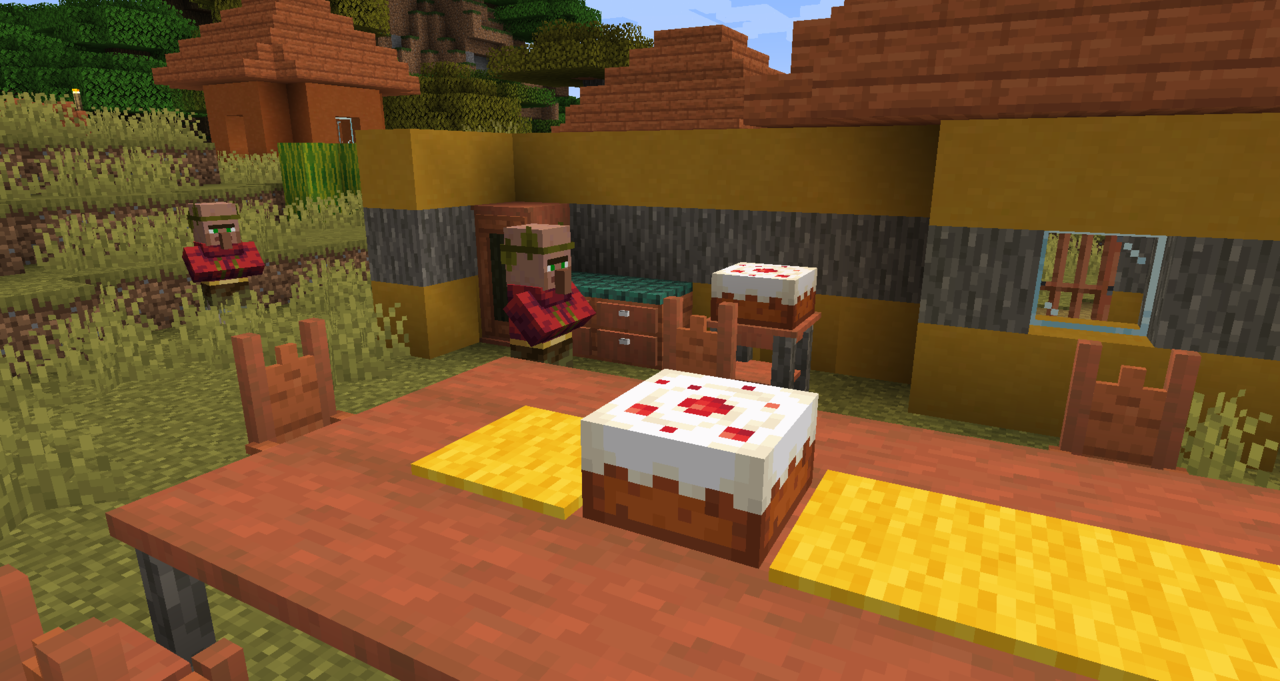 Savana Party 🥳
 -
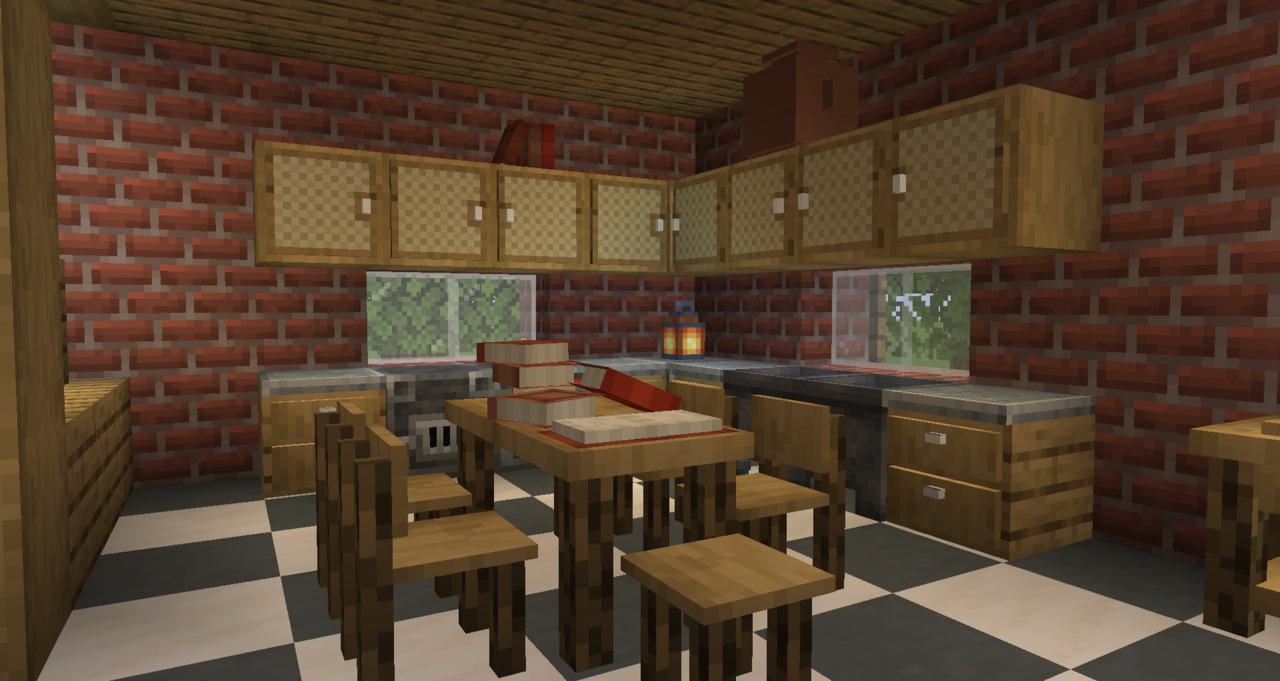 Fancy Kitchen!
 -
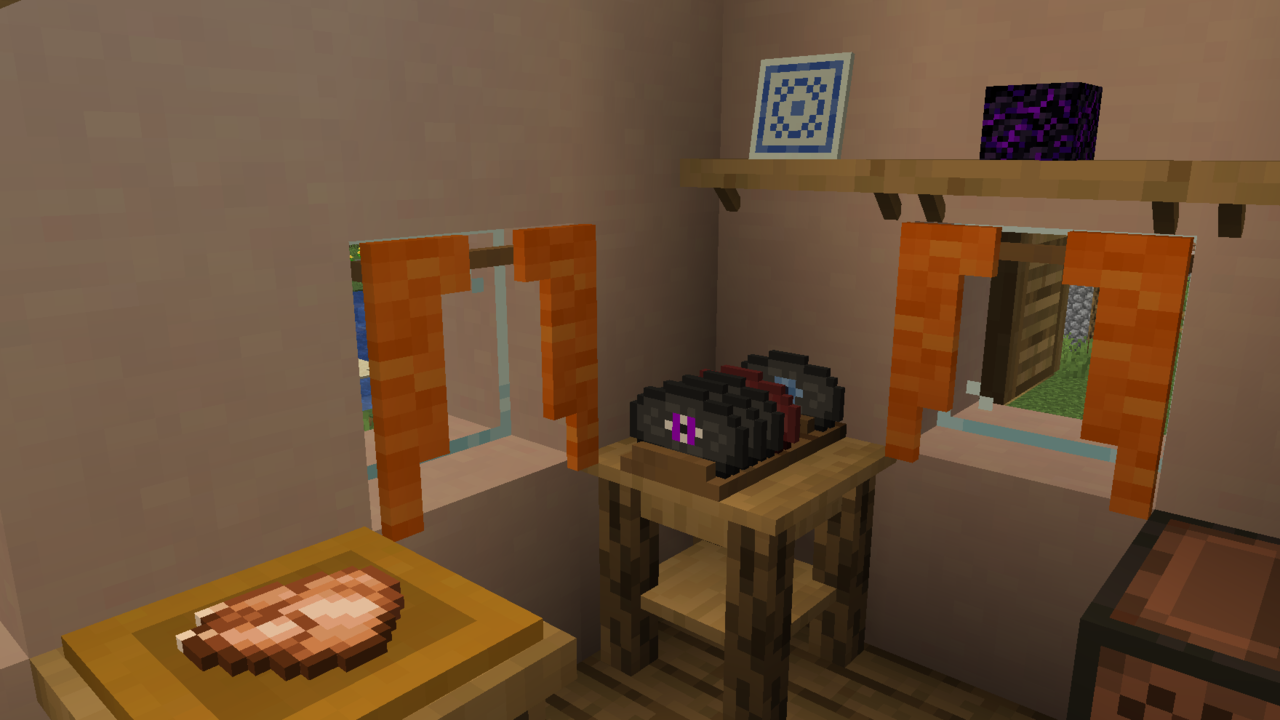 Little things
 -
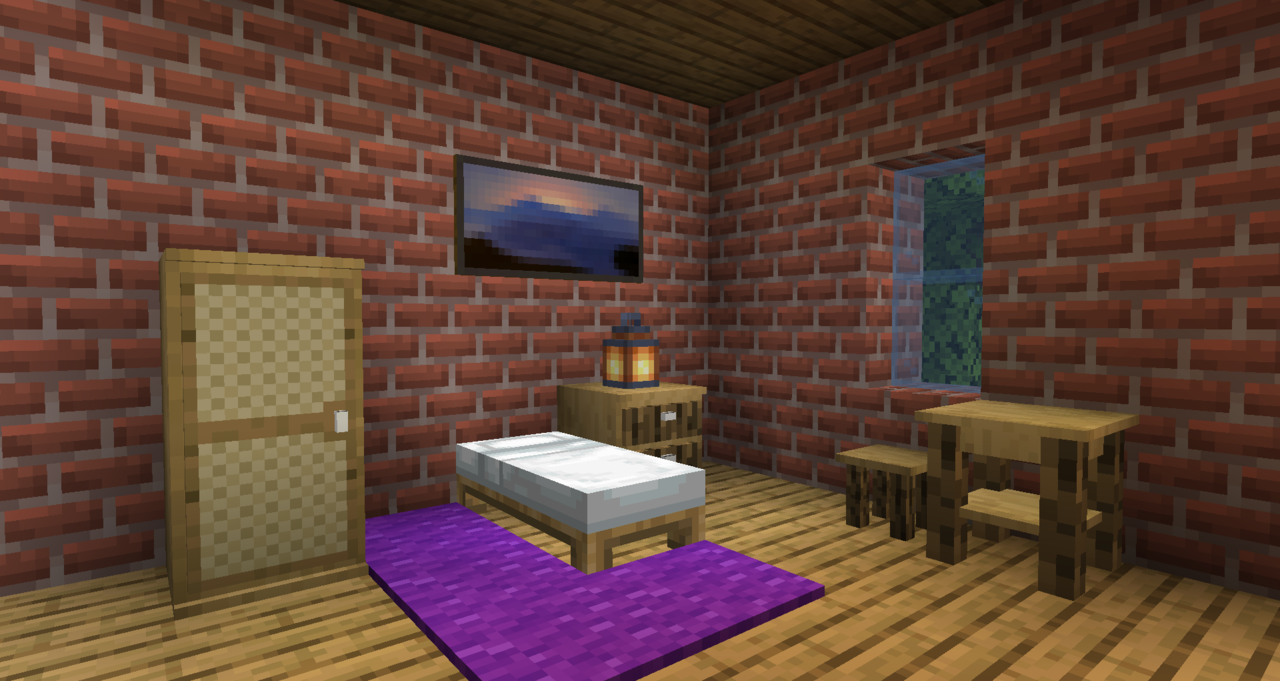 Bedroom example
 -
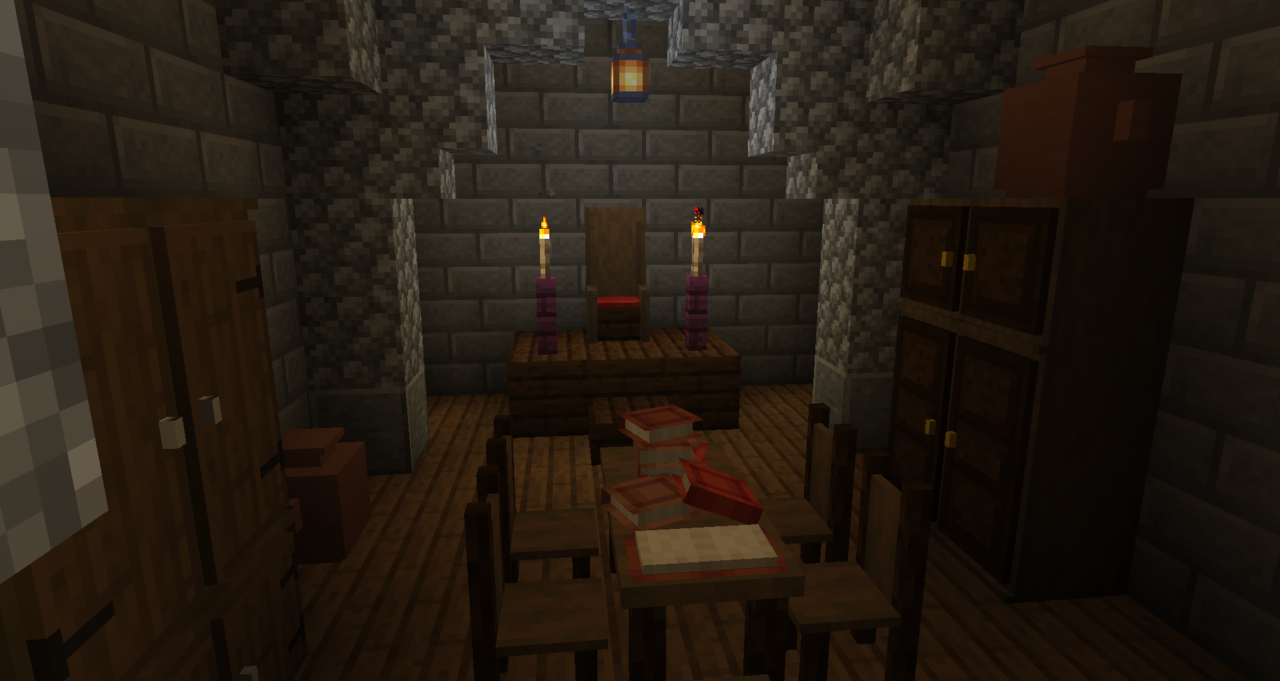 Dark meeting...
 -
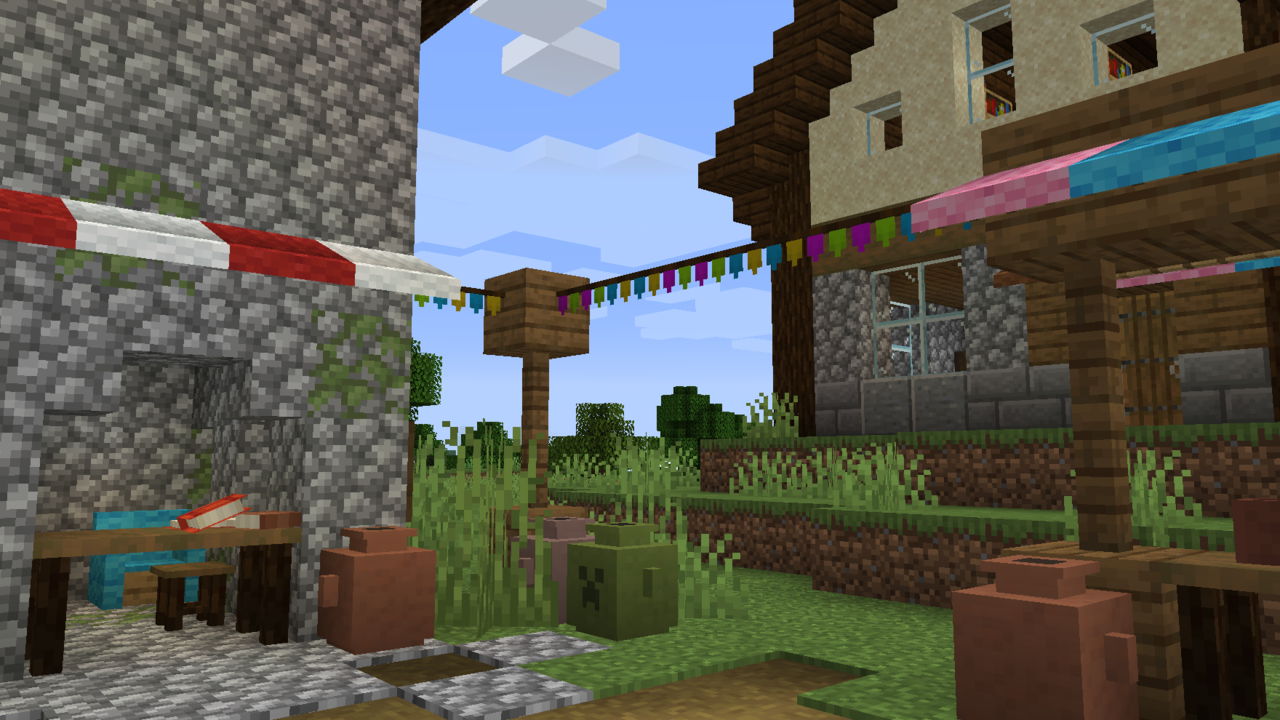 Buntings and Awnings
 -
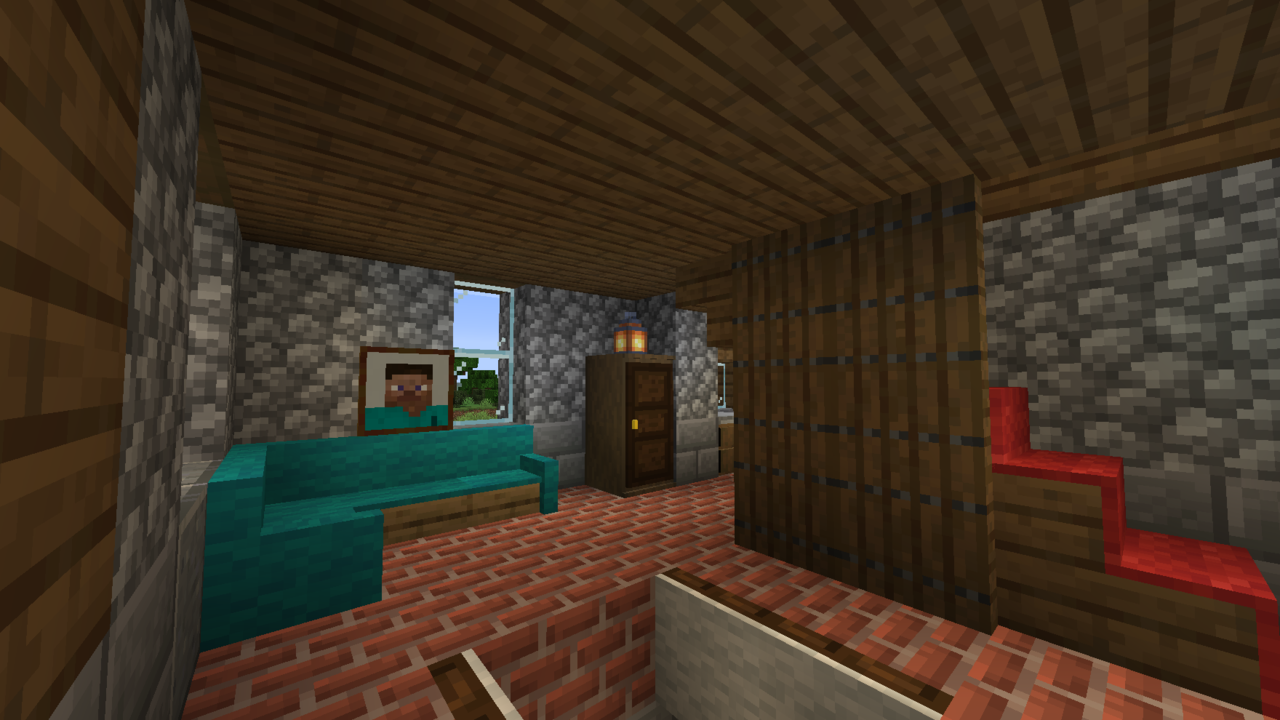 Sofas and Carpets
 -
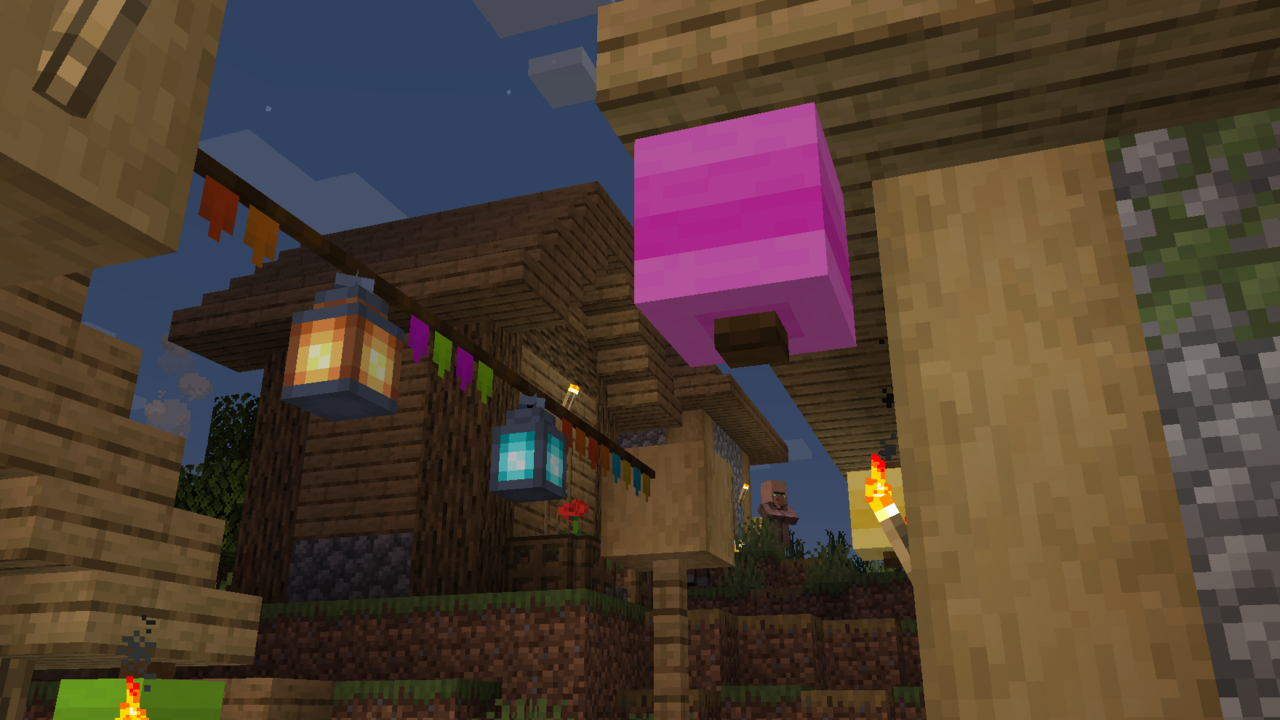 Paper lamps
 -
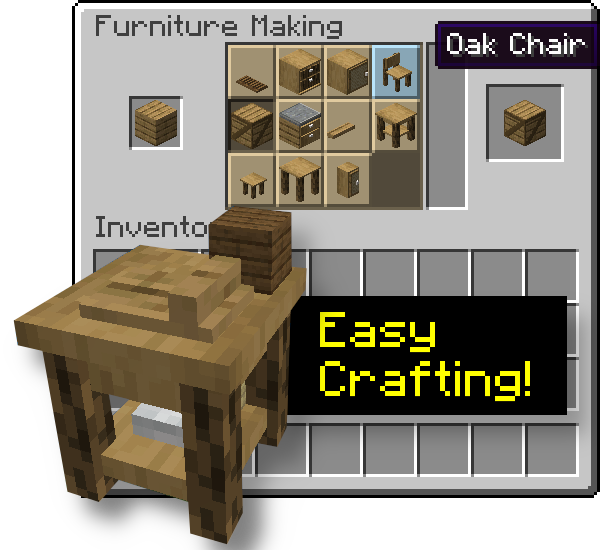 Easy crafting Create everything in one click!
Versions
Files
Relations
Project Relations
More like this
Similar Mods
Suggestions use data such as tags, dependencies, dependents, descriptions, titles, and more to rank how much they overlap with this mod.
On ModDex
Community snapshot
By the numbers
Statistics
Want to reach Minecraft players?
We're looking for a server hosting partner to feature here and other parts of the site. Interested? Send us a message!
Get in touchGet it on
Available Platforms
On ModDex
Community snapshot
By the numbers