
Community listing page, reviews here may not be monitored by the author.
GanKura

No reviews yet
A Hypixel Skyblock Mod focused on Area Mini-bosses.
Community voices
Reviews
No reviews yet. Be the first to review this project!
Get it on
Available Platforms
Compatibility
Supported Environments
Runs entirely on the client. Works on vanilla servers.
About
Project Details
For authors
Embed Badge
If you're the author of this project, you can embed a live badge anywhere that supports HTML or Markdown. It updates automatically whenever ratings change.
Use HTML for any page that supports it, or Markdown for README files and Markdown-based descriptions.
Identifiers
Platform IDs
Resources
External Links
About
Description
GanKura
GanKura is a Hypixel Skyblock Mod focused on Area Mini-bosses.
- Commands
/gankura- Open the main settings screen./gankura hud- Open the HUD movement and scaling settings screen./gankura buttons- Open the Inventory Buttons editor screen./gankura waypoint <arg> (/gkw)- Open the Custom Waypoints settings screen.toggle- Toggle the rendering of Waypoints.add- Add a Waypoint to your current location.add <name>- Add a named Waypoint to your current location.list- Display a list of Waypoints in the current area.
Supported
- The End
- End Stone Protector
- Dragon
- Spider's Den
- Broodmother
- Arachne
- Crimson Isle
- Bladesoul
- Barbarian Duke X
- Mage Outlaw
- Magma Boss
- Ashfang
- Foraging
- All Moonglade Marsh Mobs (Excluding Sea Creatures)
- All Torrhus Canyon Mobs (Excluding Sea Creatures)
- All Critter Safari Mobs
- Fishing
- All Rare Sea Creatures
- All Lotus Atoll Critters
Features
Bosses
- Stage Announce
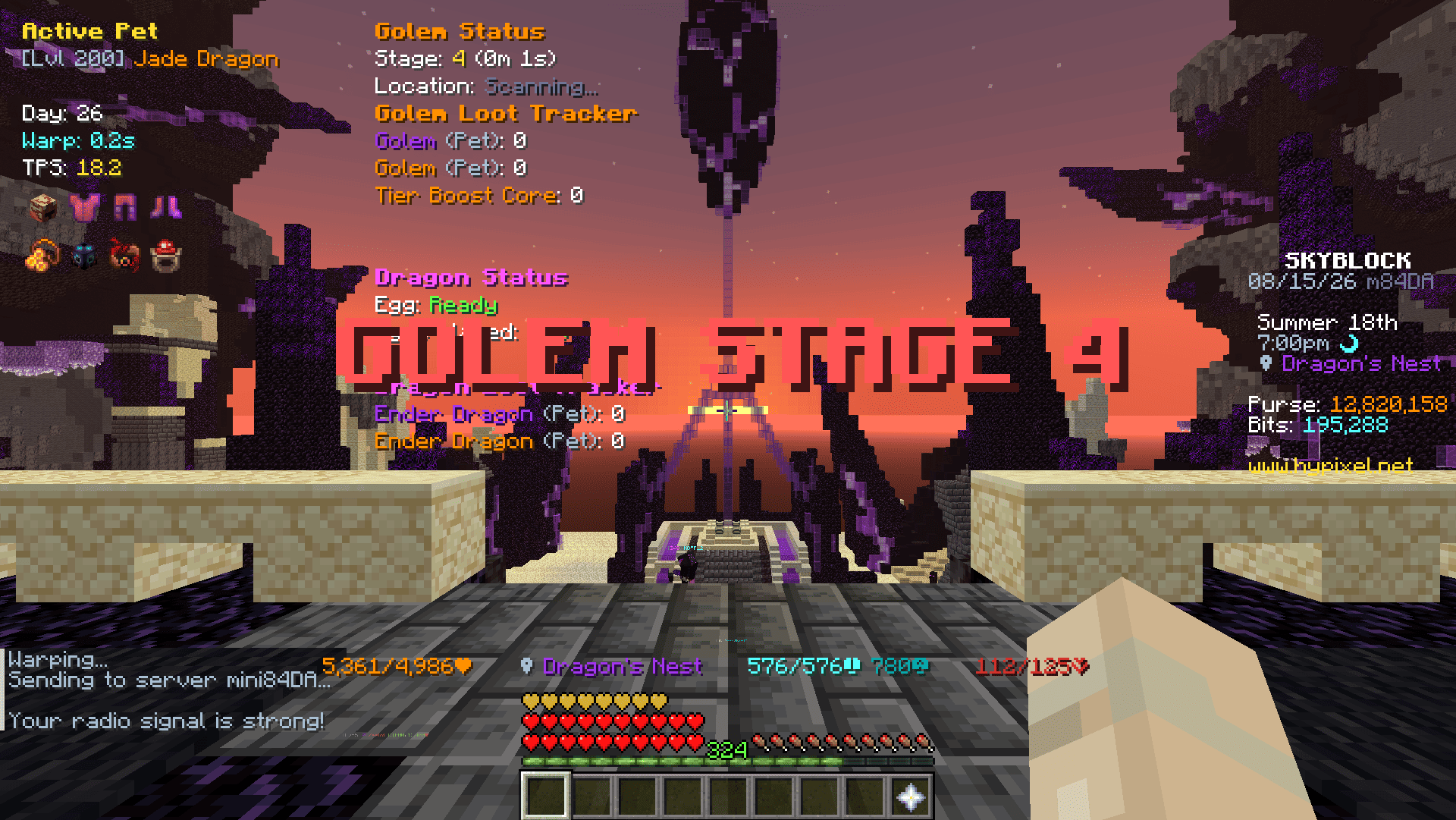
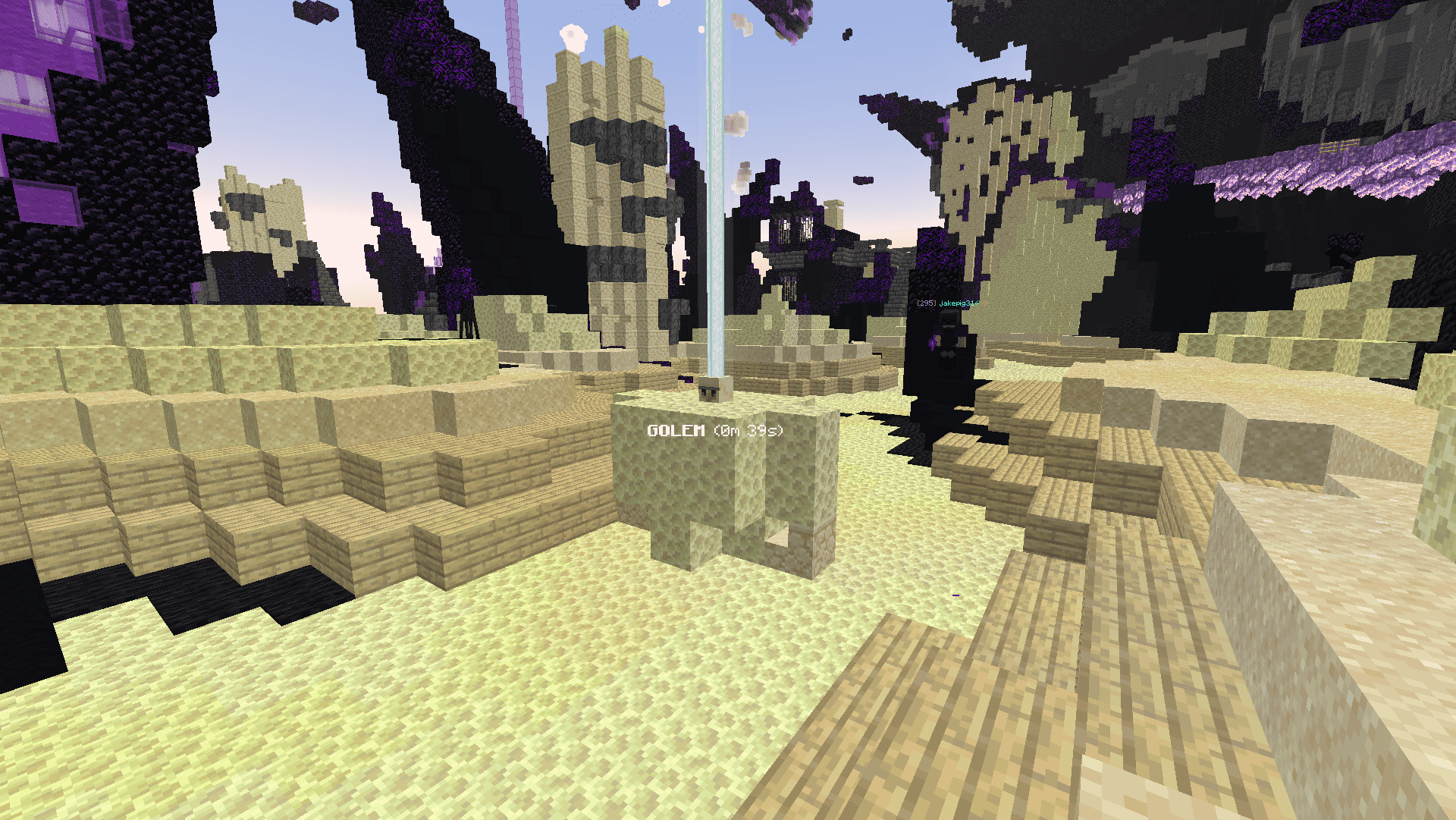
- World Location Display
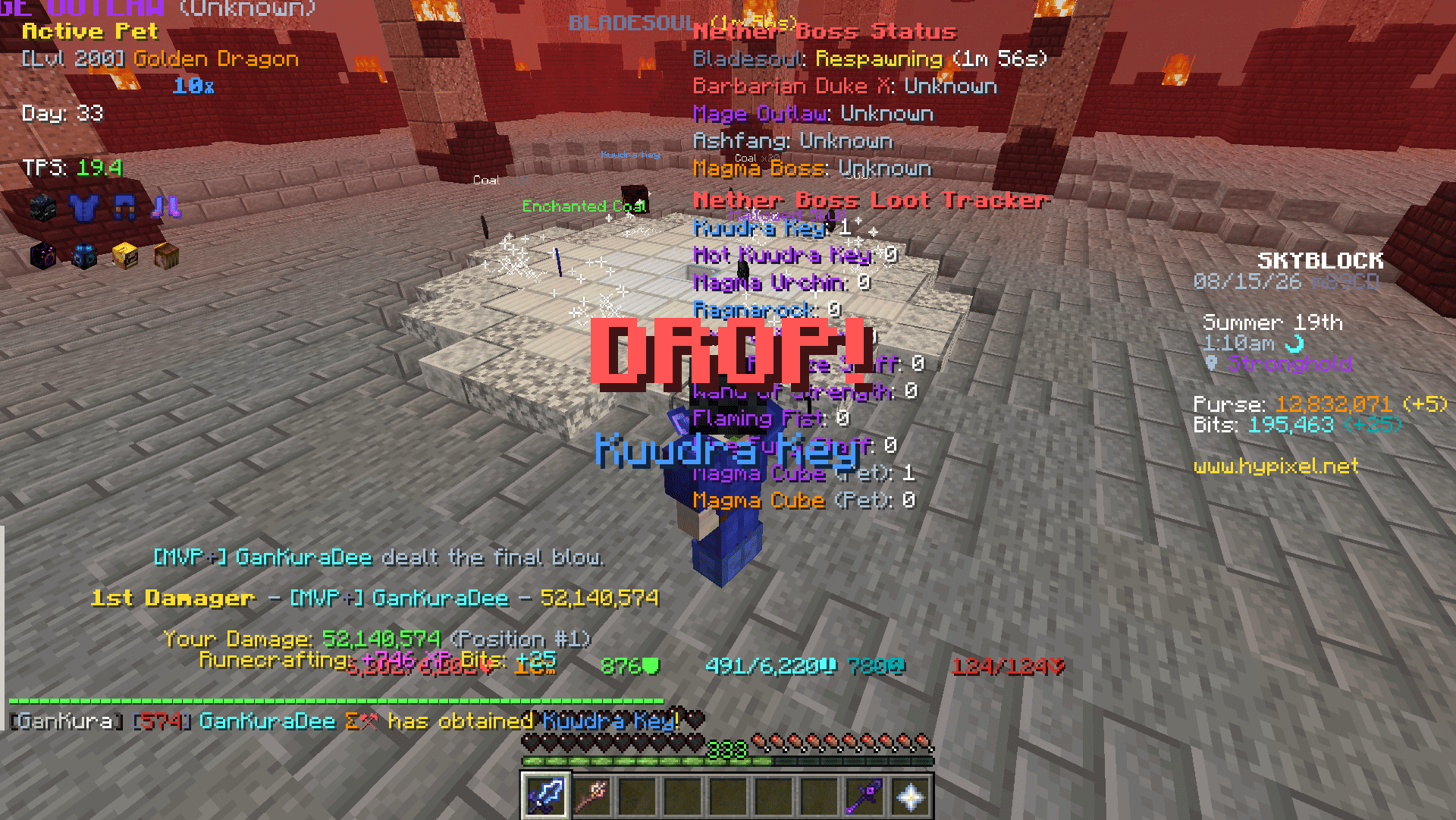
- Rare Drop Notification
- Status HUD
- Loot Tracker HUD
- DPS Calculator
- Loot Quality Calculator
Misc
- Armor HUD
- Equipment HUD
- Yaw and Pitch HUD
- Active Pet HUD
- Day HUD
- TPS HUD
- Armor Stack HUD
- Ferocity HUD
- Quiver HUD
- Hide Damage Splash
- Hide Fire Overlay
- Tab List Cleanup
- Inventory Cleanup
- Scrollable Tooltips
- Invert Tooltip Scroll
- Tooltip From Top
- Replace Roman Numerals
- Max Enchant Chroma
- Book Enchant Gold
- Skip Ultimate Enchants
- Arrow Poison Indicator
- Server Reboot Alert
- Low Quiver Alert
- Warp Cooldown Queue
- Keep Cursor Position
- Held Item Size
- Loadouts Menu Keybind
- Armor Menu Keybind
- Equipment Menu Keybind
- Tree Felled Title
- Mob From Tree Title
- Beeheemoth Spawn Title
- Cocoon Catch Title
- Bestiary Menu - Replace Roman Numerals, MAX highlight and per-slot tier numbers.
- Attribute Menu - Replace Roman Numerals, MAX highlight and per-slot tier numbers.
- Search Input Screen - Replaces the Bazaar and Auction House sign editor with a text box.
- Chat Filter - Hides the profile lines, the stash reminder and blank chat lines.
Fishing
- Shorten Catch Message
- Bite Countdown HUD
- Bait HUD
- Low Bait Alert
- Cast Timer
- Hotspot
- Radar Guess - Reads the Hotspot Radar trail and marks where the hotspot should be.
- Gone Title
- Circle - Draws the hotspot edge as a circle, coloured by its perk.
- Found Alert - Title, sound, temporary waypoint and tracer when a hotspot with the perks you picked shows up, plus a button to share its coordinates.
- Golden Fish
- Spawn window timer, highlight, tracer and throw rod warning.
- Lava as Water - Draws lava with the water texture and clears the orange view inside it, on Crimson Isle or everywhere.
Mob Visuals
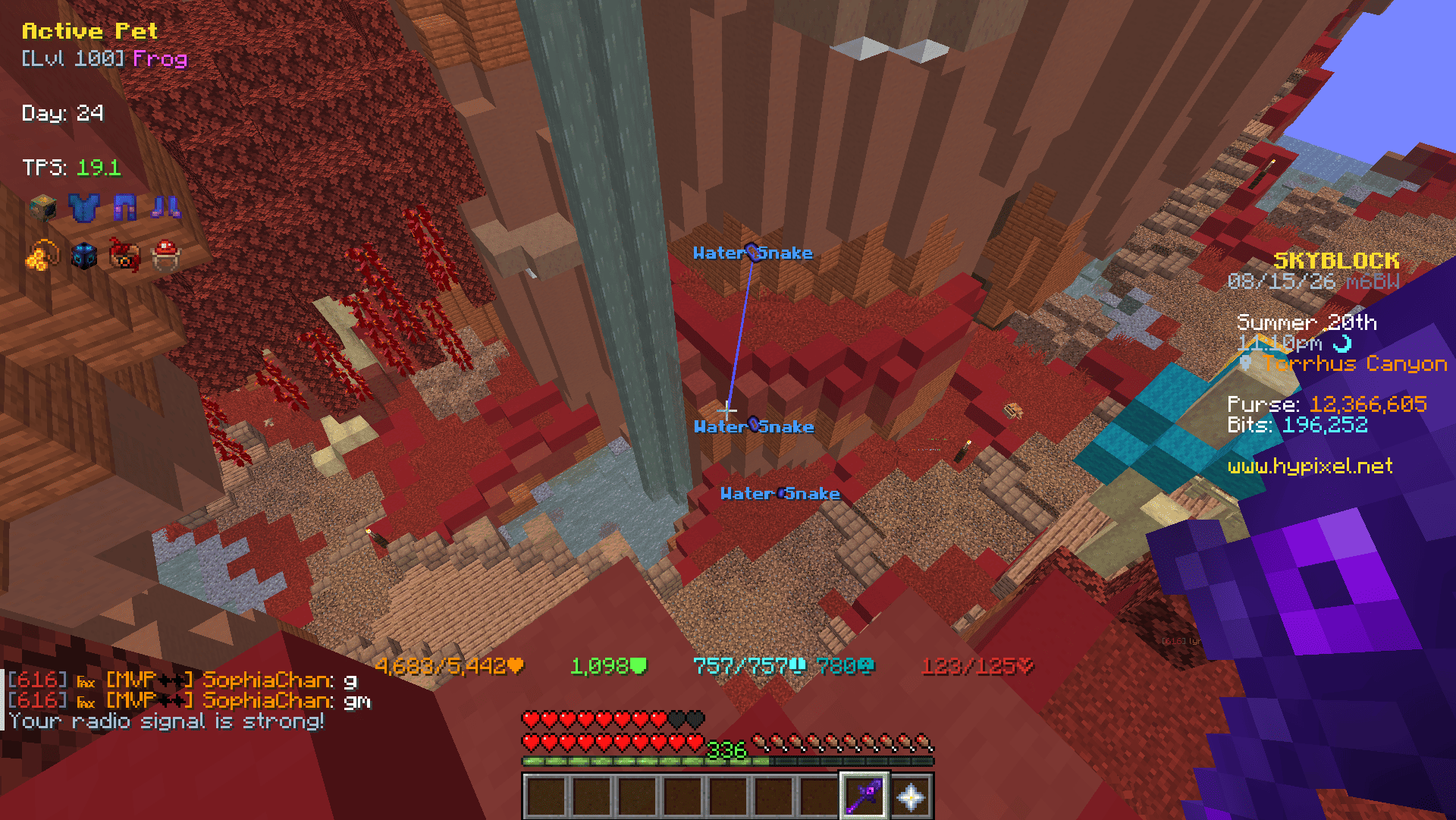
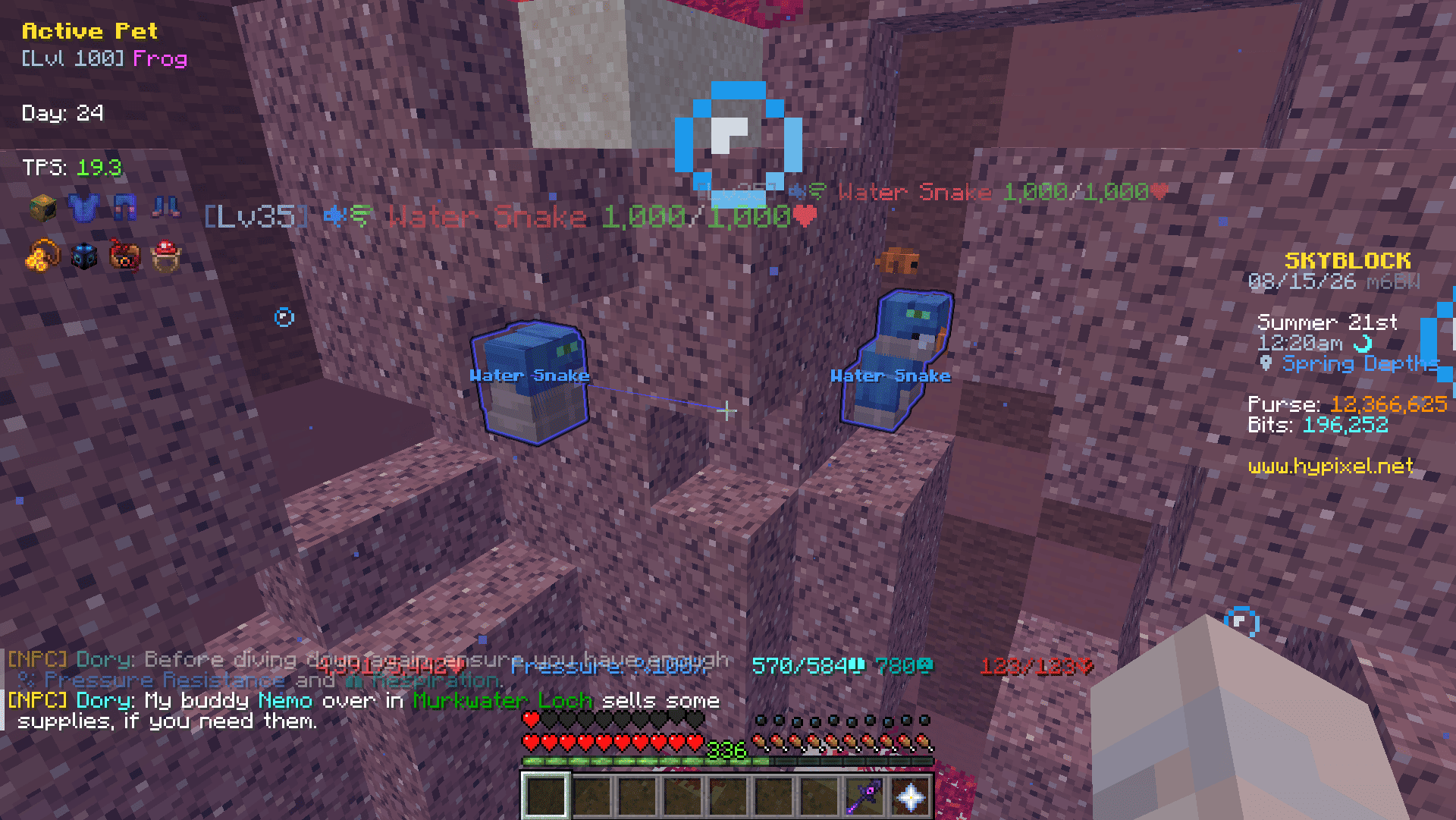
- Display highlights, tracers, and nameplates on selected mobs.
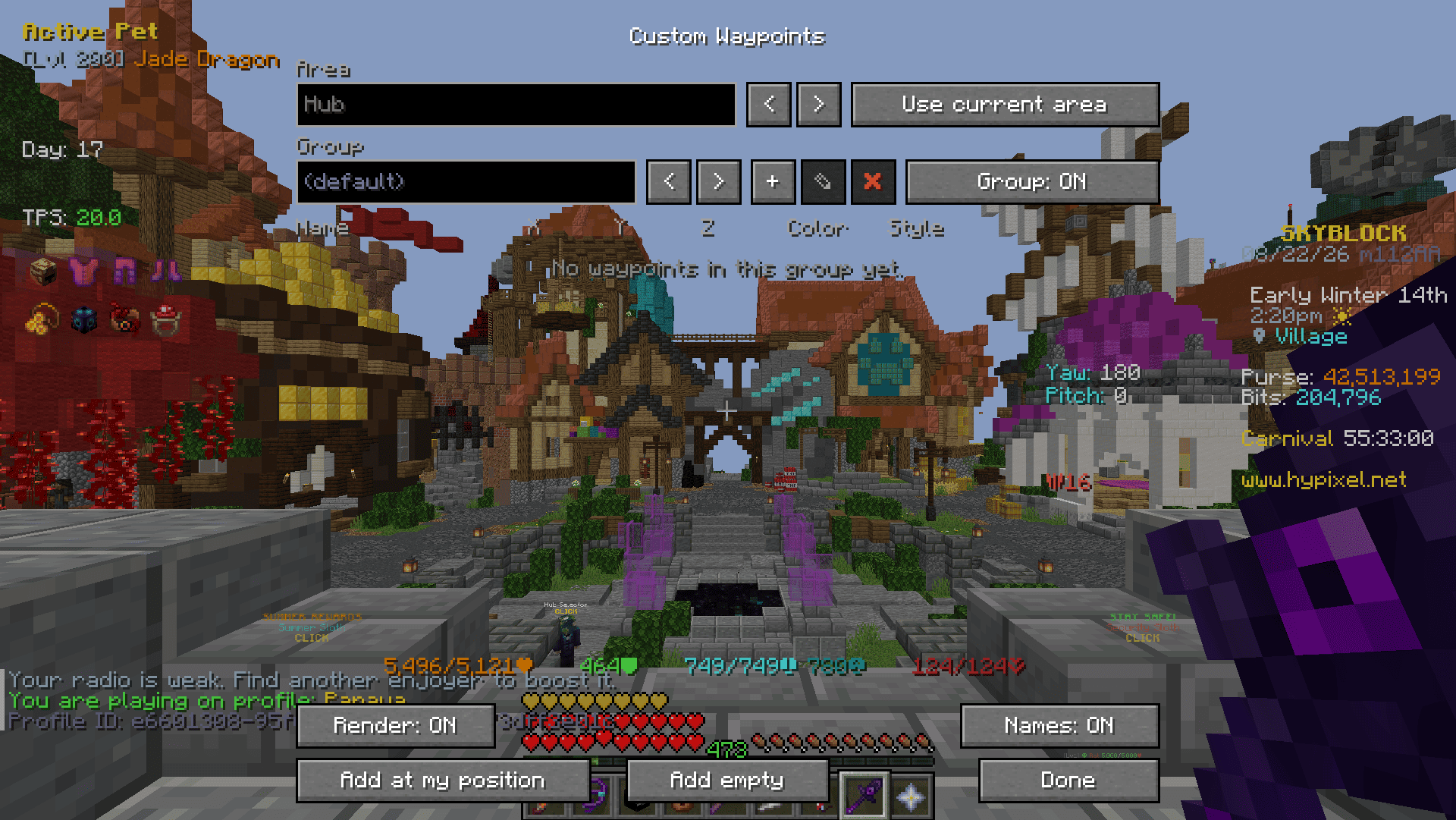
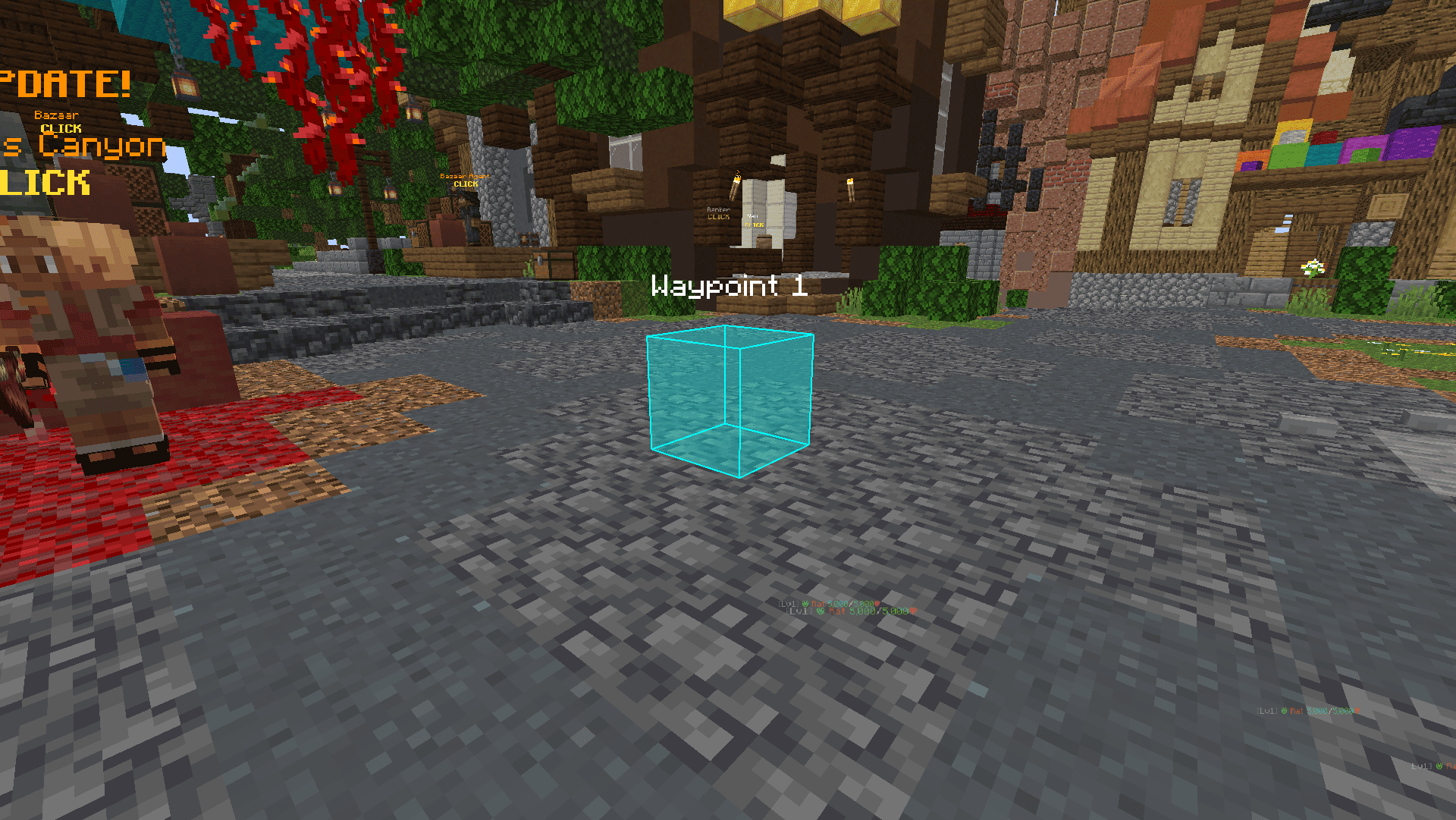
Custom Waypoints
- Add at my position / Add empty:
- Add Waypoint to your current location / coordinates x:0,y:0,z:0
- Area:
- '<, >' -> Switch between areas where you have created Waypoints.
- Group:
- '+' -> Add a Group
- '<, >' -> Switch between the groups you have created
- '✎' -> Rename current group
- '✖' -> Remove current group
- Waypoint:
- Name -> Name of Waypoint to display in the world
- X, Y, Z -> Coordinates of Waypoint
- Color -> Settings the color and fill opacity of the Waypoint
- Style:
- Both -> Outline and Fill
- Outline -> Displays only Outline
- Fill -> Displays only Fill
- '⇄' -> Move selected Waypoint to another group
- '✖' -> Remove selected Waypoint
Inventory Buttons
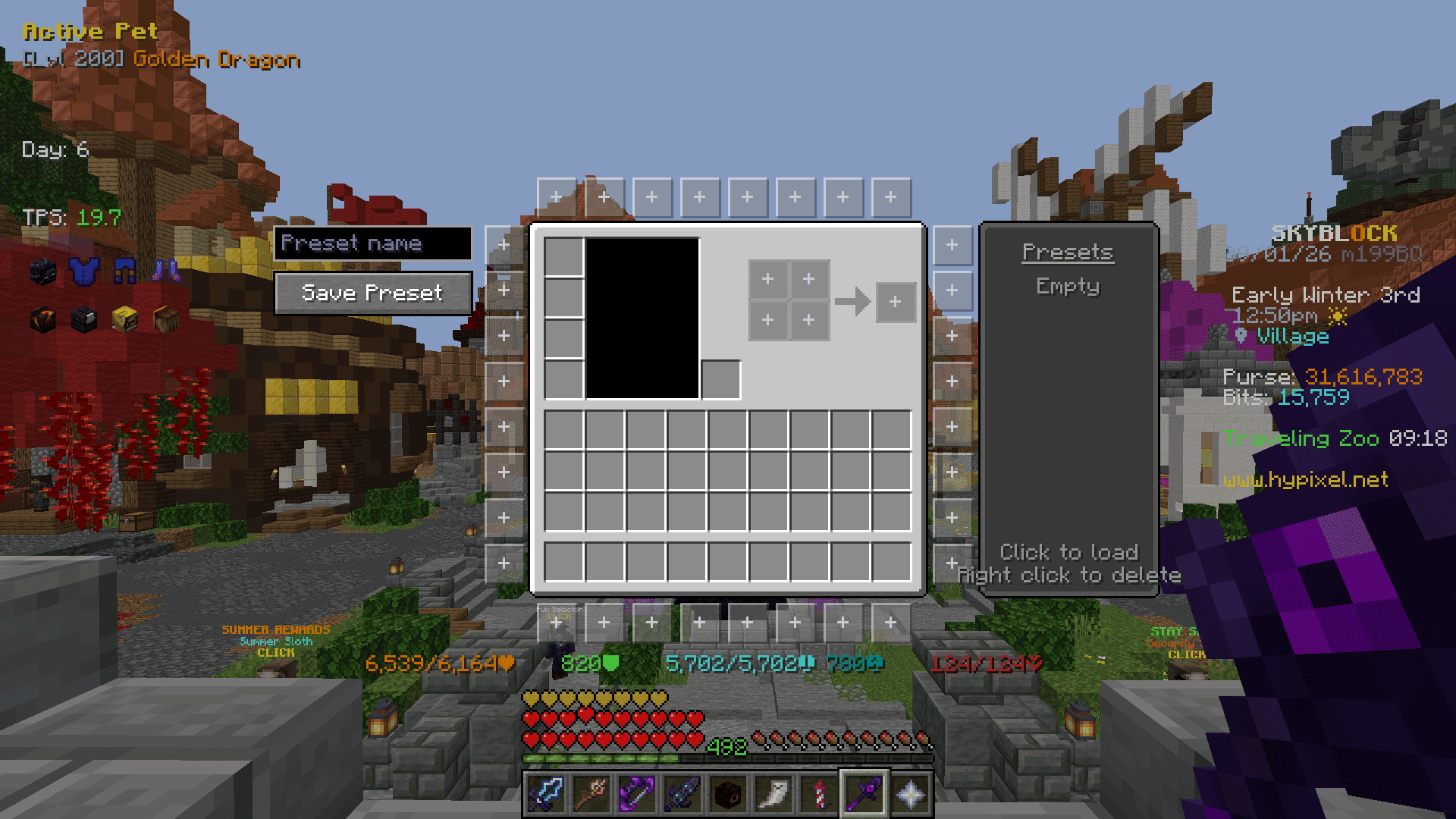
Buttons placed around inventory menus that run a command when clicked. Ported from NotEnoughUpdates.
- Editor (
/gankura buttons, or the button in the settings screen)- Click a slot around the inventory to edit it, click it again to close the panel.
- Command -> The command the button runs. A slot with no command stays hidden in game.
- Background -> One of five frame styles.
- Icon Type -> Item, head or built-in icon.
- Icon Selector -> Type to filter, then click an icon.
- Presets -> The list on the right. Click a name to load it, right click to delete it.
Emptyis built in and restores the default layout. - Save Preset -> Saves the current buttons to the preset list under the name typed above the button (up to 12).
- Options
- Click Type -> Run the command on press or on release.
- Tooltip Delay -> How long the cursor rests on a button before its command is shown.
- Hide in Dungeon Menus -> Keeps the buttons out of dungeon puzzle menus.
Credits
- NotEnoughUpdates (LGPL-3.0-or-later) - the Inventory Buttons feature, its button textures, icons and presets.
- SkyHanni-REPO (MIT, Copyright (c) 2022 hannibal2) - the enchantment level limits used by Max Enchant Chroma and Book Enchant Gold.
Screenshots
Gallery
-
 End Stone Protector Stage Announce Announced with title and sound
 -
 End Stone Protector World Location Display Display location with text and beacon beams
 -
 Rare Drop Notification Announced with title and sound
 -
 Mob Visuals 1 Highlight, Tracer, Nameplate
 -
 Mob Visuals 2 Highlight, Tracer, Nameplate
 -
 Custom Waypoints 1 Settings Screen
 -
 Custom Waypoints 2 Visuals
Versions
Files
Relations
Project Relations
More like this
Similar Mods
Suggestions use data such as tags, dependencies, dependents, descriptions, titles, and more to rank how much they overlap with this mod.
On ModDex
Community snapshot
By the numbers
Statistics

Want to reach Minecraft players?
We're looking for a server hosting partner to feature here and other parts of the site. Interested? Send us a message!
Get in touchGet it on
Available Platforms
On ModDex
Community snapshot
By the numbers
Statistics
Resources