Community listing page, reviews here may not be monitored by the author.
Gather


No reviews yet
Material Gathering. The mod provides automatic base material calculation, HUD progress, needed blocks outlines and SO MUCH MORE

Community voices
Reviews
No reviews yet. Be the first to review this project!
Get it on
Available Platforms
Compatibility
Supported Environments
Must be installed on both the client and the server.
About
Project Details
For authors
Embed Badge
If you're the author of this project, you can embed a live badge anywhere that supports HTML or Markdown. It updates automatically whenever ratings change.
Use HTML for any page that supports it, or Markdown for README files and Markdown-based descriptions.
Identifiers
Platform IDs
About
Description
Gather is a mod that I decided to build when I found myself needing to collect materials for an automatic storage system. It goes without saying that the development of the mod delayed the storage system project quite a bit lol.
Current Features
- HUD - shows base materials needed with have/need counts
- Auto recipe breakdown - goals auto-break to leaf materials
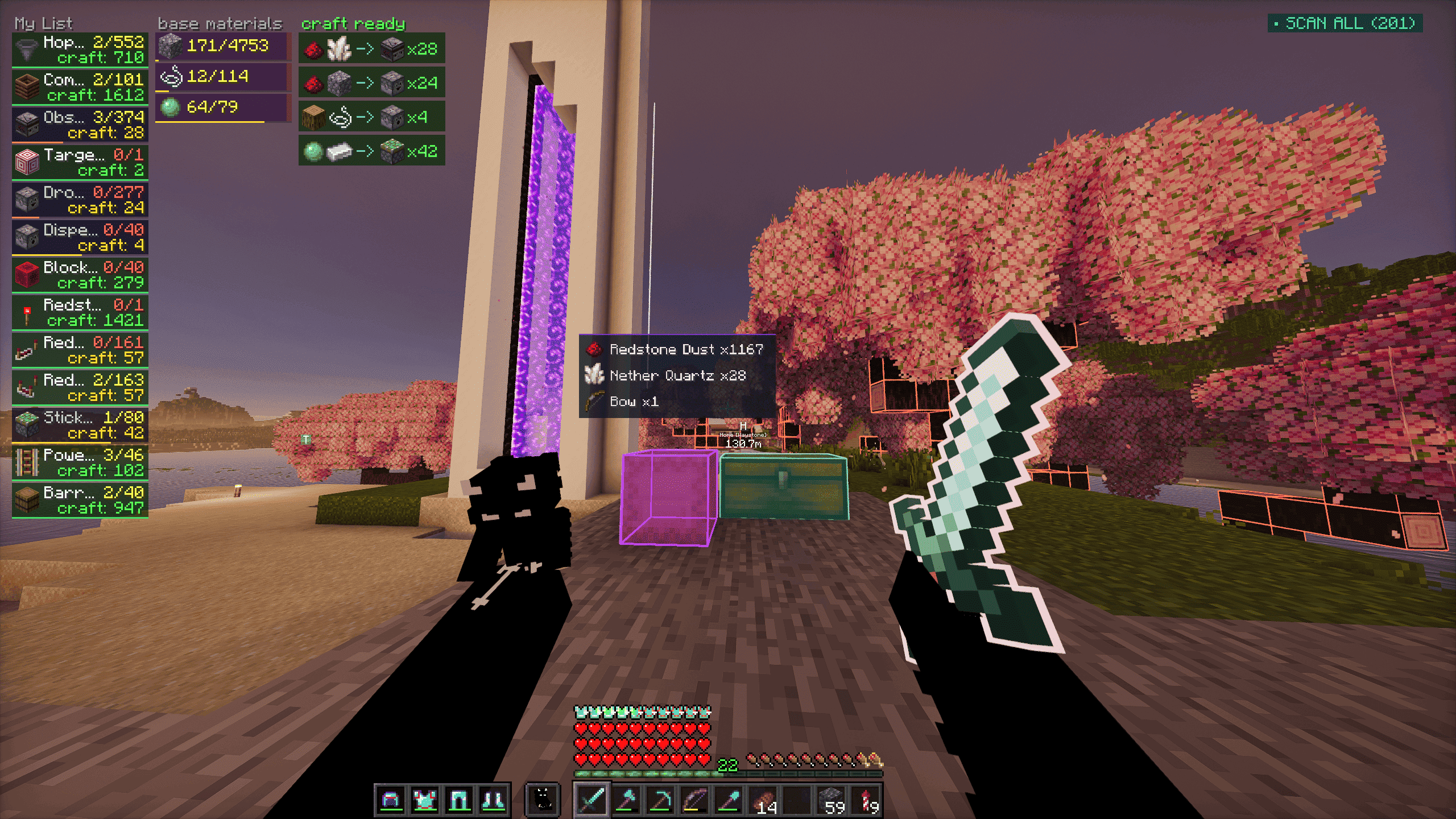
- World block outlines - highlights source blocks for needed materials
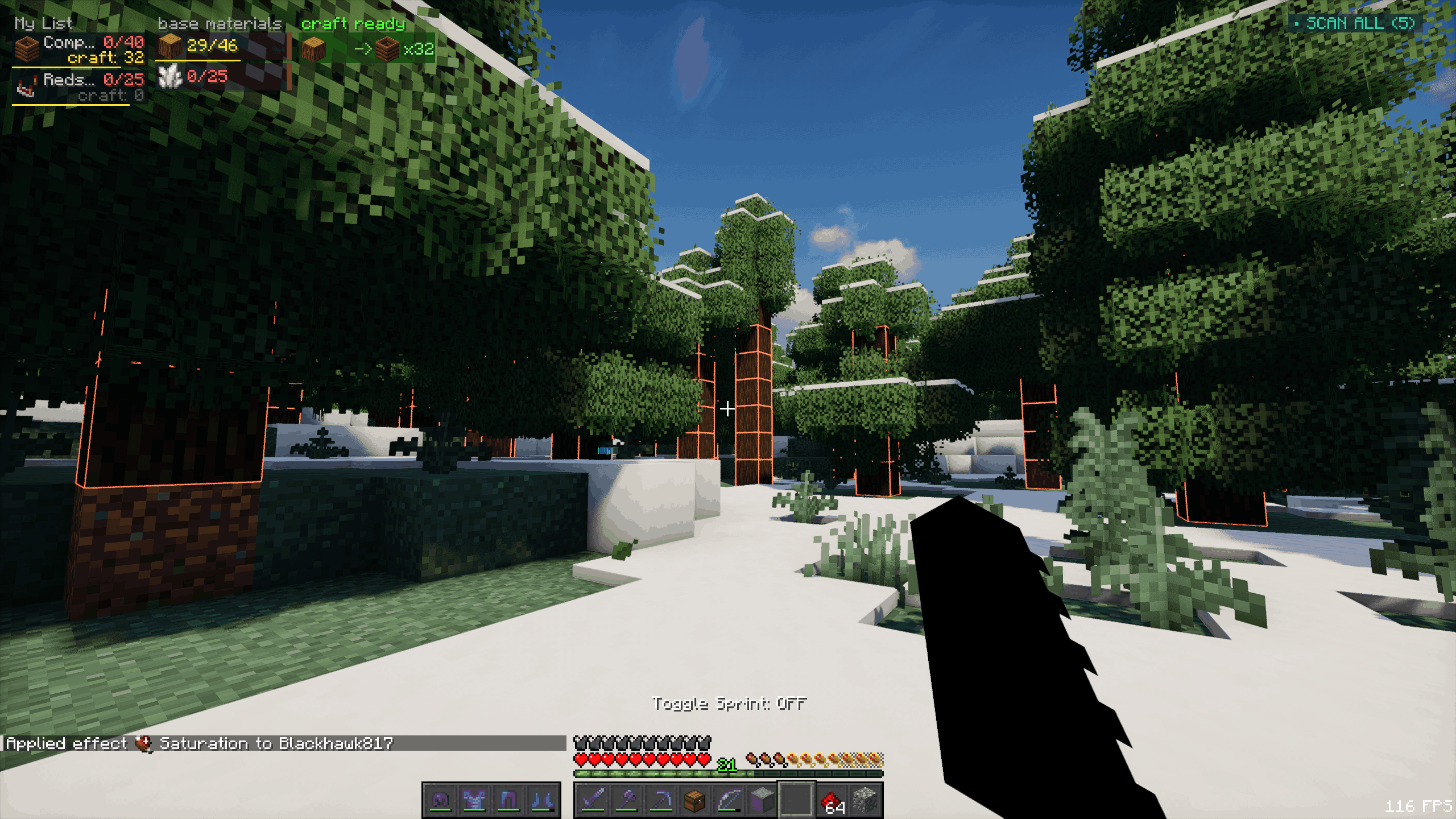
- Block xray - toggle to see outlines through terrain and find needed ore/resource blocks
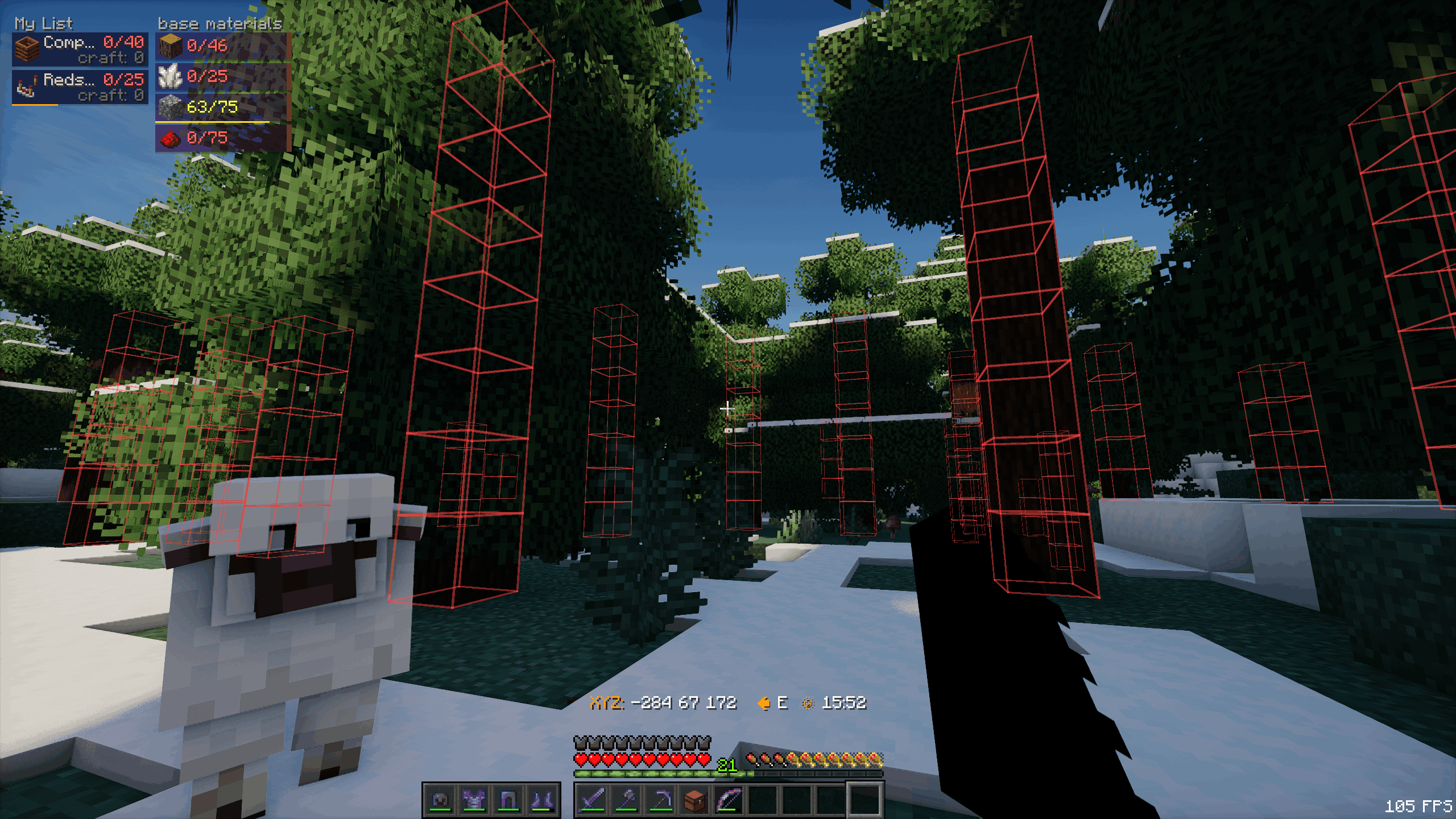
The above feature is not accessible by default. Turning it on requires an admin to use the /gatherop xray on command.
- Chest scanning - tracks nearby chests containing needed items
- Shulker collector - auto-pulls needed items into a carried shulker
Video Showcase: https://www.youtube-nocookie.com/embed/uRvVqEH0YBI
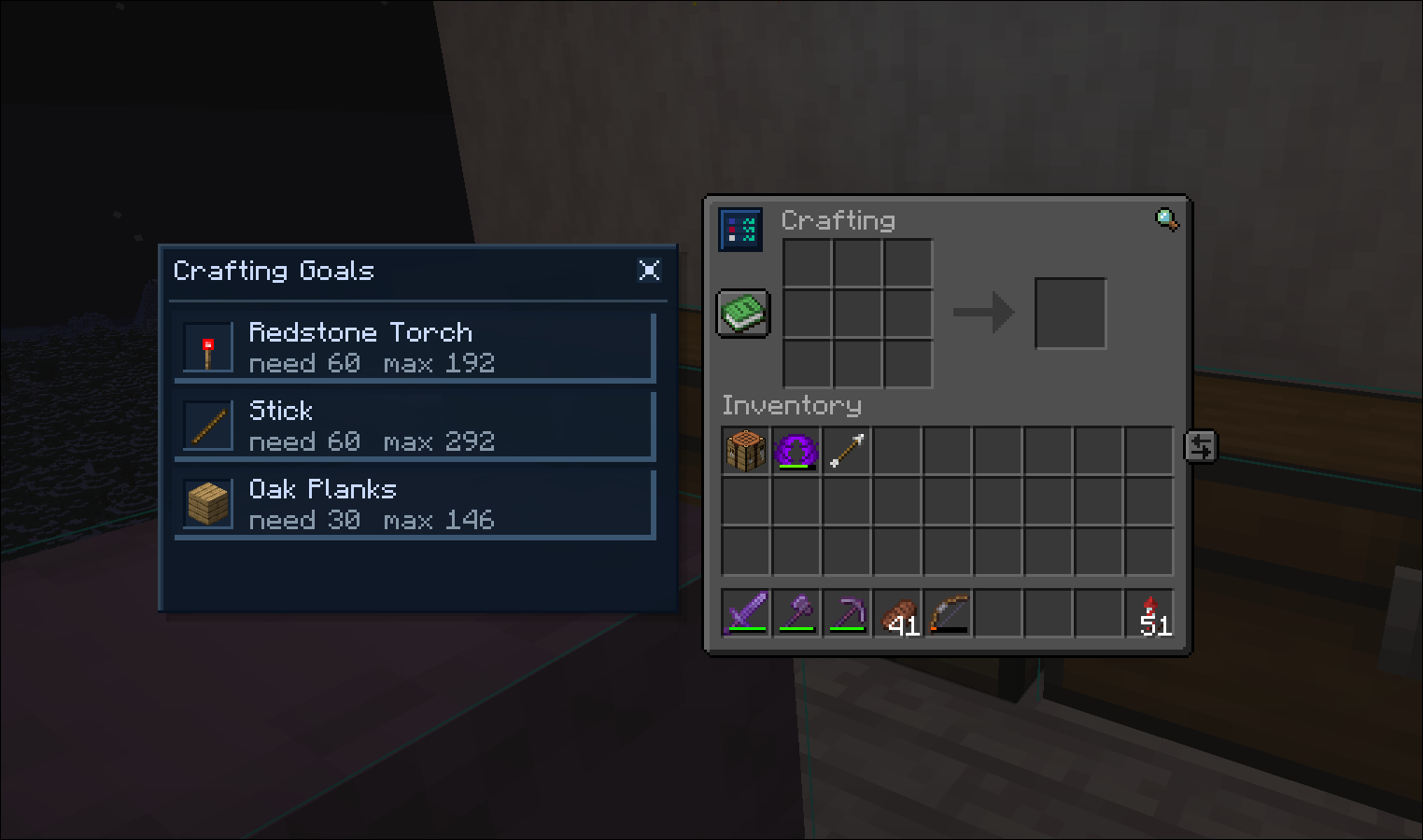
- Crafting overlay - crafting table panel showing craftable goals
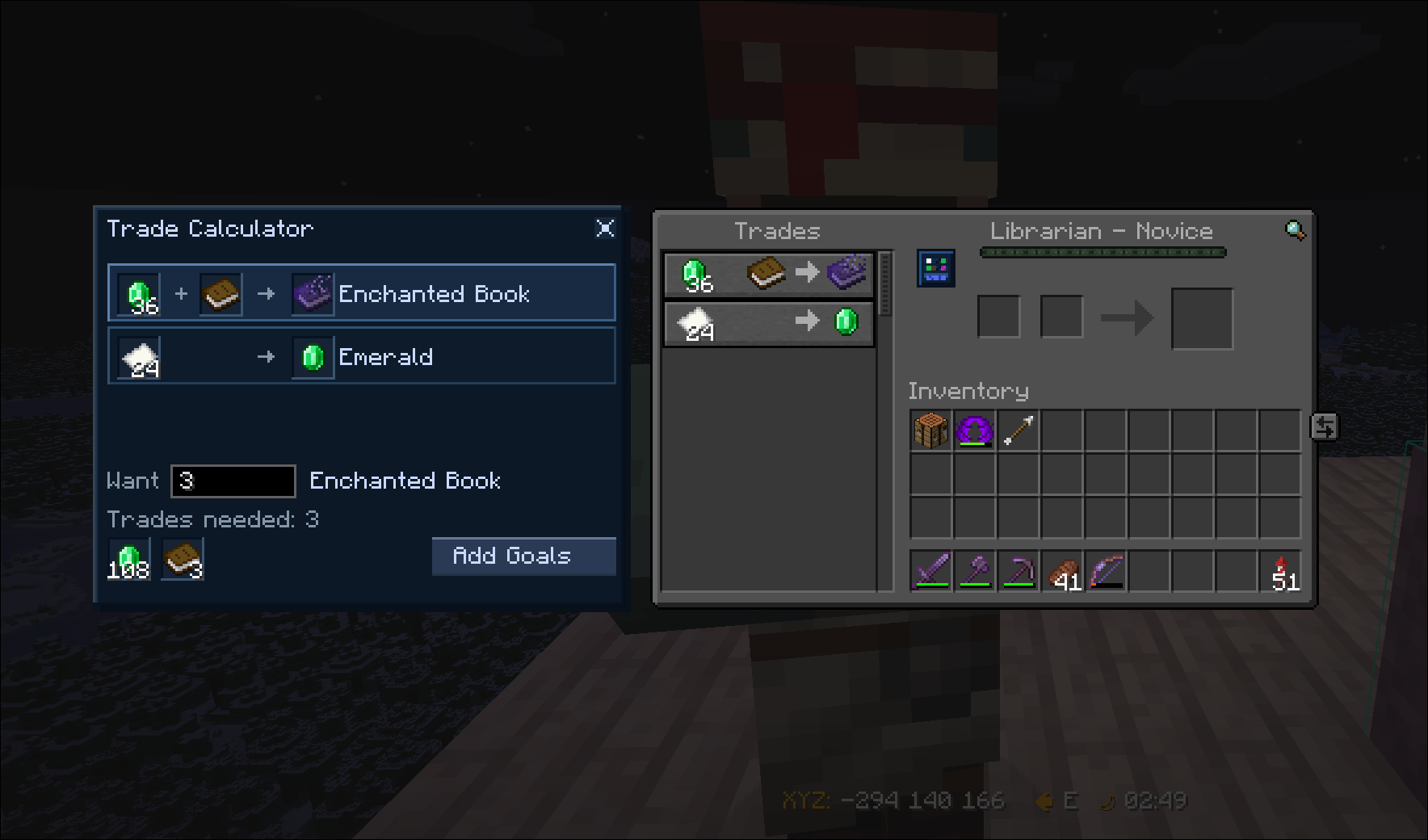
- Trade Calculator - trade calculator menu that calculates the sell items needed to buy a certain amount of items
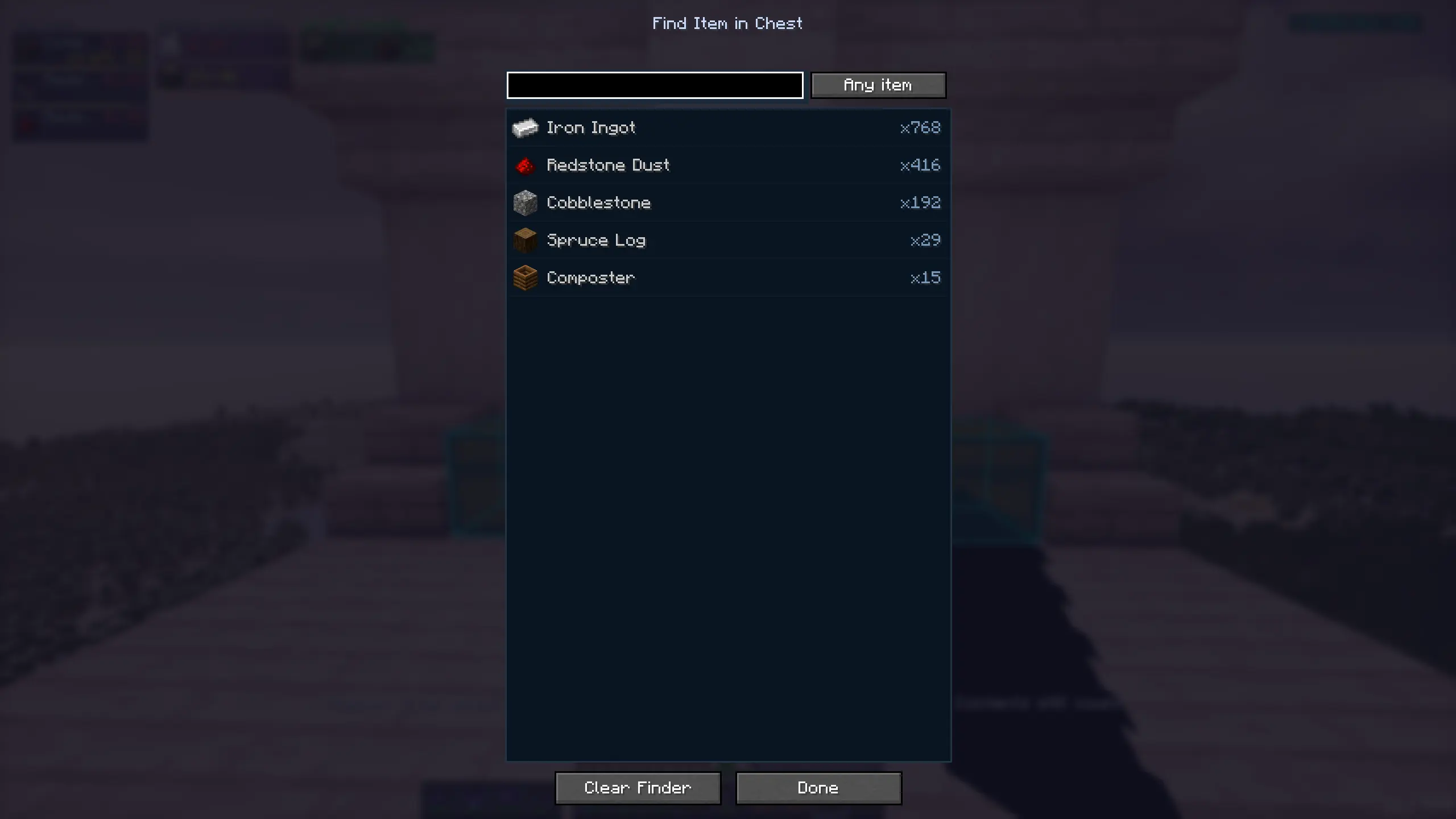
Item finder - finds any item inside tracked chests
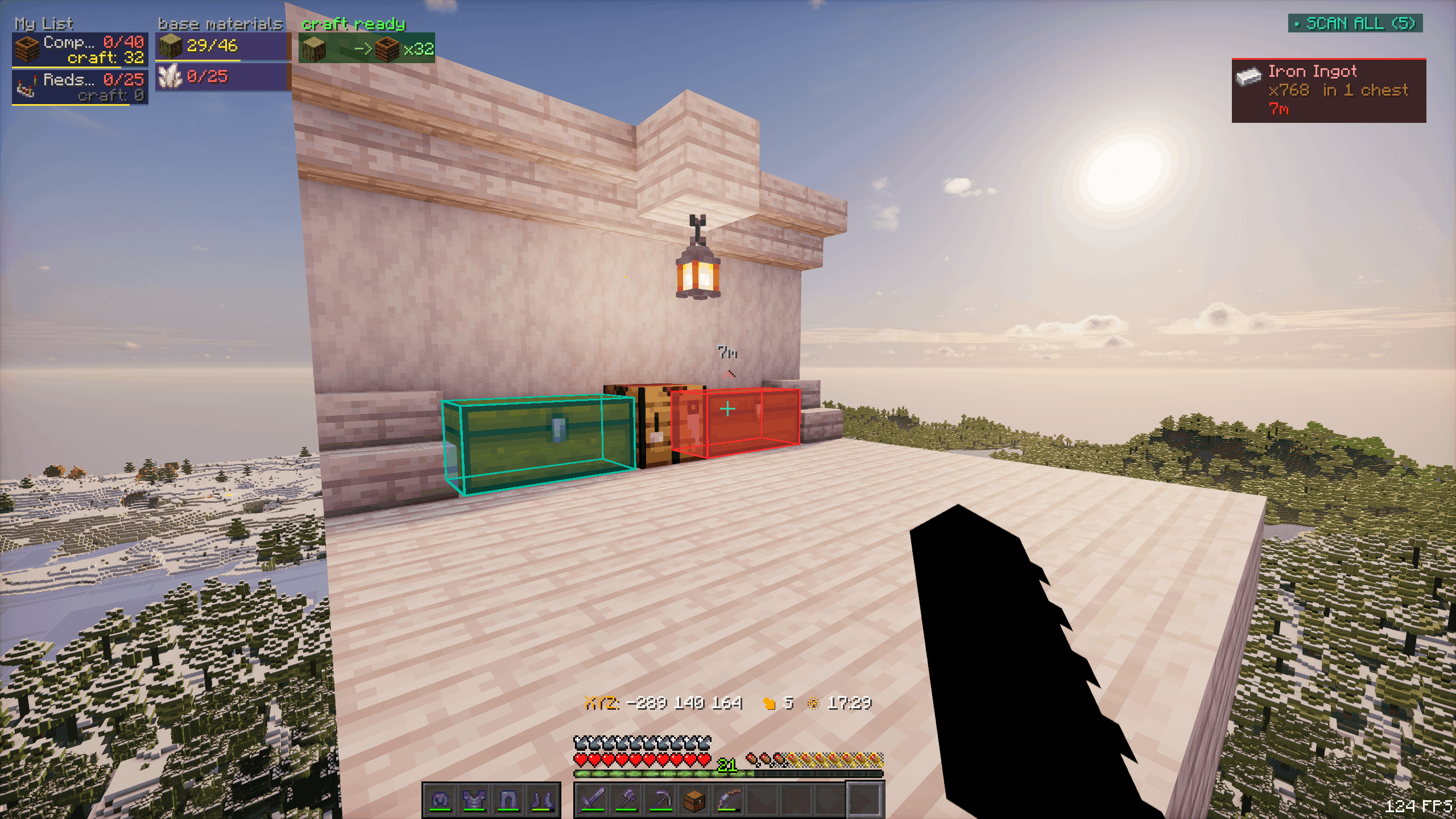
G-menu - main functionality menu
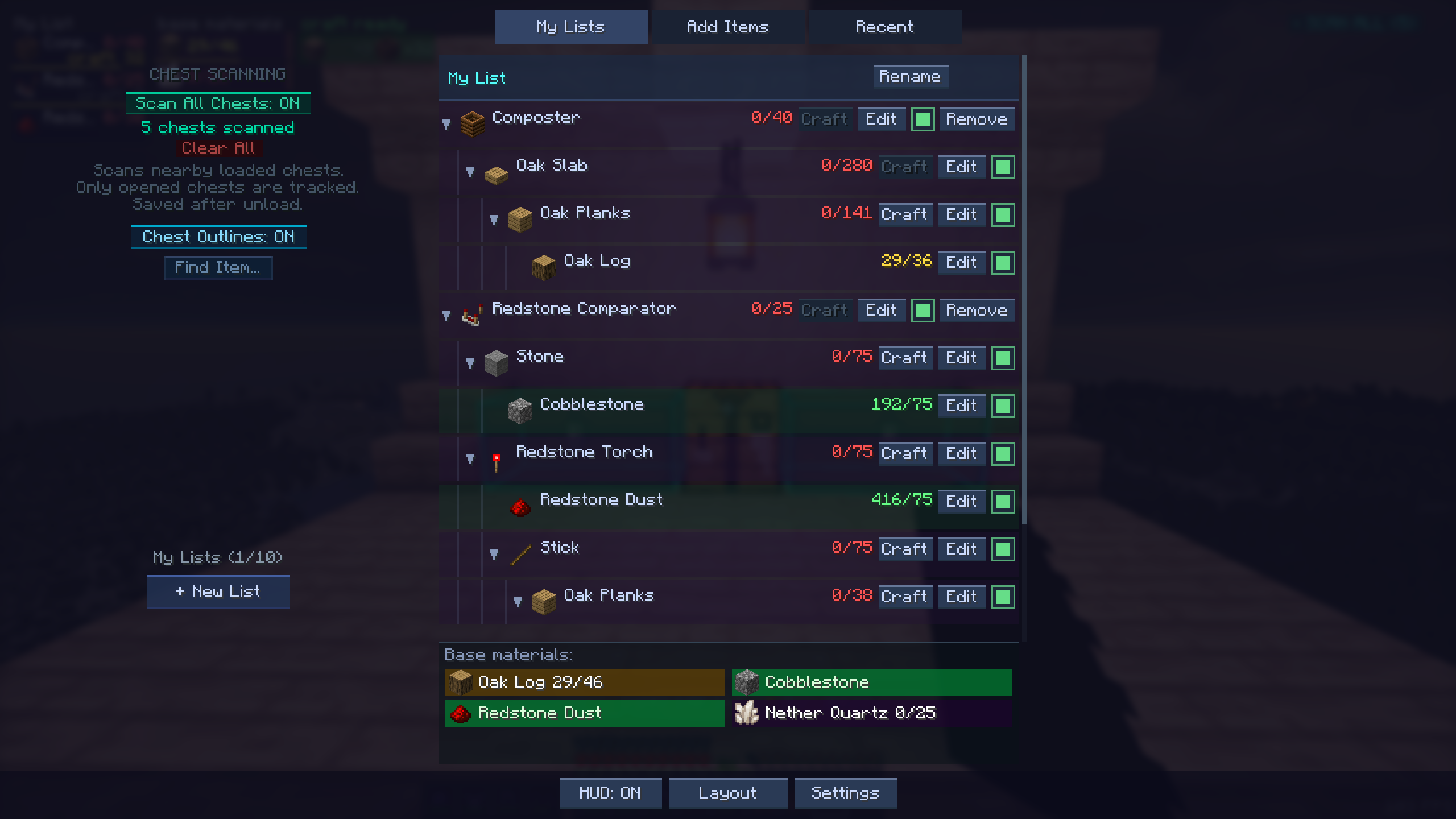
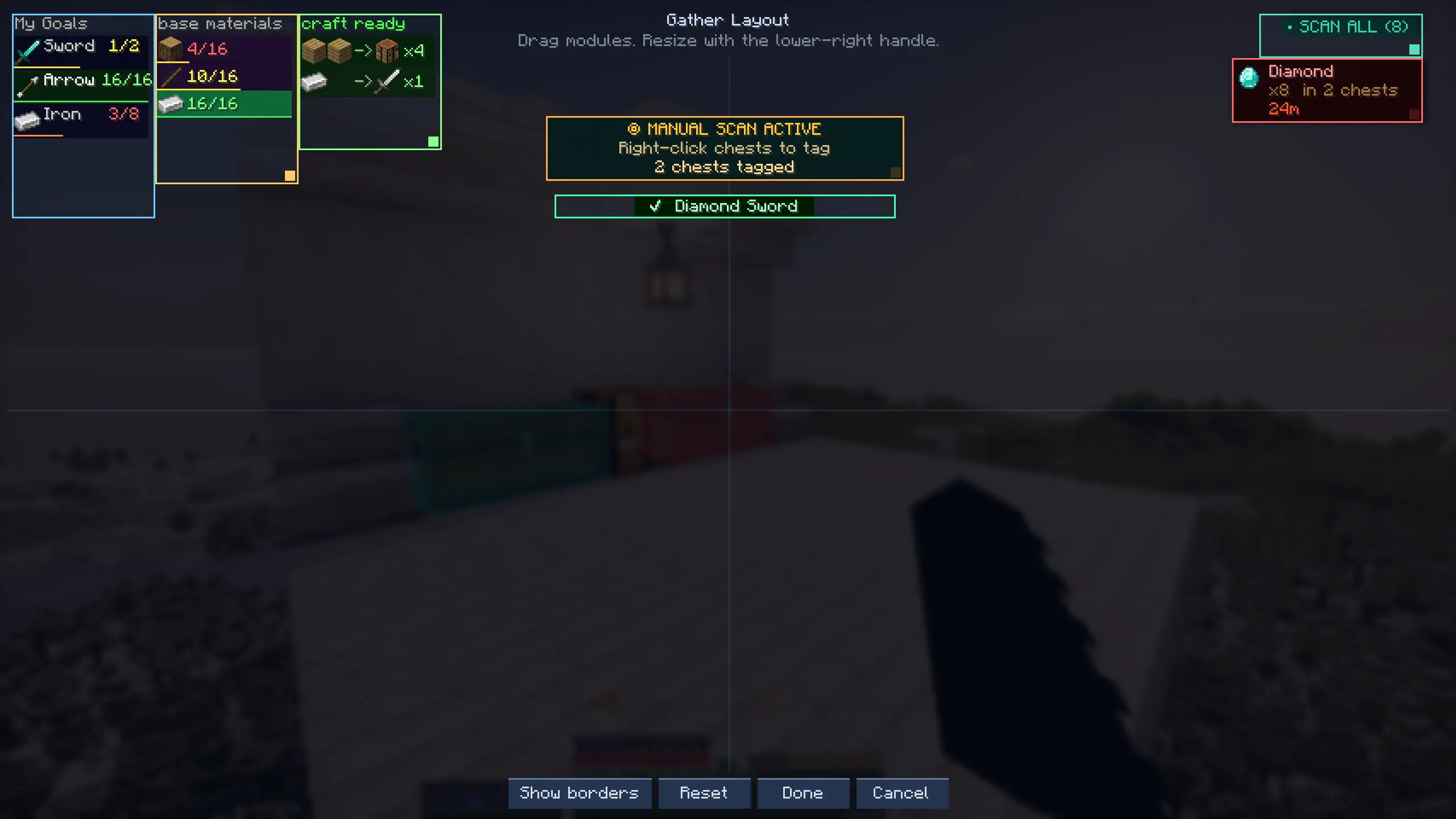
- HUD layout editor - drag/resize HUD modules
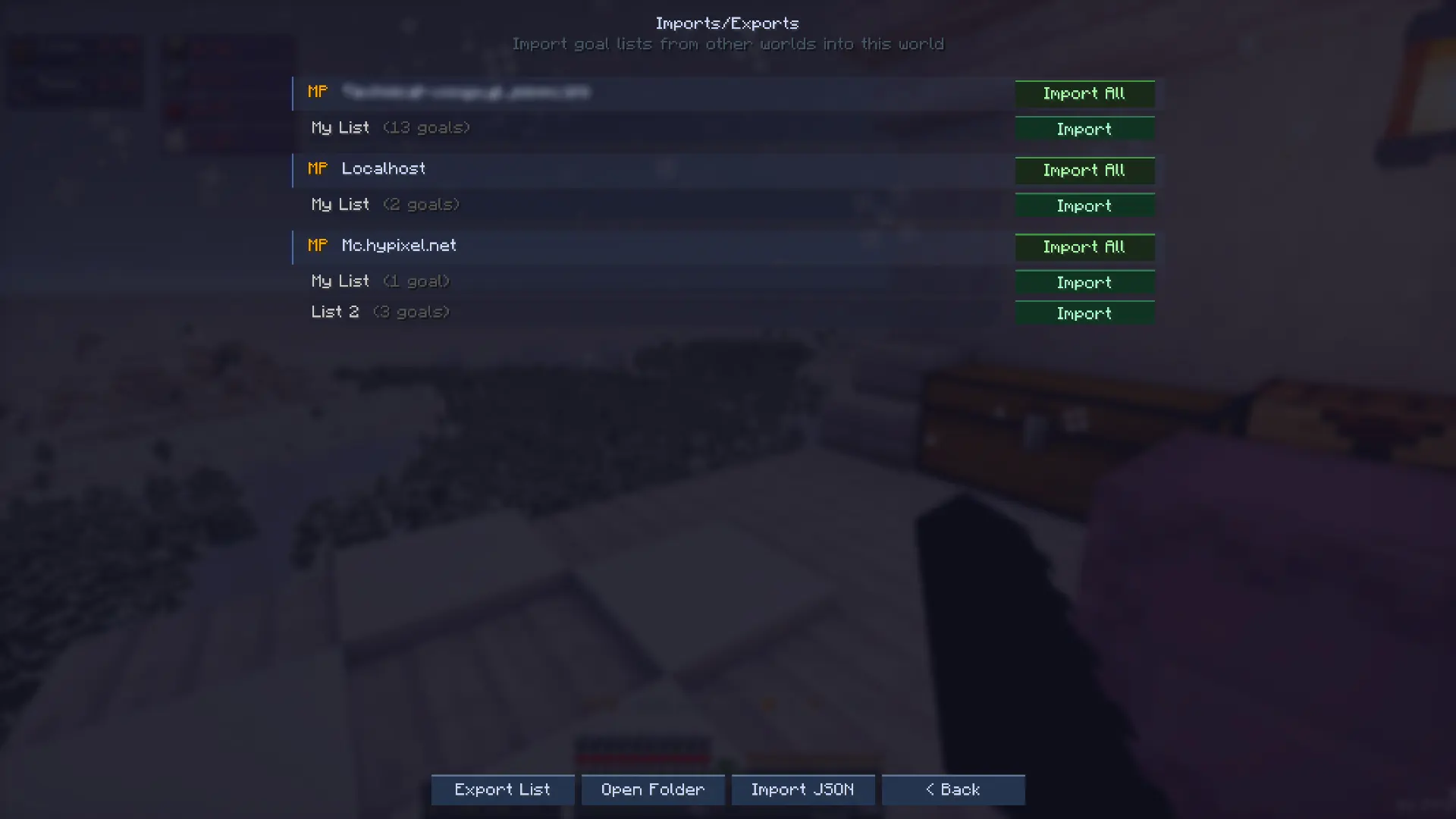
- Imports - copy goal lists across worlds
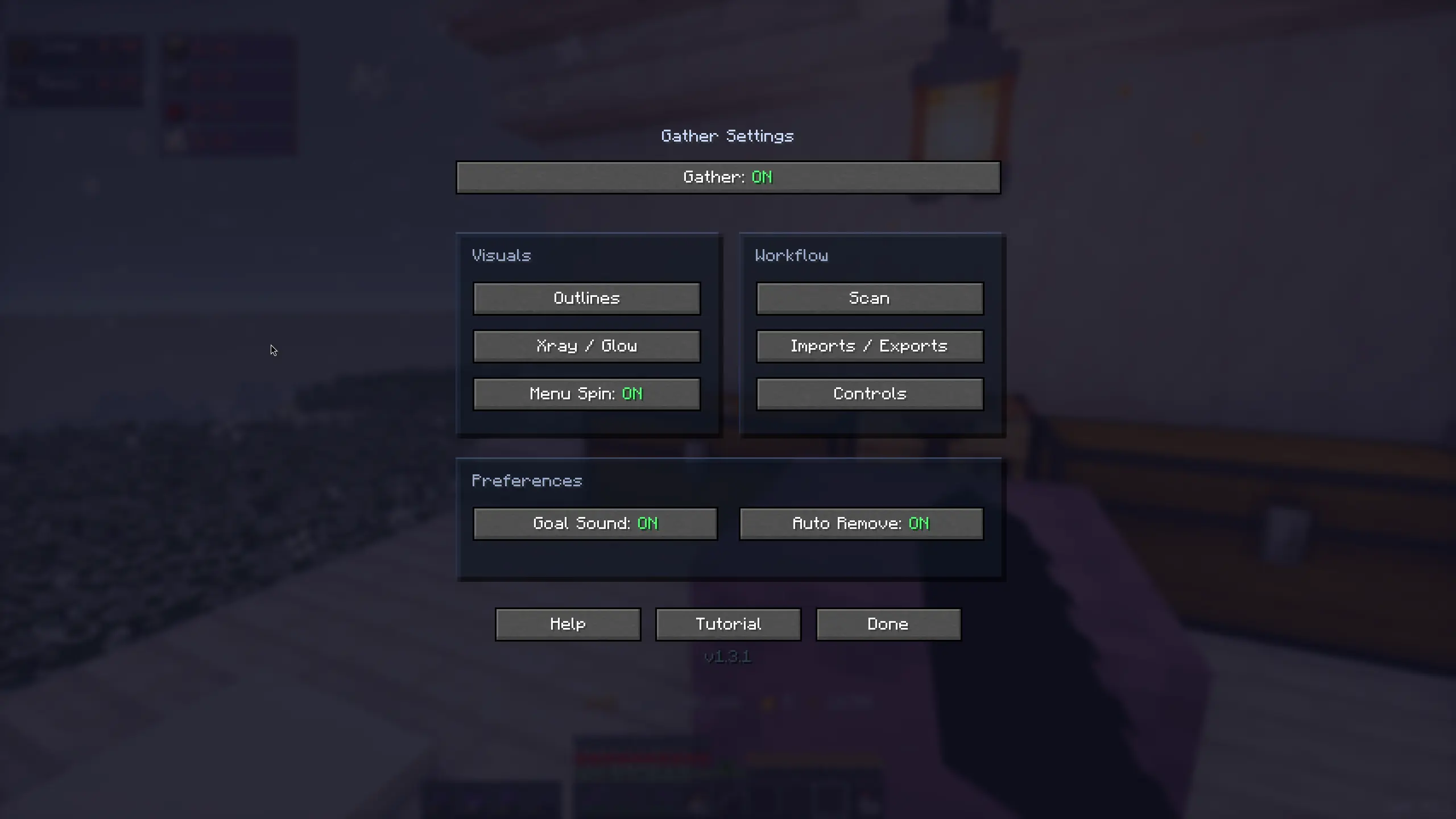
- Settings screens - fully customize every inch of the mod
Requirements
- Minecraft version: 1.21.11 or 26.1-26.1.2
- Fabric loader: 0.19.2+
- Fabric API: Any appropriate one for the selected minecraft version
- Mod Menu: any, suggested for more settings customization
- Where Is It (Unofficial port): any, required for the Xray feature
Possible environments
- Single player: install the mod on the client.
- Multiplayer / dedicated server: install the mod on both the server and each client.
What's coming
- Mod UI themes: vanilla feel, light/dark modes, …
- Broader loaders support
- Support down to 1.21.1
- Import goals from schematics and litematica 👀
Gather is a mod that I decided to build when I found myself needing to collect materials for an automatic storage system. It goes without saying that the development of the mod delayed the storage system project quite a bit lol.
Current Features:
-
HUD - shows base materials needed with have/need counts
-
Auto recipe breakdown - goals auto-break to leaf materials
-
World block outlines - highlights source blocks for needed materials
-
Block xray (toggle) - see outlines through terrain to find needed ore/resource blocks
- The above feature is not accessible by default, turning it on requires an admin to use /gatherop xray on command
- Chest scanning - track nearby chests containing needed items
- Shulker collector - auto-pulls needed items into carried shulker
-
Crafting overlay - crafting table panel showing craftable goals
-
Trade Calculator - trade calculator menu, calculate sell items needed to buy a certain amount of items
-
Item finder - find any item inside of tracked chests
-
G-menu - main functionalities menu
-
HUD layout editor - drag/resize HUD modules
-
Imports/Exports - copy goal lists across worlds and friends
-
Settings screens - allows you to fully customize every inch of the mod
Requirements:
- Minecraft version: from 1.21.1 on
- Fabric loader: 0.19.2+
- Fabric API: Any version appropriate for the selected mc version
- Mod menu: Any (suggested for more settings customization)
- Where Is it: Any (required for Xray feature)
Possible environments
- Single player: install the mod on the client.
- Multiplayer / dedicated server: install the mod on both the server and each client.
Versioning
- From now on, unless requested, only 1.21.11+ versions will be updated with new features
What's coming:
- Mod UI themes: modern, vanilla feel, light/dark modes, ...
- Broader loaders support
- Import goals from schematics and litematica 👀
Notice:
Gather can check the official Gather website for the latest available version and show an in-game update notice. This check does not upload gameplay data and can be dismissed in-game.
Screenshots
Gallery
-
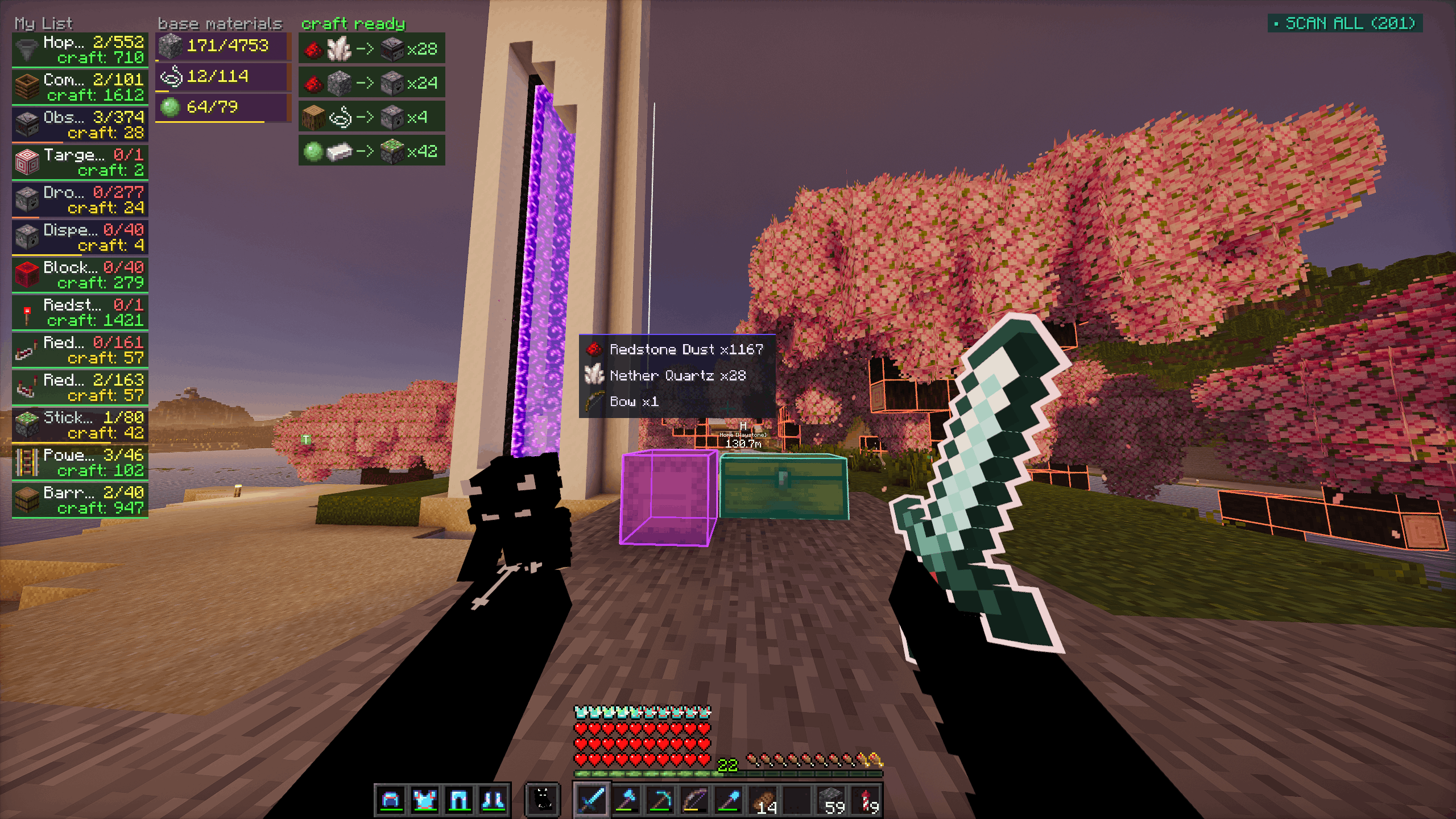 beauty_hud(2).png beauty_hud(2).png
 -
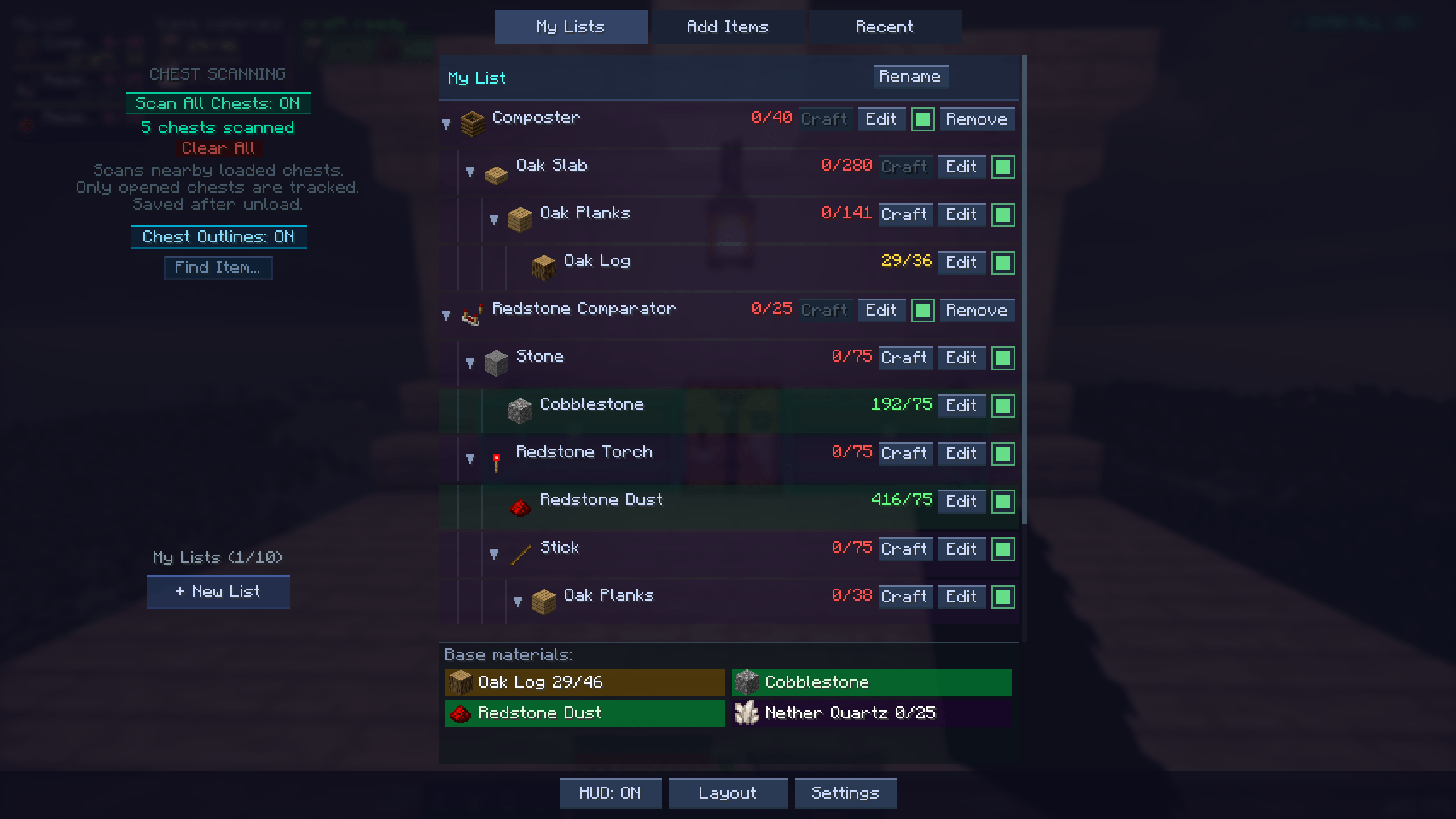 g menu.png g menu.png
 -
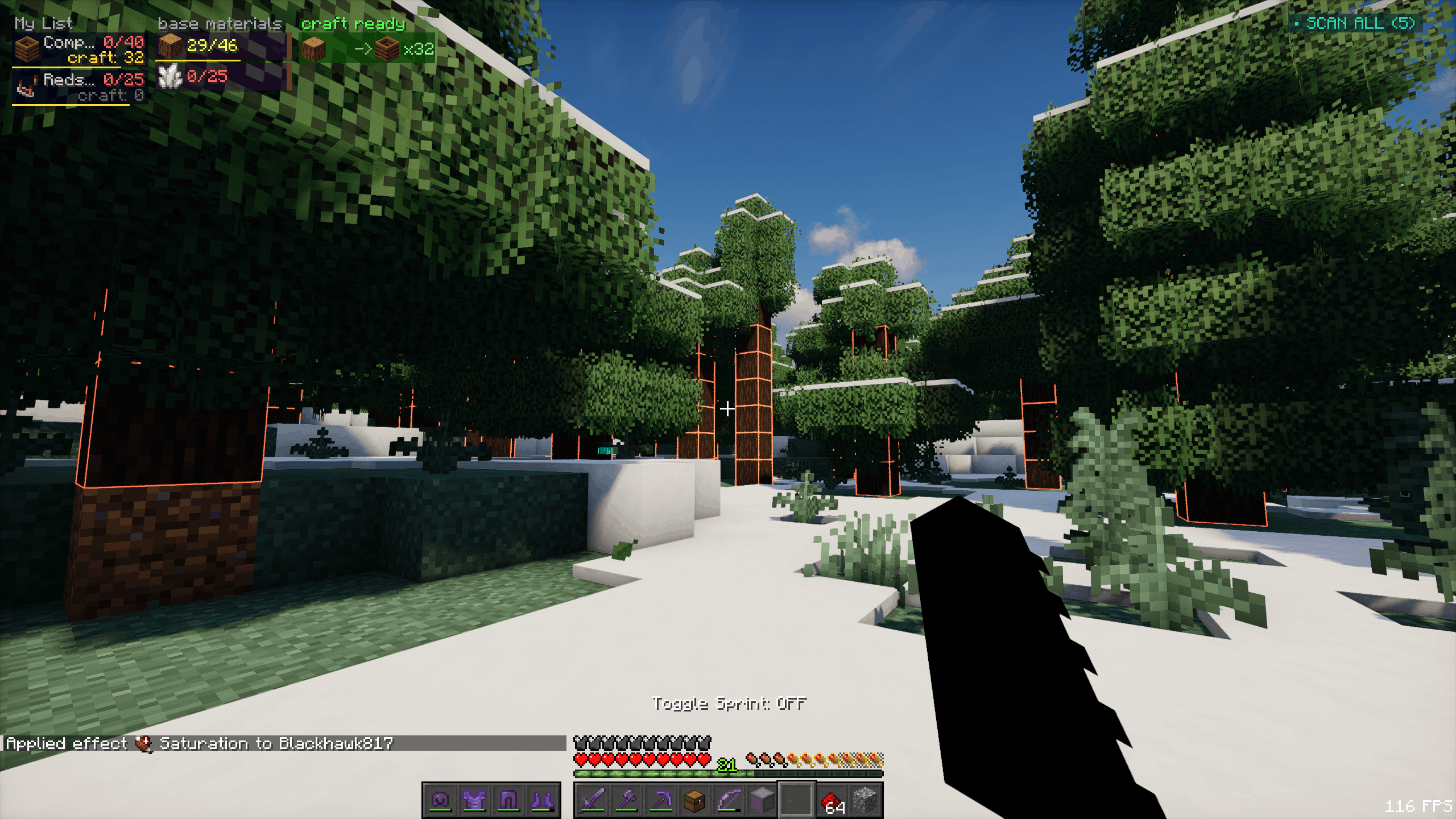 outlines.png outlines.png
 -
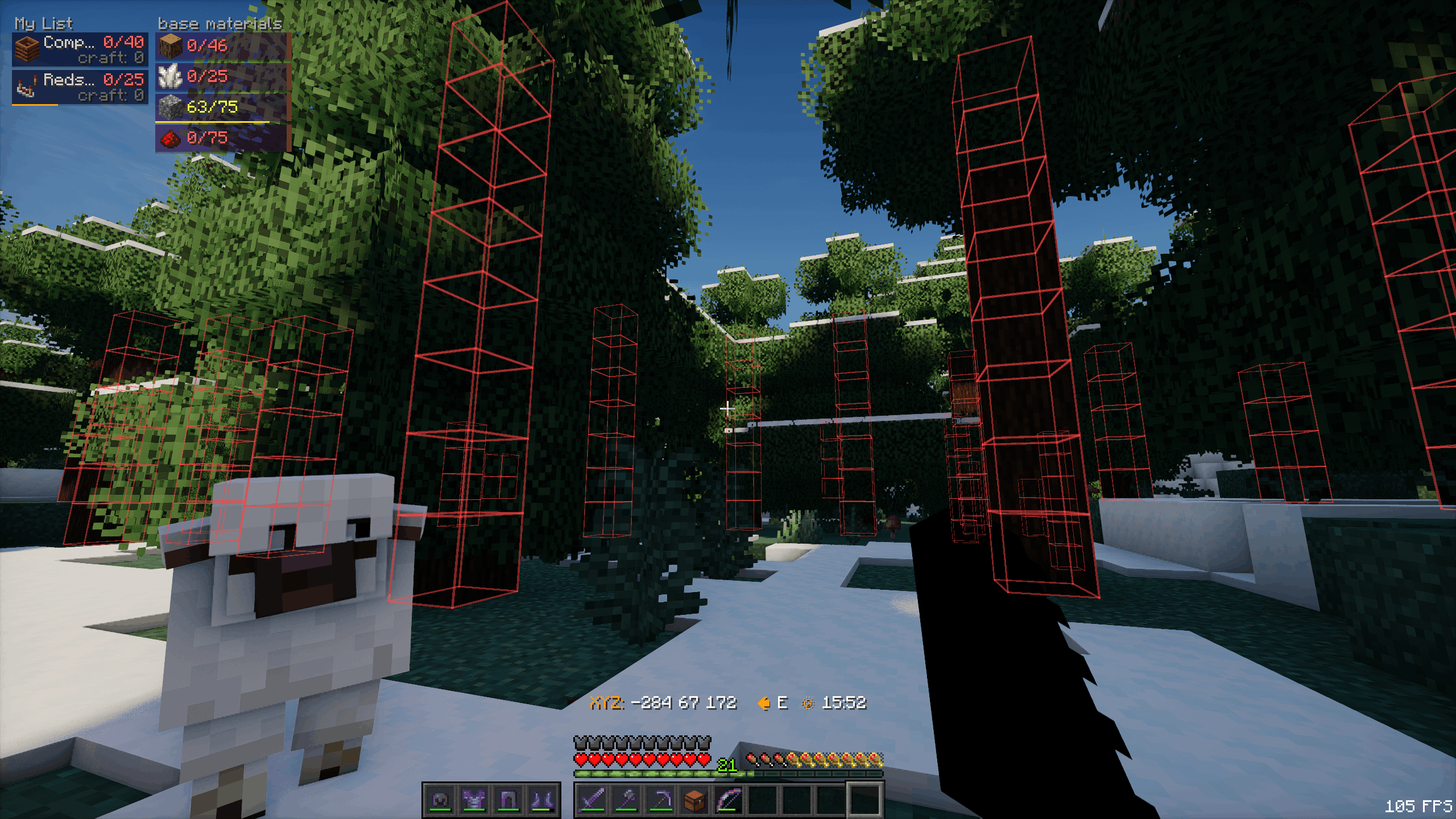 xray_outlines.png xray_outlines.png
 -
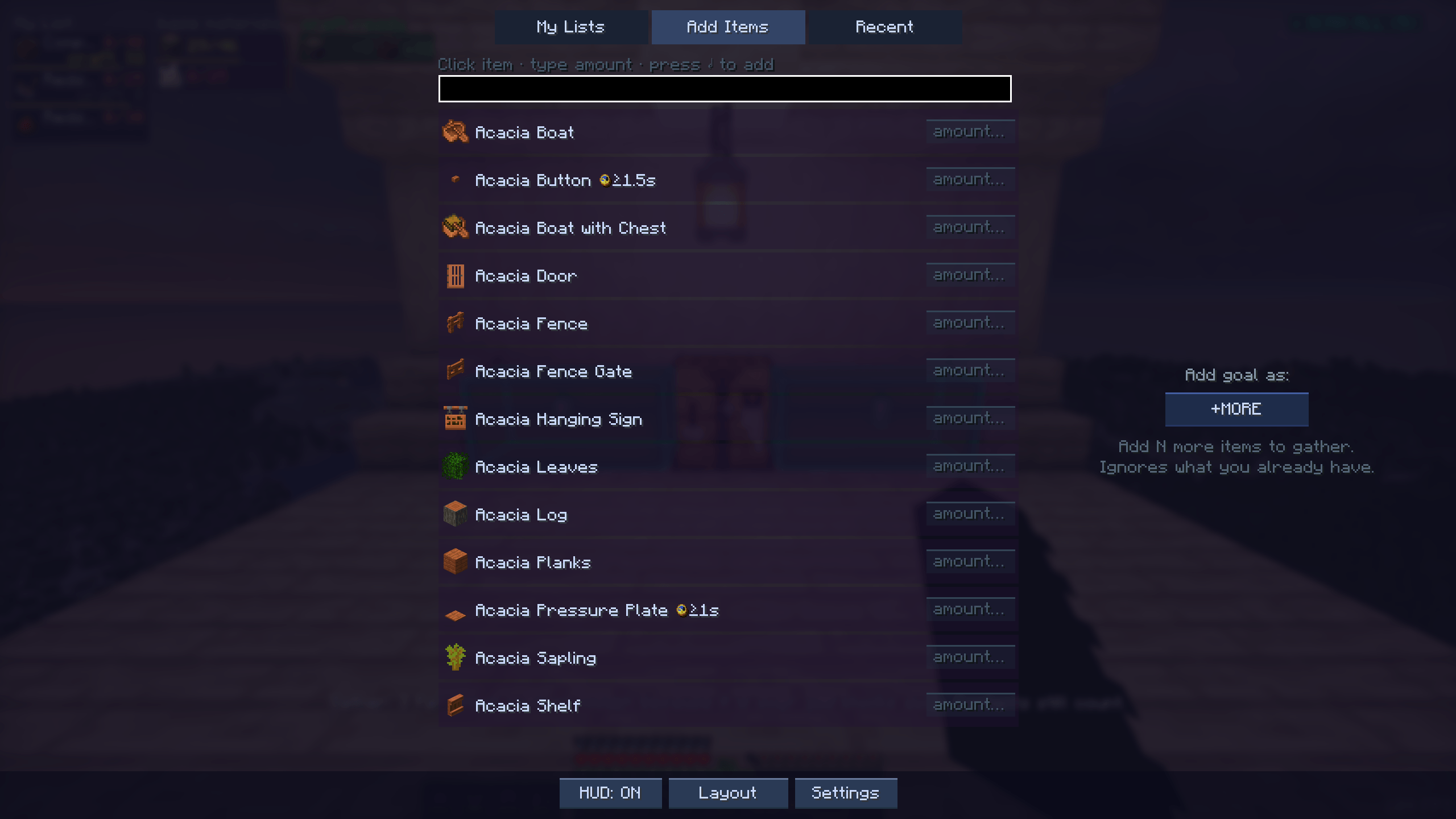 add items.png add items.png
 -
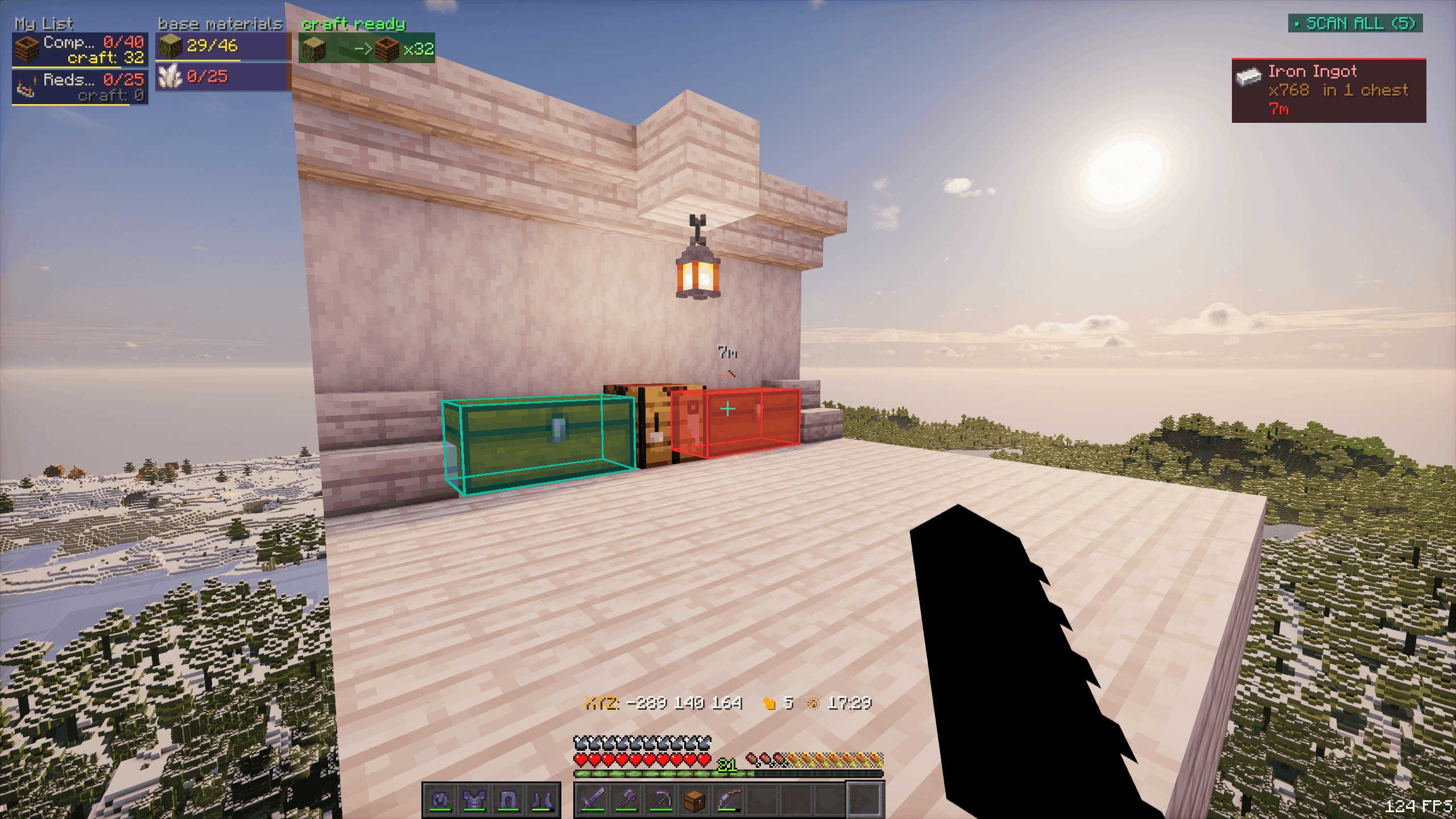 find_item_chest_glow.png find_item_chest_glow.png
 -
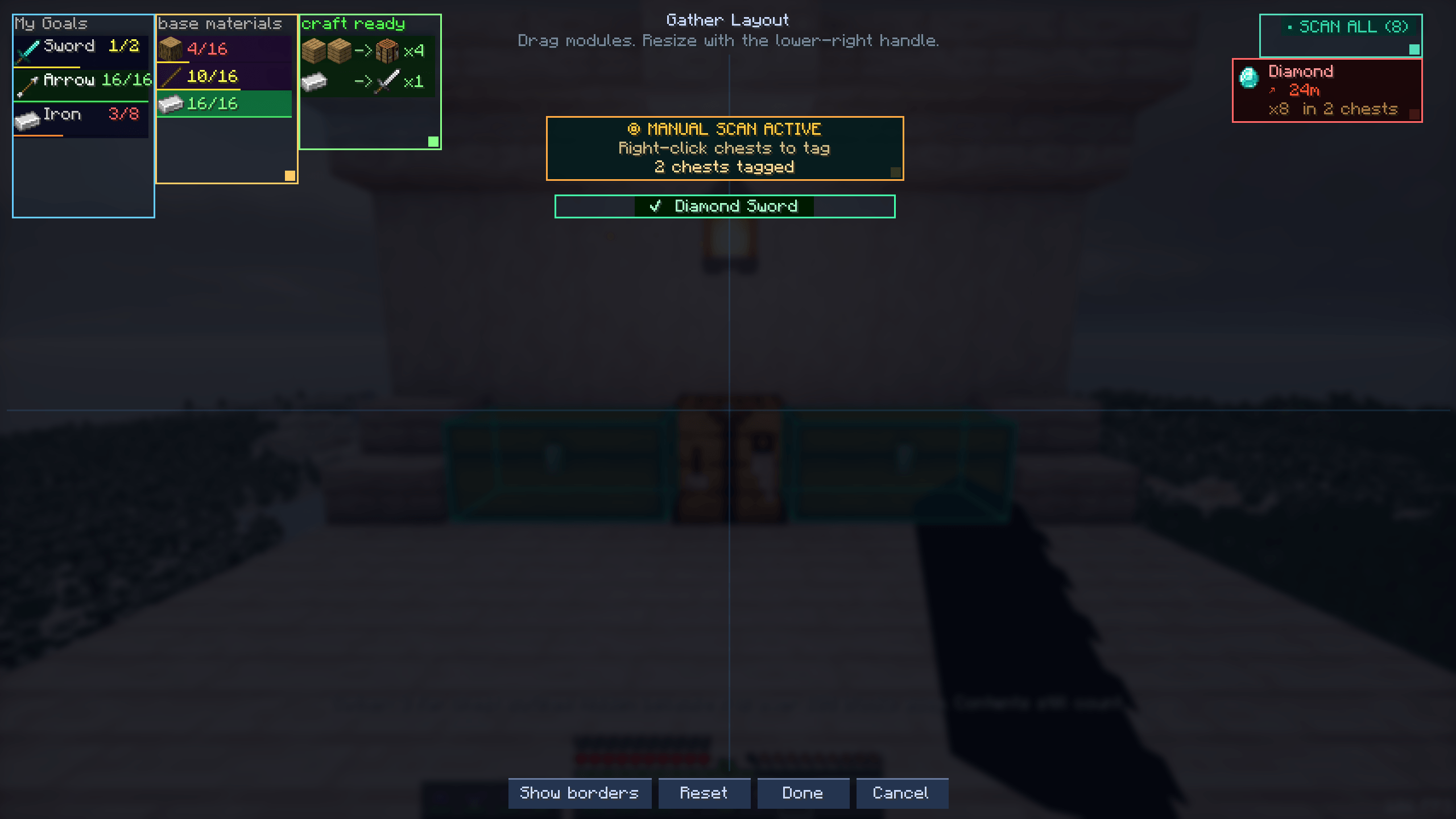 layout editor.png layout editor.png
 -
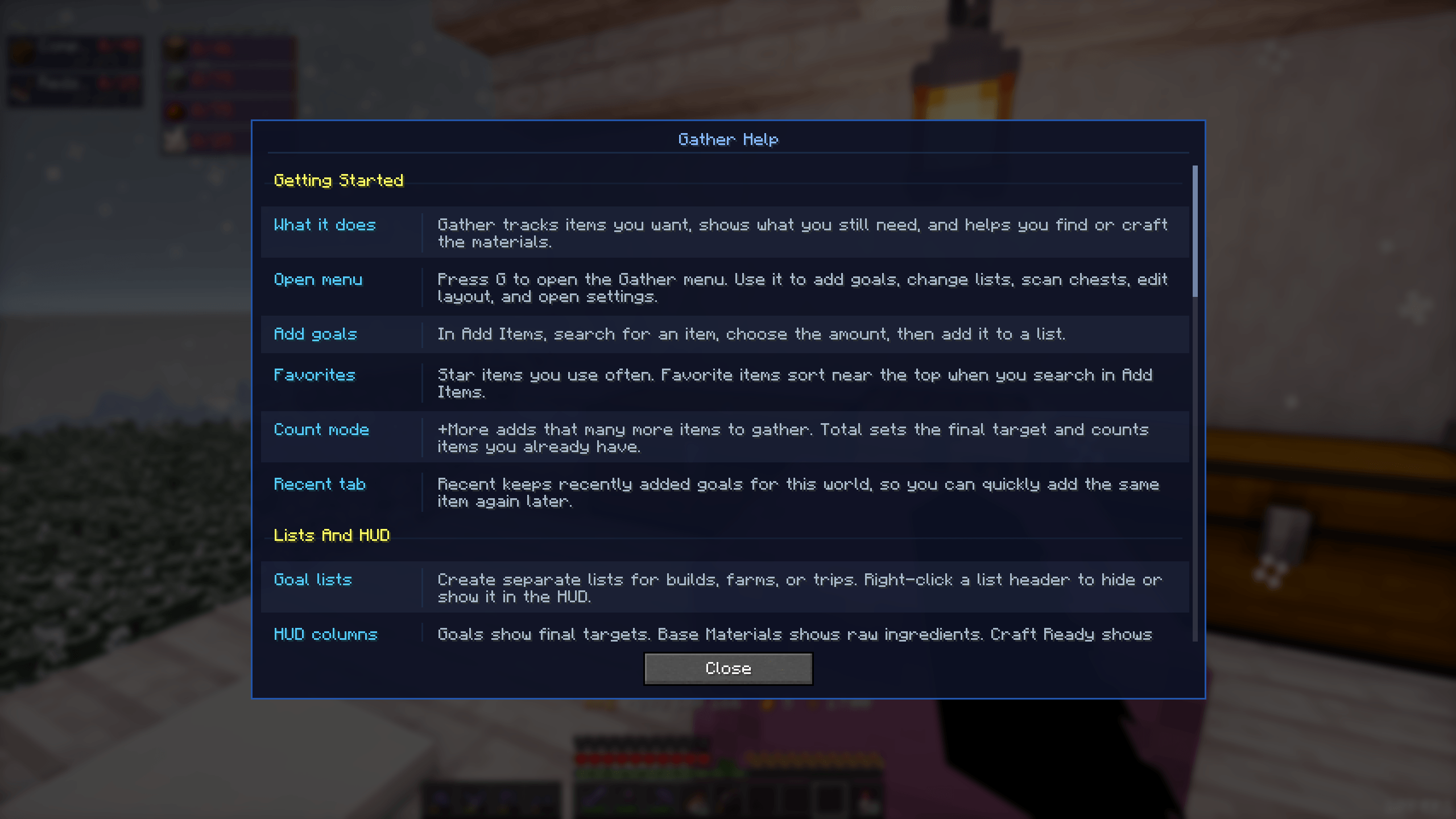 help_menu.png help_menu.png
 -
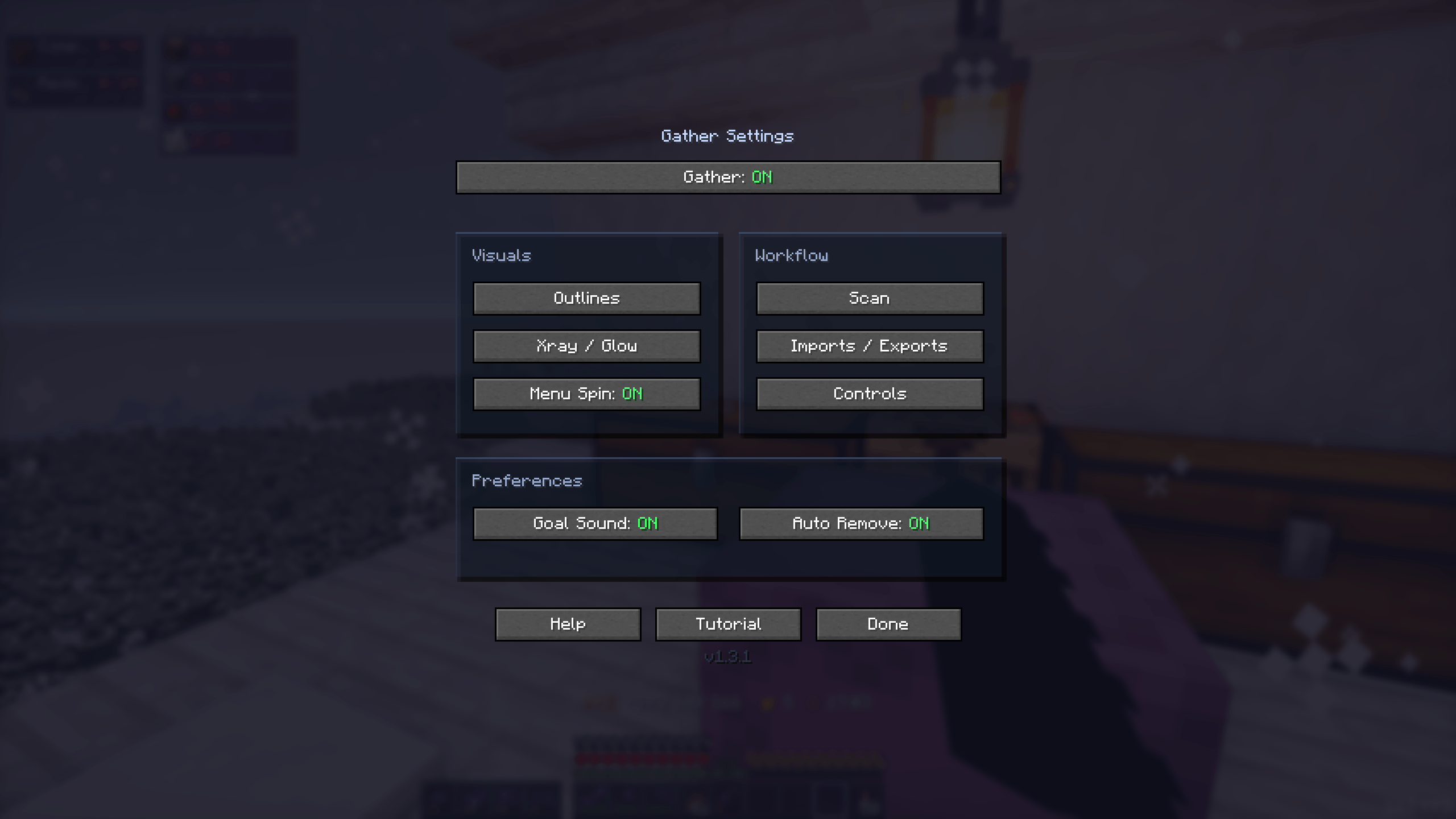 settings_menu.png settings_menu.png
 -
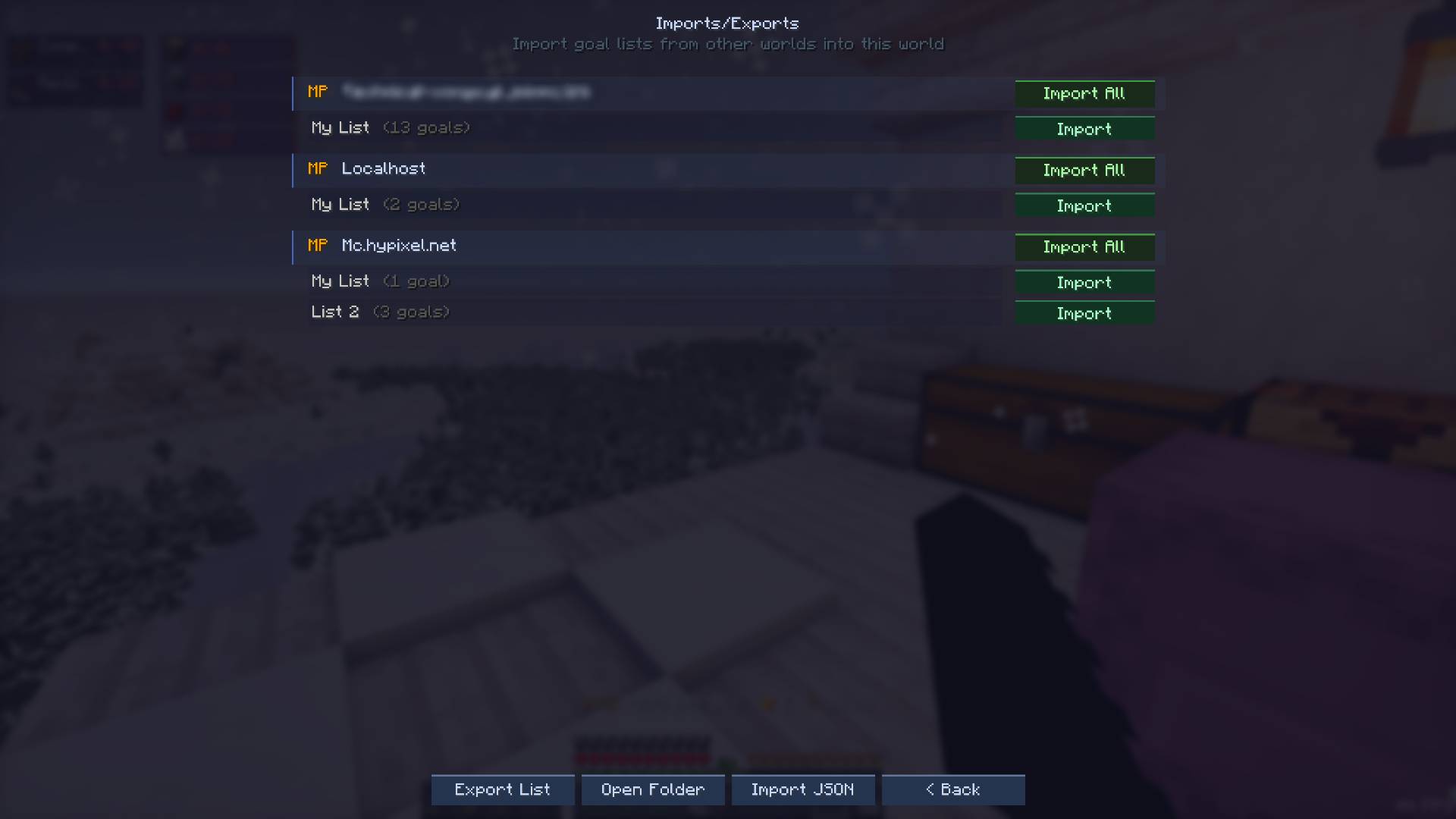 import_exports_page.jpg import_exports_page.jpg
 -
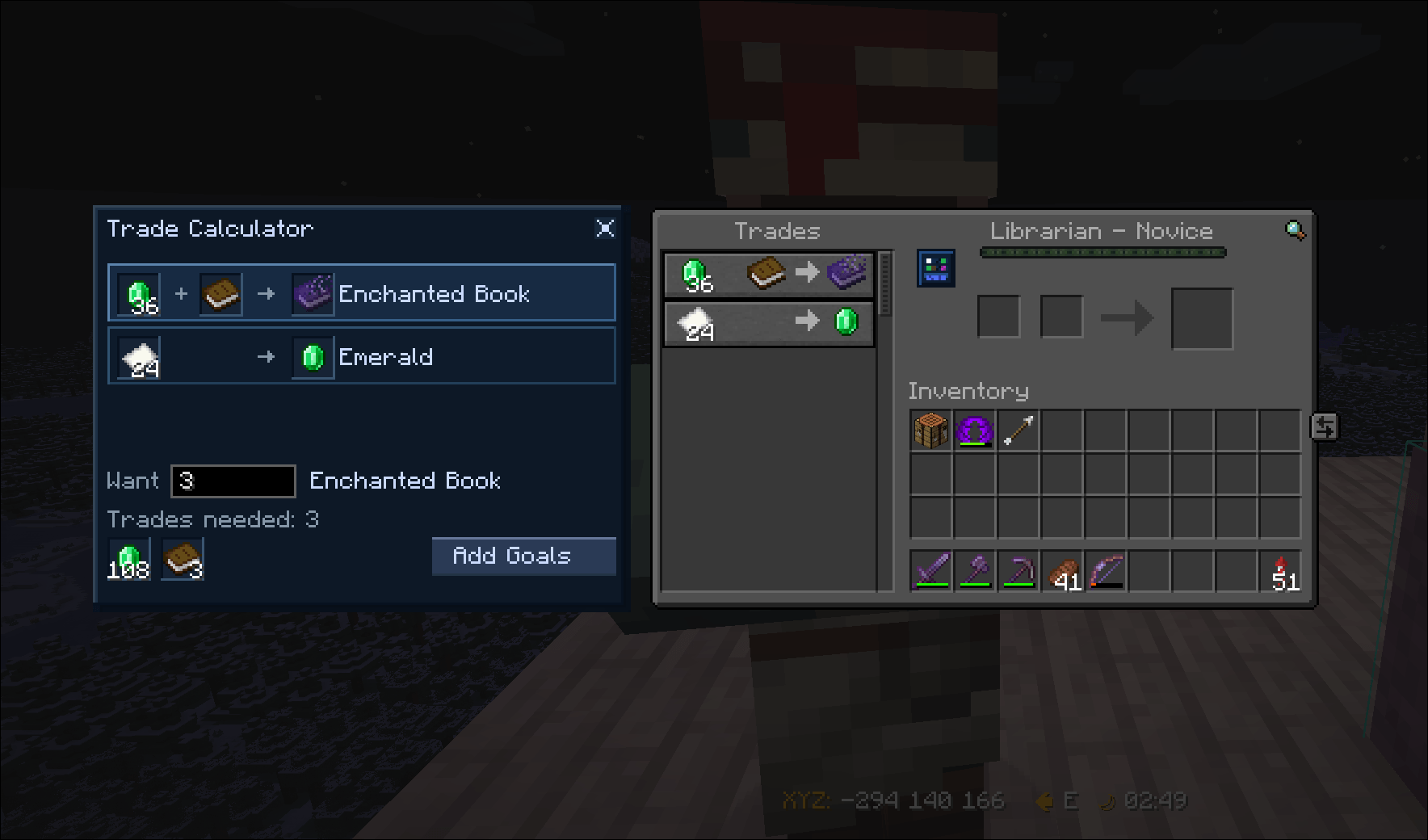 swappy-20260519_214726.png swappy-20260519_214726.png
 -
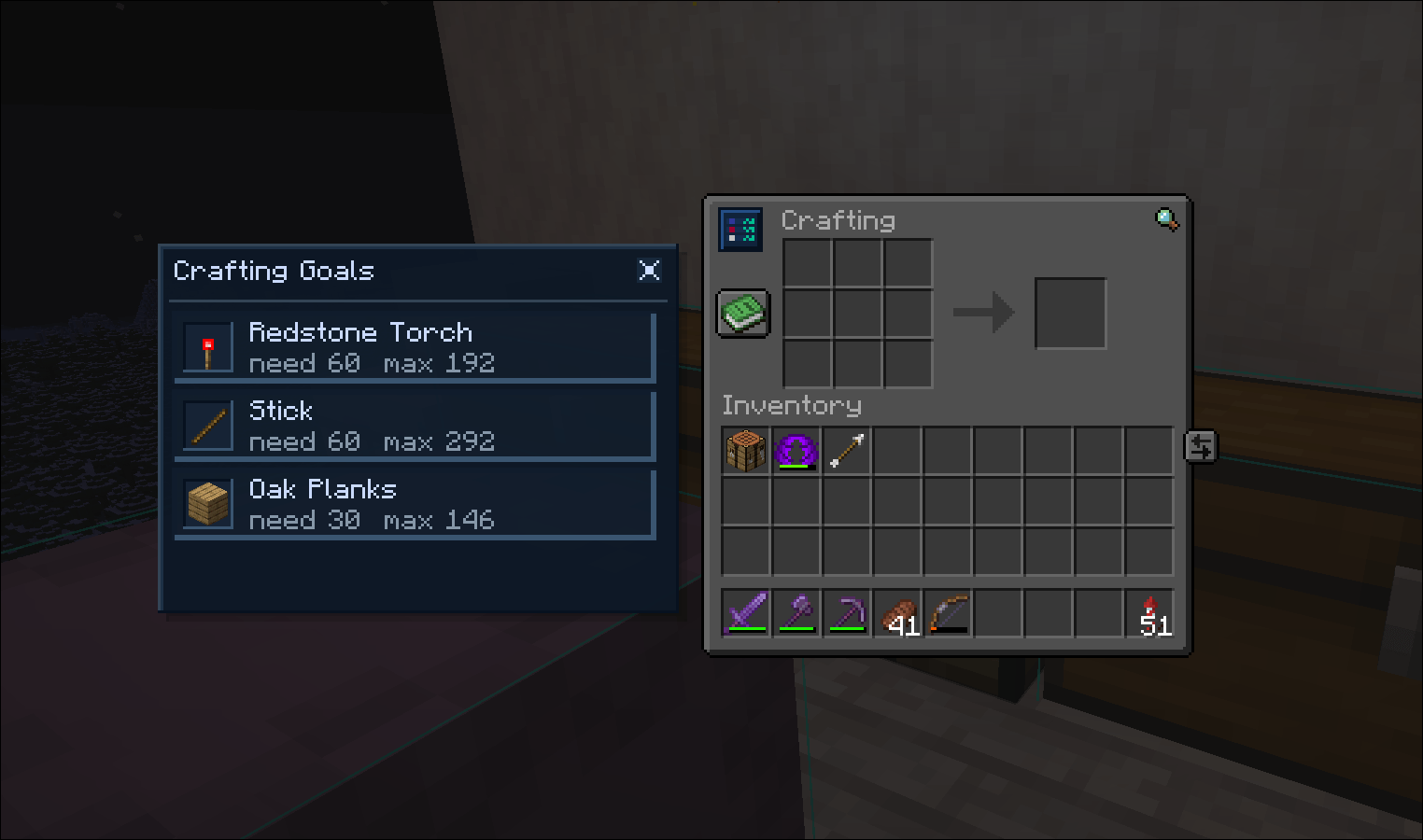 swappy-20260519_214645.png swappy-20260519_214645.png
-
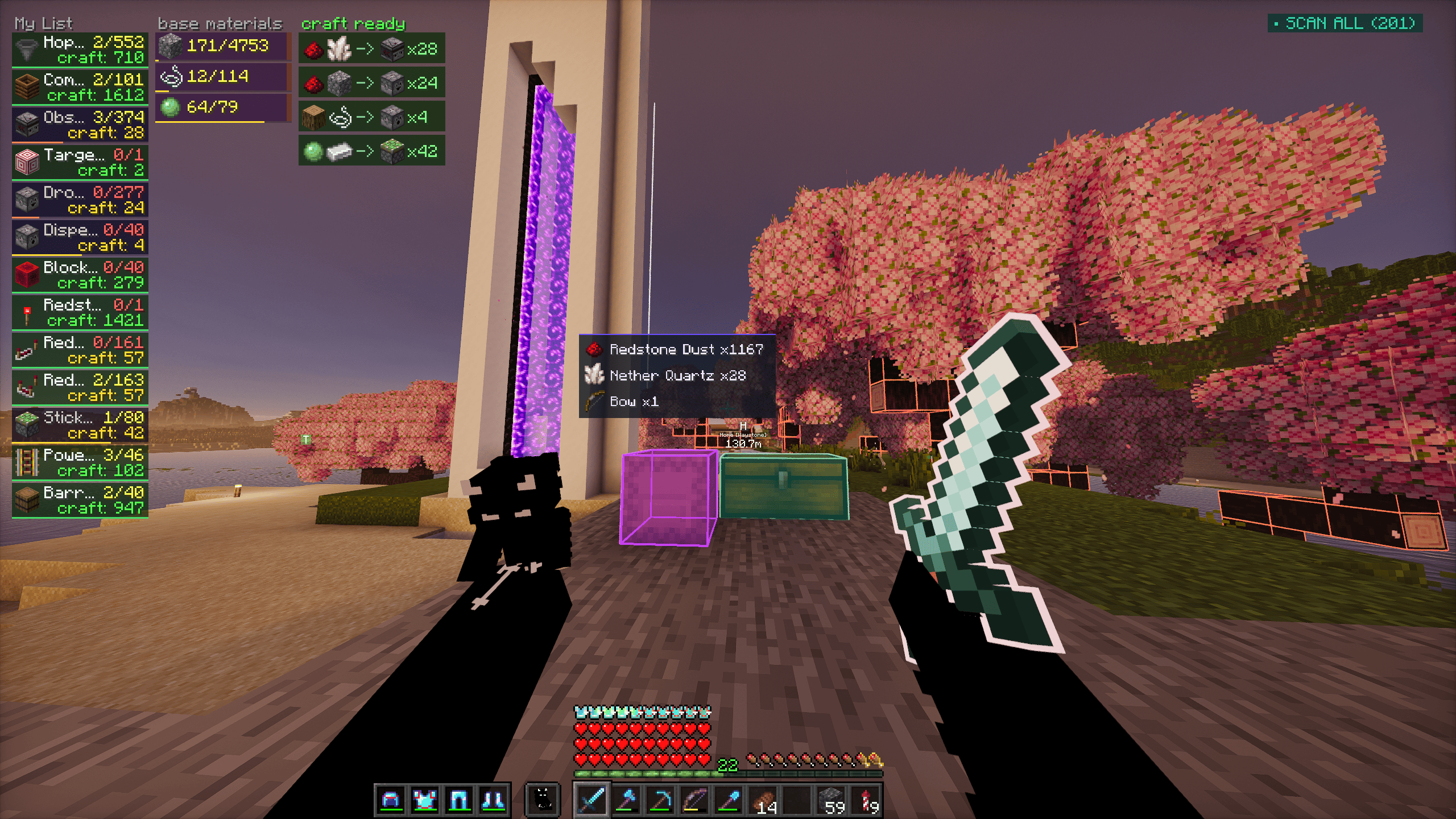 Hud view Showcases the hud menu
 -
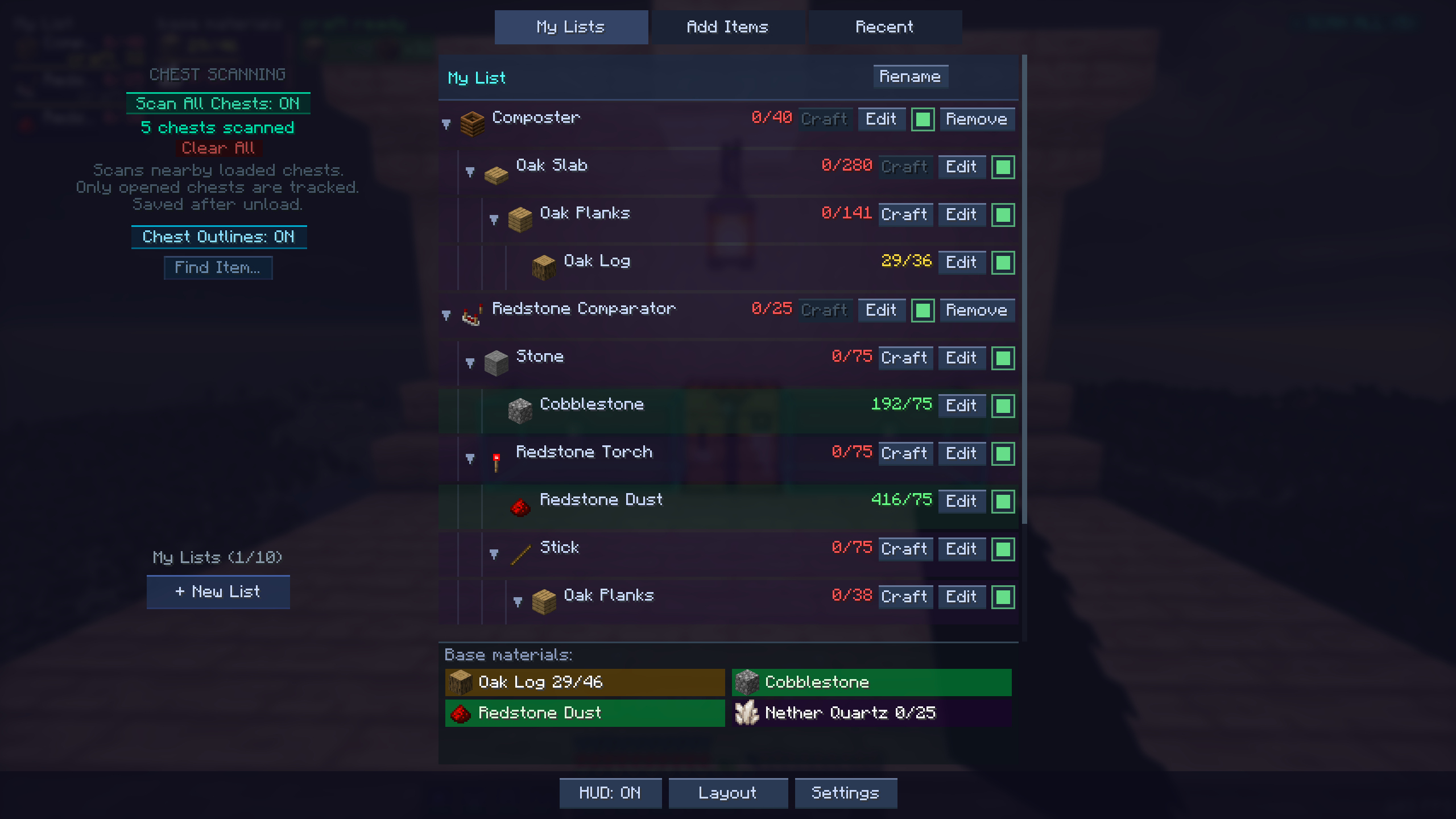 G menu Showcases the "g menu"
 -
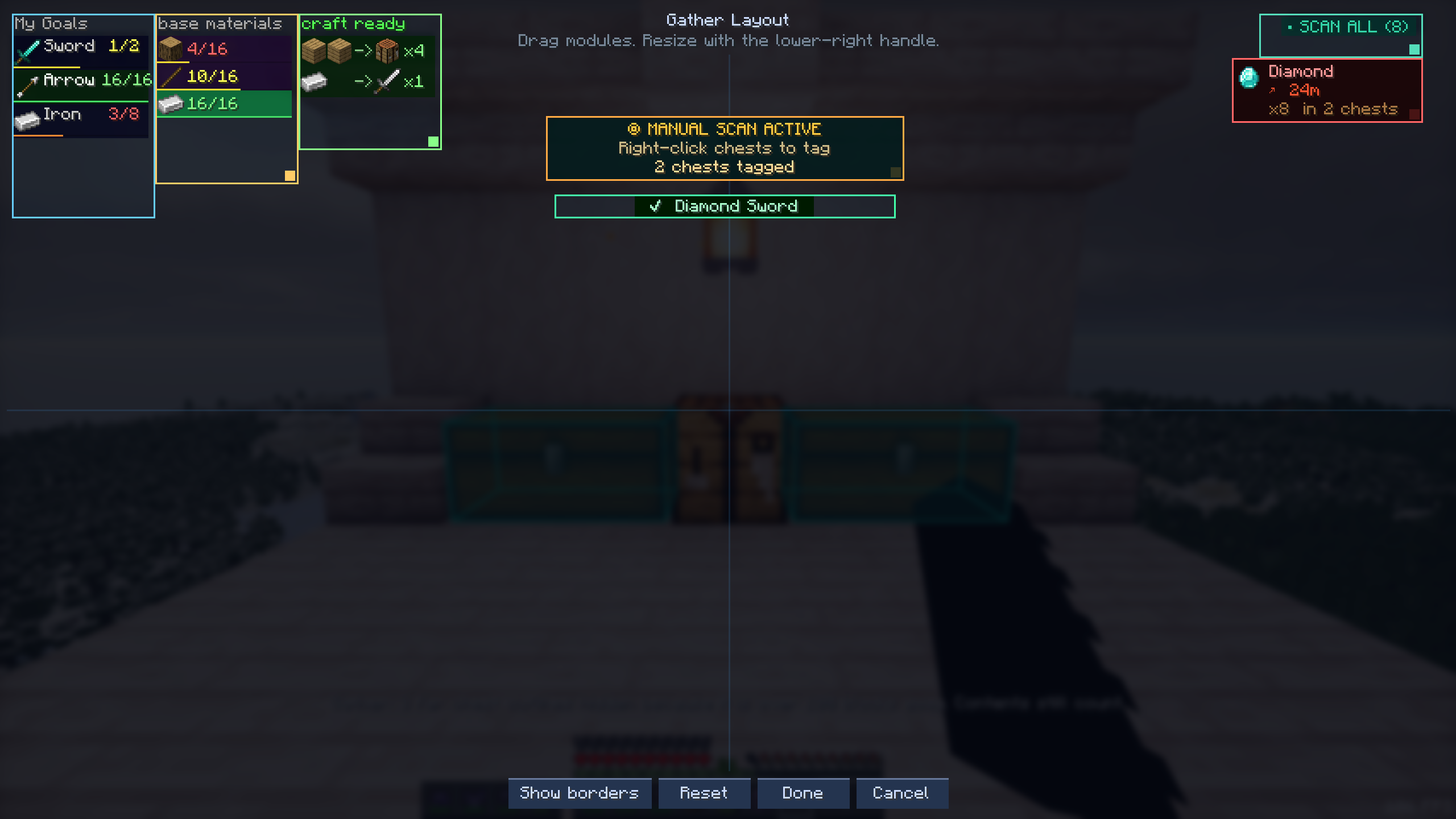 Layout editor Showcases the layout editor
 -
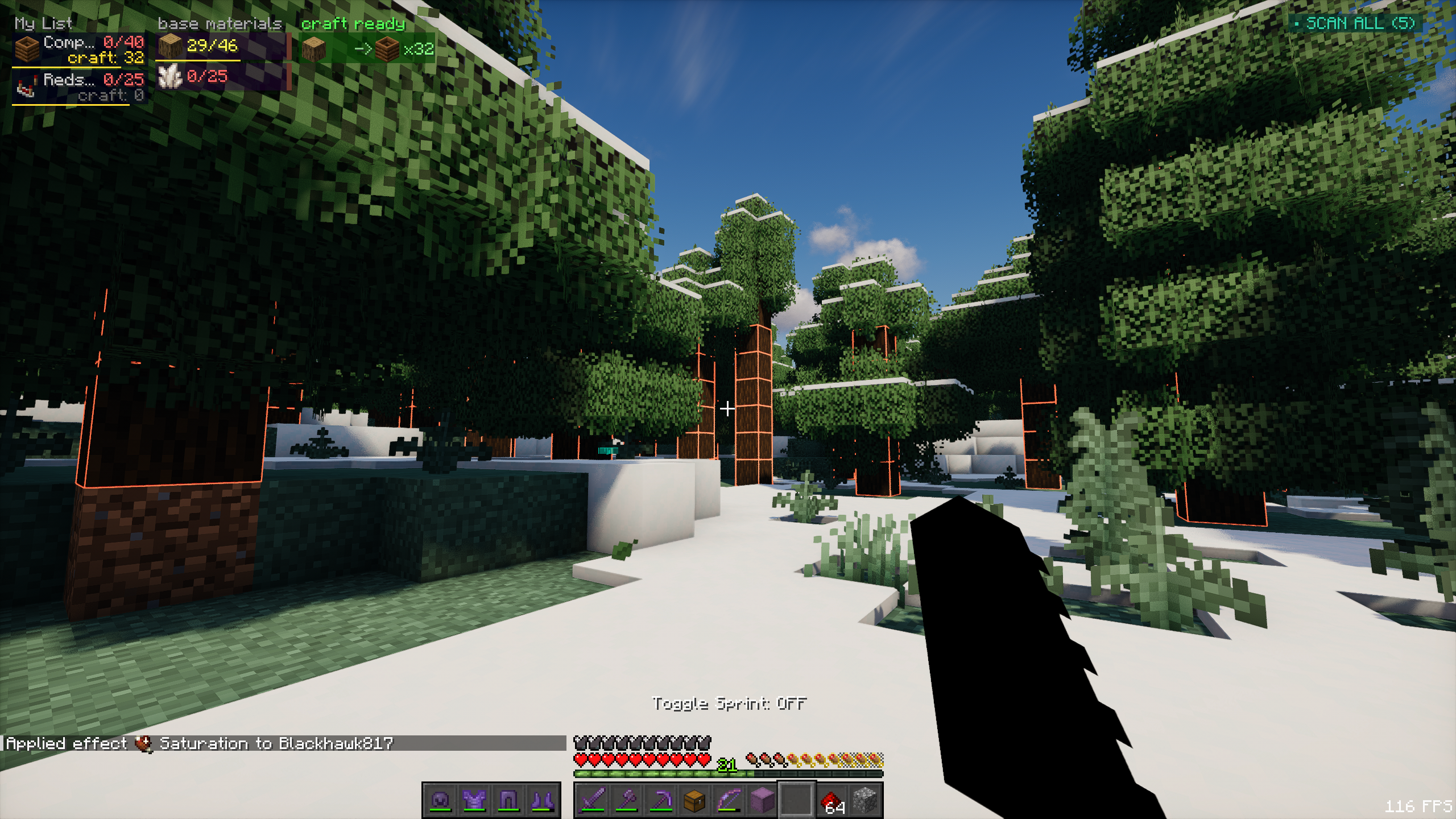 Block outlines Showcases the block outline feature
 -
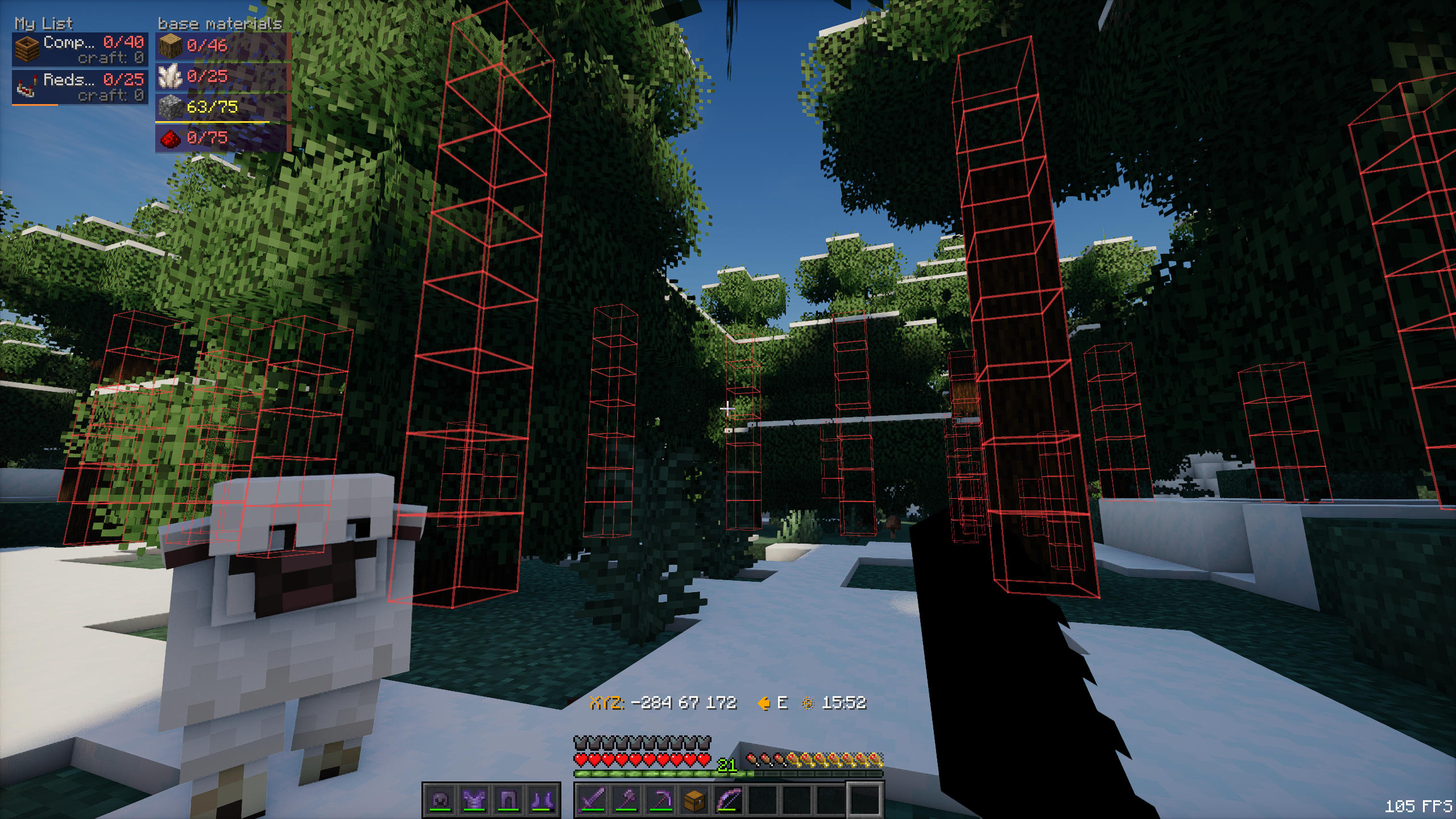 Block xray Showcases the xray mode
 -
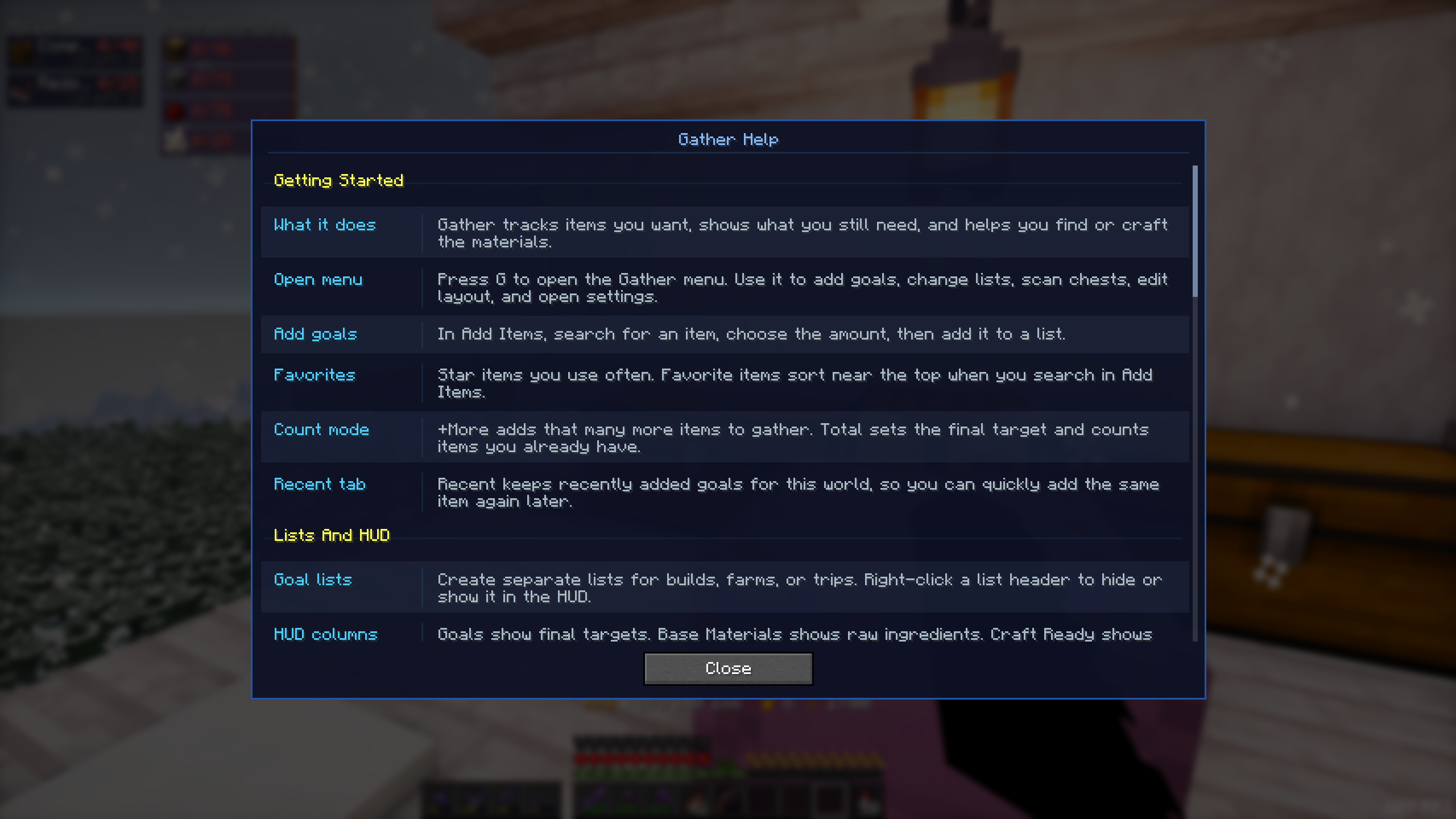 Help Screen Showcases the help screen
 -
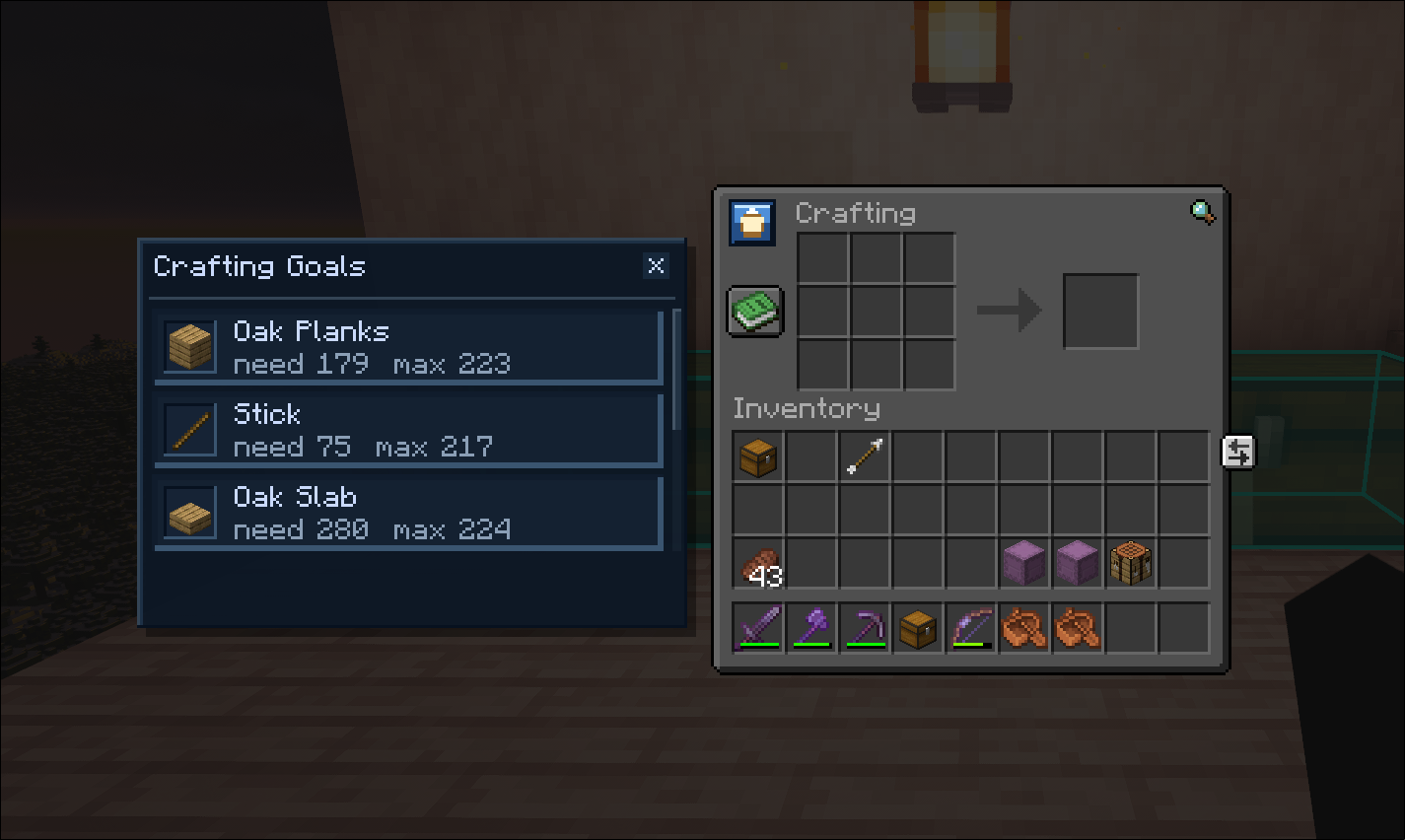 Crafting table menu Showcases the crafting menu overlay
 -
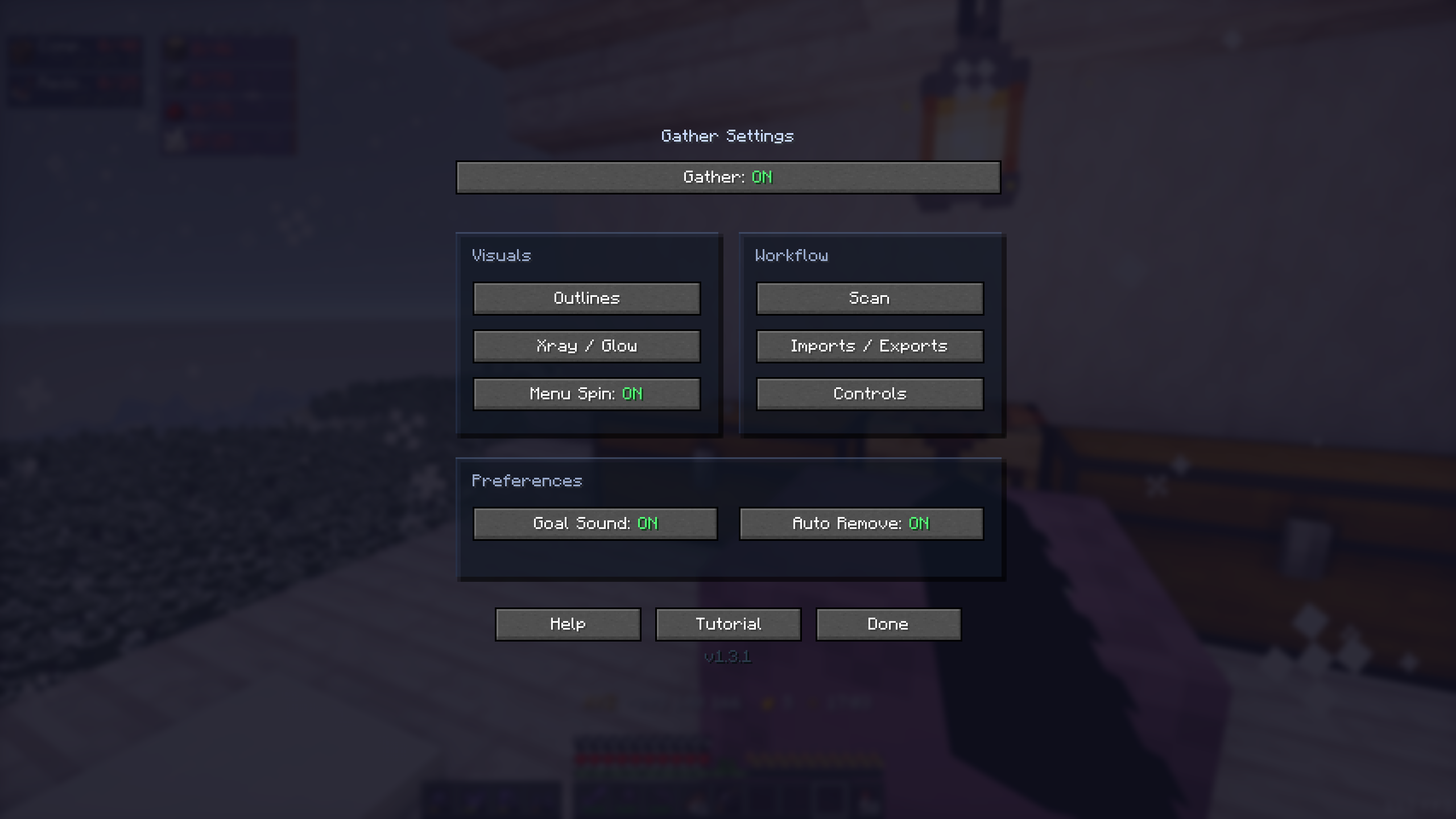 Settings screen Showcases the settings screen
Versions
Files
Relations
Project Relations
More like this
Similar Mods
Suggestions use data such as tags, dependencies, dependents, descriptions, titles, and more to rank how much they overlap with this mod.
On ModDex
Community snapshot
By the numbers
Statistics
 (opens in a new tab)
Get it on
Available Platforms
On ModDex
Community snapshot
By the numbers