
GearTags
No reviews yet
A Mod that Displays Info about Other Players' Gear in an Overlay like Nametags.
Fabric is a mod loader for versions 1.14+ of Minecraft, particularly popular for client side and optimization mods.
Community voices
Reviews
Click once to include, again to exclude, again to clear
No reviews yet. Be the first to review this project!
Get it on
Available Platforms
 Modrinth
Compatibility
Supported Environments
About
Project Details
For authors
Embed Badge
If you're the author of this project, you can embed a live badge anywhere that supports HTML or Markdown. It updates automatically whenever ratings change.
Use HTML for any page that supports it, or Markdown for README files and Markdown-based descriptions.
Identifiers
Platform IDs
About
Description
🎯 GearTags — Gear Durability / Count at a Glance
Ever wondered how much durability your enemy's armor or weapons have? If so, GearTags got you Covered!

GearTags is a lightweight, client-sided fabric mod that displays other players Armor and Hand Items durability / count directly above them just like nametags giving you the edge in battles.
✨ Features
-
In-world gear overlays
- Shows what armor and weapons other players have equipped.
- Uses Color-Coded durability text so you can instantly distinguish gear durability.
- Works seamlessly on almost all servers (vanilla or modded) since it’s fully client-side.
-
Configurable display
- Easily tweak Overlay, Item Icon & Text visuals.
-
Simple commands & menus
/geartags— Open the GearTags config screen directly in-game.- Mod Menu integration — Configure settings through Mod Menu if installed.
-
Lightweight & flexible
- Renders efficiently without lag.
- Perfect for PvP & Co-Operative Play.
-
Toggle Keybind
- Supports a keybind to toggle the Overlay.
- Configurable under vanilla controls settings in miscellaneous category.
- Default Keybind:
none
🛠️ Use Cases
- PvP — Always know who's Armor/Food will last longer.
- Co-op — Always know when your teammate's gear would break.
- Casual play — Simply enjoy knowing what others are using without intrusive menus.
📦 Dependencies
GearTags requires:
GearTags recommends:
✅ Permissions
You may include this mod in any modpack, public or private, without asking for permission, as long as proper credit is given.
📜 License
GearTags is licensed under the MIT License.
You are free to use, modify, and redistribute this mod or its source code, provided that proper credit is given to MysticBlazeYT.
Screenshots
Gallery
-
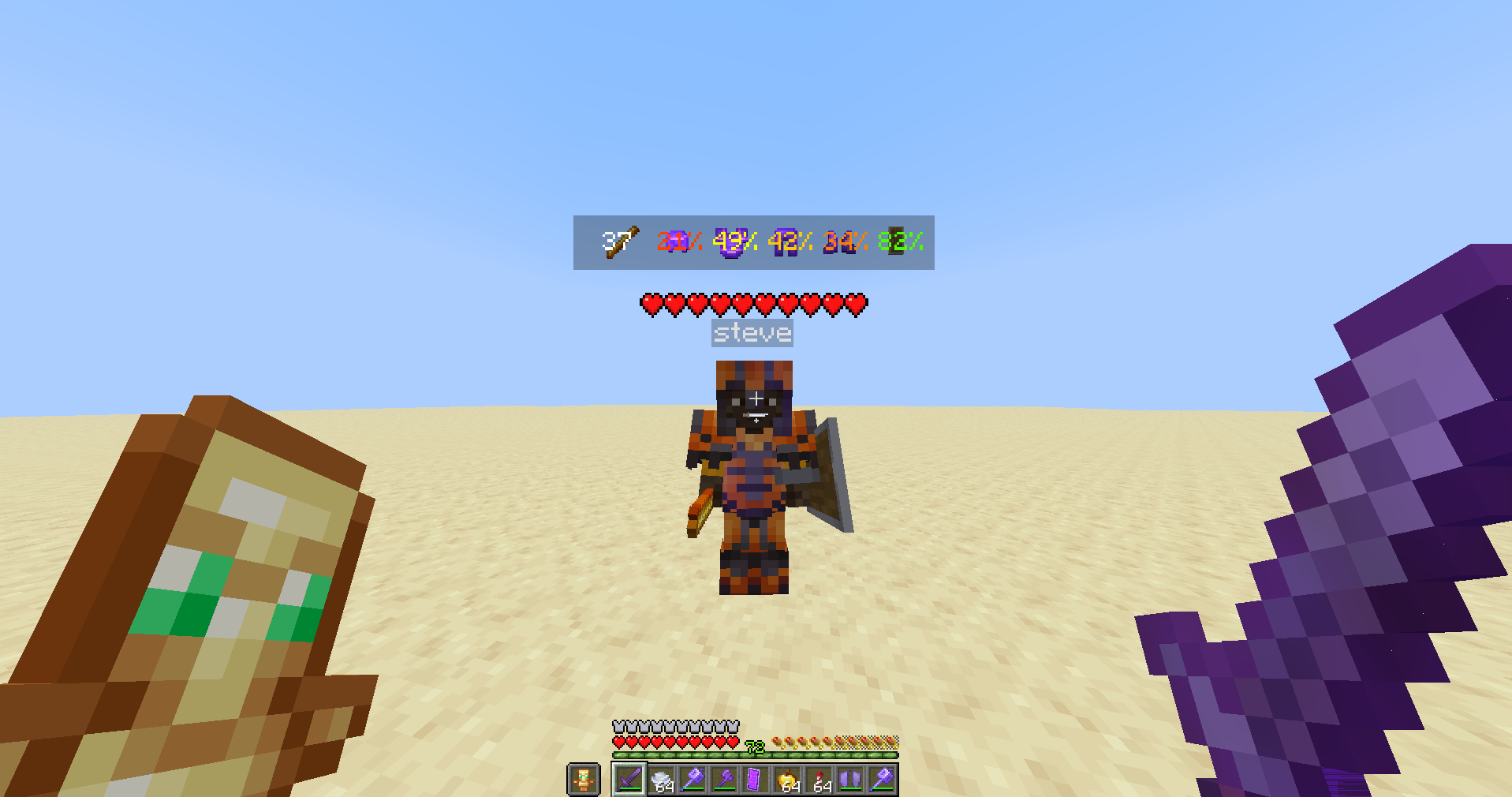 Example Usage 1 Text Shadow: Off, Dynamic Durability Text: On
 -
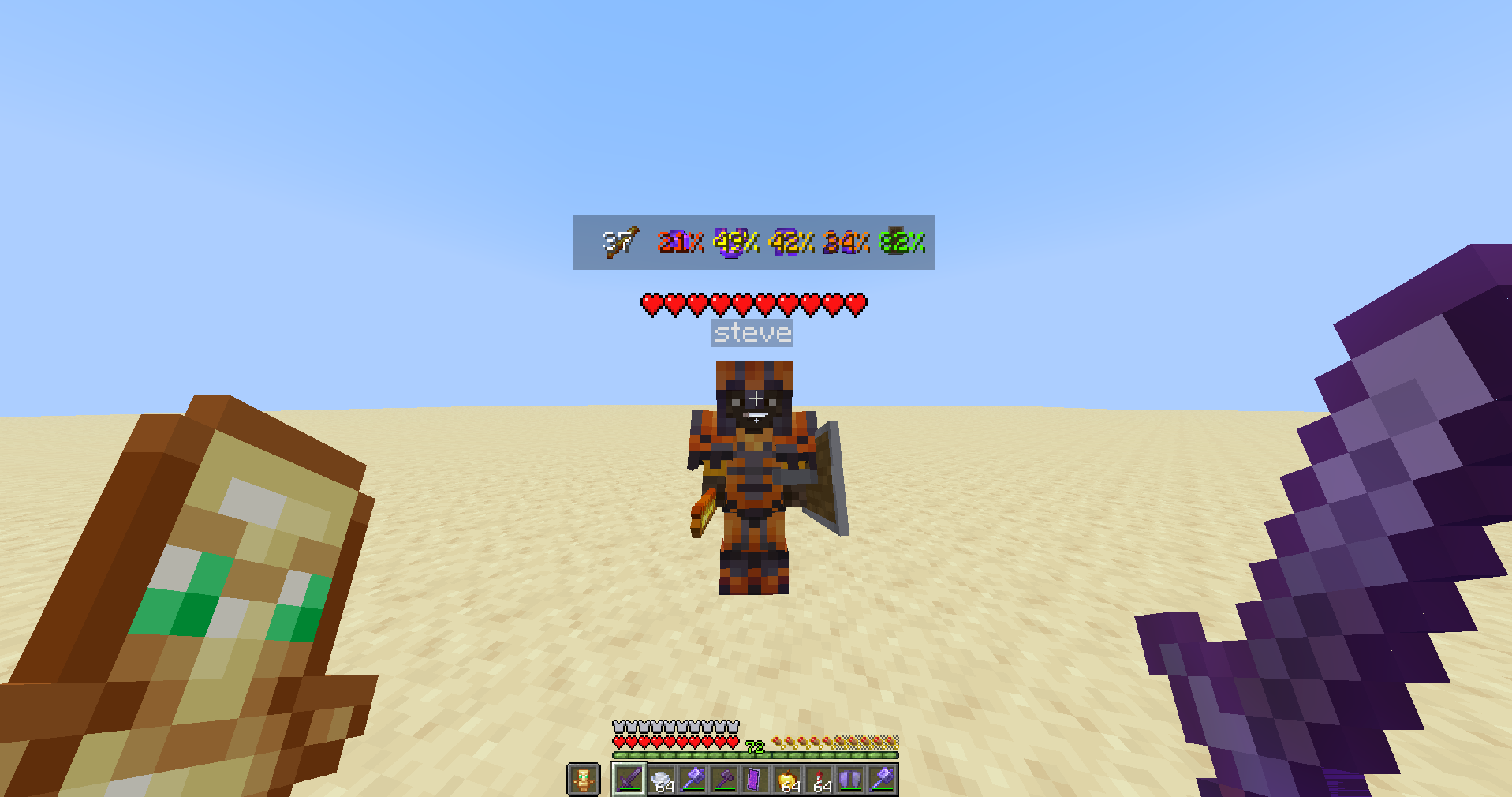 Example Usage 2 Text Shadow: On, Dynamic Durability Text: On
 -
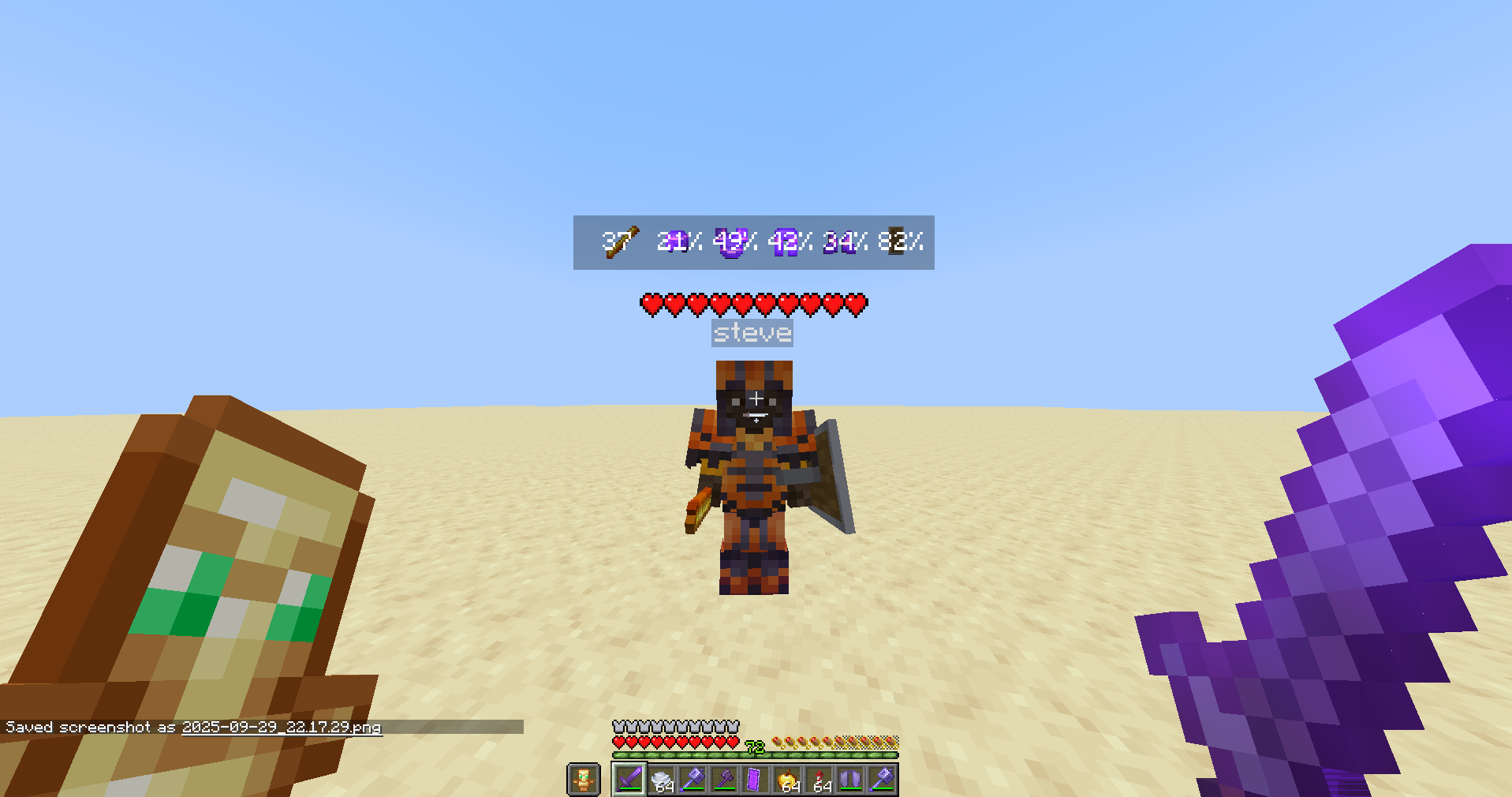 Example Usage 3 Text Shadow: Off, Dynamic Durability Text: Off
 -
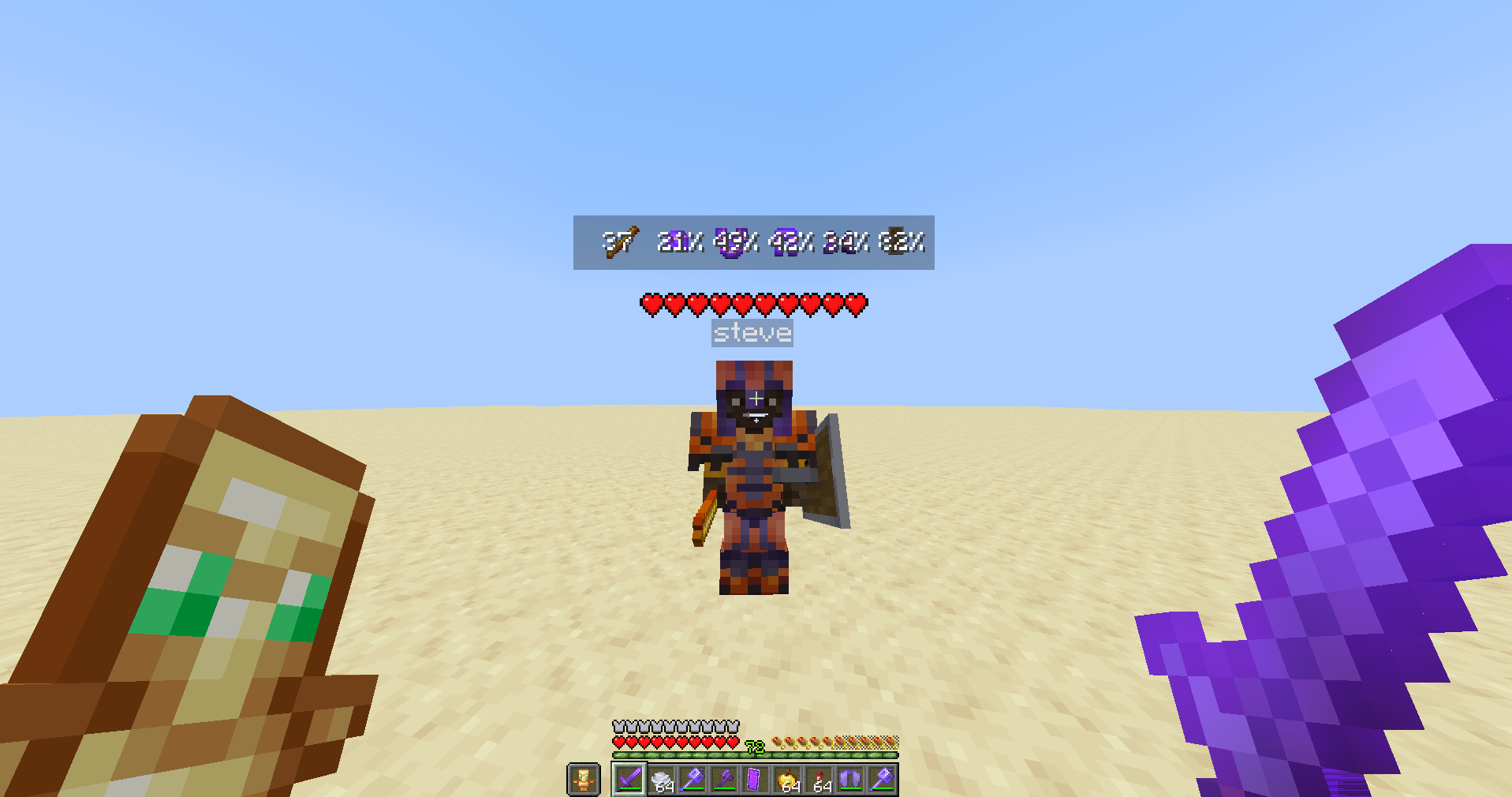 Example Usage 4 Text Shadow: On, Dynamic Durability Text: Off
 -
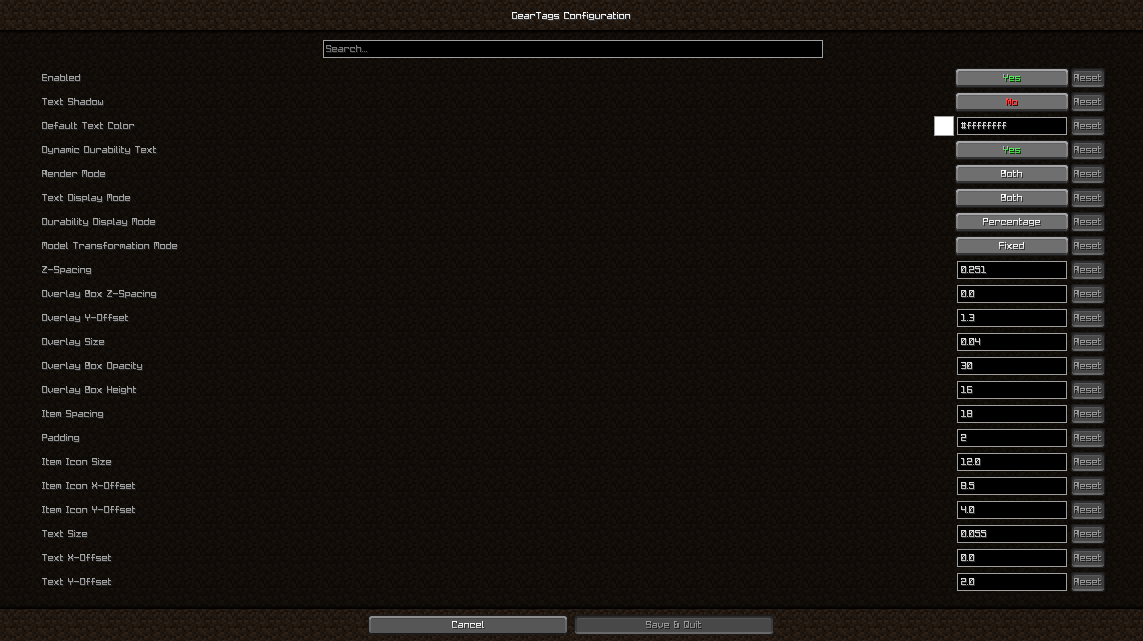 Config Screen
Versions
Files
Relations
Project Relations
More like this
Similar Mods
Suggestions use data such as tags, dependencies, dependents, descriptions, titles, and more to rank how much they overlap with this mod.
On ModDex
Community snapshot
By the numbers
Statistics

Want to reach Minecraft players?
We're looking for a server hosting partner to feature here and other parts of the site. Interested? Send us a message!
Get in touchGet it on
Available Platforms
On ModDex
Community snapshot
By the numbers