Community listing page, reviews may not be monitored by the author.
Gemblades

No reviews yet
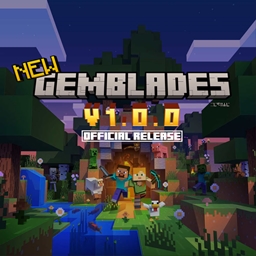
Gemblades adds rare, powerful gems and legendary weapons infused with unique abilities to your Minecraft world.

Community voices
Reviews
No reviews yet. Be the first to review this project!
Get it on
Available Platforms
About
Project Details
For authors
Embed Badge
If you're the author of this project, you can embed a live badge anywhere that supports HTML or Markdown. It updates automatically whenever ratings change.
Use HTML for any page that supports it, or Markdown for README files and Markdown-based descriptions.
Identifiers
Platform IDs
Resources
External Links
About
Description
Gemblades
Gemblades adds rare, powerful gems and legendary weapons infused with unique abilities to your Minecraft world.
<!-- Note: Legendary weapons are not yet implemented. -->
Features
- Rare Gems: Discover and mine various types of gems, each with unique properties.
- Legendary Weapons: Craft legendary weapons that can be infused with gems to enhance their abilities.
- Unique Abilities: Each gem and weapon combination provides unique abilities, allowing for diverse playstyles.
- Crafting Recipes: Extensive crafting system to create and upgrade gems and weapons.
- Custom Enchantments: Gems can be used to apply custom enchantments to weapons, enhancing their power.
Installation
You can install Gemblades via CurseForge or directly from GitHub Releases.
Option 1: CurseForge (Recommended)
- Open Gemblades on CurseForge .
- Download the latest version compatible with your Minecraft and NeoForge versions.
- Place the
.jarfile in your Minecraftmodsfolder. - Launch Minecraft with the NeoForge profile.
Option 2: GitHub
- Download and install NeoForge version
21.1.192for Minecraft1.21.1. - Go to the Gemblades GitHub Releases.
- Download the latest
.jarfile. - Place it into your Minecraft
modsfolder. - Launch Minecraft with the NeoForge profile.
Requirements
- Minecraft:
1.21.1 - NeoForge:
21.1.192
Requirements
- Minecraft: 1.21.1
- NeoForge: 21.1.192
Bug Reports
If you encounter a bug while using Gemblades, please help improve the project by submitting a bug report.
How to Report a Bug
Search Existing Issues
Before creating a new report, check the issues page to see if it has already been reported.Open a New Issue
If your bug hasn't been reported yet, open a new GitHub Issue and include the following information:- Minecraft version (e.g.
1.21.1) - NeoForge version
- Gemblades version
- Steps to reproduce the bug
- Expected behavior
- Actual behavior
- Any relevant logs or crash reports
- Minecraft version (e.g.
Be Clear and Concise
Include as much detail as possible. Clear reports help identify and fix issues faster.
License
This project is licensed under the MIT License.
See the LICENSE for details.
Credits
Developed by redjive26. Thanks to Modding by Kaupenjoe for some assets and code snippets.
Release Notes
See CHANGELOG for more details.
1.0.0
- Initial release with basic gem types.
Screenshots
Gallery
Versions
Files
Relations
Project Relations
More like this
Similar Mods
Suggestions use data such as tags, dependencies, dependents, descriptions, titles, and more to rank how much they overlap with this mod.
On ModDex
Community snapshot
By the numbers
Statistics

Get it on
Available Platforms
On ModDex
Community snapshot
By the numbers
Statistics
Resources