Community listing page, reviews here may not be monitored by the author.
Professors Toolkit: Ghost Torch

No reviews yet
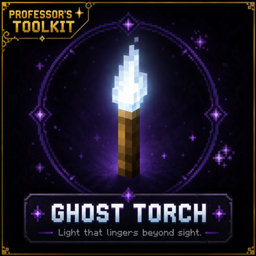
A spectral torch that keeps your builds beautifully lit without the visual clutter.
Community voices
Reviews
No reviews yet. Be the first to review this project!
Get it on
Available Platforms
About
Project Details
For authors
Embed Badge
If you're the author of this project, you can embed a live badge anywhere that supports HTML or Markdown. It updates automatically whenever ratings change.
Use HTML for any page that supports it, or Markdown for README files and Markdown-based descriptions.
Identifiers
Platform IDs
Resources
External Links
About
Description
Ghost Torch
Hide your lighting, not your creativity.
Ghost Torch is a lightweight, vanilla-friendly utility mod that gives builders and technical players complete control over Minecraft's hidden lighting and hostile mob spawning mechanics—all through a single intuitive tool.
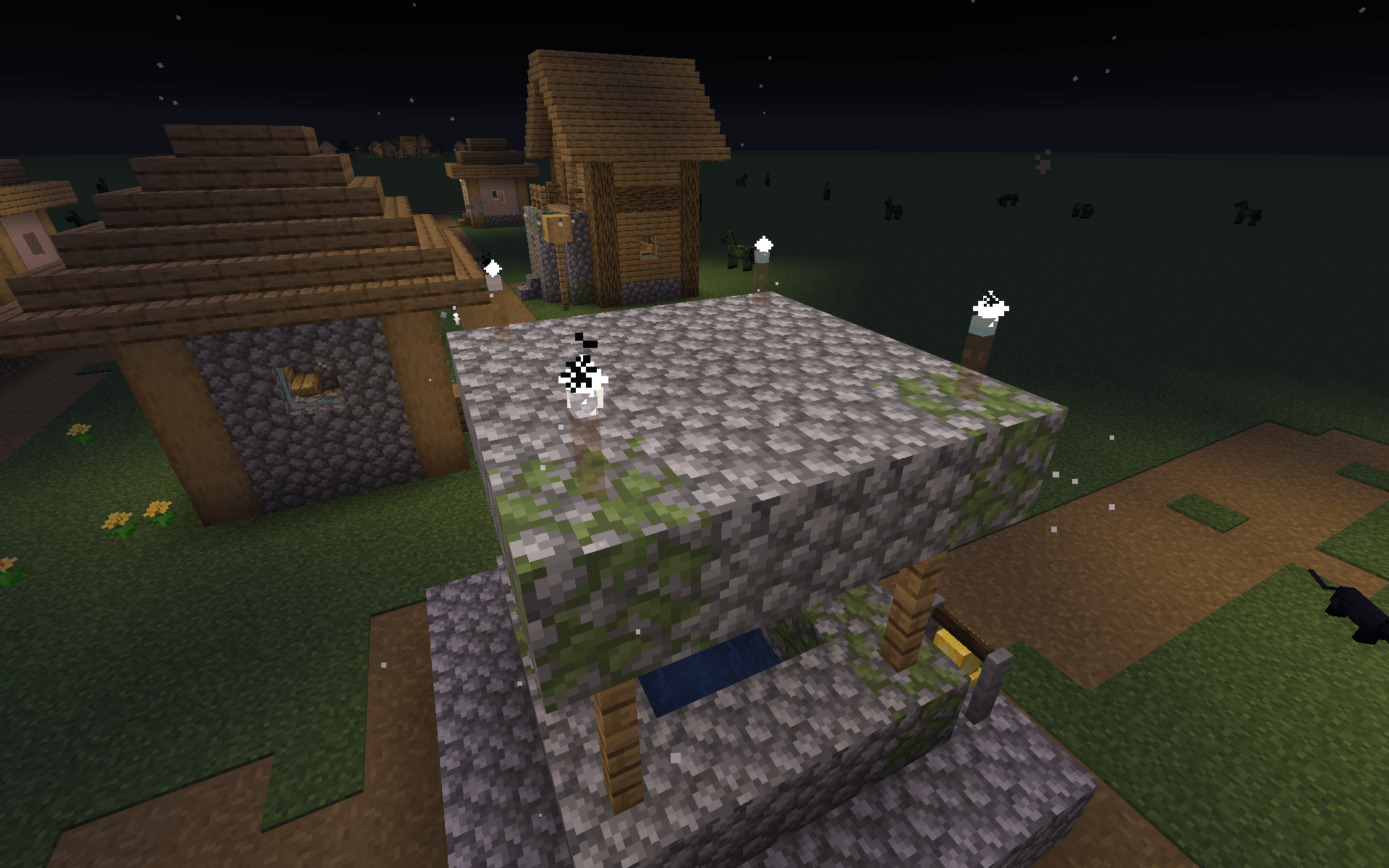
At its core, Ghost Torch functions like a nearly invisible vanilla torch, allowing you to illuminate your builds without cluttering them with visible light sources. Hold a Ghost Torch at any time to reveal nearby Ghost Torches, making hidden lighting easy to locate whenever you need it.
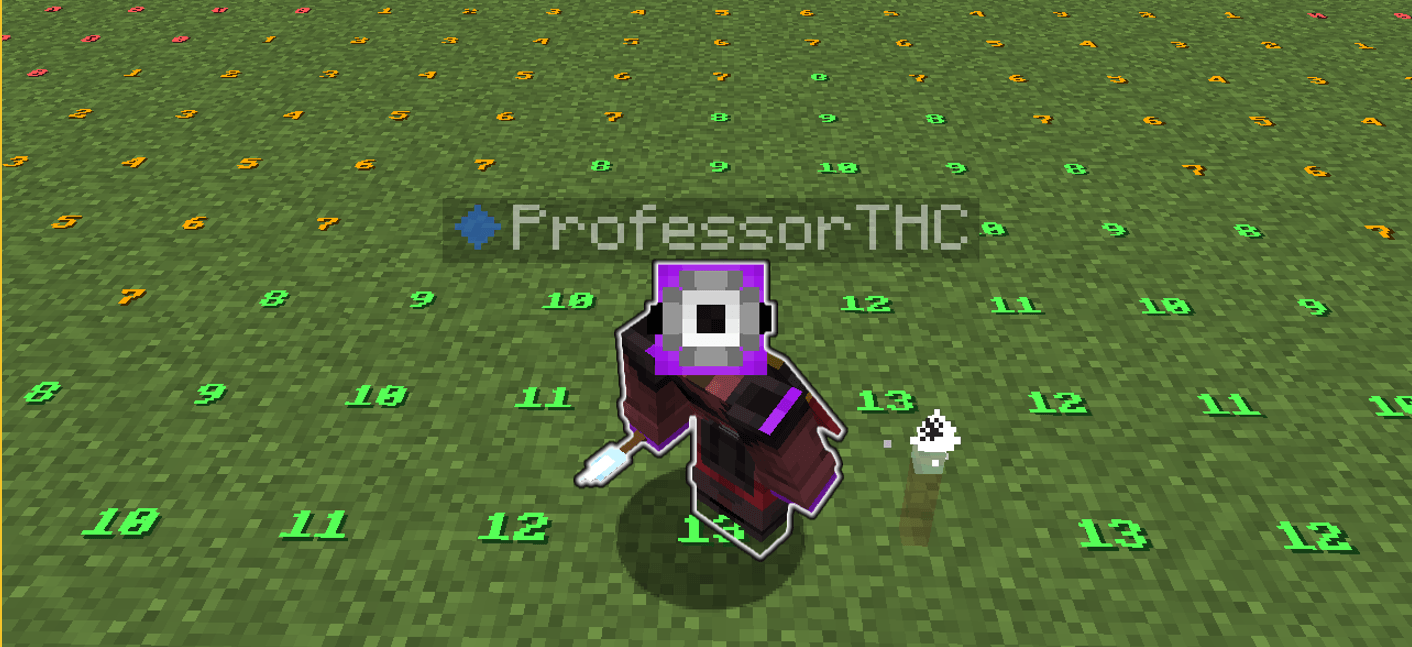
Ghost Vision expands the experience even further by providing powerful visualization tools that integrate naturally into gameplay. Inspect your world's lighting and hostile mob spawning conditions without opening debug screens or relying on external utility mods.
Switch seamlessly between multiple Ghost Vision modes to visualize:
- Effective Light Levels using Minecraft's own lighting calculations.
- Hostile Mob Spawn Locations using Minecraft's native spawning rules.
Every feature—from textures and sounds to controls and crafting—has been designed to feel like a natural extension of vanilla Minecraft.
What's New in Version 1.2.0
Version 1.2.0 continues to refine the Ghost Vision experience with improved usability and more flexible activation controls.
New Activation Modes
Choose the activation style that best fits your playstyle:
- Hold Item — Ghost Vision remains active while holding the appropriate Ghost Torch.
- Hold Item + Shift — Activate Ghost Vision only while holding the Ghost Torch and sneaking.
- Permanent Toggle — Toggle Ghost Vision on or off using the assigned keybind.
Existing users are automatically migrated to Hold Item + Shift when updating, preserving previous behavior without requiring any configuration changes.
Features
Ghost Torch
- Emits Light Level 14, matching a vanilla torch.
- Nearly invisible while remaining fully functional.
- Reveals nearby Ghost Torches while holding another Ghost Torch.
- Uses vanilla placement, breaking, and stacking behavior.
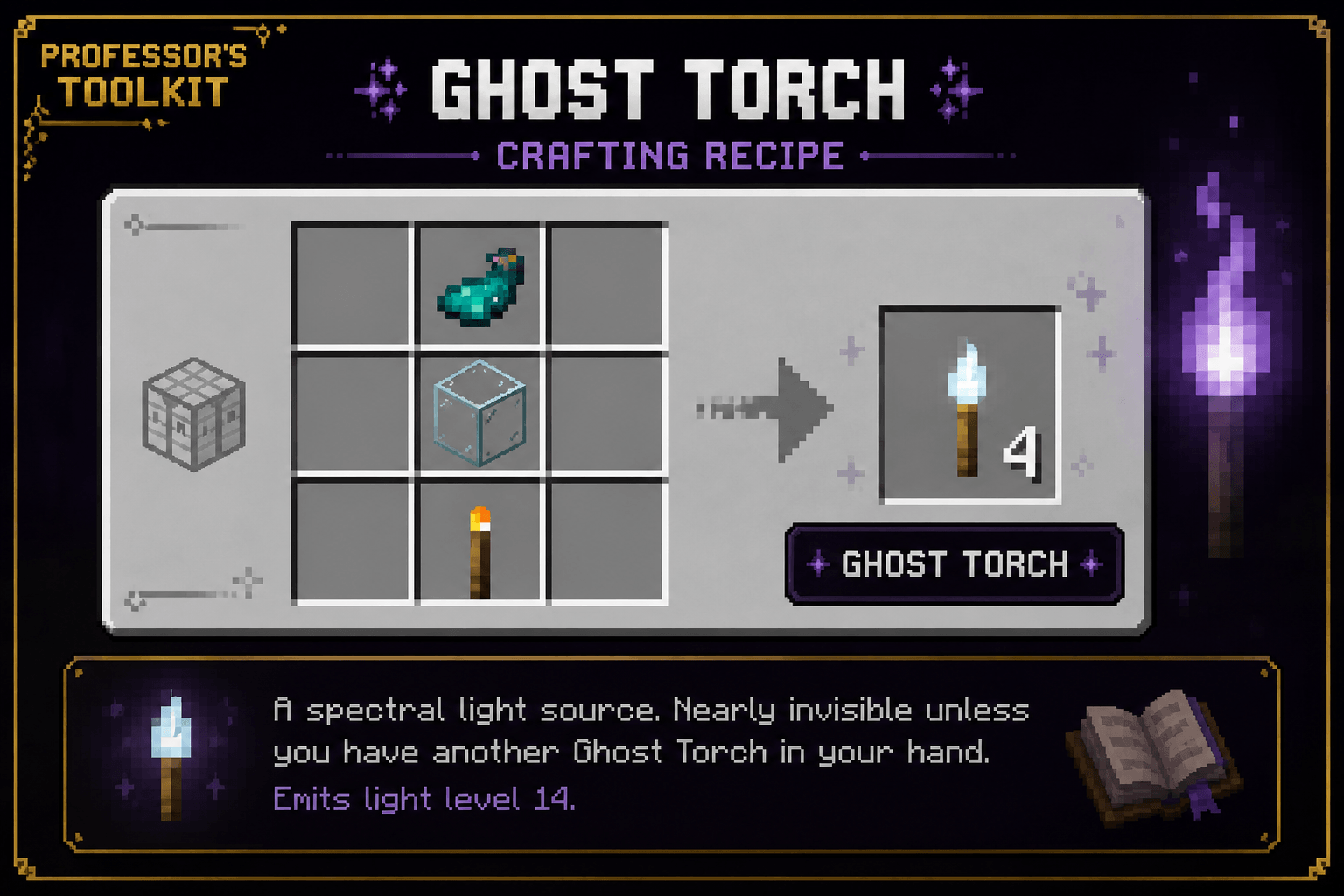
- Vanilla-inspired crafting recipe.
- Designed to blend naturally into survival gameplay.
Ghost Vision
- Three activation modes:
- Hold Item
- Hold Item + Shift
- Permanent Toggle
- Switch Ghost Vision modes using Shift + Mouse Wheel.
- Smooth audio and visual feedback when changing modes.
- Displays Minecraft's effective light levels directly on the ground.
- Displays valid hostile mob spawning locations using Minecraft's native spawning rules.
- Configurable scan radius.
- Configurable overlay opacity.
- Multiple overlay color presets.
- Multiple render styles.
- Built on a modular framework designed for future expansion.
Crafting Recipe
Glow Ink Sac
Glass Block
Torch
(Place the ingredients vertically in any crafting table column.)
How to Use
Ghost Torch
- Craft a Ghost Torch.
- Place it like a normal torch.
- Enjoy hidden lighting without visual clutter.
- Hold another Ghost Torch to reveal hidden Ghost Torches.
- Break it normally to recover the item.
Ghost Vision
Hold the appropriate Ghost Torch and activate Ghost Vision using your selected activation mode:
- Hold Item
- Hold Item + Shift
- Permanent Toggle
Use Shift + Mouse Wheel to cycle between Ghost Vision modes.
Why Ghost Torch?
Ghost Torch was created to solve two common problems:
- Builders want beautifully lit interiors without visible torches disrupting their designs.
- Technical players need a fast, intuitive way to inspect lighting and hostile mob spawning while building, exploring, and spawn-proofing.
Ghost Torch combines both ideas into a lightweight utility that feels like it belongs in vanilla Minecraft.
Compatibility
- Minecraft Java Edition 1.21.6 (26.2)
- Fabric Loader
- Fabric API
- Client & Server Compatible
- Multiplayer Supported
Future Development
Ghost Torch continues to grow while remaining focused on its original philosophy.
Future updates will prioritize:
- Performance improvements
- Compatibility updates
- Visual refinements
- Accessibility improvements
- Carefully designed quality-of-life additions
Upcoming development includes Spawn Inspector, a diagnostic mode that explains why mobs can or cannot spawn at any given location, making it easier to optimize farms, lighting, and mob-proofing.
Ghost Torch is designed around one goal:
Reveal Minecraft's hidden mechanics without changing the vanilla experience.
Part of Professor's Toolkit
Ghost Torch is the first release in the Professor's Toolkit collection—a growing series of focused, vanilla-friendly utility mods that reveal information Minecraft already knows, but doesn't normally show the player.
Every Professor's Toolkit mod is built around one guiding principle:
Enhance vanilla gameplay—never replace it.
Acknowledgements
Ghost Vision was inspired by MiniHUD, created by masa and its contributors.
MiniHUD has been an invaluable tool for the technical Minecraft community for many years and inspired the integrated visualization system found in Ghost Torch.
While Ghost Vision is an original implementation built specifically for this project, I wanted to recognize the work that inspired its creation. If you enjoy technical Minecraft utility mods, I highly recommend checking out MiniHUD.
Thank you for checking out Ghost Torch.
I hope it earns a permanent place in your survival worlds.
This is only the beginning of the Professor's Toolkit collection, and I can't wait to share what's coming next.
Visit https://discord.gg/2fgFusvy4h To check out other mods released by me :)
Screenshots
Gallery
-
 Ghost Torch Recipe.png Ghost Torch Recipe.png
 -
 2026-07-16_03.40.33_2.png 2026-07-16_03.40.33_2.png
 -
 GhostVision.png GhostVision.png
Versions
Files
Relations
Project Relations
More like this
Similar Mods
Suggestions use data such as tags, dependencies, dependents, descriptions, titles, and more to rank how much they overlap with this mod.
On ModDex
Community snapshot
By the numbers
Statistics
Want to reach Minecraft players?
We're looking for a server hosting partner to feature here and other parts of the site. Interested? Send us a message!
Get in touchGet it on
Available Platforms
On ModDex
Community snapshot
By the numbers
Statistics
Resources