
GitWorlds
No reviews yet
A Simple World Version control with Github.
Neoforge is a fork of the Minecraft Forge available for versions 1.20.1+ of Minecraft. Many Forge mods are compatible with Neoforge and vice versa.
Community voices
Reviews
Click once to include, again to exclude, again to clear
No reviews yet. Be the first to review this project!
Get it on
Available Platforms
 Modrinth
Compatibility
Supported Environments
About
Project Details
For authors
Embed Badge
If you're the author of this project, you can embed a live badge anywhere that supports HTML or Markdown. It updates automatically whenever ratings change.
Use HTML for any page that supports it, or Markdown for README files and Markdown-based descriptions.
Identifiers
Platform IDs
Resources
External Links
About
Description
Requires Git to be installed. You can get Git from the official website: Git Official Website

Git Worlds is a NeoForge mod that automatically creates Git repositories for your Minecraft worlds, providing version control, branching, and backup capabilities. Every world session is tracked as a separate Git branch with automatic commits and optional GitHub integration.

- Automatic Git Repository Creation: Each world gets its own Git repository
- Session-Based Branching: New branch created for each play session
- Auto-Commit System: Configurable interval commits (default: 10 minutes)
- GitHub Integration: Optional remote backup and sharing
- Version History: View and restore from previous world states
- Crash Protection: GitWorldsAgent process ensures data safety even during crashes
- Configurable Settings: Extensive configuration options via in-game GUI

Basic Workflow
- Create or load a world
- Git Worlds automatically initializes a Git repository
- A new branch is created for your session
- Changes are automatically committed at configured intervals
- On world exit, changes are committed and merged to master
Commands (Planned)
/gitworlds help- Show help menu/gitworlds commit- Force commit current changes/gitworlds show history- View commit history/gitworlds open- Open repository in web browser/gitworlds reset [yes|no]- Reset to last commit/gitworlds rollback [force]- Rollback to branch start
Screenshots
Gallery
-
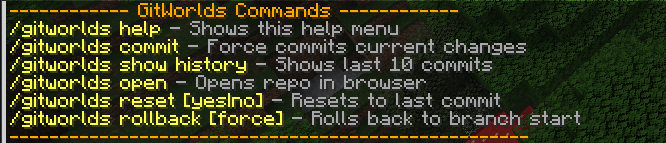 In-Game Commands Git Worlds allows you to roll back to the start of the branch or just reset back to the last commit.
 -
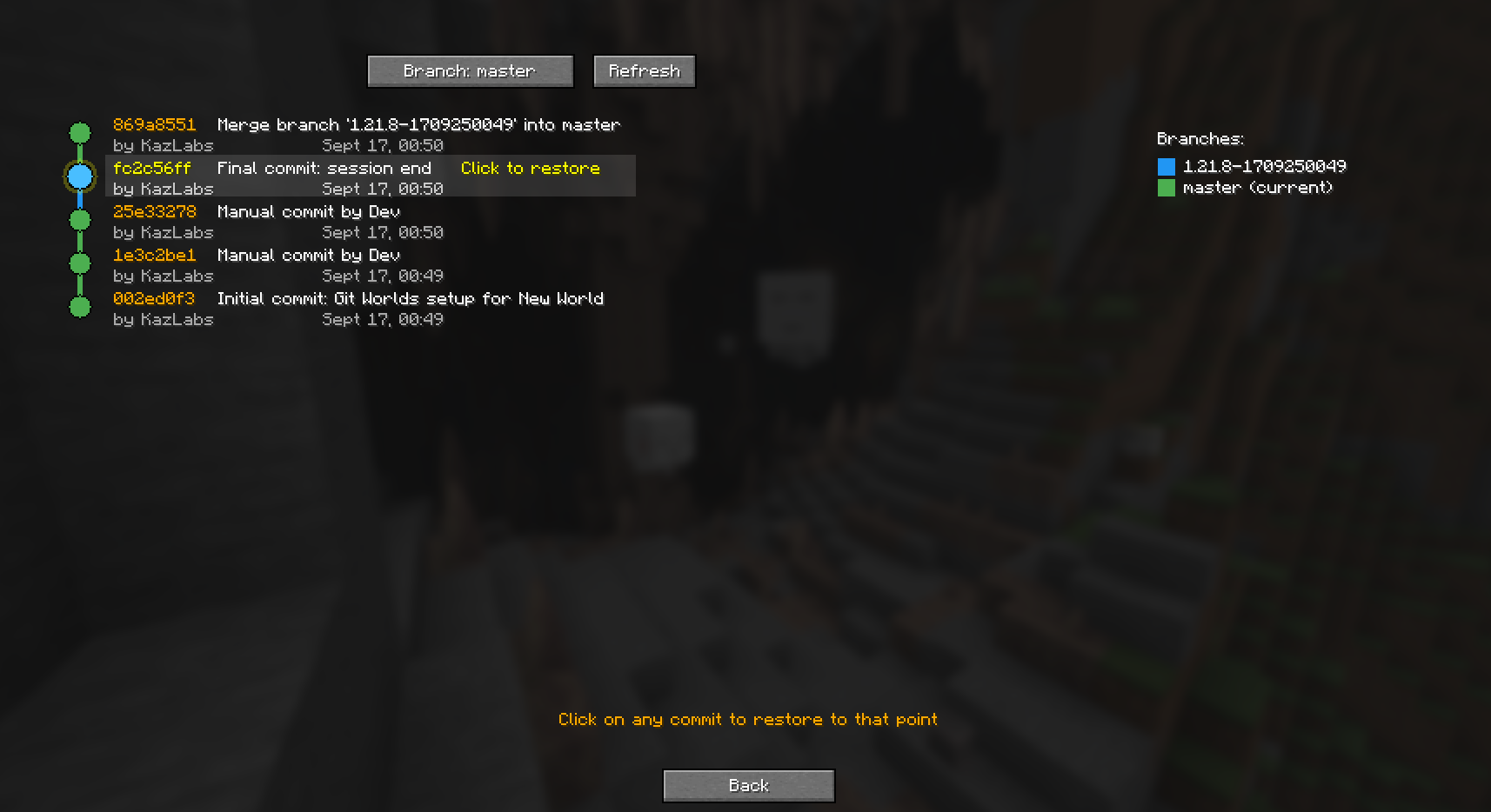 World Git History Shows the History of the Selected World Allowing you to roll back to a certain point.
 -
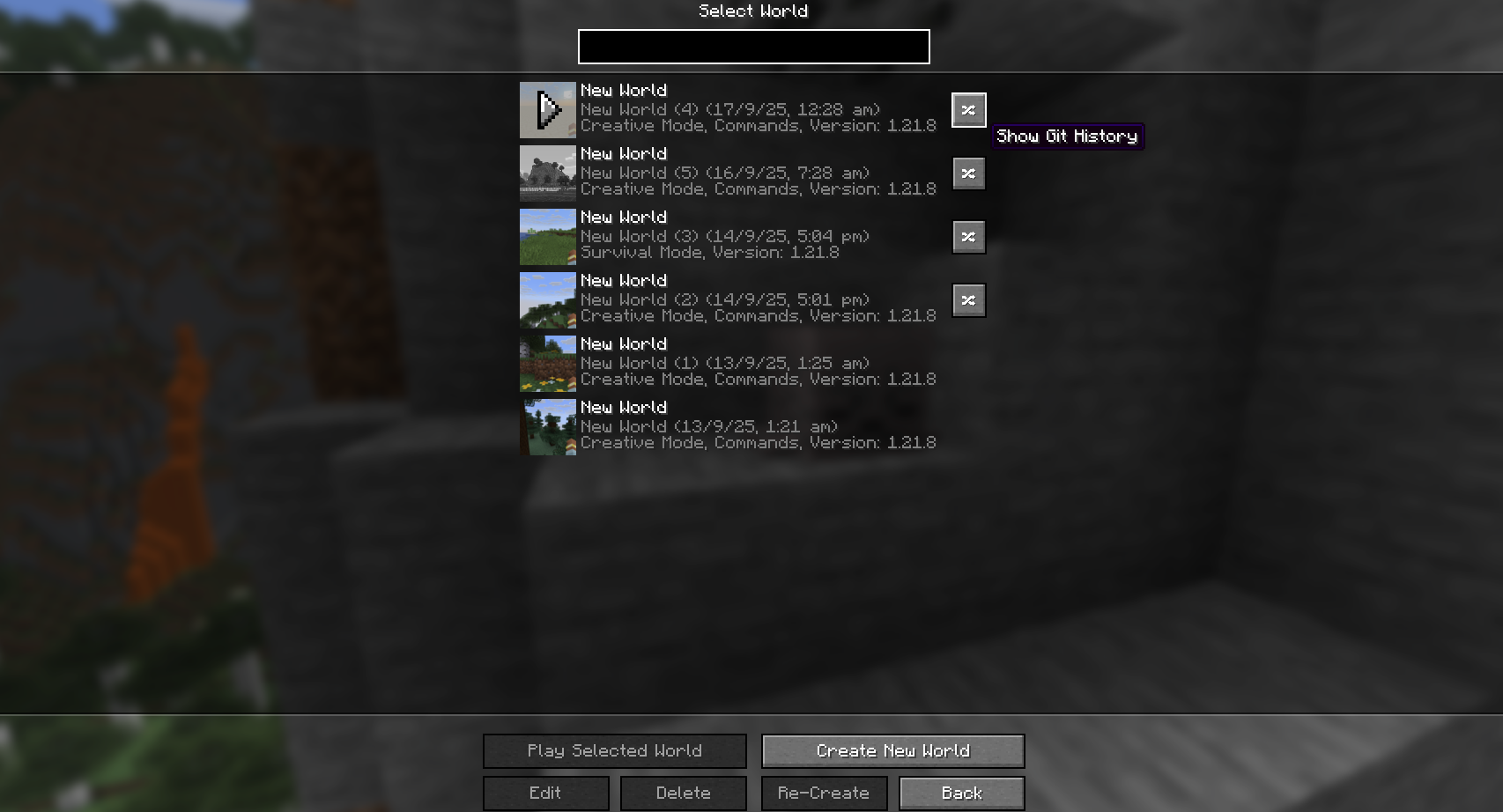 World Git History Button Git Worlds adds a simple button on each world that is handled by GitWorlds. This allows you to see the World History and Git Branch.
Versions
Files
Relations
Project Relations
More like this
Similar Mods
Suggestions use data such as tags, dependencies, dependents, descriptions, titles, and more to rank how much they overlap with this mod.
On ModDex
Community snapshot
By the numbers
Statistics

Want to reach Minecraft players?
We're looking for a server hosting partner to feature here and other parts of the site. Interested? Send us a message!
Get in touchGet it on
Available Platforms
On ModDex
Community snapshot
By the numbers
Statistics
Resources