
Gleam
No reviews yet
A lightweight, client-side Fabric mod that renders a light overlay to show exactly where mobs can spawn.
Fabric is a mod loader for versions 1.14+ of Minecraft, particularly popular for client side and optimization mods.
Community voices
Reviews
Click once to include, again to exclude, again to clear
No reviews yet. Be the first to review this project!
Get it on
Available Platforms
 Modrinth
Compatibility
Supported Environments
About
Project Details
For authors
Embed Badge
If you're the author of this project, you can embed a live badge anywhere that supports HTML or Markdown. It updates automatically whenever ratings change.
Use HTML for any page that supports it, or Markdown for README files and Markdown-based descriptions.
Identifiers
Platform IDs
Resources
External Links
About
Description
Gleam
A lightweight, client-side Fabric mod that renders a light overlay to show exactly where mobs can spawn.
 Translucent red overlays indicate where monsters can spawn (block light 0).
 Translucent yellow markers show the most efficient locations for torch placement.
Features
- Renders a translucent red overlay on blocks that are dark enough for monsters to spawn (block light level 0).
- Optimal Torch Placement: Calculates efficient locations for torches, rendered as golden markers, based on a fixed world grid to maximize coverage with minimal torches.
- Smart scanning only highlights valid spawn locations (solid blocks with air above them).
- Configurable Visibility Modes: Toggle (default), Hold or Always Show.
- Performance-friendly, throttled area scanning to maintain high framerates.
- Fully client-side; works perfectly on multiplayer servers.
Usage
By default, press F7 to toggle the light overlay on and off. You can change this behavior to "Hold" or "Always" in the configuration menu.
The keybind can be changed in the vanilla Minecraft controls menu under the "Misc" category.
Configuration
Gleam supports ModMenu for in-game configuration. You can also manually edit the config/gleam.json file.
Available settings:
- Visibility Mode: Choose how the overlay is shown (Hold key, Toggle with key or Always).
- Optimal Torches: Toggle the display of golden markers showing the most efficient locations for torch placement. These are fixed to a stable world grid and will not shift around as you move.
- Horizontal Radius: The horizontal distance scanned around the player for dark blocks.
- Vertical Radius: The vertical distance (up and down) scanned around the player for dark blocks.
Installation
- Install Fabric Loader for Minecraft 1.21.10.
- Download the Fabric API mod.
- Download the latest compiled
.jarfrom the Releases page. - Place both
.jarfiles into your.minecraft/modsfolder.
Requirements
- Minecraft 1.21.10
- Fabric Loader 0.19.2+
- Fabric API
- ModMenu (Optional, for in-game configuration)
License
This project is licensed under the GNU General Public License v3.0 (GPL-3.0).
Screenshots
Gallery
-
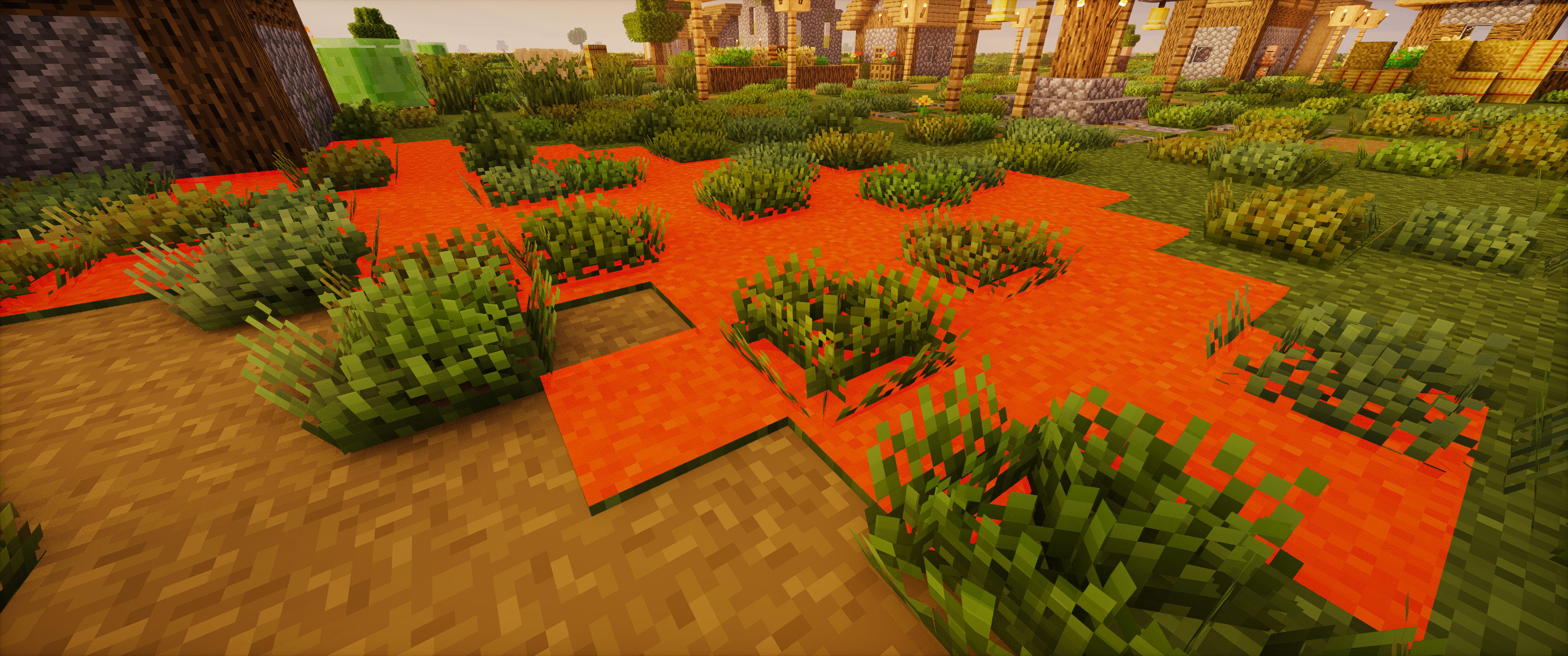 Overlay
 -
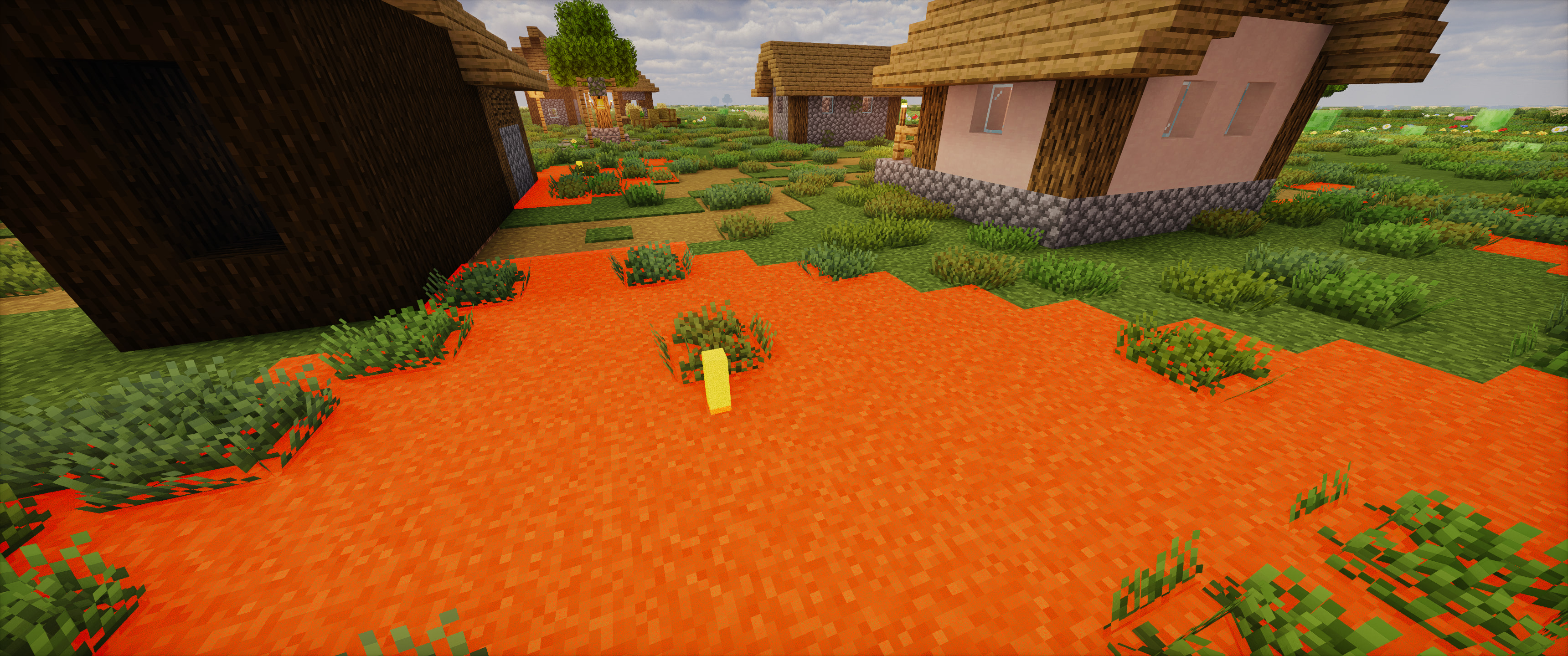 Optimal Torches
Versions
Files
Relations
Project Relations
More like this
Similar Mods
Suggestions use data such as tags, dependencies, dependents, descriptions, titles, and more to rank how much they overlap with this mod.
On ModDex
Community snapshot
By the numbers
Statistics

Want to reach Minecraft players?
We're looking for a server hosting partner to feature here and other parts of the site. Interested? Send us a message!
Get in touchGet it on
Available Platforms
On ModDex
Community snapshot
By the numbers
Statistics
Resources