Community listing page, reviews may not be monitored by the author.
GlyphBlocks

No reviews yet
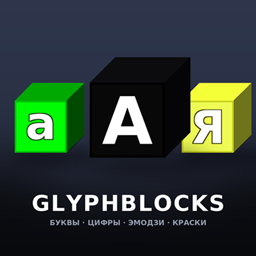
432 blocks of letters, digits, symbols and emoji — recolour them with three paint blocks.

Community voices
Reviews
No reviews yet. Be the first to review this project!
Get it on
Available Platforms
About
Project Details
For authors
Embed Badge
If you're the author of this project, you can embed a live badge anywhere that supports HTML or Markdown. It updates automatically whenever ratings change.
Use HTML for any page that supports it, or Markdown for README files and Markdown-based descriptions.
Identifiers
Platform IDs
Resources
External Links
About
Description
GlyphBlocks turns Minecraft into a typewriter. 432 solid blocks with crisp
256×256 faces: the full Cyrillic alpfor signs on shops, names over doors, banners on arenas, pixel-art captions,
server spawn decorations, or just spelling something rude on your friend's roof.
✨ Features
- 432 blocks — 104 letter / digit / symbol blocks, 325 emoji blocks, 3 paint blocks.
- HD 256×256 textures — glyphs are re-rendered from vector fonts, not upscaled pixels,
so letters stay razor sharp on 1080p, 1440p and 4K screens. - Three finishes per glyph — black, green and yellow. Each one is a separate block state.
- Recolour in the world with the paint blocks — no crafting, no breaking, no command.
- Emoji keep their own colours — 325 Twemoji blocks that cannot be repainted.
- Dedicated creative tab — everything sorted: paints first, then letters / digits / symbols, then all emoji.
- Full solid cubes — normal collision, normal shape, all six orientations, drops itself when mined.
- Everything is mineable with any pickaxe and tagged
mineable/pickaxe, so vanilla tools work.
🎨 How to recolour a letter (the only way)
- Take one of the three paint blocks: Paint: black, Paint: green, Paint: yellow.
- Right-click a letter / digit / symbol block → it instantly changes to that colour.
The paint is neither placed nor consumed, so one paint block recolours your whole build. - Sneak + right-click with a paint block → places the paint block itself, if you want it in the world.
- Right-clicking an emoji block with paint does nothing — the chat tells you emoji have fixed colours.
An empty hand, sneak-clicking, or any other item cannot change a block's colour.
The three paint blocks are the single way, by design.
📦 What's inside
| Group | Count | Notes |
|---|---|---|
| Letters (lower case) | 37 | а б в г д е ё ж з и й к л м н о п р с т у ф х ц ч ш щ ъ ы ь э ю я і ї є ґ |
| Letters (upper case) | 37 | same set in capitals |
| Digits | 10 | 0 – 9 |
| Symbols | 20 | . , - ? ! : ; + = % # / ( ) * _ ' " № & |
| Emoji | 325 | smileys, animals, food, transport, objects, symbols |
| Paint blocks | 3 | black / green / yellow |
| Total | 432 | each glyph exists in 3 colours (black / green / yellow) |
Emoji art is rendered from Twemoji vectors, so it looks the same on every system —
no missing glyphs on Linux servers, no black-and-white outline emoji.
🧱 Technical details
- Minecraft: 1.20.1
- Loader: Forge 47.x (built against 47.4.0)
- Environment: client and server (works in singleplayer, LAN and on servers)
- Mod ID:
glyphblocks - Textures: 256×256 PNG, 640 files, ~4.5 MB total
- Blocks are registered as plain
Block/BlockItem— no mixins, no ASM, no coremods,
no dependency on other mods, so it plays nicely with everything else. - Server-side is safe: the mod only adds blocks and block items, no custom packets.
📥 Installation
- Install Minecraft Forge 1.20.1 (47.4.0 or newer).
- Drop
glyphblocks-1.20.1-1.1.0.jarinto your.minecraft/mods/folder. - Launch the game — the mod's tab “Glyph Blocks” appears in the creative inventory.
- On a server: put the same jar into the server's
mods/folder.
⚠️ Notes
- Blocks are creative-tab only for now — there are no crafting recipes yet. Every block
drops itself when broken, but if you want them in survival you currently need creative or
a command block. Recipes are planned for a future update. - Emoji blocks have no colour property at all, so a paint block will never change them.
📜 Credits & License
- Code & block textures: GlyphBlocks, MIT License.
- Emoji artwork: Twemoji by Twitter/X contributors
and the Twemoji community — licensed CC-BY 4.0. - Fonts used to render the glyphs: DejaVu Sans Bold (Bitstream Vera / public-domain-ish
DejaVu license, free for commercial use). - Not affiliated with Mojang or Microsoft. Minecraft is a trademark of Mojang Synergies AB.
Found a bug or want a letter / emoji added? Leave a comment — feedback is welcome.
Screenshots
Gallery
Versions
Files
Relations
Project Relations
More like this
Similar Mods
Suggestions use data such as tags, dependencies, dependents, descriptions, titles, and more to rank how much they overlap with this mod.
On ModDex
Community snapshot
By the numbers
Statistics

Get it on
Available Platforms
On ModDex
Community snapshot
By the numbers
Statistics
Resources