
Community listing page, reviews here may not be monitored by the author.
Gnetum


Distribute HUD updates over multiple frames to improve performance
Community voices
Reviews
No reviews yet. Be the first to review this project!
Get it on
Available Platforms
Compatibility
Supported Environments
Runs entirely on the client. Works on vanilla servers.
About
Project Details
For authors
Embed Badge
If you're the author of this project, you can embed a live badge anywhere that supports HTML or Markdown. It updates automatically whenever ratings change.
Use HTML for any page that supports it, or Markdown for README files and Markdown-based descriptions.
Identifiers
Platform IDs
About
Description
Gnetum
A Minecraft mod that improves performance by distributing HUD updates over multiple frames.
Overview
Gnetum divides a full HUD update into multiple "passes." Only one pass is rendered each frame, reducing the time taken on HUD updates and improving FPS.
Based on the rendering time of each element, Gnetum automatically distributes their updates over multiple frames, improving both the average FPS and the minimum.
Technical explanations
The idea behind Gnetum is to reduce the framerate of the HUD, which is not cheap to render and does not really change often, to improve the overall performance of the game, in a way that improves both the average and the minimum FPS. To achieve this:
- Gnetum employs two framebuffers, called a back framebuffer and a front framebuffer, respectively
- Each frame will render a "pass", that is, a (customizable) portion of the complete HUD, to the back framebuffer
- If the number of passes is set to 4, for example, a full HUD update is distributed over 4 frames, saving a lot of draw calls every frame and improving FPS
- After all passes finish rendering, the back framebuffer is "swapped" with the front framebuffer
- Each frame also renders the front framebuffer, which contains a texture of the full HUD
There is also an HUD FPS limiter that defines the maximum FPS of the HUD.
Configuration
Starting from 4.0.0, integration is implemented with Sodium Config API. The configuration can be accessed from the Video Screen, allowing for adjustment of:
- the number of passes
- maximum HUD FPS
- enabling/disabling caching for each element
Compatibility
1.20.1, 1.21.1 & 1.21.11
✔️ ImmediatelyFast: fully compatible and recommended.
1.12.2
⚠️ OptiFine: make sure "Fast Render" is disabled (this mod would do nothing otherwise.)
⚠️ StellarCore: make sure their HUD Caching feature is disabled (if you are unsure how to disable it you can ignore this: it's disabled by default.)
Credits
This mod is inspired by the HUDCaching mod by Moulberry.
Gnetum
A Minecraft mod that improves performance by distributing HUD updates over multiple frames.
Overview
Gnetum divides a full HUD update into multiple "passes." Only one pass is rendered each frame, reducing the time taken on HUD updates and improving FPS.
Based on the rendering time of each element, Gnetum automatically distributes their updates over multiple frames, improving both the average FPS and the minimum.
Technical explanations
The idea behind Gnetum is to reduce the framerate of the HUD, which is not cheap to render and does not really change often, to improve the overall performance of the game, in a way that improves both the average and the minimum FPS. To achieve this:
- Gnetum employs two framebuffers, called a back framebuffer and a front framebuffer, respectively
- Each frame will render a "pass", that is, a (customizable) portion of the complete HUD, to the back framebuffer
- If the number of passes is set to 4, for example, a full HUD update is distributed over 4 frames, saving a lot of draw calls every frame and improving FPS
- After all passes finish rendering, the back framebuffer is "swapped" with the front framebuffer
- Each frame also renders the front framebuffer, which contains a texture of the full HUD
There is also an HUD FPS limiter that defines the maximum FPS of the HUD.
Configuration
Starting from 4.0.0, integration is implemented with Sodium Config API. The configuration can be accessed from the Video Screen, allowing for adjustment of:
- the number of passes
- maximum HUD FPS
- enabling/disabling caching for each element
Compatibility
1.20.1, 1.21.1 & 1.21.11
✔️ ImmediatelyFast: fully compatible and recommended.
1.12.2
⚠️ OptiFine: make sure "Fast Render" is disabled (this mod would do nothing otherwise.)
⚠️ StellarCore: make sure their HUD Caching feature is disabled (if you are unsure how to disable it you can ignore this: it's disabled by default.)
Credits
This mod is inspired by the HUDCaching mod by Moulberry.
Screenshots
Gallery
-
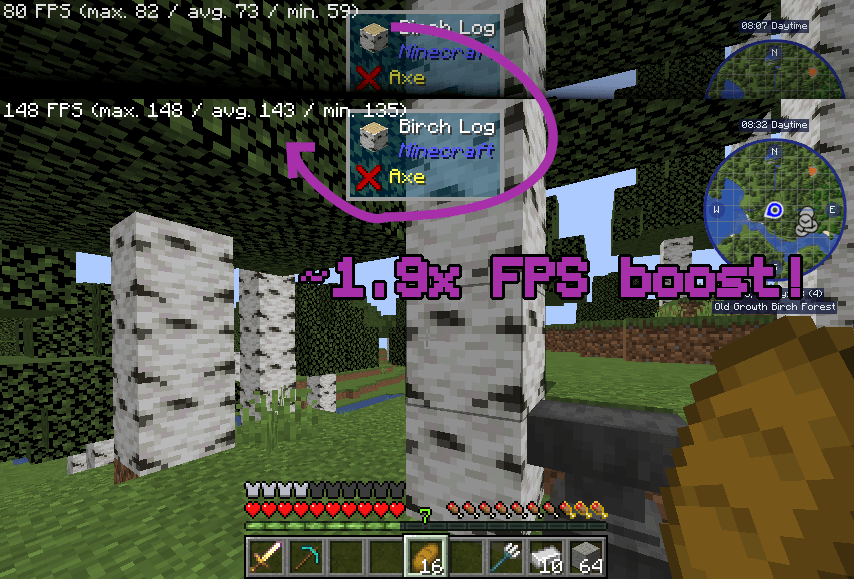 comparision(1.20.1).png ~1.9x FPS boost when using Gnetum (improvement may vary depending on your device)
 -
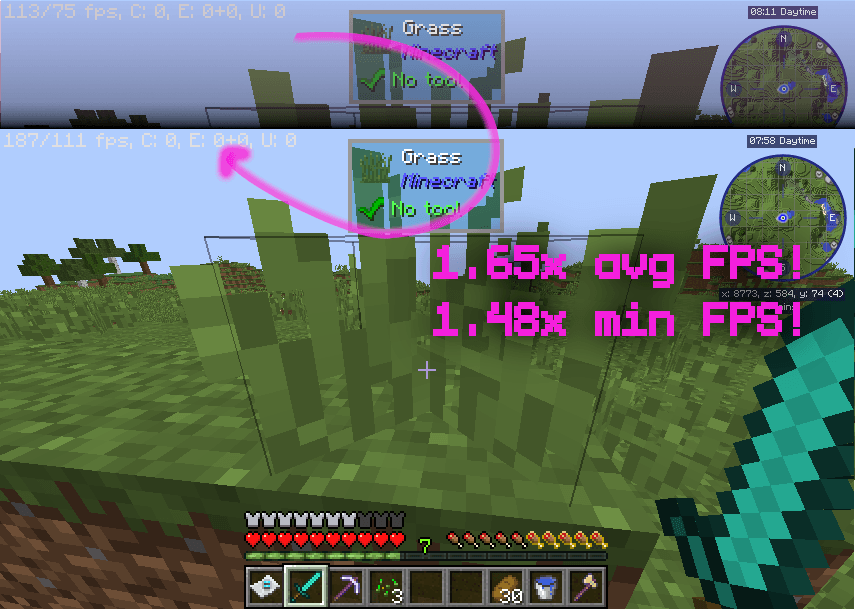 comparison(1.12.2).png 1.65x avg FPS boost and 1.48x min FPS boost when using Gnetum (improvement may vary depending on your device)
 -
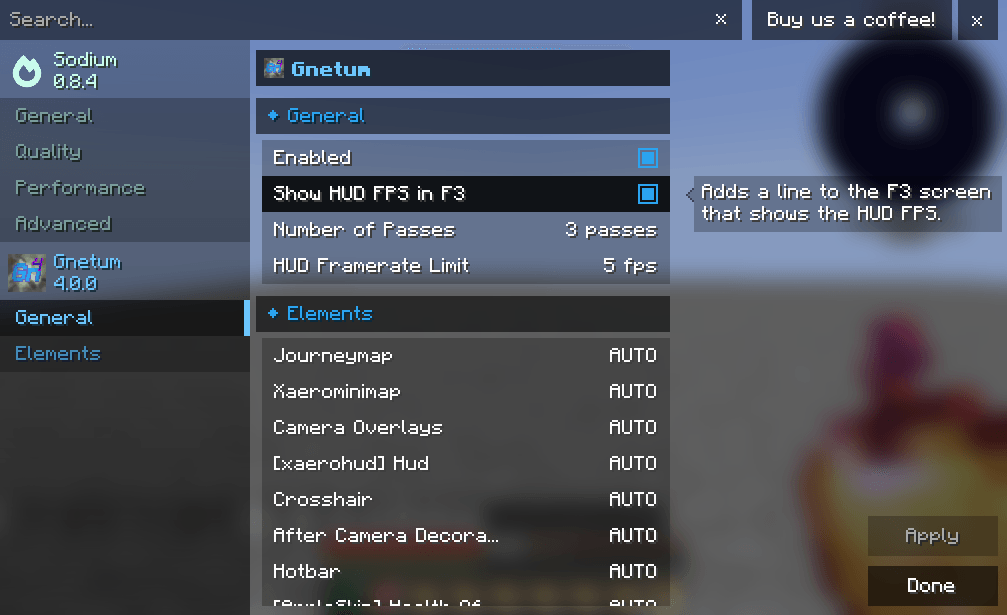 Config.png Version 4.x implements integration with Sodium Config API, allowing you to configure Gnetum conveniently.
-
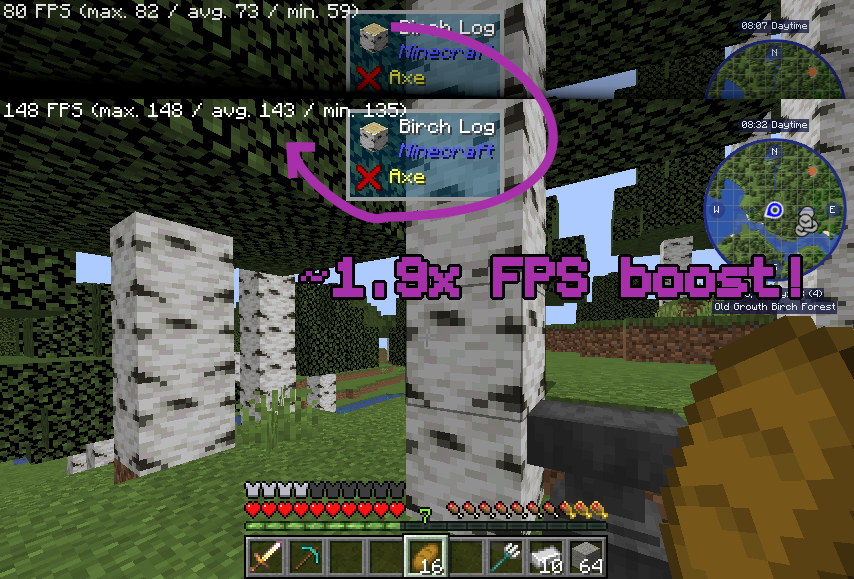 Comparision (1.20.1) ~1.9x FPS boost when using Gnetum (improvement may vary depending on your device)
 -
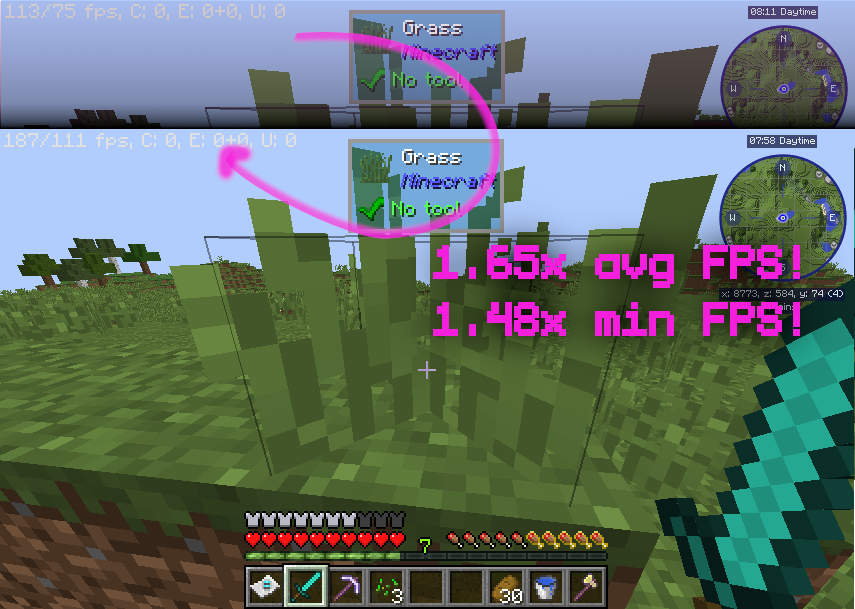 Comparison (1.12.2) 1.65x avg FPS boost and 1.48x min FPS boost when using Gnetum (improvement may vary depending on your device)
 -
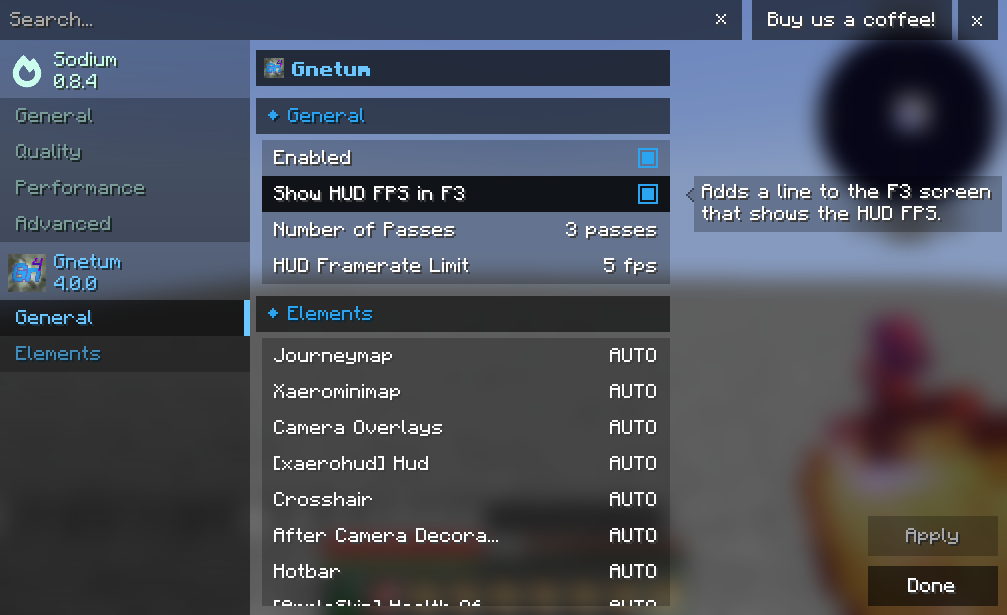 Config Version 4.x implements integration with Sodium Config API, allowing you to configure Gnetum conveniently.
Versions
Files
Relations
Project Relations
More like this
Similar Mods
Suggestions use data such as tags, dependencies, dependents, descriptions, titles, and more to rank how much they overlap with this mod.
On ModDex
Community snapshot
By the numbers
Statistics
Want to reach Minecraft players?
We're looking for a server hosting partner to feature here and other parts of the site. Interested? Send us a message!
Get in touchGet it on
Available Platforms
On ModDex
Community snapshot
By the numbers